Introduction
Source Code Management (SCM) tools help teams track, manage, and collaborate on code changes across projects. At their core, SCM systems maintain version history, enable branching and merging, and allow multiple developers to work simultaneously without conflicts. In today’s fast-paced development landscape, SCM tools are foundational to modern software delivery.
As organizations move toward DevOps, cloud-native architectures, and AI-assisted development, SCM tools have evolved beyond simple version control into full developer collaboration platforms. They now integrate CI/CD pipelines, security scanning, and automation, making them central to software lifecycle management.
Real-World Use Cases
- Collaborative software development across distributed teams
- Managing large-scale enterprise codebases with multiple contributors
- Version tracking and rollback for critical systems
- Continuous integration and deployment workflows
- Open-source project collaboration and governance
What Buyers Should Evaluate
- Version control system (Git, centralized, hybrid)
- Collaboration features (pull requests, code reviews)
- CI/CD and automation capabilities
- Security features and compliance support
- Integration ecosystem (DevOps tools, cloud providers)
- Performance and scalability
- Ease of onboarding and usability
- Pricing and licensing model
Best for: Developers, DevOps teams, IT leaders, startups, and enterprises managing codebases of any size.
Not ideal for: Non-technical teams or organizations that do not manage software code; simpler document versioning tools may suffice in such cases.
Key Trends in Source Code Management (SCM) Tools for 2026 and Beyond
- AI-assisted coding & code reviews integrated directly into SCM platforms
- Shift-left security with built-in vulnerability scanning and secret detection
- Integrated DevOps platforms replacing standalone SCM tools
- Cloud-native repositories with global edge performance
- Policy-as-code and compliance automation for regulated industries
- Developer experience (DX) optimization with simplified workflows
- Git dominance continues, with minimal adoption of centralized systems
- Hybrid deployment models (cloud + self-hosted) gaining traction
- Tighter CI/CD integration reducing tool sprawl
- Open-source collaboration scaling with enterprise governance controls
How We Selected These Tools (Methodology)
- High market adoption and developer mindshare
- Comprehensive feature sets and innovation
- Proven performance and reliability at scale
- Strong security capabilities and compliance signals
- Broad integration ecosystems
- Fit across startups, SMBs, and enterprises
- Active community and developer support
- Flexibility in deployment options (cloud/self-hosted)
- Consistent product evolution and roadmap strength
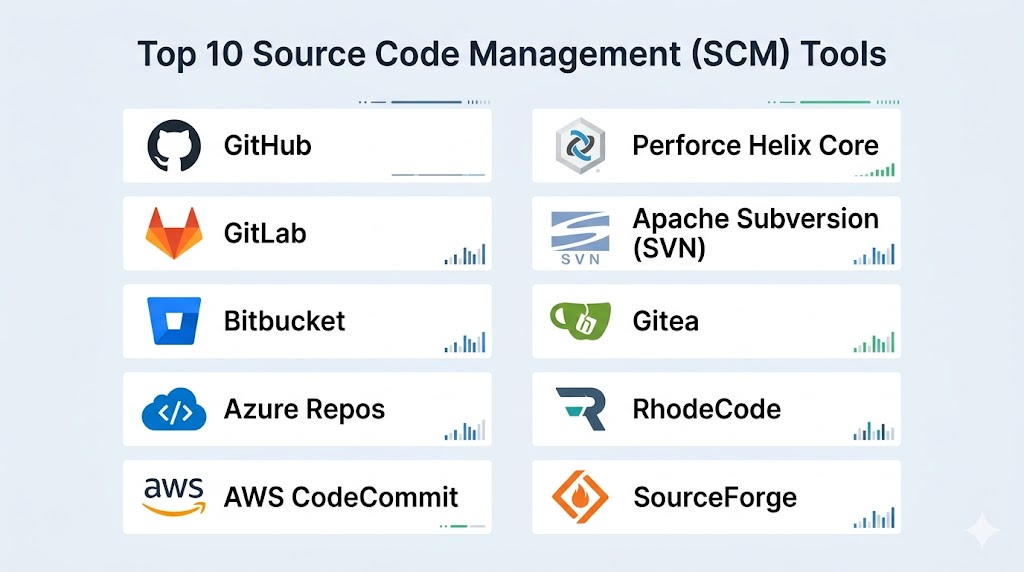
Top 10 Source Code Management (SCM) Tools Tools
#1 — GitHub
Short description: A widely used Git-based platform offering hosting, collaboration, and DevOps capabilities. Ideal for individuals, startups, and enterprises.
Key Features
- Git repository hosting with version control
- Pull requests and code review workflows
- GitHub Actions for CI/CD automation
- Issue tracking and project boards
- Code security scanning (Dependabot, secret scanning)
- Extensive API and marketplace
Pros
- Massive ecosystem and community
- Strong integrations and automation tools
Cons
- Advanced features can be complex
- Pricing tiers may scale up quickly
Platforms / Deployment
Web / Windows / macOS / Linux
Cloud / Self-hosted (GitHub Enterprise)
Security & Compliance
SSO/SAML, MFA, encryption, RBAC, audit logs
SOC 2, ISO 27001 (Enterprise offerings)
Integrations & Ecosystem
Integrates deeply with CI/CD, cloud, and developer tools.
- Azure DevOps
- Slack
- Jira
- Kubernetes
- Third-party apps via marketplace
Support & Community
Extensive documentation, global community, enterprise support tiers.
#2 — GitLab
Short description: An all-in-one DevOps platform combining SCM, CI/CD, and security in a single application.
Key Features
- Git repository management
- Built-in CI/CD pipelines
- Security scanning (SAST, DAST)
- Issue tracking and agile planning
- DevOps lifecycle management
Pros
- Unified DevOps platform
- Strong automation capabilities
Cons
- Learning curve for beginners
- Resource-intensive for self-hosting
Platforms / Deployment
Web / Linux
Cloud / Self-hosted / Hybrid
Security & Compliance
SSO/SAML, MFA, audit logs
SOC 2, compliance features (Enterprise tiers)
Integrations & Ecosystem
Broad integrations with DevOps tools.
- Kubernetes
- AWS
- Jira
- Slack
- Terraform
Support & Community
Strong open-source community and enterprise support options.
#3 — Bitbucket
Short description: Git-based SCM tool by Atlassian, optimized for teams already using Jira and Atlassian products.
Key Features
- Git repository hosting
- Built-in CI/CD (Bitbucket Pipelines)
- Pull requests and code reviews
- Jira integration
- Branch permissions and workflows
Pros
- Seamless Atlassian ecosystem integration
- Cost-effective for small teams
Cons
- Limited marketplace compared to GitHub
- UI can feel less intuitive
Platforms / Deployment
Web
Cloud / Self-hosted
Security & Compliance
SSO, MFA, encryption
Not publicly stated (full certifications)
Integrations & Ecosystem
Deep integration with Atlassian stack.
- Jira
- Confluence
- Trello
- Slack
Support & Community
Good documentation and Atlassian support ecosystem.
#4 — Azure Repos
Short description: Microsoft’s SCM solution within Azure DevOps, supporting Git and centralized version control.
Key Features
- Git and TFVC support
- Branch policies and code reviews
- Integration with Azure Pipelines
- Enterprise-grade access control
- Scalability for large teams
Pros
- Strong enterprise capabilities
- Seamless Azure integration
Cons
- Best suited for Microsoft ecosystem users
- UI complexity
Platforms / Deployment
Web / Windows / macOS
Cloud / Self-hosted
Security & Compliance
SSO, MFA, RBAC
SOC 2, ISO 27001 (Azure compliance)
Integrations & Ecosystem
- Azure DevOps
- Microsoft Teams
- Visual Studio
- GitHub
Support & Community
Enterprise-grade support with Microsoft ecosystem backing.
#5 — AWS CodeCommit
Short description: Fully managed Git-based repository service integrated with AWS cloud services.
Key Features
- Secure Git repositories
- Integration with AWS CI/CD tools
- Fine-grained IAM access control
- Encryption at rest and in transit
- Scalable infrastructure
Pros
- Tight AWS integration
- High security standards
Cons
- Limited UI features
- Not ideal outside AWS ecosystem
Platforms / Deployment
Web
Cloud
Security & Compliance
IAM-based access, encryption
Compliance aligned with AWS standards
Integrations & Ecosystem
- AWS CodePipeline
- AWS Lambda
- CloudWatch
Support & Community
AWS documentation and enterprise support.
#6 — Perforce Helix Core
Short description: Enterprise-grade SCM designed for large-scale development environments and binary assets.
Key Features
- High-performance version control
- Handles large files and assets
- Advanced branching strategies
- Fine-grained access controls
- Integration with DevOps tools
Pros
- Excellent for large repositories
- High scalability
Cons
- Expensive licensing
- Complex setup
Platforms / Deployment
Windows / Linux / macOS
Self-hosted / Hybrid
Security & Compliance
RBAC, audit logs
Not publicly stated
Integrations & Ecosystem
- Unreal Engine
- Jenkins
- Jira
Support & Community
Strong enterprise support, smaller community.
#7 — Apache Subversion (SVN)
Short description: Centralized version control system still used in legacy environments.
Key Features
- Centralized repository model
- Version tracking and rollback
- Access control
- Branching and tagging
Pros
- Simple and stable
- Suitable for legacy systems
Cons
- Limited scalability
- Not suited for distributed workflows
Platforms / Deployment
Windows / Linux / macOS
Self-hosted
Security & Compliance
Basic access controls
Not publicly stated
Integrations & Ecosystem
- Jenkins
- Eclipse
- Visual Studio
Support & Community
Mature but declining community.
#8 — Gitea
Short description: Lightweight, self-hosted Git service designed for simplicity and efficiency.
Key Features
- Git repository hosting
- Issue tracking
- Pull requests
- Lightweight deployment
- Open-source flexibility
Pros
- Easy to deploy
- Low resource usage
Cons
- Limited enterprise features
- Smaller ecosystem
Platforms / Deployment
Web / Linux / Windows
Self-hosted
Security & Compliance
Basic authentication, RBAC
Not publicly stated
Integrations & Ecosystem
- Webhooks
- CI/CD tools
- APIs
Support & Community
Active open-source community.
#9 — SourceForge
Short description: Platform for open-source project hosting and distribution.
Key Features
- Code hosting
- Version control
- Project management tools
- Download distribution
- Community engagement
Pros
- Strong open-source focus
- Free hosting options
Cons
- Limited modern DevOps features
- Outdated UI
Platforms / Deployment
Web
Cloud
Security & Compliance
Not publicly stated
Integrations & Ecosystem
Limited integrations compared to modern tools.
Support & Community
Large but legacy-focused community.
#10 — RhodeCode
Short description: Enterprise SCM supporting Git, Mercurial, and Subversion.
Key Features
- Multi-VCS support
- Code review tools
- Permission management
- Audit logs
- Enterprise security
Pros
- Multi-repository support
- Strong compliance features
Cons
- Smaller ecosystem
- Less mainstream adoption
Platforms / Deployment
Web / Linux
Self-hosted
Security & Compliance
RBAC, audit logs
Not publicly stated
Integrations & Ecosystem
- Jira
- CI/CD tools
- APIs
Support & Community
Enterprise support with niche community.
Comparison Table (Top 10)
| Tool Name | Best For | Platform(s) Supported | Deployment | Standout Feature | Public Rating |
|---|---|---|---|---|---|
| GitHub | All teams | Web / Multi-OS | Cloud/Hybrid | Ecosystem | N/A |
| GitLab | DevOps teams | Web/Linux | Cloud/Hybrid | All-in-one DevOps | N/A |
| Bitbucket | Atlassian users | Web | Cloud/Self-hosted | Jira integration | N/A |
| Azure Repos | Enterprises | Multi-OS | Cloud/Hybrid | Microsoft ecosystem | N/A |
| AWS CodeCommit | AWS users | Web | Cloud | IAM security | N/A |
| Perforce Helix Core | Large enterprises | Multi-OS | Self-hosted | Large file handling | N/A |
| Apache SVN | Legacy systems | Multi-OS | Self-hosted | Simplicity | N/A |
| Gitea | Small teams | Multi-OS | Self-hosted | Lightweight | N/A |
| SourceForge | Open-source | Web | Cloud | Distribution platform | N/A |
| RhodeCode | Enterprises | Linux/Web | Self-hosted | Multi-VCS | N/A |
Evaluation & Scoring of Source Code Management (SCM) Tools
| Tool Name | Core | Ease | Integrations | Security | Performance | Support | Value | Weighted Total |
|---|---|---|---|---|---|---|---|---|
| GitHub | 9 | 9 | 10 | 9 | 9 | 10 | 8 | 9.2 |
| GitLab | 9 | 8 | 9 | 9 | 8 | 9 | 8 | 8.7 |
| Bitbucket | 8 | 8 | 8 | 8 | 8 | 8 | 9 | 8.2 |
| Azure Repos | 9 | 7 | 9 | 9 | 9 | 9 | 8 | 8.6 |
| AWS CodeCommit | 8 | 7 | 8 | 9 | 9 | 8 | 7 | 8.1 |
| Perforce | 9 | 6 | 7 | 8 | 10 | 8 | 6 | 7.9 |
| SVN | 6 | 7 | 6 | 7 | 7 | 7 | 8 | 6.9 |
| Gitea | 7 | 8 | 6 | 7 | 7 | 7 | 9 | 7.4 |
| SourceForge | 6 | 7 | 5 | 6 | 6 | 6 | 8 | 6.4 |
| RhodeCode | 7 | 7 | 6 | 8 | 7 | 7 | 7 | 7.1 |
How to interpret scores:
- Scores are comparative across tools, not absolute benchmarks
- Higher scores indicate better overall balance of features and usability
- Enterprise tools often score higher in performance but lower in ease/value
- Open-source tools may score higher in value but lower in integrations
- Choose based on use case fit, not just highest score
Which Source Code Management (SCM) Tools Tool Is Right for You?
Solo / Freelancer
GitHub or Gitea are ideal due to ease of use and free tiers.
SMB
Bitbucket or GitLab provide balance between cost and features.
Mid-Market
GitLab and Azure Repos offer scalability and DevOps integration.
Enterprise
Perforce, Azure Repos, and GitHub Enterprise excel in performance and governance.
Budget vs Premium
- Budget: Gitea, SVN
- Premium: GitHub Enterprise, Perforce
Feature Depth vs Ease of Use
- Feature-rich: GitLab
- Easy-to-use: GitHub
Integrations & Scalability
- Best integrations: GitHub, Azure
- Scalable: Perforce, GitLab
Security & Compliance Needs
- Enterprise security: Azure Repos, GitHub Enterprise
- Moderate: Bitbucket, GitLab
Frequently Asked Questions (FAQs)
What is an SCM tool?
It is a system that manages code changes, tracks history, and enables collaboration among developers.
Is Git better than SVN?
Git is distributed and more flexible, while SVN is centralized and simpler.
Are SCM tools free?
Many offer free tiers; enterprise features usually require paid plans.
Can SCM tools handle large teams?
Yes, especially GitHub, GitLab, and Perforce.
Do SCM tools include CI/CD?
Some do (GitLab, GitHub), while others integrate with external tools.
How secure are SCM tools?
Most offer encryption, access controls, and compliance features.
Can I self-host SCM tools?
Yes, tools like GitLab, Gitea, and SVN support self-hosting.
What integrations matter most?
CI/CD, issue tracking, cloud services, and collaboration tools.
Is migration between tools difficult?
It requires planning but is generally manageable with tools and scripts.
What is the best SCM tool overall?
There is no single best; it depends on your team size, budget, and ecosystem.
Conclusion
Source Code Management tools are no longer just about version control—they are the backbone of modern software delivery. From GitHub’s massive ecosystem to GitLab’s all-in-one DevOps approach and Perforce’s enterprise-grade performance, each tool serves a specific need. The right choice depends on your team size, technical requirements, and integration needs. Start by shortlisting two or three tools that align with your workflow, then run a pilot to evaluate performance, usability, and security fit. Investing time in the right SCM platform will significantly improve collaboration, code quality, and delivery speed across your organization.