Introduction
Localization QA tools help teams check translated content for linguistic, formatting, functional, and cultural quality before it reaches users. These tools go beyond basic spell checking by detecting issues such as missing translations, inconsistent terminology, broken placeholders, number mismatches, tag errors, UI overflow, punctuation problems, untranslated strings, and locale-specific formatting mistakes.
Localization QA is important because translated content directly affects customer trust, product usability, brand reputation, and global growth. A small translation error in an app, website, help center, ecommerce page, or legal document can create confusion, reduce conversions, or increase support tickets. For software teams, localization QA also helps catch technical issues before releases.
Common use cases include:
- Software string QA
- Website localization testing
- Mobile app localization review
- Documentation and help center QA
- Marketing content quality checks
- UI text expansion and layout review
- Terminology and glossary validation
Buyers should evaluate:
- Automated linguistic QA checks
- Terminology and glossary validation
- Placeholder, tag, and variable checks
- File format support
- Translation memory comparison
- In-context review support
- Workflow and reviewer collaboration
- Integration with TMS, CAT, CMS, or Git workflows
- Reporting and issue tracking
- Security and access controls
Best for: Localization QA tools are best for localization managers, translators, reviewers, product teams, QA teams, language service providers, ecommerce teams, SaaS companies, and enterprises managing multilingual releases. Not ideal for: teams translating only occasional short content, users needing only casual machine translation, or companies without recurring multilingual workflows. In those cases, manual review or a lightweight translation workflow may be enough.
Key Trends in Localization QA Tools
- AI-assisted QA is becoming more common: Localization teams increasingly use AI to detect tone issues, mistranslations, terminology gaps, and contextual inconsistencies faster.
- Automated checks are moving earlier in the workflow: Instead of waiting until final review, teams now run QA during translation, review, and pre-release stages.
- Human review remains critical: Automated QA can flag potential issues, but human reviewers are still needed for cultural nuance, brand tone, legal accuracy, and context-sensitive meaning.
- In-context QA is becoming essential: Translators and reviewers need screenshots, UI previews, and live context to catch text overflow, layout problems, and unclear wording.
- Developer workflow integration is growing: Product teams want QA checks connected to Git, CI/CD, TMS platforms, APIs, and release pipelines.
- Terminology consistency is a major focus: Companies want approved product names, legal terms, brand phrases, and technical language enforced across all languages.
- False-positive management matters: QA tools can produce unnecessary warnings, so teams need customizable rules to focus on real risks.
- Multilingual product QA is becoming cross-functional: Localization quality now involves translators, developers, designers, QA testers, product managers, and regional reviewers.
- Security expectations are increasing: Enterprise buyers expect access controls, audit visibility, secure file handling, and clear data governance for sensitive multilingual content.
- Standalone and built-in QA tools are both used: Some teams use dedicated QA tools, while others rely on QA modules inside TMS or CAT platforms.
How We Selected These Tools Methodology
The tools below were selected to represent a balanced mix of standalone localization QA tools, translation quality platforms, and TMS or CAT platforms with strong QA capabilities. The goal is to help buyers understand which options fit different localization workflows.
Selection criteria included:
- Recognition in localization workflows among translators, reviewers, language service providers, and product teams.
- QA feature depth, including terminology, consistency, punctuation, numbers, tags, placeholders, and formatting checks.
- File format support for software strings, bilingual files, documents, and localization exchange formats.
- Workflow fit for translators, localization managers, engineering teams, and enterprise reviewers.
- Automation strength, including customizable checks, reports, batch QA, and repeatable review processes.
- Integration ecosystem, including TMS, CAT tools, APIs, repositories, and content systems.
- Usability, especially for reviewers who need to identify and resolve issues quickly.
- Scalability, including support for many languages, vendors, projects, and content types.
- Support and documentation, including onboarding materials and practical usage guidance.
- Value for money, based on workflow efficiency, team size, and localization maturity.
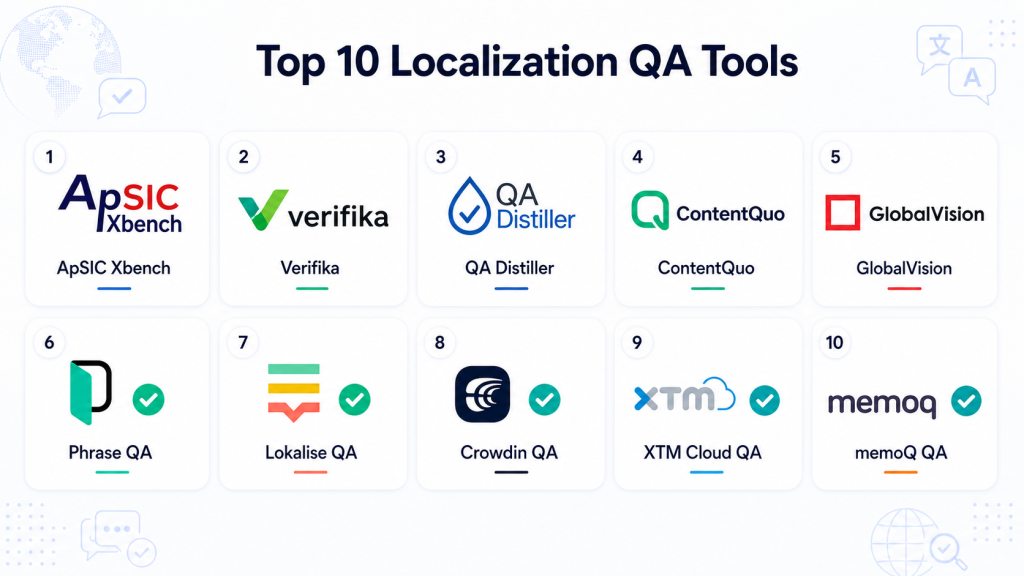
Top 10 Localization QA Tools
#1 — ApSIC Xbench
Short description: ApSIC Xbench is a widely recognized translation QA and terminology tool used by translators, reviewers, and localization teams. It helps check bilingual files for consistency, terminology errors, number mismatches, missing translations, punctuation issues, and formatting problems. It is especially useful for professional translators and language service providers that need standalone QA before delivery.
Key Features
- Bilingual file QA for translation and localization projects.
- Terminology checking against glossaries and reference files.
- Consistency checks for repeated source and target segments.
- Number, punctuation, tag, and formatting validation.
- Support for multiple translation file formats.
- Search and reference features for translators and reviewers.
- QA reporting for issue review and correction.
Pros
- Strong standalone QA tool for professional translators.
- Useful for terminology and consistency checking.
- Good fit for agency and freelance translation workflows.
Cons
- Interface may feel technical for beginners.
- Not a full translation management system.
- Best results require proper rule setup and glossary preparation.
Platforms / Deployment
Windows / Desktop
Security & Compliance
Not publicly stated.
Integrations & Ecosystem
ApSIC Xbench is commonly used alongside CAT tools and translation workflows. It works best when teams export bilingual files, run QA checks, resolve issues, and then deliver final files through their translation process.
- CAT tool file workflows
- Glossary and terminology files
- Bilingual translation files
- Translation review workflows
- Agency QA processes
- Freelance translator workflows
Support & Community
ApSIC Xbench has strong recognition among professional translators and localization reviewers. Documentation and practical usage knowledge are available, and community familiarity is strong in translation QA circles.
#2 — Verifika
Short description: Verifika is a dedicated translation QA tool designed to find linguistic, formatting, terminology, and technical issues in localized content. It is used by translators, localization teams, and language service providers that need detailed automated checks. It is especially useful for teams handling complex multilingual files and repeated QA processes.
Key Features
- Automated translation QA checks.
- Terminology, consistency, and formatting validation.
- Number, tag, punctuation, and spacing checks.
- Support for bilingual and localization file formats.
- Customizable QA rules and issue categories.
- Batch checking for multiple files.
- QA reports for reviewers and project managers.
Pros
- Strong dedicated localization QA feature set.
- Useful for professional review and agency workflows.
- Customizable checks help reduce irrelevant warnings.
Cons
- May require setup time to tune checks properly.
- Not a complete TMS or CAT environment by itself.
- Beginners may need training to use advanced checks effectively.
Platforms / Deployment
Windows / Web options may vary
Cloud / Desktop depending on configuration
Security & Compliance
Not publicly stated.
Integrations & Ecosystem
Verifika fits well into translation workflows where teams need focused QA after translation and before final delivery. It can support agency, enterprise, and translator-led review processes.
- Bilingual file QA
- Translation project review workflows
- Terminology validation
- CAT tool export workflows
- Vendor quality control
- QA reporting processes
Support & Community
Verifika has strong recognition among localization QA professionals. Support, documentation, and product guidance may vary by plan or deployment model.
#3 — QA Distiller
Short description: QA Distiller is a translation quality assurance tool focused on detecting errors in bilingual translation files. It helps reviewers identify inconsistencies, missing translations, tag problems, formatting issues, terminology mismatches, and repeated translation errors. It is especially useful for translators and agencies needing automated checks before final delivery.
Key Features
- Automated QA checks for bilingual translation files.
- Consistency validation across repeated segments.
- Tag and formatting issue detection.
- Number and punctuation checks.
- Terminology and glossary comparison.
- Error reporting for review and correction.
- Support for common translation project workflows.
Pros
- Practical tool for translation quality checks.
- Useful for translators and language service providers.
- Helps catch common delivery errors before client review.
Cons
- Interface and workflow may feel dated compared with modern cloud tools.
- Not built as a full localization management platform.
- Requires manual review to separate real issues from false positives.
Platforms / Deployment
Windows / Desktop
Security & Compliance
Not publicly stated.
Integrations & Ecosystem
QA Distiller is typically used alongside CAT tools and translation production workflows. It is most useful when teams need a separate QA step before delivery.
- CAT tool export workflows
- Bilingual file review
- Glossary and terminology workflows
- Agency QA processes
- Translator quality control
- Pre-delivery validation
Support & Community
QA Distiller is known among professional translators and localization reviewers. Support and community visibility may depend on user groups, translation forums, and existing agency practices.
#4 — ContentQuo
Short description: ContentQuo is a translation quality management and evaluation platform designed for localization teams, enterprises, and language service providers. It focuses on linguistic quality evaluation, review workflows, scorecards, feedback loops, and vendor performance visibility. It is especially useful for organizations that want structured human quality evaluation alongside automated QA.
Key Features
- Linguistic quality evaluation workflows.
- Scorecards and quality review frameworks.
- Vendor and reviewer performance tracking.
- Error categorization and quality analytics.
- Support for multilingual review programs.
- Workflow management for quality assessment.
- Reporting for localization quality improvement.
Pros
- Strong fit for structured localization quality programs.
- Useful for enterprise vendor and reviewer evaluation.
- Helps turn QA findings into measurable quality insights.
Cons
- More focused on quality management than basic file QA.
- May be too advanced for small translation teams.
- Requires process maturity to get full value.
Platforms / Deployment
Web / Cloud
Security & Compliance
Not publicly stated.
Integrations & Ecosystem
ContentQuo fits teams that need structured quality evaluation rather than only automated file checks. It can support localization programs that measure review quality, vendor quality, and long-term improvement.
- Linguistic quality review workflows
- Vendor performance management
- Quality scorecards
- Localization operations reporting
- Human review programs
- Enterprise quality frameworks
Support & Community
ContentQuo is most relevant for mature localization teams and enterprises. Support and onboarding may vary by plan, and teams should validate implementation guidance before purchase.
#5 — GlobalVision
Short description: GlobalVision is a quality inspection platform often used for content, packaging, artwork, print, and regulated review workflows. For localization teams, it can help compare multilingual content, check text accuracy, inspect layouts, and reduce errors in high-stakes documents or packaging. It is especially useful where visual and content accuracy are critical.
Key Features
- Text inspection and document comparison.
- Artwork, packaging, and layout inspection.
- Multilingual content review support.
- Error detection for changed or mismatched content.
- Quality control workflows for regulated content.
- Reviewer collaboration and approval support.
- Reporting for inspection and compliance workflows.
Pros
- Strong for visual and document comparison QA.
- Useful in packaging, life sciences, legal, and regulated content workflows.
- Helps reduce manual proofreading risk.
Cons
- Not a traditional software localization QA tool.
- May be more specialized than needed for app or website string QA.
- Buyers should validate language and workflow fit carefully.
Platforms / Deployment
Web / Cloud
Deployment options may vary by product configuration.
Security & Compliance
Enterprise security controls may be available depending on configuration. Specific certifications and compliance claims should be verified directly.
SOC 2, ISO 27001, HIPAA: Not publicly stated.
Integrations & Ecosystem
GlobalVision is strongest in workflows where translated or localized content must be checked against approved source files, artwork, packaging, labels, or regulated documents.
- Document inspection workflows
- Packaging and artwork review
- Multilingual content comparison
- Approval workflows
- Quality control systems
- Enterprise content review processes
Support & Community
GlobalVision is best suited for organizations with formal quality inspection needs. Support, onboarding, and implementation guidance may be available depending on the plan and deployment model.
#6 — Phrase QA
Short description: Phrase includes localization QA capabilities inside a broader translation management platform. It helps product and localization teams check translations for consistency, terminology, placeholders, formatting, and workflow issues while managing translation projects. It is especially useful for software teams that want QA built into continuous localization.
Key Features
- Built-in QA checks inside localization workflows.
- Terminology and glossary validation.
- Placeholder, variable, and tag checks.
- Translation memory support.
- Workflow automation and reviewer collaboration.
- Developer integrations for continuous localization.
- Reporting and project visibility.
Pros
- Strong for product and engineering-led localization.
- QA is connected to translation workflows, not isolated.
- Good fit for scaling multilingual software releases.
Cons
- May be more platform than standalone QA users need.
- Advanced setup can require localization process planning.
- Pricing depends on broader platform usage.
Platforms / Deployment
Web / Cloud
Developer workflows may connect with Windows / macOS / Linux environments through APIs and integrations.
Security & Compliance
SSO/SAML, role-based access, and enterprise controls may be available depending on plan. Specific certifications should be verified directly.
SOC 2, ISO 27001, HIPAA: Not publicly stated.
Integrations & Ecosystem
Phrase QA works best when localization QA needs to be part of the full translation and product release lifecycle. It connects well with engineering, product, and content workflows.
- Repository workflows
- API and CLI support
- CMS and documentation workflows
- Machine translation integrations
- Translation vendor workflows
- Product localization workflows
Support & Community
Phrase provides documentation, onboarding, and enterprise support options. Its ecosystem is strong among product localization, SaaS, and enterprise language operations teams.
#7 — Lokalise QA
Short description: Lokalise includes translation QA features inside a cloud localization platform for SaaS, mobile app, website, and product teams. It helps teams detect missing translations, inconsistent terms, formatting problems, placeholders, and quality issues during localization workflows. It is especially useful for teams that need QA connected to design, development, and release workflows.
Key Features
- Built-in QA checks for localization projects.
- Translation memory and glossary support.
- Placeholder and formatting validation.
- In-context and design-oriented localization review.
- Collaboration for translators, reviewers, and developers.
- Automation rules for project workflows.
- Machine translation and AI-assisted workflows.
Pros
- Easy to use for product and design teams.
- Good fit for agile software and app localization.
- QA is integrated into the localization workflow.
Cons
- Not a standalone QA tool for teams using separate CAT workflows.
- Advanced governance may require higher-tier plans.
- Enterprise teams should validate reporting and security needs.
Platforms / Deployment
Web / Cloud
Developer workflows may connect through APIs and integrations.
Security & Compliance
SSO, MFA, and role-based access may be available depending on plan. Buyers should verify certifications, audit logs, and encryption details directly.
SOC 2, ISO 27001, HIPAA: Not publicly stated.
Integrations & Ecosystem
Lokalise QA is useful for teams that want localization quality checks connected with product design and development. It supports workflows where content moves between designers, developers, translators, and reviewers.
- Design collaboration workflows
- Git and repository integrations
- API and automation workflows
- Mobile app localization
- CMS and content workflows
- Machine translation integrations
Support & Community
Lokalise provides documentation, learning resources, onboarding support, and customer support options. It has strong recognition among SaaS, mobile app, and product localization teams.
#8 — Crowdin QA
Short description: Crowdin includes localization QA features inside a platform used by software teams, open-source projects, documentation teams, and product companies. It helps detect translation errors, terminology issues, missing strings, formatting problems, and technical inconsistencies. It is especially useful for collaborative localization with developers, contributors, and reviewers.
Key Features
- Built-in QA checks for translation projects.
- Glossary and terminology validation.
- Translation memory support.
- Placeholder, tag, and formatting checks.
- Community translation workflows.
- Developer integrations and automation.
- In-context review support.
Pros
- Strong fit for developer-led and open-source localization.
- Good collaboration features for distributed contributors.
- Broad integration ecosystem for product and documentation teams.
Cons
- Community workflows require strong review control.
- Enterprise governance depends on plan and setup.
- Not always ideal for document-heavy professional translation workflows.
Platforms / Deployment
Web / Cloud
Developer workflows may connect with Windows / macOS / Linux environments through integrations and APIs.
Security & Compliance
Project permissions, role controls, and enterprise security features may be available depending on plan. Buyers should verify SSO, audit logs, and compliance documentation directly.
SOC 2, ISO 27001, HIPAA: Not publicly stated.
Integrations & Ecosystem
Crowdin QA works well when translation quality needs to be managed inside developer, documentation, and community localization workflows.
- Git repository workflows
- API automation
- Documentation tools
- CMS integrations
- Community translation workflows
- Machine translation integrations
Support & Community
Crowdin has strong community visibility among developers, open-source projects, and software localization teams. Documentation and support options are available for business and enterprise users.
#9 — XTM Cloud QA
Short description: XTM Cloud includes translation QA and linguistic quality workflows inside an enterprise translation management platform. It supports automated checks, terminology enforcement, review workflows, quality scoring, and reporting for large localization operations. It is especially useful for enterprises that need structured QA across languages, vendors, and content types.
Key Features
- Automated translation QA checks.
- Terminology and glossary enforcement.
- Translation memory support.
- Linguistic quality assessment workflows.
- Vendor and reviewer quality visibility.
- Workflow automation and routing.
- Reporting and analytics for localization quality.
Pros
- Strong fit for enterprise localization operations.
- Useful for structured QA, review, and vendor governance.
- Supports scalable multilingual workflows.
Cons
- May require implementation planning.
- Smaller teams may find it more complex than needed.
- Pricing and configuration can vary by enterprise requirements.
Platforms / Deployment
Web / Cloud
Hybrid possibilities may vary by enterprise configuration.
Security & Compliance
Enterprise security features may include access controls, role management, and administrative governance. Buyers should verify SSO, audit logs, encryption, and compliance documentation directly.
SOC 2, ISO 27001, HIPAA: Not publicly stated.
Integrations & Ecosystem
XTM Cloud QA is designed for teams that need translation quality controls embedded in enterprise localization workflows. It can support structured content operations across teams, vendors, and languages.
- CMS and enterprise content workflows
- Machine translation integrations
- API-based automation
- Vendor collaboration
- Quality reporting workflows
- Translation memory and terminology systems
Support & Community
XTM Cloud provides enterprise support and onboarding resources. It is strongest for localization operations teams, language managers, and enterprises managing large multilingual programs.
#10 — memoQ QA
Short description: memoQ includes strong QA capabilities within a professional translation and project management environment. It helps translators, reviewers, agencies, and enterprises detect terminology issues, consistency errors, formatting problems, tag mismatches, and linguistic quality risks. It is especially useful for professional translation teams that need deep terminology and review control.
Key Features
- Built-in QA checks for translation projects.
- Translation memory and terminology management.
- Consistency and formatting validation.
- Tag and number checking.
- Reviewer and project manager workflows.
- Support for professional translation file formats.
- Quality assurance reports and issue review.
Pros
- Strong fit for professional translators and agencies.
- Deep terminology and linguistic workflow support.
- Good for document-heavy translation QA.
Cons
- May feel complex for small product teams.
- Less lightweight than standalone QA tools.
- Developer-first localization may require extra workflow planning.
Platforms / Deployment
Web / Windows
Cloud / Self-hosted / Hybrid options may vary by product and configuration.
Security & Compliance
Enterprise security controls may be available depending on deployment and plan. Buyers should verify SSO, audit logs, encryption, and certifications directly.
SOC 2, ISO 27001, HIPAA: Not publicly stated.
Integrations & Ecosystem
memoQ QA works well inside professional translation environments where quality checks, terminology, and translation memory are central to delivery.
- Translation memory workflows
- Terminology databases
- File-based translation workflows
- Vendor and agency collaboration
- Machine translation integrations
- Enterprise language operations
Support & Community
memoQ has strong recognition among professional translators, agencies, and enterprise language teams. Documentation, training, and support options are available, though support levels may vary by plan.
Comparison Table Top 10
| Tool Name | Best For | Platform Supported | Deployment | Standout Feature | Public Rating |
|---|---|---|---|---|---|
| ApSIC Xbench | Translators and agencies | Windows | Desktop | Standalone terminology and consistency QA | N/A |
| Verifika | Professional translation QA | Windows / Web varies | Desktop / Cloud varies | Detailed automated translation QA checks | N/A |
| QA Distiller | Pre-delivery translation checks | Windows | Desktop | Automated bilingual file error detection | N/A |
| ContentQuo | Quality evaluation programs | Web | Cloud | Linguistic quality scoring and vendor evaluation | N/A |
| GlobalVision | Document and visual content QA | Web | Cloud | Multilingual document and layout inspection | N/A |
| Phrase QA | Product localization teams | Web, developer workflows | Cloud | QA inside continuous localization workflows | N/A |
| Lokalise QA | SaaS and app localization | Web, developer workflows | Cloud | Product and design-connected QA workflows | N/A |
| Crowdin QA | Software and community localization | Web, developer workflows | Cloud | Collaborative QA for developers and contributors | N/A |
| XTM Cloud QA | Enterprise localization operations | Web | Cloud | Structured enterprise QA and quality reporting | N/A |
| memoQ QA | Professional translation teams | Web, Windows | Cloud / Self-hosted / Hybrid varies | Deep terminology and translation memory QA | N/A |
Evaluation & Scoring of Localization QA Tools
The scoring below is comparative and practical. It is not an official rating and should not be treated as a universal ranking. Scores are based on QA depth, usability, integration strength, workflow fit, security posture, support maturity, and expected buyer value.
| Tool Name | Core | Ease | Integrations | Security | Performance | Support | Value | Weighted Total |
|---|---|---|---|---|---|---|---|---|
| ApSIC Xbench | 8 | 7 | 7 | 6 | 8 | 7 | 9 | 7.55 |
| Verifika | 9 | 7 | 7 | 6 | 8 | 7 | 8 | 7.70 |
| QA Distiller | 8 | 7 | 6 | 6 | 7 | 6 | 8 | 7.05 |
| ContentQuo | 8 | 7 | 7 | 7 | 8 | 8 | 7 | 7.50 |
| GlobalVision | 8 | 8 | 7 | 8 | 8 | 8 | 7 | 7.70 |
| Phrase QA | 9 | 8 | 9 | 8 | 8 | 8 | 8 | 8.35 |
| Lokalise QA | 8 | 9 | 9 | 8 | 8 | 8 | 8 | 8.30 |
| Crowdin QA | 8 | 8 | 9 | 7 | 8 | 8 | 9 | 8.20 |
| XTM Cloud QA | 9 | 7 | 8 | 8 | 8 | 8 | 7 | 7.95 |
| memoQ QA | 9 | 7 | 7 | 7 | 8 | 8 | 7 | 7.75 |
These scores should be used for shortlisting, not as a final buying decision. A standalone tool like Xbench or Verifika may be best for translators and agencies, while Phrase, Lokalise, or Crowdin may be stronger for software teams. Enterprise teams may prefer XTM Cloud, ContentQuo, GlobalVision, or memoQ depending on quality governance needs. Always test tools with real bilingual files, glossaries, screenshots, workflows, and reviewer roles before purchase.
Which Localization QA Tool Is Right for You?
Solo / Freelancer
Solo translators and freelance reviewers should prioritize affordability, file compatibility, terminology checks, and fast issue detection. A full enterprise platform may be unnecessary unless client requirements demand structured reporting or vendor governance.
Good options include ApSIC Xbench, Verifika, QA Distiller, and memoQ QA. These tools help freelancers catch common translation issues before delivery and improve client confidence.
For freelancers handling software strings, Xbench and Verifika can be especially useful. For translators already working inside memoQ, built-in QA may be more convenient.
SMB
SMBs should look for tools that are easy to adopt, affordable, and connected to their daily translation workflow. If the team localizes apps, websites, or documentation, built-in QA inside a localization platform may be more practical than separate desktop tools.
Good options include Lokalise QA, Crowdin QA, Phrase QA, and PO-style standalone tools like Xbench or Verifika when external translators are involved.
SMBs should prioritize translation memory reuse, glossary checks, placeholder validation, and reviewer collaboration.
Mid-Market
Mid-market companies usually need stronger automation, multiple reviewer roles, integrated workflows, and visibility across projects. They may also work with internal teams, agencies, freelancers, and regional reviewers at the same time.
Good options include Phrase QA, Lokalise QA, Crowdin QA, XTM Cloud QA, and ContentQuo. These tools support structured workflows while reducing manual review effort.
Mid-market buyers should validate integrations, QA rule customization, reporting, and reviewer accountability before selecting a platform.
Enterprise
Enterprise teams need governance, scale, security, reporting, vendor quality tracking, and repeatable QA processes. They often manage many languages, many content types, and multiple external vendors.
Good options include XTM Cloud QA, ContentQuo, GlobalVision, Phrase QA, memoQ QA, and Lokalise QA depending on the use case.
Enterprises should focus on auditability, reviewer roles, workflow governance, access controls, vendor scorecards, and integration with broader localization operations.
Budget vs Premium
Budget-focused users should evaluate ApSIC Xbench, QA Distiller, and lightweight QA workflows inside existing CAT tools. These can help translators and agencies improve quality without adopting a full localization platform.
Premium buyers should consider Phrase QA, Lokalise QA, XTM Cloud QA, ContentQuo, and GlobalVision when they need collaboration, governance, reporting, automation, and enterprise workflows.
The best value depends on whether the buyer needs simple issue detection or a complete quality management process.
Feature Depth vs Ease of Use
If ease of use is the priority, built-in QA inside Lokalise, Crowdin, or Phrase may be easier for product and content teams. These platforms keep QA connected to translation workflows instead of requiring separate file exports.
If feature depth is more important, Verifika, ApSIC Xbench, memoQ QA, and XTM Cloud QA may offer stronger control for professional translation review.
For regulated or visual content, GlobalVision may be more relevant than traditional linguistic QA tools.
Integrations & Scalability
Software teams should look for Git workflows, API support, webhooks, developer integrations, translation memory sync, and continuous localization compatibility. Phrase QA, Lokalise QA, and Crowdin QA are strong options for this type of workflow.
Agencies and translators should focus more on CAT file compatibility, bilingual file formats, terminology databases, and pre-delivery reports. Xbench, Verifika, QA Distiller, and memoQ QA are strong candidates here.
Scalability depends on the number of languages, reviewers, content sources, vendors, and approval stages.
Security & Compliance Needs
Security-sensitive teams should evaluate SSO, MFA, RBAC, audit logs, encryption, secure file handling, data retention, and vendor access policies. Do not assume certifications unless the vendor clearly confirms them during procurement.
Enterprise buyers should shortlist XTM Cloud QA, Phrase QA, Lokalise QA, GlobalVision, ContentQuo, and memoQ QA depending on workflow needs.
If content includes legal, healthcare, finance, government, or confidential product material, security review should happen before any pilot involving real data.
Frequently Asked Questions FAQs
1. What is a Localization QA tool?
A Localization QA tool checks translated content for linguistic, formatting, technical, and contextual errors.
It helps identify issues such as missing translations, incorrect numbers, broken placeholders, inconsistent terminology, and layout problems.
These tools support translators, reviewers, QA teams, and localization managers.
The goal is to improve quality before content reaches users.
2. How is Localization QA different from normal translation review?
Normal translation review focuses mainly on meaning, grammar, tone, and readability.
Localization QA also checks technical and product-specific issues such as tags, variables, UI overflow, punctuation, numbers, and locale rules.
It combines linguistic review with functional and formatting checks.
This makes it especially important for software, websites, apps, and structured content.
3. Do Localization QA tools replace human reviewers?
No, Localization QA tools do not fully replace human reviewers.
They are useful for finding repeatable, rule-based, and technical issues quickly.
Human reviewers are still needed for cultural nuance, brand voice, legal meaning, and context-sensitive judgment.
The best workflow combines automated QA with expert human review.
4. Which Localization QA tool is best for freelancers?
Freelancers often benefit from standalone tools such as ApSIC Xbench, Verifika, QA Distiller, or memoQ QA.
These tools help check bilingual files before delivery and reduce common translation mistakes.
The best choice depends on file formats, client requirements, and the CAT tool already being used.
Freelancers should prioritize speed, compatibility, and clear QA reports.
5. Which Localization QA tool is best for software teams?
Software teams should evaluate Phrase QA, Lokalise QA, Crowdin QA, and XTM Cloud QA.
These tools can connect QA checks with product strings, developer workflows, repository sync, and continuous localization.
They are useful for checking placeholders, variables, missing strings, and UI-related issues.
The best tool depends on how the team manages releases and translation files.
6. What common errors do Localization QA tools detect?
Localization QA tools commonly detect missing translations, number mismatches, punctuation issues, extra spaces, tag errors, and inconsistent terminology.
They can also flag untranslated text, formatting problems, duplicate translations, placeholder errors, and glossary violations.
Some tools support in-context review for layout and UI problems.
Custom rules can help teams focus on the most important error types.
7. Are Localization QA tools useful for websites and apps?
Yes, Localization QA tools are very useful for websites, apps, and software products.
They help detect broken strings, text expansion issues, inconsistent UI terminology, and incorrect formatting.
When combined with screenshots or in-context previews, they can also catch layout and usability issues.
This helps teams release localized products with fewer customer-facing errors.
8. What should buyers check before choosing a Localization QA tool?
Buyers should check file format support, QA rule customization, terminology validation, integrations, reporting, and reviewer workflow support.
They should also test how well the tool handles false positives and complex multilingual content.
For enterprise use, security, access controls, and audit visibility are also important.
A real pilot with actual translation files is the safest evaluation method.
9. Can Localization QA tools reduce translation costs?
Yes, they can reduce costs by catching errors earlier, improving translation memory reuse, and reducing repeated manual review work.
They also help avoid expensive post-release corrections, customer confusion, and rework from vendors.
However, cost savings depend on proper setup and reviewer discipline.
Poorly configured QA rules can create unnecessary warnings and slow teams down.
10. What is the biggest mistake teams make with Localization QA?
The biggest mistake is treating automated QA results as final proof of quality.
QA tools produce warnings, but reviewers still need to confirm which issues are real and which are false positives.
Another common mistake is using default rules without customizing them for the project.
Teams should tune checks, maintain glossaries, and combine automation with human review.
Conclusion
Localization QA tools help teams deliver translated content that is accurate, consistent, functional, and ready for real users. They reduce common translation risks such as broken placeholders, inconsistent terminology, formatting errors, and missing content. Standalone tools like ApSIC Xbench, Verifika, and QA Distiller are strong for translators, reviewers, and agencies. Built-in QA platforms like Phrase QA, Lokalise QA, Crowdin QA, XTM Cloud QA, and memoQ QA are stronger when QA must connect with broader localization workflows. ContentQuo is useful for structured linguistic quality programs, while GlobalVision is valuable for visual, document, and regulated content inspection.
There is no single best tool for every team because the right choice depends on content type, workflow maturity, budget, integrations, and security needs. Small teams should focus on usability and file compatibility, while enterprises should prioritize governance, reporting, and access controls.
Before choosing a tool, shortlist two or three options and test them with real bilingual files, glossaries, reviewers, and workflow requirements.
Very informative article showing how localization QA tools detect errors, improve consistency, and enhance multilingual product quality effectively.