Introduction
CAT Computer-Assisted Translation tools help translators, localization teams, and language service providers translate content faster, more consistently, and with better quality control. Unlike raw machine translation, CAT tools do not simply replace human translators. Instead, they support human translation work through translation memory, terminology databases, quality assurance checks, file handling, collaboration workflows, and project management features.
These tools are important for businesses that translate websites, apps, product interfaces, technical documentation, legal documents, ecommerce catalogs, marketing content, training material, and customer support content. A strong CAT tool helps teams reuse approved translations, maintain terminology consistency, reduce repeated work, and deliver multilingual content with fewer errors.
Common use cases include:
- Professional document translation
- Software and app localization
- Website and ecommerce translation
- Technical documentation translation
- Legal and compliance translation
- Language service provider workflows
- Enterprise multilingual content operations
Buyers should evaluate:
- Translation memory quality
- Terminology management
- File format support
- Quality assurance checks
- Machine translation support
- Collaboration workflows
- Project management features
- Security and access controls
- Integration with TMS, CMS, and localization platforms
- Pricing and licensing flexibility
Best for: CAT tools are best for professional translators, freelance linguists, localization managers, language service providers, enterprise language teams, SaaS companies, ecommerce brands, legal teams, healthcare content teams, and technical documentation teams. Not ideal for: casual users needing one-time translation, teams that rely only on raw machine translation, or small businesses with very low translation volume and no recurring multilingual workflow.
Key Trends in CAT Computer-Assisted Translation Tools
- AI-assisted translation is becoming part of daily workflows: CAT tools increasingly support machine translation, AI suggestions, adaptive translation, and productivity features that help translators work faster.
- Human translators remain central: CAT tools are designed to assist translators, not remove the need for human judgment, cultural understanding, legal accuracy, and brand-sensitive review.
- Translation memory reuse is more important: Teams want to reuse approved translations to reduce cost, speed up delivery, and keep language consistent across repeated content.
- Terminology control is now a core requirement: Product names, technical phrases, legal terms, and brand language must stay consistent across languages and content types.
- Cloud collaboration is growing: More teams need browser-based access, shared projects, reviewer workflows, vendor collaboration, and real-time project visibility.
- Desktop CAT tools still matter: Many professional translators and agencies continue to use desktop CAT tools for complex files, offline work, and advanced translation memory control.
- Quality assurance is becoming more automated: CAT tools now help detect number mismatches, missing translations, tag errors, punctuation issues, terminology problems, and formatting risks.
- Integration with localization platforms is increasing: CAT tools are often connected with TMS platforms, CMS systems, Git workflows, design tools, and enterprise content repositories.
- Security expectations are rising: Enterprise buyers want SSO, MFA, RBAC, encryption, audit logs, secure file handling, and controlled vendor access.
- Hybrid translation workflows are becoming common: Teams increasingly combine human translators, machine translation, AI assistance, translation memory, and reviewer workflows in one process.
How We Selected These Tools Methodology
The tools in this list were selected to represent a practical mix of professional desktop CAT tools, cloud-based CAT platforms, enterprise translation environments, and accessible options for freelancers and smaller teams.
Selection criteria included:
- Market recognition among translators, localization managers, enterprises, and language service providers.
- Translation memory depth, including reuse, matching, maintenance, and project-level application.
- Terminology management, including termbases, glossaries, forbidden terms, and reviewer guidance.
- File format support for documents, software strings, web files, bilingual files, and localization formats.
- Quality assurance capabilities, including checks for consistency, numbers, tags, formatting, and terminology.
- Collaboration features for translators, reviewers, project managers, clients, and vendors.
- Integration ecosystem, including APIs, TMS platforms, CMS tools, repositories, and machine translation providers.
- Ease of use for freelance translators, agencies, enterprise teams, and non-technical reviewers.
- Scalability across languages, projects, teams, and content types.
- Value for money, based on buyer fit, productivity gains, workflow depth, and long-term usability.
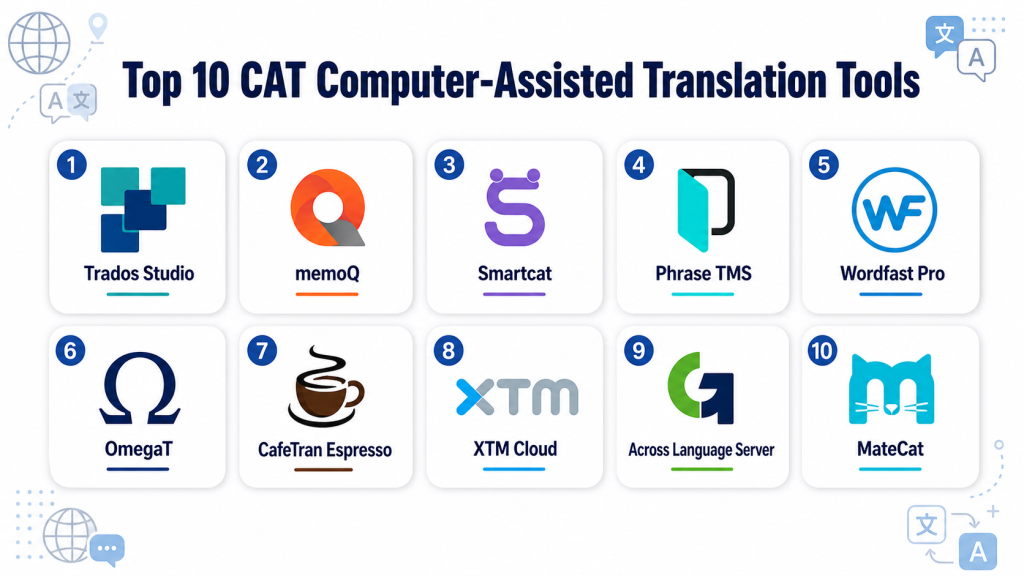
Top 10 CAT Computer-Assisted Translation Tools
#1 — Trados Studio
Short description: Trados Studio is one of the most recognized CAT tools for professional translators, agencies, and enterprise language teams. It offers advanced translation memory, terminology management, file handling, quality assurance, and project management features. It is especially useful for translators handling complex documents, technical content, and large multilingual projects.
Key Features
- Advanced translation memory creation and reuse.
- Terminology management through termbase workflows.
- Support for many document and localization file formats.
- Built-in quality assurance checks.
- Project packages for translators and agencies.
- Machine translation integration options.
- Desktop-focused professional translation environment.
Pros
- Strong reputation in professional translation workflows.
- Excellent fit for agencies, freelancers, and enterprise language teams.
- Deep translation memory and terminology capabilities.
Cons
- Can feel complex for beginners.
- Desktop workflow may not suit teams that prefer fully cloud-based tools.
- Licensing and add-ons should be reviewed carefully before purchase.
Platforms / Deployment
Windows / Desktop
Cloud options may vary by product configuration.
Security & Compliance
Enterprise access, encryption, and administrative controls may vary by product and deployment. Buyers should verify SSO, audit logs, data handling, and certifications directly.
SOC 2, ISO 27001, HIPAA: Not publicly stated.
Integrations & Ecosystem
Trados Studio has a mature ecosystem for professional translators, language service providers, and enterprise translation teams. It works especially well when translation memory, terminology, and structured project packages are important.
- Translation memory workflows
- Terminology database workflows
- Machine translation integrations
- File-based translation projects
- Agency and vendor workflows
- Enterprise language operations
Support & Community
Trados Studio has a large user base among professional translators and agencies. Training materials, documentation, partner resources, and community knowledge are widely available, making it a familiar choice in professional translation environments.
#2 — memoQ
Short description: memoQ is a professional CAT tool and translation environment used by freelancers, agencies, enterprises, and localization teams. It combines translation memory, terminology, quality assurance, project management, collaboration, and server-based workflows. It is especially useful for teams that need flexible translation operations and strong linguistic control.
Key Features
- Translation memory and termbase management.
- Built-in quality assurance checks.
- Project management for agencies and teams.
- Collaboration between translators, reviewers, and project managers.
- Support for many file formats.
- Machine translation integration options.
- Server and cloud workflow options depending on configuration.
Pros
- Strong balance of translator productivity and project management.
- Good terminology and QA depth.
- Suitable for agencies, enterprises, and professional translators.
Cons
- May require training for new users.
- Some advanced workflows need careful setup.
- Smaller teams may not need the full feature set.
Platforms / Deployment
Windows / Web
Cloud / Self-hosted / Hybrid options may vary by product and configuration.
Security & Compliance
Enterprise security controls may be available depending on deployment and plan. Buyers should verify SSO, audit logs, encryption, and certifications directly.
SOC 2, ISO 27001, HIPAA: Not publicly stated.
Integrations & Ecosystem
memoQ works well in professional translation environments where translation memory, terminology, QA, and reviewer workflows must work together. It is used by agencies, enterprise language teams, and translators managing repeated content.
- Translation memory workflows
- Terminology databases
- QA and review workflows
- Vendor collaboration
- Machine translation integrations
- Enterprise language operations
Support & Community
memoQ has strong recognition among professional translators and language service providers. Documentation, training, support resources, and community knowledge are available, though support levels may vary by plan.
#3 — Smartcat
Short description: Smartcat is a cloud-based translation platform that combines CAT functionality, AI-assisted translation, project management, collaboration, and vendor workflows. It is useful for companies, agencies, and freelancers that want a web-based environment for translation and localization work. It is especially practical for teams that need collaboration and language service workflows in one place.
Key Features
- Cloud-based CAT editor.
- Translation memory and glossary support.
- AI and machine translation workflow options.
- Collaboration for translators, reviewers, and project managers.
- Vendor and linguist management workflows.
- Project tracking and delivery management.
- Support for multiple content and file types.
Pros
- Easy cloud collaboration for distributed teams.
- Useful for hybrid AI and human translation workflows.
- Good fit for companies working with external translators.
Cons
- May not offer the same desktop depth as traditional CAT tools.
- Vendor workflow model may not fit every enterprise policy.
- Security and governance should be validated before large-scale use.
Platforms / Deployment
Web / Cloud
Security & Compliance
Access controls and collaboration permissions may be available depending on plan. Buyers should verify SSO, audit logs, encryption, and compliance documentation directly.
SOC 2, ISO 27001, HIPAA: Not publicly stated.
Integrations & Ecosystem
Smartcat is useful for teams that want CAT functionality connected with project management and vendor collaboration. It supports businesses that use a mix of internal translators, freelancers, agencies, machine translation, and AI-assisted workflows.
- Cloud translation workflows
- AI and machine translation workflows
- Vendor collaboration
- Document translation workflows
- Project management workflows
- API and integration options
Support & Community
Smartcat provides documentation, support resources, and onboarding options. It has visibility among businesses, translators, and language service teams using cloud-based translation workflows.
#4 — Phrase TMS
Short description: Phrase TMS is a cloud-based translation management and CAT environment designed for localization teams, enterprises, language service providers, and product companies. It supports translation memory, terminology, workflow automation, machine translation, quality checks, and integration with content systems. It is especially useful for teams that need CAT workflows connected to broader localization operations.
Key Features
- Cloud CAT editor for translators and reviewers.
- Translation memory and termbase support.
- Workflow automation and project routing.
- Machine translation and AI-assisted translation support.
- Quality assurance checks.
- API and integration ecosystem.
- Collaboration between localization managers, vendors, and reviewers.
Pros
- Strong fit for enterprise and product localization workflows.
- Cloud-based collaboration works well for distributed teams.
- Good integration depth for modern localization operations.
Cons
- May be more platform than solo translators need.
- Setup can require workflow planning for larger teams.
- Pricing and packaging should be reviewed based on usage.
Platforms / Deployment
Web / Cloud
Developer workflows may connect with Windows / macOS / Linux environments through APIs and integrations.
Security & Compliance
SSO/SAML, role-based access, and enterprise controls may be available depending on plan. Specific certifications should be verified directly.
SOC 2, ISO 27001, HIPAA: Not publicly stated.
Integrations & Ecosystem
Phrase TMS works well when CAT workflows need to connect with localization management, product content, repositories, CMS platforms, and machine translation providers.
- API-based automation
- CMS and content workflows
- Repository and developer workflows
- Translation memory systems
- Machine translation integrations
- Vendor collaboration
Support & Community
Phrase provides documentation, onboarding resources, and support options. Its ecosystem is strong among enterprise localization teams, SaaS companies, and language service providers.
#5 — Wordfast Pro
Short description: Wordfast Pro is a professional CAT tool used by freelance translators, agencies, and small teams that need translation memory, terminology support, file handling, and QA checks. It is known for being more lightweight than some enterprise-heavy tools while still supporting serious translation workflows. It is especially useful for freelancers who want a practical desktop CAT environment.
Key Features
- Translation memory management.
- Terminology and glossary support.
- Support for common document and translation file formats.
- Quality assurance checks.
- Project-based translation workflows.
- Machine translation integration options.
- Cross-platform desktop availability.
Pros
- Practical option for freelance translators.
- More approachable than some complex enterprise CAT tools.
- Good value for professional translation workflows.
Cons
- May not match the enterprise workflow depth of larger platforms.
- Collaboration features may be less advanced than cloud-native tools.
- Buyers should validate file compatibility for specific client requirements.
Platforms / Deployment
Windows / macOS / Linux
Desktop
Security & Compliance
Not publicly stated.
Integrations & Ecosystem
Wordfast Pro fits translators and small teams that need a desktop CAT tool for recurring translation work. It is commonly used for document translation, translation memory reuse, and project-based delivery.
- Translation memory workflows
- Glossary workflows
- Machine translation options
- Document translation projects
- Freelance translation workflows
- Agency file delivery workflows
Support & Community
Wordfast has recognition among freelance translators and professional translation users. Documentation, support resources, and user knowledge are available, though community size may vary by region and workflow.
#6 — OmegaT
Short description: OmegaT is an open-source CAT tool used by translators who want a free and flexible translation environment. It supports translation memory, glossary workflows, segmentation, and common translation project structures. It is especially useful for freelancers, students, and technical users comfortable with open-source software.
Key Features
- Open-source CAT tool environment.
- Translation memory support.
- Glossary and terminology support.
- Support for multiple file formats.
- Project-based translation structure.
- Unicode and multilingual support.
- Community-driven development model.
Pros
- Free and open-source.
- Good option for translators with limited budget.
- Useful for learning CAT tool workflows.
Cons
- Interface may feel less polished than commercial tools.
- Advanced enterprise collaboration is limited.
- Setup and customization may require technical comfort.
Platforms / Deployment
Windows / macOS / Linux
Desktop / Open-source
Security & Compliance
Not publicly stated.
Integrations & Ecosystem
OmegaT is best for translators who need core CAT functionality without commercial licensing. It works well for personal workflows, learning environments, and smaller translation projects.
- Translation memory workflows
- Glossary workflows
- File-based translation projects
- Open-source customization
- Community extensions
- Desktop translation workflows
Support & Community
OmegaT has a community-driven support model. Documentation, forums, and user guidance are available, but commercial support expectations should be considered separately.
#7 — CafeTran Espresso
Short description: CafeTran Espresso is a CAT tool used by freelance translators and professional linguists who want a flexible desktop translation environment. It supports translation memory, terminology, machine translation connections, file handling, and productivity features. It is especially useful for translators who want a customizable tool for individual translation work.
Key Features
- Translation memory management.
- Terminology and glossary support.
- Machine translation integration options.
- Support for common translation file formats.
- Customizable translation environment.
- Quality and consistency support.
- Project-based translation workflow.
Pros
- Flexible for freelance translator workflows.
- Supports multiple operating systems.
- Useful for translators who want customization.
Cons
- Interface and setup may require learning.
- Less suitable for large enterprise project management.
- Collaboration depth is limited compared with cloud platforms.
Platforms / Deployment
Windows / macOS / Linux
Desktop
Security & Compliance
Not publicly stated.
Integrations & Ecosystem
CafeTran Espresso is best suited for individual translators and small professional workflows. It can be used with translation memories, glossaries, and file-based project delivery.
- Translation memory workflows
- Glossary workflows
- Machine translation connections
- Bilingual file workflows
- Freelance translation projects
- Desktop productivity workflows
Support & Community
CafeTran Espresso has a user community among freelance translators. Documentation and community guidance may help users learn workflows, though support expectations should be checked before purchase.
#8 — XTM Cloud
Short description: XTM Cloud is an enterprise translation management platform with CAT capabilities for translators, reviewers, localization managers, and vendors. It supports translation memory, terminology, QA, workflow automation, project management, and enterprise integrations. It is especially useful for organizations that need scalable translation workflows across many languages and teams.
Key Features
- Cloud CAT editor and translation workflows.
- Translation memory and terminology management.
- Automated QA checks.
- Workflow automation and project routing.
- Vendor and reviewer collaboration.
- Reporting and project visibility.
- Integration with enterprise content and localization systems.
Pros
- Strong fit for enterprise localization operations.
- Supports structured workflows across teams and vendors.
- Good for high-volume multilingual programs.
Cons
- May require implementation planning.
- Smaller teams may find it more complex than needed.
- Pricing and configuration vary by enterprise requirements.
Platforms / Deployment
Web / Cloud
Hybrid possibilities may vary by enterprise configuration.
Security & Compliance
Enterprise security features may include role management, administrative governance, and access controls. Buyers should verify SSO, audit logs, encryption, and compliance documentation directly.
SOC 2, ISO 27001, HIPAA: Not publicly stated.
Integrations & Ecosystem
XTM Cloud fits enterprise localization environments where translation, terminology, QA, reporting, and vendor collaboration need to operate at scale.
- Enterprise content workflows
- Translation memory systems
- Terminology workflows
- Machine translation integrations
- API-based automation
- Vendor collaboration
Support & Community
XTM Cloud provides enterprise support and onboarding resources. It is strongest for localization operations teams, language managers, and organizations managing large multilingual programs.
#9 — Across Language Server
Short description: Across Language Server is a translation management and CAT environment designed for enterprises, language service providers, and organizations that need controlled multilingual workflows. It supports translation memory, terminology, project management, collaboration, and review processes. It is especially useful for companies that need structured language processes and vendor coordination.
Key Features
- Translation memory management.
- Terminology management.
- Project and workflow management.
- Collaboration between clients, translators, reviewers, and vendors.
- Quality assurance support.
- Enterprise translation process control.
- Centralized language resource management.
Pros
- Strong fit for structured enterprise translation workflows.
- Useful for vendor and language resource management.
- Supports controlled translation processes.
Cons
- May feel complex for freelancers or small teams.
- Implementation and administration may require planning.
- Buyers should validate usability and integration fit.
Platforms / Deployment
Windows / Web options may vary
Cloud / Self-hosted / Hybrid depending on configuration.
Security & Compliance
Enterprise security and access controls may be available depending on deployment. Buyers should verify SSO, audit logs, encryption, and certifications directly.
SOC 2, ISO 27001, HIPAA: Not publicly stated.
Integrations & Ecosystem
Across Language Server is useful for organizations that need centralized control over translation memory, terminology, workflow, and supplier collaboration.
- Translation memory workflows
- Terminology management
- Vendor collaboration
- Enterprise project workflows
- Quality assurance processes
- Client and language service provider workflows
Support & Community
Across is most relevant for enterprise language operations and language service providers. Support and onboarding may vary by deployment and vendor engagement.
#10 — MateCat
Short description: MateCat is a web-based CAT tool designed to make translation workflows accessible through a browser. It supports translation memory, machine translation, project handling, and collaborative translation. It is especially useful for freelancers, students, small teams, and users who want a lightweight web-based CAT experience.
Key Features
- Web-based CAT editor.
- Translation memory support.
- Machine translation support.
- Project creation and file upload workflows.
- Collaborative translation options.
- Support for common file formats.
- Lightweight browser-based access.
Pros
- Easy to access through a browser.
- Useful for freelancers and smaller teams.
- Good entry point for basic CAT workflows.
Cons
- May not offer the deepest enterprise controls.
- Advanced terminology and workflow governance may be limited.
- Not ideal for highly sensitive content without security validation.
Platforms / Deployment
Web / Cloud
Security & Compliance
Not publicly stated.
Integrations & Ecosystem
MateCat is useful for web-based translation projects where users need quick access to CAT functionality without complex setup. It fits lightweight workflows and simple translation projects.
- Web-based translation workflows
- Machine translation support
- Translation memory workflows
- File upload projects
- Freelancer workflows
- Small team collaboration
Support & Community
MateCat has visibility among translators looking for browser-based CAT workflows. Support and community strength may vary, so teams should validate documentation and workflow reliability before using it for critical projects.
Comparison Table
| Tool Name | Best For | Platform Supported | Deployment | Standout Feature | Public Rating |
|---|---|---|---|---|---|
| Trados Studio | Professional translators and enterprises | Windows | Desktop / Cloud varies | Mature translation memory and terminology ecosystem | N/A |
| memoQ | Agencies and enterprise language teams | Windows / Web | Cloud / Self-hosted / Hybrid varies | Strong translation memory, QA, and project workflows | N/A |
| Smartcat | Cloud-based translation collaboration | Web | Cloud | AI and human translation collaboration workflows | N/A |
| Phrase TMS | Enterprise and product localization teams | Web | Cloud | CAT workflows connected to localization automation | N/A |
| Wordfast Pro | Freelance translators and small teams | Windows / macOS / Linux | Desktop | Practical desktop CAT tool for freelancers | N/A |
| OmegaT | Budget-conscious translators and learners | Windows / macOS / Linux | Desktop / Open-source | Free open-source CAT environment | N/A |
| CafeTran Espresso | Freelance translators needing flexibility | Windows / macOS / Linux | Desktop | Customizable translator-focused workflow | N/A |
| XTM Cloud | Enterprise localization operations | Web | Cloud | Scalable translation workflows and QA | N/A |
| Across Language Server | Enterprises and language service providers | Windows / Web varies | Cloud / Self-hosted / Hybrid varies | Controlled enterprise translation processes | N/A |
| MateCat | Lightweight web-based translation | Web | Cloud | Browser-based CAT workflow | N/A |
Evaluation & Scoring of CAT Computer-Assisted Translation Tools
The scoring below is comparative and practical. It is not an official rating and should not be treated as a universal ranking. Scores are based on CAT feature depth, usability, integrations, security posture, performance, support maturity, and buyer value.
| Tool Name | Core | Ease | Integrations | Security | Performance | Support | Value | Weighted Total |
|---|---|---|---|---|---|---|---|---|
| Trados Studio | 10 | 7 | 8 | 8 | 9 | 9 | 7 | 8.35 |
| memoQ | 9 | 8 | 8 | 8 | 9 | 8 | 8 | 8.45 |
| Smartcat | 8 | 9 | 8 | 7 | 8 | 8 | 8 | 8.05 |
| Phrase TMS | 9 | 8 | 9 | 8 | 8 | 8 | 8 | 8.35 |
| Wordfast Pro | 8 | 8 | 7 | 6 | 8 | 7 | 9 | 7.65 |
| OmegaT | 7 | 7 | 6 | 6 | 7 | 6 | 10 | 7.05 |
| CafeTran Espresso | 7 | 7 | 7 | 6 | 8 | 6 | 8 | 7.15 |
| XTM Cloud | 9 | 7 | 8 | 8 | 8 | 8 | 7 | 7.95 |
| Across Language Server | 8 | 6 | 7 | 8 | 8 | 7 | 7 | 7.30 |
| MateCat | 7 | 9 | 6 | 6 | 7 | 6 | 9 | 7.25 |
These scores are meant to help with shortlisting, not to define one universal winner. A freelancer may choose Wordfast Pro, OmegaT, CafeTran Espresso, or MateCat because of simplicity and cost. Agencies may prefer Trados Studio, memoQ, or Across Language Server because of project and resource control. Enterprises and localization teams may prefer Phrase TMS or XTM Cloud when collaboration, automation, governance, and integrations matter more.
Which CAT Computer-Assisted Translation Tool Is Right for You?
Solo / Freelancer
Freelance translators should prioritize file compatibility, translation memory reuse, terminology support, cost, and client expectations. Many clients and agencies request work in specific CAT tool formats, so compatibility matters as much as personal preference.
Good options include Trados Studio, memoQ, Wordfast Pro, OmegaT, CafeTran Espresso, and MateCat. Trados Studio and memoQ are strong for professional client work, while Wordfast Pro, OmegaT, and CafeTran Espresso can be practical for budget-conscious or independent workflows.
SMB
Small and growing businesses should focus on ease of use, cloud collaboration, translation memory reuse, and simple project workflows. They may not need complex enterprise translation infrastructure, but they do need quality, repeatability, and vendor coordination.
Good options include Smartcat, Phrase TMS, MateCat, Wordfast Pro, and memoQ depending on whether the team wants cloud workflows, freelancer collaboration, or professional translation depth.
SMBs should avoid overbuying. Start with a tool that supports real content needs, then scale when translation volume grows.
Mid-Market
Mid-market companies often manage multiple languages, several reviewers, internal teams, vendors, and recurring translation projects. They need better workflow visibility, project templates, QA checks, terminology control, and integration support.
Good options include memoQ, Phrase TMS, Smartcat, XTM Cloud, and Trados Studio. These tools can help standardize translation workflows while supporting both internal and external contributors.
Mid-market buyers should validate translation memory strategy, reviewer permissions, vendor access, reporting, and integration with content systems.
Enterprise
Enterprises need security, governance, workflow automation, auditability, scalability, vendor management, and integration with broader localization operations. They often manage large translation memories, many content types, and multiple departments.
Good options include Phrase TMS, XTM Cloud, memoQ, Trados Studio, and Across Language Server. These platforms are better suited for controlled workflows, enterprise review processes, and large-scale multilingual operations.
Enterprise buyers should run a formal pilot with real content, security requirements, vendor workflows, and integration needs.
Budget vs Premium
Budget-focused users should evaluate OmegaT, MateCat, Wordfast Pro, and CafeTran Espresso. These tools can support useful CAT workflows without the cost and complexity of larger enterprise systems.
Premium buyers should evaluate Trados Studio, memoQ, Phrase TMS, XTM Cloud, and Across Language Server when advanced project control, terminology management, translation memory depth, and enterprise workflows are required.
The best value depends on workload. A low-cost tool may be enough for occasional freelance work, while a premium tool may save more money for high-volume translation programs.
Feature Depth vs Ease of Use
If feature depth is the priority, Trados Studio, memoQ, Phrase TMS, and XTM Cloud are strong candidates. They offer deeper workflows for translation memory, terminology, QA, project management, and collaboration.
If ease of use is the priority, Smartcat, MateCat, Wordfast Pro, and CafeTran Espresso may be more approachable. These tools can be easier for freelancers, smaller teams, and users who want faster setup.
A good buying decision should balance translator comfort with business workflow needs.
Integrations & Scalability
Teams that need integrations should look at Phrase TMS, XTM Cloud, Smartcat, memoQ, and Trados Studio. Integration needs may include CMS systems, APIs, machine translation engines, TMS platforms, vendor portals, file repositories, and localization workflows.
For software and product teams, cloud-based or platform-connected tools may scale better than isolated desktop workflows. For agencies and translators, file compatibility and translation memory portability may matter more.
Scalability depends on project volume, language count, team structure, vendor management, and content complexity.
Security & Compliance Needs
Security-sensitive teams should review access controls, encryption, user permissions, file handling, data retention, audit logs, and enterprise administration features. Do not assume certifications unless the vendor clearly confirms them during procurement.
Enterprise teams should evaluate Phrase TMS, XTM Cloud, memoQ, Trados Studio, and Across Language Server for controlled translation workflows. Freelancers handling confidential content should also check how files, translation memories, and machine translation connections are managed.
For legal, healthcare, finance, government, or unreleased product content, security review should happen before uploading real files.
Frequently Asked Questions FAQs
1. What is a CAT Computer-Assisted Translation tool?
A CAT tool helps human translators translate content more efficiently using translation memory, terminology, QA checks, and file handling.
It does not simply replace the translator like raw machine translation.
Instead, it supports professional translation by reusing approved content and maintaining consistency.
CAT tools are widely used in localization, documentation, legal translation, and enterprise language workflows.
2. How is a CAT tool different from machine translation?
Machine translation automatically generates translated text.
A CAT tool gives translators a structured environment to translate, review, reuse previous translations, apply terminology, and check quality.
Many CAT tools can connect to machine translation engines, but the human translator remains in control.
This makes CAT tools better for professional, brand-sensitive, and quality-focused translation work.
3. Which CAT tool is best for freelance translators?
Freelancers often evaluate Trados Studio, memoQ, Wordfast Pro, OmegaT, CafeTran Espresso, and MateCat.
The best choice depends on client requirements, budget, file formats, and preferred workflow.
Trados Studio and memoQ are common in professional agency workflows, while OmegaT and MateCat can be useful for budget-conscious users.
Freelancers should also consider compatibility with client translation memories and project files.
4. Which CAT tool is best for agencies?
Agencies usually need project management, translation memory control, terminology management, QA checks, vendor workflows, and reviewer collaboration.
memoQ, Trados Studio, Phrase TMS, XTM Cloud, and Across Language Server are strong options to evaluate.
The best choice depends on agency size, client requirements, language volume, and workflow complexity.
Agencies should test project packages, vendor access, reporting, and QA processes before choosing.
5. Are free CAT tools good enough?
Free CAT tools can be useful for learning, small projects, and budget-sensitive freelance work.
OmegaT is a strong example of an open-source CAT tool with useful translation memory and glossary features.
However, free tools may not provide the same enterprise support, collaboration, integrations, or advanced project management.
They are best for users whose workflows are simple and who are comfortable managing setup themselves.
6. What features should I look for in a CAT tool?
Start with translation memory, terminology management, file format support, QA checks, and ease of use.
If you work with clients or agencies, compatibility with common project formats is also important.
For teams, collaboration, user roles, reporting, and integration with content systems become more important.
For enterprise use, security, workflow automation, and vendor management should also be reviewed.
7. Can CAT tools improve translation quality?
Yes, CAT tools can improve quality by keeping terminology consistent, reusing approved translations, and detecting common errors.
They can flag number mismatches, missing translations, tag issues, formatting problems, and inconsistent wording.
However, quality still depends on skilled translators and reviewers.
CAT tools improve the process, but they do not replace professional judgment.
8. Do CAT tools support multiple file formats?
Most professional CAT tools support many common document and localization file formats.
These may include office documents, bilingual files, web files, software resource files, and structured localization formats.
Support varies by tool, edition, and configuration.
Before buying, test the tool with your actual files to avoid workflow problems.
9. Should a company choose a desktop or cloud CAT tool?
Desktop CAT tools are useful for translators who need offline work, advanced file handling, and personal control over resources.
Cloud CAT tools are better for collaboration, vendor access, reviewer workflows, and project visibility.
Many companies use hybrid workflows depending on content type and team structure.
The best choice depends on whether individual productivity or team collaboration matters more.
10. What is the biggest mistake when choosing a CAT tool?
The biggest mistake is choosing a CAT tool without testing real projects, files, translation memories, and reviewers.
A tool may look good in a demo but fail to fit actual workflows, client formats, or team habits.
Another mistake is ignoring translator comfort, because adoption depends on daily usability.
Always run a pilot before committing to a long-term tool.
Conclusion
CAT Computer-Assisted Translation tools are essential for professional translation, localization, and multilingual content operations. They help translators work faster, reuse approved translations, maintain terminology consistency, and reduce quality risks. Trados Studio and memoQ are strong choices for professional translators, agencies, and complex translation workflows. Phrase TMS, Smartcat, and XTM Cloud are useful for cloud collaboration, enterprise workflows, and scalable localization operations. Wordfast Pro, OmegaT, CafeTran Espresso, and MateCat are practical options for freelancers, smaller teams, and budget-conscious users. Across Language Server can be useful for organizations that need controlled enterprise language processes.
Helpful blog showing how CAT tools use translation memory and automation to save time and improve translation quality.