Introduction
Digital Asset Management DAM platforms help businesses store, organize, search, govern, share, and distribute digital files from one central system. These files can include images, videos, logos, product photos, campaign files, brand guidelines, documents, creative templates, design assets, and approved marketing content.
A DAM platform is different from basic file storage because it adds metadata, version control, usage rights, approval workflows, brand portals, asset permissions, AI tagging, search, analytics, and controlled distribution. Marketing, creative, ecommerce, product, sales, and brand teams use DAM systems to avoid duplicate files, outdated assets, inconsistent branding, and slow content delivery.
Real-world use cases include:
- Storing approved brand assets in one searchable library
- Managing campaign images, videos, documents, and creative files
- Sharing assets with agencies, partners, sales teams, and distributors
- Controlling usage rights, expiration dates, and brand permissions
- Supporting ecommerce product content and digital campaigns
- Improving content reuse across marketing, sales, and customer channels
Buyer evaluation criteria should include:
- Asset search and metadata management
- AI tagging and smart organization
- Version control and approval workflows
- Brand portal and sharing capabilities
- Rights management and asset governance
- Video and rich media support
- Integrations with creative, CMS, ecommerce, and marketing tools
- Security, permissions, and user roles
- Scalability for asset volume and global teams
- Pricing, onboarding, migration, and support quality
Best for: Marketing teams, creative teams, brand managers, ecommerce teams, agencies, media teams, product teams, retail brands, enterprises, nonprofits, and organizations that manage large volumes of digital content.
Not ideal for: Very small teams with only a few files, businesses that only need simple cloud storage, or teams that do not require metadata, search, permissions, approval workflows, brand portals, rights control, or asset distribution.
Key Trends in Digital Asset Management DAM
- AI-powered tagging and search: DAM platforms increasingly use AI to identify objects, colors, text, faces, topics, and asset types so teams can find content faster.
- Brand governance is becoming more important: Businesses want approved assets, usage rules, templates, and brand portals to prevent off-brand content.
- Video and rich media support is now essential: Teams manage more video, short-form content, product visuals, audio, design files, and interactive assets.
- DAM is connecting with content operations: Many platforms now support planning, review, approval, distribution, and performance workflows beyond simple asset storage.
- Ecommerce and product content workflows are growing: Retail and product teams need product images, lifestyle assets, spec sheets, and channel-ready content.
- Rights management is a major requirement: Brands need to track licenses, expiration dates, regional usage, model releases, and legal restrictions.
- Integrations are a key differentiator: DAM tools must connect with Adobe Creative Cloud, CMS tools, ecommerce platforms, PIM systems, project management, and marketing automation.
- Self-service asset portals are expanding: Sales teams, partners, agencies, and distributors need controlled access to approved assets without waiting for marketing.
- Analytics are becoming more useful: Teams want to know which assets are downloaded, reused, shared, expired, ignored, or driving campaign performance.
- Enterprise security expectations are rising: Larger organizations need SSO, permissions, audit logs, encryption, user governance, and regional access controls.
How We Selected These Tools
The tools in this list were selected using practical buyer-focused evaluation logic:
- Strong recognition in digital asset management, brand asset management, content operations, creative operations, or media asset workflows
- Ability to store, organize, search, share, govern, and distribute digital assets at scale
- Fit across SMBs, agencies, mid-market teams, ecommerce businesses, creative teams, and enterprise brands
- Practical support for metadata, tagging, versioning, permissions, approvals, and brand portals
- Integration strength with creative suites, CMS, ecommerce, PIM, marketing, project management, and collaboration tools
- Ease of use for marketers, designers, brand managers, sales teams, agencies, and administrators
- Reporting capabilities for asset usage, downloads, sharing, performance, and governance
- Support for rich media such as images, videos, documents, design files, and product content
- Security and administration controls such as SSO, roles, permissions, and auditability
- Overall value based on usability, scalability, governance, search quality, integrations, and support
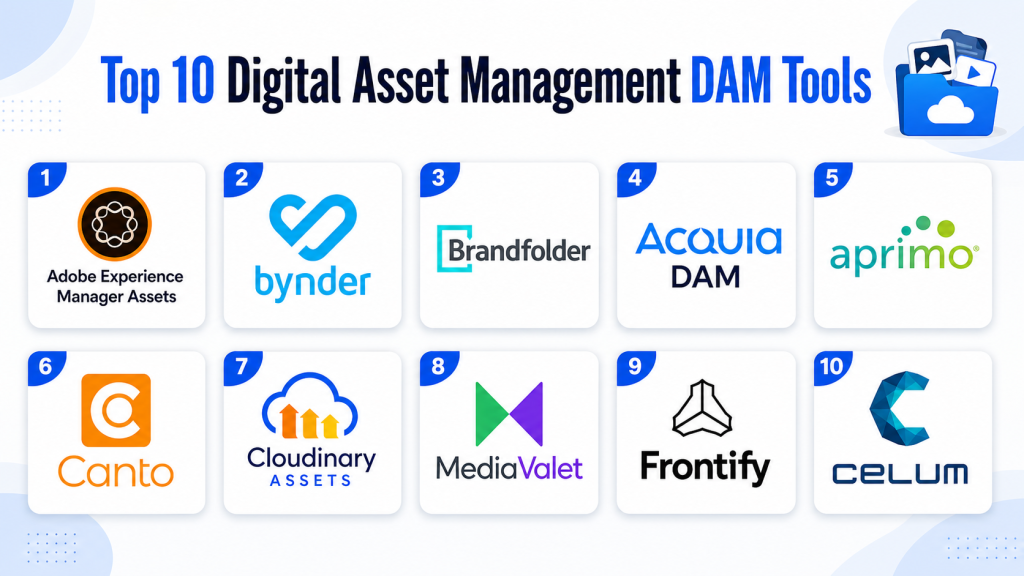
Top 10 Digital Asset Management DAM Tools
#1 — Adobe Experience Manager Assets
Short description: Adobe Experience Manager Assets is an enterprise DAM platform designed for organizations that need to manage, govern, and deliver large volumes of digital content. It is especially useful for teams already working within the Adobe ecosystem. It supports asset discovery, content workflows, AI-powered capabilities, and content delivery at scale. Adobe positions it as an AI-powered DAM for scaling and activating content.
Key Features
- Centralized digital asset library
- AI-powered asset discovery and tagging support
- Metadata and taxonomy management
- Versioning and asset governance
- Creative and content workflow support
- Content delivery and activation capabilities
- Strong Adobe ecosystem alignment
Pros
- Strong fit for enterprise creative and marketing teams
- Works well for organizations already using Adobe tools
- Powerful for large-scale content governance and activation
Cons
- May be complex for smaller teams
- Implementation can require technical and operational planning
- Pricing and configuration may be enterprise-oriented
Platforms / Deployment
Cloud
Web-based platform
Adobe ecosystem integrations
Security & Compliance
Enterprise security and administration capabilities may be available. Buyers should validate SSO, role-based access, encryption, audit logs, retention, data residency, and compliance requirements directly.
Integrations & Ecosystem
Adobe Experience Manager Assets fits creative, marketing, content management, and customer experience workflows. It is strongest when DAM must connect with Adobe tools and enterprise content operations.
- Adobe Creative Cloud
- Adobe Experience Manager
- CMS workflows
- Marketing workflows
- Creative production systems
- Content delivery workflows
Support & Community
Adobe provides documentation, enterprise support, implementation partners, training resources, and professional services. Support depth may vary by package and contract.
#2 — Bynder
Short description: Bynder is an enterprise DAM platform focused on helping brands create, manage, distribute, and govern content at scale. It supports asset storage, brand portals, creative workflows, AI-assisted organization, and content distribution. Bynder describes its platform as an interconnected AI-powered DAM for delivering content experiences across digital touchpoints.
Key Features
- Centralized asset management
- Brand portals and asset sharing
- AI-supported content organization
- Creative workflow and approval support
- Metadata and taxonomy management
- Asset usage and distribution controls
- Integrations with marketing and creative tools
Pros
- Strong brand governance and content distribution capabilities
- Good fit for global marketing and creative teams
- User-friendly experience for non-technical users
Cons
- May require planning for taxonomy and permissions
- Advanced enterprise workflows may need configuration
- Pricing should be reviewed based on users and asset volume
Platforms / Deployment
Cloud
Web-based platform
Security & Compliance
Enterprise security controls may be available. Buyers should validate SSO, permissions, encryption, audit logs, role-based access, retention, and compliance requirements directly.
Integrations & Ecosystem
Bynder fits brand management, marketing operations, creative production, and content distribution workflows. It works well when teams need approved assets accessible across departments and partners.
- Creative tools
- CMS platforms
- Marketing automation tools
- Ecommerce workflows
- Project management systems
- Brand portal workflows
Support & Community
Bynder provides onboarding, documentation, customer success support, training, and implementation assistance. Support level may vary by package and customer size.
#3 — Brandfolder
Short description: Brandfolder is a DAM platform focused on making brand assets easy to store, organize, share, and analyze. It is useful for marketing teams, creative teams, agencies, and businesses that want a simple but powerful brand asset hub. Brandfolder describes itself as a platform for managing, distributing, and analyzing digital assets in one place.
Key Features
- Digital asset storage and organization
- Brand portals and external sharing
- Asset analytics and usage tracking
- Metadata and tagging support
- Version control and asset governance
- Search and filtering
- Brand asset distribution workflows
Pros
- Strong usability for marketing and brand teams
- Useful for sharing approved assets with external partners
- Good fit for teams that value simplicity and brand control
Cons
- Complex enterprise content operations may need additional workflows
- Advanced customization should be validated
- Best value depends on brand and asset governance maturity
Platforms / Deployment
Cloud
Web-based platform
Security & Compliance
Security and compliance details should be verified directly. Buyers should validate permissions, SSO, encryption, audit logs, retention, access controls, and compliance needs.
Integrations & Ecosystem
Brandfolder fits brand management, creative operations, sales enablement, partner asset sharing, and marketing workflows. It is especially useful when teams need a clean brand asset portal.
- Creative workflows
- Project management systems
- Sales enablement workflows
- CMS tools
- Marketing workflows
- External partner sharing
Support & Community
Brandfolder provides onboarding, documentation, customer support, product resources, and implementation assistance. Support depth may vary by plan.
#4 — Acquia DAM
Short description: Acquia DAM, formerly Widen, is an enterprise digital asset management platform for centralizing, organizing, sharing, and governing brand assets. It is useful for marketing, creative, ecommerce, and product teams that need scalable asset management and workflow support. Acquia describes its DAM as a centralized platform for storing, organizing, managing, and distributing brand files.
Key Features
- Centralized digital asset library
- Metadata and taxonomy management
- AI-assisted tagging and search support
- Brand portals and asset sharing
- Rights and permissions management
- Workflow and review support
- Integrations with marketing and content tools
Pros
- Strong enterprise DAM foundation
- Useful for teams managing large asset libraries
- Good fit for brand governance and controlled asset distribution
Cons
- May require structured metadata planning
- Implementation can take time for large libraries
- Pricing and integrations should be reviewed carefully
Platforms / Deployment
Cloud
Web-based platform
Security & Compliance
Enterprise security features may be available. Buyers should validate SSO, role-based access, permissions, audit logs, encryption, retention, and compliance requirements directly.
Integrations & Ecosystem
Acquia DAM fits brand, marketing, ecommerce, creative, and content operations workflows. It is especially relevant when DAM needs to connect with web and digital experience ecosystems.
- CMS workflows
- Marketing tools
- Creative systems
- Ecommerce platforms
- Product content workflows
- Brand portal workflows
Support & Community
Acquia provides documentation, onboarding, support resources, implementation guidance, and customer success options. Support level may vary by contract.
#5 — Aprimo
Short description: Aprimo is a DAM and content operations platform designed for enterprise marketing teams that need asset management, workflow automation, governance, approvals, and content planning. It is especially useful when asset management must connect with the full content lifecycle. Aprimo positions its DAM around AI-powered automation and enterprise-scale content management.
Key Features
- Enterprise digital asset management
- Content operations workflows
- Approval and review processes
- Metadata and taxonomy management
- AI-driven automation support
- Asset governance and rights controls
- Content planning and performance workflows
Pros
- Strong for enterprise content operations
- Useful for complex approval and governance workflows
- Good fit for large marketing organizations
Cons
- May be too advanced for simple DAM needs
- Implementation requires operational planning
- Pricing and modules should be reviewed carefully
Platforms / Deployment
Cloud
Web-based platform
Security & Compliance
Enterprise security and administration controls may be available. Buyers should validate SSO, permissions, audit logs, encryption, retention, regulatory needs, and compliance requirements directly.
Integrations & Ecosystem
Aprimo fits enterprise marketing operations where DAM, content planning, approvals, and governance need to work together. It is strong when DAM is part of a broader content supply chain.
- Marketing operations systems
- Creative workflows
- Approval workflows
- Content planning tools
- Campaign systems
- Analytics and reporting workflows
Support & Community
Aprimo provides enterprise onboarding, documentation, customer success resources, professional services, and implementation guidance. Support depth may vary by package.
#6 — Canto
Short description: Canto is a DAM platform that helps teams organize, search, share, and manage brand assets from a central library. It is popular with marketing teams, creative teams, agencies, nonprofits, education teams, and mid-sized organizations. Canto is often selected for its user-friendly interface, asset portals, and practical DAM workflows.
Key Features
- Centralized asset library
- Visual search and filtering
- Metadata and tagging support
- Portals and asset sharing
- Version control
- Approval and collaboration workflows
- Reporting and asset usage insights
Pros
- Easy to use for marketing and creative teams
- Good fit for SMB and mid-market DAM needs
- Useful for creating organized asset portals
Cons
- Enterprise-scale workflows should be validated
- Advanced integrations may vary by package
- Rights management depth should be reviewed for regulated teams
Platforms / Deployment
Cloud
Web-based platform
Security & Compliance
Security and compliance details should be verified directly. Buyers should validate user permissions, SSO, encryption, access controls, audit logs, and compliance requirements.
Integrations & Ecosystem
Canto fits brand asset management, creative collaboration, content sharing, and marketing workflows. It is useful for teams that need a straightforward asset library and controlled sharing.
- Creative tools
- CMS workflows
- Marketing tools
- Collaboration platforms
- External sharing portals
- Workflow automation tools
Support & Community
Canto provides onboarding, documentation, support resources, training, and customer success options. Support level may vary by plan.
#7 — Cloudinary Assets
Short description: Cloudinary Assets is a DAM solution focused on managing, transforming, optimizing, and delivering visual media at scale. It is especially useful for digital product, ecommerce, developer, and web teams that need asset management connected with image and video delivery. Cloudinary highlights DAM tools as helpful for storing, managing, organizing, and improving content velocity.
Key Features
- Image and video asset management
- Media transformation and optimization
- Metadata and tagging support
- Dynamic asset delivery
- Developer-friendly APIs
- Collaboration and asset organization
- Web and ecommerce media workflows
Pros
- Strong for image and video delivery workflows
- Useful for ecommerce, product, and developer teams
- Good fit when DAM must connect with web performance and media optimization
Cons
- May feel more technical than traditional DAM tools
- Brand portal workflows should be validated
- Best fit depends on visual media and delivery needs
Platforms / Deployment
Cloud
Web-based platform
API-based workflows
Security & Compliance
Security and compliance details should be verified directly. Buyers should validate access controls, encryption, permissions, authentication, asset delivery controls, and compliance needs.
Integrations & Ecosystem
Cloudinary Assets fits ecommerce, web, mobile, product, creative, and developer workflows where media management and delivery are tightly connected.
- Web applications
- Ecommerce platforms
- CMS systems
- Developer APIs
- Product experience workflows
- Image and video delivery systems
Support & Community
Cloudinary provides documentation, developer resources, support options, onboarding guidance, and technical community resources. Support depth may vary by package.
#8 — MediaValet
Short description: MediaValet is an enterprise DAM platform for centralizing, organizing, searching, sharing, and managing digital assets. It is designed for teams that need fast asset discovery, controlled sharing, and scalable content libraries. MediaValet describes its DAM as a way to centralize the content library and help teams find the right assets quickly.
Key Features
- Centralized digital asset library
- Search and metadata management
- Secure asset sharing
- User permissions and access control
- Brand portals and collections
- Video and rich media support
- Reporting and asset usage insights
Pros
- Strong for enterprise asset centralization
- Useful for teams needing secure sharing and asset discovery
- Good fit for large libraries and distributed users
Cons
- May be more advanced than small teams need
- Setup depends on metadata and folder strategy
- Pricing should be reviewed by users and storage needs
Platforms / Deployment
Cloud
Web-based platform
Security & Compliance
Enterprise security and administrative controls may be available. Buyers should validate SSO, permissions, encryption, audit logs, retention, and compliance requirements directly.
Integrations & Ecosystem
MediaValet fits enterprise DAM workflows where users need fast discovery, secure sharing, and centralized asset governance across departments or regions.
- Creative workflows
- Marketing systems
- Collaboration tools
- Partner sharing workflows
- Brand portals
- Reporting dashboards
Support & Community
MediaValet provides onboarding, documentation, customer success support, implementation guidance, and training resources. Support depth may vary by contract.
#9 — Frontify
Short description: Frontify is a brand management platform that includes DAM, brand guidelines, creative collaboration, templates, and brand portal workflows. It is useful for teams that want digital assets connected with brand governance and design consistency. Frontify is especially practical for companies that need a central system for brand assets, guidelines, and creative enablement.
Key Features
- DAM and brand asset library
- Brand guidelines management
- Creative templates and design workflows
- Asset sharing and brand portals
- Collaboration and approval support
- Metadata and organization tools
- Brand governance workflows
Pros
- Strong for brand management and design consistency
- Useful for teams managing guidelines plus assets
- Good fit for marketing, brand, and creative teams
Cons
- May not be a pure enterprise DAM for every complex asset workflow
- Advanced media delivery needs may require additional tools
- Best value depends on brand governance needs
Platforms / Deployment
Cloud
Web-based platform
Security & Compliance
Security and compliance details should be verified directly. Buyers should validate permissions, SSO, encryption, audit logs, user access, retention, and compliance requirements.
Integrations & Ecosystem
Frontify fits brand management workflows where assets, guidelines, templates, and creative collaboration need to stay connected.
- Brand guideline workflows
- Creative tools
- Template workflows
- Marketing systems
- Collaboration platforms
- Brand portals
Support & Community
Frontify provides onboarding, documentation, customer support, training resources, and brand management guidance. Support level may vary by plan.
#10 — CELUM
Short description: CELUM is a DAM platform designed for managing, organizing, sharing, and distributing digital assets across marketing, creative, and enterprise teams. It supports asset workflows, collaboration, brand management, and content operations. CELUM is especially useful for organizations that need structured asset management with workflow and collaboration features.
Key Features
- Digital asset library
- Metadata and taxonomy management
- Asset sharing and distribution
- Creative collaboration workflows
- Approval and review support
- Brand and content governance
- Search and asset organization
Pros
- Strong structured DAM capabilities
- Useful for marketing and creative collaboration
- Good fit for teams that need governance and workflows
Cons
- Buyer should validate regional support and integrations
- Implementation may require taxonomy planning
- May be more than small teams need
Platforms / Deployment
Cloud / Varies
Web-based platform
Security & Compliance
Security and compliance details should be verified directly. Buyers should validate SSO, access controls, permissions, encryption, audit logs, data retention, and compliance needs.
Integrations & Ecosystem
CELUM fits digital asset management, creative collaboration, content distribution, and brand governance workflows. It is useful when teams need structured asset management across departments.
- Creative workflows
- Marketing systems
- CMS workflows
- Brand portals
- Collaboration tools
- Content operations workflows
Support & Community
CELUM provides documentation, onboarding, customer support, and implementation guidance. Support depth may vary by package and region.
Comparison Table
| Tool Name | Best For | Platform(s) Supported | Deployment | Standout Feature | Public Rating |
|---|---|---|---|---|---|
| Adobe Experience Manager Assets | Enterprise content and Adobe ecosystem teams | Web-based | Cloud | AI-powered enterprise DAM and content activation | N/A |
| Bynder | Global brand and marketing teams | Web-based | Cloud | Brand governance and content distribution | N/A |
| Brandfolder | Brand asset management and sharing | Web-based | Cloud | Simple brand asset portal and analytics | N/A |
| Acquia DAM | Enterprise DAM and brand asset governance | Web-based | Cloud | Centralized asset library with workflow support | N/A |
| Aprimo | Enterprise content operations | Web-based | Cloud | DAM connected with content lifecycle workflows | N/A |
| Canto | SMB and mid-market creative teams | Web-based | Cloud | Easy asset organization and sharing | N/A |
| Cloudinary Assets | Visual media and developer-led DAM workflows | Web-based, API | Cloud | Image and video optimization plus DAM | N/A |
| MediaValet | Enterprise asset centralization | Web-based | Cloud | Secure asset discovery and sharing | N/A |
| Frontify | Brand guidelines and creative governance | Web-based | Cloud | DAM plus brand guidelines and templates | N/A |
| CELUM | Structured DAM and creative collaboration | Web-based | Cloud / Varies | Asset workflows and content governance | N/A |
Evaluation & Scoring of Digital Asset Management DAM Tools
| Tool Name | Core (25%) | Ease (15%) | Integrations (15%) | Security (10%) | Performance (10%) | Support (10%) | Value (15%) | Weighted Total (0–10) |
|---|---|---|---|---|---|---|---|---|
| Adobe Experience Manager Assets | 10 | 7 | 10 | 9 | 9 | 9 | 7 | 8.85 |
| Bynder | 9 | 9 | 9 | 8 | 8 | 8 | 8 | 8.55 |
| Brandfolder | 8 | 9 | 8 | 8 | 8 | 8 | 8 | 8.20 |
| Acquia DAM | 9 | 8 | 8 | 8 | 8 | 8 | 8 | 8.25 |
| Aprimo | 10 | 7 | 9 | 9 | 8 | 8 | 7 | 8.35 |
| Canto | 8 | 9 | 8 | 8 | 8 | 8 | 9 | 8.35 |
| Cloudinary Assets | 9 | 7 | 9 | 8 | 10 | 8 | 8 | 8.50 |
| MediaValet | 9 | 8 | 8 | 8 | 8 | 8 | 7 | 8.05 |
| Frontify | 8 | 9 | 8 | 8 | 8 | 8 | 8 | 8.20 |
| CELUM | 8 | 8 | 8 | 8 | 8 | 8 | 7 | 7.85 |
These scores are comparative and should be used as a shortlist guide. Enterprise DAM tools score higher for governance, integrations, scale, and security. Brand-focused platforms score higher for usability, portals, and creative team adoption. Developer-friendly platforms may score higher for media delivery and automation. The best DAM depends on your asset volume, team structure, brand governance needs, integrations, rights management requirements, and budget.
Which Digital Asset Management DAM Tool Is Right for You?
Solo / Freelancer
Solo users usually do not need a full enterprise DAM. A lightweight asset library, cloud storage, or simple creative organization workflow may be enough. If you manage client assets regularly, Canto, Brandfolder, or Frontify-style workflows may help organize brand files and share approved content. Avoid large enterprise platforms unless asset governance, rights management, and client portals are major requirements.
SMB
SMBs should prioritize ease of use, fast onboarding, simple search, asset sharing, and affordable pricing. Canto, Brandfolder, Frontify, Cloudinary Assets, and Bynder may be useful depending on asset type and workflow. If the team manages mostly brand and marketing files, Canto or Brandfolder can work well. If visual media delivery for websites or ecommerce is important, Cloudinary Assets may be stronger.
Mid-Market
Mid-market teams usually need metadata, version control, brand portals, integrations, permission controls, and creative collaboration. Bynder, Brandfolder, Acquia DAM, Canto, Frontify, MediaValet, and Cloudinary Assets are strong candidates. Teams should evaluate taxonomy setup, user adoption, migration effort, approval workflows, and integration fit before selecting a tool.
Enterprise
Enterprises should prioritize security, governance, global scalability, rights management, SSO, audit logs, integrations, workflow automation, and asset lifecycle control. Adobe Experience Manager Assets, Aprimo, Bynder, Acquia DAM, MediaValet, Cloudinary Assets, and CELUM are strong enterprise candidates. Large teams should involve marketing, creative, legal, IT, ecommerce, product, and regional stakeholders before rollout.
Budget vs Premium
Budget-focused teams should choose a DAM that solves the most urgent asset problems without unnecessary complexity. Canto, Brandfolder, Frontify, or smaller DAM deployments may be practical. Premium buyers should evaluate Adobe Experience Manager Assets, Aprimo, Bynder, Acquia DAM, Cloudinary Assets, MediaValet, and CELUM when governance, workflow depth, integrations, and enterprise scale matter more.
Feature Depth vs Ease of Use
If ease of use matters most, Canto, Brandfolder, Frontify, and Bynder are practical options. If feature depth matters more, Adobe Experience Manager Assets, Aprimo, Acquia DAM, Cloudinary Assets, MediaValet, and CELUM provide stronger enterprise, workflow, or media delivery capabilities. The right choice depends on whether the team values simple asset sharing, deep governance, content operations, or rich media automation.
Integrations & Scalability
DAM platforms should integrate with creative tools, CMS systems, ecommerce platforms, PIM tools, marketing automation, project management systems, sales enablement tools, and analytics workflows. As teams scale, they should evaluate API access, metadata standards, asset permissions, folder structure, versioning, approval flows, and migration processes. Poor integration can turn a DAM into another disconnected file library.
Security & Compliance Needs
DAM platforms often store licensed images, product files, legal documents, campaign assets, customer-facing media, and confidential creative work. Buyers should validate SSO, role-based access, user permissions, encryption, audit logs, rights management, expiration controls, data retention, and regional governance. Regulated industries should also review approval workflows, usage restrictions, and legal sign-off processes.
Frequently Asked Questions
1. What is Digital Asset Management DAM?
Digital Asset Management DAM is a system for storing, organizing, finding, sharing, and governing digital files.
It helps teams manage images, videos, logos, documents, templates, creative files, and brand assets.
A DAM is more structured than basic file storage because it includes metadata, permissions, workflows, and asset controls.
2. Why do businesses need a DAM platform?
Businesses need DAM platforms when assets become difficult to find, reuse, approve, or control.
A DAM reduces duplicate work, outdated files, brand inconsistency, and slow content delivery.
It also helps teams share approved assets with employees, agencies, partners, and sales teams.
3. What features should buyers prioritize?
Buyers should prioritize search, metadata, tagging, permissions, version control, sharing portals, rights management, and integrations.
Teams with complex workflows should also look for approvals, audit logs, analytics, and automation.
The right feature set depends on asset volume, team size, file types, and governance needs.
4. How is DAM different from cloud storage?
Cloud storage mainly stores and shares files, while DAM platforms manage assets with metadata, taxonomy, rights, approvals, versions, and brand controls.
DAM platforms also offer better search, asset portals, usage tracking, and controlled distribution.
Cloud storage can work for small teams, but DAM is better for structured brand and content operations.
5. Are DAM platforms useful for small businesses?
Yes, small businesses can benefit from DAM if they manage many images, videos, documents, or brand files.
However, very small teams with limited assets may not need a full DAM immediately.
SMBs should choose tools that are easy to adopt and do not require heavy administration.
6. How much do DAM platforms cost?
Pricing varies based on users, storage, asset volume, integrations, workflow features, support, and enterprise requirements.
Some platforms are suitable for smaller teams, while enterprise DAM systems are usually custom priced.
Buyers should also consider migration, onboarding, training, and administration costs.
7. Can DAM platforms manage video and rich media?
Yes, many DAM platforms support video, images, audio, documents, design files, and other rich media formats.
Some platforms are stronger for video preview, transcoding, optimization, and delivery than others.
Teams with heavy video or ecommerce media needs should test file handling before purchase.
8. What mistakes should buyers avoid?
A common mistake is buying a DAM without planning metadata, folder structure, permissions, and ownership.
Another mistake is migrating messy files without cleaning duplicates and outdated assets.
Teams should also avoid choosing a platform that does not integrate with creative, CMS, or marketing workflows.
9. Are DAM platforms secure?
Many DAM platforms provide security features such as permissions, authentication, encryption, user roles, and access controls.
However, security depth varies by vendor and package.
Buyers should validate SSO, audit logs, rights management, data retention, and compliance needs before rollout.
10. What are alternatives to dedicated DAM platforms?
Alternatives include cloud storage, shared drives, project management tools, CMS media libraries, PIM systems, and manual file folders.
These may work for small teams or simple asset libraries.
Dedicated DAM platforms are better when teams need searchable metadata, governance, permissions, portals, analytics, and scalable asset workflows.
Conclusion
Digital Asset Management DAM platforms help teams bring order, control, and speed to growing libraries of brand, marketing, product, and creative assets.
They reduce duplicate work, improve brand consistency, make approved assets easier to find, and support secure sharing across teams and partners.
Adobe Experience Manager Assets, Aprimo, Acquia DAM, Bynder, MediaValet, and CELUM are strong candidates for enterprise teams that need scale, governance, and workflow depth.
Brandfolder, Canto, and Frontify are practical options for teams that want strong usability, brand portals, and creative collaboration.
Cloudinary Assets is especially useful when visual media management must connect with optimization, delivery, ecommerce, and developer workflows.
The best DAM depends on asset volume, file types, integration needs, rights management, security requirements, and team maturity.
Before choosing, shortlist two or three tools, test search quality, review migration effort, validate integrations, and confirm user adoption needs.
A strong DAM platform should make assets easier to find, safer to use, and faster to deliver across every marketing, creative, and customer-facing workflow.
For best results, combine the DAM with clear metadata rules, asset ownership, approval processes, and ongoing library governance.
Easy to understand guide explaining digital asset management features, benefits, and practical business use cases clearly.