Introduction
Email client software allows users to manage multiple email accounts, organize messages, and improve productivity through advanced features like filtering, automation, and integrations. Unlike basic webmail, email clients provide a centralized environment for handling communication across providers such as Gmail, Outlook, and Exchange.
Today, email clients have evolved into productivity hubs combining email, calendar, contacts, and task management. They are essential for professionals managing high email volumes, teams collaborating through shared inboxes, and users seeking better organization and offline access.
Common use cases include managing multiple accounts, handling business communication, organizing workflows, improving email productivity, and enabling offline access.
Best for: Professionals, remote teams, executives, developers, and businesses that rely heavily on structured email workflows and multi-account management.
Not ideal for: Casual users who rely on simple webmail interfaces and do not require advanced organization, automation, or offline capabilities.
Key Trends in Email Client Software
- Integration of email with calendars, tasks, and collaboration tools
- Increased focus on privacy and encryption
- AI-assisted inbox management and smart replies
- Unified inbox for multiple accounts
- Cross-device synchronization across desktop and mobile
- Offline access and sync improvements
- Cloud-based and hybrid deployment models
- Enhanced search and filtering capabilities
- Integration with productivity tools and SaaS platforms
- Lightweight and performance-optimized clients
How We Selected These Tools
- Market popularity and adoption across users and businesses
- Feature completeness including email, calendar, and tasks
- Performance and reliability across platforms
- Security and privacy features
- Integration capabilities with productivity tools
- Cross-platform availability
- Ease of use for beginners and professionals
- Active development and updates
- Community support and documentation
- Suitability across individual and enterprise use cases
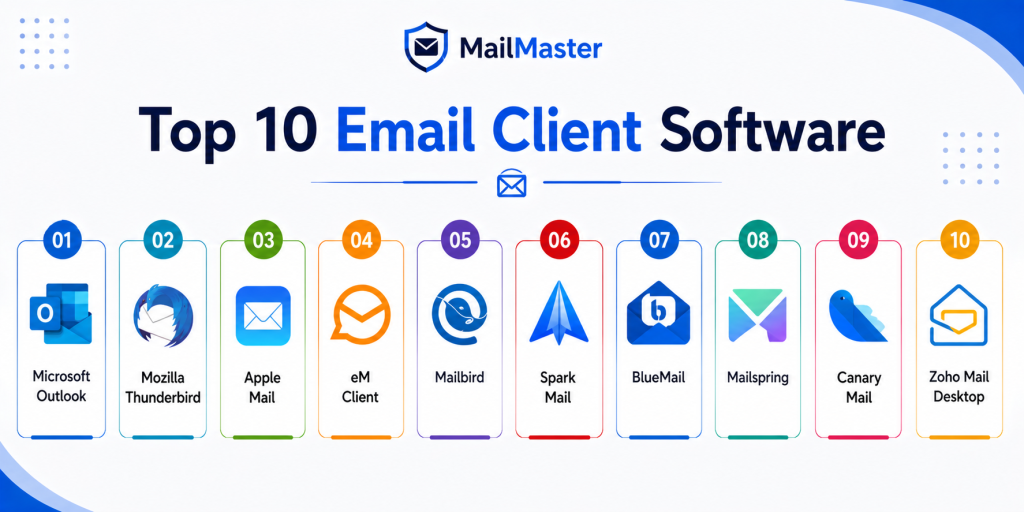
Top 10 Email Client Software
1. Microsoft Outlook
Short description:
Microsoft Outlook is a powerful email client widely used in enterprise environments. It combines email, calendar, contacts, and task management in a single platform. It integrates deeply with Microsoft productivity tools and cloud services. It is best suited for businesses and professionals managing high-volume communication.
Key Features
- Email, calendar, and task integration
- Exchange and Microsoft 365 support
- Advanced rules and filtering
- Focused inbox
- Offline access
- Scheduling tools
- Contact management
Pros
- Excellent for enterprise workflows
- Strong integrations
- Reliable performance
Cons
- Can feel complex
- Resource-heavy
- Requires subscription for full features
Platforms / Deployment
Windows / macOS / Web / Android / iOS
Deployment: Desktop and cloud
Security & Compliance
Supports encryption, access controls, and enterprise security features. Full certifications vary by deployment.
Integrations & Ecosystem
Outlook integrates deeply with business and productivity tools.
- Microsoft 365
- Teams
- OneDrive
- SharePoint
- Calendar tools
- Enterprise systems
Support & Community
Extensive documentation and enterprise-grade support
2. Mozilla Thunderbird
Short description:
Mozilla Thunderbird is a free and open-source email client focused on flexibility and privacy. It allows users to manage multiple accounts with strong customization options. It is widely used by individuals and organizations seeking a free alternative. It is ideal for users who want control and extensibility.
Key Features
- Open-source platform
- Unified inbox
- Add-on ecosystem
- Spam filtering
- Custom themes
- Email organization tools
- Multi-account support
Pros
- Free and customizable
- Strong privacy focus
- Large community
Cons
- Interface feels dated
- Limited native integrations
- Setup may require customization
Platforms / Deployment
Windows / macOS / Linux
Deployment: Desktop
Security & Compliance
Privacy-focused features available. Formal certifications not publicly stated.
Integrations & Ecosystem
Thunderbird supports add-ons and customization.
- Add-ons
- Extensions
- Email providers
- Custom workflows
- Open-source tools
- Community plugins
Support & Community
Strong open-source community and documentation
3. Apple Mail
Short description:
Apple Mail is a native email client designed for macOS and iOS users. It offers a clean interface and seamless integration with Apple devices and services. It is optimized for performance and battery efficiency. It is best for users within the Apple ecosystem.
Key Features
- Native Apple integration
- Smart inbox
- Email filtering
- Contact syncing
- Search functionality
- Energy-efficient performance
- Multi-account support
Pros
- Smooth Apple integration
- Easy to use
- Reliable performance
Cons
- Limited customization
- Apple-only platforms
- Smaller extension ecosystem
Platforms / Deployment
macOS / iOS
Deployment: Built-in application
Security & Compliance
Includes privacy protections. Formal certifications not publicly stated.
Integrations & Ecosystem
Works seamlessly with Apple services.
- iCloud
- Apple ecosystem
- Contacts
- Calendar
- Notes
- System features
Support & Community
Strong support within Apple ecosystem
4. eM Client
Short description:
eM Client is a modern email client designed for professionals and small businesses. It combines email, calendar, contacts, tasks, and chat in one interface. It supports multiple email services and offers a clean user experience. It is ideal for users looking for an Outlook alternative.
Key Features
- Unified inbox
- Calendar and tasks
- Contact management
- Email encryption support
- Chat integration
- Multi-account support
- Modern interface
Pros
- User-friendly interface
- Strong productivity features
- Good alternative to Outlook
Cons
- Free version limitations
- Smaller ecosystem
- Paid upgrade required
Platforms / Deployment
Windows / macOS / Android / iOS
Deployment: Desktop and mobile
Security & Compliance
Encryption support available. Formal certifications not publicly stated.
Integrations & Ecosystem
eM Client integrates with major email providers and tools.
- Gmail
- Exchange
- Office services
- Calendar tools
- Contacts
- Productivity tools
Support & Community
Good documentation and support resources
5. Mailbird
Short description:
Mailbird is a productivity-focused email client designed for Windows users. It emphasizes speed, customization, and integration with third-party applications. It helps users manage multiple accounts efficiently. It is ideal for professionals who want a modern interface.
Key Features
- Unified inbox
- App integrations
- Custom layouts
- Email tracking
- Speed reading
- Multi-account support
- Productivity tools
Pros
- Clean design
- Strong integrations
- Easy to use
Cons
- Windows-only
- Paid features
- Limited free version
Platforms / Deployment
Windows
Deployment: Desktop
Security & Compliance
Not publicly stated
Integrations & Ecosystem
Mailbird integrates with productivity and communication tools.
- Slack
- Google Calendar
- Dropbox
- Social apps
- Productivity tools
Support & Community
Good documentation and user support
6. Spark Mail
Short description:
Spark Mail is a smart email client focused on productivity and team collaboration. It offers intelligent sorting and shared inbox features. It is widely used by teams and professionals. It is best for users who need collaboration within email workflows.
Key Features
- Smart inbox
- Email prioritization
- Shared inbox
- Scheduling emails
- Follow-up reminders
- Team collaboration
- Cross-device sync
Pros
- Great for teams
- Smart organization
- Clean interface
Cons
- Limited customization
- Some features require subscription
- Less control than advanced tools
Platforms / Deployment
Windows / macOS / Android / iOS
Deployment: Desktop and mobile
Security & Compliance
Not publicly stated
Integrations & Ecosystem
Spark integrates with collaboration tools and workflows.
- Cloud storage
- Calendar tools
- Team workflows
- Productivity apps
- Task management
- Notifications
Support & Community
Strong documentation and growing user base
7. BlueMail
Short description:
BlueMail is a cross-platform email client that supports unlimited accounts and offers a unified inbox. It is designed for simplicity and accessibility across devices. It works well for both personal and business users. It is ideal for users managing multiple accounts.
Key Features
- Unified inbox
- Multi-account support
- Cross-platform access
- Email tracking
- Smart notifications
- Calendar integration
- Custom filters
Pros
- Free and flexible
- Works across platforms
- Easy setup
Cons
- Limited advanced features
- Interface may feel basic
- Smaller enterprise support
Platforms / Deployment
Windows / macOS / Linux / Android / iOS
Deployment: Desktop and mobile
Security & Compliance
Not publicly stated
Integrations & Ecosystem
BlueMail integrates with common email services.
- Gmail
- Outlook
- Yahoo
- Calendar tools
- Contacts
- Messaging tools
Support & Community
Moderate support and documentation
8. Mailspring
Short description:
Mailspring is a modern email client designed for speed and productivity. It offers a clean interface and advanced features for managing email efficiently. It is popular among professionals. It is best for users who want a lightweight yet powerful email client.
Key Features
- Unified inbox
- Email tracking
- Fast search
- Custom themes
- Multi-language support
- Offline access
- Productivity tools
Pros
- Fast and responsive
- Clean UI
- Good productivity features
Cons
- Limited free features
- Smaller ecosystem
- Paid upgrade required
Platforms / Deployment
Windows / macOS / Linux
Deployment: Desktop
Security & Compliance
Not publicly stated
Integrations & Ecosystem
Mailspring supports integration with email workflows.
- Email providers
- Productivity tools
- Custom themes
- Plugins
- Workflow tools
- Desktop apps
Support & Community
Active community and documentation
9. Canary Mail
Short description:
Canary Mail is a secure email client focused on privacy and encryption. It offers modern features along with AI-based email assistance. It is ideal for users who prioritize security and privacy. It works well for both individuals and professionals.
Key Features
- End-to-end encryption
- AI email assistant
- Smart notifications
- Unified inbox
- Secure authentication
- Email tracking
- Privacy protection
Pros
- Strong security features
- Modern interface
- AI capabilities
Cons
- Paid plans required
- Smaller ecosystem
- Learning curve
Platforms / Deployment
macOS / iOS / Android / Windows
Deployment: Desktop and mobile
Security & Compliance
Encryption features available. Formal certifications not publicly stated.
Integrations & Ecosystem
Canary Mail integrates with modern email workflows.
- Email providers
- Security tools
- Productivity apps
- AI features
- Mobile ecosystem
- Desktop apps
Support & Community
Growing user base and documentation
10. Zoho Mail Desktop
Short description:
Zoho Mail Desktop is part of the Zoho ecosystem, offering a business-focused email experience. It provides webmail-like features with desktop convenience. It is ideal for businesses using Zoho services. It supports multiple platforms and productivity tools.
Key Features
- Business email management
- Multi-account support
- Calendar integration
- Task management
- Offline access
- Secure email environment
- Clean interface
Pros
- Good for business users
- Integration with Zoho ecosystem
- Cross-platform availability
Cons
- Limited outside Zoho ecosystem
- Fewer advanced features
- Smaller community
Platforms / Deployment
Windows / macOS / Linux
Deployment: Desktop
Security & Compliance
Not publicly stated
Integrations & Ecosystem
Zoho Mail integrates with Zoho apps and business tools.
- Zoho CRM
- Zoho Projects
- Zoho Docs
- Calendar tools
- Business apps
- Collaboration tools
Support & Community
Business-focused support and documentation
Comparison Table
| Tool Name | Best For | Platform Supported | Deployment | Standout Feature | Public Rating |
|---|---|---|---|---|---|
| Microsoft Outlook | Enterprise | All major platforms | Hybrid | Productivity suite | N/A |
| Mozilla Thunderbird | Privacy users | Desktop platforms | Desktop | Open-source flexibility | N/A |
| Apple Mail | Apple users | macOS, iOS | Native | Apple integration | N/A |
| eM Client | Professionals | Multi-platform | Desktop | All-in-one productivity | N/A |
| Mailbird | Windows users | Windows | Desktop | App integrations | N/A |
| Spark Mail | Teams | Multi-platform | Hybrid | Collaboration features | N/A |
| BlueMail | Multi-account users | Cross-platform | Desktop and mobile | Unified inbox | N/A |
| Mailspring | Productivity | Desktop | Desktop | Speed and UI | N/A |
| Canary Mail | Security users | Multi-platform | Desktop and mobile | Encryption features | N/A |
| Zoho Mail Desktop | Business users | Desktop platforms | Desktop | Zoho integration | N/A |
Evaluation & Scoring of Email Client Software
| Tool Name | Core | Ease | Integrations | Security | Performance | Support | Value | Weighted Total |
|---|---|---|---|---|---|---|---|---|
| Outlook | 9 | 8 | 10 | 9 | 9 | 9 | 8 | 9.0 |
| Thunderbird | 8 | 7 | 7 | 8 | 8 | 8 | 9 | 8.0 |
| Apple Mail | 7 | 9 | 6 | 8 | 9 | 8 | 8 | 8.0 |
| eM Client | 8 | 9 | 8 | 8 | 8 | 8 | 8 | 8.2 |
| Mailbird | 7 | 9 | 8 | 7 | 8 | 7 | 8 | 7.9 |
| Spark | 8 | 9 | 8 | 7 | 8 | 8 | 8 | 8.2 |
| BlueMail | 7 | 9 | 7 | 7 | 8 | 7 | 9 | 7.9 |
| Mailspring | 8 | 8 | 7 | 7 | 8 | 7 | 8 | 7.9 |
| Canary Mail | 8 | 8 | 7 | 9 | 8 | 7 | 7 | 8.0 |
| Zoho Mail | 7 | 8 | 8 | 8 | 8 | 8 | 8 | 8.0 |
These scores are relative comparisons based on feature depth, usability, integrations, and performance. A higher score indicates better balance, but the best choice depends on your specific workflow and priorities.
Which Email Client Software Is Right for You
Solo / Freelancer
Freelancers should consider Thunderbird, Mailspring, or Apple Mail. These tools provide simplicity and efficiency. They are easy to set up and support multiple accounts.
SMB
Small businesses should look at eM Client, Mailbird, or Zoho Mail. These tools offer better productivity features and integrations. They balance usability with functionality.
Mid-Market
Spark Mail and Outlook are strong options for mid-sized teams. They support collaboration and structured workflows. Integration with productivity tools is a key advantage.
Enterprise
Outlook is the preferred choice for enterprises due to its deep integration with business tools. It offers scalability, security, and centralized management.
Budget vs Premium
Free tools like Thunderbird and BlueMail are excellent for basic needs. Premium tools provide advanced features, support, and integrations.
Feature Depth vs Ease of Use
Outlook offers deep functionality, while Spark and Apple Mail prioritize simplicity. Choose based on your workflow complexity.
Integrations & Scalability
Outlook and Zoho Mail lead in integrations and scalability. They are suitable for growing teams and businesses.
Security & Compliance Needs
Canary Mail and Outlook provide better security features. Choose tools with encryption if handling sensitive data.
Frequently Asked Questions
1. What is email client software
Email client software is an application used to manage and organize emails from multiple accounts. It allows users to read, send, and organize emails efficiently. It also provides features like filtering, search, and offline access. It is more powerful than basic webmail.
2. Do I need an email client if I use webmail
Not always, but email clients offer better organization and productivity. They allow offline access and advanced features. Many professionals prefer them for managing large volumes of emails.
3. Can I use multiple email accounts
Yes, most email clients support multiple accounts. You can manage all emails in one place. This makes it easier to organize communication.
4. Are email clients secure
Most email clients include security features like encryption and spam filtering. Security depends on the tool and configuration. Always use trusted software.
5. Do email clients work offline
Yes, many desktop email clients allow offline access. Emails are synced locally and updated when connected. This is useful for travel or limited connectivity.
6. Which email client is best for business
Outlook and Zoho Mail are strong options for business use. They offer integrations, scalability, and productivity features. The choice depends on your ecosystem.
7. Are free email clients reliable
Yes, many free email clients are stable and widely used. They provide essential features for most users. Advanced features may require paid plans.
8. Can email clients integrate with other tools
Yes, most modern email clients integrate with calendars, tasks, and productivity tools. This improves workflow efficiency. Integration is an important factor when choosing a tool.
9. How do I choose the right email client
Identify your needs such as security, integrations, or ease of use. Compare tools based on features and compatibility. Testing a few options is recommended.
10. Can I switch email clients easily
Yes, most email clients allow you to import accounts and data. Setup is usually quick and guided. Switching tools is generally simple.
Conclusion
Email client software plays a critical role in managing communication efficiently and professionally. From lightweight tools to enterprise-grade platforms, each solution offers different strengths. Outlook dominates in enterprise environments, while Thunderbird provides flexibility and privacy. Tools like eM Client, Spark, and Mailbird focus on productivity and usability. The best choice depends on your workflow, technical needs, and ecosystem. Some users prioritize simplicity, while others require deep integrations and advanced features. Security and scalability also play an important role for business users. There is no single perfect solution for everyone. Start by shortlisting a few tools that match your requirements. Test them in real-world scenarios and evaluate performance, usability, and integrations before making a decision.
Helpful article for professionals wanting better email organization, productivity, and communication management solutions for everyday work.
Very useful article helping readers understand how email client software supports organization, communication, and productivity improvement efficiently.