Introduction
AI Dubbing Tools help creators, businesses, educators, agencies, media teams, and enterprises translate spoken video or audio into another language using artificial intelligence. Instead of hiring separate translators, voice actors, recording studios, and audio engineers for every language, these tools can transcribe, translate, generate voiceovers, sync audio, and sometimes match lip movement automatically.
AI dubbing is useful because video content is now global by default. A single product demo, training video, YouTube video, course lesson, webinar, sales video, or brand campaign can reach many more people when it speaks their language. Modern AI dubbing platforms often include voice cloning, multilingual translation, speaker detection, subtitles, transcript editing, pronunciation controls, and lip-sync support.
Real-world use cases include:
- Localizing YouTube videos for international audiences
- Translating online courses and training videos
- Dubbing product demos, webinars, and sales videos
- Creating multilingual marketing campaigns
- Localizing films, shows, podcasts, and media content
- Translating internal corporate communication videos
Buyer evaluation criteria should include:
- Language coverage
- Voice cloning quality
- Translation accuracy
- Lip-sync support
- Subtitle generation
- Speaker detection
- Editing and review workflow
- API and automation support
- Security, privacy, and compliance controls
- Pricing, scalability, and support quality
Best for: Content creators, YouTubers, educators, SaaS teams, marketing teams, agencies, media companies, elearning platforms, corporate training teams, and enterprises that need multilingual video localization.
Not ideal for: Teams that require fully human cinematic dubbing for every project, organizations without review processes, or users working with highly sensitive content who cannot validate data handling, voice consent, translation accuracy, and privacy controls.
Key Trends in AI Dubbing Tools
- Voice cloning is becoming standard: Many AI dubbing tools can preserve the original speaker’s voice style, tone, and rhythm across translated versions.
- Lip-sync dubbing is improving fast: Platforms such as HeyGen and Synthesia now emphasize translated video with synced mouth movement for more natural localized videos.
- Subtitles and dubbing are merging: Modern tools often generate subtitles, transcripts, translated captions, and dubbed audio in one workflow.
- Creator localization is growing: YouTubers, educators, coaches, and social media creators use AI dubbing to test new language markets quickly.
- Enterprise localization needs governance: Businesses need approval workflows, glossary control, brand voice consistency, privacy, and usage permissions.
- Media companies want emotional quality: Premium platforms such as Deepdub focus on preserving vocal emotion and production quality for media and entertainment workflows.
- APIs are becoming important: High-volume teams want AI dubbing connected to video platforms, learning systems, CMS tools, and localization pipelines.
- Human review still matters: AI dubbing can save time, but translated scripts, pronunciation, cultural meaning, and brand-sensitive wording still need review.
- Multilingual training is expanding: Companies use AI dubbing to localize employee onboarding, compliance training, product education, and internal communication.
- Cost and speed are major drivers: AI dubbing tools reduce the time and cost barriers of traditional dubbing, especially for repetitive business and creator content.
How We Selected These Tools
The tools in this list were selected using practical buyer-focused evaluation logic:
- Strong recognition in AI dubbing, video localization, AI translation, voice cloning, or multilingual content workflows
- Ability to convert original video or audio into dubbed versions in multiple languages
- Practical support for subtitles, transcripts, voiceovers, speaker control, or lip-sync
- Fit across creators, SMBs, agencies, educators, enterprises, and media teams
- Ease of use for non-technical marketers, trainers, creators, and content teams
- Workflow depth for editing translations, correcting pronunciation, replacing lines, and exporting final videos
- Support for high-volume localization through APIs or enterprise workflows where available
- Security and privacy considerations for uploaded videos, voice cloning, and customer content
- Output quality for voice naturalness, timing, emotional tone, and localization accuracy
- Overall value based on speed, quality, language coverage, scalability, and support
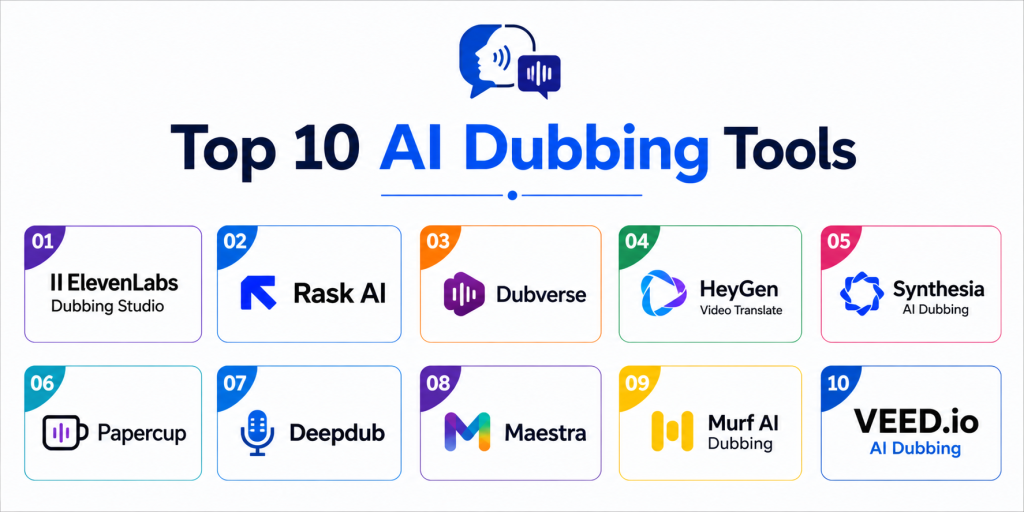
Top 10 AI Dubbing Tools
#1 — ElevenLabs Dubbing Studio
Short description: ElevenLabs Dubbing Studio is an AI dubbing and voice translation tool for converting audio or video into another language while preserving speaker tone and delivery. It is useful for creators, educators, marketers, publishers, and businesses that need natural multilingual voice output. ElevenLabs describes its AI dubbing as translating and dubbing audio or video files in minutes while maintaining voice, tone, and delivery style.
Key Features
- AI video and audio dubbing
- Voice translation across multiple languages
- Original speaker tone and delivery preservation
- Audio and video file processing
- Text-to-speech and voice generation ecosystem
- Voice cloning-related workflows
- Fast dubbing output for creator and business content
Pros
- Strong AI voice quality
- Useful for creators and business localization
- Good fit when voice realism is a priority
Cons
- Translation output should still be reviewed by humans
- Advanced localization workflows may require manual editing
- Sensitive voice cloning use cases need clear consent and governance
Platforms / Deployment
Cloud
Web-based platform
API and studio workflows may vary
Security & Compliance
Buyers should validate voice consent, data handling, retention, workspace permissions, enterprise controls, and privacy requirements directly. For business use, legal review is important when cloning voices or dubbing identifiable speakers.
Integrations & Ecosystem
ElevenLabs fits voice production, dubbing, narration, multilingual content, podcast localization, elearning, and creator workflows.
- Video localization workflows
- Podcast dubbing
- Training content
- Creator videos
- Marketing voiceovers
- API-based voice workflows
Support & Community
ElevenLabs provides documentation, product resources, developer materials, and support options. Support depth may vary by plan and business agreement.
#2 — Rask AI
Short description: Rask AI is an AI video localization and dubbing platform for translating videos, generating voiceovers, creating subtitles, and localizing content at scale. It is useful for creators, marketers, educators, course teams, and companies that need fast multilingual video production. Rask AI highlights video translation, audio translation, subtitles, voice cloning, speaker controls, and API workflows.
Key Features
- AI video dubbing and translation
- Audio translation workflows
- Voice cloning support
- Subtitle generation and translation
- Speaker controls
- API support
- Multilingual video localization
Pros
- Strong fit for video localization workflows
- Useful for creators and businesses localizing large content libraries
- Combines dubbing, subtitles, and translation controls
Cons
- Human review is still needed for brand-sensitive content
- Voice quality and pronunciation may vary by language
- Advanced workflows may require plan upgrades
Platforms / Deployment
Cloud
Web-based platform
API access may be available
Security & Compliance
Rask AI displays SOC 2 Type II certification information on its site, but buyers should still validate current certification status, scope, data handling, SSO, user permissions, retention, and compliance needs directly.
Integrations & Ecosystem
Rask AI fits creator localization, elearning translation, video marketing, corporate training, and high-volume multilingual content workflows.
- YouTube video localization
- Course translation
- Marketing videos
- Subtitle workflows
- API-based localization
- Training content dubbing
Support & Community
Rask AI provides help resources, product documentation, support options, and business-facing workflow guidance. Support depth may vary by plan.
#3 — Dubverse
Short description: Dubverse is a generative AI platform for AI video dubbing, AI subtitles, text-to-speech, transcript generation, and video translation. It is useful for creators, educators, marketing teams, agencies, and businesses that want multilingual content without traditional dubbing complexity. Dubverse positions itself as an AI video dubbing and subtitle platform with enterprise and API options.
Key Features
- AI video dubbing
- AI subtitles
- Text-to-speech
- Transcript generator
- Video translator
- API support
- Multilingual speaker and language options
Pros
- Good fit for video creators and localization teams
- Combines dubbing, subtitles, and text-to-speech
- Practical for teams that need fast multilingual content output
Cons
- AI-generated output should be reviewed for accuracy
- Enterprise governance should be validated directly
- Voice realism may vary by language and speaker style
Platforms / Deployment
Cloud
Web-based platform
API and enterprise options may vary
Security & Compliance
Security and compliance details should be verified directly. Buyers should validate user permissions, uploaded content handling, voice usage policies, retention, and enterprise controls.
Integrations & Ecosystem
Dubverse fits video translation, creator content, elearning, marketing campaigns, and API-based localization workflows.
- AI subtitles
- Text-to-speech workflows
- Video translation
- Transcript generation
- Enterprise localization
- API workflows
Support & Community
Dubverse provides product resources, help materials, enterprise contact options, and support channels. Support depth may vary by plan and workflow.
#4 — HeyGen Video Translate
Short description: HeyGen Video Translate helps users translate and dub videos into many languages while preserving voice, tone, and lip-sync. It is especially useful for talking-head videos, product explainers, social videos, training content, and creator videos. HeyGen says its video translation supports voice cloning and lip-syncing across a large set of languages and dialects.
Key Features
- AI video translation
- AI dubbing and multilingual voiceovers
- Voice cloning support
- Lip-sync support
- Auto-caption generation
- Talking-head video localization
- Browser-based workflow
Pros
- Strong for talking-head and presentation-style videos
- Lip-sync support improves naturalness
- Easy for marketers, creators, and training teams
Cons
- Enterprise review may be needed for accuracy-sensitive content
- Output quality depends on source video quality and language
- Not every use case requires lip-sync, which may affect cost-value fit
Platforms / Deployment
Cloud
Web-based platform
API pricing and enterprise options may vary
Security & Compliance
Buyers should validate voice consent, privacy controls, workspace permissions, data handling, enterprise security, and compliance needs before using identifiable speakers or confidential videos.
Integrations & Ecosystem
HeyGen fits AI video creation, dubbing, avatar workflows, talking-head localization, sales videos, training videos, and product marketing.
- Video translation
- AI avatar workflows
- Training content
- Product explainers
- Social video localization
- Marketing campaigns
Support & Community
HeyGen provides product documentation, help resources, business support options, and creator education. Support depth may vary by plan.
#5 — Synthesia AI Dubbing
Short description: Synthesia AI Dubbing helps users dub videos into multiple languages while preserving voice rhythm and supporting natural visual delivery. It is useful for training, corporate communication, product education, and business video localization. Synthesia highlights AI dubbing with multilingual support, lip-sync, and generated subtitles.
Key Features
- AI video dubbing
- Multilingual video localization
- Voice and rhythm preservation
- Lip-sync support
- Subtitle generation
- Business video workflows
- AI video platform ecosystem
Pros
- Strong for corporate training and business videos
- Useful when dubbing connects with broader AI video creation
- Lip-sync and subtitles improve localized viewing experience
Cons
- Not ideal for every cinematic dubbing use case
- Output should be reviewed for translation and pronunciation accuracy
- Advanced workflow needs should be validated by plan
Platforms / Deployment
Cloud
Web-based platform
Security & Compliance
Buyers should validate workspace permissions, SSO, data handling, video retention, voice consent, enterprise security, and compliance requirements directly.
Integrations & Ecosystem
Synthesia fits corporate learning, internal communication, product education, AI video creation, and multilingual business content workflows.
- Training videos
- Corporate communication
- Product education
- AI avatar videos
- Subtitle workflows
- Localization workflows
Support & Community
Synthesia provides documentation, support resources, onboarding guidance, and enterprise assistance depending on plan.
#6 — Papercup
Short description: Papercup is an AI dubbing orchestration layer for video and audio localization, now positioned within RWS language and localization workflows. It is purpose-built for TV, film, digital content, and media supply chain localization. RWS describes Papercup as an AI dubbing orchestration layer for TV, film, and digital content that helps localize more content while maintaining brand safety, compliance, and creative standards.
Key Features
- AI dubbing orchestration
- Video and audio localization
- Media supply chain support
- Translation and dubbing workflow management
- Human review and quality process support may vary
- Brand safety and compliance-oriented workflows
- Enterprise media localization support
Pros
- Strong for media and professional localization workflows
- Useful for complex multilingual content operations
- Good fit for teams needing governance and quality control
Cons
- May be too enterprise-oriented for small creators
- Pricing and access should be validated directly
- Workflow may involve service or orchestration processes rather than simple self-serve dubbing
Platforms / Deployment
Cloud / Enterprise workflow varies
Service-supported localization workflows
Security & Compliance
Buyers should validate current RWS security, privacy, content handling, compliance scope, data retention, access controls, and enterprise workflow requirements directly.
Integrations & Ecosystem
Papercup fits media companies, TV and film teams, language service providers, broadcasters, digital publishers, and enterprise localization programs.
- Media localization
- TV and film dubbing
- Digital content workflows
- Language service provider workflows
- Enterprise content localization
- Compliance-led media operations
Support & Community
Support is tied to professional localization and RWS workflow resources. Buyers should validate onboarding, production support, account management, and enterprise service levels directly.
#7 — Deepdub
Short description: Deepdub is an AI dubbing and localization platform focused on media, entertainment, live dubbing, enterprise training, and language service provider workflows. It emphasizes emotionally adaptive synthetic speech and professional localization workflows. Deepdub describes itself as an end-to-end localization platform for voice production, media, FAST channels, corporates, and live dubbing.
Key Features
- AI dubbing and localization
- Emotional text-to-speech technology
- End-to-end voice production workflows
- Media and entertainment localization
- Live dubbing support
- Enterprise training localization
- Language service provider workflows
Pros
- Strong for professional media localization
- Useful when emotional tone matters
- Supports enterprise and broadcast-style dubbing needs
Cons
- May be more advanced than creator self-serve tools
- Pricing and onboarding should be reviewed directly
- Best fit depends on production volume and quality requirements
Platforms / Deployment
Cloud / Enterprise workflow varies
Professional localization platform
Security & Compliance
Buyers should validate data handling, confidentiality, voice rights, workflow permissions, security controls, retention, and compliance needs directly.
Integrations & Ecosystem
Deepdub fits media and entertainment dubbing, streaming content localization, corporate training videos, FAST channels, and professional localization workflows.
- Film and TV dubbing
- Streaming content localization
- Corporate training
- Live dubbing
- Voice production
- Language service workflows
Support & Community
Deepdub provides professional support, enterprise contact workflows, localization guidance, and implementation assistance depending on customer needs.
#8 — Maestra
Short description: Maestra is an AI media translation platform for transcription, captioning, subtitling, voiceover, audio dubbing, and video dubbing. It is useful for creators, educators, businesses, and localization teams that need subtitles and AI voiceovers in one browser-based workflow. Maestra says users can translate videos in over a hundred languages with subtitles and AI dubbing while maintaining tone and style.
Key Features
- AI video translator
- AI video dubbing
- Audio dubbing
- Subtitles and captions
- Voice cloning support may be available
- Subtitle export workflows
- Browser-based media translation tools
Pros
- Strong all-in-one transcription, subtitles, and dubbing workflow
- Useful for creators and teams localizing educational content
- Practical for quick video and audio translation
Cons
- AI output should be reviewed for accuracy
- Enterprise governance should be validated
- Voice realism may vary by language and source quality
Platforms / Deployment
Cloud
Web-based platform
Security & Compliance
Buyers should validate privacy settings, uploaded file handling, retention, team permissions, AI processing policies, and compliance needs directly.
Integrations & Ecosystem
Maestra fits video translation, audio translation, subtitles, captions, online courses, creator workflows, and multilingual content production.
- Subtitle generation
- Audio dubbing
- Video translation
- Elearning content
- Creator localization
- Business training videos
Support & Community
Maestra provides help resources, product documentation, support options, and business contact workflows. Support depth may vary by plan.
#9 — Murf AI Dubbing
Short description: Murf AI Dubbing helps businesses, educators, creators, and marketers localize videos into multiple languages while preserving original voice, meaning, and tone. It is especially useful for corporate communication, product demos, educational content, marketing videos, YouTube videos, and promos. Murf’s website highlights AI dubbing for localizing videos while preserving original voice, meaning, and tone.
Key Features
- AI video dubbing
- Context-aware translation
- Tone and meaning preservation
- Voiceover and text-to-speech ecosystem
- Multilingual dubbing
- Marketing and corporate use cases
- Browser-based dubbing workflow
Pros
- Strong fit for business and creator voice localization
- Useful when tone consistency matters
- Works well alongside Murf’s voiceover ecosystem
Cons
- Human review is still needed for sensitive translations
- Advanced lip-sync and language coverage should be validated
- Enterprise security needs should be checked directly
Platforms / Deployment
Cloud
Web-based platform
Security & Compliance
Buyers should validate account permissions, uploaded content handling, voice consent, data retention, privacy policies, and compliance requirements directly.
Integrations & Ecosystem
Murf fits AI voiceovers, video dubbing, corporate communication, product demos, educational content, and marketing localization.
- Corporate videos
- Product demos
- Educational content
- YouTube videos
- Marketing promos
- AI voiceover workflows
Support & Community
Murf provides documentation, product resources, support options, and creator/business guidance. Support depth may vary by plan.
#10 — VEED.io AI Dubbing
Short description: VEED.io offers online video editing tools with AI dubbing, subtitles, transcription, translation, and social video workflows. It is useful for creators, marketers, social teams, educators, and small businesses that want simple browser-based dubbing and editing. VEED is especially practical when dubbing needs to be part of a fast social video editing workflow.
Key Features
- AI dubbing and video translation workflows
- Auto subtitles
- Transcription and editing
- Browser-based video editor
- Caption styling
- Social media export formats
- Simple upload-edit-export workflow
Pros
- Easy for creators and social video teams
- Combines editing, captions, and dubbing workflows
- Good for fast turnaround content
Cons
- Not a premium media localization platform
- AI translations and voice output should be reviewed
- Enterprise governance and API workflows should be validated
Platforms / Deployment
Cloud
Web-based platform
Security & Compliance
Buyers should validate workspace permissions, privacy settings, uploaded media retention, team controls, and compliance needs before using it for confidential content.
Integrations & Ecosystem
VEED.io fits social video dubbing, creator content, marketing clips, short-form localization, captions, and lightweight video editing.
- Social media videos
- Creator workflows
- Marketing clips
- Subtitle workflows
- Training videos
- Browser-based editing
Support & Community
VEED.io provides tutorials, templates, support resources, help documentation, and creator-focused guidance. Support depth may vary by plan.
Comparison Table
| Tool Name | Best For | Platform Supported | Deployment | Standout Feature | Public Rating |
|---|---|---|---|---|---|
| ElevenLabs Dubbing Studio | Natural AI voice dubbing | Web-based, API varies | Cloud | Voice translation with tone and delivery preservation | N/A |
| Rask AI | Creator and business video localization | Web-based, API available | Cloud | Dubbing, subtitles, voice cloning, and speaker controls | N/A |
| Dubverse | AI dubbing and subtitles | Web-based, API varies | Cloud | Dubbing, subtitles, text-to-speech, and transcript tools | N/A |
| HeyGen Video Translate | Talking-head video localization | Web-based, API varies | Cloud | Voice cloning with natural lip-sync | N/A |
| Synthesia AI Dubbing | Corporate training and AI video | Web-based | Cloud | AI dubbing with lip-sync and subtitles | N/A |
| Papercup | Enterprise media localization | Enterprise workflow varies | Cloud / Varies | AI dubbing orchestration for media content | N/A |
| Deepdub | Premium media and entertainment dubbing | Enterprise workflow varies | Cloud / Varies | Emotion-aware AI dubbing workflows | N/A |
| Maestra | Subtitles, translation, and dubbing | Web-based | Cloud | Video translation with subtitles and AI voiceovers | N/A |
| Murf AI Dubbing | Business and creator video localization | Web-based | Cloud | Tone-aware multilingual dubbing | N/A |
| VEED.io AI Dubbing | Social video dubbing and editing | Web-based | Cloud | Dubbing inside a simple online video editor | N/A |
Evaluation & Scoring of AI Dubbing Tools
| Tool Name | Core 25% | Ease 15% | Integrations 15% | Security 10% | Performance 10% | Support 10% | Value 15% | Weighted Total |
|---|---|---|---|---|---|---|---|---|
| ElevenLabs Dubbing Studio | 9 | 9 | 8 | 8 | 9 | 8 | 8 | 8.55 |
| Rask AI | 9 | 9 | 8 | 8 | 8 | 8 | 8 | 8.40 |
| Dubverse | 8 | 8 | 8 | 7 | 8 | 8 | 8 | 7.90 |
| HeyGen Video Translate | 9 | 9 | 8 | 8 | 9 | 8 | 8 | 8.55 |
| Synthesia AI Dubbing | 9 | 9 | 8 | 8 | 8 | 8 | 8 | 8.40 |
| Papercup | 9 | 7 | 8 | 9 | 9 | 9 | 7 | 8.35 |
| Deepdub | 10 | 7 | 8 | 9 | 9 | 9 | 7 | 8.55 |
| Maestra | 8 | 9 | 7 | 8 | 8 | 8 | 9 | 8.15 |
| Murf AI Dubbing | 8 | 9 | 7 | 8 | 8 | 8 | 8 | 8.00 |
| VEED.io AI Dubbing | 7 | 10 | 7 | 7 | 8 | 8 | 9 | 7.95 |
These scores are comparative and should be used as a shortlist guide. Creator-focused tools score higher for speed and ease of use, while enterprise media platforms score higher for quality control, governance, and professional localization workflows. Lip-sync tools are especially useful for talking-head videos, but they may not be necessary for podcasts, voiceovers, or internal training. The best tool depends on language needs, review process, video volume, content sensitivity, and budget.
Which AI Dubbing Tool Is Right for You?
Solo / Freelancer
Solo creators should prioritize ease of use, fast turnaround, affordable pricing, and simple exports. ElevenLabs, Rask AI, HeyGen, Maestra, Murf, and VEED.io are practical options depending on whether the content needs voice realism, lip-sync, subtitles, or fast social editing. For YouTube and short-form content, Rask AI, HeyGen, Maestra, and VEED.io are useful. For voice quality and narration-style dubbing, ElevenLabs and Murf are strong options.
SMB
SMBs should prioritize translation quality, brand voice, subtitles, easy editing, and predictable pricing. Rask AI, ElevenLabs, HeyGen, Synthesia, Maestra, Murf, and Dubverse can all fit depending on workflow. A SaaS business localizing demos may prefer HeyGen or Rask AI. A training team may prefer Synthesia or Maestra. A marketing team creating quick multilingual campaigns may prefer VEED.io, Dubverse, or Murf.
Mid-Market
Mid-market teams usually need team workflows, review controls, localization quality, speaker management, subtitle exports, and repeatable processes. ElevenLabs, Rask AI, HeyGen, Synthesia, Maestra, Murf, Papercup, and Deepdub are strong candidates depending on content type. Teams should test with real source videos, background noise, multiple speakers, technical vocabulary, and brand terminology before selecting a tool.
Enterprise
Enterprises should prioritize security, governance, localization accuracy, brand review, voice rights, legal approvals, API workflows, compliance, and service reliability. Papercup, Deepdub, ElevenLabs, Rask AI, HeyGen, Synthesia, and enterprise-grade localization workflows are strong candidates. Large organizations should involve legal, security, localization, marketing, HR, learning, and communications teams before rollout.
Budget vs Premium
Budget-focused teams should consider VEED.io, Maestra, Dubverse, Rask AI, Murf, or creator-focused dubbing plans depending on output needs. Premium buyers should evaluate Deepdub, Papercup, ElevenLabs enterprise workflows, HeyGen business plans, and Synthesia when high-quality localization, lip-sync, governance, and scale matter more than lowest cost.
Feature Depth vs Ease of Use
If ease of use matters most, VEED.io, Maestra, HeyGen, Murf, and Rask AI are practical choices. If feature depth matters more, ElevenLabs, Deepdub, Papercup, Synthesia, and enterprise localization tools may provide stronger voice quality, lip-sync, API, governance, or professional workflow support. The right choice depends on whether the goal is fast creator output, brand-safe business localization, or premium media dubbing.
Integrations & Scalability
AI Dubbing Tools should fit into video editing, DAM, LMS, CMS, YouTube, webinar, marketing automation, translation management, and enterprise content workflows. As teams scale, they should evaluate APIs, bulk processing, glossary support, speaker control, subtitle export, review workflows, team permissions, usage reporting, and storage policies. Without integration planning, dubbing can become another manual production bottleneck.
Security & Compliance Needs
AI dubbing can involve uploaded videos, employee voices, executive messages, customer recordings, product demos, training content, and licensed media. Buyers should validate consent for voice cloning, data retention, access controls, encryption, workspace permissions, AI model training policies, and regional privacy requirements. For public campaigns, legal teams should review voice rights, translation accuracy, and cultural appropriateness before publishing.
Frequently Asked Questions
1. What are AI Dubbing Tools?
AI Dubbing Tools translate and replace spoken audio in videos or audio files using artificial intelligence.
They can transcribe speech, translate scripts, generate voiceovers, and sometimes sync speech with lip movement.
They are used for video localization, training, marketing, entertainment, education, and creator content.
2. How is AI dubbing different from subtitles?
Subtitles show translated or transcribed text on screen, while dubbing replaces or adds spoken audio in another language.
AI dubbing helps viewers listen in their preferred language instead of reading captions.
Many tools now offer both subtitles and dubbing in the same workflow.
3. What features should buyers prioritize?
Buyers should prioritize language coverage, voice quality, translation accuracy, editing controls, speaker detection, subtitles, and export options.
For talking-head videos, lip-sync support is important.
For business use, security, consent, review workflows, and glossary controls are also important.
4. Are AI Dubbing Tools accurate enough?
AI dubbing can be very useful, but accuracy depends on source audio quality, language pair, speaker clarity, accents, background noise, and technical vocabulary.
For casual or high-volume content, AI output may be enough after review.
For legal, medical, brand-sensitive, or media-grade content, human review is strongly recommended.
5. Which AI Dubbing Tools are best for creators?
Rask AI, HeyGen, ElevenLabs, Maestra, Dubverse, Murf, and VEED.io are practical choices for creators.
Creators should choose based on whether they need fast social content, lip-sync, voice cloning, subtitles, or low-cost multilingual output.
Testing one short video in multiple languages is the best way to compare quality.
6. Which AI Dubbing Tools are best for enterprises?
Papercup, Deepdub, ElevenLabs, Rask AI, HeyGen, Synthesia, and Maestra can be evaluated for enterprise use depending on workflow.
Enterprises should prioritize security, review controls, voice rights, compliance, localization quality, and support.
They should also test tools with real internal content and sensitive terminology.
7. Can AI Dubbing Tools clone the original speaker’s voice?
Yes, many modern AI dubbing tools offer voice cloning or voice preservation features.
This can make dubbed content sound closer to the original speaker.
However, teams should always obtain consent before cloning or reproducing a person’s voice.
8. Do AI Dubbing Tools support lip-sync?
Some tools support lip-sync, especially for talking-head videos and presenter-led content.
HeyGen and Synthesia emphasize lip-sync as part of their video translation and dubbing workflows.
Buyers should test lip-sync quality with real videos before relying on it for public campaigns.
9. What mistakes should buyers avoid?
A common mistake is publishing AI-dubbed videos without reviewing translations, pronunciation, and cultural meaning.
Another mistake is using voice cloning without permission.
Teams should also avoid choosing a tool without checking language quality, export formats, security, and editing controls.
10. What are alternatives to AI Dubbing Tools?
Alternatives include human dubbing studios, professional localization agencies, subtitles only, voiceover artists, internal translators, and hybrid AI-plus-human workflows.
Human dubbing is better for premium films, sensitive brand campaigns, and emotion-heavy performances.
AI dubbing is better when speed, cost, scale, and multilingual reach are the top priorities.
Conclusion
AI Dubbing Tools help creators and businesses translate video and audio content faster, more affordably, and at larger scale than traditional dubbing workflows.
ElevenLabs, Rask AI, Dubverse, HeyGen, Synthesia, Maestra, Murf, and VEED.io are strong options for creators, marketers, educators, and business teams that need fast multilingual content.
Papercup and Deepdub are better suited for professional media, enterprise localization, and higher-control dubbing workflows where quality, governance, and production standards matter more.
The best tool depends on your source content, languages, budget, review process, voice cloning needs, lip-sync requirements, and security expectations.
AI dubbing can save time, but it should not remove human review from important content.
Teams should proofread translations, verify pronunciation, check cultural meaning, and confirm that voice usage is properly authorized.