Introduction
Home Health Care Management Software is a specialized digital platform designed to help healthcare providers deliver and manage care for patients in their homes. It centralizes scheduling, patient records, caregiver coordination, billing, and compliance into one unified system, making it easier to manage distributed care teams and improve patient outcomes.
In today’s healthcare landscape, these systems are critical due to rising demand for home-based care, aging populations, and the need for real-time coordination. Modern platforms integrate Electronic Health Records (EHR), telehealth, remote patient monitoring, AI-driven analytics, and zero-trust security models to ensure safe and efficient care delivery.
Common use cases include:
- Scheduling and managing home visits
- Care plan creation and monitoring
- Caregiver coordination and tracking
- Billing, payroll, and insurance claims
- Remote patient monitoring and telehealth
Key evaluation criteria:
- Scheduling and workforce management
- Patient and caregiver management
- Compliance and documentation (EVV, audit logs)
- Billing and payroll automation
- Integration with EHR and healthcare systems
- Mobile accessibility for caregivers
- Security and regulatory compliance
- Scalability for multi-location agencies
Home healthcare software typically includes modules like care planning, scheduling, medication management, and real-time reporting to ensure efficient and compliant care delivery
Best for: Home healthcare agencies, hospice providers, elderly care services, and multi-location care organizations.
Not ideal for: Small clinics with limited home-care operations or organizations without distributed care teams.
Key Trends in Home Health Care Management Software
- Cloud-based platforms: Enable remote access and reduce infrastructure costs
- Electronic Visit Verification (EVV): Ensures compliance and accurate visit tracking
- AI-driven scheduling: Optimizes caregiver assignments and reduces errors
- Mobile-first workforce tools: Caregivers access schedules and patient data on-the-go
- Remote patient monitoring: Integration with wearable devices and IoT health tools
- Zero trust security models: Strong identity and access controls
- Automation of billing and payroll: Reduces administrative workload
- Family engagement portals: Real-time updates for patient families
- Interoperability: Integration with EHR, billing, and healthcare systems
- Data analytics dashboards: Insights into performance and patient outcomes
How We Evaluated Home Health Care Management Software (Methodology)
- Assessed market adoption and healthcare usage
- Evaluated care coordination and scheduling capabilities
- Reviewed integration with EHR, billing, and monitoring systems
- Analyzed security posture and compliance readiness
- Measured performance and scalability
- Compared automation and AI features
- Evaluated ease of use for caregivers and administrators
- Considered deployment flexibility (cloud vs hybrid)
- Reviewed vendor support and ecosystem strength
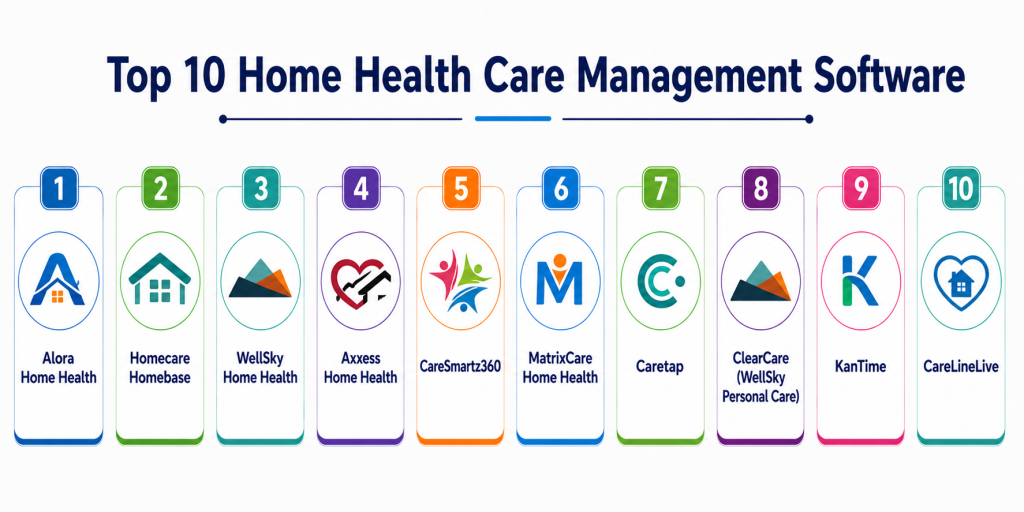
Top 10 Home Health Care Management Software
#1 — Alora Home Health
Short description: Alora is a widely used home health care platform designed for agencies managing clinical, operational, and financial workflows. It provides scheduling, billing, compliance, and reporting tools in a unified system. Known for reliability and ease of use. Suitable for agencies of all sizes. It supports regulatory compliance and workflow automation. Ideal for organizations seeking an all-in-one solution.
Key Features
- Scheduling and workforce management
- Billing and payroll
- Compliance tools (EVV)
- Patient management
- Reporting and analytics
- Workflow automation
Pros
- All-in-one platform
- Easy to use
Cons
- Limited advanced customization
- Subscription pricing
Platforms / Deployment
Web
Cloud
Security & Compliance
Encryption, RBAC, audit logs
Supports healthcare compliance frameworks
Integrations & Ecosystem
Integrates with healthcare and billing systems.
- EHR systems
- APIs
- Payment platforms
Support & Community
Strong support and onboarding resources.
#2 — Homecare Homebase
Short description: Homecare Homebase is an enterprise-grade platform designed for large home health and hospice agencies. It offers advanced interoperability and workflow management. Known for scalability and performance. Suitable for enterprise healthcare providers.
Key Features
- Advanced scheduling
- Workflow automation
- Compliance tracking
- Reporting and analytics
- Multi-location support
- Integration tools
Pros
- Highly scalable
- Strong interoperability
Cons
- Complex implementation
- Higher cost
Platforms / Deployment
Web
Cloud
Security & Compliance
SSO, MFA, encryption
Supports regulatory compliance
Integrations & Ecosystem
Strong integration across healthcare systems.
- EHR
- APIs
- Healthcare networks
Support & Community
Enterprise-level support.
#3 — WellSky Home Health
Short description: WellSky provides a comprehensive home health platform focused on care coordination and analytics. It supports patient management, scheduling, and billing. Known for strong reporting capabilities. Suitable for mid to large agencies.
Key Features
- Care coordination
- Scheduling
- Billing
- Reporting
- Analytics
- Workflow automation
Pros
- Strong analytics
- Reliable platform
Cons
- Learning curve
- Higher cost
Platforms / Deployment
Web
Cloud
Security & Compliance
Encryption, RBAC
Supports compliance frameworks
Integrations & Ecosystem
Supports integration with healthcare systems.
- EHR
- APIs
Support & Community
Strong vendor support.
#4 — Axxess Home Health
Short description: Axxess is a cloud-based home healthcare platform designed for agencies of all sizes. It offers scheduling, billing, and compliance features. Known for ease of use and scalability.
Key Features
- Scheduling and EVV
- Billing and payroll
- Patient management
- Reporting
- Compliance tools
- Workflow automation
Pros
- User-friendly
- Scalable
Cons
- Subscription pricing
- Limited customization
Platforms / Deployment
Web
Cloud
Security & Compliance
Encryption, MFA
Supports compliance frameworks
Integrations & Ecosystem
Strong integration ecosystem.
- EHR
- APIs
Support & Community
Good support and onboarding.
#5 — CareSmartz360
Short description: CareSmartz360 is a comprehensive home care management solution with scheduling, billing, and caregiver management tools. It is designed for growing agencies. Known for flexibility and automation.
Key Features
- Scheduling and rostering
- Billing and invoicing
- Caregiver management
- Reporting
- Mobile access
- Automation
Pros
- Flexible workflows
- Affordable
Cons
- UI complexity
- Moderate scalability
Platforms / Deployment
Web / Mobile
Cloud
Security & Compliance
Encryption, MFA
Supports compliance frameworks
Integrations & Ecosystem
Integrates with healthcare and business tools.
- APIs
- Payment systems
Support & Community
Moderate support.
#6 — MatrixCare Home Health
Short description: MatrixCare is a comprehensive healthcare management platform supporting home health and senior care. It offers strong clinical and operational tools. Suitable for large organizations.
Key Features
- Clinical documentation
- Scheduling
- Billing
- Analytics
- Compliance tracking
- Workflow automation
Pros
- Strong clinical features
- Scalable
Cons
- Complex setup
- Higher cost
Platforms / Deployment
Web
Cloud
Security & Compliance
Encryption, RBAC
Supports regulatory standards
Integrations & Ecosystem
Strong healthcare integrations.
- EHR
- APIs
Support & Community
Enterprise-level support.
#7 — Caretap
Short description: Caretap is a modern home care platform focused on automation and compliance. It offers scheduling, billing, and communication tools. Suitable for SMB agencies.
Key Features
- Automated scheduling
- Billing tools
- Communication features
- Reporting
- Compliance tracking
- Workflow automation
Pros
- Easy to use
- Affordable
Cons
- Limited enterprise features
- Smaller ecosystem
Platforms / Deployment
Web
Cloud
Security & Compliance
Encryption, MFA
Not publicly stated certifications
Integrations & Ecosystem
Supports integration with healthcare systems.
- APIs
Support & Community
Moderate support.
#8 — ClearCare (WellSky Personal Care)
Short description: ClearCare is a cloud-based solution for home care agencies focusing on caregiver management and scheduling. Known for usability and client engagement tools.
Key Features
- Scheduling
- Caregiver management
- Client communication
- Billing
- Reporting
- Mobile access
Pros
- User-friendly
- Good caregiver tools
Cons
- Limited advanced analytics
- Subscription pricing
Platforms / Deployment
Web / Mobile
Cloud
Security & Compliance
Encryption, MFA
Supports compliance frameworks
Integrations & Ecosystem
Integrates with healthcare tools.
- APIs
Support & Community
Good vendor support.
#9 — KanTime
Short description: KanTime is a comprehensive home health platform offering clinical, operational, and financial tools. It is designed for agencies handling complex workflows. Known for compliance and scalability.
Key Features
- Scheduling
- Clinical documentation
- Billing
- Compliance tools
- Reporting
- Workflow automation
Pros
- Strong compliance features
- Scalable
Cons
- Complex interface
- Learning curve
Platforms / Deployment
Web
Cloud
Security & Compliance
Encryption, RBAC
Supports regulatory compliance
Integrations & Ecosystem
Supports integration with healthcare systems.
- EHR
- APIs
Support & Community
Strong vendor support.
#10 — CareLineLive
Short description: CareLineLive is a modern home care management system focusing on scheduling, compliance, and caregiver coordination. It offers real-time updates and mobile access. Suitable for growing agencies.
Key Features
- Scheduling and rostering
- EVV compliance
- Care planning
- Reporting
- Mobile app for caregivers
- Billing tools
Pros
- Real-time updates
- Strong scheduling tools
Cons
- Limited enterprise features
- Subscription pricing
Platforms / Deployment
Web / Mobile
Cloud
Security & Compliance
Encryption, MFA
Supports compliance frameworks
Integrations & Ecosystem
Supports integration with healthcare systems.
- APIs
Support & Community
Good support and onboarding.
Comparison Table
| Tool Name | Best For | Platform(s) Supported | Deployment | Standout Feature | Public Rating |
|---|---|---|---|---|---|
| Alora | All-size agencies | Web | Cloud | Ease of use | N/A |
| Homecare Homebase | Enterprise | Web | Cloud | Interoperability | N/A |
| WellSky | Mid-large agencies | Web | Cloud | Analytics | N/A |
| Axxess | SMB to enterprise | Web | Cloud | Scalability | N/A |
| CareSmartz360 | Growing agencies | Web, Mobile | Cloud | Flexibility | N/A |
| MatrixCare | Enterprise | Web | Cloud | Clinical tools | N/A |
| Caretap | SMB | Web | Cloud | Automation | N/A |
| ClearCare | SMB | Web, Mobile | Cloud | Caregiver tools | N/A |
| KanTime | Large agencies | Web | Cloud | Compliance | N/A |
| CareLineLive | SMB | Web, Mobile | Cloud | Scheduling | N/A |
Evaluation & Scoring of Home Health Care Management Software
| Tool Name | Core (25%) | Ease (15%) | Integrations (15%) | Security (10%) | Performance (10%) | Support (10%) | Value (15%) | Weighted Total |
|---|---|---|---|---|---|---|---|---|
| Alora | 9 | 9 | 8 | 9 | 8 | 8 | 8 | 8.6 |
| Homecare Homebase | 10 | 7 | 10 | 9 | 9 | 9 | 7 | 8.9 |
| WellSky | 9 | 7 | 9 | 9 | 9 | 8 | 7 | 8.5 |
| Axxess | 9 | 8 | 9 | 8 | 8 | 8 | 8 | 8.4 |
| CareSmartz360 | 8 | 8 | 8 | 8 | 8 | 7 | 8 | 8.0 |
| MatrixCare | 9 | 7 | 9 | 9 | 9 | 8 | 7 | 8.5 |
| Caretap | 7 | 8 | 7 | 7 | 7 | 7 | 8 | 7.6 |
| ClearCare | 8 | 8 | 7 | 8 | 8 | 7 | 8 | 7.9 |
| KanTime | 9 | 7 | 9 | 9 | 9 | 8 | 7 | 8.5 |
| CareLineLive | 8 | 8 | 7 | 8 | 8 | 7 | 8 | 8.0 |
How to interpret scores:
- Enterprise tools score higher in integrations and compliance
- Cloud-native tools excel in usability and scalability
- SMB tools offer better value and ease of use
- Choose based on operational needs rather than total score
Which Home Health Care Management Software Is Right for You?
Solo / Small Agencies
Caretap or CareLineLive for affordability and simplicity.
SMB Agencies
Axxess, CareSmartz360, or ClearCare for balanced features and usability.
Mid-Market
WellSky and MatrixCare for scalability and analytics.
Enterprise
Homecare Homebase and KanTime for advanced workflows and compliance.
Budget vs Premium
Budget: Caretap, CareLineLive
Premium: Homecare Homebase, MatrixCare
Feature Depth vs Ease of Use
Feature-rich: Homecare Homebase, MatrixCare
User-friendly: Axxess, Caretap
Integrations & Scalability
Best: Homecare Homebase, WellSky
Moderate: CareSmartz360, ClearCare
Security & Compliance Needs
High compliance: KanTime, Homecare Homebase
Moderate: SMB tools
Frequently Asked Questions (FAQs)
1. What is home health care management software?
It is a digital platform that helps agencies manage patient care, scheduling, billing, and caregiver coordination. It centralizes operations. It improves efficiency. It ensures compliance. It enhances patient outcomes.
2. What features should this software include?
Key features include scheduling, patient management, billing, and communication tools. Advanced tools include EVV and analytics. Integration with EHR is important. Automation improves efficiency. These features streamline operations
3. Is home healthcare software secure?
Yes, most platforms include encryption, access control, and compliance features. Security depends on configuration. Enterprise systems offer stronger protections. Regular audits are important. Data privacy is critical.
4. What is EVV in home care software?
Electronic Visit Verification (EVV) tracks caregiver visits using GPS or timestamps. It ensures compliance and accurate billing. It reduces fraud and errors. It is required in many regions. It improves transparency
5. How much does home health software cost?
Costs vary based on features and scale. Cloud systems use subscription pricing. Enterprise solutions are more expensive. Pricing depends on users and integrations. Evaluate ROI carefully.
6. Can this software integrate with EHR systems?
Yes, most platforms integrate with EHR systems. This ensures unified patient data. Integration improves workflow efficiency. APIs enable connectivity. It reduces manual data entry.
7. How long does implementation take?
Implementation can take weeks to months. Cloud systems are faster to deploy. Training is required. Data migration adds time. Planning ensures success.
8. What are the benefits of using this software?
It improves efficiency, reduces errors, and enhances patient care. It automates workflows. It centralizes data. It improves communication. It supports compliance.
9. Is cloud-based software better?
Cloud software offers flexibility and remote access. It reduces infrastructure costs. It is easier to scale. However, it depends on internet connectivity. Most modern agencies prefer cloud solutions.
10. Can it support multi-location agencies?
Yes, many platforms support multi-location management. They centralize operations. This improves coordination. It enables better reporting. It supports growth.
Conclusion
Home Health Care Management Software has become essential for delivering efficient, compliant, and patient-centered care in modern healthcare environments. With features like automated scheduling, real-time caregiver coordination, EVV compliance, and integration with EHR systems, these platforms help agencies streamline operations and improve care quality. Enterprise solutions like Homecare Homebase and MatrixCare offer deep functionality and scalability, while cloud-native platforms like Axxess and CareSmartz360 provide flexibility and ease of use for growing agencies. The best solution depends on your agency’s size, complexity, and integration needs. Rather than selecting based solely on features, organizations should shortlist a few platforms, run pilot implementations, and evaluate usability, compliance, and performance in real-world scenarios. A well-chosen system can significantly reduce administrative burden, enhance caregiver efficiency, and ultimately improve patient outcomes.