Introduction
Calendar software helps individuals and teams organize schedules, manage appointments, plan tasks, and coordinate events across multiple devices. It acts as a central system for time management, enabling users to visualize their day, week, or month while integrating meetings, reminders, and deadlines.
Modern calendar tools go beyond simple scheduling. They now include automation, team collaboration, AI-powered scheduling, and integration with productivity platforms. These tools are essential in reducing scheduling conflicts, improving time management, and enhancing workflow efficiency across organizations.
Common use cases include meeting scheduling, time blocking, team coordination, event planning, task management, and productivity optimization.
Best for: Professionals, teams, startups, enterprises, students, and remote workers who need structured scheduling and collaboration.
Not ideal for: Users who rely on simple reminders or do not need structured planning tools.
Key Trends in Calendar Software
- AI-based scheduling assistants improving meeting planning
- Integration with productivity and communication tools
- Real-time collaboration and shared calendars
- Cross-platform syncing across devices
- Automation for recurring tasks and scheduling
- Time-blocking and focus management features
- Integration with video conferencing platforms
- Cloud-first calendar systems replacing offline tools
- Increased focus on analytics and time tracking
- Personalized scheduling based on behavior and preferences
How We Selected These Tools
- Widely used and trusted calendar platforms
- Feature completeness including scheduling and collaboration
- Integration with productivity ecosystems
- Cross-platform compatibility
- Ease of use for individuals and teams
- Performance and reliability
- Security and privacy features
- Active development and updates
- Scalability for business use
- Community and ecosystem strength
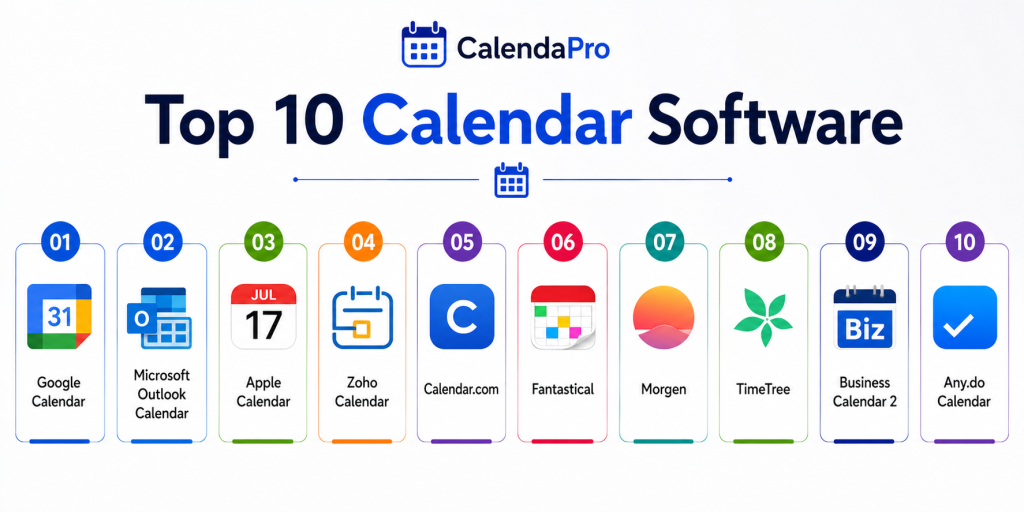
Top 10 Calendar Software
1. Google Calendar
Short description:
Google Calendar is one of the most widely used calendar tools known for simplicity and powerful integrations. It allows users to schedule events, set reminders, and share calendars easily. It integrates deeply with Gmail and other Google services. It is ideal for individuals and teams using Google Workspace.
Key Features
- Event scheduling and reminders
- Shared calendars
- Smart suggestions
- Cross-device sync
- Integration with Gmail
- Multiple calendar views
- Notifications
Pros
- Easy to use
- Strong integrations
- Free for most users
Cons
- Limited advanced customization
- Privacy concerns for some users
- Requires Google ecosystem
Platforms / Deployment
Web / Windows / macOS / Android / iOS
Deployment: Cloud
Security & Compliance
Not publicly stated
Integrations & Ecosystem
Google Calendar integrates with a wide range of productivity tools and services.
- Gmail
- Google Meet
- Google Workspace
- Task tools
- Third-party apps
- APIs
Support & Community
Strong global support and large user community
2. Microsoft Outlook Calendar
Short description:
Outlook Calendar is part of the Microsoft ecosystem and offers advanced scheduling features for individuals and enterprises. It integrates with email, contacts, and Teams for seamless communication. It is widely used in business environments. It is best for organizations using Microsoft tools.
Key Features
- Meeting scheduling
- Calendar sharing
- Integration with email
- Task management
- Time zone support
- Notifications
- Enterprise controls
Pros
- Strong enterprise integration
- Reliable performance
- Feature-rich
Cons
- Can be complex
- Requires Microsoft ecosystem
- Learning curve
Platforms / Deployment
Windows / macOS / Web / Android / iOS
Deployment: Cloud and desktop
Security & Compliance
Enterprise-grade features available, details vary
Integrations & Ecosystem
Outlook integrates deeply with Microsoft services.
- Microsoft Teams
- Office apps
- Exchange
- OneDrive
- SharePoint
- Enterprise tools
Support & Community
Strong enterprise support
3. Apple Calendar
Short description:
Apple Calendar is a native calendar tool designed for Apple devices. It offers smooth performance and tight integration with iCloud and other Apple apps. It provides a simple and clean interface for scheduling. It is best for users within the Apple ecosystem.
Key Features
- Event scheduling
- Calendar sharing
- iCloud sync
- Reminders
- Notifications
- Integration with Apple apps
- Multiple views
Pros
- Seamless Apple integration
- Easy to use
- Efficient performance
Cons
- Limited outside Apple devices
- Fewer advanced features
- Smaller ecosystem
Platforms / Deployment
macOS / iOS
Deployment: Built-in
Security & Compliance
Not publicly stated
Integrations & Ecosystem
Works closely with Apple services.
- iCloud
- Apple devices
- Contacts
- Reminders
- Siri
- System apps
Support & Community
Strong Apple support ecosystem
4. Zoho Calendar
Short description:
Zoho Calendar is a collaborative calendar tool designed for teams and businesses. It allows scheduling, sharing, and managing events with ease. It integrates with Zoho’s suite of productivity tools. It is ideal for SMBs using Zoho ecosystem.
Key Features
- Event scheduling
- Shared calendars
- Notifications
- Team collaboration
- Calendar embedding
- Task integration
- Custom views
Pros
- Free and accessible
- Good for teams
- Easy integration
Cons
- Limited advanced features
- Smaller ecosystem
- UI simplicity
Platforms / Deployment
Web / Android / iOS
Deployment: Cloud
Security & Compliance
Not publicly stated
Integrations & Ecosystem
Zoho Calendar integrates with Zoho and business tools.
- Zoho apps
- CRM
- Projects
- Email tools
- Collaboration apps
- APIs
Support & Community
Good documentation and support
5. Calendar.com
Short description:
Calendar.com is a scheduling and productivity tool designed for individuals and businesses. It offers analytics, scheduling, and collaboration features. It helps users understand how they spend time. It is ideal for professionals managing meetings.
Key Features
- Scheduling links
- Time analytics
- Event management
- Calendar sharing
- Meeting coordination
- Notifications
- Integration tools
Pros
- Analytics features
- Easy scheduling
- Clean interface
Cons
- Paid features required
- Limited customization
- Smaller ecosystem
Platforms / Deployment
Web / Android / iOS
Deployment: Cloud
Security & Compliance
Not publicly stated
Integrations & Ecosystem
Supports integrations with productivity tools.
- Zoom
- Google Calendar
- Outlook
- APIs
- Scheduling tools
- Collaboration tools
Support & Community
Moderate support availability
6. Fantastical
Short description:
Fantastical is a premium calendar app known for its clean design and advanced features. It supports event creation using natural language input. It is popular among Apple users. It is ideal for professionals needing advanced scheduling.
Key Features
- Natural language input
- Calendar views
- Task integration
- Event management
- Notifications
- Sync across devices
- Clean interface
Pros
- Powerful features
- Intuitive design
- Strong Apple integration
Cons
- Paid subscription
- Limited outside Apple
- Smaller ecosystem
Platforms / Deployment
macOS / iOS
Deployment: App
Security & Compliance
Not publicly stated
Integrations & Ecosystem
Integrates with Apple ecosystem and tools.
- iCloud
- Google Calendar
- Outlook
- Task tools
- Apple apps
- Calendar systems
Support & Community
Active user community
7. Morgen
Short description:
Morgen is a productivity-focused calendar tool that integrates tasks and scheduling into one interface. It supports multiple calendar providers. It is designed for professionals managing complex workflows. It is ideal for time management and planning.
Key Features
- Multi-calendar support
- Task integration
- Scheduling tools
- Time blocking
- Notifications
- Cross-platform sync
- Focus tools
Pros
- Combines tasks and calendar
- Good productivity features
- Flexible integrations
Cons
- Paid plans
- Learning curve
- Smaller ecosystem
Platforms / Deployment
Windows / macOS / Linux
Deployment: Desktop
Security & Compliance
Not publicly stated
Integrations & Ecosystem
Supports multiple integrations.
- Google Calendar
- Outlook
- Task tools
- APIs
- Productivity apps
- Scheduling tools
Support & Community
Growing user base
8. TimeTree
Short description:
TimeTree is a collaborative calendar app designed for shared scheduling among families and teams. It focuses on communication and coordination. It is simple and effective for group use. It is ideal for shared calendars.
Key Features
- Shared calendars
- Event comments
- Notifications
- Task sharing
- Group coordination
- Reminders
- Mobile-first design
Pros
- Great for teams and families
- Easy to use
- Free
Cons
- Limited advanced features
- Mobile-focused
- Basic customization
Platforms / Deployment
Android / iOS / Web
Deployment: Cloud
Security & Compliance
Not publicly stated
Integrations & Ecosystem
Works with shared calendar workflows.
- Mobile apps
- Notifications
- Collaboration tools
- Shared groups
- Messaging features
- Basic integrations
Support & Community
Moderate community support
9. Business Calendar 2
Short description:
Business Calendar 2 is a feature-rich calendar app for Android users. It offers advanced customization and detailed calendar views. It is suitable for professionals needing flexibility. It is ideal for Android users managing schedules.
Key Features
- Custom calendar views
- Event management
- Task integration
- Widgets
- Notifications
- Calendar sync
- Customization options
Pros
- Highly customizable
- Android optimized
- Powerful features
Cons
- Android only
- Paid features
- Complex interface
Platforms / Deployment
Android
Deployment: Mobile
Security & Compliance
Not publicly stated
Integrations & Ecosystem
Supports Android ecosystem integrations.
- Google Calendar
- Mobile apps
- Widgets
- Sync tools
- Notifications
- Task tools
Support & Community
Good mobile support
10. Any.do Calendar
Short description:
Any.do Calendar combines task management and scheduling in one interface. It helps users manage daily plans effectively. It is designed for productivity-focused users. It is ideal for individuals managing tasks and schedules together.
Key Features
- Task and calendar integration
- Daily planner
- Reminders
- Sync across devices
- Notifications
- Collaboration
- Productivity tools
Pros
- Combines tasks and calendar
- Easy to use
- Cross-platform
Cons
- Paid features
- Limited advanced scheduling
- Smaller ecosystem
Platforms / Deployment
Web / Android / iOS
Deployment: Cloud
Security & Compliance
Not publicly stated
Integrations & Ecosystem
Integrates with productivity tools.
- Task apps
- Mobile apps
- Web apps
- Notifications
- Productivity tools
- Collaboration tools
Support & Community
Active user base
Comparison Table
| Tool Name | Best For | Platform Supported | Deployment | Standout Feature | Public Rating |
|---|---|---|---|---|---|
| Google Calendar | General use | All platforms | Cloud | Integration ecosystem | N/A |
| Outlook Calendar | Enterprise | All platforms | Hybrid | Business integration | N/A |
| Apple Calendar | Apple users | macOS, iOS | Native | Apple ecosystem | N/A |
| Zoho Calendar | Teams | Web, mobile | Cloud | Team collaboration | N/A |
| Calendar.com | Professionals | Web, mobile | Cloud | Time analytics | N/A |
| Fantastical | Apple users | macOS, iOS | App | Natural language input | N/A |
| Morgen | Productivity users | Desktop | App | Task integration | N/A |
| TimeTree | Teams, families | Mobile, web | Cloud | Shared calendars | N/A |
| Business Calendar 2 | Android users | Android | App | Customization | N/A |
| Any.do Calendar | Task users | Web, mobile | Cloud | Task integration | N/A |
Evaluation & Scoring of Calendar Software
| Tool Name | Core | Ease | Integrations | Security | Performance | Support | Value | Weighted Total |
|---|---|---|---|---|---|---|---|---|
| Google Calendar | 9 | 9 | 10 | 8 | 9 | 9 | 10 | 9.3 |
| Outlook | 9 | 8 | 10 | 9 | 9 | 9 | 8 | 9.0 |
| Apple Calendar | 8 | 9 | 7 | 8 | 9 | 8 | 9 | 8.5 |
| Zoho Calendar | 7 | 9 | 8 | 7 | 8 | 8 | 9 | 8.1 |
| Calendar.com | 8 | 8 | 8 | 7 | 8 | 8 | 7 | 7.9 |
| Fantastical | 8 | 9 | 7 | 8 | 9 | 8 | 7 | 8.1 |
| Morgen | 8 | 7 | 8 | 7 | 8 | 7 | 8 | 7.8 |
| TimeTree | 7 | 9 | 6 | 7 | 8 | 7 | 9 | 7.8 |
| Business Calendar 2 | 7 | 8 | 6 | 7 | 8 | 7 | 8 | 7.5 |
| Any.do | 8 | 9 | 7 | 7 | 8 | 7 | 8 | 8.0 |
These scores are comparative and help identify strengths across usability, integrations, and performance. The best choice depends on your specific workflow and needs.
Which Calendar Software Is Right for You
Solo / Freelancer
Google Calendar, Any.do, and Fantastical are great for personal productivity and simple scheduling.
SMB
Zoho Calendar and Calendar.com provide good collaboration and team scheduling features.
Mid-Market
Outlook and Google Calendar are strong for growing teams needing integration and scalability.
Enterprise
Outlook Calendar is ideal for enterprise environments due to deep integrations and security.
Budget vs Premium
Free tools like Google Calendar are sufficient for most users, while premium tools offer advanced features.
Feature Depth vs Ease of Use
Simple tools offer ease, while advanced tools provide deeper scheduling capabilities.
Integrations & Scalability
Google and Microsoft tools lead in integrations and scalability.
Security & Compliance Needs
Enterprise tools provide better compliance and security features.
Frequently Asked Questions
1. What is calendar software
Calendar software helps users organize schedules, manage events, and plan tasks. It provides a visual representation of time. It is essential for productivity and planning.
2. Why use calendar software
It helps manage time efficiently and avoid scheduling conflicts. It improves organization and collaboration. It is widely used in personal and professional environments.
3. Is calendar software free
Many calendar tools offer free versions with essential features. Premium versions provide advanced capabilities. The choice depends on user needs.
4. Can I share my calendar
Yes, most tools allow sharing calendars with others. This helps in collaboration and team scheduling. Permissions can be controlled.
5. Do calendars sync across devices
Yes, modern calendar tools sync across devices. This ensures access anywhere. It improves flexibility.
6. Can calendar tools integrate with other apps
Yes, most tools integrate with email, tasks, and meeting platforms. Integration improves workflow efficiency. It is an important feature.
7. Are calendar tools secure
Most tools include basic security features. Enterprise tools offer advanced security. Users should review privacy settings.
8. Can I automate scheduling
Yes, many tools support automated scheduling. This reduces manual effort. AI features are becoming common.
9. Which calendar is best for teams
Google Calendar and Outlook are popular for teams. They offer collaboration and sharing features. The choice depends on ecosystem.
10. How do I choose the right tool
Identify your needs and compare features. Test a few tools before deciding. Choose based on usability and integrations.
Conclusion
Calendar software has become a core part of productivity, helping individuals and teams manage time effectively. From simple scheduling tools to advanced AI-powered planners, the category offers a wide range of solutions. Google Calendar and Outlook dominate due to their integrations and scalability, while tools like Fantastical and Morgen provide enhanced productivity features. The right tool depends on your workflow, ecosystem, and level of complexity. Some users prioritize simplicity, while others need advanced scheduling and collaboration features. Security, integrations, and cross-platform support also play a key role. There is no single best solution for everyone. Start by shortlisting a few tools that align with your needs. Test them in real scenarios and evaluate performance, usability, and integrations before making a decision.
very useful comparison showing how calendar software improves task planning, collaboration, and daily workflow organization efficiently.
This comparison helps readers choose the right calendar software based on scheduling, reminders, and collaboration requirements easily and quickly.