Introduction
Package managers are tools that automate the process of installing, updating, configuring, and managing software dependencies. Instead of manually downloading libraries or tools, developers use package managers to fetch and maintain consistent versions across projects and environments.
Modern development heavily depends on package managers because applications are built using multiple third-party libraries. These tools ensure compatibility, reduce setup time, and simplify dependency resolution across teams and systems.
Common use cases include dependency management, environment setup, software distribution, version control, and DevOps automation.
What buyers should evaluate:
- Language and ecosystem support
- Dependency resolution and versioning
- Performance and installation speed
- Security features and vulnerability scanning
- Ease of use and learning curve
- Integration with CI CD pipelines
- Cross-platform compatibility
- Offline and caching capabilities
- Community and ecosystem maturity
- Scalability for large projects
Best for: Developers, DevOps engineers, platform teams, enterprises, and anyone managing software dependencies.
Not ideal for: Very simple applications with no external dependencies or users who rely only on pre-installed system tools.
Key Trends in Package Managers
- Faster dependency installation using parallel downloads
- Improved caching and offline support
- Integration with security scanning tools
- Lockfiles for reproducible builds
- Support for monorepos and large codebases
- Cross-platform package management
- Integration with CI CD pipelines
- Growing adoption of lightweight package managers
- Improved dependency resolution algorithms
- Ecosystem-specific optimizations
How We Selected These Tools
- Popularity and adoption in developer ecosystems
- Performance and reliability
- Feature completeness and flexibility
- Integration with development workflows
- Community support and updates
- Security and dependency management capabilities
- Cross-platform support
- Ease of use and learning curve
- Scalability for enterprise use
- Real-world usage across industries
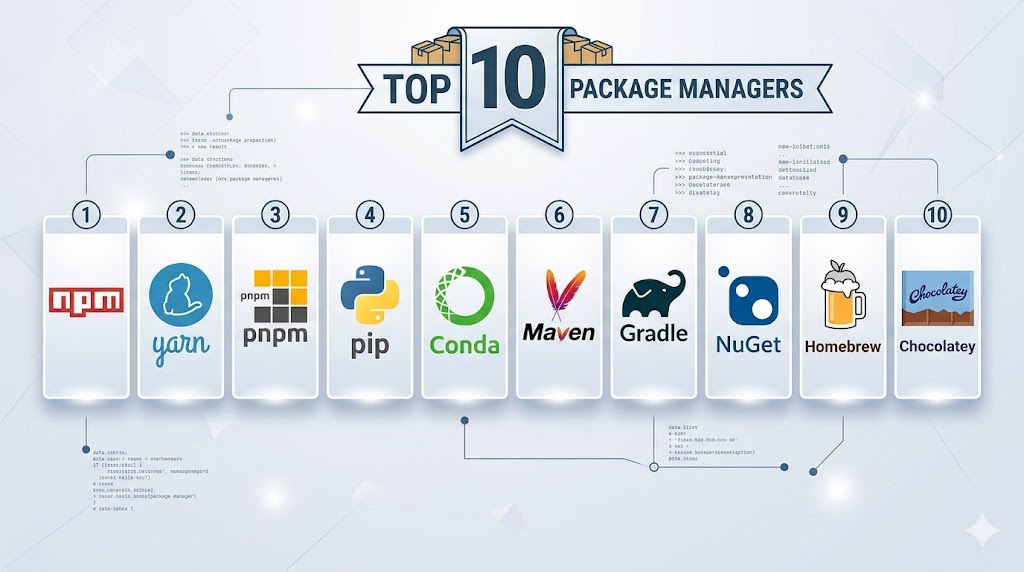
Top 10 Package Managers
1. npm
Short description:
npm is the default package manager for JavaScript and Node.js ecosystems. It provides access to one of the largest open-source libraries. It is widely used for frontend and backend development. It is ideal for JavaScript developers.
Key Features
- Large package registry
- Dependency management
- Version control
- CLI tools
- Script execution
- Lockfile support
- Integration with Node.js
Pros
- Massive ecosystem
- Easy to use
- Strong community
Cons
- Slower than newer tools
- Dependency conflicts
- Security concerns
Platforms / Deployment
Windows / macOS / Linux
Deployment: CLI tool
Security & Compliance
Supports package auditing features
Integrations & Ecosystem
Integrates with modern development tools.
- Node.js
- CI CD pipelines
- Dev tools
- APIs
- Build systems
- Frameworks
Support & Community
Very large global community
2. Yarn
Short description:
Yarn is a fast and reliable package manager for JavaScript projects. It improves performance and dependency management compared to npm. It is widely used in large projects. It is ideal for teams needing speed and consistency.
Key Features
- Fast installation
- Lockfile support
- Offline caching
- Dependency resolution
- Workspaces support
- CLI tools
- Security checks
Pros
- Faster than npm
- Reliable installs
- Good for monorepos
Cons
- Smaller ecosystem
- Complexity in setup
- Compatibility issues
Platforms / Deployment
Windows / macOS / Linux
Deployment: CLI tool
Security & Compliance
Supports dependency validation
Integrations & Ecosystem
Integrates with JavaScript ecosystems.
- Node.js
- CI CD pipelines
- Dev tools
- APIs
- Frameworks
- Build tools
Support & Community
Strong developer community
3. pnpm
Short description:
pnpm is a fast and efficient JavaScript package manager that uses disk space efficiently. It uses a unique storage mechanism to reduce duplication. It is ideal for large projects and monorepos. It provides high performance.
Key Features
- Fast installs
- Disk-efficient storage
- Dependency isolation
- Lockfile support
- Workspaces
- CLI tools
- Compatibility with npm
Pros
- Very fast
- Efficient storage
- Reliable
Cons
- Learning curve
- Smaller adoption
- Compatibility edge cases
Platforms / Deployment
Windows / macOS / Linux
Deployment: CLI tool
Security & Compliance
Supports dependency validation
Integrations & Ecosystem
Integrates with modern JS workflows.
- Node.js
- CI CD pipelines
- Dev tools
- APIs
- Frameworks
- Build systems
Support & Community
Growing community
4. pip
Short description:
pip is the standard package manager for Python. It allows developers to install and manage Python libraries. It is simple and widely used. It is ideal for Python development.
Key Features
- Python package management
- Dependency installation
- Version control
- CLI tools
- Virtual environment support
- Package indexing
- Integration with PyPI
Pros
- Simple
- Widely adopted
- Easy to use
Cons
- Dependency conflicts
- Limited advanced features
- Slower performance
Platforms / Deployment
Windows / macOS / Linux
Deployment: CLI tool
Security & Compliance
Basic dependency management
Integrations & Ecosystem
Integrates with Python ecosystem.
- PyPI
- Dev tools
- CI CD pipelines
- APIs
- Virtual environments
- Build systems
Support & Community
Very large community
5. Conda
Short description:
Conda is a package and environment manager for Python and data science workflows. It supports multiple languages and environments. It is widely used in scientific computing. It is ideal for data scientists.
Key Features
- Environment management
- Multi-language support
- Dependency resolution
- Package installation
- CLI tools
- Cross-platform
- Version control
Pros
- Environment isolation
- Multi-language support
- Good for data science
Cons
- Slower performance
- Complex setup
- Large footprint
Platforms / Deployment
Windows / macOS / Linux
Deployment: CLI tool
Security & Compliance
Not publicly stated
Integrations & Ecosystem
Integrates with data science tools.
- Python
- R
- Dev tools
- APIs
- Data platforms
- ML workflows
Support & Community
Strong community
6. Maven
Short description:
Maven is a build automation and dependency management tool for Java projects. It uses XML-based configuration. It is widely used in enterprise development. It is ideal for large Java applications.
Key Features
- Dependency management
- Build automation
- Project structure
- Plugin system
- Version control
- CLI tools
- Repository support
Pros
- Enterprise-ready
- Strong ecosystem
- Reliable
Cons
- Complex configuration
- Verbose syntax
- Learning curve
Platforms / Deployment
Windows / macOS / Linux
Deployment: CLI tool
Security & Compliance
Supports dependency management policies
Integrations & Ecosystem
Integrates with Java ecosystems.
- Java
- CI CD pipelines
- Dev tools
- APIs
- Build systems
- Repositories
Support & Community
Very strong enterprise community
7. Gradle
Short description:
Gradle is a modern build and dependency management tool for Java and other languages. It uses a flexible scripting approach. It is widely used in Android and enterprise development. It is ideal for complex builds.
Key Features
- Build automation
- Dependency management
- Scripting support
- Incremental builds
- Plugin system
- Performance optimization
- Multi-language support
Pros
- Flexible
- High performance
- Modern design
Cons
- Complex setup
- Learning curve
- Configuration overhead
Platforms / Deployment
Windows / macOS / Linux
Deployment: CLI tool
Security & Compliance
Supports dependency management policies
Integrations & Ecosystem
Integrates with modern development tools.
- Java
- Android
- CI CD pipelines
- APIs
- Build tools
- Dev workflows
Support & Community
Strong community
8. NuGet
Short description:
NuGet is the package manager for .NET applications. It provides libraries and tools for .NET development. It is widely used in enterprise applications. It is ideal for Microsoft ecosystems.
Key Features
- .NET package management
- Dependency resolution
- Version control
- CLI tools
- Integration with Visual Studio
- Package repository
- Automation support
Pros
- Strong integration
- Easy to use
- Enterprise-ready
Cons
- Limited outside .NET
- Dependency issues
- Ecosystem-specific
Platforms / Deployment
Windows / macOS / Linux
Deployment: CLI tool
Security & Compliance
Supports dependency validation
Integrations & Ecosystem
Integrates with .NET ecosystem.
- .NET
- Visual Studio
- CI CD pipelines
- APIs
- Dev tools
- Build systems
Support & Community
Strong Microsoft ecosystem
9. Homebrew
Short description:
Homebrew is a package manager for macOS and Linux. It simplifies installing software and tools. It is widely used by developers. It is ideal for system-level package management.
Key Features
- System package management
- Easy installation
- CLI tools
- Dependency resolution
- Cross-platform support
- Repository system
- Automation
Pros
- Easy to use
- Lightweight
- Popular
Cons
- Limited to Unix systems
- Not language-specific
- Basic features
Platforms / Deployment
macOS / Linux
Deployment: CLI tool
Security & Compliance
Not publicly stated
Integrations & Ecosystem
Integrates with system tools.
- OS tools
- Dev tools
- APIs
- CLI tools
- Automation systems
- Package repositories
Support & Community
Large community
10. Chocolatey
Short description:
Chocolatey is a package manager for Windows systems. It automates software installation and management. It is widely used in enterprise IT. It is ideal for Windows environments.
Key Features
- Windows package management
- Automation
- CLI tools
- Repository support
- Version control
- Integration with PowerShell
- Enterprise features
Pros
- Strong Windows support
- Automation capabilities
- Enterprise-ready
Cons
- Windows-only
- Paid enterprise features
- Learning curve
Platforms / Deployment
Windows
Deployment: CLI tool
Security & Compliance
Supports package validation
Integrations & Ecosystem
Integrates with Windows ecosystems.
- PowerShell
- Dev tools
- APIs
- CI CD pipelines
- System tools
- Enterprise systems
Support & Community
Strong enterprise community
Comparison Table
| Tool Name | Best For | Platform(s) Supported | Deployment | Standout Feature | Public Rating |
|---|---|---|---|---|---|
| npm | JavaScript | Multi-platform | CLI | Large registry | N/A |
| Yarn | JS speed | Multi-platform | CLI | Fast installs | N/A |
| pnpm | Efficiency | Multi-platform | CLI | Disk efficiency | N/A |
| pip | Python | Multi-platform | CLI | Simplicity | N/A |
| Conda | Data science | Multi-platform | CLI | Environment mgmt | N/A |
| Maven | Java | Multi-platform | CLI | Build automation | N/A |
| Gradle | Java builds | Multi-platform | CLI | Flexibility | N/A |
| NuGet | .NET | Multi-platform | CLI | Visual Studio integration | N/A |
| Homebrew | macOS | Unix systems | CLI | Easy installs | N/A |
| Chocolatey | Windows | Windows | CLI | Automation | N/A |
Evaluation & Scoring of Package Managers
| Tool Name | Core | Ease | Integrations | Security | Performance | Support | Value | Weighted Total |
|---|---|---|---|---|---|---|---|---|
| npm | 9 | 9 | 10 | 7 | 7 | 10 | 9 | 8.8 |
| Yarn | 9 | 8 | 9 | 8 | 9 | 9 | 9 | 8.9 |
| pnpm | 9 | 8 | 9 | 8 | 10 | 8 | 9 | 9.0 |
| pip | 8 | 9 | 8 | 7 | 7 | 10 | 9 | 8.5 |
| Conda | 9 | 7 | 8 | 8 | 7 | 9 | 8 | 8.2 |
| Maven | 9 | 6 | 9 | 8 | 8 | 9 | 8 | 8.4 |
| Gradle | 9 | 7 | 9 | 8 | 9 | 9 | 8 | 8.6 |
| NuGet | 8 | 9 | 9 | 8 | 8 | 9 | 9 | 8.7 |
| Homebrew | 7 | 10 | 7 | 7 | 8 | 9 | 10 | 8.3 |
| Chocolatey | 8 | 8 | 8 | 8 | 8 | 9 | 9 | 8.4 |
Scores are comparative and highlight strengths across performance, usability, and ecosystem. The best tool depends on language and platform needs.
Which Package Manager Is Right for You
Solo / Freelancer
Use npm, pip, or Homebrew depending on your language and OS. They are simple and easy to use.
SMB
Yarn, pnpm, and Conda provide better performance and environment control.
Mid-Market
Gradle and Maven are ideal for structured projects and teams.
Enterprise
NuGet, Maven, and Chocolatey provide strong enterprise support.
Budget vs Premium
Most tools are free and open-source.
Feature Depth vs Ease of Use
npm and pip are easy, while Gradle offers deeper control.
Integrations & Scalability
Maven and Gradle scale well for large systems.
Security & Compliance Needs
Choose tools with auditing and validation features.
Frequently Asked Questions
1. What is a package manager
A package manager is a tool that installs and manages software dependencies. It simplifies development workflows. It ensures consistent environments.
2. Why are package managers important
They save time and reduce errors. They manage dependencies automatically. They improve productivity.
3. Are package managers secure
Most include security features like auditing. Security depends on usage. Always use trusted packages.
4. Can I use multiple package managers
Yes, different languages use different tools. It depends on your project. Many teams use multiple managers.
5. What is a lockfile
A lockfile ensures consistent dependency versions. It prevents conflicts. It improves reproducibility.
6. Do package managers work offline
Some support offline caching. This improves speed. It depends on the tool.
7. Are they free
Most are open-source and free. Some enterprise features may be paid.
8. Can they automate workflows
Yes, they integrate with CI CD pipelines. Automation improves efficiency. It is widely used.
9. Which is the fastest
pnpm and Yarn are known for speed. Performance varies. Choose based on needs.
10. How do I choose the right one
Select based on language and ecosystem. Evaluate features and performance. Test before deciding.
Conclusion
Package managers are a foundational part of modern software development, enabling developers to efficiently manage dependencies, automate installations, and maintain consistent environments across projects. As applications become more complex, these tools play a critical role in ensuring stability, scalability, and productivity. From language-specific tools like npm, pip, and NuGet to system-level managers like Homebrew and Chocolatey, the ecosystem offers solutions for every development need. Advanced tools like pnpm, Yarn, and Gradle provide performance improvements and scalability for larger teams and enterprise environments. There is no universal package manager that fits all use cases. The right choice depends on your programming language, project size, and workflow requirements. Start by identifying your ecosystem, shortlist a few tools, and test them in real scenarios. This practical approach will help you choose the most effective solution for managing your software dependencies.
I’ve also faced issues with inconsistent behavior across OS environments. The same package setup doesn’t always behave identically on different systems.