Introduction
Web browsers are software applications that allow users to access, navigate, and interact with websites and web-based applications. They act as the gateway to the internet, rendering web pages, executing scripts, and enabling everything from simple searches to complex SaaS workflows.
Today, web browsers are no longer just tools for browsing. They are productivity platforms, privacy layers, developer environments, and even security gateways. With increasing concerns around tracking, performance, and cross-device workflows, choosing the right browser has become more important than ever.
Common use cases include daily browsing, SaaS application access, development testing, secure transactions, content consumption, and cross-device syncing.
Best for: Individuals, developers, remote teams, enterprises, and privacy-conscious users who rely heavily on web-based tools and cloud platforms.
Not ideal for: Users who need fully offline environments or highly specialized legacy systems that require custom or outdated browsers.
Key Trends in Web Browsers
- Strong focus on privacy and anti-tracking features
- Built-in ad blocking and tracker protection
- Integration with productivity and AI tools
- Cross-device synchronization across desktop and mobile
- Increased performance optimization for heavy web apps
- Support for progressive web applications
- Enhanced developer tools and debugging capabilities
- Growing importance of security sandboxing and isolation
- Lightweight browsers for low-resource environments
- Browser-based ecosystems replacing traditional apps
How We Selected These Tools
- High global usage and adoption
- Strong performance and reliability
- Cross-platform compatibility
- Security and privacy features
- Developer support and tooling
- Ecosystem and extension availability
- Ease of use for different user types
- Active development and updates
- Suitability for personal and enterprise use
- Balance of mainstream and niche browsers
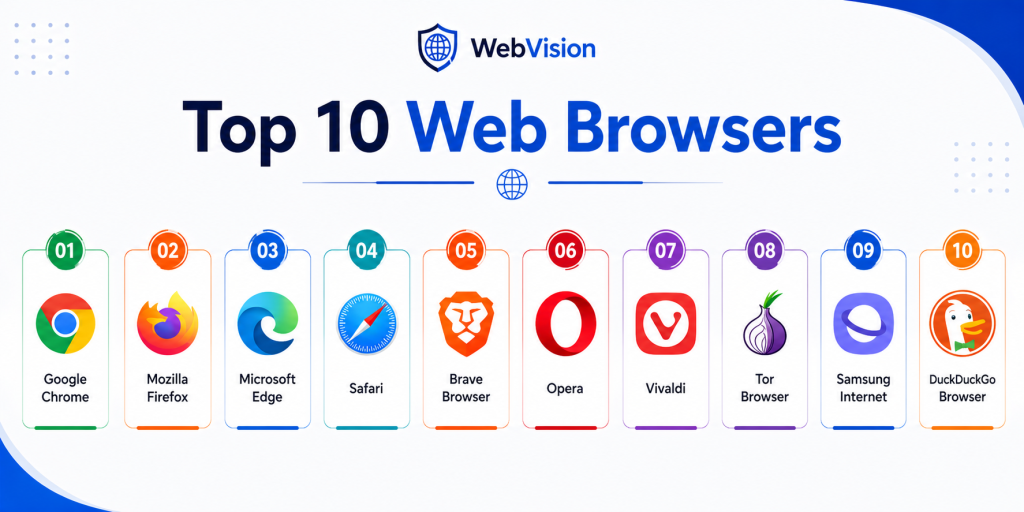
Top 10 Web Browsers
1. Google Chrome
Short description:
Google Chrome is one of the most widely used web browsers known for speed, simplicity, and extensive extension support. It is built on the Chromium engine and integrates well with cloud-based services. It is ideal for users who rely on web apps and seamless syncing across devices. It is best suited for general users, professionals, and developers.
Key Features
- Fast browsing engine
- Large extension ecosystem
- Cross-device sync
- Developer tools
- Tab management
- Built-in translation
- Regular updates
Pros
- Very fast and stable
- Massive extension library
- Strong developer support
Cons
- High memory usage
- Privacy concerns for some users
- Heavy on system resources
Platforms / Deployment
Windows / macOS / Linux / Android / iOS
Deployment: Browser
Security & Compliance
Sandboxing, safe browsing features available. Formal compliance certifications not publicly stated.
Integrations & Ecosystem
Chrome integrates deeply with web services and productivity tools. It is widely used in enterprise and development environments.
- Web applications
- Extensions marketplace
- Developer tools
- Cloud sync
- SaaS platforms
- Productivity tools
Support & Community
Extensive documentation, global user base, and strong developer community.
2. Mozilla Firefox
Short description:
Mozilla Firefox is an open-source browser focused on privacy, customization, and transparency. It offers strong tracking protection and flexible configuration options. It is ideal for users who want control over their browsing experience. It is widely used by privacy-conscious individuals and developers.
Key Features
- Enhanced tracking protection
- Open-source development
- Customizable interface
- Extension support
- Developer tools
- Private browsing
- Performance optimization
Pros
- Strong privacy features
- Highly customizable
- Open-source transparency
Cons
- Smaller extension ecosystem than Chrome
- Some sites optimized for Chromium
- Performance can vary
Platforms / Deployment
Windows / macOS / Linux / Android / iOS
Deployment: Browser
Security & Compliance
Privacy protection and tracking blocking included. Formal certifications not publicly stated.
Integrations & Ecosystem
Firefox supports extensions and developer tools with strong customization capabilities.
- Extensions
- Developer tools
- Privacy tools
- Sync features
- Web apps
- Custom themes
Support & Community
Strong open-source community and well-documented resources.
3. Microsoft Edge
Short description:
Microsoft Edge is a Chromium-based browser designed for performance, security, and enterprise use. It integrates well with Windows systems and Microsoft services. It offers productivity features such as collections and vertical tabs. It is ideal for business users and professionals.
Key Features
- Chromium engine
- Built-in security features
- Vertical tabs
- Collections tool
- Cross-device sync
- Performance optimization
- Enterprise controls
Pros
- Good performance
- Strong enterprise integration
- Built-in productivity features
Cons
- Microsoft ecosystem dependency
- Some users prefer alternative interfaces
- Extension reliance for advanced features
Platforms / Deployment
Windows / macOS / Linux / Android / iOS
Deployment: Browser
Security & Compliance
Includes security features such as safe browsing. Formal certifications not publicly stated.
Integrations & Ecosystem
Edge integrates well with Microsoft services and enterprise tools.
- Microsoft services
- Extensions
- Cloud sync
- Enterprise policies
- Developer tools
- Web apps
Support & Community
Enterprise-grade support and strong documentation.
4. Safari
Short description:
Safari is Apple’s native browser optimized for performance, battery efficiency, and privacy within the Apple ecosystem. It provides seamless integration across Apple devices. It is ideal for users fully invested in Apple hardware. It focuses on efficiency and user privacy.
Key Features
- Optimized for Apple devices
- Strong privacy protections
- Energy efficiency
- Fast rendering
- Reader mode
- Tracking prevention
- Sync across Apple devices
Pros
- Excellent performance on Apple devices
- Strong privacy features
- Energy efficient
Cons
- Limited to Apple ecosystem
- Smaller extension library
- Less customization
Platforms / Deployment
macOS / iOS
Deployment: Browser
Security & Compliance
Privacy and tracking protection included. Formal certifications not publicly stated.
Integrations & Ecosystem
Safari integrates tightly with Apple ecosystem services.
- Apple devices
- iCloud sync
- Extensions
- Web apps
- System features
- Password management
Support & Community
Strong Apple ecosystem support and documentation.
5. Brave Browser
Short description:
Brave Browser is a privacy-first browser that blocks ads and trackers by default. It improves browsing speed and reduces data usage. It is designed for users who want built-in protection without installing extensions. It is ideal for privacy-conscious users.
Key Features
- Built-in ad blocking
- Tracker blocking
- Private browsing
- HTTPS upgrade
- Fast performance
- Chromium support
- Extension compatibility
Pros
- Strong privacy protection
- Fast browsing
- No need for extra extensions
Cons
- Requires switching browser
- Limited customization compared to some tools
- Smaller user base
Platforms / Deployment
Windows / macOS / Linux / Android / iOS
Deployment: Browser
Security & Compliance
Privacy-focused features included. Formal certifications not publicly stated.
Integrations & Ecosystem
Brave supports extensions and integrates with web applications.
- Chromium extensions
- Web apps
- Privacy tools
- Sync features
- Developer tools
- Mobile ecosystem
Support & Community
Active development and growing user community.
6. Opera
Short description:
Opera is a feature-rich browser that includes built-in tools such as ad blocking, VPN, and messaging integrations. It is designed for users who want additional features without installing extensions. It balances performance with convenience. It is suitable for everyday users.
Key Features
- Built-in ad blocker
- Free VPN
- Sidebar integrations
- Battery saver
- Tab management
- Media player
- Custom themes
Pros
- Feature-rich
- Built-in tools
- Easy to use
Cons
- Smaller extension ecosystem
- Privacy concerns for some users
- Performance varies
Platforms / Deployment
Windows / macOS / Linux / Android / iOS
Deployment: Browser
Security & Compliance
Includes basic privacy features. Formal certifications not publicly stated.
Integrations & Ecosystem
Opera integrates various tools within the browser.
- Messaging apps
- Extensions
- Media tools
- Web apps
- Sync features
- Sidebar tools
Support & Community
Good documentation and active updates.
7. Vivaldi
Short description:
Vivaldi is a highly customizable browser designed for power users who want control over every aspect of their browsing experience. It offers advanced tab management and UI customization. It is ideal for users who need productivity-focused features. It is popular among advanced users.
Key Features
- Advanced tab management
- Customizable interface
- Built-in tools
- Privacy controls
- Notes and panels
- Extensions support
- Session management
Pros
- Highly customizable
- Strong productivity features
- Good privacy controls
Cons
- Learning curve
- Can feel complex
- Smaller user base
Platforms / Deployment
Windows / macOS / Linux / Android
Deployment: Browser
Security & Compliance
Privacy features included. Formal certifications not publicly stated.
Integrations & Ecosystem
Vivaldi supports extensions and customization tools.
- Chromium extensions
- Web apps
- Productivity tools
- Notes system
- Panels
- Custom UI
Support & Community
Active community with strong documentation.
8. Tor Browser
Short description:
Tor Browser is designed for anonymous browsing by routing traffic through a distributed network. It provides strong privacy and anonymity features. It is ideal for users who need maximum privacy. It is widely used in privacy-sensitive environments.
Key Features
- Anonymous browsing
- Traffic routing
- Privacy protection
- Script blocking
- Secure connections
- Anti-tracking
- Network encryption
Pros
- High anonymity
- Strong privacy protection
- Free and open-source
Cons
- Slower performance
- Not suitable for everyday browsing
- Limited compatibility with some sites
Platforms / Deployment
Windows / macOS / Linux / Android
Deployment: Browser
Security & Compliance
Strong privacy features available. Formal certifications not publicly stated.
Integrations & Ecosystem
Tor Browser focuses on privacy rather than integrations.
- Privacy network
- Secure browsing
- Limited extensions
- Script control
- Security layers
- Anonymous routing
Support & Community
Strong community and documentation for privacy users.
9. Samsung Internet
Short description:
Samsung Internet is a mobile browser optimized for Android devices, especially Samsung phones. It offers fast browsing, strong privacy controls, and extension support. It is designed for mobile-first users. It provides a smooth and optimized mobile experience.
Key Features
- Fast mobile browsing
- Privacy protection
- Content blockers
- Extension support
- Dark mode
- Secure browsing
- Video assistant
Pros
- Optimized for mobile
- Good performance
- Easy to use
Cons
- Limited desktop support
- Best on Samsung devices
- Smaller ecosystem
Platforms / Deployment
Android
Deployment: Mobile browser
Security & Compliance
Includes privacy features. Formal certifications not publicly stated.
Integrations & Ecosystem
Samsung Internet integrates with mobile apps and extensions.
- Android ecosystem
- Extensions
- Mobile tools
- Web apps
- Privacy tools
- Device features
Support & Community
Good mobile-focused support and updates.
10. DuckDuckGo Browser
Short description:
DuckDuckGo Browser is a privacy-focused browser designed to minimize tracking and data collection. It offers simple controls and strong default privacy settings. It is ideal for users who want a no-tracking browsing experience. It focuses on simplicity and privacy.
Key Features
- Tracker blocking
- Privacy grading
- Encrypted connections
- Simple interface
- Private search integration
- Data protection
- Minimal setup
Pros
- Strong privacy defaults
- Easy to use
- Lightweight
Cons
- Limited advanced features
- Smaller ecosystem
- Fewer extensions
Platforms / Deployment
Windows / macOS / Android / iOS
Deployment: Browser
Security & Compliance
Privacy-focused features included. Formal certifications not publicly stated.
Integrations & Ecosystem
DuckDuckGo Browser focuses on privacy and minimal integrations.
- Privacy tools
- Search integration
- Mobile apps
- Desktop apps
- Web browsing
- Basic extensions
Support & Community
Growing community with improving documentation.
Comparison Table
| Tool Name | Best For | Platform Supported | Deployment | Standout Feature | Public Rating |
|---|---|---|---|---|---|
| Google Chrome | General users | All major platforms | Browser | Extension ecosystem | N/A |
| Mozilla Firefox | Privacy users | All major platforms | Browser | Tracking protection | N/A |
| Microsoft Edge | Enterprise | All major platforms | Browser | Productivity tools | N/A |
| Safari | Apple users | macOS, iOS | Browser | Apple optimization | N/A |
| Brave Browser | Privacy users | All major platforms | Browser | Built-in ad blocking | N/A |
| Opera | Feature lovers | All major platforms | Browser | Built-in tools | N/A |
| Vivaldi | Power users | Desktop and Android | Browser | Customization | N/A |
| Tor Browser | Anonymous browsing | Desktop and Android | Browser | Anonymity network | N/A |
| Samsung Internet | Mobile users | Android | Browser | Mobile optimization | N/A |
| DuckDuckGo Browser | Privacy simplicity | Desktop and mobile | Browser | No tracking | N/A |
Evaluation & Scoring of Web Browsers
| Tool Name | Core | Ease | Integrations | Security | Performance | Support | Value | Weighted Total |
|---|---|---|---|---|---|---|---|---|
| Google Chrome | 9 | 9 | 10 | 8 | 9 | 9 | 8 | 9.0 |
| Mozilla Firefox | 8 | 8 | 8 | 9 | 8 | 8 | 9 | 8.4 |
| Microsoft Edge | 9 | 9 | 9 | 8 | 9 | 9 | 8 | 8.9 |
| Safari | 8 | 9 | 7 | 9 | 9 | 8 | 8 | 8.5 |
| Brave Browser | 8 | 9 | 7 | 9 | 9 | 8 | 8 | 8.5 |
| Opera | 7 | 8 | 7 | 7 | 8 | 7 | 8 | 7.6 |
| Vivaldi | 8 | 7 | 8 | 8 | 8 | 7 | 8 | 7.9 |
| Tor Browser | 7 | 6 | 6 | 10 | 6 | 7 | 9 | 7.5 |
| Samsung Internet | 7 | 9 | 6 | 8 | 8 | 7 | 8 | 7.7 |
| DuckDuckGo Browser | 7 | 9 | 6 | 9 | 8 | 7 | 8 | 7.9 |
Scores are comparative and help highlight strengths across browsers. A higher score reflects a better balance of performance, features, and usability. Always choose based on your specific use case.
Which Web Browser Is Right for You
Solo / Freelancer
Chrome, Firefox, and Brave are ideal for freelancers who need speed, extensions, and reliability. Brave is better for privacy, while Chrome excels in compatibility.
SMB
Edge and Chrome are strong choices for SMBs due to integration with productivity tools and web apps. Firefox can also work well for privacy-focused teams.
Mid-Market
Edge and Chrome offer better scalability and enterprise control features. Firefox can be used when customization and privacy are important.
Enterprise
Microsoft Edge is often preferred due to enterprise policies and integration. Chrome is also widely used for business environments.
Budget vs Premium
All major browsers are free. The real decision is based on features, ecosystem, and privacy rather than cost.
Feature Depth vs Ease of Use
Chrome and Edge offer ease of use, while Vivaldi offers deeper customization. Brave balances simplicity and privacy.
Integrations & Scalability
Chrome and Edge lead in integrations and scalability. Firefox and Brave offer fewer integrations but better privacy.
Security & Compliance Needs
Brave, Firefox, and Tor focus heavily on privacy. Edge and Chrome offer strong security features with broader enterprise support.
Frequently Asked Questions
1. What is a web browser
A web browser is a software application used to access and view websites on the internet. It interprets web content and displays it in a user-friendly format. Browsers also run scripts, manage cookies, and handle web interactions. They are essential for accessing modern web applications.
2. Which browser is the fastest
Speed depends on the device and usage. Chrome, Edge, and Brave are generally fast for most users. Safari performs very well on Apple devices. Performance also depends on extensions and system resources.
3. Which browser is best for privacy
Brave, Firefox, and DuckDuckGo Browser are strong choices for privacy. Tor Browser provides the highest level of anonymity but is slower. The best option depends on how much privacy you need.
4. Do browsers affect security
Yes, browsers play a major role in security. They include features such as sandboxing, secure connections, and phishing protection. Keeping your browser updated is important for safety.
5. Can I use multiple browsers
Yes, many users use multiple browsers for different tasks. For example, one browser for work and another for personal use. This helps manage privacy and performance.
6. Are browser extensions safe
Extensions can improve functionality but may introduce risks. It is important to install extensions only from trusted sources. Too many extensions can also slow down the browser.
7. Which browser is best for developers
Chrome and Firefox are popular among developers due to strong developer tools. Edge also offers good debugging features. The choice depends on workflow and preference.
8. Do browsers consume a lot of memory
Some browsers like Chrome are known for higher memory usage. Others like Firefox and Brave are more efficient in certain cases. Performance varies based on tabs and extensions.
9. Is switching browsers difficult
Switching browsers is usually easy. Most browsers allow you to import bookmarks, passwords, and settings. It takes only a few minutes to get started.
10. Do browsers support web apps
Yes, modern browsers support web apps and progressive web applications. This allows users to run apps directly from the browser. It is a key part of modern workflows.
Conclusion
Web browsers are at the center of digital work, communication, and entertainment. Choosing the right browser can significantly impact speed, productivity, and privacy. While Chrome and Edge dominate in performance and ecosystem, Firefox and Brave offer better privacy control. Safari provides excellent optimization for Apple users, while Vivaldi and Opera bring unique features and customization. Tor Browser remains the top choice for anonymity, and mobile browsers like Samsung Internet and DuckDuckGo focus on mobile-first privacy.