Introduction
Proteomics Analysis Tools are specialized software platforms used to analyze, interpret, and visualize protein data generated from techniques like mass spectrometry. These tools help researchers identify proteins, quantify expression levels, study post-translational modifications, and understand biological processes at a molecular level.
With the rise of precision medicine, biomarker discovery, and large-scale omics research, proteomics tools have become essential. They enable faster insights into disease mechanisms, drug targets, and cellular pathways while handling massive and complex datasets.
Common use cases include:
- Protein identification and quantification
- Biomarker discovery in clinical research
- Mass spectrometry data analysis
- Post-translational modification analysis
- Systems biology and pathway analysis
What buyers should evaluate:
- Data processing accuracy and algorithms
- Compatibility with mass spectrometry platforms
- Workflow automation and scalability
- Ease of use and visualization capabilities
- Integration with bioinformatics pipelines
- Performance with large datasets
- Support for different proteomics methods
- Licensing and deployment flexibility
Best for: Biotech companies, pharmaceutical research teams, proteomics labs, and academic researchers working with protein data.
Not ideal for: Teams that only require basic data analysis or do not work with proteomics datasets, where simpler analytics tools may suffice.
Key Trends in Proteomics Analysis Tools
- AI-driven protein identification and prediction
- Growth of data-independent acquisition workflows
- Integration with multi-omics platforms
- Cloud-based proteomics data processing
- Automation of mass spectrometry pipelines
- Improved real-time data visualization
- Expansion of open-source proteomics tools
- High-throughput data processing capabilities
- API-driven workflows for integration
- Enhanced reproducibility and standardization
How We Selected These Tools (Methodology)
- Evaluated adoption in proteomics research and industry
- Assessed compatibility with major mass spectrometry workflows
- Reviewed feature completeness and innovation
- Analyzed scalability and performance capabilities
- Considered ease of use for different skill levels
- Examined integration with bioinformatics ecosystems
- Included both commercial and open-source tools
- Reviewed community support and documentation
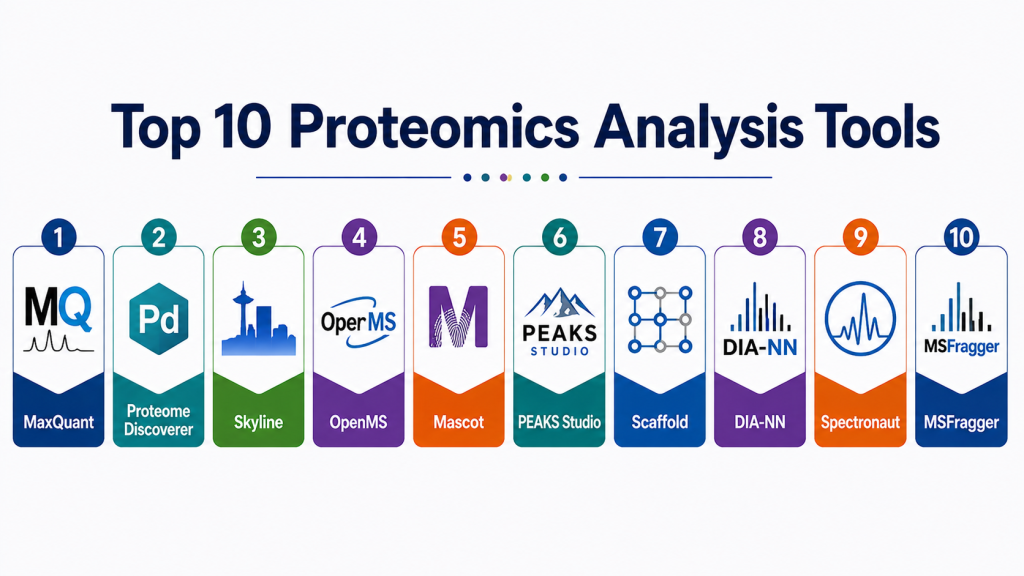
Top 10 Proteomics Analysis Tools
#1 — MaxQuant
Short description: A widely used proteomics software for analyzing mass spectrometry data, known for high accuracy and label-free quantification capabilities.
Key Features
- Protein identification and quantification
- Label-free quantification
- Integrated Andromeda search engine
- Support for large datasets
- Advanced statistical analysis
Pros
- High accuracy
- Free for academic use
Cons
- Steep learning curve
- Resource intensive
Platforms / Deployment
Windows / Linux
Security & Compliance
Not publicly stated
Integrations & Ecosystem
Integrates with proteomics workflows and analysis tools
- Data export support
- Pipeline compatibility
Support & Community
Large research community and extensive documentation
#2 — Proteome Discoverer
Short description: A comprehensive proteomics data analysis platform designed for mass spectrometry workflows and protein identification.
Key Features
- Data processing and visualization
- Protein identification
- Quantitative proteomics workflows
- Integration with search engines
- Advanced data filtering
Pros
- User-friendly interface
- Strong vendor support
Cons
- Licensing cost
- Limited customization
Platforms / Deployment
Windows
Security & Compliance
Not publicly stated
Integrations & Ecosystem
Supports integration with multiple MS tools
- Workflow extensions
- Plugin support
Support & Community
Enterprise-grade support
#3 — Skyline
Short description: An open-source tool for targeted proteomics and quantitative analysis, widely used for reproducible workflows.
Key Features
- Targeted proteomics analysis
- Quantitative data processing
- Visualization tools
- Workflow reproducibility
- Open-source flexibility
Pros
- Free and open-source
- Strong reproducibility
Cons
- Limited untargeted analysis
- Learning curve
Platforms / Deployment
Windows
Security & Compliance
Not publicly stated
Integrations & Ecosystem
Integrates with MS data tools
- Data export capabilities
Support & Community
Active community support
#4 — OpenMS
Short description: An open-source framework for proteomics data analysis, offering flexibility and extensibility for research workflows.
Key Features
- Modular architecture
- Workflow automation
- Support for multiple proteomics techniques
- Data processing pipelines
- Visualization tools
Pros
- Highly customizable
- Free and open-source
Cons
- Complex setup
- Requires programming knowledge
Platforms / Deployment
Linux / Windows / macOS
Security & Compliance
Not publicly stated
Integrations & Ecosystem
Supports integration with bioinformatics tools
- API and scripting support
Support & Community
Strong open-source community
#5 — Mascot
Short description: A widely used search engine for protein identification from mass spectrometry data.
Key Features
- Protein identification
- Database search capabilities
- Support for multiple formats
- High accuracy matching
- Flexible configuration
Pros
- Reliable search engine
- Broad adoption
Cons
- Paid licensing
- Limited UI features
Platforms / Deployment
Web / Linux / Windows
Security & Compliance
Not publicly stated
Integrations & Ecosystem
Integrates with proteomics tools
- Data export/import
Support & Community
Established user base
#6 — PEAKS Studio
Short description: A powerful proteomics software suite for de novo sequencing and protein identification.
Key Features
- De novo sequencing
- Protein identification
- PTM analysis
- Data visualization
- Quantification workflows
Pros
- Advanced sequencing capabilities
- Intuitive interface
Cons
- Expensive
- Resource intensive
Platforms / Deployment
Windows
Security & Compliance
Not publicly stated
Integrations & Ecosystem
Supports MS data workflows
- Pipeline integration
Support & Community
Professional support services
#7 — Scaffold
Short description: A proteomics validation and visualization tool used to interpret protein identification results.
Key Features
- Data validation
- Visualization tools
- Protein identification analysis
- Reporting capabilities
- Workflow integration
Pros
- Easy visualization
- Reliable validation
Cons
- Limited advanced features
- Paid tool
Platforms / Deployment
Windows / macOS
Security & Compliance
Not publicly stated
Integrations & Ecosystem
Works with proteomics data tools
- Reporting integration
Support & Community
Moderate community support
#8 — DIA-NN
Short description: A fast and efficient tool for analyzing data-independent acquisition proteomics data.
Key Features
- DIA data processing
- AI-based identification
- High-speed analysis
- Quantitative workflows
- Low computational cost
Pros
- Fast performance
- High accuracy
Cons
- Limited GUI features
- Requires expertise
Platforms / Deployment
Windows / Linux
Security & Compliance
Not publicly stated
Integrations & Ecosystem
Integrates with MS workflows
- Data pipeline compatibility
Support & Community
Growing user community
#9 — Spectronaut
Short description: A commercial platform for DIA proteomics analysis with strong performance and automation features.
Key Features
- DIA analysis
- Automated workflows
- High accuracy quantification
- Data visualization
- Scalable processing
Pros
- High performance
- Automation capabilities
Cons
- Expensive licensing
- Closed ecosystem
Platforms / Deployment
Windows
Security & Compliance
Not publicly stated
Integrations & Ecosystem
Supports MS integrations
- Data pipeline support
Support & Community
Professional support
#10 — MSFragger
Short description: A fast proteomics search engine for identifying peptides from mass spectrometry data.
Key Features
- Ultra-fast search engine
- Protein identification
- Flexible search parameters
- Large dataset support
- Open-source
Pros
- Extremely fast
- Free to use
Cons
- Limited UI
- Requires technical knowledge
Platforms / Deployment
Linux / Windows
Security & Compliance
Not publicly stated
Integrations & Ecosystem
Integrates with proteomics pipelines
- Workflow compatibility
Support & Community
Active research community
Comparison Table
| Tool Name | Best For | Platform(s) Supported | Deployment | Standout Feature | Public Rating |
|---|---|---|---|---|---|
| MaxQuant | Quantitative analysis | Windows/Linux | Self-hosted | Label-free quantification | N/A |
| Proteome Discoverer | Enterprise workflows | Windows | Self-hosted | Integrated workflows | N/A |
| Skyline | Targeted proteomics | Windows | Self-hosted | Reproducibility | N/A |
| OpenMS | Custom pipelines | Cross-platform | Self-hosted | Modular architecture | N/A |
| Mascot | Protein identification | Web/Linux | Hybrid | Search engine accuracy | N/A |
| PEAKS Studio | Sequencing | Windows | Self-hosted | De novo sequencing | N/A |
| Scaffold | Validation | Windows/macOS | Self-hosted | Visualization | N/A |
| DIA-NN | DIA workflows | Windows/Linux | Self-hosted | AI analysis | N/A |
| Spectronaut | Enterprise DIA | Windows | Self-hosted | Automation | N/A |
| MSFragger | Fast search | Linux/Windows | Self-hosted | Speed | N/A |
Evaluation & Scoring of Proteomics Analysis Tools
| Tool Name | Core (25%) | Ease (15%) | Integrations (15%) | Security (10%) | Performance (10%) | Support (10%) | Value (15%) | Weighted Total |
|---|---|---|---|---|---|---|---|---|
| MaxQuant | 9 | 6 | 8 | 6 | 9 | 8 | 9 | 8.2 |
| Proteome Discoverer | 8 | 8 | 8 | 7 | 8 | 9 | 7 | 8.0 |
| Skyline | 7 | 7 | 7 | 6 | 7 | 8 | 9 | 7.6 |
| OpenMS | 8 | 6 | 8 | 6 | 8 | 7 | 9 | 7.9 |
| Mascot | 8 | 6 | 7 | 6 | 8 | 7 | 7 | 7.5 |
| PEAKS Studio | 9 | 7 | 7 | 6 | 8 | 8 | 6 | 7.8 |
| Scaffold | 7 | 8 | 6 | 6 | 7 | 7 | 7 | 7.3 |
| DIA-NN | 9 | 6 | 7 | 6 | 9 | 7 | 9 | 8.1 |
| Spectronaut | 9 | 7 | 8 | 7 | 9 | 8 | 6 | 8.2 |
| MSFragger | 8 | 6 | 7 | 6 | 9 | 7 | 9 | 7.9 |
How to interpret scores:
These scores are relative comparisons across major evaluation criteria. Higher scores indicate well-rounded tools suitable for enterprise and advanced research, while mid-range scores often reflect strong niche capabilities such as speed, open-source flexibility, or ease of use.
Which Proteomics Analysis Tool Is Right for You?
Solo / Freelancer
- Skyline, MSFragger
- Lightweight and flexible for small projects
SMB
- OpenMS, MaxQuant
- Balanced performance and cost
Mid-Market
- DIA-NN, PEAKS Studio
- Strong performance and scalability
Enterprise
- Proteome Discoverer, Spectronaut
- Advanced workflows and support
Budget vs Premium
- Budget: Skyline, OpenMS
- Premium: Spectronaut, Proteome Discoverer
Feature Depth vs Ease of Use
- Deep features: MaxQuant, PEAKS Studio
- Ease of use: Scaffold, Proteome Discoverer
Integrations & Scalability
- Enterprise tools offer better integration
- Open-source tools require configuration
Security & Compliance Needs
- Enterprise solutions are better suited for regulated environments
Frequently Asked Questions (FAQs)
1. What are proteomics analysis tools used for?
They are used to identify, quantify, and analyze proteins from experimental data, especially mass spectrometry outputs.
2. Are these tools suitable for beginners?
Some tools like Scaffold and Skyline are beginner-friendly, while others require technical expertise.
3. Do these tools support large datasets?
Yes, most modern tools are designed to handle high-throughput proteomics data.
4. Are there open-source options available?
Yes, tools like OpenMS, Skyline, and MSFragger are open-source.
5. What industries use proteomics tools?
Pharmaceuticals, biotechnology, healthcare, and academic research rely heavily on these tools.
6. Do these tools integrate with lab systems?
Many tools integrate with mass spectrometry and data processing systems.
7. What are common challenges?
Challenges include data complexity, computational requirements, and steep learning curves.
8. Can these tools run in the cloud?
Some tools support cloud deployment, but many are primarily self-hosted.
9. How accurate are these tools?
Accuracy depends on algorithms and data quality, with advanced tools offering high precision.
10. How should I choose the right tool?
Consider your data type, budget, expertise, and workflow requirements.
Conclusion
Proteomics analysis tools are essential for understanding protein structures, functions, and interactions at scale. They play a critical role in modern research areas such as drug discovery, biomarker identification, and systems biology. By automating complex workflows and handling large datasets, these tools significantly accelerate scientific discovery. The choice of tool depends on several factors, including the complexity of your workflows, computational resources, and team expertise. Open-source tools provide flexibility and cost efficiency, while commercial platforms offer advanced features, automation, and professional support. Organizations should carefully evaluate performance, integration capabilities, and usability before making a decision. It is also important to consider long-term scalability and compatibility with existing research infrastructure.
Instead of selecting a single tool immediately, shortlist a few options and test them through pilot projects. This approach helps validate performance, usability, and workflow alignment.
Ultimately, the best proteomics analysis tool is the one that aligns with your research goals, technical capabilities, and operational requirements.