Introduction
Reputation Management Tools help businesses monitor, manage, improve, and protect how customers perceive them online. These platforms track reviews, social media mentions, news coverage, customer feedback, ratings, local listings, survey responses, and brand sentiment across digital channels. They help teams respond to negative feedback, encourage positive reviews, identify reputation risks, and measure public trust.
A strong reputation management tool does more than collect reviews. It helps teams centralize customer feedback, automate review requests, manage responses, monitor social conversations, fix listing issues, analyze sentiment, benchmark competitors, and create reports for leadership. Reputation is closely connected with customer trust, local visibility, conversion rates, and brand loyalty, so businesses need a structured way to manage it.
Real-world use cases include:
- Monitoring online reviews across multiple platforms
- Responding to negative customer feedback quickly
- Requesting reviews from satisfied customers
- Tracking brand sentiment and reputation trends
- Managing local business listings and location data
- Detecting crisis signals and public complaints early
- Reporting reputation performance across locations or teams
Buyer evaluation criteria should include:
- Review monitoring coverage
- Review response workflow
- Review request automation
- Social listening and brand mention tracking
- Sentiment analysis accuracy
- Local listings management
- Multi-location reporting
- CRM, support, and marketing integrations
- Security and permission controls
- Pricing, scalability, and support quality
Best for: Local businesses, multi-location brands, healthcare groups, restaurants, hotels, retailers, franchises, agencies, customer experience teams, marketing teams, PR teams, and enterprises that need to manage reviews, ratings, listings, and customer sentiment at scale.
Not ideal for: Very small teams with minimal online presence, businesses that only need occasional manual review checks, or companies that are not prepared to respond to feedback, request reviews ethically, or improve customer experience based on reputation insights.
Key Trends in Reputation Management Tools
- AI-assisted review responses: Platforms increasingly help teams draft faster, more consistent responses to positive and negative reviews.
- Review generation is becoming more automated: Businesses use SMS, email, QR codes, receipts, and post-service workflows to request reviews from real customers.
- Multi-location reputation tracking is critical: Franchises, clinics, retail chains, and service businesses need location-level dashboards and accountability.
- Listings accuracy affects reputation: Wrong hours, addresses, phone numbers, and map data can create poor customer experiences and negative reviews.
- Sentiment analysis is becoming more practical: Teams use sentiment trends to identify recurring service issues, product problems, and customer pain points.
- Social listening and review management are merging: Buyers increasingly want one platform for reviews, brand mentions, social comments, and customer conversations.
- Customer experience teams are using reputation data: Review insights now inform operations, training, product decisions, and service improvement.
- Competitor benchmarking is more common: Businesses compare ratings, review volume, response speed, and sentiment against nearby or category competitors.
- Executive dashboards are expected: Leaders want clear reporting across locations, channels, review sources, sentiment, and response performance.
- Compliance and governance matter more: Regulated businesses need approval workflows, permissions, auditability, and safe handling of customer feedback.
How We Selected These Tools
The tools in this list were selected using practical buyer-focused evaluation logic:
- Strong recognition in online reputation management, review management, listings, customer experience, or brand monitoring
- Ability to monitor and manage customer reviews across major review platforms and business locations
- Practical features for review requests, response workflows, sentiment analysis, and reporting
- Fit across SMBs, agencies, multi-location businesses, franchises, healthcare groups, retail brands, and enterprises
- Support for social listening, surveys, listings, customer messaging, or feedback management where relevant
- Ease of use for business owners, marketers, support teams, operations teams, and location managers
- Reporting depth for ratings, review volume, sentiment, response time, location performance, and trend analysis
- Integration strength with CRM, POS, support, messaging, social, and marketing systems
- Security and administration controls such as permissions, roles, and user management
- Overall value based on coverage, usability, automation, scalability, analytics, and business impact
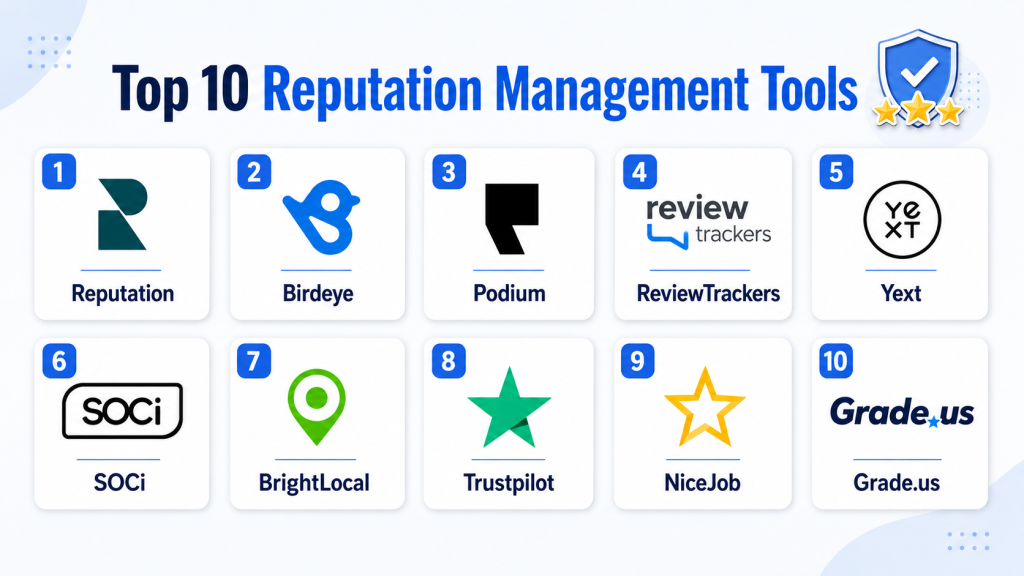
Top 10 Reputation Management Tools
#1 — Reputation
Short description: Reputation is a reputation management and customer experience platform built for brands that need to manage reviews, listings, surveys, social feedback, and location performance at scale. It is especially useful for multi-location businesses that need location-level accountability and centralized oversight. The platform helps teams turn reviews and customer feedback into operational actions.
Key Features
- Review monitoring and response management
- Review request automation
- Local listings management
- Location-level reputation dashboards
- Customer surveys and feedback workflows
- Sentiment and trend analysis
- Multi-location reporting and benchmarking
Pros
- Strong fit for multi-location and enterprise brands
- Combines reviews, listings, surveys, and reputation insights
- Useful for operational improvement and location accountability
Cons
- May be more advanced than small teams need
- Full value depends on strong internal response workflows
- Pricing and modules should be reviewed carefully
Platforms / Deployment
Cloud
Web-based platform
Mobile access may vary by package
Security & Compliance
Enterprise security and administration controls may be available. Buyers should validate SSO, role-based access, audit logs, encryption, retention, data handling, and compliance requirements directly.
Integrations & Ecosystem
Reputation fits customer experience, local marketing, review management, and multi-location operations workflows. It is useful when reputation insights need to connect with business performance and operational accountability.
- CRM workflows
- Local listings systems
- Survey workflows
- Customer experience tools
- Social media workflows
- Reporting dashboards
Support & Community
Reputation provides onboarding, documentation, customer support, implementation guidance, and enterprise success resources. Support depth may vary by package and business size.
#2 — Birdeye
Short description: Birdeye is a reputation management and customer experience platform focused on reviews, listings, messaging, referrals, surveys, and customer engagement. It is widely used by local businesses, healthcare practices, agencies, and multi-location brands. Birdeye is especially useful for businesses that want to generate more reviews and manage customer conversations from one place.
Key Features
- Review generation and review monitoring
- Automated review request workflows
- Business listings management
- Customer messaging and web chat
- Survey and feedback collection
- Social and review response tools
- Multi-location reporting dashboards
Pros
- Strong for review generation and local reputation management
- Useful for customer messaging and feedback workflows
- Good fit for SMBs and multi-location businesses
Cons
- Some advanced capabilities may depend on selected package
- Teams need clear review request and response processes
- Buyers should validate integrations for their industry tools
Platforms / Deployment
Cloud
Web-based platform
Mobile app availability may vary
Security & Compliance
Security and compliance features should be verified directly. Buyers should validate permissions, authentication, encryption, audit logs, data retention, and industry-specific requirements.
Integrations & Ecosystem
Birdeye connects reviews, messaging, listings, surveys, and customer engagement workflows. It is useful for businesses that need one system for customer feedback and online reputation.
- CRM systems
- Practice management systems
- POS workflows
- Messaging tools
- Listings platforms
- Website chat workflows
Support & Community
Birdeye provides onboarding, help resources, customer support, templates, and implementation assistance. Support level may vary by package.
#3 — Podium
Short description: Podium is a customer communication and reputation management platform that helps businesses collect reviews, message customers, manage web chat, and improve local customer engagement. It is especially popular with local businesses and service-based companies that rely on fast customer communication. Podium works well when reviews and messaging are closely connected.
Key Features
- Review request automation
- Customer messaging inbox
- Web chat and lead capture
- Review monitoring and response workflows
- Payment and communication workflows may be available
- Team collaboration features
- Local business engagement tools
Pros
- Strong for review requests and customer messaging
- Practical for local service businesses
- Helps teams respond to customers quickly
Cons
- May not be as analytics-heavy as enterprise CX platforms
- Best value depends on customer messaging adoption
- Pricing and feature bundles should be reviewed carefully
Platforms / Deployment
Cloud
Web-based platform
Mobile app availability may vary
Security & Compliance
Security and compliance details should be verified directly. Buyers should validate permissions, messaging data handling, retention, authentication, and compliance needs.
Integrations & Ecosystem
Podium fits local customer engagement workflows where reviews, messaging, web chat, and follow-up communication matter. It is useful for businesses that want to convert customer interactions into better reputation outcomes.
- CRM workflows
- Website chat
- Customer messaging
- Local business tools
- Payment workflows may vary
- Review platforms
Support & Community
Podium provides onboarding, documentation, customer support, training resources, and business communication guidance. Support depth may vary by plan.
#4 — ReviewTrackers
Short description: ReviewTrackers is a review management and reputation monitoring platform that helps businesses track reviews, analyze customer sentiment, manage responses, and report performance across locations. It is well suited for brands that need review visibility and operational insights. ReviewTrackers is especially useful for teams that want to turn customer reviews into service improvement signals.
Key Features
- Review monitoring across multiple sources
- Review response management
- Sentiment and keyword analysis
- Multi-location reporting
- Customer feedback analytics
- Competitor benchmarking support
- Alerts and review notifications
Pros
- Strong focus on review monitoring and analytics
- Useful for multi-location reputation reporting
- Helps identify recurring customer experience issues
Cons
- May need additional tools for social listening or listings
- Advanced automation should be validated by plan
- Best value depends on review volume and response process
Platforms / Deployment
Cloud
Web-based platform
Security & Compliance
Security and compliance details should be verified directly. Buyers should validate user permissions, access controls, encryption, audit logs, retention, and privacy requirements.
Integrations & Ecosystem
ReviewTrackers fits review management, customer feedback, operations, and multi-location reporting workflows. It is useful when reviews need to guide service improvement and leadership reporting.
- Review platforms
- Customer experience workflows
- CRM systems
- Reporting dashboards
- Location management workflows
- Operations teams
Support & Community
ReviewTrackers provides onboarding resources, documentation, support, and reputation management guidance. Support level may vary by package.
#5 — Yext
Short description: Yext is a digital presence and reputation management platform focused on listings, reviews, local search visibility, knowledge management, and customer feedback workflows. It is useful for multi-location brands that need accurate location data and consistent online presence. Yext helps teams manage how their business appears across search, maps, directories, and review platforms.
Key Features
- Listings management and data synchronization
- Review monitoring and response workflows
- Local search visibility support
- Location data management
- Knowledge graph and business information management
- Analytics and reporting
- Multi-location governance
Pros
- Strong for listings and local presence management
- Useful for multi-location brands and franchises
- Helps reduce inaccurate business information online
Cons
- Review management may be one part of a broader platform
- Pricing and modules should be reviewed carefully
- Best fit depends on local search and listings needs
Platforms / Deployment
Cloud
Web-based platform
Security & Compliance
Enterprise administration and security controls may be available. Buyers should validate SSO, permissions, audit logs, encryption, data governance, and compliance requirements directly.
Integrations & Ecosystem
Yext fits local search, listings, reviews, digital presence, and location data workflows. It is strongest when reputation depends on accurate business information across many digital destinations.
- Listings networks
- Local search workflows
- Review platforms
- Website and location pages
- Analytics dashboards
- Enterprise location management
Support & Community
Yext provides documentation, onboarding, customer support, training resources, and enterprise implementation assistance. Support depth may vary by package.
#6 — SOCi
Short description: SOCi is a multi-location marketing platform that supports reputation management, reviews, social media, local listings, content, and brand governance. It is built for franchises, multi-location businesses, and distributed teams that need local engagement with centralized control. SOCi is useful when reputation management must connect with local social and marketing execution.
Key Features
- Review monitoring and response management
- Local listings management
- Social media publishing and engagement
- Multi-location dashboards
- Brand governance and approval workflows
- Local campaign management
- Reporting and analytics
Pros
- Strong for franchises and multi-location brands
- Combines reviews, listings, and social workflows
- Useful for balancing local control and brand governance
Cons
- May be more platform than single-location businesses need
- Setup requires location and workflow planning
- Pricing should be evaluated by location count and modules
Platforms / Deployment
Cloud
Web-based platform
Security & Compliance
Security and compliance capabilities should be validated directly. Buyers should review permissions, role-based access, approval workflows, audit logs, retention, and data handling needs.
Integrations & Ecosystem
SOCi fits distributed marketing workflows where local teams need to manage reviews, listings, content, and engagement while corporate teams maintain oversight.
- Local listings workflows
- Social media platforms
- Review platforms
- Franchise marketing workflows
- Reporting dashboards
- Brand governance processes
Support & Community
SOCi provides onboarding, documentation, support, training, and multi-location marketing guidance. Support level may vary by package and enterprise needs.
#7 — BrightLocal
Short description: BrightLocal is a local SEO and reputation management platform that helps businesses track reviews, manage listings, audit local search performance, and monitor local visibility. It is popular with agencies, local businesses, and marketers that need practical tools for local reputation and search presence. BrightLocal is especially useful for small businesses and local SEO-focused teams.
Key Features
- Review monitoring and reporting
- Review request tools
- Local SEO audits
- Citation and listing tracking
- Local rank tracking
- Reputation reports
- Agency-friendly workflows
Pros
- Strong for local SEO and review tracking
- Practical for agencies and small businesses
- Good value for local reputation workflows
Cons
- Not as broad as enterprise CX platforms
- Social listening and advanced survey workflows may be limited
- Best for local reputation rather than full brand intelligence
Platforms / Deployment
Cloud
Web-based platform
Security & Compliance
Security and compliance details should be verified directly. Buyers should validate account controls, permissions, data handling, retention, and privacy requirements.
Integrations & Ecosystem
BrightLocal fits local SEO, review monitoring, citation management, and agency reporting workflows. It is useful for teams focused on local search visibility and reputation.
- Local SEO workflows
- Review platforms
- Citation management
- Agency reporting
- Local rank tracking
- Business listing audits
Support & Community
BrightLocal provides documentation, learning resources, support options, local SEO education, and agency-focused guidance. Support depth may vary by plan.
#8 — Trustpilot
Short description: Trustpilot is a customer review platform that helps businesses collect, manage, showcase, and analyze customer reviews. It is useful for ecommerce brands, SaaS companies, service businesses, and companies that want public review credibility. Trustpilot is especially strong when review collection and public trust signals are central to the reputation strategy.
Key Features
- Customer review collection
- Review invitation workflows
- Public review profile
- Review response management
- Review analytics and insights
- Trust badges and display widgets
- Business reputation reporting
Pros
- Strong public review and trust-building platform
- Useful for ecommerce and service businesses
- Helps businesses showcase customer feedback
Cons
- Focused mainly on reviews rather than full reputation monitoring
- Public review management requires active response processes
- Advanced integrations and features may depend on package
Platforms / Deployment
Cloud
Web-based platform
Security & Compliance
Security and compliance details should be verified directly. Buyers should validate account permissions, review moderation policies, data handling, privacy controls, and compliance requirements.
Integrations & Ecosystem
Trustpilot fits customer review collection, ecommerce trust building, website conversion, and brand credibility workflows. It works best when public reviews are important to buyer confidence.
- Ecommerce platforms
- Website widgets
- Review invitation workflows
- CRM systems
- Customer experience workflows
- Analytics tools
Support & Community
Trustpilot provides documentation, business support, review management guidance, onboarding resources, and customer education materials. Support level may vary by plan.
#9 — NiceJob
Short description: NiceJob is a reputation marketing and review management platform designed to help businesses collect reviews, improve online reputation, and convert positive customer feedback into marketing assets. It is especially useful for local service businesses that want review generation and simple reputation growth. NiceJob is practical for teams that want an easy way to request and showcase reviews.
Key Features
- Automated review requests
- Review monitoring
- Customer referral and reputation workflows
- Review display and sharing tools
- Website conversion support
- Campaign analytics
- Simple setup for local businesses
Pros
- Strong for small and local service businesses
- Easy review generation workflows
- Helps turn happy customers into reputation assets
Cons
- Less advanced for enterprise multi-location governance
- Limited compared with broader CX platforms
- Best fit depends on steady customer transaction volume
Platforms / Deployment
Cloud
Web-based platform
Security & Compliance
Security and compliance details should be verified directly. Buyers should validate permissions, customer data handling, review request practices, consent controls, and privacy requirements.
Integrations & Ecosystem
NiceJob fits local service, review generation, reputation marketing, and customer feedback workflows. It is useful when businesses want to improve review volume and showcase social proof.
- CRM workflows
- Local business tools
- Review platforms
- Website widgets
- Customer follow-up systems
- Referral workflows
Support & Community
NiceJob provides onboarding resources, support, help documentation, and reputation marketing guidance. Support depth may vary by plan.
#10 — Grade.us
Short description: Grade.us is a review management and reputation platform designed for agencies, marketers, and businesses that need review generation, review monitoring, white-label reporting, and reputation workflows. It is especially useful for agencies managing reputation programs for multiple clients. Grade.us helps teams collect reviews, monitor platforms, and create client-ready reports.
Key Features
- Review generation campaigns
- Review monitoring and alerts
- White-label reporting support
- Agency dashboard workflows
- Review funnel creation
- Multi-location support
- Reputation reporting
Pros
- Strong fit for agencies and consultants
- Useful white-label review management workflows
- Practical for multi-client reputation programs
Cons
- May not be as broad as enterprise customer experience platforms
- Social listening and listings depth should be validated
- Best value depends on agency or multi-client use cases
Platforms / Deployment
Cloud
Web-based platform
Security & Compliance
Security and compliance details should be verified directly. Buyers should validate permissions, client access controls, data handling, retention, and privacy requirements.
Integrations & Ecosystem
Grade.us fits agency-led review management, client reporting, local reputation, and review request workflows. It is practical for teams that need repeatable reputation services for multiple clients.
- Agency reporting workflows
- Review platforms
- Client dashboards
- Local business reputation programs
- Review request campaigns
- White-label reporting
Support & Community
Grade.us provides documentation, support resources, onboarding assistance, and agency-focused guidance. Support level may vary by package.
Comparison Table
| Tool Name | Best For | Platform(s) Supported | Deployment | Standout Feature | Public Rating |
|---|---|---|---|---|---|
| Reputation | Enterprise and multi-location reputation management | Web-based, mobile access varies | Cloud | Reviews, listings, surveys, and location insights | N/A |
| Birdeye | Local businesses and multi-location customer experience | Web-based, mobile access varies | Cloud | Review generation plus messaging workflows | N/A |
| Podium | Local businesses needing reviews and messaging | Web-based, mobile access varies | Cloud | Customer messaging connected with reviews | N/A |
| ReviewTrackers | Review monitoring and analytics | Web-based | Cloud | Multi-source review tracking and sentiment insights | N/A |
| Yext | Listings and local digital presence | Web-based | Cloud | Listings accuracy plus review workflows | N/A |
| SOCi | Franchises and multi-location marketing teams | Web-based | Cloud | Reviews, listings, and social governance | N/A |
| BrightLocal | Local SEO and review management | Web-based | Cloud | Local SEO audits plus review tracking | N/A |
| Trustpilot | Public customer review collection | Web-based | Cloud | Public review profile and trust signals | N/A |
| NiceJob | Local service business review growth | Web-based | Cloud | Automated review generation | N/A |
| Grade.us | Agencies and white-label review management | Web-based | Cloud | White-label review campaigns and reports | N/A |
Evaluation & Scoring of Reputation Management Tools
| Tool Name | Core (25%) | Ease (15%) | Integrations (15%) | Security (10%) | Performance (10%) | Support (10%) | Value (15%) | Weighted Total (0–10) |
|---|---|---|---|---|---|---|---|---|
| Reputation | 10 | 7 | 9 | 9 | 9 | 8 | 7 | 8.55 |
| Birdeye | 9 | 8 | 9 | 8 | 8 | 8 | 8 | 8.35 |
| Podium | 8 | 9 | 8 | 8 | 8 | 8 | 8 | 8.20 |
| ReviewTrackers | 8 | 8 | 8 | 8 | 8 | 8 | 8 | 8.00 |
| Yext | 9 | 8 | 9 | 9 | 9 | 8 | 7 | 8.45 |
| SOCi | 9 | 8 | 8 | 8 | 8 | 8 | 7 | 8.05 |
| BrightLocal | 8 | 9 | 7 | 7 | 8 | 8 | 9 | 8.05 |
| Trustpilot | 8 | 8 | 8 | 8 | 8 | 8 | 7 | 7.85 |
| NiceJob | 7 | 9 | 7 | 7 | 8 | 8 | 9 | 7.85 |
| Grade.us | 8 | 8 | 7 | 7 | 8 | 8 | 8 | 7.75 |
These scores are comparative and should be used as a shortlist guide. Multi-location and enterprise platforms score higher for governance, analytics, listings, and operational scale. SMB-focused tools often score higher for ease of use and value. Review-first platforms are strongest for customer ratings and feedback, while local presence platforms are stronger when business listings and local search accuracy matter. The best choice depends on your locations, review volume, industry, customer feedback process, and budget.
Which Reputation Management Tool Is Right for You?
Solo / Freelancer
Solo professionals and very small businesses should choose a simple review tracking or review request tool rather than a full enterprise platform. BrightLocal, NiceJob, Grade.us, or Trustpilot can be practical depending on the business model. If you only need to monitor a few reviews manually, a lightweight tool may be enough. Focus first on responding consistently and requesting reviews ethically from real customers.
SMB
SMBs should prioritize easy review requests, centralized response workflows, simple reporting, and local visibility. Birdeye, Podium, BrightLocal, NiceJob, Trustpilot, and ReviewTrackers are strong options depending on whether the main need is messaging, review generation, public trust, or analytics. SMBs should choose a tool that their team can actually use daily, not just a platform with the longest feature list.
Mid-Market
Mid-market teams usually need stronger review monitoring, response workflows, listings management, reporting, and team collaboration. Birdeye, Reputation, ReviewTrackers, Yext, SOCi, Podium, and Trustpilot are worth evaluating. If the business has multiple locations, prioritize location-level reporting and permissions. If public review credibility matters most, Trustpilot may play a useful role in the stack.
Enterprise
Enterprises should prioritize governance, permissions, multi-location dashboards, workflow approvals, listings accuracy, sentiment trends, and operational reporting. Reputation, Yext, SOCi, Birdeye, and ReviewTrackers are strong enterprise candidates depending on the use case. Large organizations should involve marketing, operations, customer experience, IT, legal, and location managers before rollout.
Budget vs Premium
Budget-focused buyers should consider BrightLocal, NiceJob, Grade.us, Trustpilot, or ReviewTrackers depending on their review and reporting needs. Premium buyers should evaluate Reputation, Birdeye, Yext, SOCi, and Podium when they need multi-location support, messaging, listings, enterprise dashboards, or customer experience workflows. The right budget decision depends on whether reputation management is a simple marketing task or a major operational priority.
Feature Depth vs Ease of Use
If ease of use matters most, Podium, NiceJob, BrightLocal, Trustpilot, and Grade.us are practical choices. If feature depth matters more, Reputation, Birdeye, Yext, SOCi, and ReviewTrackers provide broader workflows for reviews, listings, messaging, dashboards, or multi-location governance. Teams should choose based on whether the main need is review generation, response management, listings, analytics, or customer experience improvement.
Integrations & Scalability
Reputation Management Tools should connect with CRM systems, POS systems, booking tools, practice management systems, customer support platforms, messaging systems, survey tools, and local listings networks. As teams scale, they should evaluate API access, role permissions, review routing, response templates, location groups, approval workflows, and executive reporting. Good integrations prevent reputation management from becoming another manual task.
Security & Compliance Needs
Reputation management workflows involve customer feedback, personal information, public reviews, internal notes, response templates, and sometimes regulated service experiences. Buyers should validate permissions, user roles, audit logs, encryption, data retention, review response approvals, consent handling, and industry-specific requirements. Healthcare, financial services, legal, and regulated industries should involve compliance and legal teams before rollout.
Frequently Asked Questions
1. What are Reputation Management Tools?
Reputation Management Tools help businesses monitor, manage, and improve how customers perceive them online.
They track reviews, ratings, social mentions, listings, surveys, and customer feedback.
They are used by marketing, customer experience, operations, PR, and local business teams.
2. Why are Reputation Management Tools important?
They help businesses respond quickly to negative feedback and encourage satisfied customers to leave reviews.
They also reveal patterns in customer experience, service quality, and location performance.
A strong reputation can improve trust, local visibility, and conversion rates.
3. What features should buyers prioritize?
Buyers should prioritize review monitoring, review requests, response workflows, sentiment analysis, listings management, and reporting.
Multi-location businesses should also look for location dashboards, permissions, and benchmarking.
The right features depend on review volume, industry, team size, and customer feedback channels.
4. Are Reputation Management Tools useful for small businesses?
Yes, small businesses can use these tools to collect reviews, monitor feedback, and respond faster.
Simple tools like NiceJob, BrightLocal, Trustpilot, or Podium can help local businesses build trust.
Small teams should focus on consistent review requests and timely responses before buying complex platforms.
5. How much do Reputation Management Tools cost?
Pricing usually depends on locations, users, review sources, messaging features, listings, surveys, analytics, and support level.
Some tools are affordable for small businesses, while enterprise platforms are typically quote-based.
Buyers should compare total cost based on location count and required workflows.
6. Can these tools help generate more reviews?
Yes, many reputation management tools automate review requests through email, SMS, QR codes, or post-service workflows.
They help businesses ask real customers for feedback at the right time.
However, review requests should be ethical, compliant, and not misleading or manipulative.
7. Do Reputation Management Tools include social monitoring?
Some tools include social monitoring, while others focus mainly on reviews and local listings.
If social reputation is important, buyers should evaluate social listening, comment tracking, and response workflows.
Businesses may need a social listening tool alongside a review management platform.
8. What mistakes should buyers avoid?
A common mistake is collecting reviews without responding to them or learning from recurring complaints.
Another mistake is choosing a tool without checking review source coverage and integrations.
Teams should also avoid review practices that violate platform policies or customer trust.
9. Are Reputation Management Tools secure?
Many platforms provide permissions, access controls, authentication, and data handling settings.
However, security depth varies by vendor and package.
Buyers should validate role-based access, data retention, encryption, audit logs, and compliance needs before rollout.
10. What are alternatives to dedicated Reputation Management Tools?
Alternatives include manually checking review sites, using spreadsheets, search alerts, social media notifications, and basic CRM notes.
These options may work for very small teams with low review volume.
Dedicated tools are better when businesses need automation, reporting, multi-location visibility, review requests, and response workflows.
Conclusion
Reputation Management Tools help businesses protect trust, improve customer experience, and manage online feedback in a structured way.
They support review monitoring, review generation, listings accuracy, customer messaging, sentiment analysis, and multi-location reporting.
Reputation, Birdeye, Yext, and SOCi are strong options for larger brands and multi-location businesses that need governance and operational visibility.
Podium, NiceJob, BrightLocal, and Grade.us are practical choices for local businesses, agencies, and service providers focused on review growth and response workflows.
ReviewTrackers is useful for teams that need deeper review analytics, while Trustpilot is valuable when public review credibility and social proof matter.
The best tool depends on your industry, review volume, location count, customer communication process, compliance needs, and budget.
Before choosing, shortlist two or three platforms, test review source coverage, validate integrations, and review reporting quality.
A strong reputation management platform should help your team respond faster, learn from feedback, and build customer trust consistently.
For best results, combine the tool with better service quality, ethical review requests, and a clear internal response process.
This blog gives a very clear comparison of reputation management tools and their practical business benefits.