Introduction
Ad blocking tools help users remove unwanted ads, pop-ups, trackers, autoplay videos, and intrusive scripts from websites, browsers, apps, and networks. They are useful for improving browsing speed, reducing distractions, protecting privacy, and lowering the risk of malicious advertising.
These tools matter because online advertising has become more complex. Many ads now include tracking scripts, behavioral profiling, fingerprinting methods, and third-party requests that can slow down browsing and expose user data. A good ad blocker helps create a cleaner, faster, and safer digital experience.
Common use cases include faster browsing, blocking pop-ups, reducing tracking, improving mobile performance, saving bandwidth, protecting children from unsafe ads, and preventing malicious advertising.
Best for: Individuals, freelancers, families, developers, privacy-focused users, IT teams, and organizations that want cleaner browsing, better privacy, and stronger control over unwanted web content.
Not ideal for: Users who need to view ads for marketing work, ad testing, publisher review, campaign QA, or revenue monitoring. In those cases, controlled browser profiles or testing environments may be better.
Key Trends in Ad Blocking Tools
- More tools now focus on privacy protection, not just ad removal.
- DNS-level blocking is becoming popular for full-device and network-wide coverage.
- Mobile ad blocking is improving through DNS and VPN-style filtering.
- Browser-based blockers are adapting to changing extension rules.
- Users are demanding lighter tools with lower memory and CPU usage.
- Network administrators are using ad blocking as part of security hygiene.
- Advanced filter lists are helping block trackers, scripts, and pop-ups more accurately.
- Cloud-based DNS filtering is becoming easier for non-technical users.
- Open-source tools continue to attract privacy-conscious users.
- More users are combining browser blockers with DNS-level protection.
How We Selected These Tools
- Strong market adoption and user recognition
- Reliable ad and tracker blocking capabilities
- Platform support across browsers, desktop, mobile, or networks
- Ease of setup for different skill levels
- Privacy-focused features and filtering control
- Active development and filter list updates
- Community trust and documentation quality
- Suitability for individuals, SMBs, and technical users
- Balance of free, paid, open-source, and cloud-based options
- Practical value for real-world browsing needs
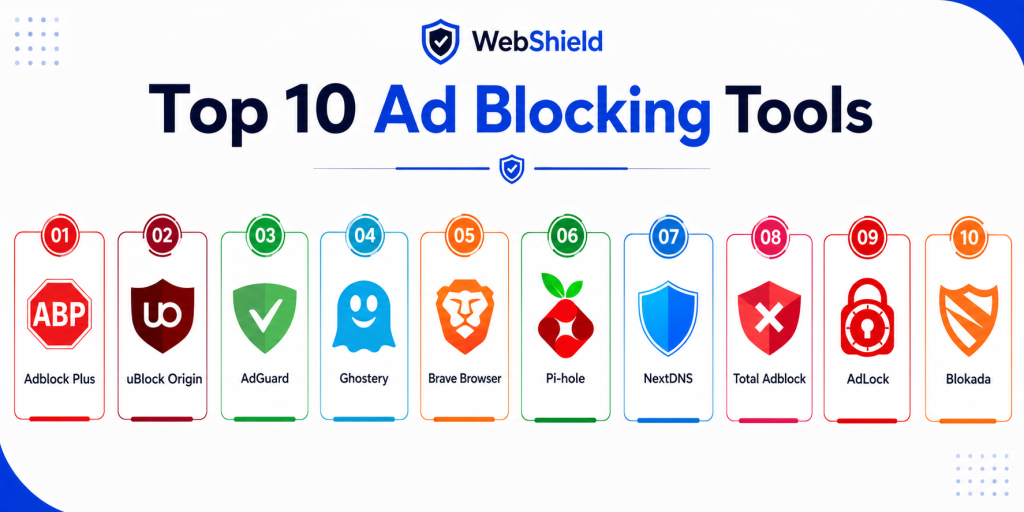
Top 10 Ad Blocking Tools
1. Adblock Plus
Short description:
Adblock Plus is one of the most popular browser-based ad blocking tools for everyday users. It helps block banner ads, pop-ups, video ads, and tracking elements across major browsers. The tool is simple to install and works well for users who want quick protection without complex setup. It is best for beginners who prefer an easy and familiar ad blocking experience.
Key Features
- Blocks intrusive ads and pop-ups
- Supports custom filter lists
- Includes tracker blocking options
- Allows site whitelisting
- Works across major browsers
- Offers simple user controls
- Supports automatic filter updates
Pros
- Very easy for beginners
- Strong browser compatibility
- Large user base and community
Cons
- Acceptable ads setting may not suit everyone
- Less advanced than technical filtering tools
- Browser-only protection in many cases
Platforms / Deployment
Web / Windows / macOS / Android / iOS
Deployment: Browser extension and mobile app
Security & Compliance
Basic tracker blocking is available. Formal compliance certifications are not publicly stated.
Integrations & Ecosystem
Adblock Plus works mainly through browser extensions and filter lists. It fits well for personal browsing and simple workplace browsing setups.
- Chrome
- Firefox
- Edge
- Safari
- Mobile browsers
- Custom filter lists
Support & Community
Adblock Plus has strong documentation and a large user community. Support availability varies by platform and product version.
2. uBlock Origin
Short description:
uBlock Origin is a lightweight open-source ad blocker known for speed, efficiency, and deep customization. It blocks ads, trackers, scripts, and unwanted web requests while using low system resources. It is especially popular among developers, privacy-focused users, and advanced browser users. It is best for people who want powerful blocking without unnecessary bloat.
Key Features
- Lightweight blocking engine
- Strong filter list support
- Custom rule creation
- Script and request blocking
- No acceptable ads program
- Low CPU and memory usage
- Open-source transparency
Pros
- Excellent performance
- Highly customizable
- Strong privacy-focused community
Cons
- Advanced settings can be complex
- Limited mobile availability
- May require tuning for some websites
Platforms / Deployment
Web / Windows / macOS / Linux
Deployment: Browser extension
Security & Compliance
Strong filtering and script control are available. Formal compliance certifications are not publicly stated.
Integrations & Ecosystem
uBlock Origin works with widely used community filter lists and custom rules. It is highly extensible for users who want precise control.
- EasyList
- EasyPrivacy
- Malware filter lists
- Custom rules
- Browser extension ecosystem
- Community-maintained lists
Support & Community
uBlock Origin has an active open-source community and strong documentation. Support is mostly community-driven.
3. AdGuard
Short description:
AdGuard is a full-featured ad blocking and privacy protection tool that works across browsers, apps, and devices. It offers browser extensions, desktop apps, mobile apps, and DNS-based filtering. It is useful for users who want stronger protection beyond a single browser. It is best for families, professionals, and teams that need broader device-level blocking.
Key Features
- System-wide ad blocking
- DNS filtering
- Tracker protection
- HTTPS filtering
- App-level blocking
- Parental control options
- Custom filtering rules
Pros
- Works beyond browsers
- Strong mobile and desktop coverage
- Good balance of usability and power
Cons
- Full features may require paid plans
- Advanced setup can feel technical
- Some app filtering may need configuration
Platforms / Deployment
Windows / macOS / Android / iOS / Web
Deployment: App, browser extension, DNS, and cloud-based options
Security & Compliance
AdGuard includes privacy protection and DNS filtering. Formal enterprise compliance details are not publicly stated.
Integrations & Ecosystem
AdGuard supports multiple deployment styles, making it useful for individuals and families with several devices.
- Browser extensions
- Desktop apps
- Mobile apps
- DNS configuration
- Router-level setup
- Custom filters
Support & Community
AdGuard provides documentation, guides, and customer support. Community discussions and user guides are also available.
4. Ghostery
Short description:
Ghostery is a privacy-focused tool that blocks trackers and helps users understand how websites collect data. It provides visibility into tracking scripts and allows users to reduce unwanted tracking while browsing. The interface is simple and easy to understand. It is best for privacy-conscious users who want insight into website tracking behavior.
Key Features
- Tracker blocking
- Privacy dashboard
- Website tracking insights
- Script control
- Browser extension support
- Simple privacy settings
- Performance improvement features
Pros
- Strong privacy focus
- Easy to understand interface
- Good visibility into trackers
Cons
- Less advanced than power-user blockers
- Ad blocking may be less aggressive
- Some features vary by platform
Platforms / Deployment
Web / Windows / macOS / Android / iOS
Deployment: Browser extension and mobile browser options
Security & Compliance
Tracker protection is available. Formal compliance certifications are not publicly stated.
Integrations & Ecosystem
Ghostery mainly works through browser-based privacy protection and tracker analysis.
- Chrome
- Firefox
- Edge
- Safari
- Mobile browsing
- Privacy dashboards
Support & Community
Ghostery offers documentation and user guidance. Community support is moderate compared with larger open-source tools.
5. Brave Browser
Short description:
Brave Browser is a privacy-focused browser with built-in ad and tracker blocking. It removes the need to install a separate ad blocker for most browsing needs. Brave is designed for speed, privacy, and cleaner browsing by default. It is best for users who are willing to switch browsers for built-in protection.
Key Features
- Built-in ad blocking
- Built-in tracker blocking
- Private browsing features
- HTTPS upgrade support
- Script blocking controls
- Fast page loading
- Chromium-based extension support
Pros
- No separate extension needed
- Fast and privacy-focused
- Works across desktop and mobile
Cons
- Requires switching browsers
- Less flexible than some advanced blockers
- Not ideal for users tied to another browser
Platforms / Deployment
Windows / macOS / Linux / Android / iOS
Deployment: Browser
Security & Compliance
Brave includes privacy-first browsing features. Formal compliance certifications are not publicly stated.
Integrations & Ecosystem
Brave uses a Chromium-based ecosystem, so many browser extensions are supported.
- Chromium extensions
- Desktop browser ecosystem
- Mobile browser ecosystem
- Privacy tools
- Password managers
- Web apps
Support & Community
Brave has strong documentation, an active user community, and regular product updates.
6. Pi-hole
Short description:
Pi-hole is a network-wide ad blocking solution that blocks ads and trackers through DNS filtering. It is commonly self-hosted and can protect every device connected to a network. It is highly customizable and popular with technical users. It is best for home labs, privacy enthusiasts, and small networks.
Key Features
- Network-wide ad blocking
- DNS-level filtering
- Custom blocklists
- Whitelisting and blacklisting
- Dashboard analytics
- Self-hosted control
- Open-source flexibility
Pros
- Covers multiple devices at once
- Highly customizable
- Strong open-source community
Cons
- Requires technical setup
- Needs hosting hardware or server
- Some ads may bypass DNS filtering
Platforms / Deployment
Linux / Raspberry Pi / Self-hosted server
Deployment: Self-hosted DNS filtering
Security & Compliance
DNS-level filtering is available. Formal compliance certifications are not publicly stated.
Integrations & Ecosystem
Pi-hole integrates with local networks and DNS infrastructure. It is useful when users want control at the router or network level.
- Routers
- Local networks
- DNS servers
- Blocklists
- Monitoring dashboards
- Home lab environments
Support & Community
Pi-hole has a very strong open-source community, detailed guides, and active community forums.
7. NextDNS
Short description:
NextDNS is a cloud-based DNS filtering platform that blocks ads, trackers, malware domains, and unwanted content across devices. It provides a web dashboard for policies, analytics, and device-level controls. It is easier to manage than many self-hosted DNS blockers. It is best for users and teams that want cloud-managed filtering without hardware setup.
Key Features
- Cloud DNS filtering
- Ad and tracker blocking
- Malware domain protection
- Analytics dashboard
- Device-level policies
- Custom blocklists
- Encrypted DNS support
Pros
- Easy to deploy
- Works across many devices
- Good centralized visibility
Cons
- Full usage may require paid plan
- Depends on DNS configuration
- Less customizable than self-hosted tools
Platforms / Deployment
Cloud / Web / Windows / macOS / Linux / Android / iOS
Deployment: Cloud DNS filtering
Security & Compliance
Encrypted DNS support is available. Formal compliance certifications are not publicly stated.
Integrations & Ecosystem
NextDNS can be configured across devices, operating systems, browsers, and routers.
- Routers
- Mobile devices
- Desktop operating systems
- Browser settings
- Encrypted DNS
- Custom policy profiles
Support & Community
NextDNS provides documentation and setup guides. Support and community availability vary by plan and use case.
8. Total Adblock
Short description:
Total Adblock is a consumer-friendly ad blocking tool focused on simple setup and everyday browsing protection. It blocks ads, pop-ups, trackers, and disruptive website elements. The interface is designed for non-technical users. It is best for users who want an easy ad blocking experience with minimal configuration.
Key Features
- Blocks ads and pop-ups
- Tracker blocking
- Simple interface
- Browser extension support
- Whitelisting
- Fast setup
- Basic browsing protection
Pros
- Easy for beginners
- Simple controls
- Good for everyday browsing
Cons
- Many features may require payment
- Less flexible for advanced users
- Smaller technical ecosystem
Platforms / Deployment
Web / Windows / macOS / Android / iOS
Deployment: Browser extension and apps
Security & Compliance
Basic ad and tracker protection is available. Formal compliance certifications are not publicly stated.
Integrations & Ecosystem
Total Adblock works mostly through browser extensions and apps.
- Chrome
- Firefox
- Edge
- Mobile devices
- Desktop browsers
- Basic allowlisting
Support & Community
Support is available through standard product channels. Community depth is more limited than open-source options.
9. AdLock
Short description:
AdLock is a system-level ad blocking tool that can block ads across browsers and selected applications. It focuses on ad removal, tracker reduction, and malicious website protection. The tool is useful when browser extensions are not enough. It is best for users who want broader device-level blocking on supported platforms.
Key Features
- System-level ad blocking
- Browser and app filtering
- HTTPS filtering
- Malware protection
- Custom filtering rules
- Tracker blocking
- Whitelist support
Pros
- Blocks ads beyond browsers
- Useful for app-level filtering
- Strong privacy controls
Cons
- Paid tool
- Platform support is limited
- Configuration may take time
Platforms / Deployment
Windows / Android
Deployment: Desktop and mobile app
Security & Compliance
Malware and tracking protection features are available. Formal compliance certifications are not publicly stated.
Integrations & Ecosystem
AdLock integrates mainly at the operating system and browser level.
- Windows apps
- Android apps
- Browsers
- HTTPS filtering
- Custom rules
- Whitelisting
Support & Community
Documentation and support are available. Community strength is moderate compared with larger tools.
10. Blokada
Short description:
Blokada is a mobile-focused ad blocking and privacy tool that uses DNS filtering and VPN-style protection. It is designed to block ads and trackers across mobile apps and browsers. It is lightweight and user-friendly for mobile-first users. It is best for Android and iOS users who want privacy-focused mobile filtering.
Key Features
- DNS-based blocking
- Mobile tracker blocking
- VPN-style filtering
- Custom blocklists
- Privacy protection
- Mobile-first interface
- Lightweight performance
Pros
- Good mobile experience
- Easy to configure
- Strong privacy focus
Cons
- Limited desktop use
- Some features may require payment
- Platform restrictions can affect performance
Platforms / Deployment
Android / iOS
Deployment: Mobile app and DNS filtering
Security & Compliance
DNS filtering and privacy protection are available. Formal compliance certifications are not publicly stated.
Integrations & Ecosystem
Blokada works mainly across mobile devices using DNS and local filtering methods.
- Android devices
- iOS devices
- DNS filtering
- VPN-style protection
- Custom blocklists
- Mobile privacy workflows
Support & Community
Blokada has documentation and an active privacy-focused user community. Support availability varies by product version.
Comparison Table
| Tool Name | Best For | Platform Supported | Deployment | Standout Feature | Public Rating |
|---|---|---|---|---|---|
| Adblock Plus | Beginners | Web, desktop, mobile | Extension and app | Simple ad blocking | N/A |
| uBlock Origin | Advanced users | Desktop browsers | Extension | Lightweight filtering | N/A |
| AdGuard | Full-device protection | Desktop, mobile, web | Hybrid | System-wide blocking | N/A |
| Ghostery | Privacy users | Web, desktop, mobile | Extension and app | Tracker visibility | N/A |
| Brave Browser | Privacy browsing | Desktop and mobile | Browser | Built-in blocking | N/A |
| Pi-hole | Home networks | Linux and self-hosted | Self-hosted | Network-wide DNS blocking | N/A |
| NextDNS | Cloud DNS filtering | Cross-device | Cloud | Centralized DNS policies | N/A |
| Total Adblock | Beginners | Web, desktop, mobile | Extension and app | Simple setup | N/A |
| AdLock | App-level blocking | Windows and Android | App | System-level filtering | N/A |
| Blokada | Mobile privacy | Android and iOS | Mobile app and DNS | Mobile-first blocking | N/A |
Evaluation & Scoring of Ad Blocking Tools
| Tool Name | Core 25 percent | Ease 15 percent | Integrations 15 percent | Security 10 percent | Performance 10 percent | Support 10 percent | Value 15 percent | Weighted Total |
|---|---|---|---|---|---|---|---|---|
| Adblock Plus | 8 | 9 | 7 | 7 | 8 | 8 | 8 | 8.0 |
| uBlock Origin | 9 | 7 | 8 | 8 | 9 | 8 | 9 | 8.5 |
| AdGuard | 9 | 8 | 8 | 8 | 8 | 8 | 7 | 8.2 |
| Ghostery | 7 | 9 | 7 | 7 | 7 | 7 | 8 | 7.6 |
| Brave Browser | 8 | 9 | 7 | 8 | 9 | 8 | 8 | 8.3 |
| Pi-hole | 9 | 6 | 8 | 8 | 8 | 8 | 9 | 8.4 |
| NextDNS | 8 | 9 | 8 | 8 | 8 | 8 | 7 | 8.1 |
| Total Adblock | 7 | 9 | 6 | 7 | 7 | 7 | 7 | 7.4 |
| AdLock | 8 | 7 | 7 | 8 | 8 | 7 | 7 | 7.8 |
| Blokada | 8 | 8 | 7 | 8 | 8 | 7 | 8 | 8.0 |
These scores are comparative and should be used as a decision guide, not as absolute rankings. A tool with a slightly lower total may still be the best choice for a specific use case. For example, Pi-hole is excellent for network-wide blocking, while Brave is better for users who want built-in protection. Always compare scores against your platform, budget, and security needs.
Which Ad Blocking Tool Is Right for You
Solo / Freelancer
Solo users and freelancers should consider uBlock Origin, Brave Browser, or Adblock Plus. These tools are easy to start with and work well for everyday browsing. uBlock Origin is best for users who want speed and control, while Brave is better for those who prefer built-in privacy. Adblock Plus is ideal for beginners who want simple blocking without many settings.
SMB
Small businesses should look at AdGuard or NextDNS. These tools offer broader coverage than basic browser extensions and can protect multiple devices. NextDNS is especially useful for centralized DNS filtering, while AdGuard works well for teams needing device-level protection. SMBs should prioritize ease of deployment and manageable policy controls.
Mid-Market
Mid-market teams may benefit from NextDNS, AdGuard, or Pi-hole depending on technical capacity. NextDNS offers cloud-based visibility and policy management, while AdGuard provides flexible device-level controls. Pi-hole can be useful for technical teams that want self-hosted network filtering. The best choice depends on IT resources and management preferences.
Enterprise
Enterprise teams should focus on DNS-level and network-level protection as part of a broader security strategy. NextDNS can support centralized policies across distributed environments, while Pi-hole may fit technical environments with self-hosting expertise. Enterprises should also evaluate security logs, policy control, scalability, and integration with existing network tools.
Budget vs Premium
Free tools like uBlock Origin and Pi-hole offer excellent value for users with technical confidence. Premium tools such as AdGuard, NextDNS, Total Adblock, and AdLock provide convenience, support, and broader platform coverage. Budget users should start with free tools and upgrade only when they need centralized control, mobile coverage, or app-level filtering.
Feature Depth vs Ease of Use
uBlock Origin and Pi-hole provide strong feature depth but may require more knowledge. Adblock Plus, Total Adblock, and Brave Browser are easier for beginners. AdGuard and NextDNS sit in the middle, offering strong capabilities without becoming too difficult to manage. Choose based on how much control you need.
Integrations & Scalability
NextDNS and Pi-hole are stronger for network and DNS-level use cases. AdGuard is useful when you need browser, app, and DNS coverage together. Browser extensions are easier to deploy but may not scale well across many devices. For growing teams, centralized policy management becomes more important.
Security & Compliance Needs
For security-sensitive environments, prioritize tools that block trackers, malicious domains, and unwanted scripts. DNS encryption, custom blocklists, and policy controls can add extra protection. Most consumer ad blockers do not publicly state formal compliance certifications. Organizations should validate privacy practices and deployment risks before rollout.
Frequently Asked Questions
1. What is an ad blocking tool?
An ad blocking tool is software that prevents unwanted ads, pop-ups, trackers, and scripts from loading. It can work through a browser extension, mobile app, DNS service, or network-level setup. The main goal is to improve browsing speed, privacy, and safety. Some tools also block malicious advertising and tracking domains.
2. Are ad blocking tools safe to use?
Yes, trusted ad blocking tools are generally safe to use. They can improve privacy by blocking trackers and reducing exposure to malicious ads. However, users should avoid unknown or poorly reviewed tools. Always use reputable solutions with active updates and clear privacy practices.
3. Do ad blockers improve browsing speed?
Ad blockers often improve browsing speed by preventing ads, trackers, and heavy scripts from loading. This can reduce page weight and lower bandwidth usage. The improvement is especially visible on ad-heavy websites. Performance depends on the tool, browser, device, and filter configuration.
4. Can ad blockers stop malware?
Ad blockers can reduce exposure to malicious advertising, also known as malvertising. They may block unsafe domains, pop-ups, and suspicious scripts. However, they are not a complete replacement for antivirus or endpoint protection. They work best as one layer in a broader security setup.
5. Do ad blockers work on mobile devices?
Yes, many ad blockers work on Android and iOS. Some use browser extensions, while others use DNS filtering or VPN-style local filtering. Mobile performance can vary because mobile operating systems have different restrictions. For mobile-first users, tools like AdGuard, NextDNS, and Blokada are practical options.
6. What is DNS-level ad blocking?
DNS-level ad blocking prevents devices from connecting to known ad and tracking domains. It can protect multiple devices without installing a browser extension on each one. This approach works well for networks and families. However, it may not block every in-page ad or script.
7. Will ad blockers break websites?
Sometimes, ad blockers can break websites if important scripts are blocked. This may affect login forms, videos, checkout pages, or embedded content. Most tools allow users to whitelist specific websites. Whitelisting helps balance privacy protection with site functionality.
8. Are free ad blockers enough?
Free ad blockers are enough for many users, especially tools like uBlock Origin. They provide strong blocking and good performance without cost. Paid tools usually add system-wide protection, mobile support, DNS features, and customer support. The right choice depends on your needs and devices.
9. Can businesses use ad blockers?
Yes, businesses can use ad blockers to improve security, reduce distractions, and lower bandwidth usage. DNS-level tools are often better for teams because they provide centralized control. However, businesses should test tools before deployment. Some websites and workflows may need allowlisting.
10. How do I switch from one ad blocker to another?
Start by disabling your current ad blocker instead of removing it immediately. Install the new tool and test it on the websites you use most. Check speed, compatibility, blocked content, and privacy settings. Once you are satisfied, remove the old tool to avoid conflicts.
Conclusion
Ad blocking tools are now important for privacy, performance, and safer browsing. They help reduce intrusive ads, prevent tracking, and lower exposure to malicious advertising. The right tool depends on your device type, technical comfort, budget, and privacy expectations. Browser extensions are simple and effective for individuals, while DNS-level tools are better for multi-device protection. uBlock Origin is a strong choice for power users, while Brave Browser is ideal for built-in protection. AdGuard and NextDNS offer broader coverage for users who want more control. Pi-hole is excellent for technical users who prefer self-hosted network filtering. No single tool is best for everyone, so shortlist a few options and test them in real browsing conditions. Validate performance, compatibility, privacy controls, and support before making a final choice.