Introduction
Wireframing Tools are platforms that help teams create the basic structure and layout of a digital product before moving into detailed design or development. In simple terms, they act as blueprints for websites and apps, focusing on layout, navigation, and functionality rather than colors or visual styling.
Wireframes are essential in modern product development because they allow teams to visualize ideas quickly, align stakeholders, and catch usability issues early. Instead of jumping directly into high-fidelity UI design, wireframing ensures that the foundation of the product—its structure and user flow—is solid.
Common use cases include:
- Creating low-fidelity layouts for apps and websites
- Mapping user flows and navigation
- Aligning stakeholders on product structure
- Testing usability concepts early
- Planning content hierarchy
- Supporting UX research and iteration
What buyers should evaluate:
- Ease of use and speed of wireframe creation
- Collaboration and real-time editing
- Template and component availability
- Low-fidelity vs high-fidelity support
- Integration with design and development tools
- Export and sharing options
- Scalability for teams
- Learning curve
Best for: UX/UI designers, product managers, business analysts, developers, and startups building digital products.
Not ideal for: Teams that only need final UI design or simple graphic tools without structural planning.
Key Trends in Wireframing Tools
- AI-powered wireframing: Generating layouts from text prompts
- Real-time collaboration: Teams designing together remotely
- Interactive wireframes: Clickable flows before prototyping
- Design system integration: Reusable components and tokens
- Cloud-based tools: Eliminating installation requirements
- Low-code/no-code design: Making wireframing accessible to non-designers
- Faster iteration cycles: Rapid feedback and updates
- Cross-platform support: Web, mobile, and desktop wireframes
- Integration with prototyping tools: Seamless workflow transition
How We Selected These Tools (Methodology)
- Evaluated industry adoption and popularity
- Assessed ease of wireframe creation and speed
- Reviewed collaboration and sharing capabilities
- Considered low-fi and high-fi flexibility
- Analyzed integration with design and dev tools
- Included both beginner-friendly and advanced tools
- Balanced cloud-based and desktop solutions
- Evaluated performance and scalability
- Considered community and support ecosystem
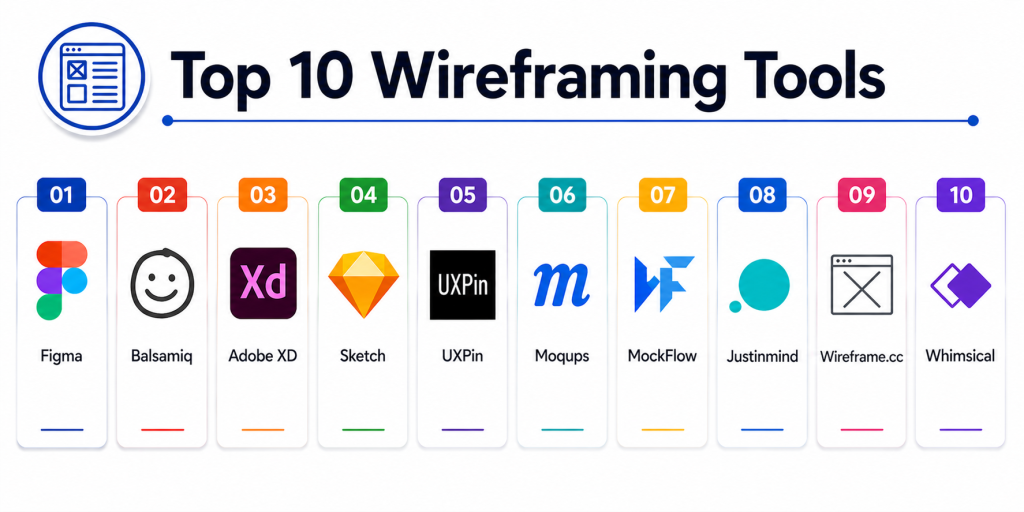
Top 10 Wireframing Tools
#1 — Figma
Short description: A cloud-based design tool widely used for wireframing, prototyping, and collaborative UI design workflows.
Key Features
- Real-time collaboration
- Drag-and-drop components
- Auto layout and responsive design
- Wireframe templates
- Design systems support
- Developer handoff
Pros
- Extremely easy to use
- Strong collaboration
Cons
- Requires internet
- Advanced features need learning
Platforms / Deployment
Web / Windows / macOS
Cloud
Security & Compliance
SSO, role-based access
Not publicly stated certifications
Integrations & Ecosystem
Figma integrates seamlessly with design and development workflows.
- Plugins ecosystem
- Dev tools
- Collaboration platforms
Support & Community
Very large global community.
#2 — Balsamiq
Short description: A low-fidelity wireframing tool designed for quick sketches and early-stage ideation.
Key Features
- Drag-and-drop wireframes
- Sketch-style UI elements
- Rapid prototyping
- Simple interface
- Collaboration tools
Pros
- Beginner-friendly
- Fast wireframing
Cons
- Limited high-fidelity design
- Not suitable for final UI
Platforms / Deployment
Web / Desktop
Cloud / Local
Security & Compliance
Not publicly stated
Integrations & Ecosystem
- UX workflows
Support & Community
Strong niche community.
#3 — Adobe XD
Short description: A UI/UX design tool that supports wireframing, prototyping, and collaboration.
Key Features
- Wireframing tools
- Prototyping
- Repeat grid
- Collaboration features
- Plugin support
Pros
- Easy to use
- Strong ecosystem
Cons
- Slower updates
- Limited compared to competitors
Platforms / Deployment
Windows / macOS
Cloud
Security & Compliance
Not publicly stated
Integrations & Ecosystem
- Adobe Creative Cloud
Support & Community
Moderate support.
#4 — Sketch
Short description: A macOS-based design tool widely used for wireframing and UI design.
Key Features
- Vector-based design
- Artboards and symbols
- Plugin ecosystem
- Wireframing templates
- Design systems
Pros
- Lightweight
- Strong design features
Cons
- macOS only
- Limited collaboration
Platforms / Deployment
macOS
Cloud
Security & Compliance
Not publicly stated
Integrations & Ecosystem
- Plugins
- Design tools
Support & Community
Large design community.
#5 — UXPin
Short description: A design and wireframing tool that integrates code-based components for advanced workflows.
Key Features
- Interactive wireframes
- Code-based design
- Component libraries
- Prototyping
- Collaboration
Pros
- Strong design-to-code workflow
- Advanced features
Cons
- Learning curve
- Less beginner-friendly
Platforms / Deployment
Web
Cloud
Security & Compliance
Not publicly stated
Integrations & Ecosystem
- Dev tools
- Design tools
Support & Community
Moderate community.
#6 — Moqups
Short description: A simple wireframing tool ideal for beginners and quick mockups.
Key Features
- Drag-and-drop editor
- Templates
- Collaboration tools
- Diagram support
- Wireframes and mockups
Pros
- Easy to learn
- Lightweight
Cons
- Limited advanced features
- Not enterprise-ready
Platforms / Deployment
Web
Cloud
Security & Compliance
Not publicly stated
Integrations & Ecosystem
- UX workflows
Support & Community
Beginner-friendly community.
#7 — MockFlow
Short description: A wireframing platform focused on planning UI layouts and workflows.
Key Features
- Wireframe editor
- UI components library
- Collaboration tools
- Templates
- Workflow planning
Pros
- Easy to use
- Good for planning
Cons
- Limited advanced prototyping
- Smaller ecosystem
Platforms / Deployment
Web
Cloud
Security & Compliance
Not publicly stated
Integrations & Ecosystem
- UX workflows
Support & Community
Moderate support.
#8 — Justinmind
Short description: A prototyping and wireframing tool for creating interactive wireframes.
Key Features
- Interactive wireframes
- UI components
- Simulation features
- Collaboration tools
- Mobile and web support
Pros
- Advanced functionality
- Interactive capabilities
Cons
- Learning curve
- Heavy tool
Platforms / Deployment
Windows / macOS
Cloud / Local
Security & Compliance
Not publicly stated
Integrations & Ecosystem
- UX tools
- Dev tools
Support & Community
Moderate adoption.
#9 — Wireframe.cc
Short description: A minimalistic wireframing tool focused on simplicity and speed.
Key Features
- Simple interface
- Quick wireframes
- Minimal design elements
- Sharing tools
- Lightweight
Pros
- Extremely simple
- Fast to use
Cons
- Limited features
- Not scalable
Platforms / Deployment
Web
Cloud
Security & Compliance
Not publicly stated
Integrations & Ecosystem
- Basic UX workflows
Support & Community
Basic support.
#10 — Whimsical
Short description: A collaborative tool for wireframing, flowcharts, and visual thinking.
Key Features
- Wireframing tools
- Flowcharts
- Collaboration
- Templates
- Visual boards
Pros
- Great for collaboration
- Multi-purpose tool
Cons
- Limited advanced UI features
- Not design-focused
Platforms / Deployment
Web
Cloud
Security & Compliance
Not publicly stated
Integrations & Ecosystem
- Collaboration tools
- Workflow tools
Support & Community
Growing adoption.
Comparison Table
| Tool Name | Best For | Platform(s) Supported | Deployment | Standout Feature | Public Rating |
|---|---|---|---|---|---|
| Figma | Collaboration | Web/Desktop | Cloud | Real-time editing | N/A |
| Balsamiq | Beginners | Web/Desktop | Hybrid | Low-fidelity design | N/A |
| Adobe XD | Prototyping | Desktop | Cloud | Adobe ecosystem | N/A |
| Sketch | Designers | macOS | Cloud | Lightweight design | N/A |
| UXPin | Advanced workflows | Web | Cloud | Code-based design | N/A |
| Moqups | Beginners | Web | Cloud | Simplicity | N/A |
| MockFlow | Planning | Web | Cloud | Workflow tools | N/A |
| Justinmind | Interactive UI | Desktop | Hybrid | Simulation | N/A |
| Wireframe.cc | Quick sketches | Web | Cloud | Minimal UI | N/A |
| Whimsical | Collaboration | Web | Cloud | Visual boards | N/A |
Evaluation & Scoring of Wireframing Tools
| Tool Name | Core (25%) | Ease (15%) | Integrations (15%) | Security (10%) | Performance (10%) | Support (10%) | Value (15%) | Weighted Total |
|---|---|---|---|---|---|---|---|---|
| Figma | 10 | 10 | 10 | 9 | 9 | 10 | 9 | 9.6 |
| Balsamiq | 8 | 10 | 7 | 7 | 8 | 8 | 9 | 8.4 |
| Adobe XD | 9 | 9 | 8 | 8 | 9 | 8 | 8 | 8.6 |
| Sketch | 9 | 9 | 8 | 8 | 9 | 9 | 8 | 8.7 |
| UXPin | 9 | 8 | 9 | 8 | 8 | 8 | 8 | 8.5 |
| Moqups | 7 | 9 | 7 | 7 | 7 | 7 | 9 | 7.9 |
| MockFlow | 7 | 9 | 7 | 7 | 7 | 7 | 8 | 7.8 |
| Justinmind | 9 | 7 | 8 | 8 | 8 | 8 | 7 | 8.1 |
| Wireframe.cc | 6 | 10 | 6 | 6 | 7 | 6 | 9 | 7.3 |
| Whimsical | 7 | 9 | 7 | 7 | 7 | 7 | 8 | 7.8 |
How to interpret the scores:
These scores are comparative and reflect real-world design workflows. Higher scores indicate better collaboration, scalability, and feature depth. Some tools focus on simplicity, while others offer advanced capabilities for complex projects.
Which Wireframing Tool Is Right for You?
Solo / Freelancer
Balsamiq or Wireframe.cc for quick and simple wireframes.
SMB
Moqups or Whimsical for collaboration and ease of use.
Mid-Market
Figma or UXPin for balanced features and scalability.
Enterprise
Figma, Sketch, or Justinmind for complex workflows.
Budget vs Premium
Free tools offer basic wireframing; premium tools provide advanced features.
Feature Depth vs Ease of Use
Wireframe.cc is easiest; UXPin offers deeper functionality.
Integrations & Scalability
Figma provides the strongest ecosystem.
Security & Compliance Needs
Enterprise tools offer better governance and control.
Frequently Asked Questions (FAQs)
1. What are wireframing tools?
They help create basic layouts of apps and websites before design.
2. Why are wireframes important?
They help visualize structure and improve communication.
3. What is low-fidelity wireframing?
Simple layouts focusing on structure, not design.
4. Can I create wireframes without tools?
Yes, even pen and paper can be used.
5. Are wireframing tools free?
Many tools offer free plans.
6. What is the difference between wireframes and prototypes?
Wireframes are basic layouts; prototypes are interactive.
7. Can wireframes be interactive?
Some tools support interactive wireframes.
8. Do wireframing tools integrate with design tools?
Yes, most tools integrate with UI/UX platforms.
9. Who uses wireframing tools?
Designers, developers, and product managers.
10. Which tool is best?
It depends on your project and workflow.
Conclusion
Wireframing Tools are essential for building a strong foundation in product design by helping teams visualize structure, layout, and user flow before investing in detailed design or development. Tools like Figma and Sketch offer powerful and scalable workflows, while Balsamiq and Wireframe.cc focus on simplicity and speed for early-stage ideation. Platforms like UXPin and Justinmind provide advanced capabilities for interactive and complex wireframes, making them suitable for enterprise-level projects. Meanwhile, tools like Moqups and Whimsical enable quick collaboration and team alignment. The right tool depends on your project complexity, team size, and workflow preferences. Smaller teams often prioritize ease of use and affordability, while enterprises focus on scalability and integration. Since wireframing is just one step in the design process, combining it with prototyping and design tools often delivers the best results. Start with a simple tool, validate your ideas quickly, and scale your toolset as your product evolves.