Introduction
In‑Product Messaging Platforms are tools that enable businesses to communicate directly with users inside their web or mobile applications. In simple terms, they allow product teams to deliver messages, announcements, tips, and guidance in-context, enhancing user engagement without relying on external channels like email or SMS.
These platforms are essential for modern SaaS and mobile products because timely, contextual messaging improves retention, guides user behavior, and drives adoption of key features. By integrating messages within the product, companies can educate users, provide support, and increase activation rates.
Common use cases include:
- Delivering feature announcements
- Providing in-app guidance and tips
- Sending personalized offers and promotions
- Supporting user onboarding and adoption
- Driving user engagement and retention
- Collecting user feedback within the product
What buyers should evaluate:
- Message types supported (tooltips, banners, modals, pop-ups)
- Segmentation and personalization capabilities
- Automation and triggered messaging
- Analytics and reporting
- Integration with CRM, analytics, and product tools
- Mobile and web support
- Ease of use and no-code functionality
- Scalability for multiple products or large user bases
Best for: Product managers, growth teams, customer success teams, and marketers aiming to improve engagement and retention.
Not ideal for: Static products or apps that do not require frequent in-app communication.
Key Trends in In‑Product Messaging Platforms
- Contextual and behavioral messaging: Triggered by user actions
- No-code editors: Allowing non-technical teams to build messages
- Personalization and segmentation: Tailored messaging for different user groups
- Cross-platform support: Messaging across web, mobile, and desktop apps
- Automation and workflow integration: Reduce manual effort
- Analytics-driven messaging: Track engagement and conversion
- In-app surveys and feedback collection: Enhancing product development
- Omnichannel communication: Integrated with email, push, and chat
- AI-assisted recommendations: Optimizing messaging timing and content
- Security and compliance: Ensuring GDPR, SOC2, and data privacy
How We Selected These Tools (Methodology)
- Evaluated market adoption and popularity
- Assessed feature completeness (messaging types, personalization, analytics)
- Reviewed ease of use and no-code functionality
- Considered integration with analytics, CRM, and product platforms
- Analyzed scalability and cross-platform support
- Included enterprise-grade and SMB-friendly tools
- Balanced marketing-focused vs product-focused messaging
- Evaluated security, compliance, and governance features
- Considered support, documentation, and community
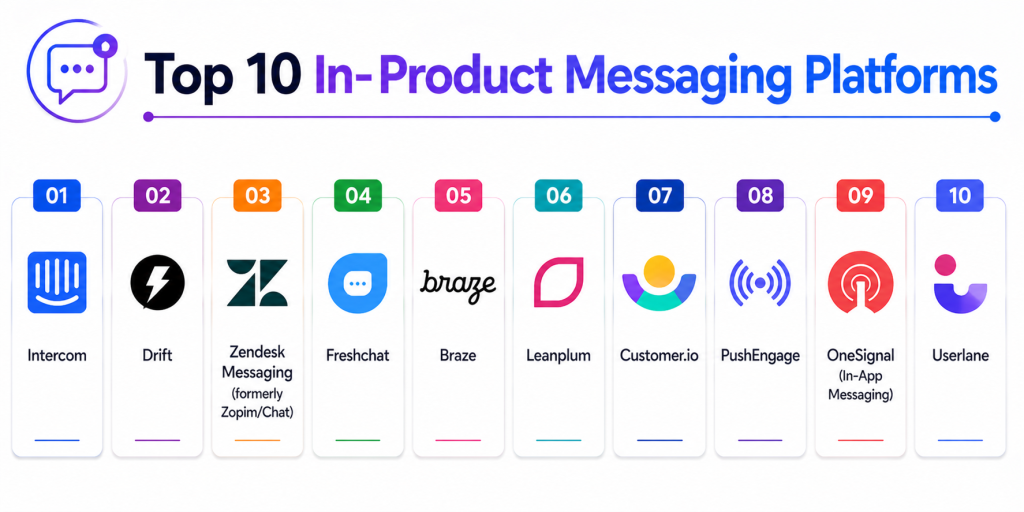
Top 10 In‑Product Messaging Platforms
#1 — Intercom
Short description: A leading in-app messaging and customer engagement platform, offering chat, messages, and automation across web and mobile.
Key Features
- Live chat and bots
- Product tours and in-app messages
- User segmentation
- Automation workflows
- Analytics and reporting
- Integration with CRM and product tools
Pros
- Comprehensive messaging features
- Strong analytics and segmentation
Cons
- Pricing can be high for SMBs
- Setup can be complex
Platforms / Deployment
Web / Mobile
Cloud
Security & Compliance
SSO, RBAC
Not publicly stated
Integrations & Ecosystem
- CRMs (Salesforce, HubSpot)
- Analytics tools
- Marketing automation
Support & Community
Large global adoption with strong documentation.
#2 — Drift
Short description: A conversational marketing and messaging platform that combines chat, bots, and in-app messaging for lead generation and engagement.
Key Features
- Live chat and AI bots
- In-app notifications
- Targeted campaigns
- Analytics dashboards
- Lead capture and qualification
Pros
- Excellent for growth and conversion
- Personalization options
Cons
- Focused on marketing, less product-guidance oriented
- Higher pricing
Platforms / Deployment
Web / Mobile
Cloud
Security & Compliance
Not publicly stated
Integrations & Ecosystem
- CRM systems
- Analytics platforms
Support & Community
Strong enterprise support.
#3 — Zendesk Messaging
Short description: Formerly Zopim, this platform provides in-app messaging and chat for support and engagement.
Key Features
- Chat and messaging
- Automated triggers
- Customer support integration
- User segmentation
- Analytics and reporting
Pros
- Deep support integration
- Easy to set up
Cons
- Limited marketing messaging features
- Focused primarily on support
Platforms / Deployment
Web / Mobile
Cloud
Security & Compliance
SSO, access control
Not publicly stated
Integrations & Ecosystem
- CRM and support tools
- Analytics platforms
Support & Community
Strong support-focused adoption.
#4 — Freshchat
Short description: A modern messaging tool for customer engagement and product guidance, supporting in-app and website messaging.
Key Features
- In-app messaging
- Bots and automation
- Multi-channel messaging
- Segmentation and personalization
- Analytics and insights
Pros
- Affordable for SMBs
- Easy integration with Freshworks suite
Cons
- Fewer advanced features compared to Intercom
- Limited enterprise-scale customization
Platforms / Deployment
Web / Mobile
Cloud
Security & Compliance
Not publicly stated
Integrations & Ecosystem
- Freshworks CRM
- Marketing automation
Support & Community
Moderate support.
#5 — Braze
Short description: A customer engagement platform providing in-app messaging, push notifications, and personalized campaigns.
Key Features
- In-app messages
- Push and email campaigns
- Behavioral targeting
- Analytics dashboards
- Automation workflows
Pros
- Excellent for multi-channel engagement
- Powerful segmentation
Cons
- Complex for small teams
- Premium pricing
Platforms / Deployment
Web / Mobile
Cloud
Security & Compliance
SOC 2, GDPR compliance
Not publicly stated
Integrations & Ecosystem
- Analytics and marketing tools
- CRM systems
Support & Community
Strong enterprise adoption.
#6 — Leanplum
Short description: A mobile-focused messaging platform for in-app messages, push notifications, and engagement analytics.
Key Features
- In-app campaigns
- Push notifications
- A/B testing
- Personalization
- Analytics and reporting
Pros
- Mobile-first design
- Powerful analytics
Cons
- Less web support
- Premium pricing
Platforms / Deployment
Mobile / Web
Cloud
Security & Compliance
Not publicly stated
Integrations & Ecosystem
- Analytics tools
- CRM systems
Support & Community
Moderate adoption.
#7 — Customer.io
Short description: An automation platform that enables messaging across email, push, and in-product notifications.
Key Features
- In-app messaging
- Push and email automation
- Segmentation and triggers
- Analytics dashboards
- Workflow automation
Pros
- Flexible messaging automation
- Strong developer APIs
Cons
- Less focused on live chat
- Learning curve for non-technical users
Platforms / Deployment
Web / Mobile
Cloud
Security & Compliance
Not publicly stated
Integrations & Ecosystem
- CRM systems
- Analytics platforms
Support & Community
Moderate adoption.
#8 — PushEngage
Short description: A platform primarily for web and mobile push notifications, also supporting in-app messaging campaigns.
Key Features
- Push notifications
- In-app messaging
- Segmentation and targeting
- Analytics and reporting
- Automation workflows
Pros
- Easy to set up
- Strong push support
Cons
- Limited in-app messaging capabilities
- Web-focused
Platforms / Deployment
Web / Mobile
Cloud
Security & Compliance
Not publicly stated
Integrations & Ecosystem
- Analytics and marketing tools
Support & Community
Moderate support.
#9 — OneSignal (In-App Messaging)
Short description: A popular messaging platform for push, email, and in-app notifications with real-time engagement analytics.
Key Features
- In-app messaging
- Push notifications
- A/B testing
- Segmentation and targeting
- Analytics dashboards
Pros
- Free tier available
- Multi-channel messaging
Cons
- Limited advanced automation
- Learning curve for complex workflows
Platforms / Deployment
Web / Mobile
Cloud
Security & Compliance
Not publicly stated
Integrations & Ecosystem
- Analytics tools
- CRM systems
Support & Community
Growing community.
#10 — Userlane
Short description: An in-app guidance platform providing interactive walkthroughs and step-by-step instructions.
Key Features
- Interactive product tours
- In-app tooltips
- Automation of onboarding
- Analytics dashboards
- Segmentation
Pros
- Great for onboarding
- Easy to implement
Cons
- Less suited for marketing campaigns
- Smaller ecosystem
Platforms / Deployment
Web / Mobile
Cloud
Security & Compliance
Not publicly stated
Integrations & Ecosystem
- CRM and analytics tools
Support & Community
Moderate adoption.
Comparison Table
| Tool Name | Best For | Platform(s) Supported | Deployment | Standout Feature | Public Rating |
|---|---|---|---|---|---|
| Intercom | Comprehensive messaging | Web / Mobile | Cloud | Chat + in-app | N/A |
| Drift | Marketing-focused | Web / Mobile | Cloud | Conversational bots | N/A |
| Zendesk Messaging | Support-focused | Web / Mobile | Cloud | Integrated support | N/A |
| Freshchat | SMBs and support | Web / Mobile | Cloud | Multi-channel messaging | N/A |
| Braze | Multi-channel engagement | Web / Mobile | Cloud | Behavioral targeting | N/A |
| Leanplum | Mobile engagement | Mobile / Web | Cloud | Analytics-driven | N/A |
| Customer.io | Automation | Web / Mobile | Cloud | Flexible workflows | N/A |
| PushEngage | Push notifications | Web / Mobile | Cloud | Easy push campaigns | N/A |
| OneSignal | Multi-channel | Web / Mobile | Cloud | Free tier + analytics | N/A |
| Userlane | Product guidance | Web / Mobile | Cloud | Interactive walkthroughs | N/A |
Evaluation & Scoring of In‑Product Messaging Tools
| Tool Name | Core (25%) | Ease (15%) | Integrations (15%) | Security (10%) | Performance (10%) | Support (10%) | Value (15%) | Weighted Total |
|---|---|---|---|---|---|---|---|---|
| Intercom | 10 | 9 | 9 | 8 | 9 | 9 | 8 | 8.9 |
| Drift | 9 | 9 | 8 | 8 | 8 | 8 | 8 | 8.3 |
| Zendesk Messaging | 8 | 9 | 8 | 8 | 8 | 8 | 8 | 8.2 |
| Freshchat | 8 | 9 | 8 | 7 | 8 | 8 | 9 | 8.2 |
| Braze | 10 | 8 | 9 | 9 | 9 | 8 | 7 | 8.5 |
| Leanplum | 9 | 8 | 8 | 8 | 8 | 7 | 7 | 7.8 |
| Customer.io | 8 | 8 | 8 | 8 | 8 | 7 | 8 | 7.9 |
| PushEngage | 7 | 9 | 7 | 7 | 7 | 7 | 8 | 7.5 |
| OneSignal | 8 | 8 | 7 | 7 | 7 | 7 | 9 | 7.8 |
| Userlane | 8 | 9 | 7 | 7 | 8 | 7 | 8 | 7.9 |
How to interpret the scores:
Higher scores indicate stronger messaging capabilities, automation, and user engagement features. Enterprise tools focus on scalability and personalization, while SMB-friendly tools prioritize ease of use and speed.
Which In‑Product Messaging Platform Is Right for You?
Solo / Freelancer
Userlane or OneSignal for simple guidance and messaging.
SMB
Freshchat or Drift for marketing and support-focused messaging.
Mid-Market
Intercom or Customer.io for personalization and automation.
Enterprise
Braze or Intercom for scalable, data-driven messaging workflows.
Budget vs Premium
Free tiers like OneSignal suit startups; enterprise tools offer advanced segmentation and analytics.
Feature Depth vs Ease of Use
Userlane is simple; Intercom and Braze provide advanced features.
Integrations & Scalability
Braze and Intercom offer strong analytics and CRM integration.
Security & Compliance Needs
Enterprise solutions offer better compliance, RBAC, and audit capabilities.
Frequently Asked Questions (FAQs)
1. What are in-product messaging platforms?
They allow communication with users directly inside apps or web products.
2. Why are they important?
They increase engagement, adoption, and retention.
3. What features do these platforms include?
Tooltips, walkthroughs, banners, chat, automation, and analytics.
4. Are they only for SaaS?
Mostly SaaS, but also for mobile and enterprise apps.
5. Can messages be personalized?
Yes, based on user behavior and segmentation.
6. Do these tools require coding?
Most offer no-code editors for message creation.
7. Can messaging be automated?
Yes, many tools provide triggered and scheduled messaging.
8. Can they integrate with CRM and analytics?
Yes, integration is a key feature for most tools.
9. Are they suitable for small teams?
Some tools like Userlane and OneSignal are ideal for SMBs.
10. Which tool is best?
It depends on user base size, messaging needs, and budget.
Conclusion
In‑Product Messaging Platforms are vital for engaging users directly within digital products, improving activation, and increasing retention. Platforms like Intercom and Drift provide comprehensive messaging and automation capabilities, while Braze and Leanplum excel in multi-channel engagement and analytics. SMB-focused tools like Freshchat and Userlane prioritize simplicity and fast implementation. Startups and freelancers can leverage free or lightweight tools like OneSignal to engage users effectively. The right platform depends on team size, product complexity, and communication goals. Combining messaging, automation, and analytics ensures users receive timely, personalized guidance that drives adoption and satisfaction. Begin by identifying key touchpoints, select the right platform, and iterate based on real user engagement for optimal results.