Introduction
UX Prototyping Tools are platforms that help designers and product teams create interactive mockups of digital products before development begins. In simple terms, they allow you to simulate how an app or website will behave—without writing code—so you can test ideas, gather feedback, and refine user experiences.
Prototyping is a critical stage in design because it bridges the gap between ideas and real products. Instead of static designs, teams can build clickable, animated, and realistic user flows that help validate usability early.
Common use cases include:
- Creating clickable wireframes and prototypes
- Testing user flows before development
- Validating product ideas with stakeholders
- Demonstrating app functionality
- Improving design iteration speed
- Supporting developer handoff
What buyers should evaluate:
- Ease of prototyping and interaction design
- Support for animations and micro-interactions
- Collaboration and sharing features
- Integration with design and development tools
- Real-time preview capabilities
- Support for mobile and web prototyping
- Performance and scalability
- Learning curve
Best for: UX designers, UI designers, product managers, startups, and enterprises building digital products.
Not ideal for: Teams that only need static designs or basic wireframes without interactivity.
Key Trends in UX Prototyping Tools
- AI-assisted prototyping: Generating layouts and flows automatically
- Real-time collaboration: Multiple designers working simultaneously
- High-fidelity prototyping: Near-production level interactions
- Design-to-code workflows: Faster developer handoff
- Component-based prototyping: Reusable UI elements
- No-code prototyping tools: Lower barrier for non-designers
- Integration with design systems: Consistent UI across products
- Cross-platform prototyping: Web, mobile, and desktop support
- Rapid iteration cycles: Faster validation and testing
How We Selected These Tools (Methodology)
- Evaluated industry adoption and popularity
- Assessed prototyping depth and interaction capabilities
- Reviewed ease of use and learning curve
- Considered integration with design and development tools
- Analyzed collaboration and sharing features
- Included both simple and advanced prototyping tools
- Balanced enterprise and startup-friendly platforms
- Evaluated performance and scalability
- Considered community and support ecosystem
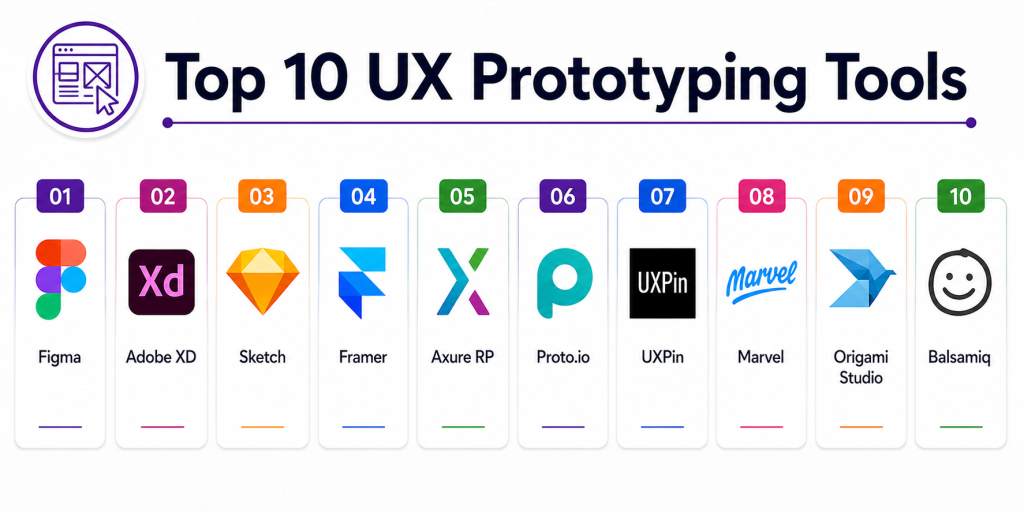
Top 10 UX Prototyping Tools
#1 — Figma
Short description: A leading cloud-based design tool that allows teams to create wireframes, UI designs, and interactive prototypes in one platform.
Key Features
- Interactive prototyping
- Real-time collaboration
- Component libraries
- Design systems support
- Developer handoff tools
- Plugin ecosystem
Pros
- Easy to use and widely adopted
- Strong collaboration
Cons
- Limited offline support
- Advanced interactions can be complex
Platforms / Deployment
Web / Windows / macOS
Cloud
Security & Compliance
SSO, access control
Not publicly stated certifications
Integrations & Ecosystem
Figma integrates seamlessly with design and development tools.
- Dev tools
- Plugins
- CI/CD workflows
Support & Community
Very large global community.
#2 — Adobe XD
Short description: A UI/UX design tool offering interactive prototyping and integration with Adobe ecosystem.
Key Features
- Interactive prototypes
- Voice prototyping
- Auto-animate transitions
- Design systems
- Collaboration tools
Pros
- Easy to learn
- Strong Adobe integration
Cons
- Slower innovation
- Smaller ecosystem
Platforms / Deployment
Windows / macOS
Cloud
Security & Compliance
Not publicly stated
Integrations & Ecosystem
- Adobe Creative Cloud
- Design plugins
Support & Community
Moderate support.
#3 — Sketch
Short description: A macOS-based design tool that supports prototyping and design systems.
Key Features
- Prototyping tools
- Symbol libraries
- Vector design
- Plugin ecosystem
- Design system support
Pros
- Lightweight and fast
- Strong UI design features
Cons
- macOS only
- Limited collaboration
Platforms / Deployment
macOS
Cloud
Security & Compliance
Not publicly stated
Integrations & Ecosystem
- Plugins
- Design tools
Support & Community
Large design community.
#4 — Framer
Short description: A modern prototyping tool focused on interactive and high-fidelity prototypes.
Key Features
- Interactive components
- Real-time previews
- Code-based prototyping
- Animation tools
- Responsive design
Pros
- Advanced interactions
- Modern workflows
Cons
- Learning curve
- Requires technical understanding
Platforms / Deployment
Web
Cloud
Security & Compliance
Not publicly stated
Integrations & Ecosystem
- Dev tools
- Design tools
Support & Community
Growing adoption.
#5 — Axure RP
Short description: A powerful prototyping tool designed for complex workflows and enterprise applications.
Key Features
- Advanced interactions
- Logic-based flows
- Wireframing tools
- Documentation features
- Collaboration tools
Pros
- Very powerful
- Ideal for complex systems
Cons
- Steep learning curve
- Outdated UI
Platforms / Deployment
Windows / macOS
Cloud / Local
Security & Compliance
Not publicly stated
Integrations & Ecosystem
- UX workflows
- Documentation tools
Support & Community
Strong niche adoption.
#6 — Proto.io
Short description: A dedicated prototyping tool focused on creating high-fidelity interactive prototypes without code.
Key Features
- Drag-and-drop interface
- Pre-built UI components
- Animations and interactions
- Mobile prototyping
- Media integration
Pros
- No coding required
- High-fidelity prototypes
Cons
- Pricing
- Limited design features
Platforms / Deployment
Web
Cloud
Security & Compliance
Not publicly stated
Integrations & Ecosystem
- Design tools
- Dev tools
Support & Community
Moderate support.
#7 — UXPin
Short description: A design and prototyping tool that bridges design and development using code-based components.
Key Features
- Code-based design
- Interactive prototyping
- Component libraries
- Design systems
- Collaboration tools
Pros
- Strong design-to-code integration
- Integrated workflow
Cons
- Learning curve
- Limited popularity
Platforms / Deployment
Web
Cloud
Security & Compliance
Not publicly stated
Integrations & Ecosystem
- Dev tools
- Design tools
Support & Community
Moderate support.
#8 — Marvel
Short description: A simple and user-friendly prototyping tool for quick mockups and usability testing.
Key Features
- Prototyping tools
- Wireframing
- User testing
- Collaboration features
- Feedback tools
Pros
- Beginner-friendly
- Fast setup
Cons
- Limited advanced features
- Not enterprise-ready
Platforms / Deployment
Web
Cloud
Security & Compliance
Not publicly stated
Integrations & Ecosystem
- UX tools
- Design tools
Support & Community
Moderate community.
#9 — Origami Studio
Short description: A prototyping tool developed for creating advanced interactions and animations.
Key Features
- Advanced animations
- Interaction design
- Real-time previews
- UI components
- Visual programming
Pros
- Highly flexible
- Great for animations
Cons
- Complex to learn
- Not beginner-friendly
Platforms / Deployment
macOS
Security & Compliance
Not publicly stated
Integrations & Ecosystem
- Design workflows
Support & Community
Niche community.
#10 — Balsamiq
Short description: A low-fidelity prototyping tool focused on wireframes and early-stage design.
Key Features
- Drag-and-drop wireframes
- Low-fidelity UI elements
- Rapid prototyping
- Simple interface
- Collaboration tools
Pros
- Extremely easy to use
- Great for early-stage ideas
Cons
- Limited interactivity
- Not suitable for high-fidelity prototypes
Platforms / Deployment
Web / Desktop
Cloud / Local
Security & Compliance
Not publicly stated
Integrations & Ecosystem
- UX workflows
Support & Community
Strong niche adoption.
Comparison Table
| Tool Name | Best For | Platform(s) Supported | Deployment | Standout Feature | Public Rating |
|---|---|---|---|---|---|
| Figma | Collaboration | Web/Desktop | Cloud | Real-time prototyping | N/A |
| Adobe XD | Prototyping | Desktop | Cloud | Auto-animate | N/A |
| Sketch | Designers | macOS | Cloud | Lightweight design | N/A |
| Framer | Interactive UI | Web | Cloud | Code-based prototyping | N/A |
| Axure RP | Complex UX | Desktop | Hybrid | Logic workflows | N/A |
| Proto.io | No-code prototyping | Web | Cloud | High fidelity | N/A |
| UXPin | Design + Code | Web | Cloud | Code components | N/A |
| Marvel | Beginners | Web | Cloud | Simplicity | N/A |
| Origami Studio | Advanced interactions | macOS | Local | Animation control | N/A |
| Balsamiq | Wireframing | Web/Desktop | Hybrid | Low fidelity | N/A |
Evaluation & Scoring of UX Prototyping Tools
| Tool Name | Core (25%) | Ease (15%) | Integrations (15%) | Security (10%) | Performance (10%) | Support (10%) | Value (15%) | Weighted Total |
|---|---|---|---|---|---|---|---|---|
| Figma | 10 | 10 | 10 | 9 | 9 | 10 | 9 | 9.6 |
| Adobe XD | 9 | 9 | 8 | 8 | 9 | 8 | 8 | 8.6 |
| Sketch | 9 | 9 | 8 | 8 | 9 | 9 | 8 | 8.7 |
| Framer | 9 | 8 | 8 | 8 | 9 | 8 | 8 | 8.5 |
| Axure RP | 10 | 7 | 7 | 8 | 9 | 8 | 7 | 8.4 |
| Proto.io | 8 | 9 | 8 | 8 | 8 | 8 | 8 | 8.2 |
| UXPin | 8 | 8 | 9 | 8 | 8 | 8 | 8 | 8.3 |
| Marvel | 7 | 9 | 7 | 7 | 7 | 7 | 8 | 7.6 |
| Origami Studio | 8 | 6 | 7 | 7 | 8 | 7 | 7 | 7.4 |
| Balsamiq | 7 | 10 | 6 | 7 | 7 | 7 | 9 | 7.8 |
How to interpret the scores:
These scores are comparative and reflect real-world design workflows. Higher scores indicate stronger prototyping capabilities, collaboration, and scalability. Some tools focus on ease of use, while others excel in advanced interactions and enterprise use cases.
Which UX Prototyping Tool Is Right for You?
Solo / Freelancer
Figma or Balsamiq for quick prototyping and simplicity.
SMB
Marvel or Proto.io for balanced usability and features.
Mid-Market
Framer or UXPin for advanced prototyping workflows.
Enterprise
Axure RP or Figma for scalability and collaboration.
Budget vs Premium
Free tools like Figma offer strong value; premium tools provide advanced features.
Feature Depth vs Ease of Use
Balsamiq is easiest; Axure offers the most depth.
Integrations & Scalability
Figma and UXPin provide strong integration ecosystems.
Security & Compliance Needs
Enterprise tools provide better governance and control.
Frequently Asked Questions (FAQs)
1. What are UX prototyping tools?
They help create interactive mockups of digital products.
2. Why is prototyping important?
It allows testing ideas before development.
3. What is high-fidelity prototyping?
Creating realistic, interactive designs.
4. Are prototyping tools free?
Some offer free tiers.
5. Can I share prototypes with stakeholders?
Yes, most tools support sharing.
6. What is low-fidelity prototyping?
Basic wireframes without detailed design.
7. Do prototyping tools require coding?
Most tools are no-code or low-code.
8. Can these tools integrate with design systems?
Yes, many support design systems.
9. Do I need multiple tools?
Often yes, for full workflow coverage.
10. Which tool is best?
It depends on your project complexity and team needs.
Conclusion
UX Prototyping Tools are essential for transforming ideas into interactive experiences that can be tested and refined before development. Tools like Figma have become industry standards due to their collaboration and ease of use, while platforms like Framer and Axure RP enable advanced interactions and complex workflows. Simple tools like Balsamiq and Marvel help teams quickly validate early-stage ideas, while tools like Proto.io and UXPin bridge the gap between design and development. The right choice depends on your project complexity, team size, and workflow. Smaller teams often prioritize speed and simplicity, while enterprises require scalability, integration, and advanced features. Since prototyping is just one part of the design process, combining tools often delivers the best results. A practical approach is to start with a simple tool, validate ideas quickly, and gradually adopt more advanced tools as your product evolves. This ensures a scalable and efficient prototyping strategy.