Introduction
Problem Management Tools help organizations identify, analyze, track, and permanently resolve recurring IT issues. These platforms are designed to reduce repeated incidents, improve service reliability, and help IT teams understand the root causes behind operational disruptions. Instead of only fixing outages temporarily, problem management focuses on preventing the same issues from happening again.
Modern IT environments are becoming increasingly complex due to cloud infrastructure, hybrid work models, DevOps adoption, SaaS applications, and distributed systems. Because of this, businesses need better visibility, automation, and collaboration to maintain operational stability and reduce downtime.
Real-world use cases include:
- Root cause analysis for recurring application failures
- Tracking known errors across IT infrastructure
- Reducing repeat service desk incidents
- Linking incidents, changes, and assets together
- Improving IT service reliability and compliance reporting
Buyers evaluating Problem Management Tools should consider:
- Root cause analysis capabilities
- Workflow automation
- Incident and change management integration
- CMDB support
- Reporting and analytics
- Collaboration features
- Scalability
- Security controls
- API and integration ecosystem
- Ease of deployment and administration
Best for: Enterprise IT teams, managed service providers, DevOps organizations, cloud operations teams, healthcare, banking, telecom, SaaS providers, and businesses managing complex IT environments.
Not ideal for: Very small businesses with simple support workflows or teams only needing lightweight ticketing systems without advanced ITSM processes.
Key Trends in Problem Management Tools
- AI-assisted root cause analysis is becoming increasingly common.
- Automation workflows are reducing manual troubleshooting workloads.
- Integrated observability and monitoring connections are improving visibility.
- Cloud-native deployments are replacing traditional infrastructure-heavy models.
- Enterprises are prioritizing unified ITSM platforms instead of standalone tools.
- Self-service knowledge management is becoming deeply integrated.
- Predictive analytics and proactive issue detection are gaining adoption.
- Compliance visibility and audit tracking are becoming more important.
- DevOps and IT operations workflows are increasingly converging.
- Low-code customization features are simplifying workflow management.
How We Selected These Tools
The tools in this list were evaluated based on practical enterprise and operational requirements across different organization sizes and industries.
Selection criteria included:
- Market adoption and industry reputation
- Problem management feature depth
- Root cause analysis capabilities
- Workflow automation maturity
- Reliability and scalability
- Security and compliance capabilities
- Integration ecosystem strength
- Ease of deployment and administration
- Customer fit across SMB, mid-market, and enterprise segments
- Long-term operational flexibility
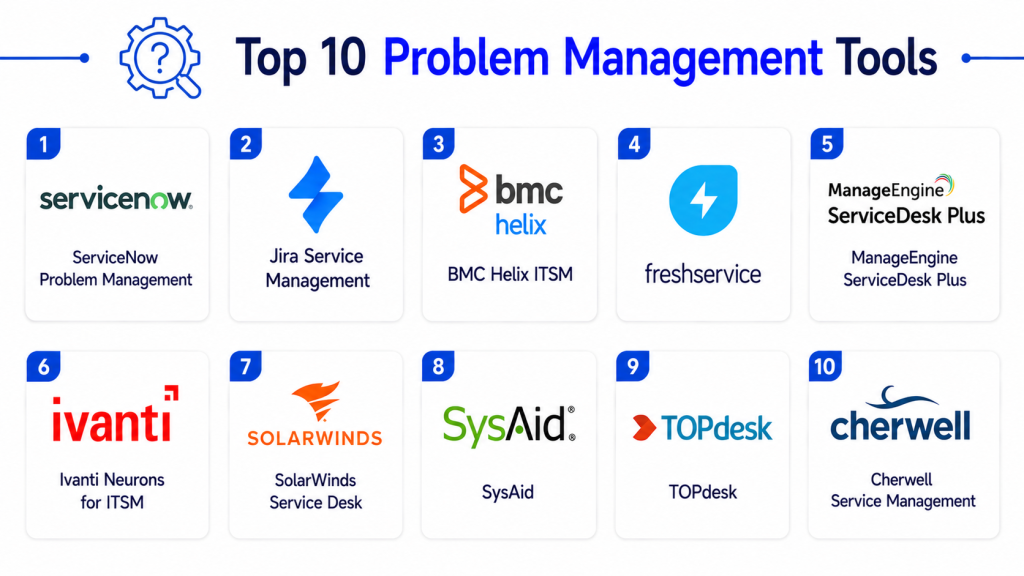
Top 10 Problem Management Tools
1- ServiceNow IT Service Management
Short description: ServiceNow ITSM is one of the most recognized enterprise service management platforms available today. Its Problem Management capabilities support large organizations requiring advanced automation, operational visibility, and enterprise-scale workflow management.
Key Features
- Advanced problem lifecycle management
- AI-assisted root cause analysis
- Incident-to-problem correlation
- Known error database management
- CMDB integration
- Workflow automation
- Enterprise reporting dashboards
Pros
- Extremely scalable for large enterprises
- Strong workflow customization
- Large integration ecosystem
Cons
- Higher pricing compared to SMB-focused tools
- Complex deployment and administration
- Requires experienced ITSM management
Platforms / Deployment
- Web
- Cloud / Hybrid
Security & Compliance
- SSO/SAML
- MFA
- RBAC
- Audit logs
- Encryption
- SOC 2
- ISO 27001
- GDPR support
Integrations & Ecosystem
ServiceNow supports extensive integrations across cloud, DevOps, monitoring, collaboration, and security ecosystems.
- Microsoft Teams
- Jira
- AWS
- Azure
- Splunk
- Datadog
Support & Community
Strong enterprise documentation, global partner ecosystem, certification programs, and large community support.
2- Jira Service Management
Short description: Jira Service Management combines ITSM workflows with developer-focused collaboration and automation features. It is especially popular among organizations already using Atlassian tools and DevOps workflows.
Key Features
- Problem and incident management workflows
- Automation engine
- Root cause tracking
- SLA management
- Integrated knowledge management
- DevOps integrations
- Custom workflow configuration
Pros
- Excellent for DevOps environments
- Strong workflow flexibility
- Large marketplace ecosystem
Cons
- Advanced ITSM features may require add-ons
- Can become complex at scale
- Reporting customization may require configuration
Platforms / Deployment
- Web
- Cloud / Self-hosted
Security & Compliance
- SSO/SAML
- MFA
- Audit logs
- Encryption
- SOC 2
- GDPR support
Integrations & Ecosystem
Jira Service Management integrates deeply with development, collaboration, and cloud platforms.
- Confluence
- Bitbucket
- Slack
- GitHub
- Opsgenie
- Microsoft Teams
Support & Community
Large global community with extensive marketplace support and documentation resources.
3- BMC Helix ITSM
Short description: BMC Helix ITSM is an enterprise-focused service management platform built for large-scale operational environments requiring automation, analytics, and advanced ITIL workflows.
Key Features
- AI-powered root cause analysis
- Predictive analytics
- Automated problem correlation
- Enterprise CMDB integration
- Multi-cloud visibility
- Workflow automation
- Advanced reporting
Pros
- Strong enterprise automation capabilities
- Mature ITIL alignment
- Good scalability for large organizations
Cons
- Steep learning curve
- Premium pricing
- Higher administrative complexity
Platforms / Deployment
- Web
- Cloud / Hybrid
Security & Compliance
- SSO/SAML
- MFA
- RBAC
- Audit logs
- Encryption
- ISO 27001
Integrations & Ecosystem
BMC integrates with monitoring, infrastructure, cloud, and collaboration ecosystems commonly used in enterprise IT operations.
- Splunk
- AWS
- Azure
- VMware
- Microsoft Teams
- Kubernetes
Support & Community
Strong enterprise onboarding, implementation support, and partner ecosystem.
4- Freshservice
Short description: Freshservice is a modern ITSM platform focused on simplicity, automation, and usability. It is widely adopted by SMB and mid-market organizations looking for faster deployment and easier administration.
Key Features
- Problem and incident management
- Workflow automation
- Asset management integration
- AI-powered service desk features
- Change management workflows
- Reporting dashboards
- Knowledge base tools
Pros
- Easy to deploy and manage
- Modern user interface
- Strong value for SMB organizations
Cons
- Less advanced enterprise customization
- Premium features may require higher tiers
- Smaller ecosystem than enterprise leaders
Platforms / Deployment
- Web
- Cloud
Security & Compliance
- SSO/SAML
- MFA
- RBAC
- Encryption
- SOC 2
- GDPR support
Integrations & Ecosystem
Freshservice integrates with productivity, collaboration, and IT operations tools commonly used by growing businesses.
- Slack
- Microsoft Teams
- Jira
- Azure
- Zapier
- Google Workspace
Support & Community
Good onboarding experience with responsive support and growing customer community.
5- ManageEngine ServiceDesk Plus
Short description: ManageEngine ServiceDesk Plus provides affordable ITSM functionality with strong problem management capabilities for SMB and mid-sized IT organizations.
Key Features
- ITIL-aligned workflows
- Root cause tracking
- Incident correlation
- CMDB support
- Workflow automation
- Reporting dashboards
- Asset management
Pros
- Cost-effective pricing
- Flexible deployment options
- Good functionality for SMB teams
Cons
- Interface can feel dated
- Advanced analytics are limited
- Customization may require expertise
Platforms / Deployment
- Web
- Cloud / Self-hosted
Security & Compliance
- MFA
- RBAC
- Audit logs
- Encryption
- GDPR support
Integrations & Ecosystem
ManageEngine integrates well with Microsoft environments and broader IT operations ecosystems.
- Active Directory
- Microsoft 365
- Jira
- Endpoint Central
- Slack
- REST APIs
Support & Community
Strong SMB-oriented support with good documentation and onboarding resources.
6- Ivanti Neurons for ITSM
Short description: Ivanti Neurons for ITSM combines service management with automation and operational intelligence to support modern hybrid infrastructure environments.
Key Features
- Automated problem detection
- AI-assisted workflows
- Service mapping
- Root cause analysis
- Workflow automation
- Asset visibility
- Change management integration
Pros
- Strong automation capabilities
- Unified operational visibility
- Good hybrid infrastructure support
Cons
- Higher learning curve
- Complex configuration
- Enterprise-focused pricing
Platforms / Deployment
- Web
- Cloud / Hybrid
Security & Compliance
- SSO/SAML
- MFA
- RBAC
- Audit logs
- Encryption
Integrations & Ecosystem
Ivanti integrates across endpoint management, cloud operations, and enterprise collaboration environments.
- Microsoft Teams
- Azure
- VMware
- Jira
- Splunk
- AWS
Support & Community
Enterprise-grade support with onboarding and training services available.
7- SolarWinds Service Desk
Short description: SolarWinds Service Desk delivers cloud-based ITSM functionality focused on operational simplicity and service desk efficiency.
Key Features
- Incident and problem management
- Knowledge management
- SLA tracking
- Workflow automation
- Service catalog
- Asset management
- Reporting dashboards
Pros
- Easy implementation process
- User-friendly interface
- Good SMB and mid-market fit
Cons
- Limited enterprise customization
- Smaller integration ecosystem
- Fewer advanced AI features
Platforms / Deployment
- Web
- Cloud
Security & Compliance
- SSO
- MFA
- RBAC
- Encryption
- Audit logs
Integrations & Ecosystem
SolarWinds supports integrations with productivity, identity, and operational management platforms.
- Microsoft Teams
- Slack
- Jira
- Azure AD
- REST APIs
Support & Community
Simple onboarding process with accessible customer support resources.
8- SysAid
Short description: SysAid offers an all-in-one ITSM platform with integrated problem management, workflow automation, and asset management capabilities.
Key Features
- Problem management workflows
- Service catalog
- Asset discovery
- Workflow automation
- Self-service portal
- Reporting dashboards
- Knowledge management
Pros
- Unified ITSM functionality
- Good automation flexibility
- Suitable for growing IT teams
Cons
- Reporting customization can be limited
- Interface modernization could improve
- Smaller ecosystem compared to larger vendors
Platforms / Deployment
- Web
- Cloud / Self-hosted
Security & Compliance
- MFA
- RBAC
- Audit logs
- Encryption
Integrations & Ecosystem
SysAid supports integrations across productivity and infrastructure management environments.
- Microsoft 365
- Slack
- Azure
- Active Directory
- REST APIs
Support & Community
Helpful onboarding support with moderate community resources.
9- TOPdesk
Short description: TOPdesk is a service management platform designed for collaborative support workflows and operational process management.
Key Features
- Problem lifecycle tracking
- Incident correlation
- Self-service portal
- Workflow automation
- Knowledge management
- Change management
- Asset tracking
Pros
- Strong usability
- Good internal support workflows
- Flexible operational processes
Cons
- Limited enterprise analytics
- Smaller ecosystem
- Fewer advanced AI capabilities
Platforms / Deployment
- Web
- Cloud / Self-hosted
Security & Compliance
- SSO
- MFA
- RBAC
- Encryption
- GDPR support
Integrations & Ecosystem
TOPdesk integrates with collaboration and identity management platforms commonly used by IT teams.
- Microsoft Teams
- Azure AD
- Jira
- Slack
- REST APIs
Support & Community
Well-regarded onboarding and customer support experience.
10- Cherwell Service Management
Short description: Cherwell Service Management provides flexible ITSM workflows and configurable operational processes for organizations requiring customization and process control.
Key Features
- Configurable problem workflows
- Incident and change linkage
- CMDB integration
- Workflow automation
- Reporting dashboards
- Service request management
- Knowledge management
Pros
- Strong customization flexibility
- Good ITIL process alignment
- Flexible workflow management
Cons
- Older interface design
- Administrative complexity
- Ecosystem transition considerations
Platforms / Deployment
- Web
- Cloud / Self-hosted
Security & Compliance
- SSO/SAML
- MFA
- RBAC
- Audit logs
- Encryption
Integrations & Ecosystem
Cherwell supports integrations across enterprise infrastructure and operational management environments.
- Microsoft Teams
- Jira
- Active Directory
- Monitoring platforms
- REST APIs
Support & Community
Support quality varies depending on deployment model and implementation partner.
Comparison Table
| Tool Name | Best For | Platforms Supported | Deployment | Standout Feature | Public Rating |
|---|---|---|---|---|---|
| ServiceNow ITSM | Large enterprises | Web | Cloud / Hybrid | Enterprise workflow automation | N/A |
| Jira Service Management | DevOps organizations | Web | Cloud / Self-hosted | Developer ecosystem integration | N/A |
| BMC Helix ITSM | Enterprise operations | Web | Cloud / Hybrid | Predictive analytics and automation | N/A |
| Freshservice | SMB and mid-market | Web | Cloud | Simplicity and fast deployment | N/A |
| ManageEngine ServiceDesk Plus | Budget-conscious IT teams | Web | Cloud / Self-hosted | Affordable ITIL workflows | N/A |
| Ivanti Neurons for ITSM | Hybrid infrastructure teams | Web | Cloud / Hybrid | AI-assisted automation | N/A |
| SolarWinds Service Desk | Mid-market service desks | Web | Cloud | Operational simplicity | N/A |
| SysAid | Growing IT organizations | Web | Cloud / Self-hosted | Unified ITSM functionality | N/A |
| TOPdesk | Internal support teams | Web | Cloud / Self-hosted | Collaborative workflow management | N/A |
| Cherwell Service Management | Custom workflow environments | Web | Cloud / Self-hosted | High configurability | N/A |
Evaluation & Scoring of Problem Management Tools
| Tool Name | Core 25% | Ease 15% | Integrations 15% | Security 10% | Performance 10% | Support 10% | Value 15% | Weighted Total |
|---|---|---|---|---|---|---|---|---|
| ServiceNow ITSM | 9.8 | 7.5 | 9.7 | 9.6 | 9.5 | 9.2 | 7.0 | 8.93 |
| Jira Service Management | 8.8 | 8.9 | 9.3 | 8.8 | 8.7 | 8.6 | 8.9 | 8.82 |
| BMC Helix ITSM | 9.4 | 7.2 | 8.9 | 9.4 | 9.1 | 8.8 | 7.1 | 8.52 |
| Freshservice | 8.2 | 9.1 | 8.1 | 8.4 | 8.3 | 8.5 | 9.0 | 8.47 |
| ManageEngine ServiceDesk Plus | 8.1 | 8.2 | 7.8 | 8.0 | 8.1 | 8.0 | 9.2 | 8.18 |
| Ivanti Neurons for ITSM | 8.9 | 7.6 | 8.5 | 8.9 | 8.8 | 8.1 | 7.8 | 8.35 |
| SolarWinds Service Desk | 7.9 | 8.7 | 7.5 | 8.1 | 8.0 | 8.0 | 8.7 | 8.12 |
| SysAid | 7.8 | 8.0 | 7.2 | 7.8 | 7.9 | 7.8 | 8.5 | 7.89 |
| TOPdesk | 7.7 | 8.4 | 7.0 | 7.9 | 7.8 | 8.2 | 8.1 | 7.84 |
| Cherwell Service Management | 8.2 | 7.0 | 7.8 | 8.3 | 8.0 | 7.5 | 7.4 | 7.75 |
These scores are comparative and intended to help buyers evaluate overall operational fit. Enterprise platforms generally score higher in workflow depth and scalability, while SMB-focused tools often perform better in usability and value. Buyers should focus on organizational needs, integration priorities, and operational maturity rather than selecting purely by total score.
Which Problem Management Tools Tool Is Right for You?
Solo / Freelancer
Solo users generally do not require advanced problem management platforms. Lightweight ticketing tools may be sufficient, but Freshservice can work well for consultants or small IT providers needing structured workflows.
SMB
SMBs usually benefit from tools that balance usability, affordability, and automation. Freshservice, ManageEngine ServiceDesk Plus, and SolarWinds Service Desk are strong choices for growing organizations.
Mid-Market
Mid-market organizations often require stronger automation, reporting, and workflow customization. Jira Service Management, SysAid, and Ivanti Neurons provide good operational scalability.
Enterprise
Large enterprises typically require advanced CMDB integration, automation, compliance tracking, and large-scale workflow management. ServiceNow ITSM and BMC Helix ITSM remain strong enterprise-focused platforms.
Budget vs Premium
ManageEngine and Freshservice provide better value-oriented options for organizations prioritizing affordability. ServiceNow and BMC Helix target enterprise environments with broader operational capabilities.
Feature Depth vs Ease of Use
ServiceNow and BMC provide deep enterprise functionality but may require experienced administrators. Freshservice and SolarWinds focus more on simplicity and faster onboarding.
Integrations & Scalability
Organizations with large DevOps or cloud ecosystems should prioritize Jira Service Management and ServiceNow due to their mature integration ecosystems and workflow flexibility.
Security & Compliance Needs
Regulated industries such as healthcare, finance, and government should prioritize platforms with strong audit logging, RBAC, SSO/SAML support, and operational compliance capabilities.
Frequently Asked Questions
1. What is a Problem Management Tool?
A Problem Management Tool helps organizations identify recurring IT issues, analyze root causes, and prevent repeat incidents through structured operational workflows.
2. How is problem management different from incident management?
Incident management focuses on restoring services quickly, while problem management investigates the underlying causes behind recurring incidents to prevent future disruptions.
3. Are these tools suitable for small businesses?
Yes. Several platforms offer SMB-friendly deployment models and pricing structures while still providing useful automation and problem tracking capabilities.
4. What integrations are most important?
Common integrations include monitoring tools, CMDB systems, collaboration platforms, cloud infrastructure tools, DevOps platforms, and identity management systems.
5. Do these tools support automation?
Most modern platforms provide workflow automation, ticket routing, incident correlation, and AI-assisted operational features to reduce manual workload.
6. Can these tools support hybrid infrastructure?
Yes. Most leading platforms support cloud, on-premise, and hybrid operational environments with centralized workflow management.
7. What are common implementation mistakes?
Organizations often underestimate workflow planning, training requirements, CMDB accuracy, and long-term administrative complexity during implementation.
8. Are self-hosted deployments still relevant?
Yes. Some industries still require self-hosted deployments for compliance, security, or operational control reasons, although cloud adoption continues growing.
9. How long does implementation usually take?
Implementation timelines vary depending on organizational size, workflow customization, integrations, and operational complexity.
10. What should buyers evaluate first?
Buyers should prioritize workflow fit, integration support, scalability, security capabilities, automation maturity, and operational ease of use before comparing advanced features.
Conclusion
Problem Management Tools play a critical role in improving operational stability, reducing recurring incidents, and strengthening IT service reliability across modern organizations. As infrastructure environments become more complex, businesses increasingly need platforms that can combine automation, root cause analysis, collaboration, and operational visibility within a single workflow ecosystem. Enterprise organizations may benefit most from platforms like ServiceNow and BMC Helix because of their scalability and advanced automation capabilities, while SMB and mid-market teams may achieve faster operational efficiency with Freshservice, Jira Service Management, or ManageEngine ServiceDesk Plus. The best solution ultimately depends on your operational complexity, integration requirements, budget, security expectations, and internal IT maturity. Instead of selecting a platform based only on features, organizations should shortlist two or three tools, test workflows in real operational scenarios, validate integrations, and ensure the platform can scale alongside future infrastructure and service management requirements.