Introduction
Facilities Space Planning Tools help organizations manage office layouts, workplace utilization, occupancy planning, and real estate optimization from a centralized platform. These tools are widely used by enterprises, facility managers, architects, workplace strategists, and operations teams to improve how physical office spaces are designed and utilized. Instead of relying on spreadsheets or static floor plans, organizations can use interactive visual planning tools, occupancy analytics, and automation workflows to support smarter workplace decisions.
As hybrid work environments continue to evolve, businesses are focusing heavily on flexible seating, workplace optimization, employee experience, and operational efficiency. Modern facilities planning tools now include AI-driven occupancy analytics, digital twins, IoT integrations, workplace reservation systems, and real-time space utilization dashboards. Organizations also increasingly prioritize sustainability, compliance, and cost optimization across office portfolios.
Real-world use cases include:
- Office layout and floor planning
- Hybrid workplace management
- Desk and meeting room reservations
- Occupancy and utilization analytics
- Real estate and capacity planning
Evaluation criteria for buyers include:
- Floor plan visualization quality
- Workplace analytics and reporting
- Desk booking and scheduling support
- Integration ecosystem
- Scalability across locations
- Mobile accessibility
- Security and access controls
- Automation capabilities
- User experience and adoption
- Deployment flexibility
Best for: Enterprises, facility managers, workplace operations teams, real estate planners, coworking operators, and organizations managing hybrid work environments.
Not ideal for: Very small offices with fixed seating arrangements and minimal workplace management requirements.
Key Trends in Facilities Space Planning Tools
- AI-powered occupancy analytics are helping organizations optimize workplace utilization.
- Hybrid workplace management features are becoming standard across modern platforms.
- Digital twin technology is improving real-time facility visibility and planning accuracy.
- IoT sensor integrations are enabling live occupancy and environmental monitoring.
- Employee experience features such as mobile desk booking and room reservations are rapidly expanding.
- Sustainability tracking and energy optimization capabilities are gaining importance.
- Cloud-native workplace platforms continue to dominate enterprise deployments.
- Interactive visual floor planning tools are replacing static CAD-based workflows.
- Workplace automation workflows are reducing manual facilities coordination tasks.
- Data-driven workplace insights are improving long-term real estate planning decisions.
How We Selected These Tools
The tools in this list were selected based on practical buyer-focused evaluation criteria:
- Market adoption and workplace management visibility
- Space planning and visualization capabilities
- Occupancy analytics and reporting depth
- Hybrid work management functionality
- Integration ecosystem maturity
- Mobile usability and employee experience
- Scalability across enterprise environments
- Workflow automation and scheduling features
- Security posture indicators
- Overall value across SMB and enterprise deployments
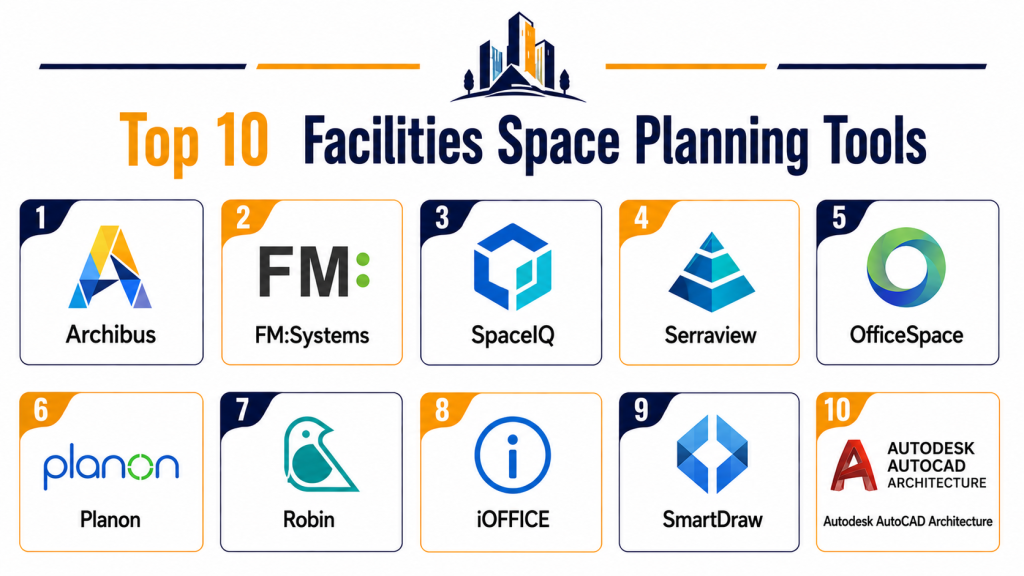
Top 10 Facilities Space Planning Tools
1- Autodesk Tandem
Short Description:
Autodesk Tandem is a digital twin and facilities management platform designed for enterprise-scale building operations and workplace planning. It helps organizations visualize assets, manage space utilization, and improve operational efficiency through connected building data.
Key Features
- Digital twin visualization
- Real-time building data integration
- Space utilization analytics
- Asset tracking and management
- IoT integration support
- Interactive floor planning
- Facility lifecycle management
Pros
- Strong digital twin capabilities
- Excellent visualization tools
- Scalable for enterprise facilities
Cons
- Can be complex for smaller organizations
- Requires onboarding and training
- Higher implementation effort
Platforms / Deployment
- Web
- Cloud
Security & Compliance
- Role-based access controls
- Data encryption
- Enterprise security workflows
- Not publicly stated for broader certifications
Integrations & Ecosystem
Autodesk Tandem integrates with BIM systems, IoT platforms, and enterprise facility workflows.
- Autodesk ecosystem integrations
- BIM connectivity
- IoT systems
- Building operations tools
- API support
Support & Community
Autodesk provides enterprise onboarding, implementation guidance, training resources, and technical support programs.
2- Archibus
Short Description:
Archibus is a widely recognized integrated workplace management system focused on facilities, real estate, and space planning operations. It supports enterprise-scale workplace management and occupancy optimization.
Key Features
- Space planning and allocation
- Occupancy analytics
- Move management workflows
- Real estate portfolio management
- Workplace reservations
- Maintenance coordination
- Reporting dashboards
Pros
- Strong enterprise functionality
- Broad facilities management coverage
- Good reporting capabilities
Cons
- Interface may feel traditional
- Requires implementation planning
- Can be expensive for smaller teams
Platforms / Deployment
- Web / Mobile
- Cloud / Hybrid
Security & Compliance
- Role-based access
- Audit logging
- Enterprise authentication support
- Not publicly stated for broader certifications
Integrations & Ecosystem
Archibus integrates with workplace systems, HR platforms, and building operations environments.
- HR system integrations
- CAD and BIM workflows
- Workplace reservation systems
- IoT integrations
- API connectivity
Support & Community
The platform offers enterprise support, implementation services, onboarding assistance, and partner ecosystem support.
3- FM Systems
Short Description:
FM Systems provides workplace management and space planning solutions focused on hybrid work environments and enterprise facility optimization. The platform supports occupancy analytics, reservations, and workplace operations.
Key Features
- Interactive floor plans
- Desk and room reservations
- Occupancy analytics
- Workplace utilization tracking
- Hybrid workplace management
- Space forecasting
- Reporting and dashboards
Pros
- Strong hybrid workplace functionality
- User-friendly booking workflows
- Good occupancy analytics
Cons
- Advanced customization may require support
- Enterprise deployments can be complex
- Reporting setup may take time
Platforms / Deployment
- Web / iOS / Android
- Cloud
Security & Compliance
- SSO support
- Role-based permissions
- Secure authentication workflows
- Not publicly stated for broader certifications
Integrations & Ecosystem
FM Systems integrates with workplace scheduling and enterprise productivity tools.
- Microsoft integrations
- Calendar systems
- HR platforms
- IoT integrations
- Workplace analytics systems
Support & Community
The vendor provides onboarding, implementation consulting, training resources, and enterprise support.
4- SpaceIQ
Short Description:
SpaceIQ is a workplace planning and occupancy management platform designed to help organizations optimize office space and employee experiences in hybrid environments.
Key Features
- Workplace occupancy tracking
- Desk booking
- Move management
- Interactive floor plans
- Workplace analytics
- Space utilization reporting
- Employee experience tools
Pros
- Modern and intuitive interface
- Good workplace analytics
- Strong hybrid office support
Cons
- May require integration setup
- Smaller ecosystem than larger enterprise suites
- Advanced reporting may require training
Platforms / Deployment
- Web
- Cloud
Security & Compliance
- Role-based access
- Enterprise authentication support
- Encryption capabilities
- Not publicly stated for broader certifications
Integrations & Ecosystem
SpaceIQ integrates with productivity and workplace management platforms.
- Microsoft integrations
- Calendar systems
- HR platforms
- Space analytics tools
- API support
Support & Community
SpaceIQ offers onboarding programs, support services, and implementation guidance for enterprise teams.
5- Robin
Short Description:
Robin is a workplace management platform focused on hybrid office coordination, desk booking, and workplace analytics. It is popular among organizations modernizing flexible work environments.
Key Features
- Desk booking
- Meeting room scheduling
- Occupancy analytics
- Hybrid workplace management
- Interactive office maps
- Visitor management
- Workplace reporting
Pros
- Excellent user experience
- Strong hybrid workplace features
- Easy-to-use booking workflows
Cons
- Less focused on advanced facilities operations
- Enterprise customization may be limited
- Advanced analytics can require higher-tier plans
Platforms / Deployment
- Web / iOS / Android
- Cloud
Security & Compliance
- SSO support
- MFA support
- Role-based permissions
- Not publicly stated for broader certifications
Integrations & Ecosystem
Robin integrates with workplace collaboration and scheduling systems.
- Microsoft Teams
- Google Workspace
- Slack integrations
- Calendar systems
- API support
Support & Community
Robin provides onboarding assistance, documentation, customer support, and workplace adoption resources.
6- Envoy
Short Description:
Envoy is widely known for workplace management, visitor management, and desk reservation workflows. It helps organizations improve office coordination and employee experiences.
Key Features
- Visitor management
- Desk reservations
- Meeting room booking
- Workplace occupancy analytics
- Employee scheduling
- Workplace notifications
- Mobile workplace management
Pros
- Strong workplace experience tools
- Excellent visitor management workflows
- Modern mobile-friendly interface
Cons
- Limited advanced facilities planning
- Best suited for hybrid office operations
- Deep real estate planning features are limited
Platforms / Deployment
- Web / iOS / Android
- Cloud
Security & Compliance
- MFA support
- SSO support
- Access controls
- Not publicly stated for broader certifications
Integrations & Ecosystem
Envoy integrates heavily with workplace productivity and office management systems.
- Slack
- Microsoft Teams
- Google Workspace
- Access control systems
- API integrations
Support & Community
Envoy provides onboarding programs, customer support, implementation assistance, and extensive help documentation.
7- Condeco
Short Description:
Condeco is a workplace scheduling and space planning platform designed for enterprise hybrid work environments. It focuses on workspace reservations, occupancy management, and employee coordination.
Key Features
- Desk booking
- Meeting room scheduling
- Workplace analytics
- Interactive office maps
- Occupancy tracking
- Visitor management
- Hybrid workplace support
Pros
- Strong enterprise workplace workflows
- Good analytics dashboards
- Reliable reservation management
Cons
- Enterprise implementation can be lengthy
- Some workflows require training
- Interface modernization could improve
Platforms / Deployment
- Web / Mobile
- Cloud
Security & Compliance
- Enterprise authentication support
- Role-based access
- Audit capabilities
- Not publicly stated for broader certifications
Integrations & Ecosystem
Condeco supports integrations across scheduling and workplace productivity environments.
- Microsoft integrations
- Calendar systems
- Access control systems
- Workplace analytics tools
- API support
Support & Community
The platform provides onboarding assistance, implementation services, and enterprise customer support.
8- OfficeSpace
Short Description:
OfficeSpace is a workplace management and space planning platform designed for modern hybrid offices. It helps organizations manage seating, workplace analytics, and office coordination.
Key Features
- Space planning tools
- Desk reservations
- Interactive floor plans
- Occupancy analytics
- Move management
- Workplace scheduling
- Reporting dashboards
Pros
- Modern and intuitive design
- Good occupancy insights
- Strong hybrid workplace support
Cons
- Some advanced workflows require setup
- Enterprise deployments may need consulting
- Limited deep facilities management functions
Platforms / Deployment
- Web / Mobile
- Cloud
Security & Compliance
- SSO support
- Access controls
- Secure authentication
- Not publicly stated for broader certifications
Integrations & Ecosystem
OfficeSpace integrates with workplace productivity and scheduling systems.
- Microsoft 365
- Google Workspace
- HR systems
- Calendar tools
- API support
Support & Community
OfficeSpace provides onboarding resources, implementation guidance, and customer support services.
9- iOFFICE
Short Description:
iOFFICE delivers workplace management and facilities planning solutions for enterprise organizations seeking occupancy optimization and employee experience improvements.
Key Features
- Workplace planning
- Occupancy analytics
- Desk and room scheduling
- Move management
- Maintenance coordination
- Visitor management
- Real estate analytics
Pros
- Broad workplace management capabilities
- Strong reporting tools
- Good enterprise scalability
Cons
- Can require extensive onboarding
- Advanced features increase complexity
- Smaller teams may find it oversized
Platforms / Deployment
- Web / Mobile
- Cloud
Security & Compliance
- Enterprise authentication support
- Role-based permissions
- Secure access controls
- Not publicly stated for broader certifications
Integrations & Ecosystem
iOFFICE supports integrations across enterprise workplace and facility operations systems.
- HR systems
- Calendar platforms
- Workplace scheduling tools
- Maintenance systems
- API integrations
Support & Community
The vendor provides enterprise onboarding, customer success programs, and implementation consulting.
10- Planon
Short Description:
Planon is an enterprise integrated workplace management platform focused on facilities operations, workplace planning, and smart building management.
Key Features
- Integrated workplace management
- Space planning
- Occupancy tracking
- Smart building integrations
- Asset management
- Maintenance workflows
- Sustainability reporting
Pros
- Comprehensive enterprise functionality
- Strong smart building integrations
- Good operational scalability
Cons
- Complex implementation process
- Requires dedicated administration
- Higher cost for smaller businesses
Platforms / Deployment
- Web / Mobile
- Cloud / Hybrid
Security & Compliance
- Enterprise access controls
- Audit logging
- Secure authentication workflows
- Not publicly stated for broader certifications
Integrations & Ecosystem
Planon integrates with enterprise building operations and workplace management systems.
- IoT integrations
- BIM workflows
- Maintenance systems
- ERP integrations
- API support
Support & Community
Planon provides enterprise implementation support, onboarding programs, and technical consulting services.
Comparison Table
| Tool Name | Best For | Platforms Supported | Deployment | Standout Feature | Public Rating |
|---|---|---|---|---|---|
| Autodesk Tandem | Digital twin facilities management | Web | Cloud | Digital twin visualization | N/A |
| Archibus | Enterprise workplace operations | Web, Mobile | Cloud / Hybrid | Real estate management | N/A |
| FM Systems | Hybrid workplace planning | Web, iOS, Android | Cloud | Occupancy analytics | N/A |
| SpaceIQ | Workplace optimization | Web | Cloud | Space utilization analytics | N/A |
| Robin | Hybrid office coordination | Web, iOS, Android | Cloud | Desk booking workflows | N/A |
| Envoy | Workplace experience management | Web, iOS, Android | Cloud | Visitor management | N/A |
| Condeco | Enterprise reservations | Web, Mobile | Cloud | Workplace scheduling | N/A |
| OfficeSpace | Modern hybrid workplace planning | Web, Mobile | Cloud | Interactive floor plans | N/A |
| iOFFICE | Enterprise facilities management | Web, Mobile | Cloud | Workplace analytics | N/A |
| Planon | Enterprise IWMS operations | Web, Mobile | Cloud / Hybrid | Smart building integration | N/A |
Evaluation & Scoring of Facilities Space Planning Tools
| Tool Name | Core 25% | Ease 15% | Integrations 15% | Security 10% | Performance 10% | Support 10% | Value 15% | Weighted Total |
|---|---|---|---|---|---|---|---|---|
| Autodesk Tandem | 9 | 7 | 8 | 8 | 9 | 8 | 7 | 8.0 |
| Archibus | 9 | 7 | 8 | 8 | 8 | 8 | 7 | 7.9 |
| FM Systems | 8 | 8 | 8 | 8 | 8 | 8 | 8 | 8.0 |
| SpaceIQ | 8 | 8 | 7 | 7 | 8 | 7 | 8 | 7.7 |
| Robin | 8 | 9 | 8 | 8 | 8 | 8 | 8 | 8.2 |
| Envoy | 7 | 9 | 8 | 8 | 8 | 8 | 8 | 8.0 |
| Condeco | 8 | 7 | 8 | 8 | 8 | 7 | 7 | 7.7 |
| OfficeSpace | 8 | 8 | 7 | 7 | 8 | 8 | 8 | 7.8 |
| iOFFICE | 9 | 7 | 8 | 8 | 8 | 8 | 7 | 7.9 |
| Planon | 9 | 7 | 9 | 8 | 9 | 8 | 7 | 8.2 |
These scores are comparative rather than absolute. Enterprise-focused tools often score higher in scalability, integrations, and operational depth, while smaller workplace-focused platforms may provide better usability and faster adoption. Buyers should prioritize categories that align most closely with workplace complexity and operational goals.
Which Facilities Space Planning Tool Is Right for You?
Solo / Freelancer
Smaller coworking spaces and flexible offices may benefit from Envoy or Robin because of their simple deployment and workplace coordination features.
SMB
Growing businesses often prefer OfficeSpace, SpaceIQ, or Robin for their balance of usability, analytics, and hybrid workplace management.
Mid-Market
Mid-sized organizations handling multiple office locations may benefit from FM Systems, Condeco, or iOFFICE due to stronger operational planning capabilities.
Enterprise
Large enterprises typically require Autodesk Tandem, Archibus, or Planon because of their scalability, digital twin functionality, and enterprise integrations.
Budget vs Premium
Budget-focused buyers often prioritize usability and quick deployment, while premium enterprise buyers focus on analytics, automation, and operational visibility.
Feature Depth vs Ease of Use
Some platforms emphasize advanced facilities management while others prioritize employee experience and workplace simplicity. Buyers should align the tool with operational maturity.
Integrations & Scalability
Organizations expecting growth should evaluate API capabilities, IoT support, HR integrations, and enterprise workplace ecosystem compatibility.
Security & Compliance Needs
Enterprises handling sensitive workplace and employee data should prioritize MFA, SSO, audit logs, encryption, and strong access management workflows.
Frequently Asked Questions
1. What are Facilities Space Planning Tools?
Facilities Space Planning Tools help organizations manage workplace layouts, occupancy planning, desk scheduling, and office utilization through centralized digital platforms.
2. Why are these tools important for hybrid workplaces?
These tools help organizations coordinate flexible seating, meeting room reservations, occupancy tracking, and workplace optimization for hybrid work environments.
3. Can these tools integrate with workplace collaboration platforms?
Yes. Most modern platforms integrate with Microsoft Teams, Google Workspace, Slack, HR systems, and workplace scheduling applications.
4. Do Facilities Space Planning Tools support mobile devices?
Most platforms provide mobile-friendly interfaces or dedicated apps for desk booking, room reservations, and workplace coordination.
5. What industries commonly use these tools?
Large enterprises, coworking providers, healthcare organizations, universities, and corporate offices commonly use workplace planning solutions.
6. How long does implementation usually take?
Implementation timelines vary depending on organization size, floor plan complexity, integration requirements, and onboarding needs.
7. What security features should buyers prioritize?
Important security features include SSO, MFA, role-based permissions, audit logging, secure authentication, and encrypted data management.
8. Are digital twins important for facilities planning?
Digital twins can improve operational visibility, asset management, occupancy tracking, and building performance analytics in enterprise environments.
9. What are common mistakes when selecting these platforms?
Common mistakes include overlooking integration requirements, underestimating onboarding complexity, and choosing enterprise tools that exceed operational needs.
10. Can small businesses benefit from these tools?
Yes. Smaller businesses can use lightweight workplace management tools to improve office coordination, hybrid scheduling, and employee experiences.
Conclusion
Facilities Space Planning Tools have become essential for organizations managing hybrid workplaces, office utilization, and employee experience initiatives. Modern platforms now combine occupancy analytics, interactive floor planning, workplace reservations, automation, and smart building integrations into centralized operational systems. The best solution depends heavily on organization size, operational complexity, workplace flexibility goals, and integration requirements. Smaller organizations may prioritize usability and affordability, while enterprise buyers often require advanced analytics, digital twin functionality, and large-scale operational visibility. Buyers should carefully evaluate scalability, mobile usability, integrations, reporting capabilities, and security controls before selecting a platform. Instead of focusing only on feature volume, organizations should shortlist tools that align with their workplace strategy, operational workflows, and long-term growth plans.