Introduction
Accessibility Auditing Tools are platforms that help organizations identify, analyze, and fix accessibility issues in websites and applications to ensure they are usable by people with disabilities. In simple terms, these tools scan digital products and highlight problems related to screen readers, keyboard navigation, color contrast, and compliance with accessibility standards.
Accessibility is no longer optional. It is a critical part of user experience, legal compliance, and inclusive design. Organizations are increasingly expected to meet standards like WCAG and provide equal access to all users, regardless of ability.
These tools play a key role in ensuring digital platforms are inclusive, compliant, and user-friendly.
Common use cases include:
- Auditing websites for accessibility compliance
- Identifying WCAG violations
- Improving usability for visually or physically impaired users
- Monitoring accessibility across large websites
- Supporting development teams with accessibility testing
- Generating compliance reports
What buyers should evaluate:
- Coverage of WCAG guidelines
- Accuracy of issue detection
- Automated vs manual testing capabilities
- Integration with development workflows
- Reporting and remediation guidance
- Scalability for large websites
- Real-time monitoring features
- Ease of use and learning curve
Best for: Developers, QA teams, UX designers, compliance teams, and enterprises focused on inclusive digital experiences.
Not ideal for: Small static sites with minimal accessibility requirements or teams not focused on compliance.
Key Trends in Accessibility Auditing Tools
- Shift toward continuous accessibility monitoring: Not just one-time audits
- AI-powered accessibility fixes: Automated suggestions and remediation
- Integration with DevOps pipelines: Accessibility testing during development
- Focus on real user accessibility testing: Beyond automated scans
- Regulatory compliance expansion: Increased legal requirements globally
- Browser extension tools: Easy testing during development
- Accessibility overlays vs native fixes: Debate around effectiveness
- Cross-platform accessibility testing: Web, mobile, and apps
- Accessibility as part of UX design: Embedded into design workflows
How We Selected These Tools (Methodology)
- Evaluated industry adoption and credibility
- Assessed accuracy and depth of accessibility scanning
- Reviewed compliance support for WCAG standards
- Considered integration with development and CI/CD tools
- Analyzed reporting and remediation guidance quality
- Included both developer tools and enterprise platforms
- Balanced free and premium solutions
- Evaluated ease of use and onboarding
- Considered scalability for large organizations
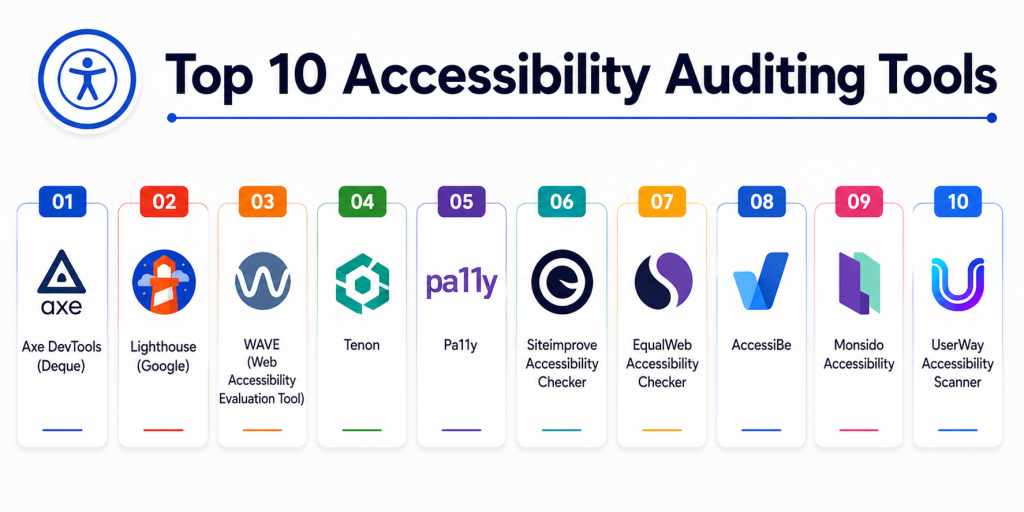
Top 10 Accessibility Auditing Tools
#1 — Axe DevTools (Deque)
Short description: A developer-focused accessibility testing tool offering deep WCAG analysis and integration into development workflows.
Key Features
- Automated accessibility testing
- Browser extensions
- WCAG compliance checks
- Developer-friendly reporting
- CI/CD integration
Pros
- Highly accurate results
- Strong developer integration
Cons
- Paid features for advanced use
- Learning curve for beginners
Platforms / Deployment
Web / Browser Extensions
Cloud
Security & Compliance
WCAG compliance support
Not publicly stated certifications
Integrations & Ecosystem
- Dev tools
- CI/CD pipelines
Support & Community
Strong developer community and enterprise support.
#2 — Lighthouse (Google)
Short description: An open-source auditing tool integrated into Chrome that evaluates accessibility along with performance and SEO.
Key Features
- Accessibility scoring
- Automated audits
- Performance insights
- SEO analysis
- Built-in browser integration
Pros
- Free and easy to use
- Integrated into Chrome
Cons
- Limited advanced features
- Basic reporting
Platforms / Deployment
Web / Browser
Local
Security & Compliance
Basic WCAG checks
Not publicly stated certifications
Integrations & Ecosystem
- Chrome DevTools
Support & Community
Large developer community.
#3 — WAVE
Short description: A web accessibility evaluation tool providing visual feedback on accessibility issues.
Key Features
- Visual accessibility feedback
- Error highlighting
- WCAG checks
- Browser extension
- Easy-to-understand reports
Pros
- Simple and intuitive
- Visual insights
Cons
- Limited automation
- Not scalable for large projects
Platforms / Deployment
Web / Browser Extension
Security & Compliance
WCAG compliance checks
Not publicly stated certifications
Integrations & Ecosystem
- Browser tools
Support & Community
Strong community support.
#4 — Tenon
Short description: An accessibility testing API that integrates into development workflows for continuous testing.
Key Features
- API-based testing
- WCAG validation
- Integration with CI/CD
- Automated testing
- Detailed reporting
Pros
- Developer-friendly API
- Automation-ready
Cons
- Requires technical setup
- Limited UI
Platforms / Deployment
Cloud / API
Security & Compliance
WCAG support
Not publicly stated certifications
Integrations & Ecosystem
- DevOps tools
- Testing frameworks
Support & Community
Moderate support.
#5 — Pa11y
Short description: An open-source accessibility testing tool designed for automation and integration.
Key Features
- Command-line testing
- Automated audits
- CI/CD integration
- WCAG validation
- Custom reporting
Pros
- Free and open-source
- Flexible integration
Cons
- Requires technical expertise
- Limited UI
Platforms / Deployment
Web / CLI
Security & Compliance
WCAG compliance support
Not publicly stated certifications
Integrations & Ecosystem
- CI/CD pipelines
- Dev tools
Support & Community
Active open-source community.
#6 — Siteimprove Accessibility Checker
Short description: An enterprise platform offering accessibility auditing and ongoing monitoring.
Key Features
- Continuous monitoring
- Accessibility reports
- WCAG compliance tracking
- Analytics dashboards
- Issue prioritization
Pros
- Enterprise-ready
- Strong reporting
Cons
- Expensive
- Complex setup
Platforms / Deployment
Cloud
Security & Compliance
Enterprise compliance support
Not publicly stated certifications
Integrations & Ecosystem
- CMS platforms
- Analytics tools
Support & Community
Enterprise support.
#7 — EqualWeb Accessibility Checker
Short description: A platform offering accessibility auditing along with automated remediation solutions.
Key Features
- Automated accessibility scans
- Compliance reports
- AI-based remediation
- WCAG validation
- Monitoring tools
Pros
- Easy to use
- Automated fixes
Cons
- Reliance on overlays
- Limited manual testing
Platforms / Deployment
Cloud
Security & Compliance
WCAG compliance
Not publicly stated certifications
Integrations & Ecosystem
- Web platforms
Support & Community
Moderate support.
#8 — AccessiBe
Short description: An accessibility solution focused on automated compliance and accessibility overlays.
Key Features
- Automated accessibility adjustments
- AI-based remediation
- Compliance monitoring
- Accessibility widget
- Reporting dashboards
Pros
- Quick implementation
- Automation-focused
Cons
- Debate over effectiveness
- Limited manual control
Platforms / Deployment
Cloud
Security & Compliance
WCAG compliance claims
Not publicly stated certifications
Integrations & Ecosystem
- Website integrations
Support & Community
Commercial support.
#9 — Monsido Accessibility
Short description: A platform for monitoring and improving website accessibility and compliance.
Key Features
- Accessibility audits
- Continuous monitoring
- Compliance reporting
- Issue prioritization
- Dashboard analytics
Pros
- Strong enterprise features
- Detailed reports
Cons
- Expensive
- Learning curve
Platforms / Deployment
Cloud
Security & Compliance
Enterprise compliance support
Not publicly stated certifications
Integrations & Ecosystem
- CMS systems
- Analytics tools
Support & Community
Enterprise support.
#10 — UserWay Accessibility Scanner
Short description: A tool that scans websites for accessibility issues and provides compliance recommendations.
Key Features
- Automated scanning
- Accessibility widget
- Compliance reporting
- Issue detection
- Easy setup
Pros
- Easy to implement
- Quick insights
Cons
- Limited depth
- Focus on automation
Platforms / Deployment
Cloud
Security & Compliance
WCAG compliance support
Not publicly stated certifications
Integrations & Ecosystem
- Web platforms
Support & Community
Basic support.
Comparison Table
| Tool Name | Best For | Platform(s) Supported | Deployment | Standout Feature | Public Rating |
|---|---|---|---|---|---|
| Axe DevTools | Developers | Web | Cloud | Accuracy | N/A |
| Lighthouse | Beginners | Web | Local | Free audits | N/A |
| WAVE | Visual testing | Web | Browser | Visual feedback | N/A |
| Tenon | API testing | Web | Cloud | API integration | N/A |
| Pa11y | Automation | Web | CLI | Open-source | N/A |
| Siteimprove | Enterprise | Web | Cloud | Monitoring | N/A |
| EqualWeb | Automation | Web | Cloud | AI fixes | N/A |
| AccessiBe | Quick setup | Web | Cloud | Automation | N/A |
| Monsido | Enterprise | Web | Cloud | Analytics | N/A |
| UserWay | Quick scans | Web | Cloud | Easy setup | N/A |
Evaluation & Scoring of Accessibility Auditing Tools
| Tool Name | Core (25%) | Ease (15%) | Integrations (15%) | Security (10%) | Performance (10%) | Support (10%) | Value (15%) | Weighted Total |
|---|---|---|---|---|---|---|---|---|
| Axe DevTools | 10 | 8 | 10 | 9 | 9 | 10 | 8 | 9.1 |
| Lighthouse | 8 | 10 | 7 | 8 | 8 | 9 | 10 | 8.7 |
| WAVE | 8 | 9 | 7 | 8 | 8 | 8 | 9 | 8.3 |
| Tenon | 9 | 7 | 9 | 8 | 8 | 8 | 8 | 8.3 |
| Pa11y | 8 | 7 | 9 | 8 | 8 | 8 | 10 | 8.4 |
| Siteimprove | 10 | 7 | 9 | 9 | 9 | 9 | 7 | 8.8 |
| EqualWeb | 8 | 9 | 7 | 8 | 8 | 8 | 8 | 8.1 |
| AccessiBe | 8 | 9 | 7 | 8 | 8 | 8 | 8 | 8.1 |
| Monsido | 9 | 7 | 9 | 9 | 9 | 9 | 7 | 8.6 |
| UserWay | 7 | 9 | 6 | 7 | 7 | 7 | 8 | 7.6 |
How to interpret the scores:
These scores reflect real-world accessibility testing scenarios. Higher scores indicate stronger compliance coverage, accuracy, and integration capabilities. Enterprise tools provide continuous monitoring and reporting, while developer tools focus on automation and flexibility.
Which Accessibility Auditing Tool Is Right for You?
Solo / Developer
Lighthouse or Pa11y for free and simple testing.
SMB
WAVE or UserWay for easy audits and quick insights.
Mid-Market
Axe DevTools or Tenon for deeper testing and automation.
Enterprise
Siteimprove or Monsido for continuous monitoring and compliance.
Budget vs Premium
Free tools offer basic checks; enterprise tools provide advanced insights.
Feature Depth vs Ease of Use
Lighthouse is simple; Axe DevTools offers deeper analysis.
Integrations & Scalability
Axe DevTools and Siteimprove provide strong integration support.
Security & Compliance Needs
Enterprise tools provide stronger compliance tracking and reporting.
Frequently Asked Questions (FAQs)
1. What are accessibility auditing tools?
They help identify issues that make websites difficult to use for people with disabilities.
2. Why is accessibility important?
It ensures inclusivity and compliance with legal standards.
3. What is WCAG?
It is a global standard for web accessibility.
4. Are accessibility tools accurate?
They detect many issues, but manual testing is also required.
5. Can these tools fix issues automatically?
Some tools offer suggestions, but full fixes require development effort.
6. Are free tools enough?
Free tools are good for basic audits but limited for enterprise needs.
7. What is an accessibility overlay?
It is a layer added to improve accessibility without changing code.
8. Can accessibility tools integrate with CI/CD?
Yes, many tools support automation in development workflows.
9. Do these tools support mobile apps?
Some tools support mobile accessibility testing.
10. Which tool is best?
The best tool depends on your project size and compliance needs.
Conclusion
Accessibility Auditing Tools are essential for building inclusive digital experiences and ensuring compliance with accessibility standards. Tools like Axe DevTools provide highly accurate and developer-focused testing, while Lighthouse and WAVE offer simple and accessible entry points for basic audits. Enterprise platforms such as Siteimprove and Monsido enable continuous monitoring and large-scale compliance management, making them ideal for organizations with complex digital ecosystems. Automation-focused tools like Pa11y and Tenon integrate seamlessly into development workflows, helping teams catch issues early. Solutions like EqualWeb and AccessiBe emphasize quick deployment and automated remediation, though they should be used alongside proper development practices. The right choice depends on your goals, team size, and technical requirements. Smaller teams often prioritize ease of use and cost efficiency, while enterprises require scalability, reporting, and governance. Since no single tool can guarantee full accessibility compliance, combining automated tools with manual testing is the most effective approach. Start with a few tools, integrate them into your workflow, and continuously improve accessibility over time to create truly inclusive digital products.