Introduction
Cross-browser testing platforms are tools that help developers and QA teams ensure that web applications work consistently across different browsers, devices, and operating systems. In simple terms, they allow you to test how your website behaves on Chrome, Firefox, Safari, Edge, and more—without needing to manually install each environment.
In today’s multi-device world, users access applications from countless combinations of browsers and devices. Even small inconsistencies can break layouts, features, or user flows. Cross-browser testing platforms solve this by offering cloud-based environments, automation frameworks, and real-device testing capabilities.
These platforms are widely used for:
- Ensuring UI consistency across browsers
- Running automated test suites across environments
- Debugging browser-specific issues
- Testing responsive design across devices
- Validating performance under different configurations
What buyers should evaluate:
- Browser and device coverage
- Support for real devices vs emulators
- Automation framework compatibility (Selenium, Cypress, Playwright)
- Parallel testing capabilities
- CI/CD integration
- Debugging tools (logs, screenshots, videos)
- Pricing and scalability
- Ease of setup and usability
Best for: QA engineers, frontend developers, DevOps teams, and enterprises building web applications at scale.
Not ideal for: Small static websites with minimal browser compatibility requirements.
Key Trends in Cross-Browser Testing Platforms
- Cloud-based testing dominance: Eliminating local environment setup
- Real-device testing growth: More accurate than emulators
- AI-powered test automation: Smarter test generation and maintenance
- Parallel execution at scale: Faster release cycles
- Shift-left testing: Early testing in development lifecycle
- Integration with CI/CD pipelines: Automated quality checks
- Unified testing platforms: Web + mobile + API testing together
- Visual regression testing: Detect UI changes automatically
- Low-code/no-code testing: Enabling non-developers to test
Cross-browser testing has become essential because modern applications must support thousands of browser-device combinations to ensure consistent user experience .
How We Selected These Tools (Methodology)
- Evaluated industry adoption and popularity
- Assessed browser and device coverage
- Reviewed automation and CI/CD integration capabilities
- Considered real device vs emulator availability
- Analyzed performance and scalability
- Included both developer-first and enterprise platforms
- Balanced open-source and commercial tools
- Evaluated debugging and reporting features
- Considered ease of use and onboarding
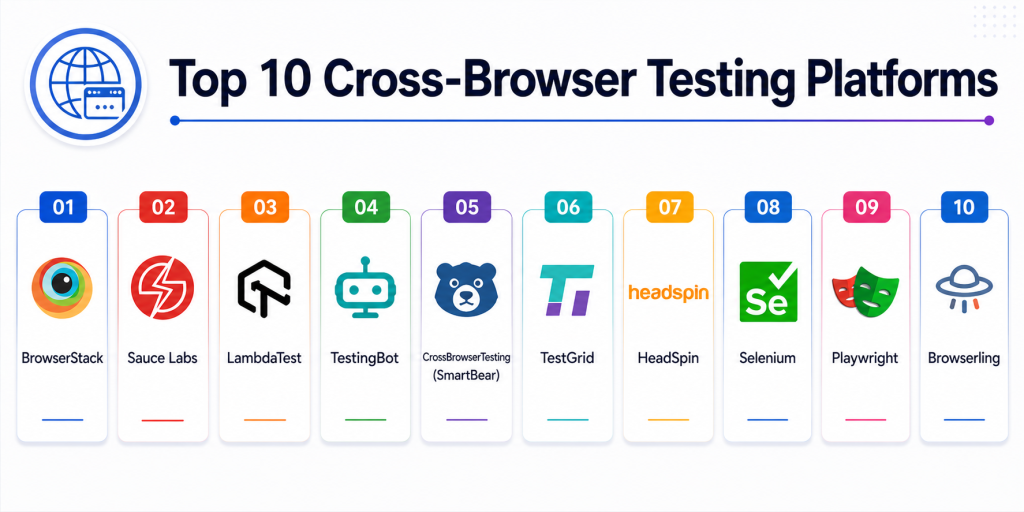
Top 10 Cross-Browser Testing Platforms
#1 — BrowserStack
Short description: A leading cloud-based platform providing access to thousands of real browsers and devices for testing web applications.
Key Features
- Real browser and device testing
- Automated testing with Selenium, Cypress
- Parallel test execution
- Visual testing tools
- Live interactive testing
- CI/CD integration
Pros
- Massive browser coverage
- Easy setup
Cons
- Pricing can be high
- Performance may vary
Platforms / Deployment
Web / Mobile
Cloud
Security & Compliance
Enterprise-grade security
Not publicly stated certifications
Integrations & Ecosystem
- Selenium
- Cypress
- Playwright
- CI/CD tools
Support & Community
Strong global adoption and documentation.
#2 — Sauce Labs
Short description: An enterprise-grade testing platform offering scalable cross-browser testing with deep DevOps integration.
Key Features
- Selenium and Appium testing
- Real device cloud
- Visual testing
- Test analytics
- Parallel execution
Pros
- Enterprise scalability
- Strong automation support
Cons
- Expensive
- Complex setup
Platforms / Deployment
Cloud
Security & Compliance
Advanced enterprise security
Not publicly stated certifications
Integrations & Ecosystem
- Jenkins
- GitHub Actions
- Jira
Support & Community
Strong enterprise ecosystem.
#3 — LambdaTest
Short description: A cloud-based cross-browser testing platform with extensive browser coverage and automation support.
Key Features
- 3000+ browser combinations
- Automation frameworks support
- Live interactive testing
- Parallel execution
- AI-powered testing features
Pros
- Affordable pricing
- Wide browser coverage
Cons
- Occasional performance issues
- UI can be improved
Platforms / Deployment
Cloud
Security & Compliance
Not publicly stated
Integrations & Ecosystem
- Selenium
- Playwright
- CI/CD tools
Support & Community
Growing developer community.
LambdaTest supports testing across thousands of browser-device combinations without local infrastructure .
#4 — TestingBot
Short description: A cloud-based testing platform focused on simplicity and cost-effective cross-browser testing.
Key Features
- Manual and automated testing
- Real device cloud
- Video recordings
- Screenshot capture
- Selenium support
Pros
- Affordable
- Easy to use
Cons
- Smaller device pool
- Limited enterprise features
Platforms / Deployment
Cloud
Security & Compliance
Not publicly stated
Integrations & Ecosystem
- Selenium
- CI/CD tools
Support & Community
Moderate support.
#5 — CrossBrowserTesting (SmartBear)
Short description: A testing platform offering browser compatibility testing with automation and debugging tools.
Key Features
- Live browser testing
- Automated testing
- Visual testing
- Screenshot comparison
- Debugging tools
Pros
- Strong debugging tools
- Easy onboarding
Cons
- Limited compared to newer tools
- Smaller ecosystem
Platforms / Deployment
Cloud
Security & Compliance
Not publicly stated
Integrations & Ecosystem
- SmartBear tools
- CI/CD pipelines
Support & Community
Stable support system.
#6 — TestGrid
Short description: An AI-driven cross-browser testing platform focused on automation and collaboration.
Key Features
- Real device cloud
- AI test automation
- Parallel testing
- CI/CD integration
- Test analytics
Pros
- AI-powered testing
- Flexible pricing
Cons
- Smaller adoption
- Limited ecosystem
Platforms / Deployment
Cloud
Security & Compliance
Not publicly stated
Integrations & Ecosystem
- DevOps tools
- Testing frameworks
Support & Community
Growing ecosystem.
#7 — HeadSpin
Short description: A performance-focused testing platform combining cross-browser testing with real-device analytics.
Key Features
- Real device testing
- Performance monitoring
- Network simulation
- Automation support
- UX analytics
Pros
- Advanced analytics
- Real-world testing
Cons
- High cost
- Limited accessibility
Platforms / Deployment
Cloud
Security & Compliance
Not publicly stated
Integrations & Ecosystem
- DevOps tools
- Cloud platforms
Support & Community
Enterprise support.
#8 — Selenium (Open Source)
Short description: A widely used open-source framework for automating cross-browser testing.
Key Features
- Cross-browser automation
- Supports multiple languages
- Large community support
- Integration with CI/CD
- Flexible framework
Pros
- Free and open-source
- Highly customizable
Cons
- Requires setup and maintenance
- No built-in UI
Platforms / Deployment
Web / Self-hosted
Security & Compliance
Self-managed
Integrations & Ecosystem
- CI/CD tools
- Testing frameworks
Support & Community
Very large global community.
#9 — Playwright
Short description: A modern automation framework for cross-browser testing with built-in support for multiple browsers.
Key Features
- Multi-browser support
- Headless execution
- Fast automation
- Auto-waiting features
- CI/CD integration
Pros
- Modern framework
- Fast execution
Cons
- Requires coding
- Limited GUI
Platforms / Deployment
Web / Self-hosted
Security & Compliance
Not publicly stated
Integrations & Ecosystem
- DevOps pipelines
- Testing tools
Support & Community
Strong developer adoption.
#10 — Browserling
Short description: A simple cloud-based tool for live interactive browser testing.
Key Features
- Live browser testing
- Instant access to browsers
- No setup required
- Screenshot testing
- Lightweight platform
Pros
- Simple and fast
- No installation required
Cons
- Limited automation
- Basic features
Platforms / Deployment
Cloud
Security & Compliance
Not publicly stated
Integrations & Ecosystem
- Web testing tools
Support & Community
Basic support.
Comparison Table
| Tool Name | Best For | Platform(s) Supported | Deployment | Standout Feature | Public Rating |
|---|---|---|---|---|---|
| BrowserStack | Developers | Web/Mobile | Cloud | Real devices | N/A |
| Sauce Labs | Enterprise | Web/Mobile | Cloud | Automation scale | N/A |
| LambdaTest | SMB/DevOps | Web/Mobile | Cloud | Cost-effective | N/A |
| TestingBot | Budget teams | Web/Mobile | Cloud | Simplicity | N/A |
| CrossBrowserTesting | Debugging | Web | Cloud | Visual testing | N/A |
| TestGrid | AI testing | Web/Mobile | Cloud | AI automation | N/A |
| HeadSpin | Performance | Web/Mobile | Cloud | Analytics | N/A |
| Selenium | Developers | Web | Self-hosted | Open-source | N/A |
| Playwright | Automation | Web | Self-hosted | Speed | N/A |
| Browserling | Quick testing | Web | Cloud | Lightweight | N/A |
Evaluation & Scoring of Cross-Browser Testing Platforms
| Tool Name | Core (25%) | Ease (15%) | Integrations (15%) | Security (10%) | Performance (10%) | Support (10%) | Value (15%) | Weighted Total |
|---|---|---|---|---|---|---|---|---|
| BrowserStack | 10 | 9 | 10 | 9 | 9 | 10 | 8 | 9.2 |
| Sauce Labs | 10 | 8 | 10 | 10 | 9 | 10 | 7 | 9.0 |
| LambdaTest | 9 | 9 | 9 | 8 | 9 | 9 | 9 | 8.9 |
| TestingBot | 8 | 9 | 8 | 7 | 8 | 8 | 9 | 8.3 |
| CrossBrowserTesting | 8 | 9 | 8 | 8 | 8 | 8 | 8 | 8.2 |
| TestGrid | 8 | 8 | 8 | 7 | 8 | 8 | 8 | 8.0 |
| HeadSpin | 9 | 7 | 8 | 9 | 9 | 9 | 6 | 8.3 |
| Selenium | 9 | 7 | 9 | 8 | 8 | 9 | 10 | 8.5 |
| Playwright | 9 | 8 | 9 | 8 | 9 | 9 | 9 | 8.7 |
| Browserling | 7 | 9 | 7 | 7 | 7 | 7 | 8 | 7.6 |
How to interpret the scores:
These scores are comparative and reflect real-world QA and development scenarios. Higher scores indicate better scalability, automation, and coverage. Enterprise tools lead in performance and integrations, while open-source tools excel in flexibility and cost efficiency.
Which Cross-Browser Testing Platform Is Right for You?
Solo / Developer
Playwright or Selenium for free and flexible testing.
SMB
LambdaTest or TestingBot for affordability and ease of use.
Mid-Market
BrowserStack or TestGrid for balanced performance and features.
Enterprise
Sauce Labs or HeadSpin for scalability and analytics.
Budget vs Premium
Selenium is free; enterprise tools provide advanced features.
Feature Depth vs Ease of Use
BrowserStack is user-friendly; Sauce Labs offers deeper capabilities.
Integrations & Scalability
Sauce Labs and BrowserStack offer strong CI/CD integration.
Security & Compliance Needs
Enterprise platforms provide stronger governance and compliance.
Frequently Asked Questions (FAQs)
1. What is cross-browser testing?
It ensures that web apps work correctly across different browsers and devices.
2. Why is it important?
It improves user experience and prevents compatibility issues.
3. What tools are used?
BrowserStack, Sauce Labs, LambdaTest, and Selenium are popular choices.
4. What is automated testing?
It runs tests automatically using scripts and frameworks.
5. What is real device testing?
Testing on actual devices instead of simulations.
6. Is Selenium still relevant?
Yes, it remains one of the most widely used frameworks.
7. Can I test mobile apps too?
Yes, many platforms support both web and mobile testing.
8. What is parallel testing?
Running multiple tests simultaneously.
9. Are these tools expensive?
Pricing varies from free to enterprise-level.
10. Which tool is best?
The best tool depends on your testing needs and scale.
Conclusion
Cross-browser testing platforms are critical for ensuring consistent user experiences across modern web environments where users access applications from multiple browsers and devices. Tools like BrowserStack and Sauce Labs provide enterprise-grade infrastructure with extensive device coverage and automation capabilities, while LambdaTest offers a cost-effective alternative with strong performance and scalability. Open-source frameworks such as Selenium and Playwright remain essential for teams seeking flexibility and control. Meanwhile, platforms like HeadSpin and TestGrid bring advanced analytics and AI-powered testing into the ecosystem. The right platform depends on your team’s size, budget, and testing complexity. Smaller teams often prioritize ease of use and affordability, while enterprises require scalability, integrations, and compliance features. Since no single tool fits all scenarios, combining cloud platforms with automation frameworks often delivers the best results. A practical approach is to shortlist a few tools, run pilot tests, and validate performance, integrations, and usability before committing. This ensures a robust and scalable cross-browser testing strategy.