Introduction
Device Testing Clouds are platforms that allow developers and QA teams to test mobile and web applications on real devices hosted in the cloud. Instead of maintaining expensive physical device labs, teams can instantly access a wide range of smartphones, tablets, and browsers from anywhere.
In modern app development, ensuring compatibility across thousands of device types, OS versions, and screen sizes is a major challenge. Device testing clouds solve this by providing scalable, on-demand testing environments that improve testing speed, accuracy, and coverage.
These platforms are essential for delivering high-quality, bug-free applications in competitive markets where user experience directly impacts success.
Common use cases include:
- Cross-device and cross-browser testing
- Automated testing for CI/CD pipelines
- Regression testing across OS versions
- Performance and usability testing
- Real device testing for mobile apps
- Manual QA and exploratory testing
What buyers should evaluate:
- Availability of real devices vs emulators
- Supported platforms (iOS, Android, Web)
- Automation framework compatibility
- Parallel testing capabilities
- Integration with CI/CD tools
- Network and performance testing features
- Scalability and pricing
- Ease of use and dashboard experience
Best for: QA engineers, mobile developers, DevOps teams, and enterprises building cross-platform applications.
Not ideal for: Teams with minimal testing needs or those requiring only local testing environments.
Key Trends in Device Testing Clouds
- Shift toward real device testing: Increased demand for real-device accuracy over emulators
- AI-powered test automation: Smarter test generation and failure detection
- CI/CD integration: Seamless automation in DevOps pipelines
- Parallel testing at scale: Faster execution across multiple devices
- Network simulation testing: Testing under different bandwidth conditions
- Cross-platform coverage: Unified testing for mobile, web, and desktop
- Shift-left testing strategies: Early-stage testing during development
- Cloud-native QA workflows: Eliminating physical device labs
- Security-focused testing: Ensuring secure app behavior across environments
How We Selected These Tools (Methodology)
- Evaluated market adoption and enterprise usage
- Assessed device coverage and availability
- Reviewed automation capabilities and integrations
- Considered real device vs emulator support
- Analyzed performance and scalability
- Included tools for manual and automated testing
- Balanced developer-friendly and enterprise-grade solutions
- Evaluated ease of use and reporting features
- Considered support and ecosystem strength
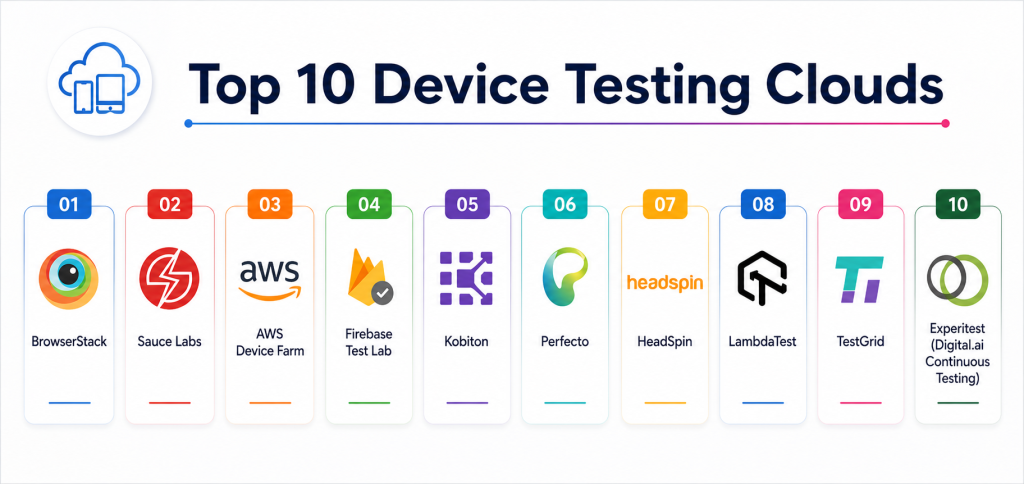
Top 10 Device Testing Clouds
#1 — BrowserStack
Short description: A leading cloud testing platform providing real devices and browsers for manual and automated testing.
Key Features
- Real device cloud
- Cross-browser testing
- Automated testing support
- Parallel testing
- Visual testing tools
- CI/CD integration
Pros
- Large device coverage
- Easy to use
Cons
- Pricing can be high
- Performance may vary
Platforms / Deployment
Web / iOS / Android
Cloud
Security & Compliance
Enterprise-grade security
Not publicly stated certifications
Integrations & Ecosystem
- Selenium
- Appium
- CI/CD tools
Support & Community
Strong support and global adoption.
#2 — Sauce Labs
Short description: A comprehensive testing platform offering cloud-based real device testing and automation.
Key Features
- Real device cloud
- Automated testing
- Cross-browser support
- Performance analytics
- Test reporting
Pros
- Strong automation support
- Enterprise scalability
Cons
- Complex setup
- Expensive
Platforms / Deployment
Web / Mobile
Cloud
Security & Compliance
Enterprise security features
Not publicly stated certifications
Integrations & Ecosystem
- CI/CD tools
- Testing frameworks
Support & Community
Strong enterprise support.
#3 — AWS Device Farm
Short description: A cloud testing service from AWS that enables app testing on real devices.
Key Features
- Real device testing
- Automated testing support
- Integration with AWS
- Test reports
- Parallel execution
Pros
- Scalable
- Cost-effective for AWS users
Cons
- Limited UI features
- AWS dependency
Platforms / Deployment
iOS / Android
Cloud
Security & Compliance
AWS security standards
Not publicly stated certifications
Integrations & Ecosystem
- AWS services
- CI/CD pipelines
Support & Community
Strong AWS ecosystem support.
#4 — Firebase Test Lab
Short description: A Google service for testing mobile apps on real and virtual devices.
Key Features
- Real and virtual devices
- Automated testing
- Crash reporting integration
- Performance metrics
- Cloud integration
Pros
- Easy integration
- Scalable
Cons
- Limited enterprise features
- Requires Firebase setup
Platforms / Deployment
Android / iOS
Cloud
Security & Compliance
Google cloud security standards
Not publicly stated certifications
Integrations & Ecosystem
- Firebase suite
- Google Cloud
Support & Community
Strong developer support.
#5 — Kobiton
Short description: A mobile testing platform offering real device testing and automation tools.
Key Features
- Real device access
- Automation support
- Performance testing
- Scriptless testing
- CI/CD integration
Pros
- Real device testing
- Flexible deployment
Cons
- Pricing complexity
- Smaller ecosystem
Platforms / Deployment
Cloud / On-prem
Security & Compliance
Not publicly stated
Integrations & Ecosystem
- Testing frameworks
- DevOps tools
Support & Community
Good enterprise support.
#6 — Perfecto
Short description: An enterprise testing platform providing advanced automation and real device testing.
Key Features
- Real device cloud
- Automation tools
- Performance testing
- AI-driven insights
- Reporting dashboards
Pros
- Enterprise-grade features
- Strong analytics
Cons
- Expensive
- Complex setup
Platforms / Deployment
Cloud
Security & Compliance
Enterprise compliance support
Not publicly stated certifications
Integrations & Ecosystem
- CI/CD tools
- Testing frameworks
Support & Community
Strong enterprise support.
#7 — HeadSpin
Short description: A mobile performance testing platform combining real device testing with analytics.
Key Features
- Real device testing
- Performance analytics
- Network simulation
- User experience insights
- Automation support
Pros
- Advanced analytics
- Real-world testing scenarios
Cons
- High cost
- Limited accessibility
Platforms / Deployment
Cloud
Security & Compliance
Not publicly stated
Integrations & Ecosystem
- DevOps tools
- Cloud platforms
Support & Community
Enterprise-level support.
#8 — LambdaTest
Short description: A cloud-based platform for cross-browser and mobile app testing.
Key Features
- Real device testing
- Cross-browser testing
- Automation support
- Parallel execution
- Visual testing
Pros
- Affordable
- Easy to use
Cons
- Smaller device pool
- Limited enterprise features
Platforms / Deployment
Web / Mobile
Cloud
Security & Compliance
Not publicly stated
Integrations & Ecosystem
- Selenium
- CI/CD tools
Support & Community
Growing support ecosystem.
#9 — TestGrid
Short description: A cloud testing platform offering AI-driven testing and real device access.
Key Features
- Real device cloud
- AI testing tools
- Automation support
- Test analytics
- CI/CD integration
Pros
- AI-driven features
- Flexible pricing
Cons
- Smaller ecosystem
- Limited brand adoption
Platforms / Deployment
Cloud
Security & Compliance
Not publicly stated
Integrations & Ecosystem
- DevOps tools
- Testing frameworks
Support & Community
Moderate support.
#10 — Experitest (Digital.ai Continuous Testing)
Short description: An enterprise testing solution offering real device testing and advanced automation.
Key Features
- Real device cloud
- Automation framework support
- Performance testing
- CI/CD integration
- Reporting dashboards
Pros
- Enterprise-ready
- Strong automation support
Cons
- Expensive
- Complex setup
Platforms / Deployment
Cloud / Hybrid
Security & Compliance
Enterprise compliance support
Not publicly stated certifications
Integrations & Ecosystem
- DevOps tools
- Enterprise systems
Support & Community
Strong enterprise support.
Comparison Table
| Tool Name | Best For | Platform(s) Supported | Deployment | Standout Feature | Public Rating |
|---|---|---|---|---|---|
| BrowserStack | Developers | Web/Mobile | Cloud | Device coverage | N/A |
| Sauce Labs | Enterprise QA | Web/Mobile | Cloud | Automation | N/A |
| AWS Device Farm | AWS users | Mobile | Cloud | Scalability | N/A |
| Firebase Test Lab | Developers | Mobile | Cloud | Google integration | N/A |
| Kobiton | Mobile QA | Mobile | Hybrid | Real devices | N/A |
| Perfecto | Enterprise | Mobile/Web | Cloud | AI insights | N/A |
| HeadSpin | Performance testing | Mobile | Cloud | Analytics | N/A |
| LambdaTest | SMB QA | Web/Mobile | Cloud | Affordable | N/A |
| TestGrid | AI testing | Mobile/Web | Cloud | AI automation | N/A |
| Experitest | Enterprise QA | Mobile/Web | Hybrid | Automation | N/A |
Evaluation & Scoring of Device Testing Clouds
| Tool Name | Core (25%) | Ease (15%) | Integrations (15%) | Security (10%) | Performance (10%) | Support (10%) | Value (15%) | Weighted Total |
|---|---|---|---|---|---|---|---|---|
| BrowserStack | 10 | 9 | 10 | 9 | 9 | 10 | 8 | 9.2 |
| Sauce Labs | 10 | 8 | 10 | 9 | 9 | 10 | 7 | 8.9 |
| AWS Device Farm | 9 | 7 | 9 | 9 | 9 | 9 | 9 | 8.7 |
| Firebase Test Lab | 9 | 8 | 9 | 8 | 9 | 9 | 9 | 8.8 |
| Kobiton | 8 | 8 | 8 | 8 | 8 | 8 | 8 | 8.0 |
| Perfecto | 9 | 7 | 9 | 9 | 9 | 9 | 7 | 8.6 |
| HeadSpin | 9 | 7 | 8 | 9 | 9 | 9 | 6 | 8.3 |
| LambdaTest | 8 | 9 | 8 | 7 | 8 | 8 | 9 | 8.2 |
| TestGrid | 8 | 8 | 8 | 7 | 8 | 8 | 8 | 8.0 |
| Experitest | 9 | 7 | 9 | 9 | 9 | 9 | 7 | 8.6 |
How to interpret the scores:
These scores reflect real-world QA and DevOps use cases. Higher scores indicate stronger device coverage, automation capabilities, and scalability. Enterprise tools offer deeper analytics and control, while simpler platforms focus on usability and cost efficiency.
Which Device Testing Cloud Is Right for You?
Solo / Developer
Firebase Test Lab or LambdaTest for simple and cost-effective testing.
SMB
BrowserStack or LambdaTest for balanced features and usability.
Mid-Market
Kobiton or AWS Device Farm for scalability and flexibility.
Enterprise
Sauce Labs, Perfecto, or Experitest for advanced testing and automation.
Budget vs Premium
Firebase and AWS Device Farm are cost-efficient; enterprise tools are premium.
Feature Depth vs Ease of Use
BrowserStack is easy; Perfecto offers deeper enterprise features.
Integrations & Scalability
AWS and Sauce Labs provide strong integration ecosystems.
Security & Compliance Needs
Enterprise tools provide stronger compliance and governance.
Frequently Asked Questions (FAQs)
1. What is a device testing cloud?
It is a platform that allows testing apps on real devices hosted in the cloud.
2. Why is real device testing important?
It ensures accurate results compared to emulators.
3. What is parallel testing?
It runs multiple tests simultaneously to save time.
4. Can I automate testing in these platforms?
Yes, most tools support automation frameworks.
5. Are these tools expensive?
Pricing varies; some offer free tiers.
6. What is cross-browser testing?
Testing web apps across different browsers.
7. Do these tools support CI/CD?
Yes, most integrate with DevOps pipelines.
8. What is network simulation?
Testing apps under different network conditions.
9. Can I test mobile and web apps together?
Yes, many platforms support both.
10. Which tool is best?
The best tool depends on your testing needs and scale.
Conclusion
Device Testing Clouds have become essential for modern application development, enabling teams to test apps across a wide range of real devices without maintaining physical labs. Platforms like BrowserStack and Sauce Labs provide extensive device coverage and automation capabilities, while AWS Device Farm and Firebase Test Lab offer scalable and cost-efficient testing solutions for cloud-native teams. Enterprise platforms such as Perfecto and Experitest deliver advanced analytics, automation, and compliance features for large organizations. Tools like Kobiton and HeadSpin focus on real-device accuracy and performance insights, making them ideal for mobile-first applications. The right platform depends on your testing requirements, team size, and budget. Smaller teams often prioritize simplicity and affordability, while enterprises focus on scalability, automation, and compliance. Since no single tool fits every scenario, it is important to evaluate options carefully. A practical approach is to test a few platforms with real workloads and assess their performance and integration capabilities. This ensures a reliable and efficient testing strategy for delivering high-quality applications.