Introduction
Crash Reporting Tools are platforms that help developers detect, record, analyze, and fix application crashes in mobile, web, and desktop applications. In simple terms, they act like a “black box” for your app—capturing what went wrong when the app breaks.
In modern software development, especially mobile apps, stability is critical. A single crash can lead to user drop-offs, revenue loss, and poor app ratings. Crash reporting tools solve this by providing real-time insights into errors, stack traces, device logs, and user sessions.
These tools are widely used for:
- Tracking app crashes and ANRs (App Not Responding issues)
- Debugging production issues in real time
- Prioritizing bugs based on user impact
- Monitoring app stability after releases
- Improving user experience and retention
What buyers should evaluate:
- Real-time crash detection speed
- Stack trace clarity and debugging context
- Session replay and user journey insights
- Integration with CI/CD and DevOps tools
- Crash grouping and issue prioritization
- Performance impact on the app
- Multi-platform support (iOS, Android, Web)
- Alerting and notification systems
Best for: Mobile app developers, QA engineers, DevOps teams, and product teams managing production apps.
Not ideal for: Static apps with no frequent updates or very small apps with minimal user base.
Key Trends in Crash Reporting Tools
- AI-powered debugging: Automatic root cause analysis and crash grouping
- Session replay integration: Viewing exact user actions before crashes
- Real-time observability: Instant alerts and live crash monitoring
- Cross-platform crash tracking: Unified reporting across iOS, Android, web
- Performance + crash convergence: Combining APM + crash analytics in one platform
- Privacy-first logging: Reduced sensitive data collection due to regulations
- Deeper DevOps integration: CI/CD pipeline crash monitoring
- Crash prediction systems: Identifying risky releases before rollout
- Lightweight SDKs: Minimal performance impact on mobile apps
How We Selected These Tools (Methodology)
- Evaluated global adoption in mobile and web ecosystems
- Assessed crash detection accuracy and speed
- Reviewed stack trace quality and debugging context
- Considered session replay and user journey features
- Analyzed integration with DevOps and cloud tools
- Included tools for mobile, enterprise, and developer use cases
- Balanced free, open-source, and enterprise solutions
- Evaluated alerting and real-time monitoring capabilities
- Considered scalability for high-traffic applications
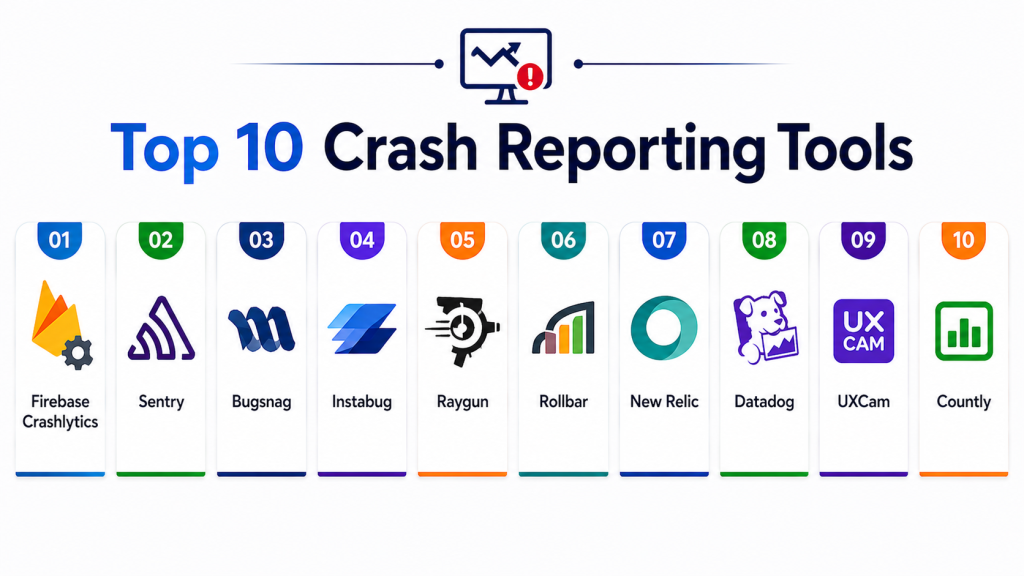
Top 10 Crash Reporting Tools
#1 — Firebase Crashlytics
Short description: A widely used Google tool that provides real-time crash reporting and deep integration with mobile app ecosystems.
Key Features
- Real-time crash detection
- Automatic crash grouping
- Stack trace analysis
- Crash-free user metrics
- Release tracking
- Android, iOS, Flutter support
Pros
- Free and highly scalable
- Easy integration with Firebase
Cons
- Limited advanced debugging context
- Less customizable analytics
Platforms / Deployment
iOS / Android / Flutter / Unity
Cloud
Security & Compliance
Google security standards
Not publicly stated certifications
Integrations & Ecosystem
- Firebase suite
- Google Analytics
- BigQuery
Support & Community
Large developer community and strong documentation.
#2 — Sentry
Short description: A powerful error tracking and crash monitoring platform for mobile, web, and backend systems.
Key Features
- Real-time crash tracking
- Stack trace grouping
- Performance monitoring
- Release health tracking
- Debug context enrichment
Pros
- Strong developer tooling
- Excellent cross-platform support
Cons
- Can be expensive at scale
- Requires setup tuning
Platforms / Deployment
Cloud / Self-hosted
Security & Compliance
SOC 2, GDPR support (varies by plan)
Integrations & Ecosystem
- GitHub
- Jira
- Slack
- CI/CD pipelines
Support & Community
Strong enterprise and open-source community.
#3 — Instabug
Short description: A mobile-first crash reporting and bug reporting tool with rich user feedback features.
Key Features
- Crash reporting with logs
- In-app bug reporting
- Session replay
- User feedback collection
- Performance monitoring
Pros
- Excellent UX context
- Strong mobile debugging
Cons
- Pricing can be high
- Heavy SDK for some apps
Platforms / Deployment
iOS / Android / React Native / Flutter
Cloud
Security & Compliance
GDPR compliance support
Integrations & Ecosystem
- Jira
- Slack
- Trello
Support & Community
Strong product support for mobile teams.
#4 — Bugsnag
Short description: A stability monitoring platform focused on crash detection and error prioritization.
Key Features
- Automatic crash detection
- Stability score tracking
- Error grouping
- Release monitoring
- Performance insights
Pros
- Strong stability analytics
- Easy setup
Cons
- Limited free tier
- UI can feel complex
Platforms / Deployment
iOS / Android / Web
Cloud
Security & Compliance
GDPR support
Integrations & Ecosystem
- GitHub
- Slack
- Jira
Support & Community
Good enterprise-level support.
#5 — Raygun
Short description: A full-stack crash reporting and performance monitoring tool for mobile and web applications.
Key Features
- Crash reporting
- Real user monitoring
- Performance tracking
- Error grouping
- Alerting system
Pros
- Strong observability features
- Easy integration
Cons
- Pricing can be high
- Limited mobile UX features
Platforms / Deployment
Cloud
Security & Compliance
Not publicly stated
Integrations & Ecosystem
- DevOps tools
- Cloud platforms
Support & Community
Strong technical support.
#6 — UXCam
Short description: A crash and UX analytics tool that combines session replay with crash reporting.
Key Features
- Session replay
- Crash tracking
- UI freeze detection
- Funnel analysis
- User journey tracking
Pros
- Strong UX insights
- Visual debugging
Cons
- Not purely crash-focused
- Performance overhead in some cases
Platforms / Deployment
iOS / Android
Cloud
Security & Compliance
GDPR compliance
Integrations & Ecosystem
- Product analytics tools
- CRM systems
Support & Community
Good UX-focused support.
#7 — Datadog Error Tracking
Short description: An enterprise observability platform that includes crash and error tracking for mobile applications.
Key Features
- Crash analytics dashboards
- ANR tracking
- Log correlation
- Performance monitoring
- Distributed tracing
Pros
- Full-stack observability
- Strong enterprise scalability
Cons
- Complex setup
- Expensive
Platforms / Deployment
Cloud
Security & Compliance
Enterprise-grade compliance support
Integrations & Ecosystem
- Cloud infrastructure
- DevOps tools
Support & Community
Strong enterprise support.
#8 — New Relic Mobile
Short description: A performance monitoring platform with strong crash reporting capabilities.
Key Features
- Crash analytics
- User session tracking
- Performance monitoring
- Network diagnostics
- Real-time alerts
Pros
- Deep observability
- Strong mobile insights
Cons
- Pricing complexity
- Setup overhead
Platforms / Deployment
Cloud
Security & Compliance
Enterprise compliance support
Integrations & Ecosystem
- Cloud services
- DevOps pipelines
Support & Community
Strong enterprise ecosystem.
#9 — Countl
Short description: An open-source analytics and crash reporting platform with self-hosted options.
Key Features
- Crash reporting
- Event tracking
- Custom dashboards
- Push notifications
- Self-hosting support
Pros
- Open-source flexibility
- Full data control
Cons
- Requires maintenance
- Smaller ecosystem
Platforms / Deployment
Cloud / Self-hosted
Security & Compliance
Self-managed security
Integrations & Ecosystem
- Custom APIs
- Backend systems
Support & Community
Community-driven support.
#10 — Rollbar
Short description: A real-time error monitoring tool focused on fast detection and debugging of application crashes.
Key Features
- Real-time error tracking
- Automatic grouping
- Deployment tracking
- Alerting system
- Stack trace analysis
Pros
- Fast error detection
- Simple setup
Cons
- Limited UX insights
- Pricing scales quickly
Platforms / Deployment
Cloud
Security & Compliance
GDPR support
Integrations & Ecosystem
- GitHub
- Slack
- CI/CD tools
Support & Community
Strong developer support.
Comparison Table
| Tool Name | Best For | Platform(s) Supported | Deployment | Standout Feature | Public Rating |
|---|---|---|---|---|---|
| Firebase Crashlytics | Mobile apps | iOS/Android | Cloud | Free crash reporting | N/A |
| Sentry | Full-stack apps | Web/Mobile | Cloud/Self | Deep debugging | N/A |
| Instabug | Mobile UX | Mobile | Cloud | Session replay | N/A |
| Bugsnag | Stability monitoring | Mobile/Web | Cloud | Stability scoring | N/A |
| Raygun | Observability | Web/Mobile | Cloud | Full monitoring | N/A |
| UXCam | UX + crashes | Mobile | Cloud | Session replay | N/A |
| Datadog | Enterprise | Mobile/Web | Cloud | Observability suite | N/A |
| New Relic | Performance | Mobile/Web | Cloud | Deep analytics | N/A |
| Countly | Open-source | Mobile/Web | Cloud/Self | Self-hosting | N/A |
| Rollbar | Developers | Web/Mobile | Cloud | Real-time errors | N/A |
Evaluation & Scoring of Crash Reporting Tools
| Tool Name | Core (25%) | Ease (15%) | Integrations (15%) | Security (10%) | Performance (10%) | Support (10%) | Value (15%) | Weighted Total |
|---|---|---|---|---|---|---|---|---|
| Firebase Crashlytics | 10 | 9 | 9 | 9 | 10 | 9 | 10 | 9.4 |
| Sentry | 10 | 8 | 10 | 9 | 9 | 9 | 8 | 9.0 |
| Instabug | 9 | 8 | 9 | 9 | 9 | 9 | 7 | 8.6 |
| Bugsnag | 9 | 8 | 9 | 8 | 9 | 9 | 8 | 8.6 |
| Raygun | 9 | 8 | 9 | 9 | 9 | 9 | 7 | 8.6 |
| UXCam | 8 | 8 | 8 | 8 | 8 | 8 | 8 | 8.0 |
| Datadog | 10 | 7 | 10 | 10 | 10 | 10 | 6 | 8.8 |
| New Relic | 9 | 7 | 9 | 9 | 9 | 9 | 7 | 8.5 |
| Countly | 8 | 7 | 8 | 8 | 8 | 8 | 9 | 8.0 |
| Rollbar | 9 | 8 | 9 | 8 | 9 | 9 | 8 | 8.6 |
Which Crash Reporting Tool Is Right for You?
Solo / Developer
Firebase Crashlytics or Rollbar for simplicity and free usage.
SMB
Bugsnag or Instabug for balanced features and usability.
Mid-Market
Sentry or Raygun for deeper debugging and observability.
Enterprise
Datadog or New Relic for full-stack monitoring.
Budget vs Premium
Crashlytics is free; enterprise tools offer deeper insights.
Feature Depth vs Ease of Use
Sentry offers strong depth; Crashlytics is easiest to use.
Integrations & Scalability
Datadog and Sentry provide the strongest ecosystems.
Security & Compliance Needs
Enterprise tools provide stronger governance and compliance controls.
Frequently Asked Questions (FAQs)
1. What is crash reporting?
It is the process of tracking and analyzing app crashes to identify root causes.
2. Why is crash reporting important?
It helps improve app stability and user experience.
3. What is a stack trace?
It is a detailed report showing where and why a crash occurred.
4. Do crash reporting tools slow apps?
Lightweight SDKs have minimal performance impact.
5. What is session replay?
It records user actions before a crash for better debugging.
6. Are crash reporting tools free?
Some tools like Firebase Crashlytics are free.
7. What is crash grouping?
It clusters similar crashes into one issue for easier debugging.
8. Can I use multiple tools together?
Yes, but it may increase SDK overhead.
9. What is ANR?
It stands for “Application Not Responding” errors in mobile apps.
10. Which tool is best overall?
There is no single best tool; it depends on scale and use case.
Conclusion
Crash Reporting Tools are essential for maintaining application stability and ensuring a seamless user experience across mobile and web platforms. Tools like Firebase Crashlytics provide free and scalable crash monitoring, while Sentry offers deep debugging and cross-platform observability. Instabug and UXCam add valuable user context through session replay, helping teams understand real user behavior before crashes occur. Enterprise platforms like Datadog and New Relic extend crash reporting into full-stack observability, making them ideal for large-scale systems. Open-source solutions like Countly provide flexibility for teams needing self-hosted control. The right tool depends on your application size, technical complexity, and monitoring needs. Smaller teams often prioritize simplicity and cost efficiency, while enterprises focus on scalability, integration depth, and compliance. Since no single platform fits all scenarios, combining crash reporting with performance monitoring tools often delivers the best results. A practical approach is to start with a lightweight SDK and gradually adopt advanced observability tools as your application scales. This ensures a stable, high-performing, and user-friendly application ecosystem.