Introduction
Patch Management Tools help organizations identify, test, deploy, and track software updates across operating systems, applications, servers, and endpoints. These updates—called patches—fix security vulnerabilities, improve performance, resolve bugs, and maintain compliance. In simple terms, patch management tools automate the process of keeping systems updated and secure.
With cyber threats increasing and organizations managing hybrid environments, remote devices, cloud workloads, and multiple operating systems, manual patching is no longer practical. Modern patch management platforms reduce risk, save time, and improve operational consistency.
Common use cases include:
- OS security patch deployment
- Third-party application updates
- Remote workforce patching
- Compliance reporting
- Vulnerability remediation
- Automated maintenance windows
- Patch testing and rollback planning
What buyers should evaluate:
- Windows, macOS, Linux support
- Third-party app patching depth
- Automation and scheduling controls
- Reporting and compliance dashboards
- Remote endpoint coverage
- Ease of deployment
- Scalability
- Security controls
- Integration ecosystem
- Pricing model
Best for: IT teams, MSPs, enterprises, schools, healthcare, financial institutions, and any business managing multiple systems.
Not ideal for: Very small environments with a few manually managed devices where native update tools may be enough.
Key Trends in Patch Management Tools
- AI-assisted patch prioritization
- Risk-based vulnerability remediation
- Remote-first patch deployment models
- Unified endpoint + patch management platforms
- Third-party application patching growth
- Automated testing and phased rollouts
- Zero-trust compliance checks before access
- Cloud-native patch consoles
- Real-time remediation dashboards
- Policy-based autonomous patching workflows
How We Selected These Tools (Methodology)
- Strong market reputation and adoption
- Broad patching feature coverage
- Multi-OS and third-party support
- Automation and scheduling maturity
- Security and compliance readiness
- Reliability and deployment success reputation
- Integration ecosystem quality
- Suitability from SMB to enterprise
- Support and documentation quality
- Overall value for cost
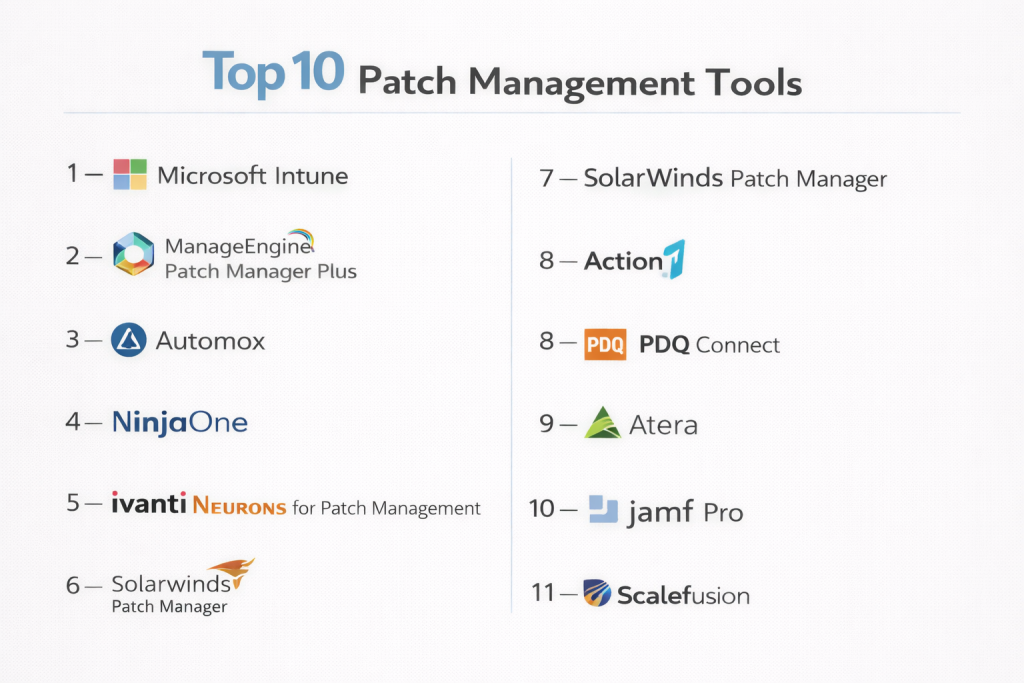
Top 10 Patch Management Tools
#1 — Microsoft Intune
Short description: A leading cloud endpoint platform with strong Windows patching capabilities and policy-based update management.
Key Features
- Windows Update management
- Device rings and rollout controls
- Compliance enforcement
- Cross-platform device support
- Remote management
- Reporting dashboards
- Integration with identity tools
Pros
- Excellent for Microsoft environments
- Strong remote workforce support
- Scalable globally
Cons
- Third-party patching may need add-ons
- Best value inside Microsoft stack
Platforms / Deployment
Cloud
Security & Compliance
SSO, MFA, RBAC, audit logs, encryption
Integrations & Ecosystem
Deep integrations across Microsoft productivity and security platforms.
- Microsoft 365
- Entra ID
- Defender
- APIs
Support & Community
Large enterprise ecosystem with mature documentation.
#2 — ManageEngine Patch Manager Plus
Short description: A widely used patch platform supporting operating systems and many third-party applications across diverse environments.
Key Features
- Windows, macOS, Linux patching
- Third-party app updates
- Automated deployment
- Test groups and approvals
- Compliance dashboards
- Remote endpoint support
- Rollback planning
Pros
- Broad OS coverage
- Strong value for cost
- Good reporting depth
Cons
- Interface can feel busy
- Advanced workflows need tuning
Platforms / Deployment
Cloud / On-prem
Security & Compliance
RBAC, audit logs, encryption
Integrations & Ecosystem
- Endpoint management tools
- ITSM systems
- APIs
Support & Community
Strong documentation and large user base.
#3 — Automox
Short description: A cloud-native patch management platform known for simplicity, automation, and remote endpoint management.
Key Features
- Cross-platform patching
- Third-party app updates
- Policy automation
- Remote device coverage
- Compliance visibility
- Script automation
- Lightweight deployment
Pros
- Excellent for distributed teams
- Easy to manage
- Strong automation model
Cons
- Premium pricing for some buyers
- Deep enterprise customization may vary
Platforms / Deployment
Cloud
Security & Compliance
RBAC, MFA, audit logs
Integrations & Ecosystem
- Security tools
- Identity tools
- APIs
Support & Community
Strong modern support experience.
#4 — NinjaOne
Short description: A fast-growing IT operations platform with strong patching, endpoint management, and MSP appeal.
Key Features
- Windows and macOS patching
- Third-party updates
- Remote access tools
- Endpoint monitoring
- Automation scripts
- Reporting dashboards
- Multi-tenant controls
Pros
- Easy to use
- Strong MSP fit
- Fast deployment
Cons
- Premium pricing possible
- Some advanced reporting limits
Platforms / Deployment
Cloud
Security & Compliance
RBAC, MFA, audit logs
Integrations & Ecosystem
- PSA tools
- Backup tools
- Security platforms
- APIs
Support & Community
Highly regarded onboarding and support.
#5 — Ivanti Neurons for Patch Management
Short description: An enterprise-grade patching platform with automation, testing controls, and risk-driven remediation.
Key Features
- OS and application patching
- Risk prioritization
- Automated deployment
- Patch testing controls
- Endpoint coverage
- Reporting tools
- Workflow automation
Pros
- Strong enterprise depth
- Good automation features
Cons
- Can require experienced admins
- Premium pricing possible
Platforms / Deployment
Cloud / Hybrid
Security & Compliance
SSO, MFA, RBAC
Integrations & Ecosystem
- Endpoint tools
- Security tools
- APIs
Support & Community
Enterprise-grade support structure.
#6 — SolarWinds Patch Manager
Short description: A Windows-focused patch management solution often used alongside Microsoft update ecosystems.
Key Features
- WSUS enhancement tools
- Third-party patching
- Scheduled deployments
- Compliance reporting
- Approval workflows
- Microsoft environment focus
- Inventory visibility
Pros
- Strong Windows ecosystem fit
- Useful for existing WSUS users
Cons
- Less cloud-native than newer tools
- Best for Microsoft-heavy environments
Platforms / Deployment
On-prem / Hybrid
Security & Compliance
RBAC, audit logs
Integrations & Ecosystem
- WSUS
- Microsoft tools
- APIs
Support & Community
Established enterprise user base.
#7 — Action1
Short description: A cloud-native patch management tool focused on secure remote remediation and compliance readiness.
Key Features
- Remote patch deployment
- Vulnerability visibility
- Third-party patching
- Real-time dashboards
- Automated remediation
- Remote access options
- Compliance reporting
Pros
- Strong remote-first design
- Security-focused controls
- Fast deployment
Cons
- Smaller ecosystem than legacy giants
- Advanced customization may vary
Platforms / Deployment
Cloud
Security & Compliance
MFA, RBAC, audit trail, encryption; SOC 2 Type II and ISO 27001 publicly highlighted
Integrations & Ecosystem
- Security workflows
- APIs
- Remote admin tooling
Support & Community
Strong modern vendor support.
#8 — PDQ Connect
Short description: A practical patching and device management platform popular with Windows-centric IT teams.
Key Features
- Windows patching
- macOS support
- Simple deployment flows
- Remote device control
- Reporting
- Lightweight administration
- Automation tools
Pros
- Easy to use
- Strong operational simplicity
Cons
- Less enterprise breadth than some suites
- Linux support may be limited by use case
Platforms / Deployment
Cloud
Security & Compliance
RBAC, MFA
Integrations & Ecosystem
- IT admin workflows
- Scripting tools
- APIs
Support & Community
Popular among hands-on IT admins.
#9 — Atera
Short description: An all-in-one IT management platform with patching features, especially popular with MSPs and lean IT teams.
Key Features
- Automated patching
- RMM tools
- Ticketing integrations
- Reporting
- Remote support
- Alerts and monitoring
- Script automation
Pros
- Good all-in-one value
- MSP-friendly model
Cons
- Patching depth may trail specialists
- Best fit for smaller teams
Platforms / Deployment
Cloud
Security & Compliance
RBAC, MFA
Integrations & Ecosystem
- PSA tools
- Remote support tools
- APIs
Support & Community
Growing community and support presence.
#10 — Jamf Pro
Short description: A premium Apple-focused patching and device management platform for Mac, iPhone, and iPad fleets.
Key Features
- macOS patching
- Apple lifecycle management
- App deployment
- Security baselines
- Inventory tools
- Compliance templates
- Zero-touch deployment
Pros
- Best Apple ecosystem support
- Strong user experience
Cons
- Apple-focused only
- Premium pricing
Platforms / Deployment
Cloud / Self-hosted
Security & Compliance
SSO, MFA, RBAC, audit logs
Integrations & Ecosystem
- Apple Business Manager
- Security tools
- APIs
Support & Community
Large Apple admin community.
Comparison Table (Top 10)
| Tool Name | Best For | Platform(s) Supported | Deployment | Standout Feature | Public Rating |
|---|---|---|---|---|---|
| Microsoft Intune | Microsoft-first orgs | Web | Cloud | Windows policy patching | N/A |
| ManageEngine Patch Manager Plus | Mixed environments | Web | Cloud/On-prem | Broad OS support | N/A |
| Automox | Remote teams | Web | Cloud | Cloud-native automation | N/A |
| NinjaOne | MSPs / IT teams | Web | Cloud | Patch + RMM combo | N/A |
| Ivanti Neurons | Enterprise IT | Web | Cloud/Hybrid | Risk-based remediation | N/A |
| SolarWinds Patch Manager | Windows-heavy orgs | Web | On-prem/Hybrid | WSUS enhancement | N/A |
| Action1 | Security-focused teams | Web | Cloud | Remote remediation | N/A |
| PDQ Connect | Lean IT teams | Web | Cloud | Operational simplicity | N/A |
| Atera | MSPs / SMBs | Web | Cloud | All-in-one IT ops | N/A |
| Jamf Pro | Apple fleets | Web | Cloud/Self-hosted | Apple patching | N/A |
Evaluation & Scoring of Patch Management Tools
| Tool Name | Core (25%) | Ease (15%) | Integrations (15%) | Security (10%) | Performance (10%) | Support (10%) | Value (15%) | Weighted Total |
|---|---|---|---|---|---|---|---|---|
| Microsoft Intune | 9 | 8 | 10 | 9 | 9 | 8 | 8 | 8.75 |
| ManageEngine Patch Manager Plus | 9 | 8 | 8 | 8 | 8 | 8 | 9 | 8.45 |
| Automox | 8 | 9 | 8 | 8 | 8 | 8 | 7 | 8.00 |
| NinjaOne | 8 | 9 | 8 | 8 | 8 | 9 | 7 | 8.10 |
| Ivanti Neurons | 9 | 7 | 8 | 8 | 8 | 8 | 7 | 7.95 |
| SolarWinds Patch Manager | 8 | 7 | 7 | 7 | 8 | 7 | 7 | 7.35 |
| Action1 | 8 | 8 | 7 | 9 | 8 | 8 | 8 | 8.00 |
| PDQ Connect | 7 | 9 | 7 | 7 | 8 | 8 | 8 | 7.75 |
| Atera | 7 | 8 | 7 | 7 | 7 | 8 | 8 | 7.45 |
| Jamf Pro | 8 | 8 | 7 | 8 | 9 | 9 | 7 | 7.95 |
These scores are comparative benchmarks designed to simplify shortlisting. Higher scores often reflect enterprise breadth, while smaller teams may care more about ease of use, deployment speed, and value.
Which Patch Management Tool Is Right for You?
Solo / Freelancer
Native OS updates may be enough unless you manage multiple systems. Lightweight options like PDQ Connect can help.
SMB
ManageEngine, Atera, and Action1 offer strong value and manageable complexity.
Mid-Market
Automox, NinjaOne, and Intune balance automation, scale, and ease of use.
Enterprise
Microsoft Intune, Ivanti, ManageEngine, and SolarWinds fit complex governance needs.
Budget vs Premium
- Budget: Atera, PDQ Connect, Action1
- Premium: Intune, Ivanti, Jamf Pro
Feature Depth vs Ease of Use
- Deep features: Intune, Ivanti, ManageEngine
- Easy to use: NinjaOne, Automox, PDQ Connect
Integrations & Scalability
- Best integrations: Intune, NinjaOne, Ivanti
- Best scalability: Intune, ManageEngine, Automox
Security & Compliance Needs
- High-security environments: Intune, Action1, Ivanti
- General business needs: Atera, PDQ Connect, NinjaOne
Frequently Asked Questions (FAQs)
1. What is patch management?
Patch management is the process of updating software, operating systems, and applications to fix vulnerabilities and improve stability.
2. Why is patching important?
Unpatched systems can be exploited by attackers, cause downtime, or fail compliance requirements.
3. Can patching be automated?
Yes. Most modern patch management tools automate scanning, approvals, scheduling, and deployment.
4. Do patch tools support third-party apps?
Many leading tools patch browsers, productivity apps, and common business software.
5. Is patch management only for enterprises?
No. SMBs also benefit from reduced manual workload and improved security.
6. Can remote devices be patched?
Yes. Cloud-native platforms are especially strong for remote and hybrid workforces.
7. What if a patch causes issues?
Many tools support staged rollouts, test groups, approvals, and rollback planning.
8. How is pricing structured?
Pricing is commonly based on endpoints, users, feature tiers, or support levels.
9. Which industries need patch tools most?
Healthcare, finance, education, retail, government, and any regulated sector benefit strongly.
10. How should I choose a patch tool?
Start with OS mix, remote workforce needs, compliance goals, and budget. Then pilot 2–3 tools.
Conclusion
Patch management is one of the most practical ways to reduce security risk and improve IT reliability. The right tool can automate updates, support remote teams, simplify compliance reporting, and reduce manual admin effort. Large enterprises may prioritize governance and deep integrations, while SMBs often focus on simplicity and cost efficiency. Apple-focused environments may need specialist platforms, while mixed-device teams need broader support. There is no universal best option—only the best fit for your infrastructure and operating model. Shortlist a few strong vendors, run a pilot, and validate deployment success, reporting quality, and automation before making a long-term decision.