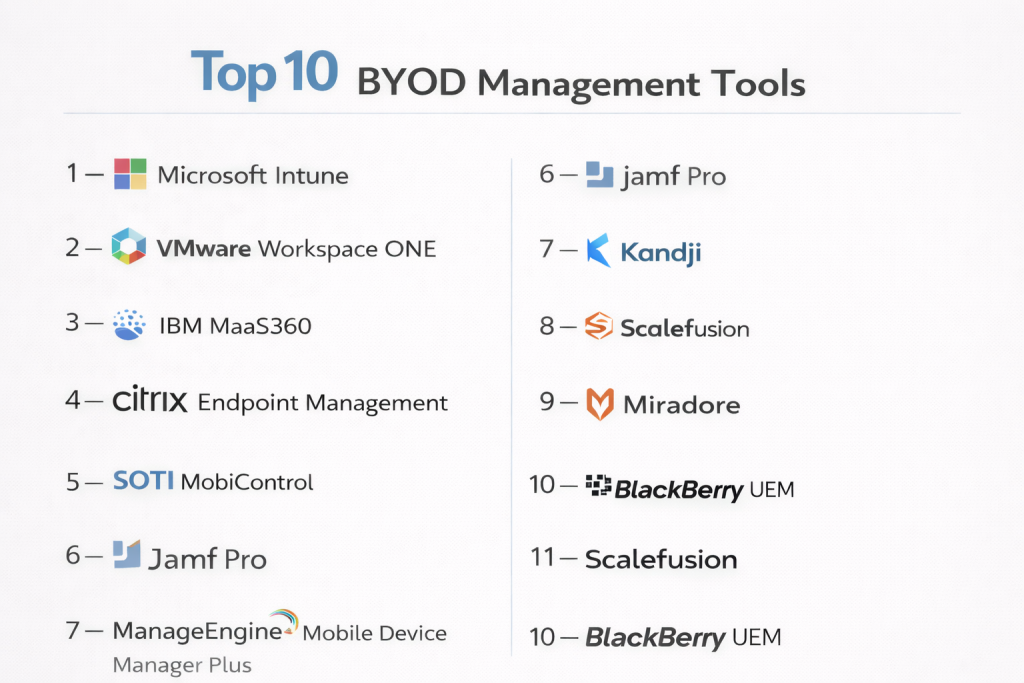
Introduction
BYOD Management Tools help organizations securely manage employee-owned devices used for work purposes. BYOD stands for Bring Your Own Device, where employees use personal smartphones, tablets, or laptops to access company apps, data, and communication systems. These platforms help IT teams balance productivity, privacy, and security.
As remote work, hybrid offices, and mobile-first operations continue to grow, BYOD programs are now common across many industries. Without the right tools, personal devices can create security risks, compliance issues, and inconsistent user experiences. BYOD management platforms solve this through policy controls, secure containers, remote actions, identity integration, and privacy-respecting governance.
Common use cases include:
- Secure employee mobile access
- Personal phone access to email and apps
- BYOD compliance enforcement
- Work/personal data separation
- Lost device response and remote wipe
- Zero-touch enrollment for staff devices
- Identity-based secure access
What buyers should evaluate:
- BYOD privacy controls
- iOS / Android / Windows / macOS support
- Work profile or secure container features
- App management capabilities
- Identity integrations
- Ease of enrollment
- Security controls
- Reporting and compliance tools
- Scalability
- Cost efficiency
Best for: Enterprises, SMBs, remote teams, education, healthcare, finance, and organizations enabling employee mobility.
Not ideal for: Companies issuing fully managed corporate devices only, where traditional endpoint management may be enough.
Key Trends in BYOD Management Tools
- Privacy-first BYOD policies gaining importance
- Secure work profiles replacing full device control
- Identity-led access enforcement
- AI-assisted compliance remediation
- Zero-touch self-enrollment workflows
- Conditional access tied to device trust
- Unified endpoint management convergence
- Better employee experience with lighter controls
- Cross-platform management from one console
- Stronger audit and governance reporting
How We Selected These Tools (Methodology)
- Strong market reputation
- Proven BYOD management capabilities
- Privacy and containerization strength
- Multi-platform support quality
- Security and compliance readiness
- Ease of deployment and enrollment
- Integration ecosystem quality
- Suitability for SMB to enterprise use
- Reliability and support reputation
- Overall value for cost
Top 10 BYOD Management Tools
#1 — Microsoft Intune
Short description: A leading cloud platform for BYOD management with strong identity integration and policy-based access controls.
Key Features
- BYOD enrollment workflows
- App protection policies
- Conditional access
- Work/personal data separation
- iOS and Android support
- Compliance policies
- Remote selective wipe
Pros
- Excellent Microsoft ecosystem integration
- Strong zero-trust controls
- Great for hybrid workplaces
Cons
- Best fit inside Microsoft stack
- Licensing complexity possible
Platforms / Deployment
Cloud
Security & Compliance
SSO, MFA, RBAC, audit logs, encryption
Integrations & Ecosystem
Strong integrations across productivity and identity systems.
- Microsoft 365
- Entra ID
- Defender
- APIs
Support & Community
Large enterprise support ecosystem with mature documentation.
#2 — VMware Workspace ONE
Short description: A premium BYOD and mobility platform built for enterprise-grade device trust and secure access.
Key Features
- BYOD onboarding
- Unified management
- Secure app delivery
- Identity-based access
- Analytics dashboards
- Cross-platform controls
- Remote configuration
Pros
- Strong enterprise controls
- Broad OS support
Cons
- Premium pricing
- Can require specialist admins
Platforms / Deployment
Cloud / Hybrid
Security & Compliance
SSO, MFA, RBAC, audit logs
Integrations & Ecosystem
- Identity tools
- Security tools
- Productivity suites
- APIs
Support & Community
Strong enterprise support presence.
#3 — IBM MaaS360
Short description: A mature BYOD platform focused on secure access, analytics, and compliance-heavy environments.
Key Features
- Device enrollment
- Secure containerization
- Threat insights
- App management
- Compliance dashboards
- Remote actions
- Policy automation
Pros
- Security-focused platform
- Good for regulated industries
Cons
- Interface may feel dated
- Complex for smaller teams
Platforms / Deployment
Cloud
Security & Compliance
SSO, MFA, RBAC, audit logs
Integrations & Ecosystem
- Identity platforms
- Security tools
- APIs
Support & Community
Reliable enterprise support model.
#4 — Hexnode UEM
Short description: A flexible and cost-effective BYOD platform suitable for SMB and mid-market organizations.
Key Features
- BYOD onboarding
- Work profile management
- Kiosk mode
- App controls
- Policy automation
- Reporting tools
- Remote actions
Pros
- Strong value for cost
- Easy deployment
Cons
- Less enterprise depth
- Smaller ecosystem
Platforms / Deployment
Cloud / On-prem
Security & Compliance
RBAC, MFA, encryption
Integrations & Ecosystem
- Identity tools
- Productivity tools
- APIs
Support & Community
Responsive support and onboarding.
#5 — ManageEngine Mobile Device Manager Plus
Short description: A practical BYOD solution with secure containerization and flexible deployment options.
Key Features
- BYOD enrollment
- Containerized work data
- App deployment
- Remote wipe
- Compliance reporting
- Device inventory
- Policy controls
Pros
- Good pricing flexibility
- Cloud and on-prem support
Cons
- UI may feel dated
- Advanced automation limited
Platforms / Deployment
Cloud / On-prem
Security & Compliance
RBAC, encryption, audit logs
Integrations & Ecosystem
- ITSM tools
- Directory systems
- APIs
Support & Community
Strong documentation and user community.
#6 — Jamf Pro
Short description: The leading BYOD solution for Apple-focused organizations using employee-owned iPhones, iPads, and Macs.
Key Features
- Apple BYOD enrollment
- Managed apps
- Security baselines
- Device inventory
- Patch workflows
- Compliance templates
- Selective wipe
Pros
- Best Apple ecosystem support
- Excellent admin experience
Cons
- Limited outside Apple ecosystem
- Premium pricing
Platforms / Deployment
Cloud / Self-hosted
Security & Compliance
SSO, MFA, RBAC, audit logs
Integrations & Ecosystem
- Apple Business Manager
- Security tools
- APIs
Support & Community
Large Apple admin community.
#7 — Kandji
Short description: A modern Apple-first management platform with strong automation and BYOD readiness.
Key Features
- Apple enrollment
- Automated remediation
- Compliance templates
- App deployment
- Patch workflows
- Security controls
- Selective wipe
Pros
- Excellent Mac and iPhone automation
- Easy admin experience
Cons
- Apple-focused only
- Premium pricing
Platforms / Deployment
Cloud
Security & Compliance
SSO, MFA, RBAC, audit logs
Integrations & Ecosystem
- Apple ecosystem
- Security tools
- APIs
Support & Community
Strong customer experience.
#8 — Scalefusion
Short description: A user-friendly BYOD platform ideal for SMBs, education, and growing teams.
Key Features
- BYOD onboarding
- Work profiles
- App management
- Remote support
- Policy controls
- Reporting
- Multi-OS support
Pros
- Affordable pricing
- Easy to use
Cons
- Less enterprise depth
- Smaller ecosystem
Platforms / Deployment
Cloud
Security & Compliance
RBAC, MFA
Integrations & Ecosystem
- Identity tools
- APIs
- Productivity platforms
Support & Community
Responsive support.
#9 — Miradore
Short description: A lightweight cloud BYOD platform popular with smaller businesses seeking simplicity.
Key Features
- Device enrollment
- Security policies
- Remote wipe
- App controls
- Inventory tracking
- Compliance alerts
- Multi-platform support
Pros
- Easy onboarding
- Good SMB fit
Cons
- Fewer advanced controls
- Limited enterprise depth
Platforms / Deployment
Cloud
Security & Compliance
RBAC, encryption
Integrations & Ecosystem
- APIs
- Basic integrations
Support & Community
Simple onboarding and practical support.
#10 — BlackBerry UEM
Short description: A security-focused BYOD platform known for regulated industries and controlled mobile environments.
Key Features
- Secure containerization
- Policy enforcement
- Cross-platform support
- App controls
- Identity integrations
- Compliance workflows
- Remote actions
Pros
- Strong security reputation
- Good for regulated sectors
Cons
- Less mainstream adoption
- May exceed SMB needs
Platforms / Deployment
Cloud / Self-hosted / Hybrid
Security & Compliance
SSO, MFA, RBAC, audit logs
Integrations & Ecosystem
- Identity platforms
- Secure communications tools
- APIs
Support & Community
Enterprise-grade support available.
Comparison Table (Top 10)
| Tool Name | Best For | Platform(s) Supported | Deployment | Standout Feature | Public Rating |
|---|---|---|---|---|---|
| Microsoft Intune | Microsoft-first organizations | Web | Cloud | Conditional access | N/A |
| Workspace ONE | Enterprise BYOD | Web | Cloud/Hybrid | Unified workspace | N/A |
| IBM MaaS360 | Security-focused enterprise | Web | Cloud | Threat analytics | N/A |
| Hexnode UEM | SMB / Mid-market | Web | Cloud/On-prem | Work profiles | N/A |
| ManageEngine | Value buyers | Web | Cloud/On-prem | Containerization | N/A |
| Jamf Pro | Apple fleets | Web | Cloud/Self-hosted | Apple specialization | N/A |
| Kandji | Apple-first companies | Web | Cloud | Apple automation | N/A |
| Scalefusion | SMB / Education | Web | Cloud | Simplicity | N/A |
| Miradore | Small business | Web | Cloud | Easy onboarding | N/A |
| BlackBerry UEM | Regulated industries | Web | Hybrid | Security focus | N/A |
Evaluation & Scoring of BYOD Management Tools
| Tool Name | Core (25%) | Ease (15%) | Integrations (15%) | Security (10%) | Performance (10%) | Support (10%) | Value (15%) | Weighted Total |
|---|---|---|---|---|---|---|---|---|
| Microsoft Intune | 9 | 8 | 10 | 9 | 9 | 8 | 8 | 8.75 |
| Workspace ONE | 9 | 7 | 9 | 9 | 9 | 8 | 6 | 8.20 |
| IBM MaaS360 | 8 | 6 | 8 | 9 | 8 | 7 | 7 | 7.65 |
| Hexnode UEM | 7 | 8 | 7 | 7 | 8 | 8 | 9 | 7.60 |
| ManageEngine | 8 | 8 | 7 | 7 | 8 | 8 | 9 | 8.00 |
| Jamf Pro | 9 | 8 | 8 | 8 | 9 | 9 | 7 | 8.25 |
| Kandji | 8 | 9 | 7 | 8 | 8 | 8 | 7 | 7.95 |
| Scalefusion | 7 | 8 | 6 | 7 | 7 | 8 | 9 | 7.45 |
| Miradore | 7 | 9 | 6 | 7 | 7 | 7 | 9 | 7.50 |
| BlackBerry UEM | 8 | 6 | 7 | 9 | 8 | 7 | 6 | 7.35 |
These scores are comparative benchmarks to simplify vendor shortlisting. Larger enterprises may prioritize integrations and security depth, while SMBs often value ease of use and cost efficiency more.
Which BYOD Management Tool Is Right for You?
Solo / Freelancer
Simple tools like Miradore or native OS controls may be enough for limited device use.
SMB
Hexnode, ManageEngine, and Scalefusion provide strong value and easier deployment.
Mid-Market
Intune, Kandji, and Jamf offer stronger controls with manageable complexity.
Enterprise
Workspace ONE, Intune, IBM MaaS360, and BlackBerry UEM suit complex regulated environments.
Budget vs Premium
- Budget: Miradore, Scalefusion, Hexnode
- Premium: Workspace ONE, Jamf Pro, Intune
Feature Depth vs Ease of Use
- Deep features: Intune, Workspace ONE, MaaS360
- Easy to use: Kandji, Miradore, Scalefusion
Integrations & Scalability
- Best integrations: Intune, Workspace ONE, Jamf
- Best scalability: Intune, MaaS360, Workspace ONE
Security & Compliance Needs
- High-security environments: BlackBerry UEM, Intune, MaaS360
- General business needs: Hexnode, ManageEngine, Scalefusion
Frequently Asked Questions (FAQs)
1. What is BYOD management?
BYOD management helps organizations securely manage personal devices used for work while protecting company data.
2. How is BYOD different from MDM?
BYOD focuses on employee-owned devices and privacy-friendly controls, while MDM often includes company-owned device management too.
3. Can employers see personal data?
Good BYOD tools separate work and personal data. Visibility depends on policies and platform configuration.
4. Is BYOD secure?
Yes, when managed properly with work profiles, encryption, MFA, and conditional access controls.
5. Which devices are supported?
Most platforms support iPhone, Android, tablets, and sometimes laptops.
6. Can a lost phone be wiped?
Many tools support selective wipe of business data without deleting personal content.
7. Is BYOD good for SMBs?
Yes. It reduces hardware costs while enabling flexible work.
8. What industries use BYOD most?
Healthcare, finance, retail, education, and professional services commonly use BYOD.
9. How is pricing structured?
Usually by device count, user count, or feature tier.
10. How should I choose a tool?
Start with privacy needs, supported devices, security requirements, and budget. Then pilot 2–3 options.
Conclusion
BYOD programs can boost flexibility, employee satisfaction, and hardware cost efficiency, but only when supported by the right management platform. The best tools balance security with privacy, giving IT teams control over business data without overreaching into personal use. Enterprises may prioritize identity integration and compliance, while SMBs often value simplicity and cost. Apple-first organizations may prefer specialist solutions, while mixed-device environments need broader coverage. There is no universal best option—only the right fit for your workforce and risk model. Shortlist a few leading tools, run a pilot, and validate enrollment, user experience, and policy controls before committing long term.