Introduction
Digital Signage Software helps organizations create, manage, schedule, and display visual content across digital screens, kiosks, video walls, and interactive displays. These platforms are commonly used in retail stores, corporate offices, restaurants, airports, hospitals, educational institutions, hotels, and smart buildings to improve communication, advertising, and customer engagement. Instead of relying on static posters or manual updates, organizations can centrally manage dynamic content in real time across multiple locations.
Modern digital signage platforms now include cloud-based content management, AI-assisted scheduling, interactive touch displays, analytics dashboards, remote device monitoring, and integration with IoT and workplace systems. Businesses increasingly use digital signage to improve customer experiences, support hybrid workplaces, streamline internal communication, and deliver personalized real-time content.
Real-world use cases include:
- Retail advertising and promotions
- Corporate communication displays
- Interactive kiosks and self-service stations
- Restaurant menu boards
- Smart building and workplace communication
Evaluation criteria for buyers include:
- Ease of content management
- Scheduling and automation capabilities
- Multi-screen and multi-location support
- Media format compatibility
- Analytics and reporting
- Remote device management
- Integration ecosystem
- Scalability and deployment flexibility
- Security and access controls
- Mobile and touchscreen support
Best for: Retail chains, enterprises, hospitality businesses, educational institutions, healthcare organizations, transportation hubs, and smart workplace environments.
Not ideal for: Small businesses with only one or two displays and minimal content update requirements where simple media players may be sufficient.
Key Trends in Digital Signage Software
- AI-powered content scheduling is improving campaign automation and personalization.
- Cloud-native digital signage platforms are simplifying remote display management.
- Interactive touchscreen experiences are becoming more common across retail and enterprise environments.
- Real-time analytics dashboards are helping organizations optimize engagement and performance.
- Integration with IoT sensors and smart building systems is expanding rapidly.
- Video walls and immersive display technologies are growing in popularity.
- Mobile device management and remote monitoring are becoming essential operational features.
- API-driven integrations are improving interoperability with marketing and workplace platforms.
- Sustainability initiatives are driving energy-efficient display management.
- Personalized and data-driven content experiences are becoming a competitive differentiator.
How We Selected These Tools
The tools in this list were selected based on practical enterprise and operational evaluation criteria:
- Market adoption and industry visibility
- Ease of content creation and management
- Scheduling and automation capabilities
- Multi-location scalability
- Analytics and reporting depth
- Integration ecosystem maturity
- Hardware and device compatibility
- Security posture indicators
- Remote management functionality
- Overall value across SMB and enterprise deployments
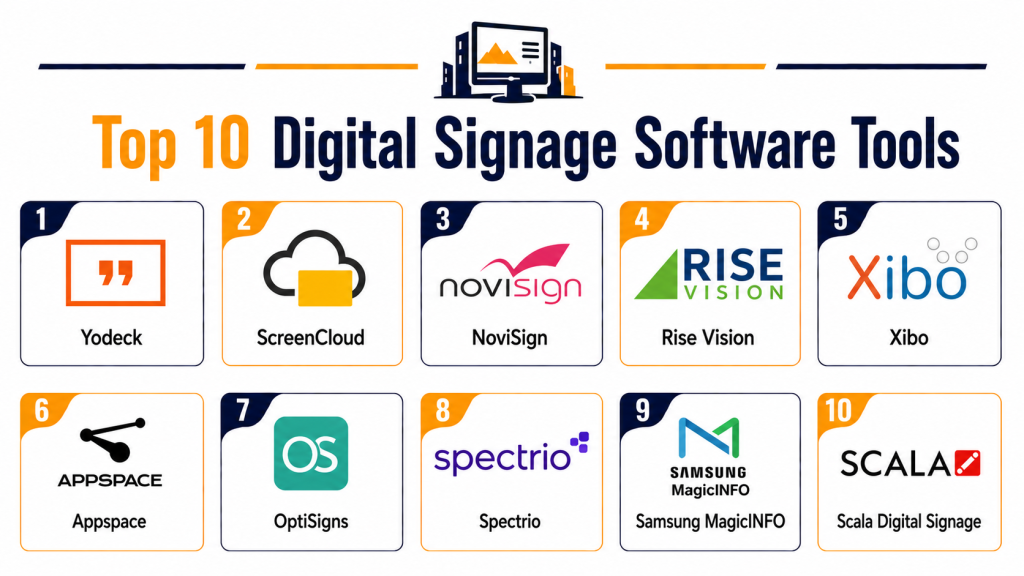
Top 10 Digital Signage Software Tools
1- ScreenCloud
Short Description:
ScreenCloud is a cloud-based digital signage platform designed for enterprises, retail businesses, and workplace communication teams. It focuses on easy content management, remote display control, and scalable screen deployments.
Key Features
- Cloud-based content management
- Multi-screen deployment
- Scheduling and automation
- App marketplace integrations
- Interactive dashboards
- Remote device monitoring
- Media library management
Pros
- User-friendly interface
- Strong cloud management capabilities
- Good scalability for distributed environments
Cons
- Advanced customizations may require setup support
- Some premium integrations increase cost
- Enterprise analytics can require higher-tier plans
Platforms / Deployment
- Web / Windows / Android / ChromeOS
- Cloud
Security & Compliance
- SSO support
- Role-based access controls
- Secure authentication workflows
- Not publicly stated for broader certifications
Integrations & Ecosystem
ScreenCloud integrates with workplace communication, analytics, and media management platforms.
- Google Workspace
- Microsoft integrations
- Slack integrations
- Social media feeds
- API support
Support & Community
ScreenCloud provides onboarding, implementation support, technical documentation, and customer support services.
2- Yodeck
Short Description:
Yodeck is a cloud-based digital signage solution focused on affordability, remote management, and simple deployment. It is popular among SMBs, retail businesses, and educational institutions.
Key Features
- Cloud content management
- Playlist scheduling
- Multi-screen management
- Emergency alerts
- Touchscreen support
- Device monitoring
- Template library
Pros
- Affordable pricing structure
- Easy setup process
- Strong remote management features
Cons
- Advanced enterprise analytics are limited
- Some integrations require additional setup
- Best suited for SMB deployments
Platforms / Deployment
- Web / Android
- Cloud
Security & Compliance
- Secure authentication
- Access controls
- Device management security
- Not publicly stated for broader certifications
Integrations & Ecosystem
Yodeck integrates with media platforms and workplace communication systems.
- Google integrations
- Microsoft tools
- Social media feeds
- API support
- Cloud storage integrations
Support & Community
The platform provides onboarding assistance, documentation, and customer support resources.
3- Scala
Short Description:
Scala is an enterprise-grade digital signage platform widely used in retail, transportation, hospitality, and smart city environments. It supports advanced multimedia experiences and large-scale deployments.
Key Features
- Enterprise content management
- Interactive digital signage
- Real-time content updates
- Video wall support
- Advanced scheduling
- Analytics dashboards
- Multi-location deployment
Pros
- Strong enterprise scalability
- Advanced multimedia capabilities
- Good support for large deployments
Cons
- Higher implementation complexity
- Premium pricing structure
- Requires technical expertise for advanced workflows
Platforms / Deployment
- Web / Windows / Android
- Cloud / Hybrid
Security & Compliance
- Enterprise access controls
- Secure authentication support
- Audit capabilities
- Not publicly stated for broader certifications
Integrations & Ecosystem
Scala integrates with enterprise marketing and smart display systems.
- POS integrations
- IoT systems
- Analytics platforms
- API connectivity
- Smart display hardware
Support & Community
Scala provides enterprise onboarding, implementation consulting, and technical support programs.
4- NoviSign
Short Description:
NoviSign is a cloud-based digital signage platform designed for retail, healthcare, education, and corporate communication environments. It emphasizes simplicity and touchscreen support.
Key Features
- Drag-and-drop content editor
- Touchscreen support
- Playlist scheduling
- Emergency messaging
- Interactive kiosks
- Real-time dashboards
- Multi-location management
Pros
- Easy-to-use content editor
- Good touchscreen capabilities
- Flexible deployment options
Cons
- Advanced enterprise analytics are limited
- Some workflows require manual setup
- Limited deep customization
Platforms / Deployment
- Web / Android / Windows
- Cloud
Security & Compliance
- Access management
- Secure authentication
- Device management controls
- Not publicly stated for broader certifications
Integrations & Ecosystem
NoviSign integrates with communication systems and content platforms.
- Google integrations
- Social media feeds
- Cloud storage tools
- API support
- Interactive display systems
Support & Community
The platform offers onboarding support, customer assistance, and implementation resources.
5- BrightSign
Short Description:
BrightSign combines digital signage hardware and software for enterprise display management, interactive experiences, and multimedia deployments.
Key Features
- Digital signage playback
- Interactive touchscreen support
- Video wall management
- Device monitoring
- Multimedia scheduling
- Remote management
- Enterprise deployment tools
Pros
- Strong hardware optimization
- Excellent multimedia performance
- Reliable enterprise deployments
Cons
- Hardware dependency increases complexity
- Requires technical setup
- Premium deployments can be costly
Platforms / Deployment
- Web / Proprietary Hardware
- Cloud / Hybrid
Security & Compliance
- Secure device management
- Access controls
- Enterprise authentication support
- Not publicly stated for broader certifications
Integrations & Ecosystem
BrightSign integrates with enterprise signage and multimedia ecosystems.
- Interactive displays
- Smart kiosks
- Video wall systems
- API integrations
- Enterprise media systems
Support & Community
BrightSign provides technical documentation, implementation support, and enterprise customer service.
6- OptiSigns
Short Description:
OptiSigns is a cloud-based digital signage platform focused on simplicity, affordability, and broad hardware compatibility for businesses of all sizes.
Key Features
- Content scheduling
- Playlist management
- Real-time updates
- Social media integrations
- Touchscreen support
- Remote management
- Multi-location deployments
Pros
- Easy deployment process
- Broad device compatibility
- Affordable pricing
Cons
- Advanced analytics are limited
- Enterprise automation capabilities are basic
- Some integrations require manual configuration
Platforms / Deployment
- Web / Android / Windows / Linux
- Cloud
Security & Compliance
- Secure authentication support
- Access controls
- Device management capabilities
- Not publicly stated for broader certifications
Integrations & Ecosystem
OptiSigns supports integrations with communication and content platforms.
- Google Workspace
- Microsoft tools
- Social media feeds
- API support
- Cloud storage integrations
Support & Community
OptiSigns offers onboarding assistance, help documentation, and customer support services.
7- Rise Vision
Short Description:
Rise Vision is a digital signage platform commonly used in schools, workplaces, and community organizations for communication and information displays.
Key Features
- Cloud content management
- Educational templates
- Announcement scheduling
- Media playback
- Emergency messaging
- Device monitoring
- Multi-display management
Pros
- Strong education-focused features
- Easy setup process
- Good template library
Cons
- Limited advanced enterprise features
- Analytics depth is basic
- Best suited for informational signage
Platforms / Deployment
- Web / Windows / Android / ChromeOS
- Cloud
Security & Compliance
- Access controls
- Secure authentication workflows
- Device management tools
- Not publicly stated for broader certifications
Integrations & Ecosystem
Rise Vision integrates with workplace and educational content platforms.
- Google Workspace
- Microsoft integrations
- Social media tools
- Calendar integrations
- Cloud storage systems
Support & Community
The platform provides onboarding resources, educational support materials, and customer assistance.
8- Spectrio
Short Description:
Spectrio delivers digital signage and customer engagement solutions for retail, healthcare, hospitality, and enterprise communication environments.
Key Features
- Digital signage management
- Interactive kiosk support
- Multimedia scheduling
- Audience engagement analytics
- Content automation
- Multi-location deployment
- Marketing campaign support
Pros
- Strong customer engagement tools
- Good multimedia support
- Enterprise deployment flexibility
Cons
- Advanced customizations may require consulting
- Premium pricing for enterprise deployments
- Some analytics features require upgrades
Platforms / Deployment
- Web / Android / Windows
- Cloud
Security & Compliance
- Role-based permissions
- Secure authentication support
- Access management controls
- Not publicly stated for broader certifications
Integrations & Ecosystem
Spectrio integrates with retail and customer engagement systems.
- POS systems
- Marketing platforms
- Social media feeds
- API support
- Interactive displays
Support & Community
Spectrio provides onboarding, implementation assistance, and enterprise customer support programs.
9- TelemetryTV
Short Description:
TelemetryTV is a cloud-based digital signage platform designed for enterprise communication, workplace displays, and distributed screen management.
Key Features
- Content scheduling
- Workplace communication displays
- Media library management
- Remote monitoring
- Multi-location management
- Dashboard integrations
- Emergency messaging
Pros
- Strong workplace communication support
- Good cloud management features
- Flexible deployment options
Cons
- Advanced design customization can be limited
- Enterprise analytics may require upgrades
- Some integrations need configuration support
Platforms / Deployment
- Web / Android / ChromeOS
- Cloud
Security & Compliance
- SSO support
- Access controls
- Secure authentication workflows
- Not publicly stated for broader certifications
Integrations & Ecosystem
TelemetryTV integrates with enterprise communication and analytics platforms.
- Microsoft integrations
- Google Workspace
- Slack integrations
- Dashboard systems
- API connectivity
Support & Community
TelemetryTV offers onboarding support, documentation resources, and customer service assistance.
10- Signagelive
Short Description:
Signagelive is an enterprise digital signage platform focused on scalable display management, automation, and multimedia communication across industries.
Key Features
- Enterprise display management
- Automated scheduling
- Interactive media support
- Device monitoring
- Video wall management
- Real-time content updates
- Multi-location control
Pros
- Strong enterprise scalability
- Reliable remote management
- Broad hardware compatibility
Cons
- Setup can require technical expertise
- Enterprise pricing may be high
- Advanced workflows increase complexity
Platforms / Deployment
- Web / Android / Windows / ChromeOS
- Cloud / Hybrid
Security & Compliance
- Role-based access
- Secure authentication
- Device security management
- Not publicly stated for broader certifications
Integrations & Ecosystem
Signagelive integrates with enterprise communication and media systems.
- Media platforms
- Interactive kiosks
- Dashboard integrations
- API support
- Smart display systems
Support & Community
The vendor provides onboarding, enterprise implementation support, and technical customer assistance.
Comparison Table
| Tool Name | Best For | Platforms Supported | Deployment | Standout Feature | Public Rating |
|---|---|---|---|---|---|
| ScreenCloud | Enterprise workplace communication | Web, Windows, Android, ChromeOS | Cloud | Cloud-based management | N/A |
| Yodeck | SMB deployments | Web, Android | Cloud | Affordable remote management | N/A |
| Scala | Enterprise multimedia deployments | Web, Windows, Android | Cloud / Hybrid | Video wall support | N/A |
| NoviSign | Interactive signage | Web, Android, Windows | Cloud | Touchscreen capabilities | N/A |
| BrightSign | Hardware-optimized signage | Web, Proprietary Hardware | Cloud / Hybrid | Multimedia performance | N/A |
| OptiSigns | Flexible SMB signage | Web, Android, Windows, Linux | Cloud | Broad hardware support | N/A |
| Rise Vision | Educational communication | Web, Windows, Android, ChromeOS | Cloud | Educational templates | N/A |
| Spectrio | Customer engagement displays | Web, Android, Windows | Cloud | Audience engagement tools | N/A |
| TelemetryTV | Workplace communication | Web, Android, ChromeOS | Cloud | Distributed display management | N/A |
| Signagelive | Enterprise display operations | Web, Android, Windows, ChromeOS | Cloud / Hybrid | Enterprise scalability | N/A |
Evaluation & Scoring of Digital Signage Software
| Tool Name | Core 25% | Ease 15% | Integrations 15% | Security 10% | Performance 10% | Support 10% | Value 15% | Weighted Total |
|---|---|---|---|---|---|---|---|---|
| ScreenCloud | 9 | 8 | 8 | 8 | 8 | 8 | 8 | 8.2 |
| Yodeck | 8 | 9 | 7 | 7 | 8 | 8 | 9 | 8.1 |
| Scala | 9 | 7 | 9 | 8 | 9 | 8 | 7 | 8.2 |
| NoviSign | 8 | 8 | 7 | 7 | 8 | 7 | 8 | 7.7 |
| BrightSign | 9 | 7 | 8 | 8 | 9 | 8 | 7 | 8.1 |
| OptiSigns | 8 | 9 | 7 | 7 | 8 | 7 | 9 | 8.0 |
| Rise Vision | 7 | 9 | 7 | 7 | 7 | 8 | 8 | 7.7 |
| Spectrio | 8 | 8 | 8 | 7 | 8 | 8 | 7 | 7.8 |
| TelemetryTV | 8 | 8 | 8 | 8 | 8 | 8 | 8 | 8.0 |
| Signagelive | 9 | 7 | 8 | 8 | 8 | 8 | 7 | 8.0 |
These scores are comparative and designed to help buyers evaluate platforms based on operational priorities. Enterprise-focused tools generally score higher in scalability and integrations, while SMB-focused solutions often provide better ease of use and affordability.
Which Digital Signage Software Tool Is Right for You?
Solo / Freelancer
Small businesses and local retail stores often benefit from OptiSigns or Yodeck because of their affordability and simple deployment processes.
SMB
Growing businesses may prefer ScreenCloud, NoviSign, or TelemetryTV for balanced usability, scalability, and workplace communication functionality.
Mid-Market
Mid-sized enterprises managing multiple locations often benefit from BrightSign, Spectrio, or Signagelive for stronger operational control and multimedia support.
Enterprise
Large organizations typically require Scala, ScreenCloud, or Signagelive because of advanced scalability, enterprise integrations, and multimedia management capabilities.
Budget vs Premium
Budget-focused buyers often prioritize ease of deployment and hardware compatibility, while premium enterprise buyers focus on analytics, automation, and large-scale display management.
Feature Depth vs Ease of Use
Some platforms emphasize enterprise-grade multimedia capabilities, while others prioritize simple content scheduling and operational simplicity.
Integrations & Scalability
Organizations expecting growth should prioritize API support, analytics integrations, cloud scalability, and multi-location management capabilities.
Security & Compliance Needs
Enterprises handling customer-facing content and internal communications should evaluate SSO, MFA, role-based access, and device security management features.
Frequently Asked Questions
1. What is Digital Signage Software?
Digital Signage Software helps organizations manage and display multimedia content across screens, kiosks, video walls, and interactive displays from a centralized platform.
2. Which industries commonly use digital signage platforms?
Retail, hospitality, healthcare, education, transportation, restaurants, corporate offices, and smart buildings commonly use digital signage systems.
3. Can these platforms manage multiple locations?
Yes. Most enterprise digital signage platforms support centralized multi-location content management and scheduling.
4. Do digital signage tools support touchscreen displays?
Many modern platforms support touchscreen kiosks, self-service stations, and interactive displays for customer engagement.
5. What integrations are important for digital signage?
Important integrations include POS systems, workplace communication platforms, analytics tools, cloud storage systems, and social media feeds.
6. Are cloud-based deployments better than local deployments?
Cloud deployments generally provide easier remote management and scalability, while hybrid deployments may offer greater operational control for large enterprises.
7. What security features should buyers prioritize?
Organizations should evaluate SSO, secure authentication, role-based permissions, device management controls, and encrypted communications.
8. Can these platforms display real-time content?
Yes. Most modern platforms support real-time dashboards, social media feeds, alerts, and live content updates.
9. How long does deployment usually take?
Deployment timelines depend on the number of screens, hardware requirements, integrations, and content preparation workflows.
10. What are common mistakes when selecting Digital Signage Software?
Common mistakes include overlooking hardware compatibility, underestimating content management needs, ignoring scalability requirements, and choosing overly complex enterprise platforms for simple deployments.
Conclusion
Digital Signage Software has evolved into a critical communication and customer engagement technology for organizations managing modern workplaces, retail environments, public venues, and smart facilities. Today’s platforms combine cloud-based content management, automation, analytics, remote device monitoring, and interactive experiences into centralized operational systems. The right solution depends heavily on deployment scale, content complexity, hardware requirements, and operational goals. Smaller organizations may prioritize affordability and ease of use, while enterprise buyers often require advanced integrations, multimedia capabilities, and centralized multi-location management. Buyers should carefully evaluate scalability, hardware compatibility, analytics depth, security controls, and deployment flexibility before making a final decision. Instead of focusing only on display features, organizations should shortlist platforms that align with long-term communication strategies, operational workflows, and future expansion plans.