Introduction
Knowledge Base Software is designed to create, organize, and share information in a structured, searchable format. It acts as a centralized repository where teams, customers, or users can find answers, documentation, guides, and best practices. A knowledge base can be internal (for employees) or external (for customers), helping reduce repetitive queries and improving efficiency.
In modern organizations, knowledge is a critical asset. As teams become distributed and customer expectations rise, having a reliable system to capture and distribute knowledge is essential. Knowledge base tools help reduce support tickets, improve onboarding, and ensure consistent information access across teams.
Common use cases include:
- Customer self-service help centers
- Internal documentation and SOPs
- IT and support team playbooks
- Product documentation and API guides
- Employee onboarding and training
Key evaluation criteria:
- Content organization and structure
- Search functionality and discoverability
- Collaboration and editing features
- Version control and audit history
- Workflow and publishing controls
- Integration with support tools and CRMs
- Scalability and performance
- Security and access permissions
- AI-powered suggestions and automation
- Ease of use for both writers and readers
Best for: Customer support teams, SaaS companies, IT departments, and organizations with large knowledge-sharing needs.
Not ideal for: Individuals needing simple note-taking tools or teams that do not require structured documentation systems.
Key Trends in Knowledge Base Software
- AI-powered search and recommendations: Context-aware suggestions and auto-answer systems
- Self-service optimization: Reducing support tickets through smarter help centers
- Hybrid knowledge bases: Combining internal and external documentation
- Real-time collaboration: Multiple users editing and updating content simultaneously
- Headless knowledge bases: API-first content delivery for flexible frontend experiences
- Analytics-driven insights: Tracking article performance and user behavior
- Workflow automation: Approval processes for publishing content
- Integration with helpdesk tools: Seamless support ticket resolution
- Multilingual support: Localization for global audiences
- Content reuse and modular documentation: Avoid duplication and improve consistency
How We Selected These Tools (Methodology)
- Evaluated market adoption and industry usage
- Assessed core knowledge base capabilities (authoring, search, organization)
- Compared collaboration and workflow features
- Reviewed integration ecosystems with support and CRM tools
- Considered scalability for growing teams
- Evaluated ease of use for both technical and non-technical users
- Assessed security and access control features
- Included SaaS, open-source, and hybrid solutions
- Analyzed innovation in AI and automation features
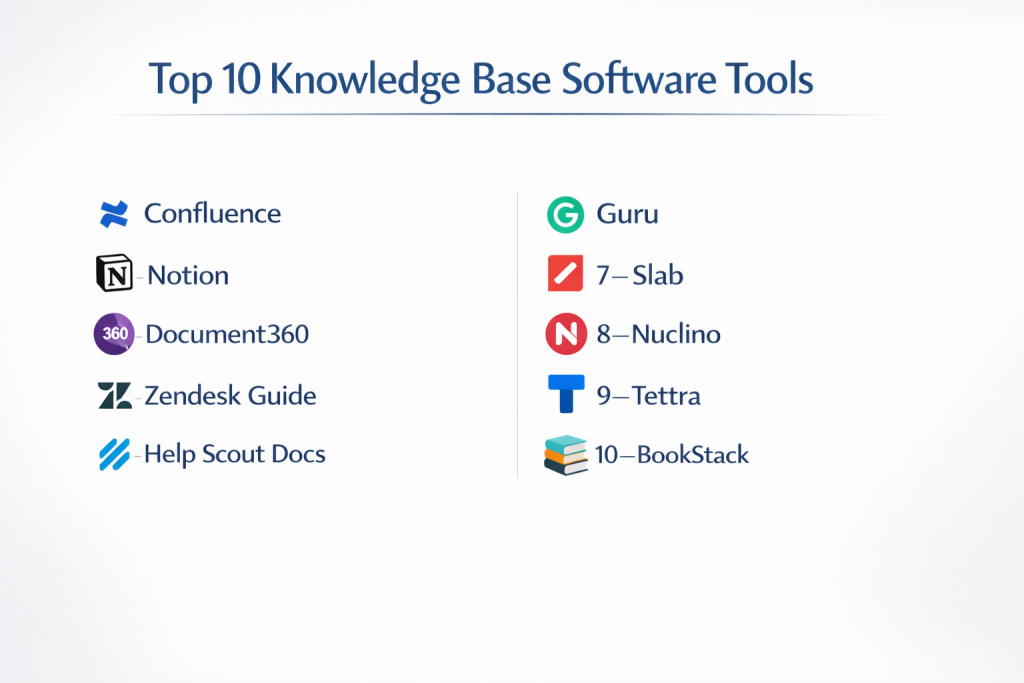
Top 10 Knowledge Base Software Tools
#1 — Confluence
Short description: A widely used team knowledge base and collaboration platform, especially popular among engineering and product teams.
Key Features
- Structured workspace and page hierarchy
- Real-time collaborative editing
- Templates for documentation
- Version history and tracking
- Integration with Jira
- Permissions and access control
- Rich media embedding
Pros
- Strong team collaboration features
- Excellent integration with development tools
Cons
- Can become cluttered at scale
- Requires governance for organization
Platforms / Deployment
Web / Windows / macOS / Mobile
Cloud / Self-hosted
Security & Compliance
SSO, access control, audit logs
Other certifications not publicly stated
Integrations & Ecosystem
Confluence integrates deeply with development and productivity tools.
- Jira
- Slack
- APIs
- Marketplace apps
Support & Community
Large global community with extensive documentation.
#2 — Notion
Short description: An all-in-one workspace combining notes, databases, and knowledge base capabilities for teams and individuals.
Key Features
- Block-based editor
- Linked databases
- Nested pages
- Templates and customization
- Collaboration tools
- Public sharing
- AI-assisted writing
Pros
- Highly flexible and easy to use
- Suitable for both personal and team use
Cons
- Can lack structure for large organizations
- Performance may slow with large datasets
Platforms / Deployment
Web / Windows / macOS / iOS / Android
Cloud
Security & Compliance
Access control, authentication
Other details not publicly stated
Integrations & Ecosystem
- Slack
- APIs
- Third-party integrations
Support & Community
Strong community and growing ecosystem.
#3 — Document360
Short description: A dedicated knowledge base platform designed for customer-facing documentation and help centers.
Key Features
- Category-based content organization
- Advanced search
- Version control
- Workflow management
- Analytics and reporting
- Custom branding
- API documentation support
Pros
- Purpose-built for knowledge bases
- Strong customer-facing features
Cons
- Pricing may be high for small teams
- Limited flexibility outside documentation
Platforms / Deployment
Web
Cloud
Security & Compliance
Access control, encryption
Other certifications not publicly stated
Integrations & Ecosystem
- Analytics tools
- Helpdesk systems
- APIs
Support & Community
Dedicated support and onboarding.
#4 — Zendesk Guide
Short description: A knowledge base tool integrated with Zendesk’s customer support ecosystem.
Key Features
- Help center creation
- AI-powered suggestions
- Content management
- Workflow automation
- Multilingual support
- Analytics
Pros
- Seamless integration with support systems
- Strong self-service capabilities
Cons
- Works best within Zendesk ecosystem
- Pricing tiers can be complex
Platforms / Deployment
Web
Cloud
Security & Compliance
SSO, encryption
Other certifications not publicly stated
Integrations & Ecosystem
- Zendesk Suite
- CRM tools
- APIs
Support & Community
Enterprise-grade support.
#5 — Help Scout Docs
Short description: A simple and user-friendly knowledge base tool for customer support teams.
Key Features
- Clean content editor
- Search functionality
- Custom branding
- Analytics
- Collaboration tools
Pros
- Easy to use
- Ideal for small teams
Cons
- Limited advanced features
- Less scalable
Platforms / Deployment
Web
Cloud
Security & Compliance
Not publicly stated
Integrations & Ecosystem
- Help Scout
- APIs
Support & Community
Good support and onboarding.
#6 — Guru
Short description: A knowledge management platform focused on delivering contextual knowledge within workflows.
Key Features
- Knowledge cards system
- Browser extension
- AI-powered suggestions
- Verification workflows
- Search and discovery
- Slack integration
Pros
- Contextual knowledge delivery
- Strong integrations
Cons
- Not a traditional structured KB
- Requires workflow adoption
Platforms / Deployment
Web / Browser extensions
Cloud
Security & Compliance
SSO, access control
Other certifications not publicly stated
Integrations & Ecosystem
- Slack
- Chrome
- APIs
Support & Community
Strong enterprise support.
#7 — Slab
Short description: A modern internal knowledge base tool designed for teams and collaboration.
Key Features
- Simple editor
- Topic-based organization
- Search functionality
- Version history
- Integrations
- Collaboration tools
Pros
- Clean UI and easy onboarding
- Strong search capabilities
Cons
- Limited advanced features
- Not ideal for external KB
Platforms / Deployment
Web
Cloud
Security & Compliance
Access control
Other details not publicly stated
Integrations & Ecosystem
- Slack
- GitHub
- APIs
Support & Community
Good documentation and support.
#8 — Nuclino
Short description: A lightweight and fast knowledge base tool for teams.
Key Features
- Real-time collaboration
- Graph-based navigation
- Internal linking
- Clean UI
- Version history
Pros
- Extremely easy to use
- Fast performance
Cons
- Limited enterprise features
- Basic customization
Platforms / Deployment
Web / Mobile
Cloud
Security & Compliance
Not publicly stated
Integrations & Ecosystem
- APIs
- Integrations
Support & Community
Active user base and documentation.
#9 — Tettra
Short description: A knowledge base tool built for internal team documentation and collaboration.
Key Features
- Q&A-based knowledge sharing
- Slack integration
- Content organization
- Verification workflows
- Search functionality
Pros
- Great for internal teams
- Strong Slack integration
Cons
- Limited external publishing
- Smaller ecosystem
Platforms / Deployment
Web
Cloud
Security & Compliance
Not publicly stated
Integrations & Ecosystem
- Slack
- Google Workspace
Support & Community
Moderate support.
#10 — BookStack
Short description: An open-source knowledge base platform with a simple and structured documentation system.
Key Features
- Book-style organization
- WYSIWYG editor
- Role-based permissions
- Search functionality
- API support
Pros
- Open-source and customizable
- Easy structure
Cons
- Requires self-hosting
- Limited enterprise features
Platforms / Deployment
Web
Self-hosted
Security & Compliance
Role-based access
Other details not publicly stated
Integrations & Ecosystem
- APIs
- Custom integrations
Support & Community
Active open-source community.
Comparison Table (Top 10)
| Tool Name | Best For | Platform(s) Supported | Deployment | Standout Feature | Public Rating |
|---|---|---|---|---|---|
| Confluence | Teams & devs | All platforms | Hybrid | Structured docs | N/A |
| Notion | Flexible workspace | All platforms | Cloud | All-in-one tool | N/A |
| Document360 | Customer docs | Web | Cloud | Dedicated KB | N/A |
| Zendesk Guide | Support teams | Web | Cloud | Helpdesk integration | N/A |
| Help Scout Docs | SMB support | Web | Cloud | Simplicity | N/A |
| Guru | Contextual knowledge | Web | Cloud | Knowledge cards | N/A |
| Slab | Internal teams | Web | Cloud | Clean UI | N/A |
| Nuclino | Lightweight KB | Web | Cloud | Speed | N/A |
| Tettra | Slack teams | Web | Cloud | Q&A format | N/A |
| BookStack | Open-source | Web | Self-hosted | Book structure | N/A |
Evaluation & Scoring of Knowledge Base Software
| Tool Name | Core (25%) | Ease (15%) | Integrations (15%) | Security (10%) | Performance (10%) | Support (10%) | Value (15%) | Weighted Total |
|---|---|---|---|---|---|---|---|---|
| Confluence | 9 | 7 | 9 | 8 | 8 | 9 | 8 | 8.4 |
| Notion | 8 | 9 | 8 | 7 | 8 | 8 | 9 | 8.3 |
| Document360 | 9 | 7 | 8 | 8 | 8 | 8 | 7 | 8.0 |
| Zendesk Guide | 8 | 7 | 9 | 8 | 8 | 9 | 7 | 8.1 |
| Help Scout Docs | 7 | 9 | 7 | 6 | 8 | 7 | 8 | 7.7 |
| Guru | 8 | 8 | 9 | 7 | 8 | 8 | 7 | 8.0 |
| Slab | 7 | 9 | 7 | 7 | 8 | 7 | 8 | 7.8 |
| Nuclino | 7 | 10 | 6 | 6 | 9 | 7 | 9 | 7.9 |
| Tettra | 7 | 8 | 7 | 6 | 8 | 7 | 7 | 7.3 |
| BookStack | 7 | 6 | 6 | 6 | 7 | 6 | 9 | 7.0 |
How to interpret the scores:
- Scores are relative comparisons across tools
- Higher totals indicate broader capabilities
- Lower scores may still suit specific use cases
- Choose based on workflow and team needs
Which Knowledge Base Software Tool Is Right for You?
Solo / Freelancer
Best options: Notion, Nuclino
Focus on simplicity and flexibility.
SMB
Best options: Help Scout Docs, Slab
Balance usability and collaboration.
Mid-Market
Best options: Confluence, Guru
Need structured knowledge and integrations.
Enterprise
Best options: Confluence, Zendesk Guide, Document360
Focus on scale, automation, and compliance.
Budget vs Premium
- Budget: BookStack, Nuclino
- Premium: Confluence, Zendesk Guide
Feature Depth vs Ease of Use
- Feature-rich: Confluence, Document360
- Easy-to-use: Notion, Nuclino
Integrations & Scalability
- Strong: Confluence, Zendesk
- Limited: Tettra
Security & Compliance Needs
- Stronger: Confluence, Zendesk
- Moderate: Others
Frequently Asked Questions (FAQs)
What is knowledge base software?
A tool used to create and manage structured information repositories.
What is the difference between internal and external knowledge bases?
Internal is for employees; external is for customers.
Can knowledge bases reduce support tickets?
Yes, they enable self-service and reduce repetitive queries.
Are these tools cloud-based?
Most are cloud-based, with some self-hosted options.
Do they support AI?
Many include AI for search and recommendations.
Can non-technical users use them?
Yes, most offer user-friendly editors.
How do they integrate with helpdesk tools?
Through APIs and native integrations.
Are they secure?
Most include access control and encryption.
Can I migrate between tools?
Yes, but requires planning and content restructuring.
What are alternatives?
Wikis, document management systems, and note-taking apps.
Conclusion
Knowledge Base Software is essential for organizations aiming to scale knowledge sharing, improve support efficiency, and streamline internal documentation. From simple tools to enterprise-grade platforms, there is a wide range of options available.