Introduction
Browser-based Single Sign-On SSO Portals help organizations simplify and secure user authentication across multiple cloud applications, websites, and enterprise systems using a centralized login experience. Instead of requiring employees to remember separate usernames and passwords for every application, SSO portals allow users to authenticate once through a web browser and gain seamless access to approved services.
As organizations increasingly adopt SaaS platforms, hybrid work environments, remote collaboration, and cloud-native infrastructure, browser-based SSO has become a core component of modern identity and access management strategies. These platforms improve productivity, reduce password fatigue, strengthen security policies, and simplify identity governance across distributed environments.
Common real-world use cases include:
- Centralized employee access management
- SaaS application authentication
- Remote workforce identity security
- Zero Trust access enforcement
- User onboarding and offboarding automation
Buyers evaluating browser-based SSO portals should focus on:
- SSO protocol support
- Multi-factor authentication capabilities
- SaaS integration ecosystem
- Identity governance features
- Adaptive authentication
- Zero Trust compatibility
- API and developer support
- Compliance visibility
- Scalability
- Ease of deployment
Best for: Enterprises, SaaS-heavy organizations, remote workforce environments, educational institutions, financial services, healthcare organizations, and cloud-native businesses.
Not ideal for: Very small businesses with minimal SaaS usage or organizations relying entirely on isolated local authentication systems.
Key Trends in Browser-based SSO Portals
- Passwordless authentication adoption is increasing rapidly.
- AI-assisted adaptive authentication is improving threat detection.
- Identity-centric Zero Trust security models are becoming standard.
- Browser-native passkey authentication support is expanding.
- API-first identity platforms are gaining popularity among developers.
- Unified identity governance and SSO workflows are becoming more integrated.
- SaaS lifecycle automation is improving onboarding and offboarding efficiency.
- Machine identity and API access management are becoming major focus areas.
- Identity threat detection and response capabilities are expanding.
- Hybrid and multi-cloud identity federation support is becoming increasingly important.
How We Selected These Tools Methodology
The platforms in this list were selected based on enterprise adoption, SSO functionality, and identity management maturity.
- Evaluated SSO protocol support including SAML and OIDC
- Assessed SaaS application integration breadth
- Reviewed MFA and adaptive authentication capabilities
- Considered identity governance and lifecycle management features
- Evaluated developer APIs and customization flexibility
- Reviewed compliance and audit functionality
- Assessed scalability across enterprise environments
- Considered usability and deployment simplicity
- Evaluated cloud and hybrid infrastructure compatibility
- Reviewed customer adoption and ecosystem maturity
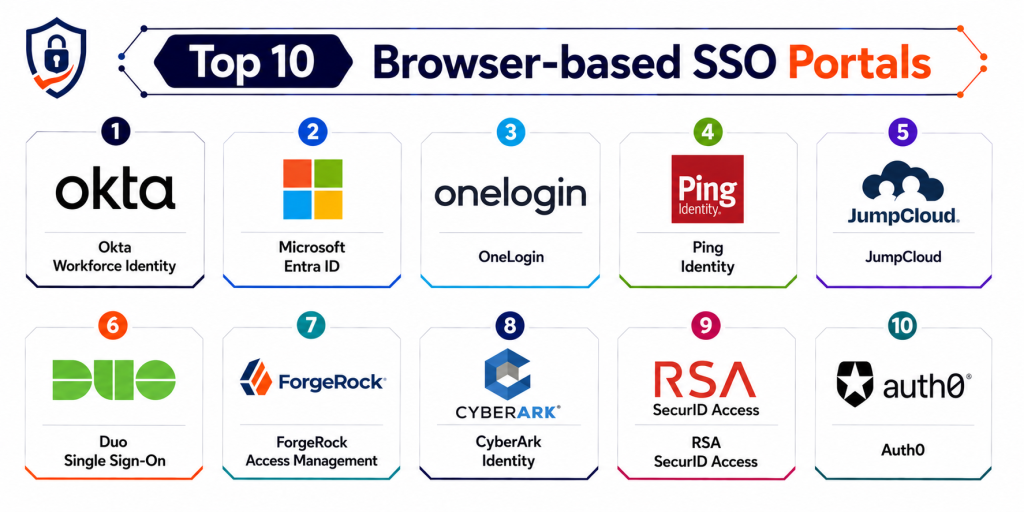
Top 10 Browser-based SSO Portals
1- Okta
Short description: Okta is one of the most widely adopted browser-based SSO platforms, providing centralized identity management, adaptive authentication, and SaaS application access for enterprises and cloud-native organizations.
Key Features
- Browser-based SSO portal
- Adaptive MFA
- Lifecycle automation
- Passwordless authentication
- Access governance
- Threat analytics
- Large SaaS integration catalog
Pros
- Massive SaaS integration ecosystem
- Strong enterprise scalability
- Mature identity governance capabilities
Cons
- Premium pricing structure
- Advanced workflows may become complex
- Some governance features require higher-tier licensing
Platforms / Deployment
- Web
- Cloud / Hybrid
Security & Compliance
- SSO/SAML
- MFA
- RBAC
- Audit logging
- Encryption support
- Compliance reporting support
Integrations & Ecosystem
Okta supports one of the largest SaaS integration ecosystems in the IAM market.
- AWS
- Google Workspace
- Salesforce
- Slack
- Zoom
- APIs
Support & Community
Extensive enterprise documentation with strong developer and administrator community adoption.
2- Microsoft Entra ID
Short description: Microsoft Entra ID formerly Azure AD provides browser-based SSO tightly integrated with Microsoft cloud environments while supporting enterprise SaaS authentication and identity governance.
Key Features
- Browser-based SSO
- Conditional access policies
- MFA support
- Identity governance
- Hybrid identity management
- Risk-based authentication
- User lifecycle management
Pros
- Deep Microsoft ecosystem integration
- Strong enterprise compliance capabilities
- Broad hybrid environment support
Cons
- Best suited for Microsoft-centric organizations
- Complex enterprise configuration
- Advanced security features may require premium licensing
Platforms / Deployment
- Web
- Cloud / Hybrid
Security & Compliance
- SSO/SAML
- MFA
- RBAC
- Audit logs
- Encryption support
Integrations & Ecosystem
Microsoft Entra integrates tightly with Microsoft cloud services and enterprise SaaS applications.
- Azure
- Microsoft 365
- AWS
- ServiceNow
- Salesforce
- APIs
Support & Community
Large enterprise ecosystem with extensive Microsoft documentation and support resources.
3- Google Workspace SSO
Short description: Google Workspace SSO provides browser-based authentication and identity management for organizations operating within Google cloud productivity environments.
Key Features
- Web-based SSO
- Context-aware access controls
- Device-based security policies
- Centralized identity management
- User provisioning
- Browser-native integrations
- MFA support
Pros
- Easy deployment and administration
- Strong Google ecosystem integration
- Good remote workforce support
Cons
- Limited advanced enterprise governance
- Less flexible for complex hybrid environments
- Security customization depth may vary
Platforms / Deployment
- Web
- Cloud
Security & Compliance
- SSO/SAML
- MFA
- Audit logging
- Encryption support
Integrations & Ecosystem
Google Workspace integrates broadly with cloud applications and browser-based services.
- Google Cloud
- Slack
- Zoom
- Salesforce
- SaaS applications
- APIs
Support & Community
Strong documentation ecosystem with broad cloud productivity adoption.
4- OneLogin
Short description: OneLogin provides browser-based SSO with identity governance, adaptive authentication, and cloud application access management for SMB and enterprise environments.
Key Features
- Unified SSO portal
- SmartFactor authentication
- User provisioning
- Role-based access control
- Cloud directory integrations
- User activity monitoring
- MFA support
Pros
- User-friendly interface
- Competitive pricing compared to larger vendors
- Good onboarding experience
Cons
- Smaller ecosystem than Okta
- Governance analytics may vary
- Enterprise scaling complexity for large deployments
Platforms / Deployment
- Web
- Cloud
Security & Compliance
- SSO/SAML
- MFA
- RBAC
- Audit logs
- Encryption support
Integrations & Ecosystem
OneLogin integrates with SaaS applications, identity systems, and cloud environments.
- AWS
- Google Workspace
- Slack
- Salesforce
- APIs
- HR systems
Support & Community
Good enterprise onboarding resources with practical implementation guidance.
5- Auth0
Short description: Auth0 is a developer-focused identity platform providing browser-based SSO, customizable authentication workflows, and API-first identity management.
Key Features
- Browser-based SSO
- Custom login flows
- Social authentication
- Adaptive MFA
- API-first architecture
- Threat analytics
- Passwordless authentication
Pros
- Excellent developer flexibility
- Strong API ecosystem
- Highly customizable authentication workflows
Cons
- Less friendly for non-technical administrators
- Pricing can scale rapidly with usage
- Advanced governance features may require expertise
Platforms / Deployment
- Web
- Cloud
Security & Compliance
- SSO/SAML
- MFA
- Audit logging
- Encryption support
Integrations & Ecosystem
Auth0 integrates deeply with developer environments and SaaS ecosystems.
- AWS
- Azure
- GitHub
- Google Workspace
- APIs
- CI/CD platforms
Support & Community
Large developer community with extensive API documentation and tutorials.
6- Ping Identity
Short description: Ping Identity provides enterprise-grade browser-based SSO, federation services, and advanced identity governance for complex hybrid and multi-cloud environments.
Key Features
- Browser-based SSO
- Adaptive access controls
- Federation services
- API access security
- Identity orchestration
- Advanced reporting
- MFA support
Pros
- Strong enterprise-grade security
- Excellent federation capabilities
- Broad hybrid infrastructure support
Cons
- Steep learning curve
- Enterprise-focused pricing
- Complex implementation workflows
Platforms / Deployment
- Web
- Cloud / Hybrid
Security & Compliance
- SSO/SAML
- MFA
- RBAC
- Audit logging
- Encryption support
Integrations & Ecosystem
Ping Identity integrates with enterprise identity systems and cloud infrastructure.
- AWS
- Azure
- Kubernetes
- Salesforce
- APIs
- DevOps tools
Support & Community
Strong enterprise support and professional implementation services.
7- JumpCloud
Short description: JumpCloud combines browser-based SSO with cloud directory services, device management, and cross-platform identity administration.
Key Features
- Browser-based SSO
- Cloud directory services
- Device management
- MFA support
- Cross-platform user management
- LDAP and RADIUS support
- Centralized identity administration
Pros
- Strong SMB and mid-market value
- Simple deployment workflows
- Good cross-platform compatibility
Cons
- Enterprise governance depth may vary
- Limited customization for complex deployments
- Smaller enterprise ecosystem
Platforms / Deployment
- Web
- Cloud
Security & Compliance
- SSO/SAML
- MFA
- Audit logs
- Encryption support
Integrations & Ecosystem
JumpCloud integrates with SaaS applications and device management environments.
- AWS
- Google Workspace
- Microsoft 365
- Slack
- APIs
- Endpoint tools
Support & Community
Good documentation with active cloud identity community engagement.
8- Keycloak
Short description: Keycloak is an open-source identity and access management platform providing browser-based SSO and customizable authentication workflows for technical teams.
Key Features
- Browser-based SSO
- OpenID Connect and SAML support
- User federation
- Role-based access control
- Custom login themes
- Self-hosted flexibility
- Identity brokering
Pros
- Free and open-source
- Highly customizable
- Strong protocol support
Cons
- Requires technical expertise
- No default enterprise support
- Operational management complexity
Platforms / Deployment
- Web
- Self-hosted / Hybrid
Security & Compliance
- RBAC
- MFA support
- Audit logging
- Encryption support
Integrations & Ecosystem
Keycloak integrates with enterprise applications and developer ecosystems.
- Kubernetes
- Docker
- APIs
- DevOps platforms
- Cloud providers
Support & Community
Large open-source community with strong developer-driven adoption.
9- Duo SSO
Short description: Duo SSO by Cisco focuses heavily on browser-based authentication security, MFA enforcement, and secure access workflows for distributed workforces.
Key Features
- Browser-based SSO
- MFA-first authentication
- Device trust verification
- Adaptive access controls
- User activity monitoring
- Cloud application access
- Security policy enforcement
Pros
- Strong MFA capabilities
- Good remote workforce security
- Easy deployment experience
Cons
- Limited deep identity governance
- Smaller SSO ecosystem than Okta
- Advanced workflows may require additional Cisco products
Platforms / Deployment
- Web
- Cloud
Security & Compliance
- MFA
- RBAC
- Audit logs
- Encryption support
Integrations & Ecosystem
Duo integrates with cloud applications and Cisco security ecosystems.
- Cisco Security
- AWS
- Microsoft 365
- Google Workspace
- APIs
- Endpoint tools
Support & Community
Strong security-focused documentation with enterprise support resources.
10- ForgeRock
Short description: ForgeRock provides enterprise identity orchestration, browser-based SSO, and customer identity management for large-scale enterprise environments.
Key Features
- Browser-based SSO
- Identity orchestration
- MFA support
- Access governance
- Customer identity management
- Adaptive authentication
- API security support
Pros
- Strong enterprise scalability
- Advanced identity orchestration
- Broad hybrid deployment support
Cons
- Complex deployment workflows
- Enterprise-focused pricing
- Operational expertise recommended
Platforms / Deployment
- Web
- Cloud / Hybrid
Security & Compliance
- SSO/SAML
- MFA
- RBAC
- Audit logs
- Encryption support
Integrations & Ecosystem
ForgeRock integrates with enterprise infrastructure and cloud identity ecosystems.
- AWS
- Azure
- Kubernetes
- APIs
- DevOps platforms
- SaaS applications
Support & Community
Strong enterprise implementation support with mature identity governance documentation.
Comparison Table
| Tool Name | Best For | Platform(s) Supported | Deployment | Standout Feature | Public Rating |
|---|---|---|---|---|---|
| Okta | Enterprise SaaS authentication | Web, Cloud | Cloud, Hybrid | Massive integration ecosystem | N/A |
| Microsoft Entra ID | Microsoft-centric enterprises | Web, Cloud | Cloud, Hybrid | Deep Microsoft integration | N/A |
| Google Workspace SSO | SMB cloud productivity | Web | Cloud | Simplicity and usability | N/A |
| OneLogin | Mid-market SSO management | Web, Cloud | Cloud | SmartFactor authentication | N/A |
| Auth0 | Developer-focused identity workflows | Web, APIs | Cloud | API-first architecture | N/A |
| Ping Identity | Enterprise federation | Web, Hybrid | Cloud, Hybrid | Advanced identity federation | N/A |
| JumpCloud | SMB identity and device management | Web, Devices | Cloud | Unified cloud directory | N/A |
| Keycloak | Open-source SSO | Web | Self-hosted, Hybrid | Open-source flexibility | N/A |
| Duo SSO | Security-focused remote access | Web | Cloud | MFA-first authentication | N/A |
| ForgeRock | Enterprise identity orchestration | Web, Hybrid | Cloud, Hybrid | Identity orchestration | N/A |
Evaluation & Scoring of Browser-based SSO Portals
| Tool Name | Core 25% | Ease 15% | Integrations 15% | Security 10% | Performance 10% | Support 10% | Value 15% | Weighted Total |
|---|---|---|---|---|---|---|---|---|
| Okta | 9 | 8 | 10 | 9 | 8 | 9 | 7 | 8.55 |
| Microsoft Entra ID | 9 | 7 | 9 | 9 | 8 | 9 | 8 | 8.45 |
| Google Workspace SSO | 7 | 9 | 7 | 7 | 8 | 8 | 9 | 7.95 |
| OneLogin | 8 | 8 | 8 | 8 | 8 | 8 | 8 | 8.00 |
| Auth0 | 9 | 7 | 9 | 8 | 8 | 8 | 7 | 8.00 |
| Ping Identity | 9 | 6 | 8 | 9 | 8 | 9 | 6 | 7.90 |
| JumpCloud | 7 | 8 | 7 | 7 | 7 | 7 | 9 | 7.50 |
| Keycloak | 7 | 5 | 7 | 7 | 7 | 6 | 10 | 7.00 |
| Duo SSO | 7 | 8 | 7 | 9 | 8 | 8 | 8 | 7.75 |
| ForgeRock | 9 | 6 | 8 | 9 | 8 | 8 | 6 | 7.80 |
These scores are comparative rather than absolute. Higher scores generally indicate broader enterprise readiness, stronger identity governance, and deeper SaaS integration capabilities. Open-source or SMB-focused platforms may still provide excellent value depending on deployment complexity and organizational priorities.
Which Browser-based SSO Portal Is Right for You?
Solo / Freelancer
Small teams and independent businesses often benefit from lightweight and user-friendly platforms such as Google Workspace SSO or JumpCloud because of their simpler deployment and operational workflows.
SMB
Small and medium businesses should prioritize SaaS integrations, ease of deployment, and centralized identity visibility. OneLogin and JumpCloud provide balanced functionality for growing environments.
Mid-Market
Mid-market organizations often require stronger identity governance, automation, and lifecycle management. Okta and Auth0 provide scalable capabilities with strong SaaS compatibility.
Enterprise
Large enterprises typically need centralized governance, federation services, advanced compliance controls, and hybrid infrastructure support. Microsoft Entra ID, Ping Identity, and ForgeRock are strong enterprise-focused choices.
Budget vs Premium
Open-source and lightweight SSO solutions generally provide lower operational costs and easier onboarding. Enterprise-grade platforms offer stronger governance, adaptive authentication, and identity orchestration but usually require larger budgets.
Feature Depth vs Ease of Use
Platforms such as Ping Identity and ForgeRock provide deep enterprise identity capabilities but may require more operational expertise. OneLogin and Google Workspace SSO emphasize usability and faster deployment.
Integrations & Scalability
Organizations with mature SaaS ecosystems should prioritize integrations with HR systems, cloud providers, SIEM platforms, collaboration tools, APIs, and DevOps workflows.
Security & Compliance Needs
Regulated industries should prioritize MFA enforcement, adaptive authentication, audit logging, identity governance, and Zero Trust access controls. Browser-based SSO deployments also require strong implementation practices to avoid weak authentication flows and security misconfigurations.
Frequently Asked Questions FAQs
1. What is a Browser-based SSO Portal?
A Browser-based SSO Portal allows users to log in once through a web browser and securely access multiple cloud applications and enterprise systems without repeated authentication.
2. Why are SSO portals important?
SSO portals reduce password fatigue, improve productivity, strengthen security policies, and simplify centralized identity management across SaaS environments.
3. What authentication protocols do SSO platforms support?
Most modern SSO platforms support SAML, OpenID Connect OIDC, OAuth, LDAP, and federation protocols for application authentication.
4. What is adaptive authentication?
Adaptive authentication dynamically adjusts login security requirements based on factors such as location, device, behavior, and risk signals.
5. Are browser-based SSO portals secure?
Yes, when implemented correctly with MFA, strong identity governance, audit logging, and secure authentication flows.
6. Can SSO portals support remote work environments?
Yes. Browser-based SSO is widely used to secure remote workforce access to SaaS applications and cloud platforms.
7. What integrations are most important for SSO platforms?
Important integrations include SaaS applications, HR systems, cloud providers, SIEM platforms, APIs, collaboration tools, and identity governance platforms.
8. What are common SSO deployment mistakes?
Common mistakes include weak MFA enforcement, poor role management, incomplete SaaS integrations, and insecure federation configurations.
9. Is passwordless authentication becoming common?
Yes. Many platforms now support passkeys, biometrics, hardware keys, and browser-native passwordless authentication technologies.
10. Can SSO platforms replace identity governance tools?
Some enterprise SSO platforms include governance capabilities, but many organizations still use dedicated identity governance or privileged access management solutions alongside SSO systems.
Conclusion
Browser-based SSO Portals have become essential identity and access management solutions for organizations operating modern SaaS ecosystems, cloud-native infrastructure, hybrid work environments, and distributed enterprise applications. These platforms help organizations improve authentication security, reduce password fatigue, centralize access management, and strengthen Zero Trust security strategies through centralized identity governance and browser-based authentication workflows. Enterprise buyers should carefully evaluate SaaS integration breadth, adaptive authentication capabilities, identity governance functionality, deployment flexibility, developer support, and operational scalability before selecting a platform. Okta, Microsoft Entra ID, and Ping Identity provide strong enterprise-grade identity and federation capabilities, while OneLogin and JumpCloud offer practical and scalable options for SMB and mid-market organizations. Open-source solutions such as Keycloak remain highly valuable for technically skilled teams requiring customization and self-hosted flexibility. The best platform ultimately depends on SaaS ecosystem complexity, compliance requirements, cloud maturity, operational expertise, and organizational scale. Shortlist a few platforms, run pilot deployments across your core SaaS applications, validate integrations with your security and HR systems, and carefully evaluate authentication workflows before making a long-term identity security investment decision.
This guide clearly explains SSO portal features and tools. The pros and cons help choose the right authentication solution easily.
I liked the simple explanation of single sign on systems. The article is useful for beginners learning identity tools.