Introduction
Video Management Platforms help organizations store, organize, secure, publish, stream, analyze, and govern video content from one central system. These platforms are used for training videos, webinars, internal communications, product demos, customer education, virtual events, executive messages, marketing videos, sales enablement, and media libraries.
A Video Management Platform is more advanced than basic video hosting because it usually includes content libraries, metadata, search, permissions, access control, live streaming, captions, transcripts, analytics, user roles, video portals, integrations, and enterprise governance. Many platforms also support branded players, internal video channels, learning workflows, monetization, and secure sharing. Enterprise video tools commonly support video hosting, live streaming, recorded video management, analytics, branded portals, and secure access controls.
Real-world use cases include:
- Managing internal training and onboarding video libraries
- Hosting webinars, events, and executive broadcasts
- Organizing product demo and customer education videos
- Creating secure internal video portals
- Tracking viewer engagement and completion rates
- Sharing videos with employees, customers, partners, or learners
Buyer evaluation criteria should include:
- Video library organization
- Search, metadata, transcripts, and captions
- Live streaming and video-on-demand support
- Security, privacy, and access controls
- Viewer analytics and engagement reporting
- Branding and video portal customization
- LMS, CRM, CMS, and collaboration integrations
- User permissions and governance
- Scalability for large video libraries
- Pricing, onboarding, and support quality
Best for: Enterprises, universities, training teams, HR teams, marketing teams, sales teams, customer education teams, media teams, event teams, and organizations that need secure and organized video operations.
Not ideal for: Solo creators who only need public video publishing, very small teams that only share occasional files, or businesses that do not need analytics, access controls, searchable libraries, or branded video experiences.
Key Trends in Video Management Platforms
- Enterprise video libraries are becoming searchable: Teams want transcripts, captions, tags, chapters, and AI-powered search so viewers can find exact moments inside long videos.
- Internal video portals are growing: Companies need branded, secure video hubs for training, leadership updates, compliance content, and employee communication.
- Live and on-demand workflows are merging: Many platforms now support live events and automatically convert recordings into reusable video libraries.
- Security is a major buying factor: Businesses need SSO, user permissions, private channels, password protection, domain restrictions, and access logs.
- Learning and training workflows are expanding: Video platforms increasingly integrate with LMS tools and support learner engagement, quizzes, captions, and completion tracking.
- Video analytics are becoming more detailed: Teams want watch time, drop-off points, viewer identity, engagement rates, completion data, and content performance.
- AI-assisted video management is rising: Transcription, translation, summarization, chapter generation, and video search are becoming more common.
- Branded viewing experiences matter more: Businesses want custom video portals and players without unrelated ads or distracting recommendations.
- Hybrid work is increasing demand: Remote teams need secure video communication for meetings, town halls, training, and knowledge sharing.
- Developer and API flexibility matters: Larger teams want APIs, embeds, custom portals, and integration with internal systems.
How We Selected These Tools
The tools in this list were selected using practical buyer-focused evaluation logic:
- Strong recognition in enterprise video, video content management, video hosting, streaming, education video, or business video workflows
- Ability to manage video libraries, live streams, recorded content, access control, analytics, and publishing workflows
- Fit across enterprises, universities, marketing teams, sales teams, training teams, media teams, and developers
- Practical support for privacy, permissions, transcripts, captions, search, video portals, and branded playback
- Integration strength with LMS, CMS, CRM, marketing automation, collaboration, and enterprise identity systems
- Ease of use for administrators, content managers, trainers, marketers, and viewers
- Scalability for large video libraries, global teams, live events, and high viewer volume
- Reporting capabilities for engagement, completion, viewer behavior, and video performance
- Security and governance controls such as SSO, RBAC, audit logs, and restricted access
- Overall value based on video quality, workflow depth, reliability, support, and business fit
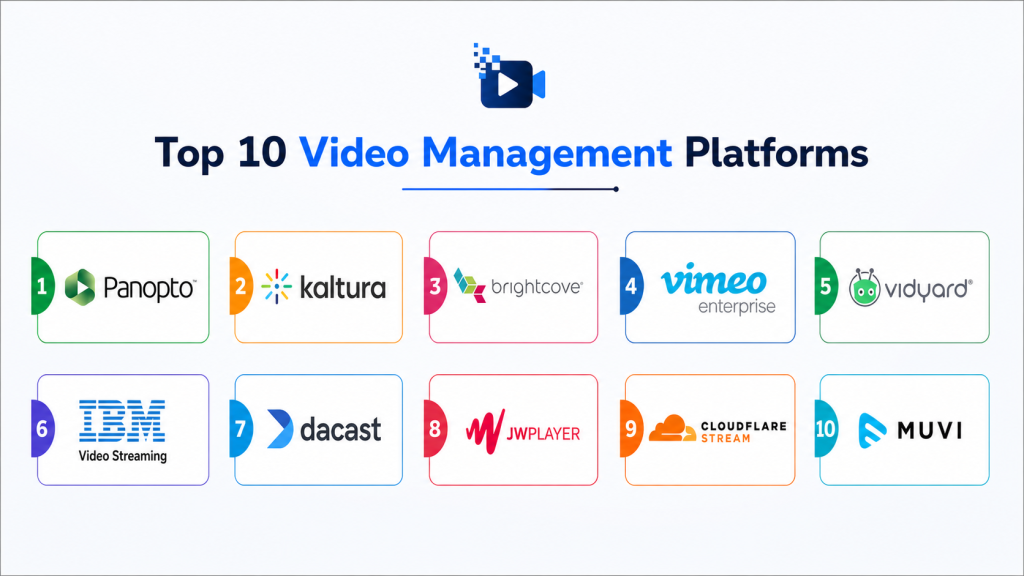
Top 10 Video Management Platforms
#1 — Panopto
Short description: Panopto is a video management platform focused on enterprise learning, lecture capture, internal training, searchable video libraries, and secure knowledge sharing. It is widely used by universities, enterprises, and training teams that need organized video libraries. Panopto is especially strong when users need searchable recorded content, training videos, and education-focused workflows.
Key Features
- Video content management library
- Lecture capture and training video support
- Searchable transcripts and video search
- Live streaming and recording workflows
- LMS integration support
- Secure sharing and access controls
- Viewer analytics and engagement data
Pros
- Strong for education, training, and internal knowledge sharing
- Good searchable video library capabilities
- Useful for organizations with large training content libraries
Cons
- May be more learning-focused than marketing-focused
- Setup can require admin planning
- Small teams may not need full platform depth
Platforms / Deployment
Cloud
Web-based platform
LMS and enterprise integrations
Security & Compliance
Security controls may include SSO, permissions, access control, and private video sharing. Buyers should validate encryption, audit logs, retention, user roles, and compliance needs directly.
Integrations & Ecosystem
Panopto fits learning, internal training, lecture capture, onboarding, compliance training, and knowledge management workflows.
- LMS platforms
- Video portals
- Enterprise identity systems
- Collaboration tools
- Training workflows
- Internal knowledge systems
Support & Community
Panopto provides documentation, onboarding resources, technical support, training materials, and education-focused implementation guidance. Support depth may vary by plan and contract.
#2 — Kaltura
Short description: Kaltura is an enterprise video platform used for education, corporate video, virtual events, video portals, webinars, live streaming, and media management. It is flexible and often used by universities, enterprises, and organizations that need customized video workflows. Kaltura is commonly positioned for education, enterprise, and interactive video use cases with live and on-demand video management.
Key Features
- Video content management
- Live streaming and on-demand video
- Video portals and media galleries
- LMS and education integrations
- Captions and accessibility workflows
- Interactive video features may be available
- Analytics and viewer engagement reporting
Pros
- Strong for education and enterprise video workflows
- Flexible platform for video portals and learning experiences
- Useful for live, recorded, and interactive video use cases
Cons
- Can require technical setup and administration
- May feel complex for smaller teams
- Pricing and modules should be reviewed carefully
Platforms / Deployment
Cloud / Hybrid options may vary
Web-based platform
LMS and enterprise integrations
Security & Compliance
Enterprise security controls may be available. Buyers should validate SSO, permissions, access controls, encryption, audit logs, retention, and compliance requirements directly.
Integrations & Ecosystem
Kaltura works well for learning, training, virtual events, internal video portals, and enterprise media workflows.
- LMS platforms
- CMS platforms
- Enterprise portals
- Webinar workflows
- Virtual events
- Analytics tools
Support & Community
Kaltura provides documentation, implementation support, customer success assistance, training, and technical resources. Support depth may vary by package.
#3 — Brightcove
Short description: Brightcove is an enterprise video platform for streaming, video management, live events, monetization, marketing video, and media workflows. It is best suited for large organizations, broadcasters, publishers, and enterprises that need reliable video operations at scale. Brightcove is commonly used for enterprise-grade hosting, streaming, analytics, and video content management.
Key Features
- Enterprise video hosting and management
- Live streaming and event support
- Video-on-demand workflows
- Customizable video player
- Monetization support
- Analytics and reporting
- Enterprise workflow controls
Pros
- Strong for enterprise and media-grade video needs
- Good fit for large video libraries and streaming workflows
- Useful for organizations needing professional video delivery
Cons
- May be too advanced for smaller teams
- Implementation can require technical planning
- Pricing is usually enterprise-oriented
Platforms / Deployment
Cloud
Web-based platform
Enterprise streaming workflows
Security & Compliance
Enterprise security controls may be available. Buyers should validate SSO, RBAC, encryption, access controls, audit logs, retention, and compliance requirements directly.
Integrations & Ecosystem
Brightcove fits media, publishing, enterprise communication, event streaming, monetized video, and marketing video workflows.
- CMS platforms
- Live event tools
- OTT workflows
- Marketing systems
- Analytics platforms
- Monetization workflows
Support & Community
Brightcove provides enterprise support, documentation, technical resources, implementation assistance, and customer success options. Support depth may vary by contract.
#4 — Vimeo Enterprise
Short description: Vimeo Enterprise is a business video platform for secure hosting, live streaming, branded video experiences, collaboration, privacy controls, and video analytics. It is useful for companies that want professional video management without the distractions of public video platforms. Vimeo Enterprise is especially practical for branded video communication, marketing, training, and events.
Key Features
- Secure video hosting
- Live streaming support
- Branded video player
- Team collaboration features
- Privacy and access controls
- Video analytics
- Internal and external sharing workflows
Pros
- Clean and professional viewing experience
- Strong branding and privacy controls
- Easier to use than many heavy enterprise platforms
Cons
- Public discovery is weaker than YouTube
- Advanced enterprise needs should be validated
- Pricing and limits depend on package
Platforms / Deployment
Cloud
Web-based platform
Mobile apps available
Security & Compliance
Business and enterprise security controls may be available. Buyers should validate SSO, domain restrictions, password protection, permissions, encryption, retention, and compliance needs directly.
Integrations & Ecosystem
Vimeo Enterprise fits branded video, internal communication, marketing videos, creative review, and live event workflows.
- Websites
- Marketing workflows
- Live events
- Collaboration tools
- Course platforms
- Video review workflows
Support & Community
Vimeo provides documentation, learning resources, customer support options, onboarding resources, and creator education. Support depth may vary by plan.
#5 — Vidyard
Short description: Vidyard is a video platform for sales, marketing, customer success, and business communication teams. It supports video hosting, recording, sharing, analytics, and personalized video workflows. Vidyard is especially useful for B2B teams that use video for sales outreach, product demos, customer education, and engagement tracking.
Key Features
- Video hosting and management
- Screen and webcam recording
- Personalized video sharing
- Viewer engagement analytics
- CRM and sales tool integrations
- Calls to action and lead engagement support
- Team video libraries
Pros
- Strong for sales and marketing video workflows
- Useful engagement tracking for B2B teams
- Good fit for personalized video communication
Cons
- Not focused on public video discovery
- Requires sales and marketing adoption to show value
- Pricing and feature access should be reviewed carefully
Platforms / Deployment
Cloud
Web-based platform
Browser and recording tools may vary
Security & Compliance
Enterprise security features may be available. Buyers should validate SSO, user permissions, access controls, encryption, retention, audit logs, and compliance needs directly.
Integrations & Ecosystem
Vidyard fits video selling, customer success, marketing campaigns, product demos, and account-based engagement workflows.
- CRM systems
- Sales engagement platforms
- Marketing automation tools
- Email workflows
- Customer success platforms
- Website embeds
Support & Community
Vidyard provides documentation, onboarding support, customer success resources, sales video education, and technical assistance. Support depth may vary by package.
#6 — IBM Video Streaming
Short description: IBM Video Streaming is a cloud-based platform for live video hosting, transcoding, on-demand video management, analytics, and secure corporate video experiences. It supports open and password-protected channels, branded portals, AI-driven video search, and secure access workflows. IBM describes the platform as supporting live and on-demand video, deep video search, customizable portals, mobile-compatible playback, and developer APIs.
Key Features
- Live video streaming
- On-demand video management
- AI-driven video search
- Password-protected channels
- Branded video portals
- Mobile-compatible player
- Developer APIs and analytics
Pros
- Strong for enterprise video streaming
- Useful secure access and branded portal capabilities
- Good fit for corporate events and video libraries
Cons
- May be more enterprise-oriented than smaller teams need
- Implementation should be planned carefully
- Pricing and package details should be reviewed directly
Platforms / Deployment
Cloud
Web-based platform
Developer API workflows
Security & Compliance
IBM Video Streaming supports secure video access options such as restricted channels and directory integration capabilities. Buyers should validate SSO, authentication, encryption, access logs, retention, and compliance requirements directly.
Integrations & Ecosystem
IBM Video Streaming fits enterprise broadcasts, corporate communications, branded events, internal video libraries, and developer-led streaming experiences.
- Corporate video portals
- Live event workflows
- Internal communication
- Developer APIs
- Analytics workflows
- Enterprise access systems
Support & Community
IBM provides documentation, enterprise support, account assistance, technical resources, and implementation guidance depending on package and agreement.
#7 — Dacast
Short description: Dacast is a video hosting and live streaming platform that supports secure video delivery, monetization tools, API access, on-demand video, and live event streaming. It is useful for businesses, broadcasters, educators, churches, events, and organizations that need professional streaming without building infrastructure from scratch. Dacast positions itself around secure video streaming, hosting, monetization, API access, and support.
Key Features
- Live streaming and video hosting
- Video-on-demand management
- Secure video delivery
- Monetization tools
- API access
- Analytics and reporting
- Player customization
Pros
- Practical for live events and paid video workflows
- Useful API access for custom video experiences
- Good fit for organizations needing secure streaming
Cons
- May require technical setup for advanced use cases
- Enterprise-grade workflows should be validated
- User experience may vary by implementation
Platforms / Deployment
Cloud
Web-based platform
API workflows
Security & Compliance
Security options may include protected streams, access controls, and secure delivery features. Buyers should validate encryption, password controls, domain restrictions, payment security, and compliance requirements directly.
Integrations & Ecosystem
Dacast fits live streaming, video hosting, monetization, education, events, and custom video applications.
- Live events
- Pay-per-view workflows
- Education portals
- Website embeds
- Developer APIs
- Analytics tools
Support & Community
Dacast provides documentation, support resources, knowledge base content, and customer support options. Support depth may vary by plan.
#8 — JW Player
Short description: JW Player is a video platform known for its customizable video player, hosting, streaming, advertising, monetization, analytics, and publisher-focused workflows. It is useful for media companies, publishers, developers, and businesses that need player control and video delivery flexibility. JW Player has evolved from a player into a broader platform with video hosting and live streaming capabilities.
Key Features
- Customizable video player
- Video hosting and streaming
- Live streaming support
- Video advertising and monetization
- Analytics and engagement reporting
- Adaptive streaming support
- Developer and API workflows
Pros
- Strong video player and publisher workflows
- Useful for monetized video experiences
- Good fit for developer-led video delivery
Cons
- More technical than simple business video tools
- Small teams may not need advanced player controls
- Setup should be tested with developer and content teams
Platforms / Deployment
Cloud
Web-based platform
API and developer workflows may vary
Security & Compliance
Security and compliance details should be verified directly. Buyers should validate access control, privacy settings, encryption, content protection, data handling, and enterprise requirements.
Integrations & Ecosystem
JW Player fits publisher video, advertising, media monetization, websites, streaming experiences, and custom video applications.
- CMS platforms
- Advertising systems
- Publisher workflows
- Developer APIs
- Analytics tools
- Streaming experiences
Support & Community
JW Player provides documentation, developer resources, technical support, customer assistance, and enterprise support options depending on package.
#9 — Cloudflare Stream
Short description: Cloudflare Stream is a developer-friendly video platform for storing, encoding, streaming, and delivering video through Cloudflare’s infrastructure. It is useful for product teams, SaaS companies, developers, and businesses building video into websites or applications. Cloudflare Stream is especially practical when teams need programmable video delivery rather than a traditional marketing video portal.
Key Features
- Video storage and streaming
- Encoding and delivery workflows
- Developer APIs
- Embeddable player
- Adaptive streaming support
- Scalable video delivery
- Security and delivery controls may vary
Pros
- Strong for developer-led video applications
- Scalable delivery infrastructure
- Practical for SaaS, product, and custom app workflows
Cons
- Less suitable for non-technical marketing teams
- Not a full enterprise video portal by default
- Teams may need developers for setup and workflows
Platforms / Deployment
Cloud
API-based workflows
Web-based dashboard
Security & Compliance
Security features should be validated directly. Buyers should review access controls, tokenization, encryption, delivery restrictions, data handling, and compliance needs.
Integrations & Ecosystem
Cloudflare Stream fits web apps, SaaS products, developer platforms, customer portals, training products, and custom video applications.
- Developer APIs
- Web applications
- SaaS platforms
- Customer portals
- Product video workflows
- Custom CMS systems
Support & Community
Cloudflare provides documentation, developer resources, community support, and business or enterprise support options depending on plan.
#10 — Muvi
Short description: Muvi is a video platform for businesses that want to launch streaming services, video-on-demand platforms, live streaming, audio streaming, and OTT-style experiences. It is useful for media businesses, educators, creators, fitness brands, and organizations that want monetized content platforms. Muvi is especially relevant when video management is tied to subscriptions, apps, and branded streaming experiences.
Key Features
- Video-on-demand management
- Live streaming support
- OTT and app-based video workflows
- Subscription and monetization options
- Content library management
- Branded streaming experiences
- Analytics and reporting
Pros
- Strong for launching paid video platforms
- Useful for OTT, elearning, fitness, and media businesses
- Combines hosting, apps, and monetization workflows
Cons
- Not ideal for simple internal video libraries
- Requires a clear streaming business model
- Pricing and app requirements should be reviewed carefully
Platforms / Deployment
Cloud
Web-based platform
App and OTT options may vary
Security & Compliance
Buyers should validate payment security, DRM options, access controls, user authentication, encryption, privacy policies, and compliance requirements directly.
Integrations & Ecosystem
Muvi fits branded streaming, subscription video, course libraries, OTT content, media businesses, and paid video communities.
- Subscription workflows
- OTT applications
- Payment systems
- Live streaming
- Video-on-demand libraries
- Branded content portals
Support & Community
Muvi provides documentation, onboarding resources, support options, implementation assistance, and streaming business guidance. Support depth may vary by package.
Comparison Table
| Tool Name | Best For | Platform Supported | Deployment | Standout Feature | Public Rating |
|---|---|---|---|---|---|
| Panopto | Training, lecture capture, and internal knowledge | Web-based, LMS integrations | Cloud | Searchable video libraries and learning workflows | N/A |
| Kaltura | Education and enterprise video portals | Web-based, LMS integrations | Cloud / Hybrid varies | Flexible video portal and learning workflows | N/A |
| Brightcove | Enterprise streaming and media operations | Web-based | Cloud | Enterprise video management and monetization | N/A |
| Vimeo Enterprise | Branded business video hosting | Web-based, mobile apps | Cloud | Clean branded video player and privacy controls | N/A |
| Vidyard | Sales and marketing video workflows | Web-based, browser tools vary | Cloud | Personalized video and CRM engagement tracking | N/A |
| IBM Video Streaming | Enterprise live and on-demand video | Web-based, APIs | Cloud | Secure video portals and AI-driven search | N/A |
| Dacast | Live streaming and secure video hosting | Web-based, APIs | Cloud | Secure streaming with monetization and API access | N/A |
| JW Player | Publisher and developer video workflows | Web-based, APIs | Cloud | Customizable player and ad monetization support | N/A |
| Cloudflare Stream | Developer-led video applications | API, web dashboard | Cloud | Programmable video streaming infrastructure | N/A |
| Muvi | OTT and paid video platforms | Web-based, app options vary | Cloud | Branded streaming and subscription video workflows | N/A |
Evaluation & Scoring of Video Management Platforms
| Tool Name | Core 25% | Ease 15% | Integrations 15% | Security 10% | Performance 10% | Support 10% | Value 15% | Weighted Total |
|---|---|---|---|---|---|---|---|---|
| Panopto | 9 | 8 | 9 | 9 | 8 | 8 | 8 | 8.45 |
| Kaltura | 9 | 7 | 9 | 9 | 8 | 8 | 7 | 8.25 |
| Brightcove | 10 | 7 | 9 | 9 | 10 | 9 | 7 | 8.80 |
| Vimeo Enterprise | 8 | 9 | 8 | 8 | 9 | 8 | 8 | 8.35 |
| Vidyard | 9 | 8 | 9 | 8 | 8 | 8 | 8 | 8.40 |
| IBM Video Streaming | 9 | 7 | 8 | 9 | 9 | 8 | 7 | 8.15 |
| Dacast | 8 | 8 | 8 | 8 | 8 | 8 | 8 | 8.00 |
| JW Player | 9 | 7 | 9 | 8 | 9 | 8 | 7 | 8.15 |
| Cloudflare Stream | 8 | 7 | 9 | 8 | 9 | 8 | 9 | 8.25 |
| Muvi | 9 | 7 | 8 | 8 | 8 | 8 | 8 | 8.15 |
These scores are comparative and should be used as a shortlist guide. Education and training platforms score higher for searchable libraries and LMS workflows. Enterprise streaming tools score higher for scale, security, and performance. Sales and marketing video tools score higher for engagement tracking and CRM integrations. Developer-first tools score higher for API flexibility but may require technical resources.
Which Video Management Platform Is Right for You?
Solo / Freelancer
Solo users usually do not need a full enterprise video management platform. If the goal is public video publishing, a simple hosting platform may be enough. If you need private branded sharing, Vimeo or a lightweight business video platform may work better. Developers building video into a product may prefer Cloudflare Stream or another API-first option.
SMB
SMBs should prioritize ease of use, branded playback, privacy controls, storage limits, and simple analytics. Vimeo Enterprise, Vidyard, Dacast, and Cloudflare Stream can be practical depending on whether the need is marketing, sales, streaming, or product video. SMBs should avoid overbuying complex enterprise platforms unless video is central to training, customer education, or monetization.
Mid-Market
Mid-market teams usually need video libraries, permissions, analytics, integrations, live streaming, and team workflows. Panopto, Kaltura, Vimeo Enterprise, Vidyard, Dacast, and JW Player are strong candidates depending on the use case. Teams should test content organization, viewer access, reporting, captions, and integration quality before choosing.
Enterprise
Enterprises should prioritize SSO, RBAC, audit logs, security, video portals, scale, live event reliability, analytics exports, and integration with LMS, CMS, and identity systems. Brightcove, Kaltura, Panopto, IBM Video Streaming, JW Player, and Vimeo Enterprise are strong candidates. Large organizations should involve IT, security, learning, communications, marketing, legal, and procurement teams before rollout.
Budget vs Premium
Budget-focused teams should choose based on the minimum workflow required. Vimeo, Dacast, Cloudflare Stream, or smaller video hosting plans may be enough for many teams. Premium buyers should evaluate Brightcove, Kaltura, Panopto, IBM Video Streaming, Vidyard, and JW Player when governance, live event reliability, analytics, support, and enterprise integrations matter more.
Feature Depth vs Ease of Use
If ease of use matters most, Vimeo Enterprise, Vidyard, Dacast, and Panopto are practical choices. If feature depth matters more, Brightcove, Kaltura, IBM Video Streaming, JW Player, Muvi, and Cloudflare Stream provide stronger enterprise, publisher, OTT, or developer workflows. The best decision depends on whether your biggest need is training, sales, streaming, internal communication, monetization, or application video.
Integrations & Scalability
Video Management Platforms should connect with LMS platforms, CMS systems, CRM tools, marketing automation, identity providers, collaboration tools, analytics systems, and internal portals. As teams scale, they should evaluate APIs, SSO, user groups, storage, bandwidth, player customization, captions, transcripts, metadata rules, and reporting exports. A platform that does not integrate well can quickly become a disconnected video archive.
Security & Compliance Needs
Video libraries may contain internal training, confidential leadership messages, customer recordings, product demos, paid content, regulated learning material, and unreleased announcements. Buyers should validate SSO, permissions, encryption, private links, domain restrictions, DRM options, audit logs, user tracking, retention controls, and compliance requirements. Regulated industries should review legal and privacy obligations before storing sensitive video content.
Frequently Asked Questions
1. What are Video Management Platforms?
Video Management Platforms help organizations store, organize, secure, publish, stream, and analyze video content.
They are used for training, events, marketing, education, sales, internal communication, and customer education.
They usually include libraries, permissions, analytics, search, captions, and playback controls.
2. How are Video Management Platforms different from Video Hosting Platforms?
Video Hosting Platforms mainly focus on uploading, streaming, and embedding videos.
Video Management Platforms go deeper with video libraries, metadata, search, access control, portals, governance, and enterprise workflows.
Many tools overlap, but management platforms are usually better for large teams and organized video operations.
3. What features should buyers prioritize?
Buyers should prioritize video library organization, access controls, search, transcripts, analytics, live streaming, captions, and integrations.
Enterprise teams should also evaluate SSO, RBAC, audit logs, APIs, and content governance.
Education teams should prioritize LMS integrations and learner engagement data.
4. Are Video Management Platforms useful for small businesses?
Yes, but only if video is central to training, marketing, customer education, or paid content.
Small businesses with simple video needs may be fine with lighter video hosting tools.
If videos need privacy, organization, analytics, and team access, a video management platform becomes more useful.
5. How much do Video Management Platforms cost?
Pricing usually depends on storage, bandwidth, users, live streaming, security features, integrations, support, and enterprise requirements.
Some tools offer standard subscriptions, while enterprise platforms often use custom pricing.
Buyers should calculate cost based on viewers, library size, live event needs, and support expectations.
6. Can these platforms support live streaming?
Yes, many Video Management Platforms support live streaming, event broadcasting, and on-demand recordings.
Brightcove, Kaltura, IBM Video Streaming, Dacast, Vimeo Enterprise, and Panopto are commonly evaluated for live and recorded video workflows.
Buyers should test reliability, viewer capacity, recording options, captions, and analytics before rollout.
7. Do Video Management Platforms integrate with LMS tools?
Many platforms support LMS integrations, especially those focused on education and training.
Panopto and Kaltura are commonly used in learning environments, while other tools may support integrations depending on package.
Buyers should confirm gradebook, completion tracking, authentication, captions, and access control requirements.
8. What mistakes should buyers avoid?
A common mistake is choosing a platform based only on storage or streaming without planning permissions, metadata, and search.
Another mistake is ignoring viewer analytics, captions, and integration needs.
Teams should also avoid uploading sensitive videos without clear access control and retention rules.
9. Are Video Management Platforms secure?
Many platforms provide SSO, permissions, private links, encryption, access controls, and audit logs.
However, security depth varies by vendor and plan.
Buyers should validate user roles, domain restrictions, retention, access logs, DRM options, and compliance needs before rollout.
10. What are alternatives to dedicated Video Management Platforms?
Alternatives include public video sites, basic cloud storage, LMS video tools, webinar platforms, internal portals, and self-hosted video infrastructure.
These alternatives may work for simple or narrow use cases.
Dedicated video management platforms are better when teams need searchable libraries, secure access, analytics, governance, and scalable streaming.
Conclusion
Video Management Platforms help organizations turn scattered videos into searchable, secure, structured, and measurable video libraries. They support training, internal communication, marketing, sales, education, customer enablement, live events, and paid video experiences.
Panopto and Kaltura are strong choices for education, learning, internal knowledge sharing, and searchable video libraries. Brightcove, IBM Video Streaming, JW Player, and Dacast are better suited for enterprise streaming, publisher workflows, live events, and scalable video delivery.
Vimeo Enterprise and Vidyard are practical choices for branded business video, marketing, sales engagement, and customer communication. Cloudflare Stream is useful for developer-led applications that need programmable video delivery and scalable infrastructure. Muvi is a strong option when the goal is launching a branded streaming or subscription video platform.
The best platform depends on your audience, video volume, privacy needs, integrations, analytics, security requirements, and budget.