Introduction
Enterprise Browser Management tools help organizations centrally manage, secure, monitor, and control web browsers used across corporate environments. These platforms provide IT and security teams with policy enforcement, browser isolation, extension management, secure access controls, compliance monitoring, and endpoint-level browsing visibility across distributed workforces.
As organizations increasingly rely on cloud applications, SaaS platforms, hybrid work environments, and browser-based workflows, web browsers have effectively become the primary operating environment for employees. This shift has increased the need for centralized browser governance, secure web access, data protection, and productivity visibility.
Real-world use cases include:
- Securing browser access for remote employees
- Controlling browser extensions and plugins
- Preventing data leakage through web applications
- Enforcing enterprise browsing policies
- Monitoring SaaS and cloud application usage
Buyers evaluating Enterprise Browser Management tools should consider:
- Centralized policy management
- Browser isolation and sandboxing
- Extension and plugin control
- Security and compliance visibility
- SaaS application governance
- Endpoint compatibility
- Identity and access integrations
- Reporting and analytics capabilities
- Scalability across distributed workforces
- Ease of deployment and administration
Best for: Enterprise IT teams, cybersecurity operations teams, regulated industries, financial services organizations, healthcare providers, managed service providers, and companies supporting hybrid work environments.
Not ideal for: Very small businesses with limited endpoint infrastructure or organizations only requiring standard browser configuration settings.
Key Trends in Enterprise Browser Management Tools
- Browser isolation technology is becoming increasingly common.
- SaaS governance and browser-level security are converging.
- AI-assisted threat detection inside browsers is improving rapidly.
- Secure enterprise browsers are replacing traditional unmanaged browsers.
- Browser telemetry and employee experience analytics are becoming integrated.
- Zero Trust browser access strategies are gaining adoption.
- Cloud-delivered browser security models are expanding rapidly.
- Organizations are prioritizing browser-based data loss prevention capabilities.
- Identity-aware browser policies are becoming standard features.
- Secure web gateway and browser management platforms are increasingly overlapping.
How We Selected These Tools
The tools in this list were selected based on browser security capabilities, centralized management functionality, enterprise adoption, scalability, and operational maturity.
Selection criteria included:
- Market reputation and adoption
- Browser policy management depth
- Security and compliance capabilities
- SaaS governance visibility
- Integration ecosystem maturity
- Endpoint compatibility
- Reporting and analytics functionality
- Scalability across enterprise environments
- Ease of deployment and administration
- Suitability for hybrid workforce environments
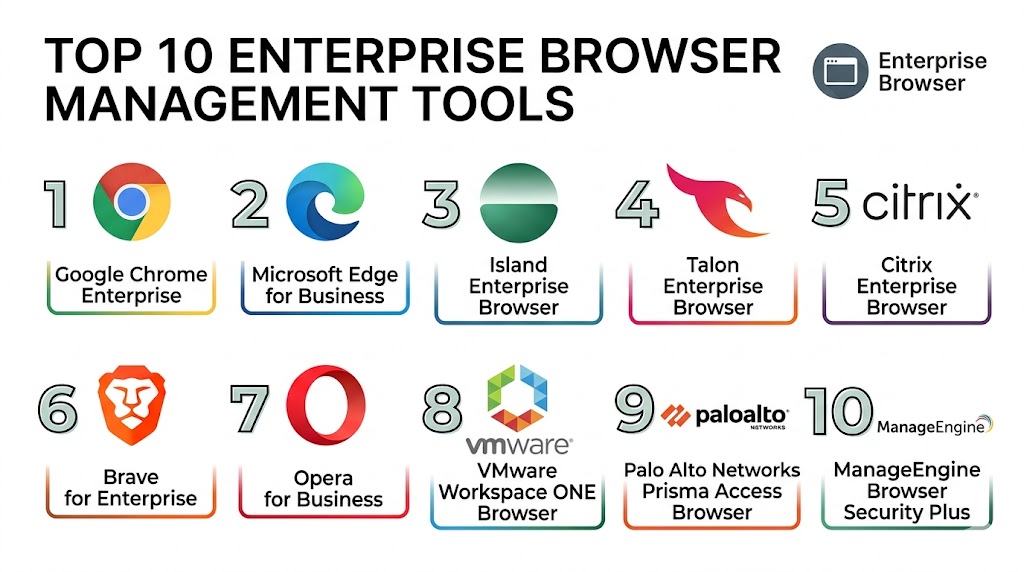
Top 10 Enterprise Browser Management Tools
1- Google Chrome Enterprise
Short description: Google Chrome Enterprise provides centralized browser management, policy enforcement, extension control, and enterprise security capabilities for organizations using Chrome across distributed environments.
Key Features
- Centralized browser policy management
- Extension and plugin control
- Browser reporting and telemetry
- Enterprise security policies
- Cloud management console
- Safe browsing protection
- Identity-aware access controls
Pros
- Familiar browser experience
- Strong cloud-based management
- Large ecosystem and compatibility support
Cons
- Best within Google ecosystems
- Advanced security may require add-ons
- Enterprise analytics depth varies
Platforms / Deployment
- Windows / macOS / Linux / ChromeOS / Mobile
- Cloud
Security & Compliance
- MFA
- RBAC
- Encryption
- Audit logs
- SSO/SAML
Integrations & Ecosystem
Chrome Enterprise integrates deeply with cloud productivity and identity ecosystems.
- Google Workspace
- Microsoft Entra ID
- Okta
- CrowdStrike
- VMware Workspace ONE
- SIEM platforms
Support & Community
Large enterprise support ecosystem with extensive documentation and community resources.
2- Microsoft Edge for Business
Short description: Microsoft Edge for Business combines enterprise browser management with security, identity integration, and policy enforcement capabilities across Microsoft-centric environments.
Key Features
- Enterprise browser policies
- Microsoft identity integration
- Extension management
- Security configuration enforcement
- Browser telemetry
- Data protection controls
- Profile management
Pros
- Deep Microsoft ecosystem integration
- Strong enterprise security support
- Familiar Chromium compatibility
Cons
- Best within Microsoft environments
- Advanced governance requires configuration
- Analytics customization can vary
Platforms / Deployment
- Windows / macOS / Linux / Mobile
- Cloud / Hybrid
Security & Compliance
- MFA
- RBAC
- Audit logs
- Encryption
- SSO/SAML
- GDPR support
Integrations & Ecosystem
Edge integrates deeply across Microsoft cloud, identity, and endpoint ecosystems.
- Microsoft Intune
- Microsoft Defender
- Entra ID
- Microsoft 365
- Purview
- SIEM platforms
Support & Community
Extensive enterprise documentation and large administrator ecosystem.
3- Island Enterprise Browser
Short description: Island Enterprise Browser is a dedicated enterprise browser platform built specifically for secure workforce access, policy enforcement, and browser-level operational visibility.
Key Features
- Enterprise browser isolation
- Secure SaaS access
- Granular policy enforcement
- Clipboard and download controls
- Browser activity visibility
- Data loss prevention features
- Identity-aware access management
Pros
- Built specifically for enterprise security
- Strong browser-level governance
- Advanced Zero Trust capabilities
Cons
- Premium enterprise pricing
- Newer ecosystem compared to traditional browsers
- Requires workforce onboarding planning
Platforms / Deployment
- Windows / macOS
- Cloud
Security & Compliance
- MFA
- RBAC
- Audit logs
- Encryption
- SSO/SAML
Integrations & Ecosystem
Island integrates across security, identity, and enterprise operational ecosystems.
- Okta
- Microsoft Entra ID
- CrowdStrike
- Zscaler
- Palo Alto Networks
- SIEM platforms
Support & Community
Strong enterprise onboarding and rapidly growing security ecosystem.
4- Talon Enterprise Browser
Short description: Talon Enterprise Browser provides secure browser-based workforce access with policy controls, SaaS governance, and endpoint security visibility.
Key Features
- Browser isolation
- SaaS access governance
- Secure remote workforce support
- Browser telemetry
- Policy enforcement
- Data protection controls
- Session security monitoring
Pros
- Strong remote workforce security
- Good SaaS visibility
- Lightweight deployment approach
Cons
- Enterprise-focused pricing
- Smaller ecosystem compared to major vendors
- Advanced workflows may require tuning
Platforms / Deployment
- Windows / macOS
- Cloud
Security & Compliance
- MFA
- RBAC
- Encryption
- Audit logs
- SSO/SAML
Integrations & Ecosystem
Talon integrates with identity, endpoint security, and Zero Trust ecosystems.
- Okta
- Microsoft Entra ID
- CrowdStrike
- Zscaler
- VMware
- SIEM platforms
Support & Community
Strong enterprise support with expanding operational ecosystem.
5- Citrix Secure Browser
Short description: Citrix Secure Browser delivers browser isolation and secure web application access for enterprise environments requiring strong remote access protection.
Key Features
- Browser isolation
- Secure web application access
- Session protection
- Data leakage prevention
- Remote browser delivery
- Threat isolation
- Cloud-based browsing security
Pros
- Strong browser isolation capabilities
- Good remote workforce support
- Mature enterprise virtualization expertise
Cons
- Best within Citrix ecosystems
- Advanced deployments may be complex
- Enterprise pricing structure
Platforms / Deployment
- Web / Windows / macOS
- Cloud
Security & Compliance
- MFA
- RBAC
- Encryption
- Audit logs
Integrations & Ecosystem
Citrix integrates across virtualization, identity, and enterprise access ecosystems.
- Citrix Workspace
- Microsoft environments
- Okta
- VMware
- SIEM platforms
Support & Community
Large enterprise support ecosystem with mature virtualization expertise.
6- Prisma Access Browser
Short description: Prisma Access Browser combines browser-level protection with Zero Trust access and cloud-delivered security capabilities.
Key Features
- Secure browser access
- Zero Trust enforcement
- SaaS application protection
- Browser telemetry analytics
- Threat prevention
- Data protection controls
- Identity-aware security policies
Pros
- Strong Zero Trust integration
- Unified cloud security visibility
- Good enterprise scalability
Cons
- Premium enterprise pricing
- Best within Palo Alto ecosystems
- Learning curve for advanced workflows
Platforms / Deployment
- Windows / macOS
- Cloud
Security & Compliance
- MFA
- RBAC
- Audit logs
- Encryption
- SSO/SAML
Integrations & Ecosystem
Prisma Access Browser integrates deeply with cloud security and operational ecosystems.
- Palo Alto Networks
- Okta
- Microsoft Entra ID
- CrowdStrike
- SIEM platforms
Support & Community
Strong enterprise security support with mature operational guidance.
7- VMware Workspace ONE Web
Short description: Workspace ONE Web provides secure enterprise browsing with mobile management, policy enforcement, and endpoint visibility capabilities.
Key Features
- Managed browser access
- Enterprise policy controls
- Secure web sessions
- Mobile device support
- Data protection enforcement
- Identity integration
- Application access controls
Pros
- Strong endpoint management integration
- Good mobile workforce support
- Unified workspace visibility
Cons
- Best within VMware ecosystems
- Limited advanced browser isolation
- Enterprise deployment complexity
Platforms / Deployment
- Windows / macOS / Mobile
- Cloud / Hybrid
Security & Compliance
- MFA
- RBAC
- Audit logs
- Encryption
Integrations & Ecosystem
Workspace ONE integrates with endpoint management and identity ecosystems.
- VMware Workspace ONE
- Microsoft Entra ID
- Okta
- Microsoft 365
- REST APIs
Support & Community
Strong enterprise support and endpoint management documentation.
8- Cisco Secure Access Browser
Short description: Cisco Secure Access Browser focuses on browser-based Zero Trust access and secure workforce connectivity for enterprise environments.
Key Features
- Browser-based secure access
- Zero Trust policy enforcement
- Browser telemetry analytics
- SaaS application security
- Remote workforce support
- Identity-aware policies
- Threat visibility
Pros
- Strong Cisco ecosystem integration
- Good network and browser visibility
- Secure remote access workflows
Cons
- Best within Cisco environments
- Enterprise pricing model
- Operational complexity for advanced features
Platforms / Deployment
- Windows / macOS / Mobile
- Cloud
Security & Compliance
- MFA
- RBAC
- Encryption
- Audit logs
- SSO/SAML
Integrations & Ecosystem
Cisco integrates across networking, identity, and cloud security ecosystems.
- Cisco SecureX
- Duo Security
- Splunk
- Microsoft environments
- SIEM platforms
Support & Community
Large enterprise networking and security support ecosystem.
9- Menlo Security Browser Isolation
Short description: Menlo Security delivers browser isolation and secure web access capabilities to reduce phishing, malware, and web-based attack risks.
Key Features
- Remote browser isolation
- Malware protection
- Phishing prevention
- SaaS application security
- Secure web sessions
- Data leakage prevention
- Threat analytics
Pros
- Strong web threat protection
- Good browser isolation technology
- Cloud-delivered security model
Cons
- Enterprise-focused deployment
- Limited broader endpoint functionality
- Advanced policies may require expertise
Platforms / Deployment
- Windows / macOS / Web
- Cloud
Security & Compliance
- MFA
- RBAC
- Audit logs
- Encryption
Integrations & Ecosystem
Menlo Security integrates across enterprise security and operational ecosystems.
- CrowdStrike
- Okta
- Microsoft environments
- SIEM platforms
- CASB tools
Support & Community
Strong enterprise security support and operational documentation.
10- Avast Secure Browser for Business
Short description: Avast Secure Browser for Business provides secure browsing controls, policy management, and privacy-focused browser security for business environments.
Key Features
- Secure browsing controls
- Privacy protection
- Browser policy management
- Threat prevention
- Extension control
- Secure web access
- Endpoint protection integration
Pros
- Easy deployment
- User-friendly management
- Good SMB-focused security features
Cons
- Limited enterprise-scale analytics
- Smaller ecosystem compared to enterprise leaders
- Advanced governance features may vary
Platforms / Deployment
- Windows / macOS
- Cloud
Security & Compliance
- MFA
- RBAC
- Encryption
- Audit logs
Integrations & Ecosystem
Avast integrates with endpoint security and operational management ecosystems.
- Avast Business Security
- Microsoft environments
- REST APIs
Support & Community
Good SMB support with accessible onboarding resources.
Comparison Table
| Tool Name | Best For | Platforms Supported | Deployment | Standout Feature | Public Rating |
|---|---|---|---|---|---|
| Google Chrome Enterprise | Large distributed workforces | Windows / macOS / Linux / Mobile | Cloud | Centralized Chrome management | N/A |
| Microsoft Edge for Business | Microsoft enterprise environments | Windows / macOS / Linux / Mobile | Cloud / Hybrid | Deep Microsoft integration | N/A |
| Island Enterprise Browser | Zero Trust browser security | Windows / macOS | Cloud | Enterprise-native browser security | N/A |
| Talon Enterprise Browser | Remote workforce protection | Windows / macOS | Cloud | SaaS governance controls | N/A |
| Citrix Secure Browser | Secure remote access | Web / Windows / macOS | Cloud | Browser isolation technology | N/A |
| Prisma Access Browser | Cloud-delivered browser security | Windows / macOS | Cloud | Zero Trust browser access | N/A |
| VMware Workspace ONE Web | Managed workforce environments | Windows / macOS / Mobile | Cloud / Hybrid | Unified workspace management | N/A |
| Cisco Secure Access Browser | Secure enterprise connectivity | Windows / macOS / Mobile | Cloud | Browser-based Zero Trust access | N/A |
| Menlo Security Browser Isolation | Web threat protection | Windows / macOS / Web | Cloud | Remote browser isolation | N/A |
| Avast Secure Browser for Business | SMB browser security | Windows / macOS | Cloud | Privacy-focused secure browsing | N/A |
Evaluation & Scoring of Enterprise Browser Management Tools
| Tool Name | Core 25% | Ease 15% | Integrations 15% | Security 10% | Performance 10% | Support 10% | Value 15% | Weighted Total |
|---|---|---|---|---|---|---|---|---|
| Google Chrome Enterprise | 9.1 | 9.0 | 9.2 | 8.9 | 9.0 | 8.8 | 8.8 | 8.97 |
| Microsoft Edge for Business | 9.0 | 8.9 | 9.3 | 9.1 | 8.9 | 8.8 | 8.7 | 8.96 |
| Island Enterprise Browser | 9.3 | 8.0 | 8.7 | 9.5 | 9.0 | 8.5 | 7.6 | 8.69 |
| Talon Enterprise Browser | 8.8 | 8.2 | 8.4 | 9.0 | 8.7 | 8.2 | 7.8 | 8.36 |
| Citrix Secure Browser | 8.7 | 7.7 | 8.5 | 9.1 | 8.8 | 8.4 | 7.5 | 8.32 |
| Prisma Access Browser | 9.1 | 7.8 | 8.9 | 9.4 | 8.9 | 8.6 | 7.4 | 8.58 |
| VMware Workspace ONE Web | 8.4 | 8.1 | 8.7 | 8.6 | 8.5 | 8.3 | 8.0 | 8.29 |
| Cisco Secure Access Browser | 8.8 | 7.9 | 8.8 | 9.1 | 8.8 | 8.5 | 7.6 | 8.42 |
| Menlo Security Browser Isolation | 8.9 | 7.8 | 8.2 | 9.3 | 8.7 | 8.4 | 7.5 | 8.34 |
| Avast Secure Browser for Business | 7.8 | 8.8 | 7.2 | 8.2 | 8.0 | 7.9 | 8.7 | 8.03 |
These scores are comparative and intended to help organizations evaluate operational fit rather than identify a universal winner. Enterprise-focused platforms generally provide stronger security governance and scalability, while SMB-oriented solutions often prioritize ease of deployment and usability. Buyers should align platform selection with workforce size, security maturity, and SaaS governance requirements.
Which Enterprise Browser Management Tool Is Right for You?
Solo / Freelancer
Solo users and small organizations often prioritize simplicity and affordability. Avast Secure Browser for Business provides lightweight browser security and easier management.
SMB
SMBs typically require balanced browser security, centralized controls, and usability. Google Chrome Enterprise and Microsoft Edge for Business are strong choices for growing organizations.
Mid-Market
Mid-market organizations usually need stronger governance, SaaS visibility, and workforce security controls. Talon Enterprise Browser and VMware Workspace ONE Web provide broader management capabilities.
Enterprise
Large enterprises generally prioritize Zero Trust access, browser isolation, compliance visibility, and advanced security controls. Island Enterprise Browser, Prisma Access Browser, and Cisco Secure Access Browser remain strong enterprise-focused platforms.
Budget vs Premium
Google Chrome Enterprise and Microsoft Edge for Business provide cost-efficient enterprise browser governance for many organizations, while Island and Prisma Access target advanced enterprise security environments.
Feature Depth vs Ease of Use
Island and Prisma Access provide deeper browser security and Zero Trust capabilities but may require experienced administrators. Chrome Enterprise and Edge for Business focus more on usability and operational familiarity.
Integrations & Scalability
Organizations with large identity, endpoint, and cloud security ecosystems should prioritize platforms with mature APIs and strong operational integrations such as Microsoft Edge for Business, Prisma Access Browser, and Cisco Secure Access Browser.
Security & Compliance Needs
Highly regulated industries should prioritize platforms with browser isolation, strong audit logging, RBAC, encryption, identity-aware policies, and Zero Trust access controls.
Frequently Asked Questions
1. What is an Enterprise Browser Management tool?
An Enterprise Browser Management tool helps organizations centrally manage, secure, monitor, and control web browsers used across corporate environments.
2. Why are enterprise browsers important?
Enterprise browsers improve security, SaaS governance, compliance visibility, and workforce productivity by enforcing centralized browser policies and protections.
3. What is browser isolation?
Browser isolation separates web browsing activity from the endpoint device to reduce malware, phishing, and web-based attack risks.
4. Can these tools support remote work environments?
Yes. Most enterprise browser platforms are designed specifically for hybrid and remote workforce environments with cloud-based policy enforcement.
5. What integrations are most important?
Important integrations include identity providers, endpoint management systems, SIEM platforms, cloud services, and Zero Trust security environments.
6. Are Enterprise Browser Management tools only for large enterprises?
No. SMB-friendly solutions are available, especially from vendors like Google and Microsoft that provide familiar browser management environments.
7. What are common implementation challenges?
Common challenges include policy planning, extension governance, user adoption, identity integration, and browser compatibility management.
8. Can enterprise browsers improve cybersecurity?
Yes. These platforms help reduce phishing risks, malware exposure, data leakage, and unauthorized SaaS access.
9. Do these platforms support compliance requirements?
Many enterprise browser platforms support audit logging, access controls, encryption, and governance policies useful for compliance programs.
10. What should buyers evaluate first?
Buyers should prioritize browser security capabilities, centralized management depth, scalability, identity integrations, and workforce compatibility.
Conclusion
Enterprise Browser Management tools have become increasingly important as browsers evolve into the primary workspace for modern employees accessing SaaS applications, cloud services, and digital collaboration platforms. Organizations now require stronger browser-level governance, Zero Trust access controls, SaaS visibility, and endpoint protection to secure distributed workforces and reduce operational risk. Enterprise organizations may benefit most from platforms like Island Enterprise Browser, Prisma Access Browser, and Cisco Secure Access Browser because of their advanced security and Zero Trust capabilities, while SMB and mid-market teams may achieve faster operational value with Google Chrome Enterprise or Microsoft Edge for Business. The best platform ultimately depends on workforce size, operational maturity, browser security requirements, identity ecosystem integration, and compliance priorities. Organizations should shortlist a few platforms, validate browser policy management in real operational environments, test integrations with existing security and endpoint ecosystems, and ensure the chosen solution can scale alongside future workforce and cloud application growth.