Introduction
Windows Management Tools help IT teams manage, secure, monitor, patch, configure, and support Windows devices across business environments. These tools are used to control desktops, laptops, servers, virtual machines, remote endpoints, and hybrid workplace devices from a centralized platform.
For organizations using Windows at scale, manual device administration quickly becomes inefficient and risky. IT teams need reliable tools for software deployment, patch management, endpoint configuration, remote troubleshooting, policy enforcement, asset visibility, and compliance reporting. Windows Management Tools reduce operational workload, improve endpoint security, and help maintain consistent device performance across distributed teams.
Real-world use cases include:
- Managing Windows laptops and desktops across remote teams
- Deploying software and updates at scale
- Enforcing security policies and compliance settings
- Tracking hardware and software inventory
- Supporting remote troubleshooting and endpoint remediation
Buyers evaluating Windows Management Tools should consider:
- Patch management depth
- Remote monitoring and management capabilities
- Software deployment features
- Endpoint security controls
- Asset inventory accuracy
- Automation capabilities
- Cloud and hybrid deployment support
- Integration with identity and ITSM platforms
- Reporting and compliance dashboards
- Ease of administration
Best for: IT administrators, endpoint management teams, managed service providers, enterprise IT operations, schools, healthcare organizations, financial services firms, government teams, and businesses managing large Windows device fleets.
Not ideal for: Very small teams with only a few unmanaged devices or organizations that only need basic manual updates without centralized endpoint control.
Key Trends in Windows Management Tools
- Cloud-based endpoint management is becoming the default choice for distributed organizations.
- Unified endpoint management is replacing separate tools for desktops, laptops, and mobile devices.
- Automated patching and vulnerability remediation are becoming core requirements.
- Remote troubleshooting and unattended support are increasingly important for hybrid workforces.
- Identity-based device policies are becoming more common across Windows environments.
- Security configuration management is becoming tightly connected with endpoint operations.
- Zero Trust strategies are driving stronger device compliance checks.
- AI-assisted automation is helping IT teams detect and resolve endpoint issues faster.
- Real-time asset visibility is becoming essential for security and compliance.
- Integration with ITSM, security, and collaboration platforms is now a major buying factor.
How We Selected These Tools
The tools in this list were selected based on Windows management depth, market adoption, enterprise readiness, automation capabilities, and practical IT operations value.
Selection criteria included:
- Strength of Windows endpoint management features
- Patch management and software deployment capabilities
- Remote support and troubleshooting functionality
- Asset inventory and reporting quality
- Security and compliance controls
- Scalability across SMB, mid-market, and enterprise environments
- Cloud, hybrid, and self-hosted deployment flexibility
- Integration ecosystem maturity
- Ease of deployment and administration
- Suitability for IT teams and managed service providers
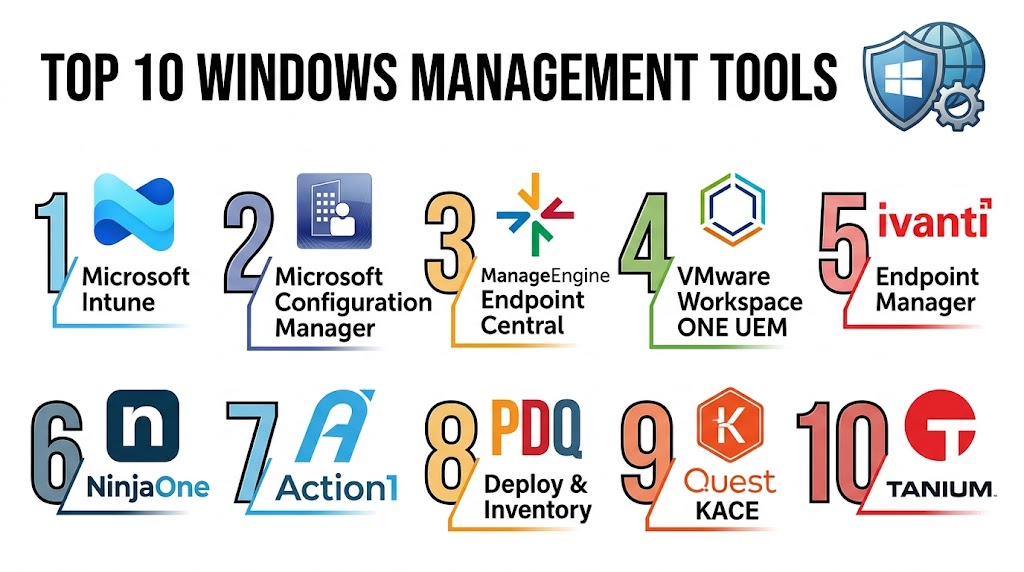
Top 10 Windows Management Tools
1- Microsoft Intune
Short description: Microsoft Intune is a cloud-based endpoint management platform designed to manage Windows devices, mobile devices, applications, compliance policies, and security configurations. It is especially strong for organizations using Microsoft cloud, identity, and productivity ecosystems.
Key Features
- Windows endpoint management
- Device compliance policies
- Application deployment
- Security baseline enforcement
- Conditional access integration
- Mobile device management
- Remote device actions
Pros
- Deep Microsoft ecosystem integration
- Strong cloud-based management
- Good fit for hybrid and remote workforces
Cons
- Advanced configuration can be complex
- Best suited for Microsoft-centric environments
- Some capabilities require broader Microsoft licensing
Platforms / Deployment
- Windows / macOS / iOS / Android
- Cloud
Security & Compliance
- MFA
- RBAC
- Audit logs
- Encryption
- SSO/SAML
- Conditional access
- Compliance policy management
Integrations & Ecosystem
Microsoft Intune integrates deeply with identity, security, productivity, and endpoint platforms.
- Microsoft Entra ID
- Microsoft Defender
- Microsoft 365
- Microsoft Configuration Manager
- PowerShell
- Service management platforms
Support & Community
Extensive documentation, large administrator community, enterprise support options, and strong Microsoft partner ecosystem.
2- Microsoft Configuration Manager
Short description: Microsoft Configuration Manager is a mature endpoint management platform used for Windows device administration, software deployment, patching, inventory, operating system deployment, and compliance management. It is commonly used in enterprise environments requiring strong on-premise or hybrid control.
Key Features
- Windows device management
- Software deployment
- Patch management
- Operating system deployment
- Hardware and software inventory
- Compliance settings
- Endpoint configuration control
Pros
- Strong Windows management depth
- Mature enterprise functionality
- Excellent for large Windows environments
Cons
- Requires experienced administrators
- Infrastructure setup can be complex
- Cloud-native flexibility is lower than Intune
Platforms / Deployment
- Windows
- Self-hosted / Hybrid
Security & Compliance
- RBAC
- Audit logs
- Encryption
- Compliance reporting
- Integration with Microsoft identity and security tools
Integrations & Ecosystem
Microsoft Configuration Manager works well with Microsoft endpoint, identity, and security ecosystems.
- Microsoft Intune
- Microsoft Entra ID
- Microsoft Defender
- Active Directory
- Windows Server
- PowerShell
Support & Community
Large enterprise administrator community with extensive technical documentation and mature support resources.
3- ManageEngine Endpoint Central
Short description: ManageEngine Endpoint Central is a unified endpoint management platform for managing Windows desktops, laptops, servers, mobile devices, patches, software, remote control, and endpoint security. It is popular among SMB and mid-market IT teams.
Key Features
- Patch management
- Software deployment
- Remote control
- Asset inventory
- Endpoint security configuration
- OS deployment
- Configuration management
Pros
- Strong all-in-one endpoint management
- Good value for SMB and mid-market teams
- Flexible deployment options
Cons
- Interface can feel dense for beginners
- Advanced policies may require tuning
- Large deployments need careful planning
Platforms / Deployment
- Windows / macOS / Linux / iOS / Android
- Cloud / Self-hosted
Security & Compliance
- MFA
- RBAC
- Audit logs
- Encryption
- Patch compliance reporting
Integrations & Ecosystem
ManageEngine Endpoint Central integrates with IT operations, identity, and help desk environments.
- Active Directory
- ServiceDesk Plus
- Microsoft 365
- Jira
- SIEM platforms
- REST APIs
Support & Community
Good documentation, active customer community, onboarding resources, and practical support options for IT teams.
4- VMware Workspace ONE
Short description: VMware Workspace ONE is a unified endpoint management platform used to manage Windows devices, mobile devices, applications, identity access, and digital workspace experiences. It is suitable for organizations managing diverse endpoint fleets.
Key Features
- Windows device management
- Application lifecycle management
- Policy enforcement
- Workspace access control
- Endpoint compliance
- Remote device actions
- Digital workspace management
Pros
- Strong unified endpoint management
- Good support for mixed device environments
- Useful for digital workspace strategies
Cons
- Enterprise deployment can be complex
- Best value comes within VMware ecosystems
- Advanced configuration requires expertise
Platforms / Deployment
- Windows / macOS / iOS / Android
- Cloud / Hybrid
Security & Compliance
- MFA
- RBAC
- Audit logs
- Encryption
- SSO/SAML
- Device compliance controls
Integrations & Ecosystem
Workspace ONE integrates with virtualization, identity, endpoint security, and productivity platforms.
- VMware Horizon
- Microsoft Entra ID
- Okta
- Microsoft 365
- ServiceNow
- Security platforms
Support & Community
Strong enterprise support ecosystem, detailed technical documentation, and experienced implementation partner network.
5- NinjaOne
Short description: NinjaOne is a remote monitoring and endpoint management platform designed for IT teams and managed service providers. It provides Windows patching, remote access, automation, inventory, monitoring, and endpoint support from a cloud-based console.
Key Features
- Windows patch management
- Remote monitoring
- Remote access
- Asset inventory
- Script automation
- Endpoint alerts
- Software deployment
Pros
- Strong MSP-friendly workflows
- Easy cloud deployment
- Good remote endpoint visibility
Cons
- Less deep enterprise policy control
- Limited advanced Windows imaging features
- Best suited for operational endpoint management
Platforms / Deployment
- Windows / macOS / Linux
- Cloud
Security & Compliance
- MFA
- RBAC
- Audit logs
- Encryption
Integrations & Ecosystem
NinjaOne integrates with remote support, ticketing, backup, and security tools commonly used by MSPs and IT teams.
- TeamViewer
- Splashtop
- ConnectWise
- Autotask
- Microsoft 365
- REST APIs
Support & Community
Well-regarded support experience, strong MSP onboarding, and practical technical documentation.
6- Ivanti Endpoint Manager
Short description: Ivanti Endpoint Manager helps organizations manage Windows endpoints, automate software delivery, track assets, enforce policies, and improve endpoint security operations. It is often used by larger IT teams requiring broad endpoint lifecycle management.
Key Features
- Endpoint lifecycle management
- Software distribution
- Patch management
- Asset discovery
- Remote control
- Policy configuration
- Security and compliance reporting
Pros
- Strong endpoint lifecycle functionality
- Good enterprise automation capabilities
- Useful for hybrid IT environments
Cons
- Learning curve for administrators
- Implementation can be complex
- Premium enterprise pricing
Platforms / Deployment
- Windows / macOS / Linux
- Cloud / Hybrid
Security & Compliance
- MFA
- RBAC
- Audit logs
- Encryption
- Compliance reporting
Integrations & Ecosystem
Ivanti integrates across ITSM, endpoint security, identity, and operational management environments.
- Ivanti Neurons
- ServiceNow
- Microsoft environments
- VMware
- Security platforms
- REST APIs
Support & Community
Enterprise-focused support, implementation resources, and technical training options are available.
7- PDQ Deploy and PDQ Inventory
Short description: PDQ Deploy and PDQ Inventory are popular Windows administration tools used for software deployment, patching, scripting, and asset inventory. They are especially practical for small and mid-sized IT teams managing Windows networks.
Key Features
- Software deployment
- Windows patch deployment
- Hardware inventory
- Software inventory
- PowerShell automation
- Package library
- Reporting and collections
Pros
- Simple and practical for Windows admins
- Fast software deployment workflows
- Strong value for smaller IT teams
Cons
- Primarily Windows-focused
- Less suitable for highly distributed cloud-only environments
- Limited full UEM functionality
Platforms / Deployment
- Windows
- Self-hosted
Security & Compliance
- Role-based access features
- Audit-related deployment visibility
- Encryption support varies by configuration
- Compliance controls are limited compared to enterprise UEM platforms
Integrations & Ecosystem
PDQ works well in traditional Windows administration environments and supports scripting-based extensibility.
- Active Directory
- PowerShell
- Windows Server
- Package repositories
- Remote admin workflows
- Inventory reporting
Support & Community
Strong Windows administrator community, practical documentation, and helpful training resources.
8- Automox
Short description: Automox is a cloud-based endpoint management and patch automation platform focused on operating system updates, third-party patching, and endpoint hardening. It is useful for IT and security teams that want centralized patch control without heavy infrastructure.
Key Features
- Windows patch automation
- Third-party software patching
- Endpoint hardening
- Cloud-based management
- Policy-based remediation
- Cross-platform support
- Reporting dashboards
Pros
- Strong patch automation
- Cloud-native deployment
- Useful for distributed environments
Cons
- Less complete full-device lifecycle management
- Advanced software deployment depth is limited
- Pricing may vary by endpoint scale
Platforms / Deployment
- Windows / macOS / Linux
- Cloud
Security & Compliance
- MFA
- RBAC
- Audit logs
- Encryption
- Patch compliance reporting
Integrations & Ecosystem
Automox integrates with security and IT operations workflows where patching and endpoint remediation are central priorities.
- SIEM platforms
- ITSM tools
- Security operations workflows
- REST APIs
- Cloud environments
Support & Community
Good technical documentation and support resources focused on patching, remediation, and endpoint hardening.
9- Quest KACE Systems Management Appliance
Short description: Quest KACE Systems Management Appliance provides endpoint systems management, software deployment, patching, asset inventory, service desk integration, and compliance functionality for IT teams managing Windows and other endpoints.
Key Features
- Endpoint inventory
- Patch management
- Software distribution
- Asset tracking
- Scripting automation
- Service desk integration
- Compliance reporting
Pros
- Strong appliance-based management approach
- Good asset and patch visibility
- Useful for structured IT operations
Cons
- Interface can feel complex
- Requires administration expertise
- Deployment model may not fit all cloud-first teams
Platforms / Deployment
- Windows / macOS / Linux
- Self-hosted / Hybrid
Security & Compliance
- RBAC
- Audit logs
- Encryption
- Patch compliance reporting
Integrations & Ecosystem
Quest KACE integrates with IT operations, endpoint management, and service desk workflows.
- Active Directory
- Service desk systems
- Windows environments
- Scripting tools
- Reporting platforms
- REST APIs
Support & Community
Established documentation, enterprise support options, and a practical IT administrator user base.
10- Atera
Short description: Atera is a cloud-based remote monitoring and management platform used by IT departments and managed service providers to monitor, patch, support, and manage Windows endpoints. It combines RMM, automation, remote access, ticketing, and reporting in one platform.
Key Features
- Windows endpoint monitoring
- Patch management
- Remote access
- IT automation
- Asset inventory
- Alerting workflows
- Ticketing support
Pros
- Easy cloud-based setup
- Good MSP and IT support workflows
- Combines monitoring and service desk features
Cons
- Less deep enterprise policy management
- Advanced reporting may be limited for complex environments
- Best suited for SMB and MSP use cases
Platforms / Deployment
- Windows / macOS / Linux
- Cloud
Security & Compliance
- MFA
- RBAC
- Audit logs
- Encryption
Integrations & Ecosystem
Atera integrates with remote support, ticketing, backup, security, and productivity tools.
- AnyDesk
- Splashtop
- Microsoft environments
- Security tools
- Backup platforms
- REST APIs
Support & Community
Good onboarding resources, active user community, and support options designed for IT teams and MSPs.
Comparison Table
| Tool Name | Best For | Platforms Supported | Deployment | Standout Feature | Public Rating |
|---|---|---|---|---|---|
| Microsoft Intune | Cloud-based Windows management | Windows / macOS / iOS / Android | Cloud | Microsoft cloud integration | N/A |
| Microsoft Configuration Manager | Enterprise Windows administration | Windows | Self-hosted / Hybrid | Deep Windows lifecycle management | N/A |
| ManageEngine Endpoint Central | SMB and mid-market endpoint management | Windows / macOS / Linux / Mobile | Cloud / Self-hosted | All-in-one endpoint management | N/A |
| VMware Workspace ONE | Unified endpoint management | Windows / macOS / Mobile | Cloud / Hybrid | Digital workspace management | N/A |
| NinjaOne | MSP and remote IT operations | Windows / macOS / Linux | Cloud | Remote monitoring and patching | N/A |
| Ivanti Endpoint Manager | Enterprise endpoint lifecycle management | Windows / macOS / Linux | Cloud / Hybrid | Endpoint automation and control | N/A |
| PDQ Deploy and Inventory | Windows software deployment | Windows | Self-hosted | Fast package deployment | N/A |
| Automox | Cloud patch automation | Windows / macOS / Linux | Cloud | Automated patch remediation | N/A |
| Quest KACE | Structured endpoint operations | Windows / macOS / Linux | Self-hosted / Hybrid | Appliance-based endpoint management | N/A |
| Atera | SMB IT and MSP teams | Windows / macOS / Linux | Cloud | RMM and ticketing combination | N/A |
Evaluation & Scoring of Windows Management Tools
| Tool Name | Core 25% | Ease 15% | Integrations 15% | Security 10% | Performance 10% | Support 10% | Value 15% | Weighted Total |
|---|---|---|---|---|---|---|---|---|
| Microsoft Intune | 9.2 | 8.0 | 9.4 | 9.3 | 8.9 | 8.8 | 8.4 | 8.85 |
| Microsoft Configuration Manager | 9.5 | 6.9 | 9.0 | 8.9 | 8.8 | 8.6 | 7.8 | 8.43 |
| ManageEngine Endpoint Central | 8.8 | 8.4 | 8.2 | 8.4 | 8.5 | 8.2 | 9.0 | 8.55 |
| VMware Workspace ONE | 8.7 | 7.7 | 8.8 | 8.9 | 8.5 | 8.4 | 7.8 | 8.38 |
| NinjaOne | 8.3 | 9.0 | 8.0 | 8.2 | 8.4 | 8.8 | 8.7 | 8.49 |
| Ivanti Endpoint Manager | 8.9 | 7.4 | 8.4 | 8.8 | 8.6 | 8.2 | 7.6 | 8.24 |
| PDQ Deploy and Inventory | 8.1 | 9.1 | 7.4 | 7.6 | 8.2 | 8.3 | 9.2 | 8.29 |
| Automox | 8.0 | 8.7 | 7.8 | 8.5 | 8.3 | 8.0 | 8.5 | 8.24 |
| Quest KACE | 8.2 | 7.5 | 7.8 | 8.2 | 8.0 | 8.1 | 8.0 | 7.98 |
| Atera | 7.9 | 9.0 | 7.6 | 8.0 | 8.1 | 8.5 | 8.8 | 8.23 |
These scores are comparative and should be used as a practical evaluation guide rather than a universal ranking. Enterprise platforms usually score higher in depth, policy control, and scalability, while SMB and MSP-focused tools often score higher in ease of use and value. The right tool depends on your Windows environment size, deployment model, endpoint security needs, and internal IT maturity.
Which Windows Management Tool Is Right for You?
Solo / Freelancer
Solo IT consultants and very small teams usually need simple patching, remote access, and inventory visibility. Atera, NinjaOne, and PDQ Deploy and Inventory are practical choices because they reduce administrative overhead and are easier to operate without a large IT department.
SMB
SMBs typically need reliable Windows patching, software deployment, endpoint inventory, and remote troubleshooting without excessive complexity. ManageEngine Endpoint Central, NinjaOne, Atera, and PDQ Deploy and Inventory are strong options for this segment.
Mid-Market
Mid-market organizations often require stronger automation, reporting, security controls, and cross-platform endpoint support. Microsoft Intune, ManageEngine Endpoint Central, Automox, and VMware Workspace ONE are good fits depending on whether the organization is cloud-first, hybrid, or Microsoft-centric.
Enterprise
Large enterprises usually need deep policy control, compliance reporting, identity integration, endpoint lifecycle management, and scalability. Microsoft Intune, Microsoft Configuration Manager, VMware Workspace ONE, and Ivanti Endpoint Manager are strong enterprise-focused options.
Budget vs Premium
PDQ Deploy and Inventory, Atera, and ManageEngine Endpoint Central often appeal to budget-conscious teams that need practical endpoint management without heavy enterprise complexity. Microsoft Intune, VMware Workspace ONE, and Ivanti Endpoint Manager are better suited for organizations prioritizing broader enterprise control and compliance depth.
Feature Depth vs Ease of Use
Microsoft Configuration Manager and Ivanti Endpoint Manager provide deep endpoint lifecycle control but require stronger administrative expertise. NinjaOne, Atera, and PDQ are easier to operate and are better suited for teams that want faster deployment and simpler daily workflows.
Integrations & Scalability
Organizations using Microsoft identity, security, and productivity platforms should prioritize Microsoft Intune and Configuration Manager. MSPs may prefer NinjaOne or Atera due to remote support and service desk workflows, while hybrid enterprises may prefer VMware Workspace ONE or ManageEngine Endpoint Central.
Security & Compliance Needs
Highly regulated organizations should prioritize tools with strong RBAC, audit logs, encryption, patch compliance reporting, policy enforcement, and identity integration. Microsoft Intune, Microsoft Configuration Manager, VMware Workspace ONE, and Ivanti Endpoint Manager are often stronger choices for compliance-heavy environments.
Frequently Asked Questions
1. What is a Windows Management Tool?
A Windows Management Tool helps IT teams centrally manage Windows devices, patches, applications, policies, inventory, security settings, and remote support workflows. It reduces manual administration and improves endpoint consistency.
2. Why are Windows Management Tools important?
They help organizations keep Windows devices secure, updated, compliant, and operationally reliable. Without centralized management, teams may struggle with patch gaps, inconsistent configurations, and poor endpoint visibility.
3. What is the difference between Intune and Configuration Manager?
Intune is cloud-based and designed for modern endpoint management, while Configuration Manager is stronger for traditional on-premise and hybrid Windows lifecycle management. Many enterprises use both together depending on infrastructure needs.
4. Are Windows Management Tools only for large enterprises?
No. Many tools support SMBs, MSPs, and mid-market organizations. Platforms like Atera, NinjaOne, PDQ, and ManageEngine Endpoint Central can provide strong value for smaller IT teams.
5. What features should buyers prioritize?
Buyers should prioritize patch management, software deployment, remote access, asset inventory, reporting, automation, identity integration, and endpoint security controls. The best priorities depend on device count and operational complexity.
6. Can these tools manage remote Windows devices?
Yes. Most modern Windows management platforms support remote endpoints through cloud agents, policy-based management, remote access, and automated patching. This is especially important for hybrid work environments.
7. Do Windows Management Tools support third-party patching?
Many leading tools support third-party application patching, although coverage varies by vendor. Buyers should verify support for the specific applications used across their environment.
8. What are common implementation mistakes?
Common mistakes include poor device grouping, weak patch testing, unclear policy ownership, incomplete inventory setup, and lack of reporting standards. A phased rollout helps reduce operational risk.
9. Can these platforms improve endpoint security?
Yes. They help enforce patches, remove outdated software, apply security baselines, monitor compliance, and support endpoint remediation. They are often used alongside endpoint security and identity platforms.
10. What should buyers evaluate before switching tools?
Buyers should review device count, operating system coverage, patching needs, remote support requirements, integration dependencies, administrator skill level, and total operational cost before switching platforms.
Conclusion
Windows Management Tools are essential for organizations that need consistent control, visibility, security, and operational efficiency across Windows endpoints. The right platform can simplify patching, software deployment, remote troubleshooting, asset tracking, compliance reporting, and endpoint policy enforcement while reducing manual IT workload. Microsoft Intune and Configuration Manager are strong choices for Microsoft-centric enterprises, while ManageEngine Endpoint Central, NinjaOne, Atera, and PDQ provide practical value for SMB, mid-market, and MSP environments. Premium enterprise platforms like VMware Workspace ONE and Ivanti Endpoint Manager offer broader endpoint lifecycle control for complex organizations. The best choice depends on your device count, management model, security requirements, integrations, and IT team maturity. Shortlist two or three tools, test them with real Windows devices, validate patching and reporting workflows, and confirm that the platform can scale with your future endpoint strategy.