Introduction
Network Inventory Tools help organizations discover, track, monitor, and manage network-connected devices across enterprise infrastructure. These platforms provide visibility into routers, switches, firewalls, wireless access points, servers, endpoints, virtual devices, and cloud-connected infrastructure to improve operational control, security, compliance, and troubleshooting efficiency.
As IT environments become increasingly distributed with hybrid infrastructure, remote work, cloud networking, and IoT expansion, maintaining accurate network visibility has become a critical operational requirement. Organizations need reliable inventory tracking to reduce downtime, strengthen cybersecurity, improve capacity planning, and simplify infrastructure management.
Real-world use cases include:
- Discovering unmanaged network devices
- Tracking hardware and firmware inventories
- Monitoring configuration changes
- Supporting network compliance audits
- Maintaining accurate infrastructure documentation
Buyers evaluating Network Inventory Tools should consider:
- Discovery accuracy and coverage
- Real-time network visibility
- Agentless versus agent-based monitoring
- Scalability across large infrastructures
- Configuration tracking capabilities
- Integration with ITSM and monitoring tools
- Reporting and analytics functionality
- Security and compliance controls
- Automation and alerting features
- Ease of deployment and administration
Best for: Network administrators, IT operations teams, managed service providers, cybersecurity teams, enterprise infrastructure teams, telecom organizations, healthcare providers, and businesses managing large network environments.
Not ideal for: Very small organizations with minimal networking infrastructure or teams only requiring simple spreadsheet-based inventory tracking.
Key Trends in Network Inventory Tools
- AI-assisted device classification is becoming more common.
- Real-time infrastructure visibility is replacing periodic scanning models.
- Cloud and hybrid network discovery capabilities are expanding rapidly.
- Integration with cybersecurity and SIEM platforms is increasing.
- Automation for configuration monitoring and alerting is improving.
- Network topology visualization is becoming more advanced.
- SaaS-based deployment models continue growing in adoption.
- IoT and edge device visibility are becoming operational priorities.
- Compliance reporting and audit tracking are gaining importance.
- Unified observability and inventory management are increasingly converging.
How We Selected These Tools
The tools in this list were selected based on discovery capabilities, operational maturity, scalability, ecosystem strength, and infrastructure visibility depth.
Selection criteria included:
- Market adoption and industry reputation
- Discovery and inventory accuracy
- Network monitoring integration
- Scalability across enterprise environments
- Reporting and visualization capabilities
- Security and compliance functionality
- Automation maturity
- Ease of deployment and management
- Integration ecosystem support
- Suitability across SMB, mid-market, and enterprise organizations
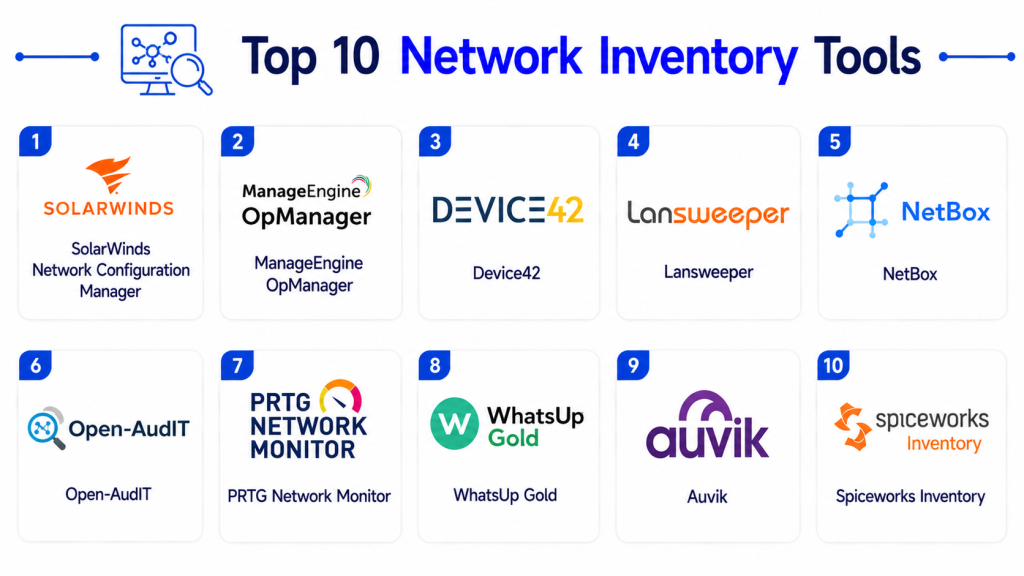
Top 10 Network Inventory Tools
1- SolarWinds Network Configuration Manager
Short description: SolarWinds Network Configuration Manager is a widely used network inventory and configuration management platform designed for enterprise infrastructure teams requiring visibility, compliance, and operational automation.
Key Features
- Automated network device discovery
- Configuration backup and management
- Firmware and OS inventory tracking
- Compliance monitoring
- Change tracking and alerts
- Network topology visibility
- Reporting dashboards
Pros
- Strong network infrastructure visibility
- Excellent configuration management
- Mature enterprise feature set
Cons
- Primarily network-focused
- Self-hosted deployment complexity
- Advanced customization may require expertise
Platforms / Deployment
- Web
- Self-hosted
Security & Compliance
- RBAC
- MFA
- Audit logs
- Encryption
Integrations & Ecosystem
SolarWinds integrates with monitoring, IT operations, and infrastructure management ecosystems.
- Orion Platform
- Service Desk tools
- VMware
- Active Directory
- REST APIs
Support & Community
Large IT operations community with extensive documentation and technical support resources.
2- Lansweeper
Short description: Lansweeper provides agentless network discovery and asset inventory management with broad infrastructure visibility across endpoints, servers, cloud assets, and networking devices.
Key Features
- Agentless discovery
- Hardware and software inventory
- Network scanning
- Cloud asset visibility
- Reporting dashboards
- Vulnerability insights
- Automated asset tracking
Pros
- Fast deployment
- Strong discovery accuracy
- Cost-effective for SMB and mid-market teams
Cons
- Limited advanced network monitoring
- Enterprise workflow automation is moderate
- Interface customization is limited
Platforms / Deployment
- Web
- Cloud / Self-hosted
Security & Compliance
- RBAC
- MFA
- Audit logs
- Encryption
Integrations & Ecosystem
Lansweeper supports integrations across ITSM, security, and infrastructure ecosystems.
- ServiceNow
- Jira
- Microsoft 365
- SCCM
- Intune
- REST APIs
Support & Community
Good onboarding support with active user community and documentation resources.
3- ManageEngine OpManager
Short description: ManageEngine OpManager combines network monitoring, inventory management, and infrastructure visibility into a unified operational platform for SMB and enterprise IT teams.
Key Features
- Automated network discovery
- Device inventory management
- Performance monitoring
- Network mapping
- Configuration monitoring
- Reporting dashboards
- Alert automation
Pros
- Strong monitoring and inventory combination
- Flexible deployment models
- Good value for growing organizations
Cons
- Interface complexity for large environments
- Advanced analytics may require add-ons
- Enterprise customization can be time-consuming
Platforms / Deployment
- Web
- Cloud / Self-hosted
Security & Compliance
- MFA
- RBAC
- Audit logs
- Encryption
Integrations & Ecosystem
ManageEngine integrates with ITSM, endpoint management, and cloud infrastructure ecosystems.
- ServiceDesk Plus
- Active Directory
- Azure
- VMware
- REST APIs
Support & Community
Strong SMB and mid-market support ecosystem with good onboarding resources.
4- Device42
Short description: Device42 offers enterprise infrastructure discovery and dependency mapping with strong visibility into network devices, applications, and hybrid environments.
Key Features
- Network and infrastructure discovery
- Dependency mapping
- Rack and power visualization
- IP address management
- CMDB synchronization
- Cloud visibility
- Application dependency tracking
Pros
- Excellent hybrid infrastructure visibility
- Strong dependency mapping
- Good CMDB integration
Cons
- Enterprise-focused complexity
- Higher learning curve
- Premium licensing costs
Platforms / Deployment
- Web
- Cloud / Self-hosted
Security & Compliance
- SSO/SAML
- RBAC
- Audit logs
- Encryption
Integrations & Ecosystem
Device42 integrates with monitoring, virtualization, and service management platforms.
- VMware
- ServiceNow
- SolarWinds
- Splunk
- Kubernetes
- REST APIs
Support & Community
Strong enterprise support with detailed documentation and onboarding assistance.
5- Paessler PRTG Network Monitor
Short description: PRTG Network Monitor combines network monitoring and inventory visibility with user-friendly dashboards and flexible sensor-based monitoring.
Key Features
- Automatic device discovery
- Sensor-based monitoring
- Network mapping
- Hardware inventory visibility
- Alerting and notifications
- Bandwidth monitoring
- Reporting dashboards
Pros
- Easy deployment process
- Flexible monitoring options
- User-friendly interface
Cons
- Large deployments may require tuning
- Sensor licensing model can increase costs
- Advanced enterprise automation is limited
Platforms / Deployment
- Web / Windows
- Self-hosted / Cloud
Security & Compliance
- RBAC
- MFA
- Encryption
- Audit logs
Integrations & Ecosystem
PRTG integrates with infrastructure, monitoring, and operational management platforms.
- VMware
- AWS
- Azure
- REST APIs
- SNMP environments
Support & Community
Strong documentation with active infrastructure management community.
6- Open-AudIT
Short description: Open-AudIT is a network discovery and inventory platform designed for organizations requiring flexible infrastructure auditing and operational visibility.
Key Features
- Network device discovery
- SNMP scanning
- Hardware inventory
- Software auditing
- Configuration tracking
- Reporting dashboards
- Open-source flexibility
Pros
- Flexible deployment options
- Strong network auditing functionality
- Open-source customization potential
Cons
- Interface modernization is limited
- Smaller ecosystem support
- Advanced enterprise workflows may require customization
Platforms / Deployment
- Web
- Self-hosted
Security & Compliance
- RBAC
- Encryption
- Audit logs
Integrations & Ecosystem
Open-AudIT supports API-based integrations and infrastructure visibility workflows.
- Active Directory
- SNMP platforms
- Infrastructure monitoring tools
- REST APIs
Support & Community
Community-driven support ecosystem with technical documentation available.
7- Spiceworks Inventory
Short description: Spiceworks Inventory is a lightweight network inventory and IT asset discovery platform designed for SMB IT teams and internal support environments.
Key Features
- Device discovery
- Hardware inventory tracking
- Software inventory
- Network scanning
- Reporting dashboards
- Basic monitoring
- Help desk integration
Pros
- Free usage model
- Simple deployment process
- Good SMB usability
Cons
- Limited enterprise scalability
- Basic reporting functionality
- Fewer advanced automation features
Platforms / Deployment
- Web / Windows
- Cloud / Self-hosted
Security & Compliance
- RBAC
- Encryption
Integrations & Ecosystem
Spiceworks integrates with help desk and SMB operational management workflows.
- Active Directory
- Help desk tools
- Microsoft environments
Support & Community
Large SMB-focused community with active forums and onboarding resources.
8- NinjaOne
Short description: NinjaOne combines endpoint monitoring, remote management, and inventory visibility for managed service providers and distributed IT teams.
Key Features
- Endpoint discovery
- Device inventory management
- Patch management
- Remote monitoring
- Automation workflows
- Reporting dashboards
- Alerting capabilities
Pros
- Strong MSP functionality
- Easy deployment
- Good remote device visibility
Cons
- Endpoint-focused visibility
- Limited deep network mapping
- Enterprise CMDB functionality is moderate
Platforms / Deployment
- Web
- Cloud
Security & Compliance
- MFA
- RBAC
- Audit logs
- Encryption
Integrations & Ecosystem
NinjaOne integrates with endpoint management and operational support ecosystems.
- TeamViewer
- Splashtop
- Microsoft 365
- ConnectWise
- REST APIs
Support & Community
Well-regarded support with strong MSP onboarding resources.
9- WhatsUp Gold
Short description: WhatsUp Gold provides network monitoring and inventory management capabilities focused on infrastructure visibility and operational reliability.
Key Features
- Automated device discovery
- Network mapping
- Performance monitoring
- Alerting and notifications
- Inventory reporting
- Wireless monitoring
- Cloud visibility
Pros
- Good network topology visibility
- Strong monitoring capabilities
- Flexible deployment support
Cons
- Interface can become complex
- Advanced scalability may require tuning
- Reporting customization may vary
Platforms / Deployment
- Web
- Self-hosted / Cloud
Security & Compliance
- RBAC
- MFA
- Audit logs
- Encryption
Integrations & Ecosystem
WhatsUp Gold integrates with infrastructure monitoring and operational management tools.
- VMware
- AWS
- Azure
- REST APIs
- SNMP environments
Support & Community
Good infrastructure management documentation and operational support resources.
10- Microsoft Configuration Manager
Short description: Microsoft Configuration Manager provides enterprise endpoint inventory, device management, and infrastructure visibility for Microsoft-focused environments.
Key Features
- Endpoint discovery
- Hardware and software inventory
- Configuration management
- Compliance monitoring
- OS deployment
- Patch management
- Reporting dashboards
Pros
- Deep Microsoft ecosystem integration
- Strong enterprise endpoint management
- Mature operational tooling
Cons
- Primarily Microsoft-centric
- Complex deployment and administration
- Requires experienced administrators
Platforms / Deployment
- Web
- Self-hosted / Hybrid
Security & Compliance
- RBAC
- MFA
- Audit logs
- Encryption
Integrations & Ecosystem
Microsoft Configuration Manager integrates deeply across Microsoft infrastructure and cloud services.
- Intune
- Azure
- Active Directory
- Microsoft Defender
- Microsoft 365
Support & Community
Large enterprise administrator community with extensive documentation resources.
Comparison Table
| Tool Name | Best For | Platforms Supported | Deployment | Standout Feature | Public Rating |
|---|---|---|---|---|---|
| SolarWinds Network Configuration Manager | Enterprise network operations | Web | Self-hosted | Configuration management | N/A |
| Lansweeper | SMB and mid-market discovery | Web | Cloud / Self-hosted | Agentless discovery | N/A |
| ManageEngine OpManager | Network monitoring and inventory | Web | Cloud / Self-hosted | Unified monitoring visibility | N/A |
| Device42 | Hybrid infrastructure visibility | Web | Cloud / Self-hosted | Dependency mapping | N/A |
| PRTG Network Monitor | Flexible network monitoring | Web / Windows | Self-hosted / Cloud | Sensor-based monitoring | N/A |
| Open-AudIT | Open-source network auditing | Web | Self-hosted | Flexible infrastructure auditing | N/A |
| Spiceworks Inventory | SMB IT teams | Web / Windows | Cloud / Self-hosted | Free inventory management | N/A |
| NinjaOne | MSP and remote IT operations | Web | Cloud | Endpoint inventory visibility | N/A |
| WhatsUp Gold | Network infrastructure monitoring | Web | Self-hosted / Cloud | Network topology visibility | N/A |
| Microsoft Configuration Manager | Microsoft enterprise environments | Web | Self-hosted / Hybrid | Deep Microsoft integration | N/A |
Evaluation & Scoring of Network Inventory Tools
| Tool Name | Core 25% | Ease 15% | Integrations 15% | Security 10% | Performance 10% | Support 10% | Value 15% | Weighted Total |
|---|---|---|---|---|---|---|---|---|
| SolarWinds Network Configuration Manager | 9.1 | 7.5 | 8.7 | 8.8 | 9.0 | 8.5 | 7.8 | 8.47 |
| Lansweeper | 8.6 | 8.9 | 8.2 | 8.0 | 8.3 | 8.2 | 9.1 | 8.49 |
| ManageEngine OpManager | 8.7 | 8.1 | 8.1 | 8.2 | 8.5 | 8.0 | 8.8 | 8.39 |
| Device42 | 9.0 | 7.2 | 8.8 | 8.9 | 8.8 | 8.4 | 7.5 | 8.44 |
| PRTG Network Monitor | 8.4 | 8.7 | 7.8 | 8.0 | 8.5 | 8.3 | 8.6 | 8.30 |
| Open-AudIT | 7.4 | 6.9 | 6.8 | 7.2 | 7.5 | 7.0 | 8.9 | 7.41 |
| Spiceworks Inventory | 7.2 | 8.8 | 6.9 | 7.0 | 7.4 | 7.6 | 9.2 | 7.74 |
| NinjaOne | 8.1 | 9.0 | 7.8 | 8.0 | 8.2 | 8.5 | 8.7 | 8.34 |
| WhatsUp Gold | 8.3 | 7.9 | 7.6 | 8.1 | 8.4 | 8.0 | 8.1 | 8.03 |
| Microsoft Configuration Manager | 8.9 | 7.0 | 8.8 | 8.9 | 8.8 | 8.4 | 7.6 | 8.39 |
These scores are comparative and designed to help buyers evaluate operational fit rather than determine a universal winner. Enterprise-focused platforms generally provide stronger scalability and integration depth, while SMB-focused solutions often prioritize affordability and ease of deployment. Buyers should prioritize infrastructure complexity, operational goals, and integration requirements before selecting a platform.
Which Network Inventory Tool Is Right for You?
Solo / Freelancer
Solo IT consultants and small operational teams often benefit from lightweight and affordable tools. Lansweeper and Spiceworks Inventory provide easier deployment and practical inventory visibility.
SMB
SMBs typically need balanced visibility, affordability, and operational simplicity. ManageEngine OpManager, Lansweeper, and PRTG Network Monitor are strong choices for growing organizations.
Mid-Market
Mid-market businesses often require stronger reporting, scalability, and automation. Device42 and WhatsUp Gold provide broader infrastructure visibility and operational flexibility.
Enterprise
Large enterprises usually prioritize scalability, compliance reporting, automation, and hybrid infrastructure support. SolarWinds Network Configuration Manager and Microsoft Configuration Manager remain strong enterprise-focused platforms.
Budget vs Premium
Spiceworks Inventory and Open-AudIT are suitable for organizations prioritizing low-cost deployment. Enterprise-focused platforms like SolarWinds and Device42 provide broader functionality and infrastructure visibility.
Feature Depth vs Ease of Use
SolarWinds and Device42 offer deeper infrastructure visibility but may require experienced administrators. Lansweeper and NinjaOne prioritize ease of deployment and operational simplicity.
Integrations & Scalability
Organizations with cloud-native infrastructure and large IT ecosystems should prioritize tools with mature APIs and strong integration ecosystems such as Microsoft Configuration Manager and SolarWinds.
Security & Compliance Needs
Highly regulated industries should prioritize platforms with strong audit logging, RBAC, encryption, and compliance reporting capabilities.
Frequently Asked Questions
1. What is a Network Inventory Tool?
A Network Inventory Tool automatically discovers and tracks network-connected devices, infrastructure components, and configuration information across IT environments.
2. Why are Network Inventory Tools important?
These tools improve infrastructure visibility, simplify troubleshooting, support compliance reporting, and help organizations manage network operations more effectively.
3. What devices can these platforms discover?
Most platforms can discover routers, switches, servers, endpoints, firewalls, wireless access points, virtual machines, and cloud-connected infrastructure.
4. Are these tools suitable for cloud environments?
Yes. Many modern platforms support hybrid and cloud infrastructure discovery alongside traditional on-premise networking environments.
5. What is the difference between network monitoring and network inventory?
Network monitoring focuses on performance and uptime, while network inventory focuses on discovering, tracking, and documenting infrastructure assets.
6. Can these platforms improve cybersecurity?
Yes. Accurate inventory visibility helps identify unmanaged devices, outdated firmware, shadow IT, and infrastructure vulnerabilities.
7. Are self-hosted deployments still common?
Yes. Many organizations still prefer self-hosted deployments for operational control, compliance, and security requirements.
8. What integrations are most important?
Common integrations include ITSM platforms, monitoring systems, SIEM tools, cloud services, and endpoint management solutions.
9. What are common implementation challenges?
Common challenges include incomplete discovery configurations, inaccurate inventory data, insufficient automation planning, and infrastructure scalability issues.
10. What should buyers evaluate first?
Buyers should prioritize discovery accuracy, scalability, deployment flexibility, integration support, security controls, and ease of administration.
Conclusion
Network Inventory Tools are essential for organizations managing modern infrastructure environments across cloud, endpoint, and traditional networking ecosystems. Accurate visibility into connected devices and infrastructure components improves operational efficiency, strengthens cybersecurity, simplifies compliance, and supports long-term infrastructure planning. Enterprise organizations may benefit most from platforms like SolarWinds Network Configuration Manager and Microsoft Configuration Manager because of their scalability and operational depth, while SMB and mid-market teams may achieve faster value with Lansweeper, ManageEngine OpManager, or PRTG Network Monitor. The best platform ultimately depends on infrastructure complexity, operational maturity, security requirements, and budget priorities. Organizations should shortlist a few solutions, validate discovery accuracy in real-world environments, test integrations with existing operational platforms, and ensure the chosen solution can scale alongside future infrastructure growth.