Introduction
Network Configuration Management Tools help organizations automate, track, and manage configurations of network devices such as routers, switches, firewalls, and load balancers. These tools ensure consistency, reduce manual errors, and maintain compliance across complex network environments.
In modern IT landscapes driven by hybrid cloud, SDN, automation, and large-scale distributed networks, manual configuration is no longer practical. Misconfigurations are one of the leading causes of outages and security vulnerabilities. Network configuration management tools provide version control, automation, auditing, and rollback capabilities, enabling teams to maintain stable and secure networks.
Real-World Use Cases
- Automating network device configuration
- Tracking configuration changes and versions
- Ensuring compliance with policies and standards
- Performing bulk updates across devices
- Restoring configurations during failures
What Buyers Should Evaluate
- Automation and scripting capabilities
- Configuration backup and versioning
- Compliance and auditing features
- Integration with DevOps and IT tools
- Multi-vendor device support
- Scalability across large networks
- Ease of deployment and usability
- Security and access control
Best for: Network engineers, IT operations teams, and enterprises managing large or complex networks.
Not ideal for: Small networks with minimal configuration needs.
Key Trends in Network Configuration Management
- Infrastructure as Code (IaC) for network automation
- Integration with DevOps pipelines
- AI-driven configuration validation
- Cloud and hybrid network support
- Automation of compliance checks
- API-driven network management
- Increased focus on security and auditing
- Support for SDN and network virtualization
- Real-time configuration monitoring
- Multi-vendor interoperability
How We Selected These Tools (Methodology)
- Strong adoption in enterprise and network engineering communities
- Comprehensive configuration management capabilities
- Support for multi-vendor environments
- Integration with DevOps and automation tools
- Scalability and reliability
- Security and compliance features
- Active community or vendor support
- Balance between open-source and enterprise tools
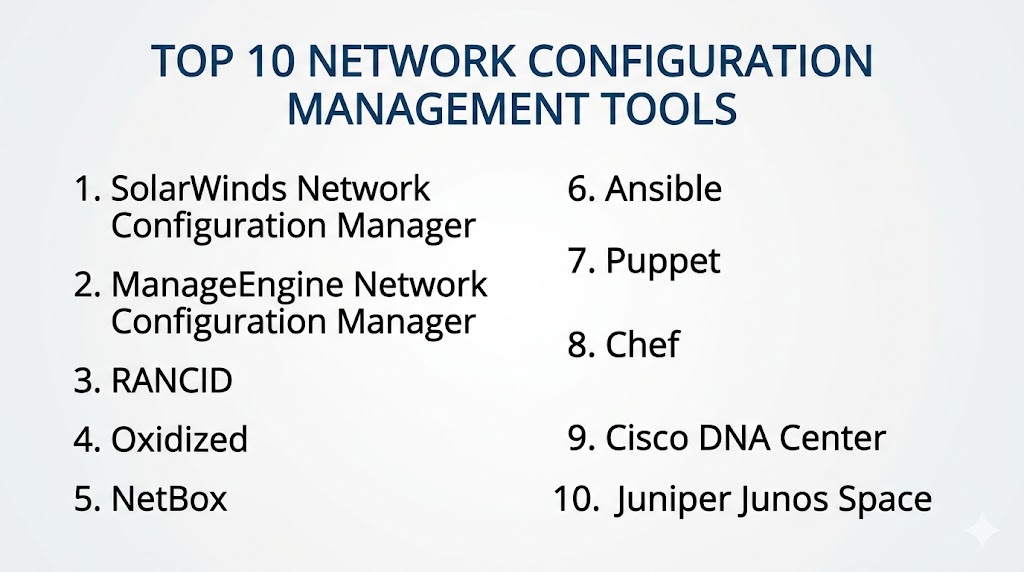
Top 10 Network Configuration Management Tools
#1 — SolarWinds Network Configuration Manager
Short description: An enterprise tool for managing and automating network configurations.
Key Features
- Configuration backup
- Change tracking
- Compliance management
- Automation
- Reporting
Pros
- Enterprise-ready
- Strong compliance features
Cons
- Expensive
- Complex setup
Platforms / Deployment
Windows
Self-hosted
Security & Compliance
RBAC, audit logs
Not publicly stated
Integrations & Ecosystem
- IT management tools
- Monitoring platforms
Support & Community
Enterprise support.
#2 — ManageEngine Network Configuration Manager
Short description: A cost-effective tool for managing network configurations and compliance.
Key Features
- Configuration management
- Backup and restore
- Compliance checks
- Automation
- Reporting
Pros
- Affordable
- Easy to deploy
Cons
- Limited advanced features
- UI complexity
Platforms / Deployment
Windows / Linux
Cloud / Self-hosted
Security & Compliance
Not publicly stated
Integrations & Ecosystem
- IT tools
- DevOps platforms
Support & Community
Vendor support.
#3 — RANCID
Short description: An open-source tool for tracking network device configurations.
Key Features
- Configuration tracking
- Version control
- Automation
- Multi-vendor support
- Reporting
Pros
- Free
- Reliable
Cons
- Limited UI
- Requires setup
Platforms / Deployment
Linux
Self-hosted
Security & Compliance
Not publicly stated
Integrations & Ecosystem
- Network tools
Support & Community
Active community.
#4 — Oxidized
Short description: A modern alternative to RANCID for network configuration backup and versioning.
Key Features
- Configuration backup
- Git integration
- Automation
- Multi-vendor support
- Logging
Pros
- Lightweight
- Easy integration
Cons
- Limited enterprise features
- Requires setup
Platforms / Deployment
Linux
Self-hosted
Security & Compliance
Not publicly stated
Integrations & Ecosystem
- Git
- DevOps tools
Support & Community
Growing community.
#5 — NetBox
Short description: An open-source platform for network automation and infrastructure management.
Key Features
- IP address management
- Device inventory
- Configuration tracking
- API support
- Automation
Pros
- Flexible
- Open-source
Cons
- Requires setup
- Not a full automation tool
Platforms / Deployment
Linux
Self-hosted
Security & Compliance
Not publicly stated
Integrations & Ecosystem
- DevOps tools
- APIs
Support & Community
Large community.
#6 — Ansible
Short description: An automation platform widely used for network configuration management.
Key Features
- Playbook automation
- Agentless architecture
- Multi-vendor support
- Integration with CI/CD
- Automation workflows
Pros
- Easy to use
- Strong community
Cons
- Requires scripting
- Scaling complexity
Platforms / Deployment
Windows / Linux
Cloud / Self-hosted
Security & Compliance
RBAC
Not publicly stated
Integrations & Ecosystem
- Cloud platforms
- DevOps tools
Support & Community
Large community.
#7 — Puppet
Short description: A configuration management tool for automating infrastructure and networks.
Key Features
- Configuration automation
- Policy enforcement
- Reporting
- Scalability
- Integration support
Pros
- Enterprise-ready
- Scalable
Cons
- Learning curve
- Complex setup
Platforms / Deployment
Windows / Linux
Cloud / Self-hosted
Security & Compliance
RBAC
Not publicly stated
Integrations & Ecosystem
- DevOps tools
- Cloud platforms
Support & Community
Strong support.
#8 — Chef
Short description: A DevOps automation tool for managing infrastructure configurations.
Key Features
- Configuration automation
- Infrastructure as Code
- Policy enforcement
- Integration support
- Reporting
Pros
- Flexible
- Strong automation
Cons
- Learning curve
- Requires expertise
Platforms / Deployment
Windows / Linux
Cloud / Self-hosted
Security & Compliance
Not publicly stated
Integrations & Ecosystem
- DevOps tools
- Cloud platforms
Support & Community
Active community.
#9 — Cisco DNA Center
Short description: A network management platform for automation and policy control in Cisco environments.
Key Features
- Network automation
- Policy management
- Configuration management
- Analytics
- Security
Pros
- Strong Cisco integration
- Enterprise features
Cons
- Vendor lock-in
- Expensive
Platforms / Deployment
Web
On-premise
Security & Compliance
RBAC
Not publicly stated
Integrations & Ecosystem
- Cisco ecosystem
Support & Community
Enterprise support.
#10 — Juniper Junos Space
Short description: A network management platform for Juniper devices.
Key Features
- Configuration management
- Automation
- Policy control
- Reporting
- Analytics
Pros
- Strong Juniper integration
- Enterprise-ready
Cons
- Vendor-specific
- Complex setup
Platforms / Deployment
Web
On-premise
Security & Compliance
Not publicly stated
Integrations & Ecosystem
- Juniper ecosystem
Support & Community
Enterprise support.
Comparison Table (Top 10)
| Tool Name | Best For | Platform(s) Supported | Deployment | Standout Feature | Public Rating |
|---|---|---|---|---|---|
| SolarWinds | Enterprise | Windows | Self-hosted | Compliance | N/A |
| ManageEngine | SMB | Multi-OS | Hybrid | Affordability | N/A |
| RANCID | Open-source | Linux | Self-hosted | Versioning | N/A |
| Oxidized | Open-source | Linux | Self-hosted | Git integration | N/A |
| NetBox | Infrastructure | Linux | Self-hosted | IPAM | N/A |
| Ansible | DevOps | Multi-OS | Hybrid | Automation | N/A |
| Puppet | Enterprise | Multi-OS | Hybrid | Policy enforcement | N/A |
| Chef | DevOps | Multi-OS | Hybrid | IaC | N/A |
| Cisco DNA | Cisco users | Web | On-prem | Automation | N/A |
| Junos Space | Juniper users | Web | On-prem | Integration | N/A |
Evaluation & Scoring of Network Configuration Management Tools
| Tool Name | Core | Ease | Integrations | Security | Performance | Support | Value | Weighted Total |
|---|---|---|---|---|---|---|---|---|
| SolarWinds | 10 | 7 | 9 | 9 | 9 | 9 | 6 | 8.9 |
| ManageEngine | 9 | 8 | 8 | 8 | 8 | 8 | 9 | 8.5 |
| RANCID | 8 | 6 | 7 | 7 | 8 | 7 | 10 | 8.0 |
| Oxidized | 8 | 7 | 7 | 7 | 8 | 7 | 10 | 8.1 |
| NetBox | 8 | 7 | 8 | 7 | 8 | 8 | 9 | 8.2 |
| Ansible | 9 | 8 | 9 | 8 | 9 | 9 | 10 | 8.9 |
| Puppet | 9 | 7 | 8 | 9 | 9 | 9 | 7 | 8.5 |
| Chef | 9 | 7 | 8 | 8 | 9 | 8 | 7 | 8.3 |
| Cisco DNA | 10 | 7 | 8 | 9 | 9 | 9 | 6 | 8.7 |
| Junos Space | 9 | 7 | 7 | 8 | 9 | 8 | 6 | 8.2 |
How to interpret scores:
These scores compare tools based on automation, usability, and value. Enterprise tools excel in compliance and scalability, while open-source tools offer flexibility and cost efficiency.
Which Network Configuration Management Tool Is Right for You?
Solo / Freelancer
RANCID or Oxidized for cost-effective solutions.
SMB
ManageEngine and NetBox for ease of use.
Mid-Market
Ansible and Chef for automation and scalability.
Enterprise
SolarWinds and Cisco DNA Center for advanced capabilities.
Budget vs Premium
- Budget: RANCID, Oxidized
- Premium: SolarWinds, Cisco DNA
Feature Depth vs Ease of Use
- Feature-rich: SolarWinds
- Easy-to-use: ManageEngine
Integrations & Scalability
- Best integrations: Ansible
- Scalable: Puppet
Security & Compliance Needs
- Strong security: SolarWinds
- Moderate: NetBox
Frequently Asked Questions (FAQs)
What is network configuration management?
It manages and automates network device configurations.
Why is it important?
It reduces errors and ensures consistency.
Do these tools support automation?
Yes, automation is a core feature.
Can they integrate with DevOps tools?
Yes, integration is common.
Are they cloud-based?
Many tools support cloud and self-hosted deployments.
Can small teams use them?
Yes, especially open-source tools.
What data do they manage?
Device configurations and policies.
Are they secure?
Most include access controls and auditing.
What is Infrastructure as Code?
Managing infrastructure using code.
What is the best tool overall?
Depends on your environment.
Conclusion
Network Configuration Management Tools are essential for maintaining stable, secure, and efficient network environments. By automating configuration tasks, tracking changes, and ensuring compliance, these tools reduce manual effort and minimize risks. Whether you choose enterprise solutions like SolarWinds and Cisco DNA Center or open-source tools like RANCID and NetBox, the right tool depends on your network size, complexity, and automation needs. Start by evaluating your requirements, testing a few tools, and integrating them into your workflows to ensure consistent and reliable network management.