Introduction
Thin Client Management Tools help IT teams centrally configure, monitor, update, secure, and support thin clients, zero clients, repurposed PCs, and endpoint devices used to access virtual desktops, remote apps, cloud workspaces, and digital work environments. These platforms are commonly used in VDI, DaaS, call centers, healthcare, education, banking, government, retail, and shared workstation environments.
Thin clients reduce endpoint complexity, but they still need strong lifecycle management. IT teams must handle device enrollment, firmware updates, policy enforcement, peripheral control, remote troubleshooting, security settings, user access, and integration with virtual desktop platforms. Without centralized management, thin client fleets can become difficult to secure and maintain.
Real-world use cases include:
- Managing thin clients across branch offices
- Updating firmware and device policies remotely
- Supporting VDI access for call centers and hospitals
- Repurposing old PCs into thin clients
- Enforcing secure endpoint settings for shared workstations
Buyers evaluating Thin Client Management Tools should consider:
- Supported thin client hardware
- VDI and DaaS platform compatibility
- Remote configuration and troubleshooting
- Firmware and OS update management
- Security policy enforcement
- Peripheral and USB control
- Scalability across distributed sites
- User profile and session management
- Reporting and inventory visibility
- Deployment flexibility and licensing model
Best for: IT operations teams, VDI administrators, managed service providers, healthcare IT teams, school districts, call centers, financial services firms, government agencies, retail chains, and enterprises managing shared or locked-down endpoints.
Not ideal for: Small businesses using standard laptops only, teams with no VDI or remote desktop strategy, or organizations that prefer full-featured endpoint management tools for traditional Windows, Mac, or Linux devices.
Key Trends in Thin Client Management Tools
- Cloud-managed thin client administration is becoming more common for distributed organizations.
- Repurposing existing PCs into managed thin clients is gaining attention as a cost-control strategy.
- VDI and DaaS integrations are becoming central buying criteria.
- Zero Trust access and stronger endpoint lockdown policies are becoming more important.
- Remote troubleshooting is now essential for branch offices and hybrid support models.
- Peripheral control is becoming critical in healthcare, finance, education, and call center environments.
- Browser-based workspace access is expanding the role of thin client operating systems.
- Automated firmware and OS update workflows are reducing manual site visits.
- Endpoint analytics are helping IT teams detect device health and connection issues faster.
- Sustainability and device lifecycle extension are becoming stronger decision factors.
How We Selected These Tools
The tools in this list were selected based on thin client management depth, market adoption, endpoint compatibility, VDI support, security capabilities, and operational practicality.
Selection criteria included:
- Strength of thin client and zero client management features
- Support for distributed endpoint fleets
- Compatibility with VDI, DaaS, and remote workspace platforms
- Remote update and configuration capabilities
- Security policy and device lockdown features
- Inventory, reporting, and monitoring quality
- Ease of deployment and administration
- Vendor ecosystem and hardware compatibility
- Suitability for enterprise, SMB, healthcare, education, and MSP use cases
- Long-term operational flexibility
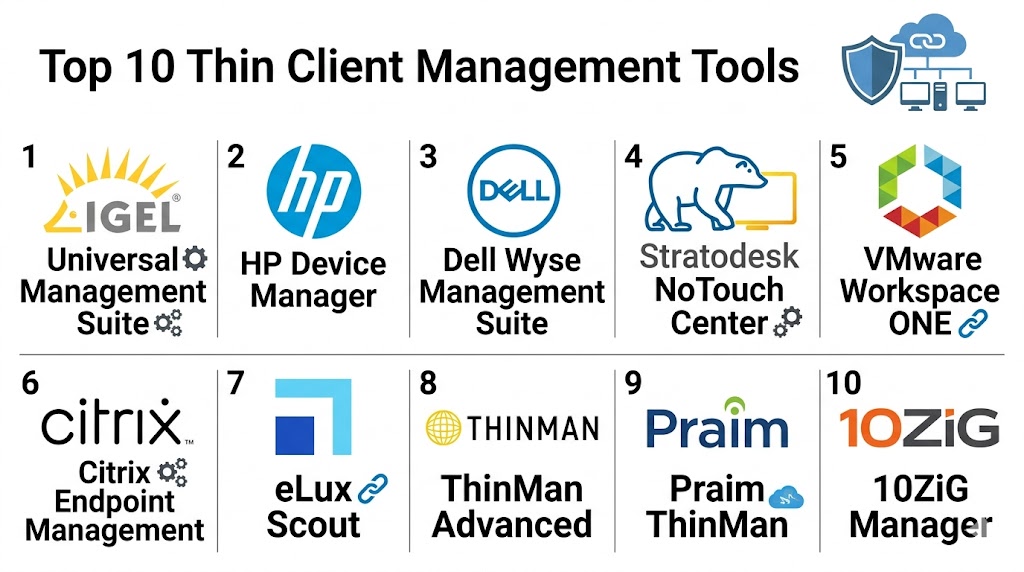
Top 10 Thin Client Management Tools
1- Dell Wyse Management Suite
Short description: Dell Wyse Management Suite is a centralized management platform for Dell Wyse thin clients and related endpoint environments. It helps IT teams configure devices, push policies, manage firmware, monitor health, and support distributed thin client deployments.
Key Features
- Centralized Dell Wyse device management
- Firmware and OS update control
- Policy-based configuration
- Remote device commands
- Asset inventory visibility
- Role-based administration
- Cloud and on-premise management options
Pros
- Strong fit for Dell Wyse environments
- Good remote policy management
- Scalable for distributed endpoint fleets
Cons
- Best suited for Dell Wyse hardware
- Limited value for non-Dell thin client fleets
- Advanced configuration may require VDI expertise
Platforms / Deployment
- Web
- Cloud / Self-hosted / Hybrid
Security & Compliance
- RBAC
- Audit logs
- Encryption
- Secure policy management
- MFA support varies by deployment
Integrations & Ecosystem
Dell Wyse Management Suite works best in environments using Dell endpoints and popular virtual desktop platforms.
- Dell Wyse thin clients
- Citrix environments
- VMware Horizon
- Microsoft remote desktop environments
- Active Directory workflows
- Cloud workspace platforms
Support & Community
Dell provides enterprise documentation, support resources, hardware lifecycle assistance, and partner support for thin client deployments.
2- HP Device Manager
Short description: HP Device Manager is designed to manage HP thin clients across business environments. It supports device configuration, image deployment, updates, policy enforcement, inventory tracking, and remote administration for HP thin client fleets.
Key Features
- HP thin client fleet management
- Device imaging and configuration
- Remote updates
- Asset inventory
- Policy deployment
- Device grouping
- Remote troubleshooting workflows
Pros
- Strong HP thin client support
- Useful for large endpoint deployments
- Good device lifecycle management
Cons
- Primarily HP-focused
- Less useful for mixed-vendor fleets
- Administration may require endpoint management experience
Platforms / Deployment
- Windows / Web
- Self-hosted / Hybrid
Security & Compliance
- RBAC
- Encryption
- Audit visibility varies by deployment
- Policy enforcement features
- Compliance reporting varies by configuration
Integrations & Ecosystem
HP Device Manager fits naturally into HP thin client and virtual desktop environments.
- HP thin clients
- Citrix environments
- VMware Horizon
- Microsoft remote desktop services
- Active Directory
- Enterprise endpoint workflows
Support & Community
HP offers product documentation, enterprise support channels, hardware support, and implementation resources for thin client environments.
3- IGEL Universal Management Suite
Short description: IGEL Universal Management Suite is a widely used thin endpoint management platform for IGEL OS environments. It helps organizations manage thin clients, repurposed PCs, and secure workspace endpoints across VDI, DaaS, and cloud workspaces.
Key Features
- Centralized IGEL OS management
- Endpoint policy control
- Profile-based configuration
- Firmware and OS update management
- Shadowing and remote support
- Device inventory
- High availability options
Pros
- Strong thin endpoint specialization
- Good support for repurposed PCs
- Excellent VDI and DaaS compatibility
Cons
- Best value comes with IGEL OS
- Requires planning for profile design
- Licensing and setup may be complex for small teams
Platforms / Deployment
- Linux-based endpoints / Web
- Self-hosted / Hybrid
Security & Compliance
- RBAC
- Encryption
- Audit logs
- Secure endpoint lockdown
- SSO integration varies by configuration
Integrations & Ecosystem
IGEL integrates with major workspace, virtualization, and remote access ecosystems.
- Citrix
- VMware Horizon
- Microsoft Azure Virtual Desktop
- Amazon WorkSpaces
- Imprivata
- Enterprise identity systems
Support & Community
IGEL has strong enterprise documentation, partner ecosystem, training resources, and a dedicated endpoint management community.
4- Stratodesk NoTouch Center
Short description: Stratodesk NoTouch Center manages endpoints running NoTouch OS, including thin clients, repurposed PCs, laptops, and Raspberry Pi-based devices. It is popular for organizations wanting flexible, secure, Linux-based endpoint management for virtual workspaces.
Key Features
- Centralized NoTouch OS management
- Repurposed PC conversion support
- Remote configuration
- Firmware and OS update workflows
- Device inventory
- VDI connection management
- Browser and cloud workspace support
Pros
- Strong hardware flexibility
- Good for extending device lifecycle
- Useful for VDI and DaaS access
Cons
- Requires NoTouch OS adoption
- Advanced policy design may require expertise
- Smaller ecosystem than larger hardware vendors
Platforms / Deployment
- Linux-based endpoints / Web
- Self-hosted / Hybrid
Security & Compliance
- RBAC
- Encryption
- Endpoint lockdown
- Audit visibility varies by setup
- Compliance reporting varies by configuration
Integrations & Ecosystem
Stratodesk supports a broad range of workspace platforms and endpoint hardware.
- Citrix
- VMware Horizon
- Microsoft Azure Virtual Desktop
- Amazon WorkSpaces
- Nutanix Frame
- Raspberry Pi environments
Support & Community
Stratodesk provides technical documentation, enterprise support, partner services, and implementation resources for thin endpoint environments.
5- 10ZiG Manager
Short description: 10ZiG Manager is a thin client management platform built for managing 10ZiG thin clients and zero clients across VDI and cloud workspace environments. It provides centralized device configuration, updates, inventory, and remote support capabilities.
Key Features
- Centralized thin client management
- Firmware update control
- Device grouping and profiles
- Remote shadowing
- Asset inventory
- Configuration deployment
- VDI connection management
Pros
- Strong fit for 10ZiG endpoint fleets
- Useful remote administration tools
- Good VDI-focused functionality
Cons
- Best suited for 10ZiG hardware
- Limited value for mixed non-10ZiG fleets
- Advanced enterprise integrations may vary
Platforms / Deployment
- Web / Windows
- Self-hosted / Hybrid
Security & Compliance
- RBAC
- Encryption
- Policy enforcement
- Audit visibility varies by configuration
- Compliance details not publicly stated
Integrations & Ecosystem
10ZiG Manager supports common virtual desktop and remote workspace environments.
- Citrix
- VMware Horizon
- Microsoft remote desktop environments
- Cloud workspace platforms
- Active Directory workflows
- Peripheral management workflows
Support & Community
10ZiG provides support, documentation, endpoint guidance, and hardware-focused assistance for VDI customers.
6- NComputing PMC Endpoint Manager
Short description: NComputing PMC Endpoint Manager helps organizations manage NComputing thin clients, RX-series devices, and endpoint environments used for virtual desktops, shared computing, and education deployments. It is especially relevant for cost-sensitive environments.
Key Features
- NComputing device management
- Remote configuration
- Firmware update workflows
- Endpoint grouping
- Device monitoring
- Cloud-based administration
- Shared computing support
Pros
- Good for education and cost-sensitive deployments
- Simple endpoint management workflows
- Useful for shared computing environments
Cons
- Primarily NComputing-focused
- Limited broader enterprise endpoint management
- Advanced reporting may be limited
Platforms / Deployment
- Web
- Cloud
Security & Compliance
- RBAC
- Encryption
- Policy management
- Compliance details not publicly stated
Integrations & Ecosystem
NComputing PMC works best with NComputing hardware and virtual desktop platforms.
- NComputing RX devices
- vSpace environments
- Microsoft remote desktop environments
- Citrix-compatible workflows
- Education IT environments
- Shared desktop deployments
Support & Community
NComputing provides product documentation, support resources, and deployment guidance for education, SMB, and shared computing customers.
7- HP Anyware Manager
Short description: HP Anyware Manager supports centralized management for HP Anyware and PCoIP-based remote workstation environments. It is useful for teams delivering secure remote access to high-performance workstations and virtual desktops.
Key Features
- Remote workstation access management
- PCoIP session support
- User and connection management
- Deployment administration
- Policy control
- Endpoint access workflows
- Cloud and workstation access support
Pros
- Strong remote workstation use case
- Good for graphics and engineering workflows
- Secure high-performance access model
Cons
- Not a general-purpose thin client manager
- Best suited for PCoIP and HP Anyware environments
- Requires remote workstation planning
Platforms / Deployment
- Windows / macOS / Linux / Web
- Cloud / Hybrid
Security & Compliance
- Encryption
- Access control
- Identity integration varies by setup
- Audit visibility varies by deployment
- Compliance details not publicly stated
Integrations & Ecosystem
HP Anyware Manager fits remote workstation, virtual desktop, and high-performance computing workflows.
- HP Anyware
- PCoIP clients
- Cloud workstations
- Virtual desktops
- Identity systems
- Workstation infrastructure
Support & Community
HP provides enterprise support, technical resources, and deployment guidance for remote workstation environments.
8- openthinclient
Short description: openthinclient is an open-source thin client management solution for organizations that want flexible, self-hosted endpoint control. It supports centralized configuration and management for thin client environments using open-source principles.
Key Features
- Centralized thin client management
- Open-source deployment model
- Network boot support
- Endpoint configuration
- Device grouping
- Linux-based thin client support
- Self-hosted administration
Pros
- Open-source flexibility
- Good for technical teams
- Cost-effective for controlled environments
Cons
- Requires Linux and infrastructure expertise
- Smaller commercial ecosystem
- Less polished than enterprise vendor platforms
Platforms / Deployment
- Linux-based endpoints / Web
- Self-hosted
Security & Compliance
- Security controls vary by deployment
- RBAC varies by configuration
- Encryption depends on implementation
- Compliance details not publicly stated
Integrations & Ecosystem
openthinclient is best suited for self-hosted, technical, and customized thin client environments.
- Linux environments
- Network boot infrastructure
- Remote desktop platforms
- Open-source workflows
- Custom endpoint configurations
- Internal IT automation
Support & Community
Community-driven support, technical documentation, and self-managed implementation resources are available.
9- Praim ThinMan Management Software
Short description: Praim ThinMan is a thin client management platform designed to manage Praim thin clients and endpoint environments used for virtual desktop access. It supports centralized monitoring, configuration, updates, and secure endpoint administration.
Key Features
- Centralized thin client management
- Device monitoring
- Profile and policy control
- Firmware update management
- Remote assistance
- Inventory reporting
- VDI access management
Pros
- Strong thin client lifecycle features
- Good VDI endpoint focus
- Useful remote administration tools
Cons
- Best suited for Praim endpoints
- Smaller ecosystem than major global vendors
- Advanced integrations may vary
Platforms / Deployment
- Web / Windows
- Self-hosted / Hybrid
Security & Compliance
- RBAC
- Encryption
- Endpoint policy controls
- Compliance details not publicly stated
Integrations & Ecosystem
Praim ThinMan supports virtual desktop and remote workspace environments commonly used by enterprise IT teams.
- Citrix
- VMware Horizon
- Microsoft remote desktop environments
- Praim thin clients
- Enterprise identity workflows
- Peripheral management workflows
Support & Community
Praim provides vendor documentation, support resources, and endpoint management guidance for thin client customers.
10- Lenovo ThinkSmart Manager
Short description: Lenovo ThinkSmart Manager is mainly designed for managing Lenovo meeting room and collaboration devices, but it can be relevant for organizations managing dedicated endpoint appliances in shared workspace environments. It is most suitable for teams managing Lenovo smart collaboration endpoints rather than traditional thin client fleets.
Key Features
- Centralized Lenovo device management
- Remote monitoring
- Device health visibility
- Configuration control
- Update management
- Alerting
- Shared workspace endpoint support
Pros
- Useful for Lenovo collaboration endpoints
- Simple cloud management
- Good for meeting room device operations
Cons
- Not a dedicated thin client management platform
- Limited VDI-specific functionality
- Best suited for Lenovo device ecosystems
Platforms / Deployment
- Web
- Cloud
Security & Compliance
- RBAC
- Encryption
- Device access controls
- Compliance details not publicly stated
Integrations & Ecosystem
Lenovo ThinkSmart Manager works best in Lenovo collaboration and workplace device environments.
- Lenovo ThinkSmart devices
- Microsoft Teams Rooms
- Zoom Rooms
- Collaboration endpoints
- Workplace IT workflows
- Remote device monitoring
Support & Community
Lenovo provides enterprise support, device documentation, and hardware-focused service resources.
Comparison Table
| Tool Name | Best For | Platforms Supported | Deployment | Standout Feature | Public Rating |
|---|---|---|---|---|---|
| Dell Wyse Management Suite | Dell Wyse thin client fleets | Web | Cloud / Self-hosted / Hybrid | Dell Wyse policy management | N/A |
| HP Device Manager | HP thin client environments | Windows / Web | Self-hosted / Hybrid | HP thin client lifecycle control | N/A |
| IGEL Universal Management Suite | IGEL OS and repurposed PC fleets | Linux endpoints / Web | Self-hosted / Hybrid | Secure workspace endpoint management | N/A |
| Stratodesk NoTouch Center | Flexible VDI endpoint fleets | Linux endpoints / Web | Self-hosted / Hybrid | Repurposed PC conversion | N/A |
| 10ZiG Manager | 10ZiG thin client deployments | Windows / Web | Self-hosted / Hybrid | VDI-focused remote endpoint control | N/A |
| NComputing PMC Endpoint Manager | Education and shared computing | Web | Cloud | Cost-efficient device management | N/A |
| HP Anyware Manager | Remote workstation access | Windows / macOS / Linux / Web | Cloud / Hybrid | PCoIP remote workstation management | N/A |
| openthinclient | Open-source thin client environments | Linux endpoints / Web | Self-hosted | Open-source endpoint control | N/A |
| Praim ThinMan | Praim thin client fleets | Windows / Web | Self-hosted / Hybrid | Thin client monitoring and policy control | N/A |
| Lenovo ThinkSmart Manager | Shared collaboration endpoints | Web | Cloud | Lenovo device monitoring | N/A |
Evaluation & Scoring of Thin Client Management Tools
| Tool Name | Core 25% | Ease 15% | Integrations 15% | Security 10% | Performance 10% | Support 10% | Value 15% | Weighted Total |
|---|---|---|---|---|---|---|---|---|
| Dell Wyse Management Suite | 9.0 | 8.1 | 8.6 | 8.5 | 8.7 | 8.8 | 8.2 | 8.58 |
| HP Device Manager | 8.6 | 7.8 | 8.2 | 8.2 | 8.4 | 8.7 | 8.0 | 8.29 |
| IGEL Universal Management Suite | 9.4 | 7.9 | 9.0 | 8.9 | 9.0 | 8.7 | 8.1 | 8.78 |
| Stratodesk NoTouch Center | 8.9 | 8.2 | 8.7 | 8.4 | 8.6 | 8.2 | 8.6 | 8.57 |
| 10ZiG Manager | 8.4 | 8.0 | 8.1 | 8.0 | 8.4 | 8.3 | 8.3 | 8.25 |
| NComputing PMC Endpoint Manager | 7.9 | 8.5 | 7.6 | 7.8 | 8.0 | 7.9 | 8.9 | 8.10 |
| HP Anyware Manager | 8.0 | 7.8 | 8.3 | 8.5 | 8.8 | 8.4 | 7.8 | 8.21 |
| openthinclient | 7.3 | 6.8 | 7.2 | 7.0 | 7.7 | 6.8 | 9.0 | 7.43 |
| Praim ThinMan | 8.1 | 7.9 | 7.8 | 7.9 | 8.2 | 8.0 | 8.1 | 8.01 |
| Lenovo ThinkSmart Manager | 7.2 | 8.6 | 7.4 | 7.8 | 8.0 | 8.2 | 8.0 | 7.83 |
These scores are comparative and should be used as a practical evaluation guide rather than a universal ranking. Vendor-specific tools often perform best when matched with their own thin client hardware, while OS-based platforms such as IGEL and Stratodesk can provide broader flexibility across repurposed and mixed endpoint environments. Buyers should prioritize hardware compatibility, VDI platform fit, security controls, and remote support needs before choosing a tool.
Which Thin Client Management Tool Is Right for You?
Solo / Freelancer
Solo consultants and small IT providers usually do not need a heavy enterprise thin client platform unless they manage client VDI deployments. openthinclient may work for technical users who want open-source flexibility, while vendor tools like Dell Wyse Management Suite or 10ZiG Manager are better when the hardware fleet is already standardized.
SMB
SMBs often need affordable, simple endpoint control for shared workstations, branch offices, or remote desktops. NComputing PMC Endpoint Manager, 10ZiG Manager, and Stratodesk NoTouch Center can be practical choices depending on hardware, budget, and VDI platform requirements.
Mid-Market
Mid-market organizations usually need stronger device grouping, policy enforcement, remote troubleshooting, firmware updates, and VDI integration. Dell Wyse Management Suite, HP Device Manager, Stratodesk NoTouch Center, and Praim ThinMan can support growing endpoint environments effectively.
Enterprise
Large enterprises typically require scalable fleet administration, high availability, profile-based policy control, strong VDI integrations, secure endpoint lockdown, and robust support. IGEL Universal Management Suite, Dell Wyse Management Suite, HP Device Manager, and Stratodesk NoTouch Center are strong enterprise-focused options.
Budget vs Premium
openthinclient and NComputing PMC Endpoint Manager may appeal to budget-conscious teams, especially when internal technical skills are available. IGEL, Dell, HP, and Stratodesk are better suited for organizations that need structured support, broader endpoint coverage, stronger security workflows, and long-term enterprise management.
Feature Depth vs Ease of Use
IGEL Universal Management Suite and Dell Wyse Management Suite provide strong management depth but require planning and administrator knowledge. NComputing and Lenovo ThinkSmart Manager are easier for specific use cases but provide less broad thin client functionality. Stratodesk offers a good balance between flexibility and operational control.
Integrations & Scalability
Organizations using Citrix, VMware Horizon, Microsoft Azure Virtual Desktop, or Amazon WorkSpaces should prioritize tools with strong connection management and policy support for those platforms. IGEL, Dell Wyse, HP, Stratodesk, and 10ZiG are commonly suited for VDI-aligned environments.
Security & Compliance Needs
Regulated organizations should prioritize endpoint lockdown, encrypted connections, RBAC, audit logs, remote wipe or reset workflows, USB and peripheral control, firmware management, and identity integration. IGEL, Dell Wyse Management Suite, HP Device Manager, and Stratodesk NoTouch Center are strong options for security-conscious thin client management.
Frequently Asked Questions
1. What is a Thin Client Management Tool?
A Thin Client Management Tool helps IT teams centrally configure, update, monitor, secure, and troubleshoot thin clients, zero clients, and endpoint devices used for virtual desktops or remote applications. It reduces manual endpoint administration and improves fleet consistency.
2. Why are Thin Client Management Tools important?
They help organizations manage large endpoint fleets without visiting each device manually. This is especially important for branch offices, hospitals, schools, call centers, and shared workstation environments where device consistency and uptime matter.
3. What is the difference between a thin client and a zero client?
A thin client usually runs a lightweight operating system and may support multiple connection types, apps, or browser workflows. A zero client is typically more locked down and purpose-built for connecting to a specific virtual desktop or remote display protocol.
4. Can old PCs be converted into thin clients?
Yes. Some platforms allow organizations to repurpose older PCs into managed thin clients by installing a lightweight endpoint operating system. This can reduce hardware costs and extend device lifecycle.
5. Which VDI platforms do these tools support?
Many thin client management tools support popular VDI and DaaS platforms such as Citrix, VMware Horizon, Microsoft remote desktop environments, Azure Virtual Desktop, Amazon WorkSpaces, and related cloud workspace services. Support varies by vendor.
6. Are thin client tools only for enterprises?
No. SMBs, schools, clinics, call centers, and managed service providers also use thin client tools. The best option depends on device count, hardware standardization, security requirements, and virtual desktop strategy.
7. What are common implementation mistakes?
Common mistakes include choosing a tool before confirming hardware compatibility, ignoring peripheral requirements, weak profile design, poor network planning, incomplete VDI testing, and insufficient remote support workflows.
8. Can Thin Client Management Tools improve security?
Yes. They can enforce locked-down configurations, control USB devices, manage firmware, reduce local data exposure, support secure remote access, and standardize endpoint policies across shared or distributed environments.
9. Should organizations choose vendor-specific or vendor-neutral tools?
Vendor-specific tools are often best when the hardware fleet is standardized on one brand. Vendor-neutral or OS-based platforms are better when the organization wants to manage mixed hardware or repurpose existing PCs.
10. What should buyers evaluate before selecting a tool?
Buyers should evaluate hardware compatibility, VDI platform support, remote update capabilities, security controls, peripheral management, reporting, deployment model, administrator skill requirements, support quality, and total lifecycle cost.
Conclusion
Thin Client Management Tools are essential for organizations that rely on virtual desktops, remote applications, shared workstations, secure browser access, and centralized endpoint control. The right platform can simplify configuration, firmware updates, endpoint lockdown, remote troubleshooting, inventory tracking, and VDI access management while reducing manual IT workload. Dell Wyse Management Suite and HP Device Manager are strong choices for standardized vendor fleets, while IGEL Universal Management Suite and Stratodesk NoTouch Center provide broader flexibility for mixed endpoints and repurposed PCs. 10ZiG, NComputing, Praim, and openthinclient can be practical depending on hardware, budget, and technical requirements. The best choice depends on your thin client hardware, VDI platform, security needs, branch office model, and support expectations. Shortlist two or three tools, test them with real endpoint devices, validate connection performance and peripheral support, and confirm that the platform can scale with your future virtual workspace strategy.
I think user experience deserves more attention when evaluating these tools. Fast login times and smooth application access can significantly impact productivity.