Introduction
Linux Fleet Management Tools help IT, DevOps, platform engineering, and security teams manage large groups of Linux servers, workstations, virtual machines, containers, and cloud instances from a centralized system. These tools support patching, configuration management, package deployment, compliance reporting, inventory tracking, remote execution, policy enforcement, and operational automation across Linux environments.
Linux fleets are often spread across data centers, public cloud platforms, private cloud systems, edge locations, development environments, and production workloads. Without centralized fleet management, teams may struggle with inconsistent configurations, delayed patches, security gaps, poor visibility, and manual operational work.
Real-world use cases include:
- Managing Linux servers across cloud and on-premise infrastructure
- Automating package updates and security patches
- Enforcing configuration standards across production systems
- Tracking Linux inventory and compliance status
- Running remote commands and remediation workflows at scale
Buyers evaluating Linux Fleet Management Tools should consider:
- Linux distribution coverage
- Patch and package management depth
- Configuration automation capabilities
- Inventory and reporting quality
- Security and compliance controls
- Remote execution and orchestration
- Agent-based versus agentless management
- Cloud and hybrid infrastructure support
- Integration with DevOps and ITSM workflows
- Scalability across large fleets
Best for: Linux administrators, DevOps teams, platform engineering teams, SRE teams, cybersecurity teams, cloud operations teams, managed service providers, enterprises, hosting providers, and organizations managing large Linux server fleets.
Not ideal for: Very small teams with only a few Linux machines, organizations that only need occasional manual SSH access, or teams that already manage infrastructure entirely through immutable images and short-lived containers without persistent server administration needs.
Key Trends in Linux Fleet Management Tools
- Cloud-based Linux fleet visibility is becoming more important as workloads spread across multiple cloud providers.
- Automated patching and vulnerability remediation are now major priorities for security-driven teams.
- Infrastructure as code and configuration as code workflows are replacing manual Linux administration.
- Agentless automation remains popular for DevOps teams that want faster rollout without persistent endpoint agents.
- Compliance reporting is becoming more important for regulated industries running Linux workloads.
- Edge and IoT Linux fleet management is growing as organizations deploy devices outside traditional data centers.
- Security telemetry and inventory data are increasingly integrated with SIEM, EDR, and vulnerability platforms.
- GitOps-style operations are influencing Linux configuration and policy management.
- Hybrid deployment models are becoming more common for enterprises with cloud and on-premise workloads.
- Open-source-first Linux management remains important for teams that need customization and control.
How We Selected These Tools
The tools in this list were selected based on Linux fleet management depth, market adoption, ecosystem maturity, automation capabilities, and practical value for IT and DevOps teams.
Selection criteria included:
- Linux distribution support and operating system coverage
- Patch management and package control capabilities
- Configuration management and automation depth
- Scalability for large server fleets
- Security and compliance reporting features
- Inventory and asset visibility
- Cloud, hybrid, and self-hosted deployment options
- Integrations with DevOps, ITSM, and security ecosystems
- Ease of administration and operational maturity
- Suitability for enterprise, SMB, MSP, and open-source use cases
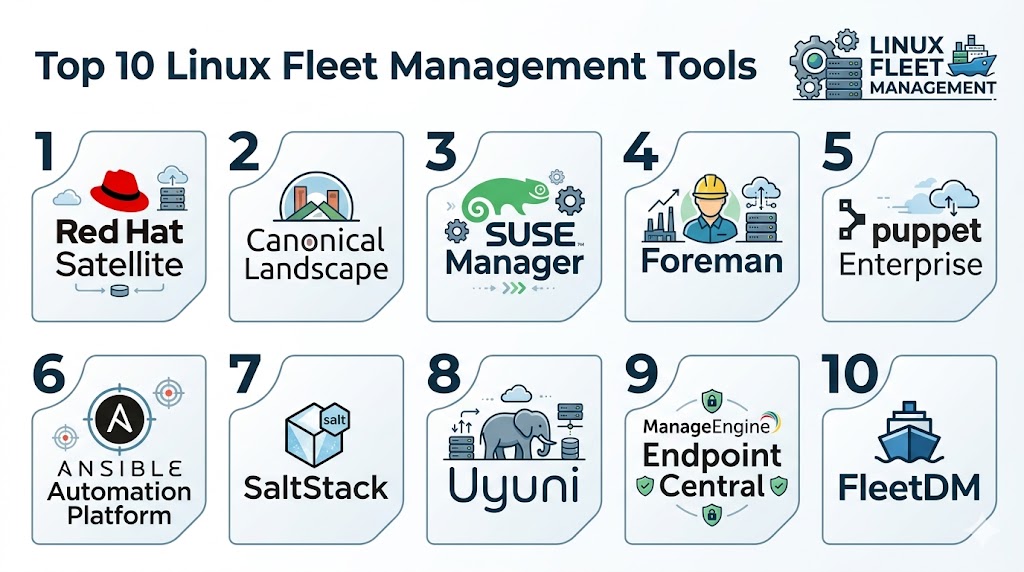
Top 10 Linux Fleet Management Tools
1- Red Hat Satellite
Short description: Red Hat Satellite is an enterprise Linux management platform designed for organizations running Red Hat Enterprise Linux environments. It helps teams manage patches, subscriptions, system configurations, provisioning, compliance, and lifecycle operations across large Linux fleets.
Key Features
- Linux patch and package management
- System provisioning
- Subscription management
- Configuration management
- Content lifecycle management
- Compliance reporting
- Inventory and host visibility
Pros
- Strong fit for Red Hat Enterprise Linux environments
- Mature enterprise lifecycle management
- Good compliance and patch governance
Cons
- Best suited for Red Hat ecosystems
- Requires administrative expertise
- May be too heavy for small teams
Platforms / Deployment
- Linux
- Self-hosted / Hybrid
Security & Compliance
- RBAC
- Audit logs
- Encryption
- Compliance reporting
- Identity integration
- Patch compliance visibility
Integrations & Ecosystem
Red Hat Satellite integrates well with enterprise Linux, automation, security, and infrastructure workflows.
- Red Hat Enterprise Linux
- Red Hat Ansible Automation Platform
- Red Hat Insights
- Identity systems
- Virtualization platforms
- Security workflows
Support & Community
Strong enterprise support, mature documentation, Red Hat partner ecosystem, and broad Linux administrator community.
2- SUSE Manager
Short description: SUSE Manager is a Linux systems management platform designed for managing, patching, provisioning, monitoring, and securing Linux fleets across enterprise and hybrid environments. It supports SUSE environments and multiple Linux distributions.
Key Features
- Linux patch management
- Configuration management
- System provisioning
- Compliance monitoring
- Inventory reporting
- Container and cloud visibility
- Multi-distribution management
Pros
- Strong enterprise Linux lifecycle management
- Supports mixed Linux environments
- Good compliance and patching workflows
Cons
- Requires Linux administration knowledge
- Enterprise deployment can be complex
- Best fit for organizations already invested in SUSE or enterprise Linux operations
Platforms / Deployment
- Linux
- Self-hosted / Hybrid
Security & Compliance
- RBAC
- Audit logs
- Encryption
- Patch compliance reporting
- Configuration compliance checks
Integrations & Ecosystem
SUSE Manager integrates with Linux infrastructure, automation, compliance, and enterprise operations workflows.
- SUSE Linux Enterprise
- Red Hat compatible systems
- Ubuntu environments
- Salt-based automation
- Virtualization platforms
- Monitoring workflows
Support & Community
Enterprise support is available through SUSE, with strong documentation and Linux-focused operational resources.
3- Canonical Landscape
Short description: Canonical Landscape is a Linux fleet management tool focused on Ubuntu systems. It helps organizations manage Ubuntu servers, desktops, packages, security updates, compliance, and inventory from a centralized management interface.
Key Features
- Ubuntu system management
- Package and patch management
- Security update control
- Inventory reporting
- Compliance visibility
- Remote script execution
- Group-based fleet management
Pros
- Strong Ubuntu ecosystem alignment
- Useful for Ubuntu server and desktop fleets
- Good package and update visibility
Cons
- Best suited for Ubuntu environments
- Limited value for non-Ubuntu-heavy fleets
- Advanced multi-distribution management is limited
Platforms / Deployment
- Linux
- Cloud / Self-hosted
Security & Compliance
- RBAC
- Audit logs
- Encryption
- Patch compliance reporting
- Security update visibility
Integrations & Ecosystem
Canonical Landscape integrates naturally with Ubuntu infrastructure and Canonical enterprise workflows.
- Ubuntu Server
- Ubuntu Desktop
- Ubuntu Pro
- Cloud infrastructure
- Automation scripts
- Security update workflows
Support & Community
Strong Canonical documentation, Ubuntu ecosystem support, and enterprise support options.
4- Red Hat Ansible Automation Platform
Short description: Red Hat Ansible Automation Platform is an automation platform widely used for Linux fleet management, configuration automation, patching workflows, orchestration, and remote command execution. It is agentless and highly flexible for DevOps and IT operations teams.
Key Features
- Agentless Linux automation
- Configuration management
- Patch workflow automation
- Remote command execution
- Infrastructure orchestration
- Role-based automation control
- Automation analytics
Pros
- Agentless and flexible
- Strong DevOps and enterprise adoption
- Works across many Linux distributions
Cons
- Requires playbook and automation skills
- Not a traditional inventory-only tool
- Governance setup is important at scale
Platforms / Deployment
- Linux / Web
- Cloud / Self-hosted / Hybrid
Security & Compliance
- RBAC
- Audit logs
- Credential management
- Encryption
- SSO/SAML support
- Automation governance controls
Integrations & Ecosystem
Ansible integrates deeply with Linux, cloud, DevOps, networking, and security ecosystems.
- Red Hat Enterprise Linux
- Ubuntu
- AWS
- Azure
- VMware
- CI/CD platforms
Support & Community
Large automation community, strong enterprise support, extensive documentation, and broad ecosystem adoption.
5- Puppet Enterprise
Short description: Puppet Enterprise is a configuration management and infrastructure automation platform used to enforce desired states across Linux fleets. It is suitable for organizations requiring policy-driven infrastructure consistency and compliance visibility.
Key Features
- Desired state configuration
- Linux configuration enforcement
- Patch orchestration support
- Compliance reporting
- Drift detection
- Infrastructure automation
- Role-based access control
Pros
- Strong configuration consistency
- Good compliance-driven workflows
- Mature enterprise automation model
Cons
- Requires Puppet language knowledge
- Setup and maintenance can be complex
- Less lightweight than simple remote execution tools
Platforms / Deployment
- Linux / Windows
- Self-hosted / Hybrid
Security & Compliance
- RBAC
- Audit logs
- Encryption
- Compliance reporting
- Policy enforcement
Integrations & Ecosystem
Puppet Enterprise integrates with DevOps, compliance, security, and infrastructure platforms.
- Linux distributions
- VMware
- Cloud platforms
- CI/CD tools
- ITSM platforms
- Security tools
Support & Community
Strong enterprise support, mature documentation, and a long-standing automation community.
6- Chef Infra
Short description: Chef Infra is an infrastructure automation platform used to configure, manage, and enforce Linux system states across fleets. It is useful for DevOps teams that want policy-driven configuration management and repeatable infrastructure automation.
Key Features
- Infrastructure as code
- Linux configuration management
- Policy-based automation
- Compliance automation support
- Configuration drift control
- Package and service management
- Multi-cloud infrastructure support
Pros
- Strong infrastructure automation model
- Good for repeatable Linux configuration
- Mature DevOps ecosystem
Cons
- Requires Chef-specific skills
- Can be complex for smaller teams
- Less simple than lightweight scripting tools
Platforms / Deployment
- Linux / Windows
- Cloud / Self-hosted / Hybrid
Security & Compliance
- RBAC
- Audit logs
- Encryption
- Compliance automation options
- Policy enforcement
Integrations & Ecosystem
Chef integrates with infrastructure, DevOps, security, and cloud environments.
- Linux distributions
- AWS
- Azure
- VMware
- CI/CD tools
- Compliance platforms
Support & Community
Established documentation, enterprise support options, and a mature DevOps user base.
7- Salt Project
Short description: Salt Project is an automation and configuration management tool used for remote execution, event-driven automation, infrastructure control, and Linux fleet operations. It is known for speed and flexibility in large-scale environments.
Key Features
- Remote command execution
- Configuration management
- Event-driven automation
- Linux package management
- State enforcement
- Scalable orchestration
- Infrastructure automation
Pros
- Fast remote execution
- Flexible automation model
- Good fit for large Linux fleets
Cons
- Requires technical expertise
- Operational setup can be complex
- Enterprise support depends on chosen distribution or vendor model
Platforms / Deployment
- Linux / Windows / macOS
- Self-hosted / Hybrid
Security & Compliance
- RBAC support varies by setup
- Encryption
- Audit visibility varies by configuration
- Compliance reporting may require integrations
Integrations & Ecosystem
Salt integrates with Linux operations, cloud automation, monitoring, and infrastructure workflows.
- Linux distributions
- Cloud platforms
- Monitoring tools
- Configuration repositories
- Security workflows
- APIs
Support & Community
Strong technical community and open-source documentation, with enterprise support depending on implementation model.
8- Uyuni
Short description: Uyuni is an open-source systems management platform used for Linux fleet management, patching, configuration, provisioning, and compliance visibility. It is closely related to SUSE Manager and is useful for teams that want open-source control.
Key Features
- Linux patch management
- System provisioning
- Configuration management
- Inventory reporting
- Compliance visibility
- Multi-distribution support
- Salt-based automation
Pros
- Open-source flexibility
- Strong Linux fleet management capabilities
- Good option for self-hosted environments
Cons
- Requires Linux administration expertise
- Support depends on community or internal skills
- Enterprise polish may vary compared to commercial platforms
Platforms / Deployment
- Linux
- Self-hosted
Security & Compliance
- RBAC
- Audit logs
- Encryption
- Patch compliance visibility
- Configuration compliance support
Integrations & Ecosystem
Uyuni integrates with Linux distributions, automation workflows, and self-hosted infrastructure environments.
- SUSE environments
- Red Hat compatible systems
- Ubuntu systems
- Salt automation
- Virtualization platforms
- Repository management workflows
Support & Community
Community-driven support with open-source documentation and ecosystem resources.
9- Fleet
Short description: Fleet is an endpoint visibility and management platform built around osquery. It is useful for Linux, macOS, and Windows fleet visibility, compliance checks, vulnerability insights, and security operations workflows.
Key Features
- Linux endpoint visibility
- osquery-based inventory
- Compliance monitoring
- Vulnerability visibility
- Policy checks
- Real-time device queries
- Cross-platform endpoint telemetry
Pros
- Strong endpoint visibility
- Developer-friendly and flexible
- Useful for security and compliance teams
Cons
- Not a full traditional Linux patch management platform
- Requires osquery knowledge for advanced use
- Remediation workflows may need integrations
Platforms / Deployment
- Linux / macOS / Windows
- Cloud / Self-hosted
Security & Compliance
- RBAC
- Audit logs
- Encryption
- Compliance checks
- SSO/SAML support varies by configuration
Integrations & Ecosystem
Fleet integrates with security, compliance, DevOps, and endpoint telemetry workflows.
- osquery ecosystem
- SIEM platforms
- Security tools
- Cloud environments
- APIs
- Compliance workflows
Support & Community
Strong technical documentation, open-source community presence, and growing endpoint operations ecosystem.
10- ManageEngine Endpoint Central
Short description: ManageEngine Endpoint Central is a unified endpoint management platform that supports Linux management alongside Windows, macOS, and mobile endpoints. It is useful for IT teams that want patching, software deployment, inventory, remote control, and endpoint operations in one platform.
Key Features
- Linux patch management
- Software deployment
- Asset inventory
- Remote control support
- Configuration management
- Reporting dashboards
- Multi-platform endpoint management
Pros
- Good multi-platform support
- Strong value for SMB and mid-market teams
- Practical endpoint operations features
Cons
- Linux-specific depth may be lower than specialist tools
- Interface can feel dense
- Large deployments require careful planning
Platforms / Deployment
- Linux / Windows / macOS / iOS / Android
- Cloud / Self-hosted
Security & Compliance
- MFA
- RBAC
- Audit logs
- Encryption
- Patch compliance reporting
Integrations & Ecosystem
ManageEngine Endpoint Central integrates with IT operations, identity, service desk, and security workflows.
- Active Directory
- ServiceDesk Plus
- Microsoft environments
- SIEM platforms
- REST APIs
- ITSM workflows
Support & Community
Good documentation, active user community, onboarding resources, and practical support for IT operations teams.
Comparison Table
| Tool Name | Best For | Platforms Supported | Deployment | Standout Feature | Public Rating |
|---|---|---|---|---|---|
| Red Hat Satellite | Red Hat enterprise Linux fleets | Linux | Self-hosted / Hybrid | Enterprise Linux lifecycle management | N/A |
| SUSE Manager | Mixed enterprise Linux fleets | Linux | Self-hosted / Hybrid | Multi-distribution Linux management | N/A |
| Canonical Landscape | Ubuntu fleet management | Linux | Cloud / Self-hosted | Ubuntu package and update control | N/A |
| Red Hat Ansible Automation Platform | Agentless Linux automation | Linux / Web | Cloud / Self-hosted / Hybrid | Agentless orchestration | N/A |
| Puppet Enterprise | Configuration enforcement | Linux / Windows | Self-hosted / Hybrid | Desired state management | N/A |
| Chef Infra | Infrastructure as code teams | Linux / Windows | Cloud / Self-hosted / Hybrid | Policy-based automation | N/A |
| Salt Project | Large-scale remote execution | Linux / Windows / macOS | Self-hosted / Hybrid | Fast event-driven automation | N/A |
| Uyuni | Open-source Linux fleet management | Linux | Self-hosted | Open-source patch and system management | N/A |
| Fleet | Endpoint visibility and compliance | Linux / macOS / Windows | Cloud / Self-hosted | osquery-based telemetry | N/A |
| ManageEngine Endpoint Central | Multi-platform endpoint operations | Linux / Windows / macOS / Mobile | Cloud / Self-hosted | Unified endpoint management | N/A |
Evaluation & Scoring of Linux Fleet Management Tools
| Tool Name | Core 25% | Ease 15% | Integrations 15% | Security 10% | Performance 10% | Support 10% | Value 15% | Weighted Total |
|---|---|---|---|---|---|---|---|---|
| Red Hat Satellite | 9.4 | 7.4 | 8.8 | 9.1 | 8.9 | 9.2 | 7.7 | 8.57 |
| SUSE Manager | 9.0 | 7.5 | 8.5 | 8.8 | 8.7 | 8.7 | 8.0 | 8.43 |
| Canonical Landscape | 8.4 | 8.2 | 7.9 | 8.4 | 8.3 | 8.5 | 8.4 | 8.30 |
| Red Hat Ansible Automation Platform | 9.2 | 8.0 | 9.4 | 8.9 | 9.0 | 9.0 | 8.1 | 8.83 |
| Puppet Enterprise | 8.8 | 7.2 | 8.5 | 8.7 | 8.5 | 8.4 | 7.8 | 8.25 |
| Chef Infra | 8.5 | 7.1 | 8.4 | 8.6 | 8.4 | 8.2 | 7.7 | 8.07 |
| Salt Project | 8.6 | 7.4 | 8.0 | 7.8 | 8.9 | 7.6 | 8.6 | 8.11 |
| Uyuni | 8.3 | 7.1 | 7.8 | 8.0 | 8.2 | 7.2 | 9.0 | 7.96 |
| Fleet | 7.8 | 7.8 | 8.3 | 8.5 | 8.4 | 8.0 | 8.7 | 8.18 |
| ManageEngine Endpoint Central | 8.0 | 8.4 | 8.0 | 8.2 | 8.1 | 8.2 | 8.8 | 8.23 |
These scores are comparative and should be used as a practical buying guide rather than a universal ranking. Traditional Linux lifecycle platforms score higher in patching and system management depth, while automation tools score higher in flexibility and orchestration. Security-focused visibility platforms may not replace patching tools but can add strong compliance and telemetry value.
Which Linux Fleet Management Tool Is Right for You?
Solo / Freelancer
Solo administrators and consultants usually need lightweight automation, inventory, and patch visibility without heavy platform overhead. Ansible, Fleet, and Uyuni can be practical choices depending on whether the goal is automation, visibility, or open-source systems management.
SMB
SMBs typically need affordable Linux patching, inventory tracking, and basic configuration control. ManageEngine Endpoint Central, Canonical Landscape, Uyuni, and Ansible are strong options for smaller teams that want practical fleet control without excessive enterprise complexity.
Mid-Market
Mid-market organizations often need stronger automation, multi-distribution support, compliance visibility, and integration with cloud or DevOps workflows. SUSE Manager, Ansible Automation Platform, Puppet Enterprise, Fleet, and ManageEngine Endpoint Central can be strong fits depending on operational maturity.
Enterprise
Large enterprises usually require lifecycle management, compliance reporting, scalable automation, RBAC, audit logs, patch governance, and integration with enterprise infrastructure. Red Hat Satellite, SUSE Manager, Ansible Automation Platform, Puppet Enterprise, and Chef Infra are strong enterprise-focused options.
Budget vs Premium
Uyuni, Salt Project, and open-source automation workflows may appeal to budget-conscious teams with strong Linux expertise. Red Hat Satellite, SUSE Manager, Puppet Enterprise, Chef Infra, and Ansible Automation Platform are better suited for organizations that need enterprise support, governance, and large-scale operational reliability.
Feature Depth vs Ease of Use
Red Hat Satellite and SUSE Manager provide deep Linux lifecycle management but require experienced administrators. Ansible is flexible and agentless but depends on strong automation practices. ManageEngine Endpoint Central may be easier for general IT teams, while Fleet is strong for visibility and compliance but less complete for patch lifecycle management.
Integrations & Scalability
Organizations with DevOps-heavy environments should prioritize Ansible, Puppet, Chef, or Salt due to strong automation and orchestration patterns. Enterprises running specific Linux ecosystems may prefer Red Hat Satellite, SUSE Manager, or Canonical Landscape. Security-focused teams may add Fleet for endpoint telemetry and compliance checks.
Security & Compliance Needs
Regulated organizations should prioritize RBAC, audit logs, encryption, patch compliance reporting, configuration drift detection, vulnerability visibility, and role-based automation governance. Red Hat Satellite, SUSE Manager, Ansible Automation Platform, Puppet Enterprise, and Fleet are strong options depending on whether the priority is patching, automation, or visibility.
Frequently Asked Questions
1. What is a Linux Fleet Management Tool?
A Linux Fleet Management Tool helps teams centrally manage Linux systems across servers, cloud instances, virtual machines, desktops, and edge devices. It supports patching, configuration, inventory, automation, compliance, and operational visibility.
2. Why is Linux fleet management important?
Linux fleets often run critical infrastructure, applications, databases, and cloud workloads. Centralized fleet management helps reduce manual work, improve patch consistency, prevent configuration drift, and strengthen security.
3. What is the difference between patch management and configuration management?
Patch management focuses on updating packages and fixing vulnerabilities, while configuration management ensures systems remain in a desired state. Many organizations need both to keep Linux environments secure and consistent.
4. Are Linux Fleet Management Tools only for enterprises?
No. Smaller teams can also benefit from these tools, especially when managing multiple servers or cloud instances. Open-source tools and lightweight automation platforms can be practical for SMBs and DevOps teams.
5. What is agentless Linux management?
Agentless management allows teams to manage Linux systems without installing a persistent management agent on every machine. Tools like Ansible commonly use SSH-based automation for this approach.
6. Can these tools manage cloud Linux servers?
Yes. Many Linux fleet management platforms support cloud servers, hybrid environments, and virtual machines. Integration depth varies by tool, so buyers should confirm compatibility with their cloud platforms.
7. What are common implementation mistakes?
Common mistakes include poor inventory design, inconsistent patch groups, weak access controls, untested automation, missing rollback plans, and lack of clear ownership between IT, security, and DevOps teams.
8. Can Linux Fleet Management Tools improve security?
Yes. They help enforce patching, configuration baselines, access controls, compliance checks, vulnerability visibility, and audit reporting. They are often used alongside SIEM, EDR, and vulnerability management platforms.
9. Should teams choose open-source or commercial tools?
Open-source tools can provide flexibility and lower licensing costs but require internal expertise. Commercial tools often provide enterprise support, governance, polished workflows, and compliance features that are useful at scale.
10. What should buyers evaluate before choosing a platform?
Buyers should evaluate Linux distribution support, patch workflows, automation depth, security controls, reporting quality, deployment model, administrator skill requirements, integrations, scalability, and total operational cost.
Conclusion
Linux Fleet Management Tools are essential for organizations that need consistent visibility, control, security, and automation across Linux servers, cloud instances, workstations, and hybrid infrastructure. The right platform can simplify patching, configuration enforcement, compliance reporting, remote execution, inventory tracking, and operational remediation while reducing manual administrator workload. Red Hat Satellite, SUSE Manager, and Canonical Landscape are strong choices for distribution-focused lifecycle management, while Ansible, Puppet, Chef, and Salt provide flexible automation and configuration control for DevOps-heavy environments. Uyuni offers open-source Linux systems management, Fleet adds strong endpoint visibility and compliance telemetry, and ManageEngine Endpoint Central provides practical multi-platform endpoint operations. The best choice depends on your Linux distributions, fleet size, security requirements, automation maturity, budget, and support needs. Shortlist two or three tools, test patching and automation workflows on real Linux systems, validate integrations with security and IT operations platforms, and confirm that the solution can scale with your future infrastructure strategy.
One challenge I’ve seen in large Linux environments is maintaining configuration consistency across servers. Even small differences can create unexpected troubleshooting issues later.