Introduction
Online Booking Software is a digital solution that allows businesses and customers to schedule, manage, and confirm appointments or services through web or mobile platforms without manual coordination. It replaces traditional phone calls, emails, and manual calendars with automated booking systems.
These tools are widely used across healthcare, salons, fitness centers, education, consulting, hospitality, and professional services. They help businesses reduce no-shows, improve customer experience, and streamline scheduling operations.
Modern booking systems are no longer just calendars—they now include payment integration, automated reminders, CRM syncing, AI scheduling, and multi-location management.
Common use cases:
- Appointment booking for services
- Class and training session scheduling
- Hotel, salon, and clinic reservations
- Meeting and consultation scheduling
- Event and resource booking
Key evaluation criteria:
- Ease of booking and user experience
- Calendar synchronization (Google, Outlook, etc.)
- Automated reminders (email/SMS/WhatsApp)
- Payment gateway integration
- Multi-user and team scheduling support
- Custom booking page flexibility
- Integration with CRM and business tools
- Scalability for business growth
Best for: Service-based businesses, healthcare providers, freelancers, consultants, education institutes, and SMEs.
Not ideal for: Businesses without appointment-based workflows or those with purely offline operations.
Key Trends in Online Booking Software
- Growth of AI-powered smart scheduling systems
- Rise of mobile-first booking platforms
- Integration with video conferencing tools (Zoom, Google Meet, Teams)
- Expansion of self-service customer booking portals
- Automated no-show reduction systems using reminders
- Increased adoption of embedded booking widgets on websites
- Strong integration with CRM and marketing automation tools
- Growth of multi-location and enterprise booking systems
- Use of payment-integrated booking flows
- Expansion of free SaaS booking platforms
How We Selected These Tools (Methodology)
- Evaluated global adoption and popularity
- Reviewed real-world scheduling performance
- Analyzed integration capabilities with calendars and tools
- Considered automation and reminder systems
- Included both SMB and enterprise-level solutions
- Assessed user experience and ease of setup
- Focused on multi-industry applicability
- Balanced free and premium SaaS platforms
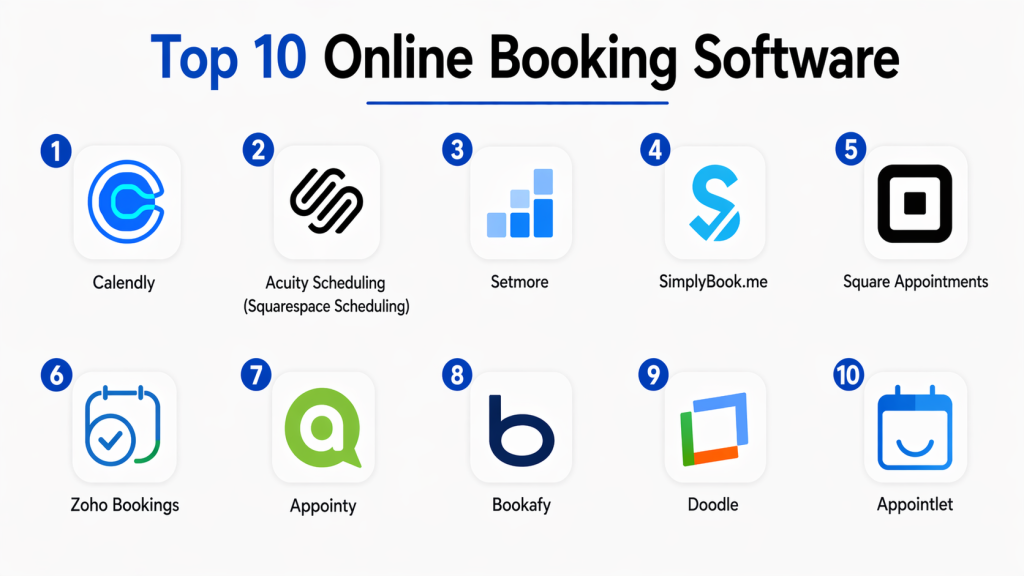
Top 10 Online Booking Software
#1 — Calendly
Short description: A leading online scheduling platform that enables users to share booking links and automate meeting scheduling across teams and clients with minimal effort.
Key Features
- Booking link sharing
- Calendar synchronization
- Automated reminders
- Round-robin scheduling
- Integration with Zoom and Google Meet
Pros
- Very easy to use
- Strong integrations ecosystem
Cons
- Advanced features require paid plan
- Limited customization in free version
Platforms / Deployment
Cloud / Web / Mobile
Security & Compliance
Enterprise-grade security (details not fully publicly stated)
Integrations & Ecosystem
Google Calendar, Outlook, Zoom, Salesforce
Support & Community
Large global user base
#2 — Acuity Scheduling (Squarespace)
Short description: A powerful booking platform offering advanced customization, client management, and payment integration for service-based businesses.
Key Features
- Custom booking pages
- Payment processing
- Client intake forms
- Automated reminders
- Time zone management
Pros
- Highly customizable
- Strong business features
Cons
- Paid-only platform
- Learning curve for beginners
Platforms / Deployment
Cloud
Security & Compliance
Not publicly stated
Integrations & Ecosystem
Stripe, PayPal, Zoom, Google Calendar
Support & Community
Strong SMB and enterprise support
#3 — Google Calendar Appointment Schedule
Short description: A built-in scheduling feature in Google Calendar that allows users to create booking pages and share availability easily.
Key Features
- Booking page creation
- Calendar sync
- Time slot management
- Automated confirmations
- Google Workspace integration
Pros
- Free and simple
- Reliable ecosystem
Cons
- Limited advanced features
- Google dependency
Platforms / Deployment
Cloud / Web
Security & Compliance
Google cloud security standards
Integrations & Ecosystem
Google Workspace tools
Support & Community
Strong enterprise adoption
#4 — Microsoft Bookings
Short description: A scheduling solution within Microsoft 365 that helps businesses manage appointments, meetings, and service bookings.
Key Features
- Team scheduling
- Customer booking page
- Calendar sync
- Email notifications
- Microsoft 365 integration
Pros
- Strong enterprise integration
- Easy Microsoft ecosystem use
Cons
- Requires Microsoft 365 subscription
- Limited customization
Platforms / Deployment
Cloud
Security & Compliance
Microsoft enterprise security
Integrations & Ecosystem
Outlook, Teams, Microsoft 365
Support & Community
Strong enterprise support
#5 — Setmore
Short description: A free and easy-to-use booking software designed for small businesses and service providers.
Key Features
- Online booking pages
- Calendar sync
- Email/SMS reminders
- Video meeting integration
- Payment support
Pros
- Free plan available
- Simple setup
Cons
- Limited advanced features
- Basic UI
Platforms / Deployment
Cloud
Security & Compliance
Not publicly stated
Integrations & Ecosystem
Zoom, Facebook, Google Calendar
Support & Community
SMB-focused support
#6 — Zoho Bookings
Short description: A flexible scheduling platform that integrates deeply with the Zoho ecosystem for business automation and CRM-based scheduling.
Key Features
- Automated scheduling
- Custom booking pages
- Payment integration
- Calendar sync
- CRM integration
Pros
- Highly customizable
- Strong Zoho ecosystem
Cons
- Setup complexity
- Advanced configuration needed
Platforms / Deployment
Cloud
Security & Compliance
Zoho security standards
Integrations & Ecosystem
Zoho CRM, Stripe, Google Workspace
Support & Community
Strong enterprise support
#7 — SimplyBook.me
Short description: A global online booking system offering flexible scheduling, payments, and multi-language support for businesses.
Key Features
- Online booking system
- Payment integration
- Multi-language support
- Booking widgets
- SMS/email notifications
Pros
- Strong international support
- Flexible system
Cons
- UI complexity
- Paid add-ons required
Platforms / Deployment
Cloud
Security & Compliance
Not publicly stated
Integrations & Ecosystem
Facebook, Instagram, Google Calendar
Support & Community
Global user base
#8 — Square Appointments
Short description: A booking platform designed for service businesses with integrated payments and POS capabilities.
Key Features
- Online booking system
- Payment processing
- Staff scheduling
- Calendar sync
- Customer management
Pros
- All-in-one solution
- Strong payment integration
Cons
- Best for Square ecosystem users
- Limited customization
Platforms / Deployment
Cloud
Security & Compliance
PCI-compliant payment security
Integrations & Ecosystem
Square POS, Google Calendar
Support & Community
Strong SMB support
#9 — Appointy
Short description: A business scheduling software designed for appointments, classes, and service-based industries.
Key Features
- Online booking system
- Staff scheduling
- Automated reminders
- Multi-location support
- Payment integration
Pros
- SMB-friendly
- Easy setup
Cons
- Limited enterprise scalability
- Dated UI in some areas
Platforms / Deployment
Cloud
Security & Compliance
Not publicly stated
Integrations & Ecosystem
Zoom, Google Calendar
Support & Community
Good SMB support
#10 — Bookafy
Short description: A versatile online booking platform that supports automation, team scheduling, and customer appointment management.
Key Features
- Automated scheduling
- Team booking system
- Calendar sync
- Video meeting integration
- Custom booking pages
Pros
- Feature-rich
- Good automation tools
Cons
- UI complexity
- Paid features required
Platforms / Deployment
Cloud
Security & Compliance
Not publicly stated
Integrations & Ecosystem
Zoom, Google Calendar, Outlook
Support & Community
Moderate global support
Comparison Table (Top 10)
| Tool Name | Best For | Platform(s) Supported | Deployment | Standout Feature | Public Rating |
|---|---|---|---|---|---|
| Calendly | General scheduling | Multi-platform | Cloud | Booking links | N/A |
| Acuity | Service businesses | Multi-platform | Cloud | Custom booking pages | N/A |
| Google Calendar | Free users | Web | Cloud | Built-in scheduling | N/A |
| Microsoft Bookings | Enterprises | Cloud | Cloud | Microsoft integration | N/A |
| Setmore | SMBs | Multi-platform | Cloud | Free plan | N/A |
| Zoho Bookings | CRM users | Cloud | Cloud | Zoho integration | N/A |
| SimplyBook.me | Global businesses | Cloud | Cloud | Multi-language support | N/A |
| Square Appointments | Retail services | Cloud | Cloud | Payment integration | N/A |
| Appointy | Small businesses | Cloud | Cloud | Staff scheduling | N/A |
| Bookafy | Teams & automation | Cloud | Cloud | Workflow automation | N/A |
Evaluation & Scoring of Online Booking Software
| Tool Name | Core | Ease | Integrations | Security | Performance | Support | Value | Weighted Total |
|---|---|---|---|---|---|---|---|---|
| Calendly | 10 | 9 | 10 | 9 | 9 | 9 | 8 | 9.0 |
| Acuity | 9 | 8 | 9 | 9 | 9 | 9 | 8 | 8.7 |
| Google Calendar | 9 | 10 | 9 | 9 | 9 | 9 | 10 | 9.3 |
| Microsoft Bookings | 9 | 8 | 10 | 10 | 9 | 9 | 8 | 9.0 |
| Setmore | 8 | 9 | 8 | 8 | 8 | 8 | 10 | 8.4 |
| Zoho Bookings | 9 | 8 | 9 | 9 | 9 | 9 | 8 | 8.8 |
| SimplyBook.me | 9 | 8 | 9 | 8 | 9 | 9 | 8 | 8.6 |
| Square Appointments | 9 | 9 | 9 | 9 | 9 | 9 | 8 | 8.8 |
| Appointy | 8 | 9 | 8 | 8 | 8 | 8 | 9 | 8.3 |
| Bookafy | 8 | 8 | 9 | 8 | 8 | 8 | 8 | 8.1 |
Frequently Asked Questions (FAQs)
1. What is online booking software?
Online booking software is a tool that allows customers to schedule appointments or services digitally through websites or apps. It automates scheduling and reduces manual coordination.
2. Why is online booking important?
It saves time, reduces scheduling errors, and improves customer experience by allowing self-service appointment booking.
3. Who uses booking software?
It is used by healthcare providers, salons, consultants, fitness trainers, educators, and service-based businesses.
4. Does it support payment collection?
Yes, many platforms support payment integration through Stripe, PayPal, or built-in payment systems.
5. Can customers book 24/7?
Yes, customers can book appointments anytime without needing staff assistance.
6. Does it sync with calendars?
Yes, most tools sync with Google Calendar, Outlook, and other scheduling systems.
7. Can it send reminders?
Yes, automated email, SMS, or WhatsApp reminders reduce no-shows.
8. Is it cloud-based?
Most modern booking software is cloud-based for real-time access.
9. Can it support teams?
Yes, many tools support team scheduling, round-robin booking, and multi-staff management.
10. What is the best online booking software?
Calendly, Google Calendar, and Microsoft Bookings are among the most widely used depending on business needs.
Conclusion
Online Booking Software has become essential for modern service-based businesses, enabling seamless scheduling, automation, and customer convenience. It eliminates manual coordination and significantly improves operational efficiency. There is no single best solution for everyone. Calendly is ideal for general use, Acuity works best for service businesses, Google Calendar is perfect for free users, and Square Appointments suits retail and payment-based businesses. The right choice depends on your workflow, budget, and integration needs. Focus on ease of use, automation features, and calendar synchronization when selecting a platform. Start by testing a few tools, evaluating booking experience, and choosing the one that best fits your business operations.