Introduction
Smart Thermostat Apps are mobile and web-based platforms that allow users to control, automate, and optimize home heating and cooling systems remotely using smart thermostats. These apps connect with devices like Nest, Ecobee, Honeywell Home, and others to provide real-time temperature control, scheduling, energy tracking, and automation.
In modern smart homes, these apps are essential for energy efficiency, comfort personalization, and cost savings. They help users reduce electricity bills while maintaining ideal indoor temperatures automatically based on habits, weather, and occupancy.
Common use cases include:
- Remote temperature control from mobile devices
- Automated heating and cooling schedules
- Energy usage monitoring and optimization
- Multi-room climate management
- Integration with smart home ecosystems
Key evaluation criteria:
- Device compatibility (Nest, Ecobee, Honeywell, etc.)
- Automation and scheduling features
- Energy analytics and reporting
- Smart home integration (Alexa, Google, Apple HomeKit)
- App usability and responsiveness
- Remote access and cloud control
- AI-based learning capabilities
- Security and privacy features
Best for: Homeowners, renters, smart home users, and energy-conscious users.
Not ideal for: Users without smart thermostat hardware or those needing only manual HVAC control.
Key Trends in Smart Thermostat Apps
- Growth of AI-driven temperature automation
- Expansion of voice assistant control (Alexa, Google, Siri)
- Increased use of occupancy-based climate control
- Adoption of energy-saving automation algorithms
- Integration with whole smart home ecosystems
- Rise of multi-home and multi-zone management
- Better energy reporting and carbon tracking
- Expansion of Matter protocol compatibility
- Improved mobile-first UX and dashboards
- Strong focus on predictive heating and cooling optimization
How We Selected These Tools (Methodology)
- Evaluated real-world adoption and popularity
- Reviewed ecosystem compatibility (Nest, Ecobee, etc.)
- Analyzed automation and AI capabilities
- Considered energy efficiency features
- Included both manufacturer apps and universal platforms
- Assessed user experience and reliability
- Focused on smart home integration strength
- Balanced enterprise-grade and consumer-friendly apps
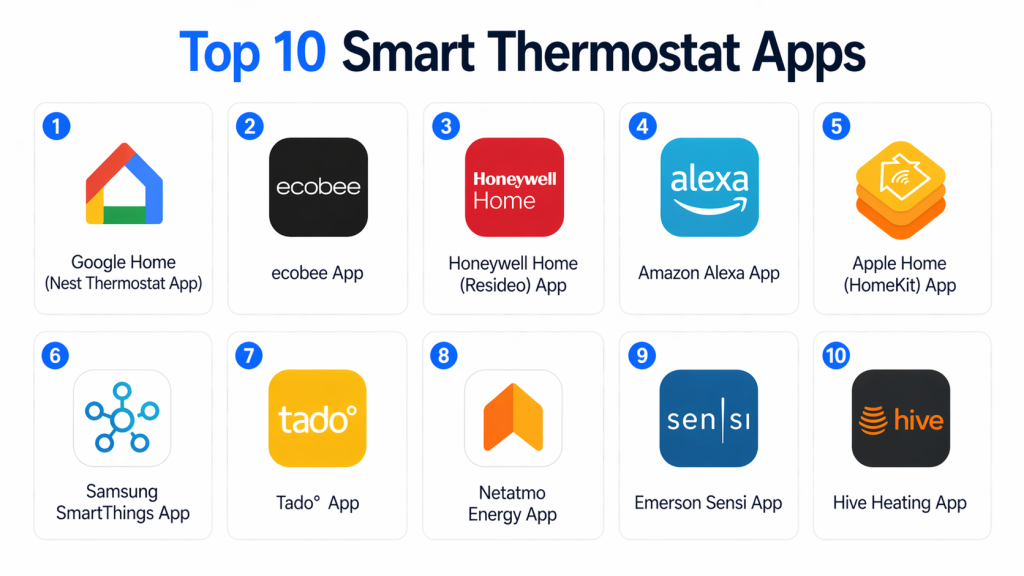
Top 10 Smart Thermostat Apps
#1 — Google Home (Nest Thermostat App)
Short description: A centralized smart home app that controls Google Nest thermostats along with other smart devices. It provides automation, scheduling, and voice control through Google Assistant for seamless home temperature management.
Key Features
- Smart scheduling and automation
- Voice control via Google Assistant
- Multi-device integration
- Energy usage insights
- Remote temperature control
Pros
- Easy smart home integration
- Beginner-friendly interface
Cons
- Limited advanced HVAC customization
- Requires Google ecosystem
Platforms / Deployment
iOS / Android / Cloud
Security & Compliance
Google cloud security standards
Integrations & Ecosystem
Works with Nest devices and thousands of smart home products
Support & Community
Strong global user ecosystem
#2 — ecobee App
Short description: A powerful smart thermostat app that allows advanced control of Ecobee devices with multi-room sensors, energy optimization, and smart scheduling features.
Key Features
- Room-based temperature control
- Smart scheduling and automation
- Energy reports and insights
- Remote access control
- Voice assistant integration
Pros
- Excellent multi-room control
- Strong energy savings features
Cons
- Requires Ecobee hardware
- Slight learning curve
Platforms / Deployment
iOS / Android / Cloud
Security & Compliance
Enterprise-grade encryption (not fully publicly detailed)
Integrations & Ecosystem
Supports Alexa, Google Assistant, Apple HomeKit
Support & Community
Strong enterprise and consumer support
#3 — Honeywell Home App (Resideo)
Short description: A smart thermostat control app designed for Honeywell devices that enables remote HVAC control, scheduling, and energy management.
Key Features
- Remote temperature control
- Scheduling automation
- Energy usage tracking
- Multi-device management
- Alerts and notifications
Pros
- Reliable HVAC control
- Strong legacy compatibility
Cons
- Less modern UI
- Limited AI features
Platforms / Deployment
iOS / Android / Cloud
Security & Compliance
Not publicly stated
Integrations & Ecosystem
Works with Alexa, Google Assistant
Support & Community
Moderate to strong support
#4 — Amazon Alexa App
Short description: A universal smart home app that enables voice-controlled thermostat management and automation across multiple smart thermostat brands.
Key Features
- Voice-based temperature control
- Smart routines and schedules
- Device grouping
- Automation triggers
- Multi-brand compatibility
Pros
- Excellent voice control
- Wide compatibility
Cons
- Requires Alexa ecosystem
- Limited thermostat-specific controls
Platforms / Deployment
iOS / Android / Cloud
Security & Compliance
Amazon cloud security
Integrations & Ecosystem
Works with most smart thermostats
Support & Community
Large ecosystem support
#5 — Apple Home (HomeKit)
Short description: A secure smart home app for Apple users that provides seamless thermostat control through Siri, automation, and HomeKit integration.
Key Features
- Siri voice control
- Smart automation rules
- Secure HomeKit ecosystem
- Scene creation
- Remote access
Pros
- High security
- Smooth Apple integration
Cons
- Limited device compatibility
- Apple ecosystem dependency
Platforms / Deployment
iOS / macOS / Cloud
Security & Compliance
End-to-end encryption
Integrations & Ecosystem
HomeKit-compatible thermostats
Support & Community
Strong Apple ecosystem
#6 — Google Assistant App
Short description: A voice-first smart control app that allows users to manage thermostat settings using natural voice commands and automation routines.
Key Features
- Voice temperature control
- Smart home automation
- Routine creation
- Device integration
- Weather-based adjustments
Pros
- Fast voice interaction
- Easy automation setup
Cons
- Requires Google ecosystem
- Limited manual control UI
Platforms / Deployment
iOS / Android / Cloud
Security & Compliance
Google security infrastructure
Integrations & Ecosystem
Works with Nest and third-party devices
Support & Community
Strong global support
#7 — SmartThings App (Samsung)
Short description: A universal smart home platform that supports thermostat control alongside lighting, security, and IoT device management.
Key Features
- Multi-device automation
- Smart home routines
- Energy monitoring
- IoT integration
- Remote control
Pros
- Strong ecosystem control
- Wide device compatibility
Cons
- Complex UI
- Setup learning curve
Platforms / Deployment
iOS / Android / Cloud
Security & Compliance
Samsung Knox security
Integrations & Ecosystem
Supports Zigbee, Z-Wave, Wi-Fi devices
Support & Community
Strong global ecosystem
#8 — Ecobee Smart Home App (Web Dashboard)
Short description: A web-based companion platform for Ecobee users that provides advanced analytics and multi-location thermostat control.
Key Features
- Web-based control dashboard
- Energy analytics
- Multi-home management
- Scheduling tools
- Sensor integration
Pros
- Great for advanced users
- Detailed analytics
Cons
- Requires Ecobee hardware
- Not mobile-first
Platforms / Deployment
Web / Cloud
Security & Compliance
Not publicly stated
Integrations & Ecosystem
Works with Ecobee ecosystem
Support & Community
Enterprise-level support
#9 — Tado° App
Short description: A smart climate control app that focuses on energy efficiency through geofencing and adaptive heating and cooling automation.
Key Features
- Geofencing automation
- Weather-based adjustments
- Energy reports
- Multi-room control
- Smart scheduling
Pros
- Strong energy savings
- Advanced automation
Cons
- Subscription features
- Regional availability limitations
Platforms / Deployment
iOS / Android / Cloud
Security & Compliance
Not publicly stated
Integrations & Ecosystem
Works with Alexa, Google Home, Apple HomeKit
Support & Community
Strong EU adoption
#10 — Netatmo Energy App
Short description: A smart thermostat control app focused on simple energy-efficient heating control and automation for residential homes.
Key Features
- Heating schedules
- Energy tracking
- Remote control
- Weather adaptation
- Automation settings
Pros
- Simple UI
- Energy-focused design
Cons
- Limited advanced features
- Smaller ecosystem
Platforms / Deployment
iOS / Android / Cloud
Security & Compliance
Not publicly stated
Integrations & Ecosystem
Works with Apple HomeKit, Alexa, Google Assistant
Support & Community
Moderate support
Comparison Table (Top 10)
| App Name | Best For | Platform(s) Supported | Deployment | Standout Feature | Public Rating |
|---|---|---|---|---|---|
| Google Home | Smart home control | Multi-platform | Cloud | Ecosystem integration | N/A |
| ecobee App | Multi-room control | Multi-platform | Cloud | Room sensors | N/A |
| Honeywell Home | HVAC management | Multi-platform | Cloud | Legacy support | N/A |
| Alexa App | Voice control | Multi-platform | Cloud | Voice automation | N/A |
| Apple Home | Apple users | Apple ecosystem | Cloud | High security | N/A |
| Google Assistant | Voice automation | Multi-platform | Cloud | AI voice control | N/A |
| SmartThings | IoT control | Multi-platform | Cloud | Device integration | N/A |
| Ecobee Web | Analytics | Web | Cloud | Energy insights | N/A |
| Tado° App | Energy saving | Multi-platform | Cloud | Geofencing | N/A |
| Netatmo Energy | Simple control | Multi-platform | Cloud | Energy efficiency | N/A |
Evaluation & Scoring of Smart Thermostat Apps
| App Name | Core | Ease | Integrations | Security | Performance | Support | Value | Weighted Total |
|---|---|---|---|---|---|---|---|---|
| Google Home | 9 | 9 | 10 | 9 | 9 | 9 | 9 | 9.0 |
| ecobee App | 9 | 8 | 9 | 8 | 9 | 9 | 8 | 8.7 |
| Honeywell Home | 8 | 8 | 8 | 8 | 8 | 8 | 8 | 8.0 |
| Alexa App | 9 | 8 | 10 | 9 | 9 | 9 | 9 | 8.9 |
| Apple Home | 9 | 8 | 9 | 10 | 9 | 9 | 8 | 8.8 |
| Google Assistant | 9 | 9 | 9 | 9 | 9 | 9 | 9 | 8.9 |
| SmartThings | 9 | 8 | 9 | 9 | 9 | 9 | 8 | 8.8 |
| Ecobee Web | 8 | 7 | 8 | 8 | 8 | 8 | 7 | 7.9 |
| Tado° App | 8 | 8 | 9 | 8 | 9 | 8 | 8 | 8.3 |
| Netatmo | 7 | 9 | 8 | 8 | 8 | 7 | 8 | 7.8 |
Which Smart Thermostat App Is Right for You?
Beginners
Google Home or Alexa for simple setup and control.
Smart Home Users
SmartThings or Apple Home for full ecosystem management.
Energy Optimization Focus
Tado° or ecobee for advanced energy savings.
Budget Users
Netatmo or Honeywell Home for basic control.
Advanced Users
ecobee Web Dashboard or SmartThings for deeper analytics.
Frequently Asked Questions (FAQs)
1. What is a smart thermostat app?
A smart thermostat app is software that allows users to control heating and cooling systems remotely. It enables scheduling, automation, and energy monitoring through smartphones or voice assistants.
2. Do smart thermostat apps save energy?
Yes, these apps optimize heating and cooling schedules, reducing unnecessary energy usage and lowering electricity bills over time.
3. Can I control my thermostat remotely?
Yes, most smart thermostat apps provide remote access through cloud connectivity, allowing temperature control from anywhere.
4. Do smart thermostat apps work with all devices?
No, compatibility depends on the thermostat brand and ecosystem such as Nest, Ecobee, or Honeywell Home.
5. Can I use voice commands?
Yes, most apps integrate with Alexa, Google Assistant, or Siri for hands-free voice control.
6. Are smart thermostat apps secure?
Yes, they use encrypted cloud communication, but security levels vary depending on the platform and manufacturer.
7. Do they support automation?
Yes, users can create schedules, geofencing rules, and AI-based automation for temperature control.
8. Can I control multiple thermostats?
Yes, many apps support multi-home and multi-room control features.
9. Are smart thermostat apps free?
Most apps are free, but some advanced features or services may require subscriptions.
10. What is the best smart thermostat app?
The best app depends on your ecosystem—Google Home and Alexa are best for general use, while ecobee is best for advanced energy control.
Conclusion
Smart Thermostat Apps are essential tools for modern homes, enabling intelligent control over heating and cooling systems. They improve comfort, reduce energy consumption, and integrate seamlessly into smart home ecosystems. There is no single best app for everyone. Google Home and Alexa are ideal for general smart home users, while ecobee and Tado° offer advanced energy optimization features. Apple Home is best for users within the Apple ecosystem. The right choice depends on your device compatibility, automation needs, and smart home setup. Focus on apps that integrate well with your existing ecosystem and offer the right balance of simplicity and control. Start by choosing the app that matches your thermostat brand, explore automation features, and gradually build a smarter, more energy-efficient home environment.