Introduction
Picture an HR administrator on the last working day of the month. One spreadsheet holds attendance. A second holds leave requests. A third, kept by a manager, has notes about who was away and why. Two of the files do not agree, and one employee says a half-day was approved but never recorded. Nobody did anything wrong. The records were simply kept in too many places.
Small businesses meet this problem often. Attendance and leave data affect pay, planning, and fairness between employees, so mistakes cost time and trust. This article explains how a cloud-based platform like InOrOff approaches the problem, what each part of it can do, and what a business still has to decide for itself.
What Is InOrOff?
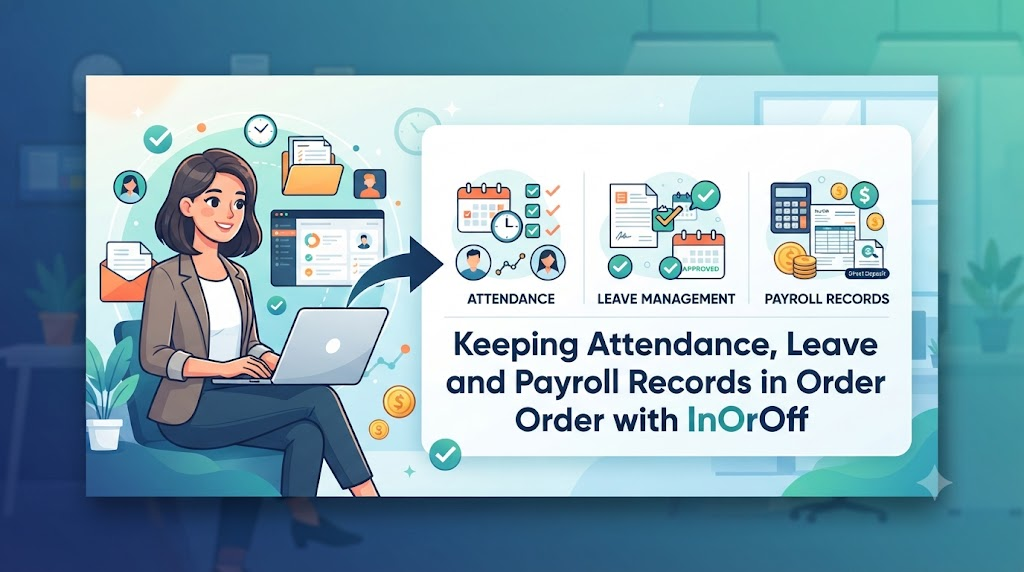
InOrOff is a cloud-based employee attendance and leave management platform made for small and growing businesses. It puts attendance records, working hours, leave requests, manager approvals, work schedules, and administrative reports in one online workspace. Owners, HR staff, managers, and employees all work from the same set of records instead of separate files.
Here is what the platform supports, based on its published description:
- Attendance: daily attendance records, working hours, breaks, late arrivals, and check-ins and check-outs. Employees record their time through a web browser, and the timestamps are verified by the server.
- Leave: leave requests, vacation policies, holiday calendars, leave allowances, and absences.
- Approvals: reviewing leave requests, approving or rejecting them, and managing attendance corrections.
- Leave balances: visibility into available leave, used leave, pending requests, upcoming approved absences, and upcoming expiry dates.
- Office network control: an optional feature that limits check-ins and check-outs to approved office networks, without biometric devices or continuous location tracking.
- Reports: monthly attendance summaries, reviewed corrections, and versioned CSV and PDF exports that can support external payroll processing.
For daily HR work, this means one place to look when a manager asks who was late, an employee asks how many days of leave remain, or payroll needs a clean month-end report. InOrOff does not replace payroll software. It prepares the attendance and leave side of the information.
Why Businesses Need Better Attendance and Leave Records
Not every business has trouble with its records. But when trouble appears, it usually comes from a few familiar causes.
Inconsistent attendance sheets. If one manager writes arrival times by hand and another uses a shared spreadsheet, the two sets of data cannot be compared fairly. A late arrival may be recorded in one team and ignored in another.
Unclear working hours and breaks. When start times, end times, and breaks are noted loosely, it is hard to answer a simple question later, such as how many hours someone worked in a given week.
Pending requests nobody can see. An employee sends a leave request by message. The manager is busy and forgets. Days later, the employee does not know whether the leave is approved, and the manager does not remember being asked.
Leave balances that drift. Balances kept by hand fall out of date. A half-day is missed, a holiday is counted as leave, or a carried-over day is forgotten. Small errors add up over a year.
Last-minute payroll preparation. Collecting attendance and leave data from several files at month end takes time and invites mistakes, especially when a few entries are missing.
Corrections nobody can trace. If someone edits an entry and there is no record of who changed it or why, disputes are hard to settle.
Limited visibility for everyone. Employees cannot see their own leave position, and managers cannot see their team’s absences in one view.
None of this means every company suffers equally, and software alone does not guarantee fewer errors. But a shared system with clear rules gives a business a better chance of spotting and fixing these issues early.
Detailed About InOrOff
Managing Daily Attendance Records More Clearly
Employee Attendance Management Software gives a business one standard way to record when people work. Instead of each team keeping its own notes, the same fields are used for everyone: start time, finish time, breaks, and late arrivals.
This consistency helps managers review schedules and notice missing or odd entries. If someone has a check-in with no matching check-out, it stands out in a shared record much more clearly than it would in a private spreadsheet.
Still, software only records what it is given. A business needs clear rules about what counts as late, how breaks are treated, and who reviews unusual entries. Without those rules, even a well-kept record can lead to arguments. The tool supports the policy; it does not replace it.
Organizing Employee Leave Requests and Absences
Employee Leave Management Software brings leave requests, vacation policies, holiday calendars, leave allowances, and absences into one workspace. HR teams can see what has been requested, what has been approved, and who will be away on which dates. Employees can see where their own requests stand.
For this to work well, the business should settle a few things first. Which types of leave does it offer? Who is eligible for each type? Who is responsible for approving them? When these questions are answered in advance, the system can follow the rules rather than leave people guessing.
A shared holiday calendar matters here too. If public holidays and company closures are entered correctly, leave calculations and team planning are far less likely to go wrong.
Connecting Attendance and Leave Information
Attendance and leave are two sides of the same question: where was this person on a given day? An Attendance and Leave Management System answers it by keeping working days and absences together, along with approvals and administrative reports.
When these records live in separate files, someone has to compare them by hand. An employee on approved leave might appear as absent in the attendance sheet, or a worked day might be marked as leave. Keeping both in one system reduces the need to cross-check several spreadsheets.
It does not remove the need for care. Entries still need to be accurate, and corrections should be made promptly. A shared system makes mistakes easier to find, but people still have to find them.
Selecting Time Tracking Tools for Smaller Teams
Small businesses have different needs from large companies. They usually do not have a dedicated HR department, so the person managing attendance may also be handling hiring, payroll, and office tasks. When looking at Time and Attendance Software for Small Business use, a few practical points matter more than a long list of features:
- Ease of use. If employees and managers find the tool confusing, they will avoid it, and records will become patchy.
- Work schedules. The tool should suit how the team actually works, whether that is fixed office hours or varied shifts.
- Correction process. Mistakes happen. Look at how a wrong entry is reviewed and fixed.
- Reporting. Check that monthly reports come in a form payroll or management can use.
- Employee access. Decide what employees should see, such as their own attendance and leave information.
- Privacy. Consider what personal data is collected and who can view it.
- Subscription cost. Compare plans against your real team size, not an imagined future one.
Compare tools against your own team and working arrangements. A tool with fewer features that fits your needs can serve you better than a crowded one you will not use fully.
Recording Employee Check-Ins and Check-Outs
Employee Check In Check Out Software records when work starts and when it ends. In InOrOff, employees record their working hours through a web browser, and the timestamps are verified by the server. In plain terms, the time comes from the system rather than from a number typed in by hand, which makes the record more dependable.
Reliable timestamps support good recordkeeping, but they do not solve everything. An employee may forget to check out. A shared computer may be used by more than one person. A work schedule may be unclear, so no one is sure what the “right” start time is. All of these need a review process.
It is also worth being clear about what this approach is not. Based on the description provided, InOrOff records check-ins and check-outs through a browser. It is not described as using GPS tracking or biometric verification, and no system can automatically detect every attendance problem.
Making Leave Reviews Easier for Managers
Leave Approval Workflow Software gives managers one place to review leave requests, approve or reject them, and handle attendance corrections. Rather than searching through emails and chat messages, the manager works from a single list.
Clear statuses help everyone. A request is pending, approved, or rejected, and the employee does not have to ask which one it is. Defined responsibilities also help, because it is clear who is supposed to make the decision.
The tool does not set the rules, though. Managers should follow the same policy for every request and explain their decisions clearly, especially when a request is rejected. Consistency keeps employees from feeling that approvals depend on who they ask.
Managing Paid Time Off and Leave Rules
PTO Tracking Software helps keep paid time off organized. InOrOff supports half-day leave, holiday exclusions, accrual policies, carry-forward rules, and leave balance calculations.
Here is why those details matter. If employees earn leave gradually, the balance changes during the year. If unused days can be carried into the next period, the system needs to know the limit. If a public holiday falls inside a leave request, it should usually not be counted as a day of leave. When these rules are set correctly, balances are calculated the same way every time.
The calculations can only be as good as the rules entered. They must match the organization’s own policy and the employment rules where it operates. Those rules differ by country, region, and company, so there is no single policy that fits every business. Check yours with a qualified professional when in doubt.
Restricting Attendance to Approved Office Networks
An Office IP Attendance System limits check-ins and check-outs to networks the business has approved. InOrOff offers this as an optional feature. If it is turned on, employees can record attendance only when they are connected through an approved office network.
This is different from biometric devices such as fingerprint or face scanners, and different from tracking a person’s location all day. The business is checking the network connection, not watching the employee.
There are limits to keep in mind. An IP address does not prove an employee’s exact physical location, and no setting can guarantee that every kind of attendance fraud is prevented. Practical questions also come up. What happens if the office changes its internet provider? How will remote workers record attendance? Who can approve an exception? A clear access policy answers these before they cause problems.
Preparing Attendance Reports for Payroll Review
Payroll Ready Attendance Software helps administrators get attendance information ready for payroll. InOrOff provides monthly attendance summaries, reviewed corrections, and versioned CSV and PDF exports that can support external payroll processing.
It is important to be exact about this. A payroll-ready export is a report of attendance and leave data. It is not the same as calculating wages, taxes, deductions, or salaries, and InOrOff is not described as doing those things. Payroll itself still happens in whatever method the business already uses.
Before using any export, check it. Look at working hours, approved leave, missing entries, and corrections. A few minutes of review at month end is much easier than fixing a payroll mistake after it reaches employees.
Giving Employees a Clear View of Leave Balances
An Employee Leave Balance Tracker shows employees and HR administrators how much leave is available, how much has been used, which requests are pending, which approved absences are coming up, and when leave is due to expire.
Clear balances prevent many small disagreements. An employee who can see their own balance does not need to ask HR each time, and can plan time off with more confidence. HR also spends less time answering the same question.
Accuracy still depends on setup. Accrual settings, carry-forward rules, and holiday exclusions must be correct, and records must be updated on time. A balance that looks precise but rests on wrong settings can mislead more than a rough estimate.
Protecting Employee Information and Maintaining Reliable Records
Attendance and leave records contain personal information about people’s working lives. They should be handled with care.
A few sensible principles apply to any system of this kind:
- Give access only to people who need it for their work.
- Keep a clear procedure for correcting records, so changes are not made casually.
- Review exports before sharing them, and share them only with the right people.
- Collect only the information needed for legitimate workforce administration.
InOrOff describes a privacy-focused approach, and its optional office network feature is designed to avoid biometric devices and continuous location surveillance. Beyond that, readers should not assume particular encryption standards, certifications, or legal compliance. If these matter to your business, ask the provider directly.
How a Business Can Organize Its Workforce Records
This is a general approach for any business. Not every step is automated by InOrOff.
- Define the basics. Write down work schedules, leave types, holidays, and who approves what. Settle this before touching any tool.
- Set up employee records and policies. Enter each employee, then apply the relevant attendance and leave rules. Double-check accrual and carry-forward settings.
- Tell employees what to do. Explain how to record attendance and how to submit a leave request. A short written guide avoids repeated questions.
- Review regularly. Set a routine for checking corrections, approvals, and leave balances. Weekly or at least monthly works for many teams.
- Check monthly reports before payroll. Read the summary, resolve missing entries, and confirm approved leave before the data is used for payroll preparation.
Attendance and Leave Management Problems to Watch For
Even with good software, a few habits cause trouble:
- Vague policies. If “late” or “emergency leave” is not defined, every case becomes a debate. Write the rules down in plain language.
- Outdated holiday calendars. A missed holiday throws off leave calculations and team planning. Update the calendar at the start of each year and whenever the company changes a closure.
- Approving leave without checking policy. Saying yes quickly is easy, but it can create unfairness. Check the rule first.
- Ignoring missing check-ins or check-outs. One gap is a small problem. A pattern of gaps is a records problem. Follow up promptly.
- Skipping correction reviews. Corrections should be looked at, not just accepted. Someone should confirm that each change is reasonable.
- Wrong accrual or carry-forward settings. A small error in the setup repeats for every employee. Test the settings with a sample case.
- Sending payroll exports without checking. Always read the report before it goes onward.
- Sharing records too widely. Not everyone who works in HR, finance, or management needs every employee’s details. Limit access to what the job requires.
Most of these are solved by the same three habits: clear rules, regular reviews, and careful handling of personal information.
How a Small Business Could Improve Its Records
Imagine a company with 25 employees. Its HR administrator keeps three spreadsheets: one for daily attendance, one for leave requests, and one for monthly payroll preparation. Managers send leave requests by email. At the end of every month, the administrator copies numbers between files and chases managers for missing information.
Now suppose the company moves its attendance, leave approvals, and balance tracking into one workflow. Employees record check-ins and check-outs through a browser. Leave requests go to their managers with a visible status. Balances update as leave is approved. Before month end, the administrator reviews the monthly summary, resolves any corrections, and exports a CSV or PDF for the payroll process.
The company has not removed all the work. Someone still has to set the rules, check the corrections, and review the export. But the information is in one place, so there is less copying between files and fewer questions about whether two records agree. That is the kind of practical improvement a shared system can offer, without promising any exact result.
Common Questions About Attendance and Leave Management
What is employee attendance management software?
It is a tool that records when employees work. It usually tracks start and finish times, breaks, late arrivals, and total working hours, so managers and HR have a consistent record.
How does employee leave management software work?
Employees submit leave requests, managers review them, and the system keeps track of approvals, holidays, and remaining leave. This gives HR and employees a shared view of who is away and when.
What is the difference between attendance tracking and leave tracking?
Attendance tracking records the time employees actually work. Leave tracking records time they are away with permission, such as vacation days. Both are needed to understand a month’s working time.
How can small businesses manage employee working hours?
Start with clear schedules and a single method for recording hours. Review records regularly, fix missing entries quickly, and check monthly summaries before using them for payroll.
What is an employee check-in and check-out system?
It is a way for employees to record when they start and finish work. In InOrOff, this is done through a web browser using server-verified timestamps.
How does a leave approval workflow help managers?
It places requests in one list with clear statuses, so managers can approve or reject them without searching through emails or messages. It also makes it easier to apply the same policy to everyone.
What does payroll-ready attendance reporting mean?
It means attendance and leave data is organized in a report, such as a CSV or PDF, that can support payroll preparation. It does not mean wages or taxes are calculated automatically.
Conclusion
Good workforce records come down to a few plain habits: recording attendance in a consistent way, setting leave rules that everyone understands, making approval decisions on a clear policy, and checking reports before they reach payroll. A tool can make those habits easier to keep by putting the information in one place, and InOrOff is one option built around that idea for smaller businesses. The business still has to choose its policies, review its corrections, and protect employee information, because no system can do those things for it. When the rules are clear and the records are checked regularly, month-end work becomes calmer, and employees and managers can trust that the numbers they see are the numbers that count.