Introduction
UX Research Tools are platforms that help teams understand user behavior, gather feedback, and validate design decisions. In simple terms, they allow you to observe how users interact with your product, identify pain points, and improve overall user experience.
In modern product development, UX research is a core pillar of success. Companies rely on these tools to move from assumptions to data-driven design decisions, ensuring products are intuitive, engaging, and aligned with user needs.
These tools are widely used across product teams, design teams, and marketing functions to optimize user journeys and increase conversions.
Common use cases include:
- Conducting usability testing sessions
- Collecting user feedback via surveys
- Analyzing user behavior and interactions
- Running card sorting and information architecture tests
- Recording sessions and heatmaps
- Synthesizing qualitative research insights
What buyers should evaluate:
- Research methods supported (qualitative vs quantitative)
- Participant recruitment capabilities
- Session recording and analysis features
- Survey and feedback tools
- Integration with analytics and design tools
- Collaboration and reporting features
- Scalability for research programs
- Ease of use and onboarding
Best for: UX designers, product managers, researchers, startups, and enterprises focused on user-centered design.
Not ideal for: Teams not collecting user feedback or those relying solely on basic analytics.
Key Trends in UX Research Tools
- AI-assisted research analysis: Automated tagging and insights generation
- Remote usability testing dominance: Shift from in-person to remote testing
- All-in-one UX platforms: Combining surveys, testing, and analytics
- Continuous discovery workflows: Ongoing user feedback loops
- Integration with product analytics: Linking behavior data with user insights
- Unmoderated testing growth: Faster and scalable research
- Privacy-first research practices: Compliance with data regulations
- Video-based user research: Session recordings for deeper insights
- Collaboration-first tools: Shared research repositories
How We Selected These Tools (Methodology)
- Evaluated industry adoption and popularity
- Assessed coverage of research methods (testing, surveys, analytics)
- Reviewed ease of use and onboarding experience
- Considered integration with product and analytics tools
- Analyzed reporting and insight generation capabilities
- Included both enterprise-grade and startup-friendly tools
- Balanced qualitative and quantitative research tools
- Evaluated collaboration and sharing features
- Considered scalability for large research programs
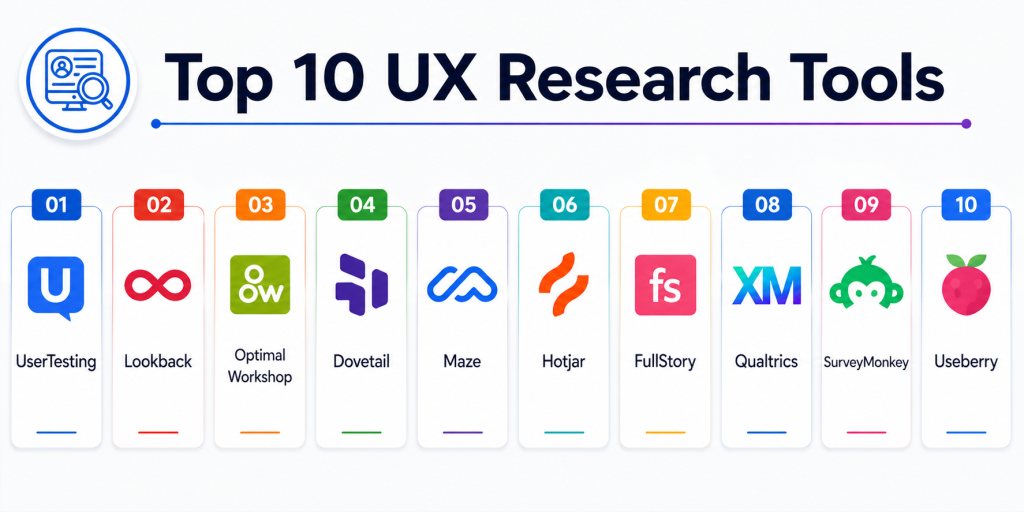
Top 10 UX Research Tools
#1 — UserTesting
Short description: A leading UX research platform that enables teams to collect real user feedback through recorded usability sessions.
Key Features
- Remote usability testing
- Video session recordings
- Participant recruitment
- Real-time feedback
- Task-based testing
- Insight dashboards
Pros
- High-quality user insights
- Large participant pool
Cons
- Expensive
- Requires structured planning
Platforms / Deployment
Web
Cloud
Security & Compliance
Not publicly stated
Integrations & Ecosystem
UserTesting integrates with product and analytics tools.
- Product management tools
- Analytics platforms
- Collaboration tools
Support & Community
Strong enterprise support and adoption.
#2 — Lookback
Short description: A usability testing tool focused on live moderated research sessions and user interviews.
Key Features
- Live usability testing
- Session recording
- Real-time collaboration
- Highlight reels
- Participant observation
Pros
- Great for moderated sessions
- Easy collaboration
Cons
- Limited analytics features
- Smaller ecosystem
Platforms / Deployment
Web
Cloud
Security & Compliance
Not publicly stated
Integrations & Ecosystem
- Collaboration tools
- Research workflows
Support & Community
Strong UX research community.
#3 — Optimal Workshop
Short description: A specialized UX research platform for testing information architecture and navigation.
Key Features
- Card sorting
- Tree testing
- First-click testing
- Survey tools
- Analytics dashboards
Pros
- Excellent IA testing tools
- Easy to use
Cons
- Limited beyond IA research
- Niche use case
Platforms / Deployment
Web
Cloud
Security & Compliance
Not publicly stated
Integrations & Ecosystem
- UX research workflows
Support & Community
Strong niche adoption.
#4 — Dovetail
Short description: A research repository tool that helps teams analyze and synthesize qualitative research data.
Key Features
- Research repository
- Tagging and insights
- AI-assisted analysis
- Collaboration tools
- Data organization
Pros
- Strong research synthesis
- AI-powered insights
Cons
- Not a data collection tool
- Requires structured workflows
Platforms / Deployment
Web
Cloud
Security & Compliance
Not publicly stated
Integrations & Ecosystem
- Product tools
- Research tools
Support & Community
Growing research community.
#5 — Maze
Short description: A rapid testing platform for collecting usability feedback on prototypes and live products.
Key Features
- Prototype testing
- Heatmaps
- User journeys
- Surveys
- Metrics dashboards
Pros
- Fast feedback
- Easy integration with design tools
Cons
- Limited deep qualitative insights
- Not ideal for complex research
Platforms / Deployment
Web
Cloud
Security & Compliance
Not publicly stated
Integrations & Ecosystem
- Figma
- Design tools
Support & Community
Strong product design community.
#6 — Hotjar
Short description: A behavior analytics tool that provides heatmaps and session recordings for UX insights.
Key Features
- Heatmaps
- Session recordings
- Surveys
- Feedback tools
- Funnel analysis
Pros
- Easy to use
- Strong behavioral insights
Cons
- Limited advanced research features
- Not a full UX research suite
Platforms / Deployment
Web
Cloud
Security & Compliance
Not publicly stated
Integrations & Ecosystem
- Analytics tools
- CRM platforms
Support & Community
Widely used and well-supported.
#7 — FullStory
Short description: A digital experience analytics platform that provides session replay and behavior insights.
Key Features
- Session replay
- User journey tracking
- Funnel analysis
- Error detection
- Analytics dashboards
Pros
- Deep behavioral insights
- Strong debugging capabilities
Cons
- Expensive
- Complex setup
Platforms / Deployment
Web
Cloud
Security & Compliance
Enterprise compliance support
Not publicly stated certifications
Integrations & Ecosystem
- Analytics tools
- DevOps systems
Support & Community
Strong enterprise support.
#8 — Qualtrics
Short description: A survey-based research platform used for collecting structured user feedback at scale.
Key Features
- Survey creation
- Advanced analytics
- Feedback collection
- Reporting dashboards
- Experience management
Pros
- Powerful survey capabilities
- Enterprise-ready
Cons
- Expensive
- Learning curve
Platforms / Deployment
Web
Cloud
Security & Compliance
Enterprise compliance support
Not publicly stated certifications
Integrations & Ecosystem
- CRM systems
- Analytics tools
Support & Community
Strong enterprise ecosystem.
#9 — SurveyMonkey
Short description: A popular survey tool for collecting user feedback and insights.
Key Features
- Survey builder
- Templates
- Data analytics
- Reporting tools
- Feedback collection
Pros
- Easy to use
- Widely adopted
Cons
- Limited advanced research features
- Not UX-specific
Platforms / Deployment
Web
Cloud
Security & Compliance
Not publicly stated
Integrations & Ecosystem
- CRM tools
- Marketing platforms
Support & Community
Large global user base.
#10 — Useberry
Short description: A UX testing platform designed for prototype testing and usability validation.
Key Features
- Prototype testing
- User journey tracking
- Heatmaps
- Surveys
- Analytics
Pros
- Simple and intuitive
- Good for early-stage testing
Cons
- Limited enterprise features
- Smaller ecosystem
Platforms / Deployment
Web
Cloud
Security & Compliance
Not publicly stated
Integrations & Ecosystem
- Figma
- Design tools
Support & Community
Growing UX community.
Comparison Table
| Tool Name | Best For | Platform(s) Supported | Deployment | Standout Feature | Public Rating |
|---|---|---|---|---|---|
| UserTesting | Usability testing | Web | Cloud | Video insights | N/A |
| Lookback | Live research | Web | Cloud | Moderated sessions | N/A |
| Optimal Workshop | IA testing | Web | Cloud | Card sorting | N/A |
| Dovetail | Research synthesis | Web | Cloud | AI tagging | N/A |
| Maze | Prototype testing | Web | Cloud | Rapid testing | N/A |
| Hotjar | Behavior analytics | Web | Cloud | Heatmaps | N/A |
| FullStory | Session replay | Web | Cloud | Deep insights | N/A |
| Qualtrics | Surveys | Web | Cloud | Enterprise surveys | N/A |
| SurveyMonkey | Feedback | Web | Cloud | Easy surveys | N/A |
| Useberry | Prototype testing | Web | Cloud | UX validation | N/A |
Evaluation & Scoring of UX Research Tools
| Tool Name | Core (25%) | Ease (15%) | Integrations (15%) | Security (10%) | Performance (10%) | Support (10%) | Value (15%) | Weighted Total |
|---|---|---|---|---|---|---|---|---|
| UserTesting | 10 | 8 | 9 | 9 | 9 | 10 | 7 | 9.0 |
| Lookback | 9 | 9 | 8 | 8 | 9 | 9 | 8 | 8.7 |
| Optimal Workshop | 9 | 9 | 8 | 8 | 8 | 8 | 8 | 8.5 |
| Dovetail | 9 | 8 | 9 | 8 | 8 | 9 | 8 | 8.6 |
| Maze | 8 | 9 | 8 | 8 | 8 | 8 | 9 | 8.4 |
| Hotjar | 8 | 10 | 8 | 8 | 8 | 8 | 9 | 8.5 |
| FullStory | 9 | 8 | 9 | 9 | 9 | 9 | 7 | 8.8 |
| Qualtrics | 10 | 7 | 9 | 9 | 9 | 10 | 6 | 8.7 |
| SurveyMonkey | 8 | 10 | 8 | 8 | 8 | 8 | 10 | 8.6 |
| Useberry | 8 | 9 | 7 | 7 | 8 | 7 | 9 | 8.0 |
How to interpret the scores:
These scores reflect real-world UX research scenarios. Higher scores indicate stronger research capabilities, scalability, and insight generation. Some tools focus on qualitative research, while others specialize in analytics or surveys. The best tool depends on your research goals and team size.
Which UX Research Tool Is Right for You?
Solo / Freelancer
Maze or Hotjar for quick insights and easy setup.
SMB
Lookback or SurveyMonkey for balanced research and usability testing.
Mid-Market
UserTesting or Dovetail for deeper research workflows.
Enterprise
Qualtrics or FullStory for large-scale research and analytics.
Budget vs Premium
Free tools offer basic insights; enterprise tools provide advanced research capabilities.
Feature Depth vs Ease of Use
Hotjar is simple; Dovetail offers deeper research analysis.
Integrations & Scalability
UserTesting and Qualtrics provide strong ecosystem integration.
Security & Compliance Needs
Enterprise tools provide stronger governance and compliance.
Frequently Asked Questions (FAQs)
1. What are UX research tools?
They help collect and analyze user feedback to improve product design.
2. Why are they important?
They enable data-driven decisions and better user experiences.
3. What types of UX research exist?
Qualitative and quantitative research methods.
4. What is usability testing?
Testing how users interact with a product.
5. Are UX tools expensive?
Some are free; advanced tools can be costly.
6. What is session replay?
Recording user interactions for analysis.
7. Can these tools integrate with design tools?
Yes, many integrate with Figma and analytics platforms.
8. Do I need multiple tools?
Often yes, for complete research coverage.
9. What is survey-based research?
Collecting structured feedback through questionnaires.
10. Which tool is best?
It depends on your research needs and budget.
Conclusion
UX Research Tools are essential for building user-centric products by providing insights into how users interact with applications and what improvements are needed. Platforms like UserTesting and Lookback excel in usability testing, while tools like Hotjar and FullStory provide deep behavioral analytics. Survey tools such as Qualtrics and SurveyMonkey enable large-scale feedback collection, while platforms like Dovetail help synthesize research findings into actionable insights. The right tool depends on your research goals, team size, and budget. Smaller teams often prioritize simplicity and affordability, while enterprises require scalability, analytics, and integration depth. Since UX research involves multiple methods, using a combination of tools is often the most effective approach. A practical strategy is to start with basic tools for feedback and analytics, then expand into advanced research platforms as your product grows. This ensures a scalable, insight-driven UX research process.