Introduction
Design Systems Management Tools are platforms that help teams create, organize, govern, and scale design systems across products and teams. In simple terms, they act as a single source of truth for UI components, design tokens, documentation, and guidelines—ensuring consistency between design and development.
Modern product teams rely heavily on design systems to maintain visual consistency, faster development cycles, and better collaboration between designers and engineers. These tools go beyond static style guides and provide live, evolving systems integrated with code, workflows, and documentation.
Common use cases include:
- Managing component libraries and UI kits
- Maintaining design tokens and brand consistency
- Documenting design systems for teams
- Syncing design with development code
- Enforcing governance and version control
- Scaling design across multiple products
What buyers should evaluate:
- Design-to-code integration capabilities
- Component and token management
- Documentation and governance features
- Collaboration and version control
- Integration with design and dev tools
- Scalability for large teams
- Ease of adoption across teams
- Automation and CI/CD support
Best for: Product teams, UX designers, frontend developers, and enterprises building scalable digital products.
Not ideal for: Small teams without structured design workflows or projects without reusable UI components.
Key Trends in Design Systems Management Tools
- Design-to-code automation: Bridging design and development workflows
- Design tokens standardization: Ensuring consistency across platforms
- AI-assisted design systems: Automated updates and suggestions
- Component-driven development: Code-first UI architecture
- Living documentation systems: Always-updated design guidelines
- Integration-first ecosystems: Sync with Git, CI/CD, and design tools
- Multi-platform design systems: Web, mobile, and cross-platform support
- Governance and versioning: Enterprise-level control over changes
- Real-time collaboration: Distributed teams working seamlessly
How We Selected These Tools (Methodology)
- Evaluated market adoption and industry usage
- Assessed design system lifecycle coverage (design → dev → docs)
- Reviewed token, component, and documentation capabilities
- Considered integration with design and engineering workflows
- Analyzed scalability and governance features
- Included both developer-first and designer-first tools
- Balanced enterprise and startup-friendly platforms
- Evaluated automation and CI/CD readiness
- Considered ease of onboarding and usability
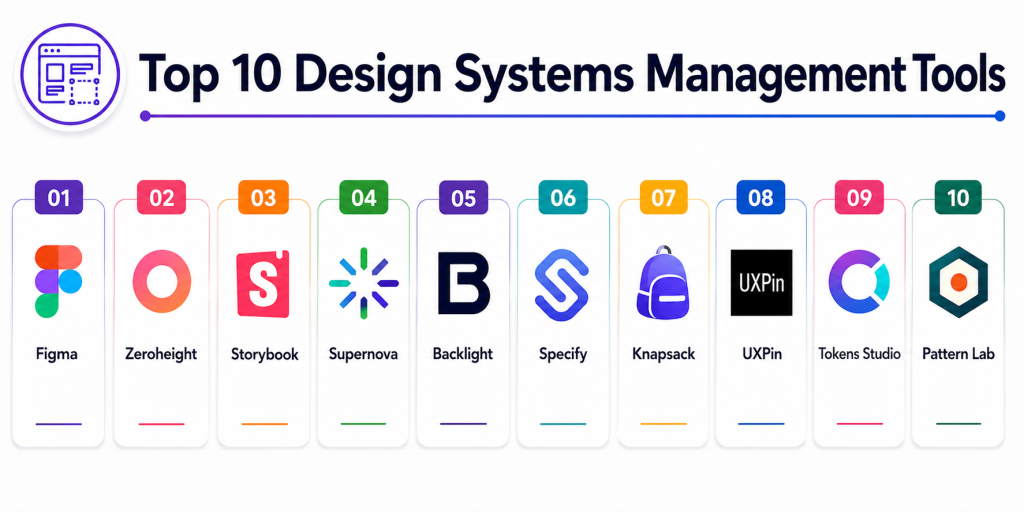
Top 10 Design Systems Management Tools
#1 — Figma
Short description: A collaborative design platform widely used for building and managing design systems with real-time teamwork capabilities.
Key Features
- Shared component libraries
- Design tokens and variables
- Real-time collaboration
- Version control and branching
- Dev mode for handoff
- Plugin ecosystem
Pros
- Extremely popular and intuitive
- Strong collaboration features
Cons
- Limited advanced governance
- Requires additional tools for full system management
Platforms / Deployment
Web / macOS / Windows
Cloud
Security & Compliance
SSO, access control
Not publicly stated certifications
Integrations & Ecosystem
Figma integrates with design and development tools for a seamless workflow.
- Dev tools
- CI/CD tools
- Design plugins
Support & Community
Very large global community and strong documentation.
#2 — Zeroheight
Short description: A documentation-first platform that transforms design systems into structured, shareable knowledge hubs.
Key Features
- Living documentation
- Design and code references
- Version control
- Governance workflows
- Custom branding
- Access control
Pros
- Best-in-class documentation
- Strong governance
Cons
- Not a design creation tool
- Requires integration with design tools
Platforms / Deployment
Web
Cloud
Security & Compliance
Access control
Not publicly stated
Integrations & Ecosystem
- Figma
- Sketch
- Code repositories
Support & Community
Strong enterprise adoption.
#3 — Storybook
Short description: A developer-focused tool for building and documenting UI components in isolation.
Key Features
- Component-driven development
- Visual testing
- UI documentation
- Add-ons ecosystem
- Integration with frameworks
- Code-first approach
Pros
- Strong developer adoption
- Great for UI testing
Cons
- Not design-first
- Requires coding knowledge
Platforms / Deployment
Web / Self-hosted
Security & Compliance
Self-managed
Integrations & Ecosystem
- React, Angular, Vue
- CI/CD pipelines
Support & Community
Large open-source community.
#4 — Supernova
Short description: An end-to-end platform connecting design, documentation, and code for scalable design systems.
Key Features
- Design token management
- Code export
- Documentation system
- Versioning and releases
- Automation workflows
- Multi-platform outputs
Pros
- Strong design-to-code bridge
- Enterprise-ready
Cons
- Steeper learning curve
- Premium pricing
Platforms / Deployment
Cloud
Security & Compliance
Role-based access
Not publicly stated
Integrations & Ecosystem
- Figma
- Dev tools
- CI/CD pipelines
Support & Community
Enterprise support.
#5 — Backlight
Short description: A collaborative platform for building and managing design systems with developer-friendly workflows.
Key Features
- Component workspaces
- Token management
- Documentation tools
- Git-based workflows
- Code previews
- CI/CD integration
Pros
- Strong dev collaboration
- Flexible workflows
Cons
- Complex UI
- Learning curve
Platforms / Deployment
Cloud
Security & Compliance
Not publicly stated
Integrations & Ecosystem
- GitHub
- Dev tools
Support & Community
Growing adoption.
#6 — Specify
Short description: A design token management platform that syncs design decisions across tools and codebases.
Key Features
- Design token storage
- Automated syncing
- Multi-platform delivery
- API-based workflows
- Integration with design tools
Pros
- Strong token management
- Automation-focused
Cons
- Limited UI design features
- Requires integration
Platforms / Deployment
Cloud
Security & Compliance
Not publicly stated
Integrations & Ecosystem
- Figma
- Dev tools
- APIs
Support & Community
Growing ecosystem.
#7 — InVision DSM
Short description: A design system manager focused on organizing components and maintaining consistency.
Key Features
- Component libraries
- Documentation
- Version control
- Collaboration tools
- Design governance
Pros
- Easy to use
- Strong design focus
Cons
- Limited development integration
- Declining ecosystem
Platforms / Deployment
Cloud
Security & Compliance
Not publicly stated
Integrations & Ecosystem
- Design tools
Support & Community
Moderate support.
#8 — Knapsack
Short description: A platform designed to bridge design and code through component-based workflows.
Key Features
- Component libraries
- Code integration
- Documentation
- Version control
- CI/CD integration
Pros
- Strong design-dev alignment
- Flexible workflows
Cons
- Requires setup
- Smaller ecosystem
Platforms / Deployment
Cloud
Security & Compliance
Not publicly stated
Integrations & Ecosystem
- Dev tools
- Design tools
Support & Community
Growing support.
#9 — UXPin
Short description: A design tool with built-in design system management and code-based prototyping.
Key Features
- Code-based design
- Component libraries
- Design system management
- Prototyping tools
- Collaboration features
Pros
- Strong design-to-code capabilities
- Integrated workflow
Cons
- Learning curve
- Less popular than Figma
Platforms / Deployment
Web
Cloud
Security & Compliance
Not publicly stated
Integrations & Ecosystem
- Dev tools
- Design tools
Support & Community
Moderate community.
#10 — Tokens Studio
Short description: A specialized tool for managing design tokens and syncing them across platforms.
Key Features
- Token management
- Multi-platform export
- Automation workflows
- Integration with design tools
- Version control
Pros
- Best-in-class token management
- Highly scalable
Cons
- Not a full design system tool
- Requires integration
Platforms / Deployment
Plugin / Cloud
Security & Compliance
Not publicly stated
Integrations & Ecosystem
- Figma
- Dev tools
Support & Community
Growing adoption.
Comparison Table
| Tool Name | Best For | Platform(s) Supported | Deployment | Standout Feature | Public Rating |
|---|---|---|---|---|---|
| Figma | Collaboration | Web/Desktop | Cloud | Real-time design | N/A |
| Zeroheight | Documentation | Web | Cloud | Design docs | N/A |
| Storybook | Developers | Web | Self-hosted | Component testing | N/A |
| Supernova | Enterprise | Web | Cloud | Design-to-code | N/A |
| Backlight | Dev teams | Web | Cloud | Git workflows | N/A |
| Specify | Token mgmt | Web | Cloud | Token sync | N/A |
| InVision DSM | Designers | Web | Cloud | Component mgmt | N/A |
| Knapsack | Dev + Design | Web | Cloud | Workflow bridge | N/A |
| UXPin | Design + Code | Web | Cloud | Code prototyping | N/A |
| Tokens Studio | Token mgmt | Plugin | Cloud | Token automation | N/A |
Evaluation & Scoring of Design Systems Management Tools
| Tool Name | Core (25%) | Ease (15%) | Integrations (15%) | Security (10%) | Performance (10%) | Support (10%) | Value (15%) | Weighted Total |
|---|---|---|---|---|---|---|---|---|
| Figma | 10 | 10 | 10 | 8 | 9 | 10 | 9 | 9.4 |
| Supernova | 10 | 8 | 10 | 9 | 9 | 9 | 8 | 9.1 |
| Backlight | 9 | 8 | 10 | 9 | 9 | 8 | 9 | 8.9 |
| Zeroheight | 9 | 9 | 9 | 9 | 8 | 9 | 8 | 8.9 |
| Storybook | 9 | 7 | 10 | 8 | 9 | 9 | 9 | 8.8 |
| Specify | 8 | 8 | 9 | 8 | 8 | 8 | 9 | 8.3 |
| UXPin | 8 | 8 | 9 | 8 | 8 | 8 | 8 | 8.2 |
| Knapsack | 8 | 7 | 9 | 8 | 8 | 8 | 8 | 8.1 |
| Tokens Studio | 8 | 8 | 9 | 7 | 8 | 8 | 9 | 8.2 |
| InVision DSM | 7 | 9 | 7 | 7 | 7 | 7 | 8 | 7.6 |
How to interpret the scores:
These scores are comparative and reflect real-world design system usage. Higher scores indicate stronger collaboration, integration, and scalability. Enterprise tools excel in governance and automation, while design-first tools focus on usability and speed.
Which Design Systems Management Tool Is Right for You?
Solo / Freelancer
Figma or UXPin for simple and flexible design system creation.
SMB
Zeroheight or Tokens Studio for manageable and scalable systems.
Mid-Market
Storybook or Backlight for balanced design-dev workflows.
Enterprise
Supernova or Knapsack for governance, automation, and scalability.
Budget vs Premium
Figma offers a strong free tier; enterprise tools provide advanced features.
Feature Depth vs Ease of Use
Figma is easiest; Supernova offers deeper capabilities.
Integrations & Scalability
Backlight and Storybook provide strong integration ecosystems.
Security & Compliance Needs
Enterprise tools offer better governance and access control.
Frequently Asked Questions (FAQs)
1. What is a design system?
A collection of reusable components, guidelines, and standards for building consistent products.
2. Why are design systems important?
They improve consistency, speed, and collaboration.
3. What are design tokens?
Variables like colors, spacing, and typography used across designs.
4. Do I need a design system tool?
Yes, if you want scalable and consistent design workflows.
5. Can design systems integrate with code?
Yes, many tools connect design and development.
6. Are design system tools expensive?
Some offer free tiers; enterprise tools are premium.
7. What is component-based design?
Building UI using reusable components.
8. Can small teams use these tools?
Yes, tools like Figma are ideal for small teams.
9. What is design system documentation?
Guidelines explaining how to use components and patterns.
10. Which tool is best?
The best tool depends on your team size and workflow.
Conclusion
Design Systems Management Tools play a critical role in scaling modern digital products by ensuring consistency, efficiency, and collaboration across teams. Platforms like Figma provide a strong foundation for design system creation, while tools like Supernova and Backlight bridge the gap between design and development with automation and governance. Documentation-focused tools such as Zeroheight ensure that design systems remain accessible and usable across organizations. Meanwhile, specialized tools like Tokens Studio and Specify enhance token management and cross-platform consistency. The right choice depends on your team’s size, workflow, and technical maturity. Smaller teams often prioritize simplicity and speed, while enterprises focus on scalability, governance, and integration depth. Since most organizations use a combination of tools, building a flexible toolchain is often the best approach. Start with a core design platform, add documentation and development tools, and evolve your system as your product grows. This ensures a scalable and future-ready design system strategy.