Introduction
Enterprise App Distribution Platforms are tools that enable organizations to securely distribute internal, private, or beta applications to employees, partners, or testers across devices. Unlike public app stores, these platforms focus on controlled access, security, compliance, and lifecycle management of apps within enterprise environments.
In modern enterprises, app distribution is no longer just about publishing—it’s about secure deployment, version control, and governance across mobile and desktop ecosystems. These platforms are critical for organizations managing internal apps, regulated environments, or large-scale mobile workforces.
Common use cases include:
- Distributing internal enterprise apps to employees
- Managing beta testing and QA app releases
- Secure deployment of business-critical mobile apps
- Controlling app access via identity and device policies
- Managing app updates and version rollouts
What buyers should evaluate:
- Security and access control (SSO, RBAC, Zero Trust)
- Device and endpoint management capabilities
- Support for iOS, Android, Windows, macOS
- Integration with MDM/UEM systems
- App lifecycle management features
- Compliance and governance capabilities
- Deployment flexibility (cloud, on-premise, hybrid)
- Scalability for enterprise environments
Best for: Enterprises, IT teams, DevOps teams, and organizations managing internal apps at scale.
Not ideal for: Public app publishing or small teams without internal app distribution needs.
Key Trends in Enterprise App Distribution Platforms
- Zero Trust architecture adoption: Identity-based access to apps
- Integration with UEM/MDM systems: Unified device and app management
- Private enterprise app stores: Internal app marketplaces for employees
- CI/CD integration: Automated app distribution pipelines
- Multi-platform support: iOS, Android, desktop, and web apps
- Enhanced compliance requirements: Security and audit controls
- Containerized app delivery: Secure app isolation on devices
- Remote workforce enablement: Secure app delivery to distributed teams
- Automation and policy enforcement: Streamlined governance
How We Selected These Tools (Methodology)
- Evaluated enterprise adoption and market relevance
- Assessed security, compliance, and governance capabilities
- Reviewed integration with MDM/UEM and identity systems
- Considered cross-platform support and scalability
- Analyzed automation and CI/CD integration features
- Included both enterprise mobility and DevOps-focused platforms
- Balanced cloud-native and hybrid deployment options
- Evaluated ease of management and user experience
- Considered support and enterprise readiness
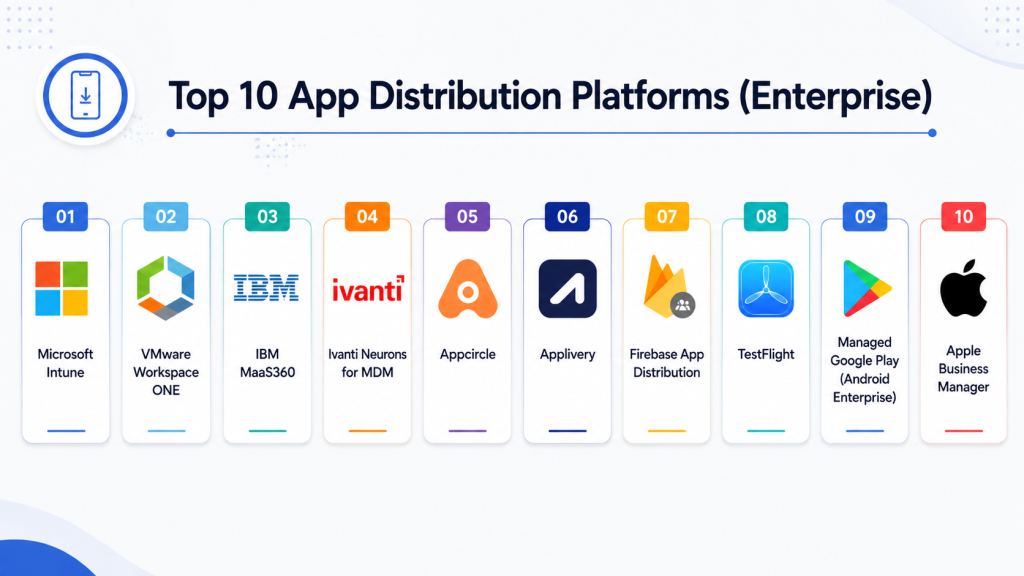
Top 10 App Distribution Platforms (Enterprise)
#1 — Microsoft Intune
Short description: A cloud-based endpoint management platform that enables secure enterprise app distribution across mobile and desktop environments.
Key Features
- Enterprise app deployment across devices
- Integration with Azure Active Directory
- Conditional access policies
- App protection policies
- Automated updates and version control
- Role-based access control
Pros
- Strong Microsoft ecosystem integration
- Enterprise-grade security
Cons
- Requires Microsoft ecosystem
- Complex configuration
Platforms / Deployment
iOS / Android / Windows / macOS
Cloud
Security & Compliance
SSO, RBAC, encryption, conditional access
Not publicly stated certifications
Integrations & Ecosystem
- Microsoft 365
- Azure AD
- DevOps tools
Support & Community
Strong enterprise support and documentation.
#2 — VMware Workspace ONE
Short description: A unified workspace platform combining app distribution, device management, and identity services.
Key Features
- Centralized app catalog
- Cross-platform distribution
- Identity-based access control
- Automation and lifecycle management
- Offline app access
Pros
- Highly scalable
- Strong Zero Trust model
Cons
- Expensive
- Complex setup
Platforms / Deployment
Cloud / Hybrid
Security & Compliance
Zero Trust architecture, RBAC
Not publicly stated certifications
Integrations & Ecosystem
- Identity providers
- Enterprise systems
Support & Community
Enterprise-grade support.
#3 — IBM MaaS360
Short description: An enterprise mobility management platform with AI-driven insights and secure app distribution.
Key Features
- Secure app distribution
- AI-driven analytics
- Policy enforcement
- Containerized app security
- Compliance monitoring
Pros
- Strong analytics
- Suitable for regulated industries
Cons
- Complex setup
- Enterprise pricing
Platforms / Deployment
Cloud
Security & Compliance
Policy enforcement, secure containers
Not publicly stated certifications
Integrations & Ecosystem
- Identity systems
- Enterprise tools
Support & Community
Strong enterprise support.
#4 — Ivanti Neurons for MDM
Short description: A modern mobile device management platform with strong automation and enterprise app distribution capabilities.
Key Features
- App distribution and updates
- Policy-driven access
- Automation workflows
- Cross-platform support
- Real-time monitoring
Pros
- Strong automation
- Flexible deployment
Cons
- Learning curve
- Pricing complexity
Platforms / Deployment
Cloud / Hybrid
Security & Compliance
Policy enforcement, access control
Not publicly stated certifications
Integrations & Ecosystem
- ITSM tools
- DevOps systems
Support & Community
Enterprise support.
#5 — Appcircle
Short description: A mobile DevOps platform offering enterprise app distribution with CI/CD integration and private app stores.
Key Features
- Enterprise app store
- CI/CD integration
- IAM and SSO support
- In-app updates
- Device management
Pros
- DevOps-friendly
- Flexible deployment
Cons
- Requires setup
- Smaller ecosystem
Platforms / Deployment
Cloud / Self-hosted
Security & Compliance
SSO (SAML, OpenID)
Not publicly stated certifications
Integrations & Ecosystem
- CI/CD pipelines
- Cloud platforms
Support & Community
Growing developer community.
#6 — Applivery
Short description: A secure enterprise app distribution platform with strong identity management and deployment control.
Key Features
- Enterprise app distribution
- IAM integration
- Forced updates
- Device management
- Security controls
Pros
- Strong security features
- Enterprise-ready
Cons
- Limited public distribution
- Smaller ecosystem
Platforms / Deployment
Cloud
Security & Compliance
SSO support
Not publicly stated certifications
Integrations & Ecosystem
- Identity providers
- Enterprise systems
Support & Community
Moderate enterprise support.
#7 — Firebase App Distribution
Short description: A Google tool for distributing pre-release builds to testers with fast and simple deployment.
Key Features
- Beta app distribution
- Tester management
- Integration with Firebase
- Crash reporting integration
- Real-time feedback
Pros
- Easy setup
- Free for developers
Cons
- Limited enterprise governance
- Not full MDM solution
Platforms / Deployment
iOS / Android
Cloud
Security & Compliance
Google security standards
Not publicly stated certifications
Integrations & Ecosystem
- Firebase tools
- Google Cloud
Support & Community
Strong developer support.
#8 — TestFlight
Short description: Apple’s official platform for distributing beta versions of iOS applications to testers.
Key Features
- Beta testing distribution
- Tester management
- Crash reporting
- Easy invitation system
- Integration with Apple ecosystem
Pros
- Native Apple integration
- Free to use
Cons
- Limited to iOS
- Not enterprise-wide solution
Platforms / Deployment
iOS
Security & Compliance
Apple security controls
Not publicly stated certifications
Integrations & Ecosystem
- Apple Developer tools
Support & Community
Strong Apple ecosystem support.
#9 — Managed Google Play (Android Enterprise)
Short description: An enterprise app distribution platform for Android devices with managed app deployment and approvals.
Key Features
- Managed app store
- App approval workflows
- Private app distribution
- Integration with EMM/UEM
- Device policy enforcement
Pros
- Strong Android enterprise support
- Secure distribution
Cons
- Android-only
- Requires EMM integration
Platforms / Deployment
Android
Cloud
Security & Compliance
Policy enforcement, enterprise controls
Not publicly stated certifications
Integrations & Ecosystem
- Android Enterprise
- MDM/UEM tools
Support & Community
Strong Google enterprise ecosystem.
#10 — Apple Business Manager (Apps and Books)
Short description: Apple’s enterprise platform for managing app distribution and licensing across Apple devices.
Key Features
- App licensing and distribution
- Device enrollment
- Managed Apple IDs
- Role-based access
- Integration with MDM
Pros
- Strong Apple ecosystem
- Scalable enterprise distribution
Cons
- Requires MDM integration
- Limited to Apple devices
Platforms / Deployment
iOS / macOS
Cloud
Security & Compliance
Role-based access, device control
Not publicly stated certifications
Integrations & Ecosystem
- Apple MDM solutions
- Enterprise IT systems
Support & Community
Strong Apple IT admin ecosystem.
Comparison Table
| Tool Name | Best For | Platform(s) Supported | Deployment | Standout Feature | Public Rating |
|---|---|---|---|---|---|
| Microsoft Intune | Enterprise IT | Multi-platform | Cloud | Endpoint management | N/A |
| Workspace ONE | Large enterprises | Multi-platform | Hybrid | Unified workspace | N/A |
| IBM MaaS360 | Regulated industries | Multi-platform | Cloud | AI analytics | N/A |
| Ivanti Neurons | Automation | Multi-platform | Hybrid | Self-healing endpoints | N/A |
| Appcircle | DevOps teams | Mobile | Hybrid | CI/CD integration | N/A |
| Applivery | Secure distribution | Mobile | Cloud | IAM security | N/A |
| Firebase App Distribution | Developers | Mobile | Cloud | Beta testing | N/A |
| TestFlight | iOS testing | iOS | Cloud | Apple integration | N/A |
| Managed Google Play | Android enterprise | Android | Cloud | Managed app store | N/A |
| Apple Business Manager | Apple enterprise | iOS/macOS | Cloud | Licensing control | N/A |
Evaluation & Scoring of App Distribution Platforms
| Tool Name | Core (25%) | Ease (15%) | Integrations (15%) | Security (10%) | Performance (10%) | Support (10%) | Value (15%) | Weighted Total |
|---|---|---|---|---|---|---|---|---|
| Intune | 10 | 8 | 10 | 10 | 9 | 10 | 8 | 9.2 |
| Workspace ONE | 10 | 7 | 10 | 10 | 9 | 10 | 7 | 9.0 |
| MaaS360 | 9 | 8 | 9 | 10 | 9 | 9 | 8 | 8.9 |
| Ivanti | 9 | 8 | 9 | 9 | 9 | 9 | 8 | 8.7 |
| Appcircle | 8 | 8 | 9 | 8 | 8 | 8 | 9 | 8.3 |
| Applivery | 8 | 8 | 8 | 9 | 8 | 8 | 8 | 8.1 |
| Firebase | 7 | 9 | 8 | 8 | 9 | 9 | 10 | 8.4 |
| TestFlight | 7 | 9 | 7 | 9 | 9 | 9 | 10 | 8.3 |
| Managed Google Play | 8 | 8 | 9 | 9 | 9 | 9 | 9 | 8.7 |
| Apple Business Manager | 9 | 8 | 9 | 9 | 9 | 9 | 8 | 8.8 |
How to interpret the scores:
These scores are comparative and reflect enterprise deployment scenarios. Higher scores indicate stronger capabilities in security, scalability, and integration. MDM/UEM platforms dominate enterprise use cases, while DevOps tools focus on testing and release workflows.
Which App Distribution Platform Is Right for You?
Solo / Developer
Firebase App Distribution or TestFlight for simple beta testing.
SMB
Appcircle or Applivery for secure and flexible app distribution.
Mid-Market
Ivanti or Managed Google Play for balanced control and scalability.
Enterprise
Microsoft Intune, Workspace ONE, or MaaS360 for full enterprise management.
Budget vs Premium
Firebase and TestFlight are free; enterprise tools offer governance and compliance.
Feature Depth vs Ease of Use
Firebase is simple; Intune and Workspace ONE offer deep control.
Integrations & Scalability
Intune and Workspace ONE provide strong ecosystem integration.
Security & Compliance Needs
Enterprise MDM platforms provide the highest level of security and compliance.
Frequently Asked Questions (FAQs)
1. What is enterprise app distribution?
It is the process of securely distributing apps within an organization instead of public app stores.
2. How is it different from public app stores?
Enterprise distribution focuses on internal apps and controlled access.
3. Do I need MDM for app distribution?
Most enterprise setups require MDM or UEM for full control and security.
4. What is a private app store?
It is an internal platform where employees can access company-approved apps.
5. Is enterprise app distribution secure?
Yes, it uses authentication, encryption, and access policies.
6. Can I distribute apps without publishing to app stores?
Yes, enterprise platforms allow private app distribution.
7. What platforms are supported?
Most tools support iOS, Android, Windows, and macOS.
8. What is CI/CD integration?
It automates app distribution during development pipelines.
9. Can I manage app updates?
Yes, most platforms support automated updates and version control.
10. Which platform is best?
The best platform depends on your organization’s size and requirements.
Conclusion
Enterprise App Distribution Platforms are essential for organizations that need secure, scalable, and controlled delivery of internal applications. Solutions like Microsoft Intune and VMware Workspace ONE provide comprehensive endpoint and app management, making them ideal for large enterprises. Platforms such as IBM MaaS360 and Ivanti Neurons offer strong automation and compliance capabilities, particularly for regulated industries. DevOps-focused tools like Appcircle and Firebase App Distribution simplify testing and deployment workflows, while Apple Business Manager and Managed Google Play provide ecosystem-specific solutions for iOS and Android environments. The right choice depends on your infrastructure, security requirements, and deployment scale. Smaller teams may prioritize ease of use and cost efficiency, while enterprises focus on governance, compliance, and integration depth. Since no single platform fits all needs, it is important to evaluate based on your use case. A practical approach is to shortlist a few tools, test them in real environments, and validate security and integration requirements before full deployment. This ensures a secure and efficient enterprise app distribution strategy.