Introduction
Mobile Analytics SDKs are software development kits that help mobile applications collect, measure, and analyze user behavior data directly from within the app. In simple terms, they allow developers and product teams to understand how users interact with an app—what they click, how long they stay, where they drop off, and what drives conversions.
In today’s mobile-first world, analytics is not optional—it is essential. Every successful app relies on data-driven decisions to improve user experience, retention, and revenue. Mobile Analytics SDKs make this possible by embedding tracking capabilities directly into iOS and Android applications.
Common use cases include:
- Tracking user engagement and retention
- Measuring in-app events and conversions
- Analyzing funnels and user journeys
- Monitoring crashes and performance issues
- Attribution tracking for marketing campaigns
- A/B testing and product experimentation
What buyers should evaluate:
- Real-time analytics capabilities
- Event tracking flexibility
- Attribution and campaign tracking accuracy
- Integration with marketing and CRM tools
- Data privacy and compliance (GDPR, CCPA)
- Dashboard usability and reporting depth
- Scalability for large user bases
- SDK performance impact on app speed
Best for: Mobile app developers, product managers, growth teams, and marketing analysts.
Not ideal for: Non-mobile applications or teams that do not require in-app behavioral tracking.
Key Trends in Mobile Analytics SDKs
- Privacy-first analytics: Reduced reliance on user identifiers due to stricter privacy laws
- Cookieless tracking evolution: Shift toward event-based and server-side tracking
- AI-driven insights: Predictive analytics and automated user behavior insights
- Real-time analytics dashboards: Instant visibility into app performance
- Unified product analytics: Combining marketing, product, and revenue analytics
- Deep integration with CDPs: Customer Data Platforms becoming central hubs
- Cross-platform tracking: Unified analytics across iOS, Android, and web
- In-app experimentation tools: Built-in A/B testing and feature flags
- Lightweight SDKs: Reduced app performance impact
How We Selected These Tools (Methodology)
- Evaluated market adoption across mobile ecosystems
- Assessed event tracking and analytics capabilities
- Reviewed attribution accuracy and reliability
- Considered integration with marketing and CRM tools
- Analyzed performance impact on mobile apps
- Included tools for product, marketing, and attribution analytics
- Balanced enterprise and developer-friendly SDKs
- Evaluated data visualization and reporting capabilities
- Considered privacy and compliance readiness
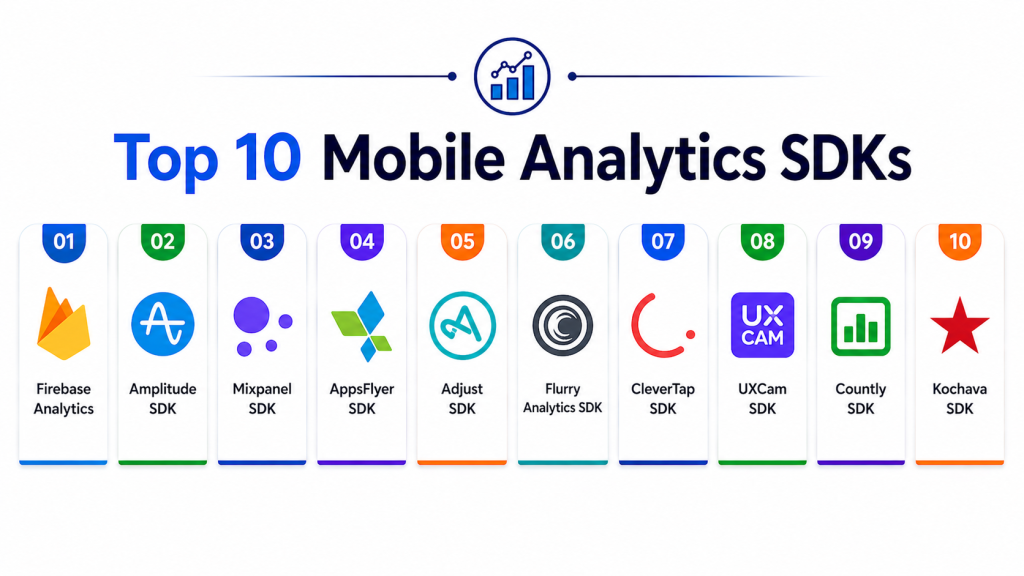
Top 10 Mobile Analytics SDKs
#1 — Firebase Analytics
Short description: A free and widely used mobile analytics SDK from Google that provides deep app usage insights and event tracking.
Key Features
- Event-based tracking
- User segmentation
- Crash analytics integration
- Real-time reporting
- Audience insights
- Integration with Google ecosystem
Pros
- Free and scalable
- Easy integration
Cons
- Limited advanced customization
- Data sampling in some cases
Platforms / Deployment
iOS / Android / Web
Cloud-based
Security & Compliance
Google security standards, GDPR support
Not publicly stated certifications
Integrations & Ecosystem
- Google Ads
- BigQuery
- Firebase suite
Support & Community
Large developer community and documentation support.
#2 — Amplitude SDK
Short description: A product analytics SDK focused on behavioral analytics and user journey tracking.
Key Features
- Behavioral event tracking
- Funnel analysis
- Retention analytics
- User segmentation
- Cohort analysis
Pros
- Strong product analytics
- Deep behavioral insights
Cons
- Can be expensive
- Learning curve for advanced features
Platforms / Deployment
iOS / Android / Web
Cloud
Security & Compliance
GDPR and enterprise compliance support
Not publicly stated certifications
Integrations & Ecosystem
- CDPs
- Marketing tools
- Data warehouses
Support & Community
Strong enterprise support and documentation.
#3 — Mixpanel SDK
Short description: A powerful analytics SDK focused on tracking user interactions and conversion funnels.
Key Features
- Event tracking
- Funnel analysis
- A/B testing support
- Retention reports
- Real-time dashboards
Pros
- Easy to use
- Strong funnel analytics
Cons
- Pricing increases with scale
- Limited raw data access in lower tiers
Platforms / Deployment
iOS / Android / Web
Cloud
Security & Compliance
GDPR compliance support
Not publicly stated certifications
Integrations & Ecosystem
- CRM platforms
- Data warehouses
- Marketing tools
Support & Community
Strong analytics-focused support.
#4 — AppsFlyer SDK
Short description: A mobile attribution and marketing analytics SDK used to track ad performance and user acquisition.
Key Features
- Mobile attribution tracking
- Install tracking
- Fraud prevention
- Campaign analytics
- Deep linking
Pros
- Strong attribution accuracy
- Widely used in mobile marketing
Cons
- Marketing-focused, less product analytics
- Complex setup
Platforms / Deployment
iOS / Android
Cloud
Security & Compliance
Enterprise-grade fraud prevention
Not publicly stated certifications
Integrations & Ecosystem
- Ad networks
- Marketing platforms
Support & Community
Strong enterprise and marketing support.
#5 — Adjust SDK
Short description: A mobile attribution analytics SDK focused on marketing performance measurement and fraud prevention.
Key Features
- Attribution tracking
- Campaign performance analytics
- Fraud detection
- Deep linking
- Cohort reporting
Pros
- Strong fraud prevention
- Accurate attribution
Cons
- Focused on marketing analytics
- Pricing is enterprise-oriented
Platforms / Deployment
iOS / Android
Cloud
Security & Compliance
GDPR compliance, fraud protection
Not publicly stated certifications
Integrations & Ecosystem
- Ad platforms
- Marketing tools
Support & Community
Enterprise-level support.
#6 — Flurry Analytics SDK
Short description: A free mobile analytics SDK offering basic app usage and engagement tracking.
Key Features
- App usage analytics
- Event tracking
- User segmentation
- Retention reports
- Crash tracking
Pros
- Free to use
- Simple integration
Cons
- Limited advanced features
- Less modern UI
Platforms / Deployment
iOS / Android
Cloud
Security & Compliance
Basic compliance support
Not publicly stated certifications
Integrations & Ecosystem
- Yahoo ecosystem tools
Support & Community
Limited but stable support.
#7 — CleverTap SDK
Short description: A customer engagement and analytics SDK combining behavioral analytics with marketing automation.
Key Features
- User behavior tracking
- Push notification integration
- Retention analytics
- Funnel tracking
- Automation campaigns
Pros
- Strong retention focus
- Unified analytics + engagement
Cons
- Complex pricing
- Learning curve
Platforms / Deployment
iOS / Android
Cloud
Security & Compliance
Enterprise-grade compliance support
Not publicly stated certifications
Integrations & Ecosystem
- CRM systems
- Marketing automation tools
Support & Community
Strong enterprise support.
#8 — UXCam SDK
Short description: A mobile analytics SDK focused on session replay and user experience visualization.
Key Features
- Session replay
- Heatmaps
- User journey tracking
- Crash analysis
- UX insights
Pros
- Excellent UX insights
- Visual analytics
Cons
- Not a full analytics suite
- Can impact performance if misconfigured
Platforms / Deployment
iOS / Android
Cloud
Security & Compliance
GDPR compliance support
Not publicly stated certifications
Integrations & Ecosystem
- Product analytics tools
- CRM systems
Support & Community
Good product-focused support.
#9 — Countly SDK
Short description: An open-source mobile analytics platform offering self-hosted and cloud options.
Key Features
- Event tracking
- User analytics
- Crash reporting
- Push notifications
- Custom dashboards
Pros
- Open-source flexibility
- Self-hosted option
Cons
- Requires setup effort
- Smaller ecosystem
Platforms / Deployment
iOS / Android
Cloud / Self-hosted
Security & Compliance
Self-managed security options
Not publicly stated certifications
Integrations & Ecosystem
- Backend systems
- Custom integrations
Support & Community
Community-driven support.
#10 — Kochava SDK
Short description: A mobile attribution and analytics SDK focused on marketing performance measurement.
Key Features
- Attribution tracking
- Campaign analytics
- Fraud prevention
- Deep linking
- Real-time reporting
Pros
- Strong attribution system
- Marketing-focused insights
Cons
- Less product analytics depth
- Enterprise pricing
Platforms / Deployment
iOS / Android
Cloud
Security & Compliance
Fraud detection, GDPR support
Not publicly stated certifications
Integrations & Ecosystem
- Ad networks
- Marketing platforms
Support & Community
Enterprise-level support.
Comparison Table
| Tool Name | Best For | Platform(s) Supported | Deployment | Standout Feature | Public Rating |
|---|---|---|---|---|---|
| Firebase Analytics | Developers | iOS/Android/Web | Cloud | Free analytics | N/A |
| Amplitude | Product analytics | Mobile/Web | Cloud | Behavioral insights | N/A |
| Mixpanel | Funnels | Mobile/Web | Cloud | Funnel tracking | N/A |
| AppsFlyer | Marketing attribution | Mobile | Cloud | Install tracking | N/A |
| Adjust | Ad tracking | Mobile | Cloud | Fraud prevention | N/A |
| Flurry | Basic analytics | Mobile | Cloud | Free usage | N/A |
| CleverTap | Engagement | Mobile | Cloud | Retention automation | N/A |
| UXCam | UX insights | Mobile | Cloud | Session replay | N/A |
| Countly | Open-source analytics | Mobile/Web | Cloud/Self-hosted | Custom dashboards | N/A |
| Kochava | Attribution | Mobile | Cloud | Marketing analytics | N/A |
Evaluation & Scoring of Mobile Analytics SDKs
| Tool Name | Core (25%) | Ease (15%) | Integrations (15%) | Security (10%) | Performance (10%) | Support (10%) | Value (15%) | Weighted Total |
|---|---|---|---|---|---|---|---|---|
| Firebase Analytics | 10 | 9 | 9 | 9 | 10 | 9 | 10 | 9.4 |
| Amplitude | 10 | 8 | 9 | 9 | 9 | 9 | 7 | 8.7 |
| Mixpanel | 9 | 9 | 9 | 8 | 9 | 9 | 8 | 8.6 |
| AppsFlyer | 9 | 8 | 9 | 9 | 9 | 9 | 7 | 8.5 |
| Adjust | 9 | 8 | 9 | 9 | 9 | 9 | 7 | 8.5 |
| Flurry | 7 | 9 | 7 | 7 | 8 | 7 | 10 | 7.9 |
| CleverTap | 9 | 8 | 9 | 9 | 9 | 9 | 8 | 8.7 |
| UXCam | 8 | 8 | 8 | 8 | 8 | 8 | 8 | 8.0 |
| Countly | 8 | 7 | 8 | 8 | 8 | 8 | 9 | 8.0 |
| Kochava | 9 | 8 | 9 | 9 | 9 | 9 | 7 | 8.5 |
How to interpret the scores:
These scores reflect comparative performance across analytics use cases. Higher scores indicate stronger tracking, analytics depth, and scalability. Product analytics tools focus on behavior insights, while attribution tools focus on marketing performance. The best choice depends on whether your goal is product optimization or campaign measurement.
Which Mobile Analytics SDK Is Right for You?
Solo / Developer
Firebase Analytics or Flurry for simple and free tracking.
SMB
Mixpanel or CleverTap for balanced analytics and engagement.
Mid-Market
Amplitude or AppsFlyer for deeper insights and attribution.
Enterprise
CleverTap, Kochava, or Adjust for advanced analytics and marketing scale.
Budget vs Premium
Firebase is free; enterprise tools offer deeper intelligence.
Feature Depth vs Ease of Use
Mixpanel and Firebase are easier; Amplitude offers deeper analysis.
Integrations & Scalability
Amplitude and AppsFlyer offer strong ecosystem integration.
Security & Compliance Needs
Enterprise tools provide stronger governance and compliance features.
Frequently Asked Questions (FAQs)
1. What is a Mobile Analytics SDK?
It is a tool embedded in mobile apps to track user behavior and app performance.
2. Why is mobile analytics important?
It helps improve user experience, retention, and product decisions.
3. What is event tracking?
It records user actions inside an app like clicks or purchases.
4. What is funnel analysis?
It tracks user steps toward a goal like signup or purchase.
5. Are mobile analytics SDKs safe?
Yes, most follow strict privacy and encryption standards.
6. What is session replay?
It visually records user interactions inside the app.
7. Can I use multiple SDKs together?
Yes, but it may increase app size and complexity.
8. Do these SDKs affect app performance?
Lightweight SDKs have minimal impact, but heavy tracking can slow apps.
9. What is attribution tracking?
It identifies where users come from, such as ads or campaigns.
10. Which SDK is best?
There is no single best SDK; it depends on product vs marketing needs.
Conclusion
Mobile Analytics SDKs are essential for understanding how users interact with mobile applications and making data-driven decisions that improve engagement, retention, and revenue. Tools like Firebase Analytics provide free and scalable tracking, while platforms like Amplitude and Mixpanel deliver deep behavioral insights for product optimization. Attribution-focused SDKs such as AppsFlyer, Adjust, and Kochava help marketers measure campaign performance and user acquisition. Meanwhile, tools like UXCam add visual context through session replay, and CleverTap combines analytics with engagement automation. Open-source solutions like Countly provide flexibility for teams requiring self-hosted analytics. The right choice depends on whether your focus is product analytics, marketing attribution, or user experience optimization. Smaller teams often prioritize simplicity and cost efficiency, while enterprises require advanced analytics, integration depth, and compliance readiness. Since no single SDK covers every use case, many organizations use multiple tools together. A practical approach is to combine a core analytics SDK with attribution and UX tools to build a complete mobile analytics stack. This ensures a scalable, privacy-compliant, and insight-driven mobile product strategy.