Introduction
Newsletter Platforms help creators, marketers, publishers, founders, educators, communities, and businesses create, send, manage, and grow email newsletters. These tools allow users to build subscriber lists, design email campaigns, publish content, automate email journeys, segment audiences, track engagement, and sometimes monetize subscriptions.
A newsletter platform is more than a simple email sender. A strong platform helps manage subscribers, improve deliverability, personalize content, analyze open and click behavior, run paid memberships, and connect newsletters with websites, forms, landing pages, CRM systems, ecommerce tools, and community workflows.
Real-world use cases include:
- Sending weekly company updates or product newsletters
- Growing a creator or expert audience
- Running paid newsletter subscriptions
- Nurturing leads with educational email content
- Publishing editorial content to subscribers
- Segmenting readers by interest, behavior, or plan type
Buyer evaluation criteria should include:
- Email editor and design flexibility
- Subscriber management and segmentation
- Deliverability controls
- Automation and workflow depth
- Paid subscription and monetization support
- Landing pages and signup forms
- Analytics and reporting
- Integrations with websites, CRM, ecommerce, and community tools
- Security and compliance controls
- Pricing, scalability, and support quality
Best for: Creators, newsletter writers, marketers, media teams, SaaS companies, ecommerce brands, agencies, educators, consultants, communities, and businesses that want to build direct audience relationships through email.
Not ideal for: Teams that only need occasional one-to-one email, companies with no content strategy, users who do not plan to manage subscriber consent, or businesses that require only transactional email without editorial, marketing, or audience-building workflows.
Key Trends in Newsletter Platforms
- Creator monetization is becoming central: Many newsletter platforms now support paid subscriptions, memberships, premium posts, and audience monetization.
- Simplicity is a major differentiator: Writers and creators often prefer platforms that reduce setup work and let them focus on publishing.
- Audience ownership matters more: Businesses and creators want direct subscriber relationships instead of depending only on social media algorithms.
- Automation is expanding: Marketing teams expect welcome sequences, drip campaigns, segmentation, tagging, and behavioral triggers.
- Deliverability is a key buying factor: Inbox placement, authentication, spam prevention, unsubscribe handling, and list hygiene are now essential.
- Newsletter and website publishing are merging: Some platforms combine newsletters, blogs, landing pages, memberships, and content hubs.
- Segmentation is becoming more important: Teams want to send different content to readers based on interests, engagement, purchases, or lifecycle stage.
- Analytics are moving beyond opens: Clicks, conversions, subscriber growth, churn, paid revenue, referrals, and engagement quality matter more.
- Community-led newsletters are growing: Creators and brands use newsletters to drive comments, replies, paid communities, and reader interaction.
- AI-assisted writing is becoming common: Some platforms support subject line ideas, content drafts, summaries, and personalization suggestions.
How We Selected These Tools
The tools in this list were selected using practical buyer-focused evaluation logic:
- Strong recognition in newsletter publishing, email marketing, creator monetization, or audience growth
- Ability to support newsletter creation, subscriber management, sending, analytics, and list growth
- Fit across creators, SMBs, publishers, marketers, agencies, ecommerce teams, and SaaS businesses
- Practical features for signup forms, landing pages, segmentation, automation, and reporting
- Support for paid newsletters, memberships, or creator monetization where relevant
- Ease of use for non-technical writers, marketers, and founders
- Integration strength with websites, ecommerce platforms, CRM tools, content systems, and workflow tools
- Deliverability, compliance, unsubscribe, and list management capabilities
- Pricing flexibility for small lists, growing audiences, and larger teams
- Overall value based on usability, scalability, feature depth, monetization, and audience-building impact
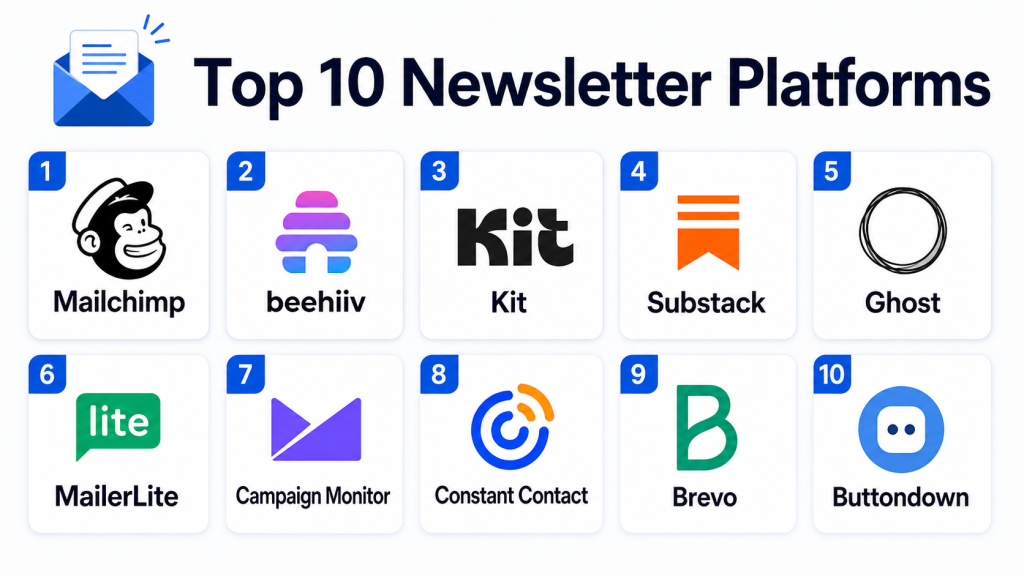
Top 10 Newsletter Platforms
#1 — Mailchimp
Short description: Mailchimp is a widely used email marketing and newsletter platform for businesses, creators, ecommerce brands, and marketing teams. It helps users create newsletters, manage audiences, automate campaigns, build landing pages, and track performance. It is especially useful for teams that want newsletter features inside a broader marketing platform.
Key Features
- Drag-and-drop email builder
- Audience segmentation and tagging
- Signup forms and landing pages
- Email automation workflows
- Campaign analytics and reporting
- Ecommerce and marketing integrations
- A/B testing and personalization support
Pros
- Easy to use for beginners and small teams
- Strong all-in-one marketing feature set
- Broad integration ecosystem
Cons
- Pricing can increase as audience size grows
- Advanced automation may require higher plans
- Some creators may prefer simpler publishing-focused tools
Platforms / Deployment
Cloud
Web-based platform
Mobile app availability may vary by device
Security & Compliance
Mailchimp provides business security and account administration features. Buyers should validate permissions, authentication, data handling, unsubscribe management, privacy controls, and compliance requirements based on their plan.
Integrations & Ecosystem
Mailchimp connects with ecommerce, website, CRM, analytics, social, and productivity tools. It is best for teams that want newsletters connected with broader marketing campaigns.
- Ecommerce platforms
- Website builders
- CRM tools
- Social media workflows
- Analytics tools
- Automation platforms
Support & Community
Mailchimp offers documentation, templates, learning resources, customer support options, and a large user community. Support level may vary by plan.
#2 — beehiiv
Short description: beehiiv is a newsletter platform built for creators, publishers, media brands, and audience-first businesses. It focuses on newsletter publishing, audience growth, referral programs, monetization, segmentation, and analytics. It is especially useful for users who want to build a newsletter-led media business or creator brand.
Key Features
- Newsletter editor and publishing workflow
- Website and newsletter hosting
- Audience segmentation
- Referral program support
- Paid newsletter and monetization features
- Growth and analytics dashboards
- Subscriber management tools
Pros
- Strong for newsletter-first creators and publishers
- Good growth and monetization features
- Simple publishing experience for non-technical users
Cons
- May not replace full marketing automation suites
- Ecommerce and CRM workflows may require integrations
- Advanced enterprise needs should be validated
Platforms / Deployment
Cloud
Web-based platform
Security & Compliance
Security and compliance details should be verified directly. Buyers should validate user permissions, data handling, unsubscribe tools, privacy controls, and account security requirements.
Integrations & Ecosystem
beehiiv fits newsletter-led audience growth workflows. It can connect with website, analytics, payment, automation, and creator business tools depending on the setup.
- Website workflows
- Analytics tools
- Payment and monetization workflows
- Automation tools
- Audience growth workflows
- Creator business systems
Support & Community
beehiiv provides documentation, product resources, support options, and creator-focused learning materials. Support depth may vary by plan.
#3 — Kit
Short description: Kit is an email marketing and newsletter platform designed for creators, educators, coaches, writers, and online businesses. It helps users build audiences, send newsletters, create automations, segment subscribers, and sell digital products or memberships. It is especially useful for creators who want newsletter growth and monetization with practical automation.
Key Features
- Newsletter editor and broadcast emails
- Visual automation builder
- Subscriber tagging and segmentation
- Landing pages and signup forms
- Creator monetization support
- Digital product and audience workflows
- Integration with creator and business tools
Pros
- Strong fit for creators and solo businesses
- Good balance of simplicity and automation
- Useful for audience building and digital product sales
Cons
- May not be ideal for complex enterprise marketing teams
- Design flexibility may not satisfy all brand-heavy users
- Advanced reporting needs should be validated
Platforms / Deployment
Cloud
Web-based platform
Security & Compliance
Security and compliance controls should be verified directly. Buyers should validate authentication, permissions, unsubscribe handling, data retention, privacy controls, and compliance needs.
Integrations & Ecosystem
Kit works well with creator tools, course platforms, website builders, ecommerce workflows, and automation platforms. It is useful for users who want newsletters tied to digital products and audience journeys.
- Website builders
- Course platforms
- Ecommerce tools
- Payment workflows
- Automation platforms
- Creator business tools
Support & Community
Kit provides documentation, onboarding resources, customer support options, tutorials, and creator-focused education. Support level may vary by plan.
#4 — Substack
Short description: Substack is a newsletter and publishing platform for writers, journalists, analysts, creators, and independent publishers. It allows users to publish free or paid newsletters, manage subscribers, build an audience, and create a simple publication without technical setup. It is best for writers who want a low-friction publishing and subscription model.
Key Features
- Newsletter and post publishing
- Free and paid subscription support
- Reader-facing publication pages
- Subscriber management
- Comments and community-style engagement
- Basic analytics
- Simple publishing workflow
Pros
- Very easy to start publishing
- Strong fit for independent writers and paid newsletters
- Minimal technical setup required
Cons
- Limited advanced automation compared with marketing platforms
- Design customization may be limited
- Not ideal for complex segmentation or enterprise marketing workflows
Platforms / Deployment
Cloud
Web-based platform
Mobile app availability may vary
Security & Compliance
Security and compliance details should be verified directly. Buyers should validate account security, subscriber data handling, payment handling, unsubscribe controls, and privacy requirements.
Integrations & Ecosystem
Substack is strongest as a standalone publishing and subscription platform. It is less focused on complex business integrations and more focused on writing, publishing, subscriptions, and reader relationships.
- Publishing workflows
- Paid subscription workflows
- Reader community features
- Basic analytics
- Creator monetization workflows
- Import and export workflows
Support & Community
Substack provides help resources, publisher guidance, product documentation, and creator education materials. Support depth may vary by user needs and account type.
#5 — Ghost
Short description: Ghost is a publishing and membership platform that combines blogging, newsletters, website publishing, paid memberships, and audience management. It is popular with independent publishers, media teams, creators, and businesses that want more control over content and brand experience. Ghost is especially useful for users who want newsletters connected with a full content website.
Key Features
- Website and blog publishing
- Native newsletter sending
- Membership and paid subscription support
- Custom themes and branding
- Subscriber management
- Content access controls
- Analytics and publishing workflows
Pros
- Strong for content websites and paid memberships
- More control over branding and publishing than simple newsletter tools
- Useful for independent publishers and editorial teams
Cons
- Requires more setup than simpler newsletter platforms
- Self-hosted options may need technical management
- Advanced marketing automation may require integrations
Platforms / Deployment
Cloud / Self-hosted
Web-based platform
Security & Compliance
Security depends on deployment model and configuration. Buyers should validate access controls, hosting security, payment handling, data retention, privacy controls, and compliance requirements.
Integrations & Ecosystem
Ghost connects newsletters with publishing, memberships, websites, and creator monetization workflows. It is best for users who want a content hub plus email distribution.
- Payment workflows
- Website analytics
- Automation tools
- Membership systems
- Publishing workflows
- Custom integrations through APIs
Support & Community
Ghost provides documentation, community resources, theme guidance, developer resources, and support options depending on hosting model and plan.
#6 — MailerLite
Short description: MailerLite is an email marketing and newsletter platform focused on simplicity, affordability, automation, landing pages, and subscriber management. It is a strong option for small businesses, creators, bloggers, ecommerce brands, and marketers who want practical newsletter features without heavy complexity. MailerLite works well for growing lists and simple automation needs.
Key Features
- Drag-and-drop email editor
- Newsletter campaigns
- Subscriber segmentation
- Automation workflows
- Landing pages and signup forms
- A/B testing support
- Campaign analytics
Pros
- Simple and affordable for small teams
- Good balance of email marketing and newsletter features
- Easy landing page and form creation
Cons
- May not match enterprise platforms for complex automation
- Advanced ecommerce or CRM needs may require integrations
- Some users may need deeper reporting
Platforms / Deployment
Cloud
Web-based platform
Security & Compliance
Security and compliance details should be verified directly. Buyers should validate authentication, subscriber consent, unsubscribe tools, permissions, privacy controls, and data handling requirements.
Integrations & Ecosystem
MailerLite integrates with website builders, ecommerce tools, forms, automation platforms, and marketing workflows. It is practical for small teams that want newsletters and simple marketing automation.
- Website builders
- Ecommerce platforms
- Forms and landing pages
- Automation tools
- Analytics workflows
- Creator tools
Support & Community
MailerLite provides documentation, templates, support resources, tutorials, and onboarding materials. Support depth may vary by plan.
#7 — Campaign Monitor
Short description: Campaign Monitor is an email marketing and newsletter platform used by businesses, agencies, and marketing teams to design, send, automate, and measure email campaigns. It is known for email design tools, campaign management, segmentation, and reporting. It is especially useful for brands and agencies that care about polished email presentation.
Key Features
- Email campaign builder
- Newsletter templates
- Audience segmentation
- Automation journeys
- A/B testing support
- Analytics and reporting
- Agency and client workflow support
Pros
- Strong email design and template experience
- Good fit for agencies and marketing teams
- Practical automation and reporting features
Cons
- May not be ideal for creator monetization workflows
- Advanced CRM needs may require integrations
- Pricing should be evaluated against list size and campaign volume
Platforms / Deployment
Cloud
Web-based platform
Security & Compliance
Security and compliance details should be verified directly. Buyers should validate account security, permissions, unsubscribe handling, data processing, retention, and privacy requirements.
Integrations & Ecosystem
Campaign Monitor fits into marketing and agency email workflows. It integrates with ecommerce, CRM, website, analytics, and workflow platforms depending on user needs.
- CRM tools
- Ecommerce platforms
- Website builders
- Analytics tools
- Agency workflows
- Automation platforms
Support & Community
Campaign Monitor provides templates, documentation, support resources, and email marketing guidance. Support level may vary by package.
#8 — Constant Contact
Short description: Constant Contact is an email marketing and newsletter platform designed for small businesses, nonprofits, local organizations, and service providers. It helps users create newsletters, manage contacts, build signup forms, run email campaigns, and track engagement. It is especially useful for teams that want a straightforward platform with practical marketing features.
Key Features
- Newsletter and email campaign builder
- Contact list management
- Signup forms
- Email templates
- Marketing automation support
- Event and small business marketing tools
- Campaign reporting
Pros
- Good fit for small businesses and nonprofits
- Easy to use for non-technical teams
- Practical templates and list management features
Cons
- May not satisfy advanced automation-heavy teams
- Creator monetization features are limited
- Design and analytics depth should be validated
Platforms / Deployment
Cloud
Web-based platform
Security & Compliance
Security and compliance details should be verified directly. Buyers should validate contact data handling, account permissions, unsubscribe tools, authentication, and privacy requirements.
Integrations & Ecosystem
Constant Contact connects with small business websites, ecommerce tools, social media workflows, forms, and marketing systems. It is best for organizations that need simple newsletters and practical campaign management.
- Website builders
- Ecommerce tools
- Social media workflows
- Contact forms
- Small business tools
- Marketing integrations
Support & Community
Constant Contact provides help resources, templates, onboarding support, learning materials, and customer support options. Support depth may vary by plan.
#9 — Brevo
Short description: Brevo is a marketing and customer communication platform that supports newsletters, email campaigns, automation, transactional email, SMS, CRM workflows, and customer engagement. It is useful for businesses that want newsletters as part of a broader communication stack. Brevo is especially practical for SMBs that need email marketing, automation, and multi-channel messaging in one platform.
Key Features
- Newsletter and email campaign builder
- Marketing automation workflows
- Contact segmentation
- SMS and multi-channel messaging support
- Transactional email support
- CRM and pipeline tools
- Campaign analytics
Pros
- Strong multi-channel communication features
- Useful for SMB marketing and customer engagement
- Combines newsletters with transactional and automation workflows
Cons
- Creator-focused monetization is limited
- Advanced newsletter publishing features may not match creator-first tools
- Some features may require plan upgrades
Platforms / Deployment
Cloud
Web-based platform
Security & Compliance
Brevo provides business communication security and account controls. Buyers should validate authentication, permissions, data handling, unsubscribe management, retention, and compliance needs directly.
Integrations & Ecosystem
Brevo integrates with ecommerce, website, CRM, automation, and business communication workflows. It is useful for companies that want newsletters connected with customer messaging.
- Ecommerce platforms
- CRM workflows
- Website tools
- SMS workflows
- Transactional email systems
- Automation tools
Support & Community
Brevo provides documentation, onboarding resources, support options, tutorials, and product education materials. Support level may vary by package.
#10 — Buttondown
Short description: Buttondown is a lightweight newsletter platform built for writers, developers, creators, and small publishers who want a clean and simple writing experience. It focuses on straightforward newsletter publishing, subscriber management, paid subscriptions, and developer-friendly workflows. It is best for users who want less complexity and more control over the writing process.
Key Features
- Simple newsletter editor
- Subscriber management
- Paid subscription support
- Markdown-friendly writing workflow
- Analytics and subscriber insights
- Import and export support
- Developer-friendly options
Pros
- Clean and simple publishing experience
- Good fit for writers and technical creators
- Less cluttered than large marketing suites
Cons
- Not ideal for advanced marketing automation
- Limited compared with full email marketing platforms
- Best for newsletter-first use cases rather than complex campaigns
Platforms / Deployment
Cloud
Web-based platform
Security & Compliance
Security and compliance details should be verified directly. Buyers should validate subscriber data handling, payment workflows, account security, unsubscribe management, and privacy requirements.
Integrations & Ecosystem
Buttondown fits simple newsletter publishing, paid subscriptions, and creator workflows. It is especially useful for users who want focused email publishing without heavy marketing automation.
- Publishing workflows
- Paid newsletter workflows
- Developer tools
- Import and export processes
- Analytics workflows
- Simple website integrations
Support & Community
Buttondown provides documentation, help resources, product guidance, and support options. Support depth may vary by user needs and plan.
Comparison Table
| Tool Name | Best For | Platform(s) Supported | Deployment | Standout Feature | Public Rating |
|---|---|---|---|---|---|
| Mailchimp | Small business email marketing | Web-based, mobile app varies | Cloud | All-in-one newsletter and marketing platform | N/A |
| beehiiv | Newsletter-first creators and publishers | Web-based | Cloud | Growth and monetization tools for newsletters | N/A |
| Kit | Creators and online businesses | Web-based | Cloud | Creator-focused automation and audience growth | N/A |
| Substack | Independent writers and paid newsletters | Web-based, mobile app varies | Cloud | Simple publishing and subscription model | N/A |
| Ghost | Publishers and membership websites | Web-based | Cloud / Self-hosted | Website, newsletter, and membership publishing | N/A |
| MailerLite | SMB newsletters and simple automation | Web-based | Cloud | Affordable email marketing and landing pages | N/A |
| Campaign Monitor | Agencies and branded email campaigns | Web-based | Cloud | Polished email design and campaign workflows | N/A |
| Constant Contact | Small businesses and nonprofits | Web-based | Cloud | Simple newsletter and contact management | N/A |
| Brevo | Multi-channel SMB communication | Web-based | Cloud | Email, SMS, automation, and transactional workflows | N/A |
| Buttondown | Writers and technical creators | Web-based | Cloud | Lightweight writing-first newsletter platform | N/A |
Evaluation & Scoring of Newsletter Platforms
| Tool Name | Core (25%) | Ease (15%) | Integrations (15%) | Security (10%) | Performance (10%) | Support (10%) | Value (15%) | Weighted Total (0–10) |
|---|---|---|---|---|---|---|---|---|
| Mailchimp | 9 | 9 | 9 | 8 | 8 | 8 | 8 | 8.50 |
| beehiiv | 9 | 9 | 7 | 7 | 8 | 8 | 9 | 8.25 |
| Kit | 9 | 9 | 8 | 8 | 8 | 8 | 8 | 8.35 |
| Substack | 7 | 10 | 6 | 7 | 8 | 7 | 9 | 7.80 |
| Ghost | 9 | 7 | 8 | 8 | 8 | 8 | 8 | 8.10 |
| MailerLite | 8 | 9 | 8 | 8 | 8 | 8 | 9 | 8.35 |
| Campaign Monitor | 8 | 8 | 8 | 8 | 8 | 8 | 7 | 7.85 |
| Constant Contact | 7 | 9 | 7 | 8 | 8 | 8 | 8 | 7.85 |
| Brevo | 8 | 8 | 8 | 8 | 8 | 8 | 9 | 8.15 |
| Buttondown | 7 | 9 | 7 | 7 | 8 | 7 | 9 | 7.75 |
These scores are comparative and should be used as a shortlist guide. Creator-first platforms often score higher in simplicity and monetization, while marketing platforms score higher in automation and integrations. Publishing platforms are stronger for content ownership and memberships, while SMB email tools are stronger for affordability and campaign execution. The right choice depends on your audience size, content strategy, automation needs, monetization plan, and technical comfort.
Which Newsletter Platform Is Right for You?
Solo / Freelancer
Solo creators, consultants, and writers should focus on simplicity, audience ownership, and low setup effort. Substack, Buttondown, beehiiv, Kit, and MailerLite are strong choices depending on whether the goal is writing, monetization, or simple audience growth. If you want the easiest path to publishing, Substack is practical. If you want more control or a cleaner writing workflow, Buttondown or Ghost may be a better fit.
SMB
SMBs should prioritize ease of use, templates, signup forms, segmentation, automation, and integrations with websites or sales tools. Mailchimp, MailerLite, Brevo, Constant Contact, and Kit are strong options. A small business with basic newsletters may prefer Constant Contact or MailerLite. A business that needs automation and audience journeys may prefer Mailchimp, Kit, or Brevo.
Mid-Market
Mid-market teams usually need stronger segmentation, analytics, automation, brand control, team workflows, and integrations. Mailchimp, Kit, Brevo, Campaign Monitor, Ghost, and beehiiv are strong candidates depending on the content strategy. If the team needs editorial publishing plus newsletters, Ghost or beehiiv can be useful. If the team needs marketing campaigns and automation, Mailchimp, Brevo, or Campaign Monitor may fit better.
Enterprise
Enterprise teams should prioritize governance, permissions, security review, brand control, integration depth, deliverability, and reporting. Mailchimp, Campaign Monitor, Brevo, and Ghost can be evaluated depending on deployment and workflow needs. Enterprises with complex marketing operations may need broader marketing automation platforms beyond a newsletter-only tool. Security, data retention, access management, and compliance should be reviewed before rollout.
Budget vs Premium
Budget-focused users should consider Substack, Buttondown, MailerLite, Brevo, or beehiiv depending on list size and monetization needs. These platforms can help users launch without heavy upfront complexity. Premium buyers may prefer Mailchimp, Kit, Ghost, Campaign Monitor, or advanced beehiiv plans when they need automation, branding, audience analytics, team workflows, or paid subscription features.
Feature Depth vs Ease of Use
If ease of use matters most, Substack, Buttondown, MailerLite, and Constant Contact are practical choices. If feature depth matters more, Mailchimp, Kit, Ghost, Brevo, Campaign Monitor, and beehiiv offer more advanced workflows. Writers may prefer simplicity, while marketing teams may need automation, segmentation, templates, and integrations.
Integrations & Scalability
Newsletter Platforms should connect with websites, ecommerce platforms, payment tools, CRM systems, analytics tools, automation platforms, and content workflows. Poor integration can limit subscriber growth, reporting, and monetization. As the audience grows, teams should evaluate import and export options, API access, tagging, segmentation, subscriber limits, team permissions, and deliverability support.
Security & Compliance Needs
Newsletter platforms manage subscriber data, consent records, email engagement, payment information, and sometimes sensitive audience segments. Buyers should validate unsubscribe handling, data export options, permissions, authentication, privacy controls, payment processing workflows, and retention policies. Teams should also create clear rules for list acquisition, consent, audience imports, and email frequency.
Frequently Asked Questions
1. What are Newsletter Platforms?
Newsletter Platforms are tools used to create, send, manage, and grow email newsletters.
They help users collect subscribers, design emails, publish content, automate messages, and track engagement.
They are used by creators, marketers, publishers, small businesses, and communities.
2. How are newsletter platforms different from email marketing platforms?
Newsletter platforms focus mainly on publishing and audience communication through recurring email content.
Email marketing platforms often include broader campaign automation, segmentation, ecommerce workflows, and marketing analytics.
Some tools combine both, while others focus on simple writing and publishing.
3. What features should buyers prioritize?
Buyers should prioritize email editor quality, subscriber management, segmentation, deliverability, signup forms, analytics, and automation.
Creators may also need paid subscriptions, referrals, and community features.
Businesses may need CRM integrations, templates, workflows, and team permissions.
4. Are Newsletter Platforms useful for small businesses?
Yes, small businesses can use newsletters to stay connected with customers, share updates, promote offers, and nurture leads.
Simple platforms like MailerLite, Mailchimp, Brevo, or Constant Contact can be practical starting points.
The best choice depends on content frequency, audience size, and automation needs.
5. How much do Newsletter Platforms cost?
Pricing usually depends on subscriber count, email volume, automation features, monetization tools, team seats, and support level.
Some platforms are free to start, while others charge based on list size or advanced features.
Buyers should compare total cost as their audience grows.
6. Can Newsletter Platforms support paid subscriptions?
Yes, some platforms support paid newsletters, memberships, premium content, and subscriber payments.
Substack, beehiiv, Ghost, Kit, and Buttondown are commonly considered for creator monetization workflows.
Buyers should compare payment fees, ownership, branding, and audience export options.
7. Do Newsletter Platforms help with deliverability?
Many platforms provide unsubscribe handling, bounce management, authentication guidance, and sending infrastructure.
However, deliverability also depends on list quality, sender reputation, email content, and subscriber engagement.
Teams should avoid purchased lists and should clean inactive subscribers regularly.
8. What mistakes should newsletter buyers avoid?
A common mistake is choosing a platform before defining the newsletter goal and audience strategy.
Another mistake is focusing only on design while ignoring deliverability, segmentation, and content consistency.
Users should also avoid platforms that make it hard to export subscribers or manage consent properly.
9. Are Newsletter Platforms secure?
Many reputable platforms provide security controls such as authentication, permissions, data handling settings, and unsubscribe management.
However, security depth varies by vendor and plan.
Buyers should validate account access, subscriber data handling, payment workflows, retention, and compliance requirements.
10. What are alternatives to dedicated Newsletter Platforms?
Alternatives include basic email tools, blog platforms, CRM email features, marketing automation suites, social media posts, and community platforms.
These can work for very small audiences or simple announcements.
Dedicated newsletter platforms are better when users need subscriber growth, analytics, automation, monetization, and repeatable publishing workflows.
Conclusion
Newsletter Platforms help creators, marketers, publishers, and businesses build direct relationships with their audiences through email. They support content publishing, subscriber growth, segmentation, automation, analytics, and in some cases paid memberships or newsletter monetization. Mailchimp, MailerLite, Brevo, Campaign Monitor, and Constant Contact are strong options for business email marketing and newsletters. beehiiv, Substack, Kit, Ghost, and Buttondown are strong choices for creators, writers, publishers, and audience-first businesses. The best platform depends on whether your priority is simplicity, monetization, automation, design control, publishing ownership, or business integrations. Before choosing, shortlist two or three platforms and test the writing experience, signup forms, analytics, deliverability tools, and subscriber management. Creators should review monetization fees and audience ownership, while businesses should validate integrations and automation depth. Teams with larger lists should also check security, permissions, export options, and scalability. A strong Newsletter Platform should help you publish consistently, grow your audience, and turn subscribers into long-term readers, customers, or community members.
This blog clearly explains newsletter platforms and how they help businesses connect with audiences more effectively through email.
The article covers features well, but long-term subscriber data portability is another critical consideration. Many teams underestimate migration complexity until they need to move audiences between platforms later.