Introduction
Time Tracking Software helps individuals and organizations monitor how time is spent on tasks, projects, and activities. These tools are essential for improving productivity, tracking billable hours, managing payroll, and gaining visibility into team performance.
In today’s digital and remote-first work environment, time tracking has evolved beyond simple timers. Modern tools now include automation, AI-based insights, productivity analytics, and integrations with project management and financial systems. This makes them critical for businesses aiming to optimize efficiency and control costs.
Common use cases include:
- Tracking billable hours for freelancers and agencies
- Monitoring employee productivity
- Managing payroll and attendance
- Project time estimation and reporting
- Remote workforce tracking
What buyers should evaluate:
- Ease of time entry (manual vs automatic)
- Reporting and analytics capabilities
- Integration with payroll/accounting tools
- Automation features
- Mobile and cross-platform support
- Security and privacy controls
- Scalability for teams
- Pricing flexibility
- Compliance and audit logs
Best for: Freelancers, agencies, remote teams, project managers, and enterprises needing accurate time visibility.
Not ideal for: Teams that only need simple task tracking without time-based insights.
Key Trends in Time Tracking Software
- AI-powered automatic time tracking and suggestions
- Real-time productivity monitoring and analytics
- Integration with payroll, invoicing, and accounting systems
- Increased focus on employee privacy and ethical tracking
- Mobile-first and cross-device synchronization
- Automated timesheets and reporting
- Workforce analytics for performance optimization
- Hybrid tools combining time tracking + project management
- Screenshot and activity tracking for remote teams
- Data-driven insights for workload balancing and efficiency
How We Selected These Tools (Methodology)
- High adoption across freelancers, SMBs, and enterprises
- Comprehensive time tracking and reporting features
- Reliability and performance across large teams
- Integration with accounting, payroll, and PM tools
- Security features such as access control and encryption
- Ease of use and onboarding experience
- Flexibility across industries and use cases
- Vendor reputation and continuous innovation
- Availability of automation and analytics features
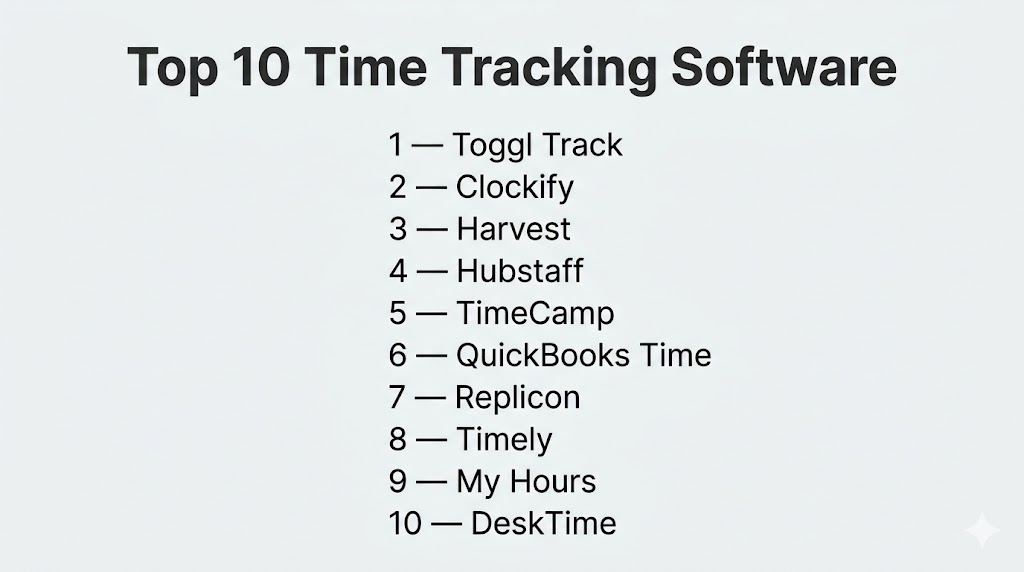
Top 10 Time Tracking Software
#1 — Toggl Track
Short description: A simple and powerful time tracking tool ideal for freelancers and small teams.
Key Features
- One-click time tracking
- Project and client tracking
- Detailed reports
- Idle detection
- Cross-platform syncing
Pros
- Extremely easy to use
- Generous free plan
Cons
- Limited advanced features
- Not ideal for enterprise needs
Platforms / Deployment
Web / Windows / macOS / Linux / iOS / Android / Cloud
Security & Compliance
Encryption, access control (details not publicly stated)
Integrations & Ecosystem
- Slack
- Google Calendar
- Project tools
Support & Community
Strong documentation and active community.
#2 — Clockify
Short description: A free time tracking tool with unlimited users and projects.
Key Features
- Unlimited time tracking
- Timesheets
- Reporting
- Team tracking
- Project management
Pros
- Free for teams
- Easy setup
Cons
- Limited advanced analytics
- UI can feel basic
Platforms / Deployment
Web / Desktop / Mobile / Cloud
Security & Compliance
Not publicly stated
Integrations & Ecosystem
- Trello
- Asana
- Slack
Support & Community
Good documentation and support.
#3 — Harvest
Short description: A time tracking tool focused on billing and invoicing.
Key Features
- Time tracking
- Expense tracking
- Invoicing
- Reporting
- Project tracking
Pros
- Strong invoicing features
- Easy reporting
Cons
- Limited customization
- Pricing tiers
Platforms / Deployment
Web / Mobile / Cloud
Security & Compliance
Encryption, access control
Integrations & Ecosystem
- QuickBooks
- Slack
- Project tools
Support & Community
Strong support and onboarding.
#4 — Hubstaff
Short description: A time tracking tool with employee monitoring and productivity insights.
Key Features
- Time tracking
- Activity monitoring
- Screenshots
- GPS tracking
- Payroll integration
Pros
- Strong monitoring features
- Suitable for remote teams
Cons
- Privacy concerns
- Can feel intrusive
Platforms / Deployment
Web / Desktop / Mobile / Cloud
Security & Compliance
SSO, MFA, encryption
Integrations & Ecosystem
- Payroll tools
- Project tools
Support & Community
Good support resources.
#5 — TimeCamp
Short description: An automated time tracking tool with productivity insights and integrations.
Key Features
- Automatic time tracking
- Productivity analysis
- Invoicing
- Reporting
- Budget tracking
Pros
- Automation features
- Affordable pricing
Cons
- UI can be complex
- Learning curve
Platforms / Deployment
Web / Desktop / Mobile / Cloud
Security & Compliance
Not publicly stated
Integrations & Ecosystem
- 50+ integrations available
Support & Community
Strong support ecosystem.
#6 — QuickBooks Time
Short description: A time tracking tool integrated with accounting and payroll systems.
Key Features
- Time tracking
- Payroll integration
- GPS tracking
- Scheduling
- Reporting
Pros
- Seamless accounting integration
- Strong payroll features
Cons
- Pricing
- Limited customization
Platforms / Deployment
Web / Mobile / Cloud
Security & Compliance
Encryption, access control
Integrations & Ecosystem
- QuickBooks ecosystem
- Payroll tools
Support & Community
Strong support.
#7 — Replicon
Short description: An enterprise-grade time tracking platform with advanced compliance features.
Key Features
- Time tracking
- Compliance tracking
- Project management
- Reporting
- Resource tracking
Pros
- Enterprise-ready
- Strong compliance
Cons
- Complex setup
- Expensive
Platforms / Deployment
Web / Mobile / Cloud
Security & Compliance
SSO, MFA, audit logs
Integrations & Ecosystem
- ERP systems
- HR tools
Support & Community
Enterprise-level support.
#8 — Timely
Short description: An AI-powered time tracking tool that automates time logging.
Key Features
- Automatic tracking
- AI suggestions
- Project tracking
- Reporting
- Team insights
Pros
- No manual input
- AI-powered insights
Cons
- Pricing
- Less control over manual tracking
Platforms / Deployment
Web / Desktop / Mobile / Cloud
Security & Compliance
Not publicly stated
Integrations & Ecosystem
- Project tools
- APIs
Support & Community
Good support.
#9 — My Hours
Short description: A simple and intuitive time tracking tool for small teams.
Key Features
- Time tracking
- Reporting
- Budget tracking
- Project tracking
Pros
- Easy to use
- Affordable
Cons
- Limited advanced features
- Basic UI
Platforms / Deployment
Web / Mobile / Cloud
Security & Compliance
Not publicly stated
Integrations & Ecosystem
- Basic integrations
Support & Community
Moderate support.
#10 — DeskTime
Short description: A time tracking tool focused on productivity monitoring and analytics.
Key Features
- Automatic tracking
- Productivity analysis
- App tracking
- Reporting
- Absence tracking
Pros
- Strong analytics
- Automatic tracking
Cons
- Monitoring concerns
- Limited customization
Platforms / Deployment
Web / Desktop / Mobile / Cloud
Security & Compliance
Not publicly stated
Integrations & Ecosystem
- Project tools
- APIs
Support & Community
Moderate support.
Comparison Table (Top 10)
| Tool Name | Best For | Platform(s) Supported | Deployment | Standout Feature | Public Rating |
|---|---|---|---|---|---|
| Toggl Track | Freelancers | Multi-platform | Cloud | Simplicity | N/A |
| Clockify | Free teams | Multi-platform | Cloud | Free unlimited users | N/A |
| Harvest | Billing teams | Web, Mobile | Cloud | Invoicing | N/A |
| Hubstaff | Remote teams | Multi-platform | Cloud | Monitoring features | N/A |
| TimeCamp | Automation | Multi-platform | Cloud | Automatic tracking | N/A |
| QuickBooks Time | Payroll integration | Web, Mobile | Cloud | Accounting integration | N/A |
| Replicon | Enterprise | Web, Mobile | Cloud | Compliance | N/A |
| Timely | AI tracking | Multi-platform | Cloud | AI automation | N/A |
| My Hours | Small teams | Web, Mobile | Cloud | Simplicity | N/A |
| DeskTime | Productivity analytics | Multi-platform | Cloud | Activity tracking | N/A |
Evaluation & Scoring of Time Tracking Software
| Tool Name | Core | Ease | Integrations | Security | Performance | Support | Value | Weighted Total |
|---|---|---|---|---|---|---|---|---|
| Toggl Track | 8 | 9 | 8 | 7 | 8 | 8 | 9 | 8.3 |
| Clockify | 8 | 9 | 7 | 6 | 8 | 7 | 10 | 8.2 |
| Harvest | 8 | 8 | 8 | 7 | 8 | 8 | 7 | 7.9 |
| Hubstaff | 9 | 7 | 8 | 8 | 8 | 8 | 7 | 8.0 |
| TimeCamp | 9 | 7 | 9 | 7 | 8 | 8 | 8 | 8.3 |
| QuickBooks Time | 8 | 7 | 9 | 8 | 8 | 8 | 7 | 8.0 |
| Replicon | 9 | 6 | 8 | 9 | 9 | 8 | 6 | 8.1 |
| Timely | 9 | 8 | 7 | 6 | 8 | 7 | 7 | 7.9 |
| My Hours | 7 | 9 | 6 | 6 | 7 | 7 | 9 | 7.7 |
| DeskTime | 8 | 8 | 7 | 6 | 8 | 7 | 8 | 7.8 |
How to interpret:
These scores are comparative across tools in this list. Higher scores indicate better overall balance across usability, features, and value. Some tools prioritize simplicity, while others focus on enterprise capabilities.
Which Time Tracking Software Is Right for You?
Solo / Freelancer
Toggl Track and My Hours are best due to simplicity and affordability.
SMB
Clockify, TimeCamp, and Harvest offer a balance of features and pricing.
Mid-Market
ClickUp-style tools and Hubstaff provide monitoring and automation.
Enterprise
Replicon and QuickBooks Time are ideal for compliance and payroll integration.
Budget vs Premium
Clockify offers strong free features, while Replicon and Timely are premium options.
Feature Depth vs Ease of Use
Toggl = easiest, Replicon = most advanced.
Integrations & Scalability
TimeCamp and QuickBooks Time excel in integrations.
Security & Compliance Needs
Replicon and Hubstaff are better suited for enterprise security needs.
Frequently Asked Questions (FAQs)
What is time tracking software?
It helps track time spent on tasks, projects, or activities.
Who should use time tracking tools?
Freelancers, teams, and organizations managing time-based work.
Do these tools support automation?
Yes, many include automatic tracking and AI features.
Are time tracking tools expensive?
Some offer free plans, while others charge based on features.
Can they integrate with payroll systems?
Yes, many tools support payroll and accounting integrations.
Are they secure?
Security features vary by vendor.
Can small teams use these tools?
Yes, many tools are designed for small teams.
What is automatic time tracking?
It tracks time based on activity without manual input.
Do these tools support invoicing?
Some tools include invoicing features.
What mistakes should be avoided?
Avoid inaccurate tracking and lack of proper reporting.
Conclusion
Time tracking software has become a critical component of modern work management, helping teams improve productivity, manage costs, and gain visibility into performance. From simple tools like Toggl Track to enterprise-grade platforms like Replicon, the market offers solutions for every use case. The right tool depends on your workflow complexity, integration needs, and budget. While some tools focus on automation and AI insights, others prioritize simplicity and ease of use. Instead of selecting a single solution immediately, it is best to shortlist a few tools, test them with real tasks, and evaluate how well they align with your operational and business goals.