Introduction
Customer Panel Management Tools help businesses build, manage, engage, and analyze communities of customers who participate in research studies, product feedback programs, beta testing, surveys, interviews, and ongoing customer insight initiatives. These platforms allow organizations to maintain long-term relationships with customers while collecting structured feedback and behavioral insights over time.
Modern businesses increasingly rely on continuous customer feedback instead of one-time surveys. Customer panels help organizations validate product ideas, improve customer experience, prioritize features, test campaigns, and understand changing customer expectations. Today’s Customer Panel Management Tools include participant recruitment, segmentation, communication workflows, incentive management, AI-powered insight analysis, and integration with CRM and customer experience systems.
Common real-world use cases include:
- Managing customer research communities
- Running beta testing and feature validation programs
- Conducting ongoing customer feedback initiatives
- Recruiting participants for UX and product research
- Building customer advisory boards and insight panels
Buyers evaluating Customer Panel Management Tools should consider:
- Participant recruitment and segmentation
- Community engagement capabilities
- Incentive and reward management
- Survey and interview workflows
- AI-powered analysis and reporting
- CRM and analytics integrations
- Security and privacy controls
- Automation and communication workflows
- Scalability across research programs
- Ease of onboarding and administration
Best for: product teams, customer experience departments, UX researchers, market research agencies, SaaS companies, enterprise insight teams, and organizations running continuous customer feedback programs.
Not ideal for: businesses conducting only occasional surveys, organizations without dedicated research workflows, or teams needing only lightweight survey distribution tools.
Key Trends in Customer Panel Management Tools
- AI-powered insight tagging and summarization are reducing manual customer feedback analysis.
- Persistent customer communities are replacing one-time survey-based research approaches.
- Product and UX teams are integrating customer panels directly into agile development workflows.
- Automated incentive management is improving participant engagement and retention.
- CRM and customer data integrations are enabling better audience segmentation and targeting.
- Mobile-first community participation is improving response rates and customer accessibility.
- Video-based research and asynchronous discussions are becoming more common.
- Customer advisory boards and beta communities are increasingly centralized in panel platforms.
- Privacy, consent tracking, and governance workflows are becoming more important for enterprises.
- Insight repositories and searchable customer feedback libraries are improving long-term research reuse.
How We Selected These Tools
The tools included in this list were selected based on customer engagement capabilities, research workflow support, scalability, integration depth, and operational usability.
Evaluation factors included:
- Panel and community management capabilities
- Customer engagement workflows
- Research and feedback collection support
- AI-powered analytics and reporting
- Automation and communication features
- Security and governance controls
- CRM and collaboration integrations
- Scalability for enterprise customer programs
- Ease of onboarding and usability
- Overall customer insight management value
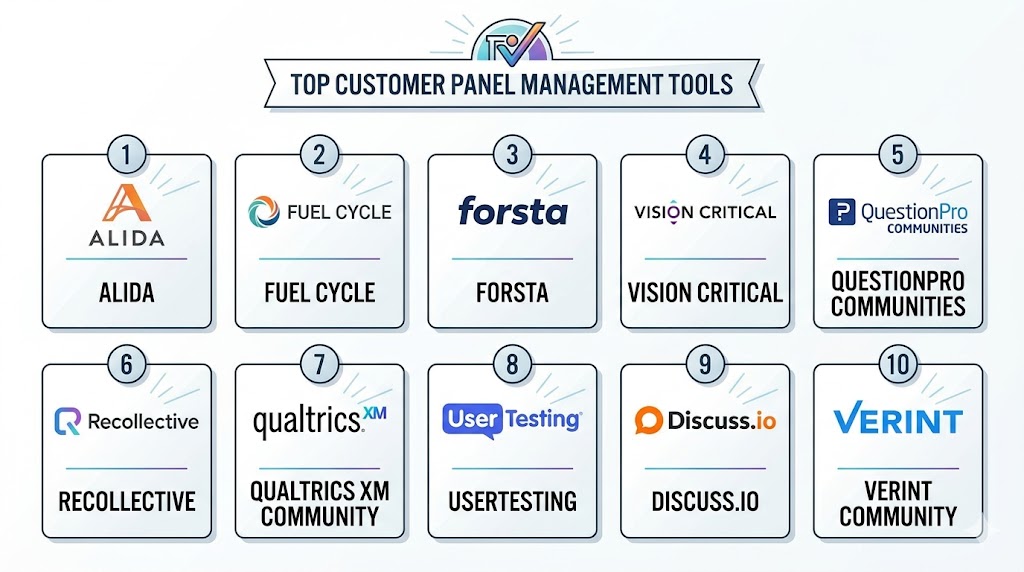
Top 10 Customer Panel Management Tools
#1 — Fuel Cycle
Short description: Fuel Cycle is a customer intelligence and community management platform designed for enterprise research and customer insight programs. It helps organizations build long-term customer communities, manage research workflows, collect feedback, and centralize customer insights across teams. It is widely used by enterprises running continuous customer engagement initiatives.
Key Features
- Online customer communities
- Customer panel management
- Research workflow automation
- AI-powered insight analysis
- Survey and qualitative research tools
- Incentive management
- Insight repository workflows
Pros
- Strong enterprise customer insight capabilities
- Excellent long-term community management
- Good research workflow scalability
Cons
- Enterprise-oriented implementation complexity
- Higher operational cost for smaller teams
- Advanced workflows may require onboarding
Platforms / Deployment
- Web
- Cloud
Security & Compliance
- SSO/SAML support
- RBAC controls
- GDPR support
- Audit management capabilities
Integrations & Ecosystem
Fuel Cycle integrates with enterprise customer experience, CRM, and analytics ecosystems for centralized insight management.
- Salesforce
- CRM systems
- Analytics tools
- APIs
- Collaboration platforms
- Business intelligence systems
Support & Community
Strong enterprise onboarding and customer success support with practical guidance for insight and community teams.
#2 — Alida
Short description: Alida is a customer experience and insight community platform designed to help organizations manage customer panels, feedback programs, and advisory communities. It supports product feedback, customer engagement, and ongoing market research initiatives.
Key Features
- Customer insight communities
- Product feedback workflows
- Panel recruitment and segmentation
- Survey and discussion tools
- Incentive management
- AI-assisted analytics
- Customer advisory board support
Pros
- Strong customer engagement workflows
- Good product research support
- Useful enterprise scalability
Cons
- Enterprise pricing may be high for SMBs
- Setup can require operational planning
- Advanced customization may increase complexity
Platforms / Deployment
- Web
- Cloud
Security & Compliance
- SSO support
- RBAC controls
- GDPR support
- Consent management workflows
Integrations & Ecosystem
Alida integrates with CRM, customer experience, and analytics systems to support continuous customer insight programs.
- Salesforce
- HubSpot
- APIs
- Collaboration platforms
- Analytics tools
- Research workflows
Support & Community
Provides enterprise onboarding, strategic implementation guidance, and customer success support for insight teams.
#3 — User Interviews
Short description: User Interviews is a participant recruitment and research operations platform that supports customer panels, interview coordination, and research participant management. It is especially popular among UX researchers and product research teams.
Key Features
- Participant recruitment
- Research CRM workflows
- Scheduling automation
- Incentive management
- Panel segmentation
- Research project coordination
- Screener surveys
Pros
- Excellent participant management workflows
- Strong UX and product research support
- Easy scheduling and coordination
Cons
- Limited advanced community engagement features
- Video moderation relies on integrations
- Enterprise governance capabilities vary
Platforms / Deployment
- Web
- Cloud
Security & Compliance
- GDPR support
- Consent management workflows
- Access controls
- Additional certifications not publicly stated
Integrations & Ecosystem
User Interviews integrates strongly with UX research and customer feedback ecosystems.
- Zoom
- Calendly
- Slack
- Research repositories
- APIs
- Product research tools
Support & Community
Large UX research community with practical onboarding documentation and responsive support resources.
#4 — Gainsight PX
Short description: Gainsight PX is a product experience and customer feedback platform that helps organizations collect user feedback, manage beta programs, and engage customer panels directly within product workflows. It is especially useful for SaaS and product-led companies.
Key Features
- In-app customer engagement
- Product feedback collection
- Beta testing management
- User segmentation
- Customer journey analytics
- Feedback targeting
- Reporting dashboards
Pros
- Strong SaaS product feedback workflows
- Useful in-app engagement capabilities
- Good customer segmentation support
Cons
- More product-focused than traditional research platforms
- Enterprise setup can require planning
- Community management depth is moderate
Platforms / Deployment
- Web
- Cloud
Security & Compliance
- RBAC controls
- GDPR support
- Access management features
- Additional certifications not publicly stated
Integrations & Ecosystem
Gainsight PX integrates with product analytics and customer success ecosystems to support customer insight workflows.
- Salesforce
- Product analytics tools
- CRM systems
- APIs
- Customer success platforms
- Collaboration tools
Support & Community
Strong onboarding and support resources for SaaS product and customer success teams.
#5 — Recollective
Short description: Recollective is a qualitative research and customer community platform designed for longitudinal customer engagement and insight collection. It supports both synchronous and asynchronous customer panel workflows for enterprise research teams.
Key Features
- Customer research communities
- Online discussion workflows
- Participant engagement tools
- AI-powered insight analysis
- Multimedia response collection
- Session recording
- Insight repository management
Pros
- Strong asynchronous research support
- Useful long-term community management
- Good enterprise scalability
Cons
- Setup may require operational planning
- Smaller teams may find workflows extensive
- Advanced features may require onboarding
Platforms / Deployment
- Web
- Cloud
Security & Compliance
- SSO support
- GDPR compliance workflows
- Access controls
- Additional certifications not publicly stated
Integrations & Ecosystem
Recollective integrates with enterprise research and customer insight environments.
- CRM systems
- Analytics tools
- APIs
- Collaboration platforms
- Insight repositories
- Reporting systems
Support & Community
Provides enterprise onboarding and customer success support for qualitative research and insight teams.
#6 — Mobilize
Short description: Mobilize is a community engagement platform that helps organizations manage customer groups, advisory communities, ambassador programs, and feedback panels. It focuses heavily on engagement workflows and customer communication management.
Key Features
- Customer community management
- Event and discussion workflows
- Group communication tools
- Member segmentation
- Engagement analytics
- Automation workflows
- Notification management
Pros
- Strong customer engagement features
- Good communication workflows
- Useful for advisory and ambassador communities
Cons
- Less focused on advanced research methodologies
- Analytics depth is moderate
- Enterprise research integrations vary
Platforms / Deployment
- Web
- iOS
- Android
- Cloud
Security & Compliance
- GDPR support
- Access controls
- MFA support
- Additional certifications not publicly stated
Integrations & Ecosystem
Mobilize integrates with communication and collaboration systems to support community engagement operations.
- Slack
- CRM systems
- Email marketing tools
- APIs
- Collaboration workflows
- Event management tools
Support & Community
Good onboarding support with practical community engagement guidance and operational assistance.
#7 — Common Room
Short description: Common Room is a customer intelligence and community platform designed to help organizations track engagement, identify advocates, and manage customer communities across digital channels. It is widely used by SaaS and developer-focused organizations.
Key Features
- Community engagement tracking
- Customer segmentation
- Engagement analytics
- AI-powered signal analysis
- Customer advocacy workflows
- Community monitoring
- Reporting dashboards
Pros
- Strong customer engagement intelligence
- Useful SaaS and developer community workflows
- Good engagement analytics visibility
Cons
- Less focused on traditional research panel management
- Advanced research workflows are limited
- Enterprise customization may require setup planning
Platforms / Deployment
- Web
- Cloud
Security & Compliance
- SSO support
- Access controls
- GDPR support
- Additional certifications not publicly stated
Integrations & Ecosystem
Common Room integrates with modern SaaS and customer engagement ecosystems.
- Slack
- Salesforce
- GitHub
- CRM systems
- APIs
- Collaboration platforms
Support & Community
Strong support for SaaS community and developer relations teams with accessible onboarding resources.
#8 — dscout
Short description: dscout is a customer research and participant management platform focused on mobile-first qualitative feedback and customer insight workflows. It supports diary studies, interviews, customer panels, and usability testing.
Key Features
- Mobile-first customer research
- Participant management
- Video diary workflows
- Research segmentation
- AI-assisted tagging
- Insight analysis tools
- Session recording
Pros
- Excellent mobile participation experience
- Strong UX and product research workflows
- Good customer engagement capabilities
Cons
- More UX-focused than general customer panel management
- Enterprise workflows may increase costs
- Advanced analytics vary by deployment
Platforms / Deployment
- Web
- iOS
- Android
- Cloud
Security & Compliance
- GDPR support
- Consent management workflows
- Access controls
- Additional certifications not publicly stated
Integrations & Ecosystem
dscout integrates with product research and collaboration environments for customer insight collection.
- APIs
- Slack
- Research repositories
- Product research systems
- Collaboration workflows
- Analytics tools
Support & Community
Strong UX research adoption with extensive onboarding resources and active user communities.
#9 — Bettermode
Short description: Bettermode is a community platform designed for customer engagement, branded communities, and customer interaction management. It supports customer groups, discussions, content sharing, and engagement workflows for growing organizations.
Key Features
- Customer community management
- Discussion forums
- User segmentation
- Engagement analytics
- Branded community workflows
- Moderation tools
- Automation capabilities
Pros
- Easy-to-use community management workflows
- Strong branded community support
- Good customer engagement capabilities
Cons
- Less focused on structured research operations
- Advanced analytics are moderate
- Enterprise governance varies by deployment
Platforms / Deployment
- Web
- Cloud
Security & Compliance
- Access controls
- GDPR support
- MFA support
- Additional certifications not publicly stated
Integrations & Ecosystem
Bettermode integrates with collaboration and CRM systems for customer engagement operations.
- Slack
- CRM systems
- APIs
- Email marketing tools
- Analytics workflows
- Community integrations
Support & Community
Accessible onboarding with strong community management documentation and practical support resources.
#10 — Hivebrite
Short description: Hivebrite is a community and member management platform used for customer communities, ambassador networks, and branded engagement ecosystems. It supports customer networking, events, communication, and engagement tracking.
Key Features
- Community and member management
- Customer networking workflows
- Event management
- Segmentation and targeting
- Engagement analytics
- Communication automation
- Branded community portals
Pros
- Strong customer networking support
- Good event and engagement workflows
- Useful branded community management
Cons
- Less focused on formal research methodologies
- Advanced research analytics are limited
- Enterprise customization may require setup planning
Platforms / Deployment
- Web
- iOS
- Android
- Cloud
Security & Compliance
- Access controls
- GDPR support
- MFA capabilities
- Additional certifications not publicly stated
Integrations & Ecosystem
Hivebrite supports integrations across customer engagement and collaboration workflows.
- CRM systems
- APIs
- Event systems
- Collaboration tools
- Analytics platforms
- Email marketing workflows
Support & Community
Provides onboarding and operational support for organizations building customer and member communities.
Comparison Table
| Tool Name | Best For | Platform(s) Supported | Deployment | Standout Feature | Public Rating |
|---|---|---|---|---|---|
| Fuel Cycle | Enterprise customer insight programs | Web | Cloud | Centralized customer intelligence | N/A |
| Alida | Customer advisory communities | Web | Cloud | Continuous customer feedback workflows | N/A |
| User Interviews | UX and participant management | Web | Cloud | Research operations automation | N/A |
| Gainsight PX | SaaS product feedback | Web | Cloud | In-app customer engagement | N/A |
| Recollective | Long-term research communities | Web | Cloud | Asynchronous customer discussions | N/A |
| Mobilize | Customer engagement communities | Web, iOS, Android | Cloud | Community communication workflows | N/A |
| Common Room | SaaS customer intelligence | Web | Cloud | Engagement signal analysis | N/A |
| dscout | Mobile-first customer research | Web, iOS, Android | Cloud | Video-based participant research | N/A |
| Bettermode | Branded customer communities | Web | Cloud | Community engagement management | N/A |
| Hivebrite | Member and ambassador communities | Web, iOS, Android | Cloud | Networking and engagement workflows | N/A |
Evaluation & Scoring of Customer Panel Management Tools
| Tool Name | Core 25% | Ease 15% | Integrations 15% | Security 10% | Performance 10% | Support 10% | Value 15% | Weighted Total |
|---|---|---|---|---|---|---|---|---|
| Fuel Cycle | 9.3 | 7.8 | 8.9 | 8.7 | 9.0 | 8.8 | 7.6 | 8.6 |
| Alida | 9.0 | 8.0 | 8.7 | 8.5 | 8.8 | 8.7 | 7.8 | 8.5 |
| User Interviews | 8.7 | 9.1 | 8.3 | 7.9 | 8.5 | 8.6 | 8.8 | 8.5 |
| Gainsight PX | 8.8 | 8.3 | 8.8 | 8.2 | 8.7 | 8.5 | 8.0 | 8.5 |
| Recollective | 8.9 | 7.9 | 8.5 | 8.4 | 8.8 | 8.6 | 7.8 | 8.4 |
| Mobilize | 8.3 | 8.9 | 8.0 | 7.8 | 8.3 | 8.4 | 8.5 | 8.3 |
| Common Room | 8.6 | 8.4 | 8.7 | 8.0 | 8.6 | 8.5 | 8.2 | 8.4 |
| dscout | 8.7 | 8.6 | 8.2 | 8.0 | 8.5 | 8.5 | 8.1 | 8.4 |
| Bettermode | 8.1 | 9.0 | 7.8 | 7.7 | 8.1 | 8.3 | 8.8 | 8.2 |
| Hivebrite | 8.2 | 8.7 | 8.0 | 7.9 | 8.2 | 8.4 | 8.5 | 8.2 |
These scores are comparative rather than absolute. Enterprise customer intelligence platforms generally score higher in governance, scalability, and research depth, while community-focused platforms perform better in usability and engagement workflows. Organizations should prioritize the criteria most aligned with research complexity, customer engagement goals, and operational scale.
Which Customer Panel Management Tools Tool Is Right for You?
Solo / Freelancer
Independent consultants and small product teams usually benefit most from User Interviews, Bettermode, or Mobilize because these tools are easier to deploy and support lightweight customer engagement and feedback workflows without enterprise complexity.
SMB
SMBs often need customer communities, feedback collection, and engagement automation without large operational overhead. Gainsight PX, User Interviews, and Bettermode provide balanced usability and customer insight capabilities for growing businesses.
Mid-Market
Mid-market organizations typically require stronger segmentation, automation, and customer intelligence workflows. Alida, Recollective, and Common Room provide better scalability and broader engagement visibility for structured customer programs.
Enterprise
Large enterprises should prioritize Fuel Cycle, Alida, Recollective, or Gainsight PX because of their governance controls, integration ecosystems, AI-powered insight workflows, and scalability across departments.
Budget vs Premium
Budget-conscious teams may prefer Bettermode, Mobilize, or User Interviews for simpler customer engagement workflows. Premium enterprise platforms like Fuel Cycle and Alida provide broader customer intelligence and research management capabilities.
Feature Depth vs Ease of Use
Bettermode and Mobilize prioritize simplicity and customer engagement workflows, while Fuel Cycle and Recollective offer deeper operational and governance capabilities that may require structured onboarding.
Integrations & Scalability
Organizations with CRM, analytics, product feedback, and customer success requirements should prioritize Fuel Cycle, Gainsight PX, or Common Room because of their broader integration ecosystems.
Security & Compliance Needs
Enterprises handling sensitive customer feedback should prioritize platforms supporting SSO, RBAC, audit controls, consent tracking, and centralized administrative workflows.
Frequently Asked Questions
1. What is a Customer Panel Management Tool?
A Customer Panel Management Tool helps businesses build and manage communities of customers who participate in feedback programs, research studies, beta testing, interviews, and customer engagement initiatives.
2. Why are customer panels important?
Customer panels provide continuous access to customer feedback, helping businesses improve products, customer experience, marketing strategies, and feature prioritization with ongoing insight collection.
3. How are customer panels different from surveys?
Surveys are usually one-time feedback activities, while customer panels involve ongoing engagement with selected participants over a longer period. Panels help organizations build long-term research relationships.
4. Can these platforms support product research?
Yes. Many Customer Panel Management Tools are widely used for product feedback, usability testing, beta programs, and customer advisory boards.
5. Do these tools support incentives and rewards?
Many platforms include incentive management features such as gift cards, reward points, automated compensation workflows, and engagement tracking.
6. Are these platforms useful for SaaS businesses?
Yes. SaaS companies commonly use customer panel platforms to manage beta communities, gather product feedback, track feature requests, and improve customer retention workflows.
7. How difficult is implementation?
Implementation depends on workflow complexity and organizational scale. Lightweight community platforms can be deployed quickly, while enterprise customer intelligence systems may require structured onboarding and integrations.
8. Are these platforms secure?
Enterprise-focused platforms typically support governance capabilities such as SSO, RBAC, audit logs, and consent management. Security depth varies depending on the vendor and deployment model.
9. What are common mistakes when choosing a platform?
Common mistakes include ignoring participant engagement needs, underestimating integration requirements, focusing only on survey functionality, and failing to define long-term customer insight goals.
10. What are alternatives to Customer Panel Management Tools?
Alternatives include standalone survey tools, spreadsheets, email-based customer groups, social media communities, and manually managed beta programs. These approaches may work initially but become difficult to scale.
Conclusion
Customer Panel Management Tools help organizations move from occasional customer feedback collection to continuous customer intelligence and engagement programs. The right platform depends on research complexity, customer engagement goals, integration needs, operational scale, and community management maturity. Smaller teams may prefer User Interviews, Bettermode, or Mobilize for easier deployment and customer engagement workflows, while enterprises often benefit from Fuel Cycle, Alida, Recollective, or Gainsight PX for broader governance and customer intelligence capabilities. Instead of selecting a platform based only on survey functionality, organizations should evaluate engagement workflows, automation capabilities, insight analysis features, integration support, and long-term scalability. The best next step is to shortlist a few platforms, run pilot customer programs, validate engagement workflows, test integrations, and compare operational efficiency before making a long-term investment.