Introduction
Home Security Monitoring Apps are mobile and web platforms that allow users to monitor, control, and manage home security systems in real time from anywhere. These apps connect with security cameras, alarms, door sensors, motion detectors, and smart locks to provide instant alerts and live video access.
In modern smart homes, security apps are no longer optional—they are essential for real-time protection, remote monitoring, and emergency response. With AI-powered detection and cloud connectivity, users can instantly respond to suspicious activity, lock doors, or view live camera feeds.
Common use cases include:
- Live video surveillance from mobile devices
- Motion detection alerts and notifications
- Remote arming/disarming of security systems
- Smart door lock and access control
- Emergency alerts and siren activation
Key evaluation criteria:
- Real-time monitoring and alert speed
- Camera and sensor compatibility
- AI-based threat detection accuracy
- Smart home integration (Alexa, Google, Apple HomeKit)
- Mobile app usability and stability
- Cloud storage and remote access features
- Security and encryption standards
- Multi-device and multi-location support
Best for: Homeowners, renters, landlords, small businesses, and smart home users.
Not ideal for: Users without smart security hardware or basic alarm-only systems.
Key Trends in Home Security Monitoring Apps
- Growth of AI-based motion and facial recognition
- Expansion of cloud-based video storage systems
- Increased use of real-time push notifications and alerts
- Integration with smart home ecosystems (Alexa, Google, Apple)
- Rise of DIY wireless security systems
- Adoption of edge AI processing in cameras
- Strong focus on cybersecurity and encryption
- Use of subscription-free local storage options
- Growth of all-in-one security platforms
- Expansion of mobile-first security dashboards
How We Selected These Tools (Methodology)
- Evaluated market popularity and real-world usage
- Analyzed camera and sensor compatibility
- Reviewed real-time monitoring performance
- Considered AI detection and alert accuracy
- Included both DIY and enterprise-grade solutions
- Assessed mobile app usability and reliability
- Focused on security ecosystem integration
- Balanced premium and budget-friendly platforms
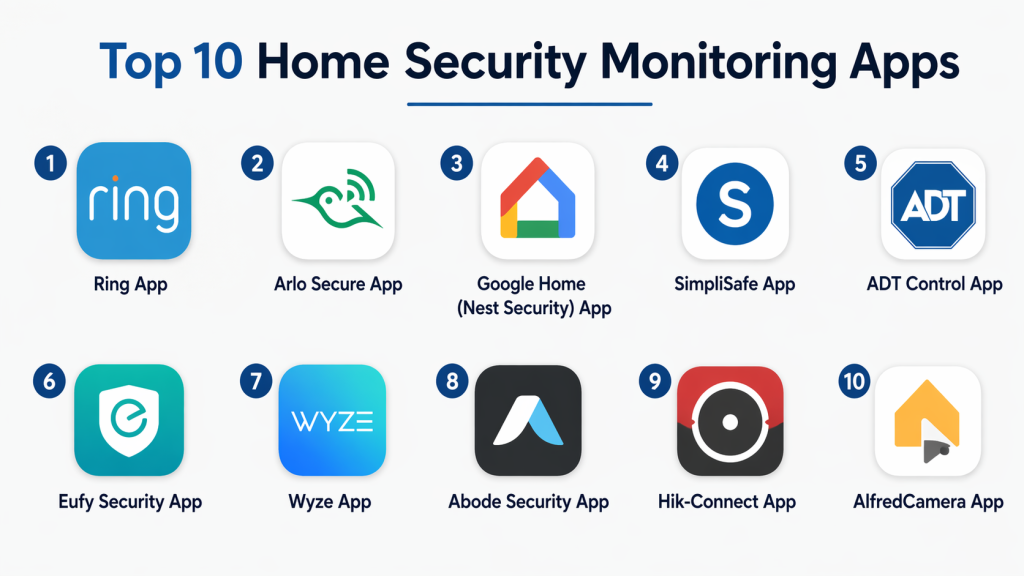
Top 10 Home Security Monitoring Apps
#1 — Ring App
Short description: A widely used home security app that connects with Ring cameras, doorbells, and alarm systems. It provides real-time alerts, live video streaming, and smart home integration for complete home monitoring.
Key Features
- Live video streaming
- Motion detection alerts
- Smart doorbell integration
- Cloud video recording
- Two-way communication
Pros
- Easy to use
- Strong ecosystem support
Cons
- Subscription required for full features
- Privacy concerns for some users
Platforms / Deployment
iOS / Android / Cloud
Security & Compliance
Encrypted cloud storage; details not fully publicly stated
Integrations & Ecosystem
Works with Alexa and smart home devices
Support & Community
Large global user base
#2 — Arlo Secure App
Short description: A powerful security monitoring app designed for Arlo cameras with AI detection, smart alerts, and advanced cloud video storage features.
Key Features
- AI object detection
- Cloud video storage
- Smart alerts
- Multi-camera management
- Activity zones
Pros
- Strong AI detection
- High-quality video features
Cons
- Subscription-heavy model
- Premium pricing
Platforms / Deployment
iOS / Android / Cloud
Security & Compliance
Enterprise-grade encryption (not fully publicly detailed)
Integrations & Ecosystem
Works with Alexa, Google Assistant, Apple HomeKit
Support & Community
Strong enterprise support
#3 — Google Home (Nest Security App)
Short description: A centralized smart home app that manages Nest cameras, doorbells, and alarms with AI-powered alerts and automation features.
Key Features
- Smart alerts with AI detection
- Live video streaming
- Home automation routines
- Device integration
- Remote control
Pros
- Strong AI features
- Easy ecosystem integration
Cons
- Requires Google ecosystem
- Limited advanced customization
Platforms / Deployment
iOS / Android / Cloud
Security & Compliance
Google cloud security standards
Integrations & Ecosystem
Works with Nest and smart home devices
Support & Community
Strong global ecosystem
#4 — SimpliSafe App
Short description: A DIY home security monitoring app that allows users to control alarms, view live cameras, and receive instant alerts from anywhere.
Key Features
- Real-time alerts
- Alarm system control
- Live video monitoring
- Emergency dispatch integration
- Sensor management
Pros
- Easy installation
- Strong reliability
Cons
- Subscription required for full features
- Limited customization
Platforms / Deployment
iOS / Android / Cloud
Security & Compliance
Not publicly stated
Integrations & Ecosystem
Works with Alexa and Google Assistant
Support & Community
Strong DIY user base
#5 — ADT Control App
Short description: A professional-grade security monitoring app that connects with ADT systems for 24/7 monitoring, alerts, and emergency response.
Key Features
- Professional monitoring
- Real-time alerts
- Smart home integration
- Remote system control
- Video surveillance
Pros
- High reliability
- Professional monitoring
Cons
- Expensive plans
- Installation requirements
Platforms / Deployment
iOS / Android / Cloud
Security & Compliance
Enterprise-grade security
Integrations & Ecosystem
Works with Google Nest and smart devices
Support & Community
Strong enterprise support
#6 — Eufy Security App
Short description: A privacy-focused home security app offering local storage-based monitoring with AI detection and no mandatory subscription.
Key Features
- Local video storage
- AI motion detection
- Live streaming
- Two-way audio
- Smart alerts
Pros
- No subscription required
- Strong privacy focus
Cons
- Limited cloud features
- Smaller ecosystem
Platforms / Deployment
iOS / Android / Local + Cloud
Security & Compliance
Local encryption focus
Integrations & Ecosystem
Works with Alexa and Google Assistant
Support & Community
Growing global adoption
#7 — Wyze App
Short description: A budget-friendly home security app that provides live streaming, motion alerts, and cloud recording for affordable smart cameras.
Key Features
- Live camera feed
- Motion detection alerts
- Cloud storage options
- Smart automation
- Device grouping
Pros
- Very affordable
- Easy setup
Cons
- Limited premium features
- Cloud dependency
Platforms / Deployment
iOS / Android / Cloud
Security & Compliance
Not publicly stated
Integrations & Ecosystem
Works with Alexa and Google Assistant
Support & Community
Large consumer base
#8 — Abode Security App
Short description: A flexible smart home security app that combines professional monitoring with DIY installation and automation features.
Key Features
- Smart home automation
- Security system control
- Video monitoring
- Alerts and notifications
- Multi-device support
Pros
- Flexible system
- Strong automation
Cons
- Smaller ecosystem
- Higher cost for monitoring
Platforms / Deployment
iOS / Android / Cloud
Security & Compliance
Not publicly stated
Integrations & Ecosystem
Works with Alexa, Google, Apple HomeKit
Support & Community
Moderate support
#9 — Hik-Connect App
Short description: A professional surveillance app used with Hikvision cameras for live monitoring, playback, and remote security management.
Key Features
- Live camera view
- Playback recordings
- Motion alerts
- Multi-device management
- Remote access
Pros
- Professional-grade monitoring
- Reliable performance
Cons
- Complex setup
- Hardware dependency
Platforms / Deployment
iOS / Android / Cloud
Security & Compliance
Enterprise surveillance security
Integrations & Ecosystem
Works with Hikvision security systems
Support & Community
Strong enterprise usage
#10 — AlfredCamera App
Short description: A popular home security app that turns old smartphones into security cameras with live streaming, motion detection, and alerts.
Key Features
- Live video streaming
- Motion detection alerts
- Two-way communication
- Cloud recording
- Old phone camera conversion
Pros
- Free and flexible
- Easy to repurpose devices
Cons
- Limited advanced features
- Ads in free version
Platforms / Deployment
iOS / Android / Cloud
Security & Compliance
Not publicly stated
Integrations & Ecosystem
Basic smart home compatibility
Support & Community
Large user base
Comparison Table (Top 10)
| App Name | Best For | Platform(s) Supported | Deployment | Standout Feature | Public Rating |
|---|---|---|---|---|---|
| Ring App | Smart home security | Multi-platform | Cloud | Doorbell integration | N/A |
| Arlo Secure | AI monitoring | Multi-platform | Cloud | AI detection | N/A |
| Google Home | Smart ecosystems | Multi-platform | Cloud | AI automation | N/A |
| SimpliSafe | DIY security | Multi-platform | Cloud | Alarm control | N/A |
| ADT Control | Professional security | Multi-platform | Cloud | 24/7 monitoring | N/A |
| Eufy Security | Privacy-focused | Multi-platform | Hybrid | Local storage | N/A |
| Wyze App | Budget users | Multi-platform | Cloud | Low-cost security | N/A |
| Abode | Smart automation | Multi-platform | Cloud | Flexible system | N/A |
| Hik-Connect | CCTV systems | Multi-platform | Cloud | Surveillance control | N/A |
| AlfredCamera | DIY setup | Multi-platform | Cloud | Phone-based cameras | N/A |
Evaluation & Scoring of Home Security Monitoring Apps
| App Name | Core | Ease | Integrations | Security | Performance | Support | Value | Weighted Total |
|---|---|---|---|---|---|---|---|---|
| Ring App | 9 | 9 | 10 | 8 | 9 | 9 | 8 | 8.7 |
| Arlo Secure | 9 | 8 | 9 | 9 | 9 | 9 | 7 | 8.5 |
| Google Home | 9 | 9 | 10 | 9 | 9 | 9 | 9 | 9.0 |
| SimpliSafe | 9 | 8 | 9 | 9 | 9 | 9 | 8 | 8.7 |
| ADT Control | 9 | 8 | 9 | 9 | 9 | 9 | 7 | 8.6 |
| Eufy Security | 8 | 9 | 8 | 9 | 8 | 8 | 9 | 8.4 |
| Wyze App | 8 | 9 | 8 | 7 | 8 | 8 | 9 | 8.1 |
| Abode | 8 | 8 | 8 | 8 | 8 | 8 | 8 | 8.0 |
| Hik-Connect | 8 | 7 | 8 | 8 | 8 | 8 | 7 | 7.9 |
| AlfredCamera | 7 | 9 | 7 | 7 | 8 | 7 | 9 | 7.8 |
Which Home Security App Is Right for You?
Beginners
Google Home or Wyze for easy setup and smart alerts.
Smart Home Users
Ring or Arlo for ecosystem integration.
Privacy-Focused Users
Eufy Security for local storage control.
Professional Security Needs
ADT or Hik-Connect for enterprise-grade monitoring.
Budget Users
AlfredCamera or Wyze for low-cost protection.
Frequently Asked Questions (FAQs)
1. What is a home security monitoring app?
A home security monitoring app allows users to remotely monitor cameras, sensors, and alarms from a smartphone. It provides real-time alerts, live video, and system control for home protection.
2. Do these apps work without internet?
Most features require internet connectivity. However, some systems may support local network monitoring or offline recording.
3. Can I use these apps with any camera?
No, compatibility depends on the ecosystem. Some apps work only with specific brands like Ring, Arlo, or Nest.
4. Are home security apps safe?
Yes, most use encryption and secure cloud services, but safety also depends on proper setup and strong account security.
5. Do they support live video streaming?
Yes, most apps allow real-time video streaming from connected cameras and devices.
6. Can I get alerts on my phone?
Yes, motion detection and security alerts are sent directly to smartphones in real time.
7. Do I need a subscription?
Some advanced features like cloud storage and professional monitoring require subscriptions, but basic features are often free.
8. Can I control multiple locations?
Yes, many apps support multi-home or multi-site management for remote monitoring.
9. Do they work with smart assistants?
Yes, most integrate with Alexa, Google Assistant, or Apple HomeKit for voice control.
10. What is the best home security app?
Google Home, Ring, and Arlo are among the most popular choices, depending on ecosystem and feature needs.
Conclusion
Home Security Monitoring Apps have become essential for modern home protection, offering real-time monitoring, automation, and instant alerts from anywhere in the world. They combine AI, cloud technology, and smart devices to deliver complete security solutions. There is no single best app for everyone. Ring and Arlo are ideal for ecosystem users, Google Home offers strong AI integration, while Eufy and Wyze are great for privacy and budget users. The right choice depends on your hardware ecosystem, budget, and security needs. Focus on compatibility, reliability, and ease of use when selecting a platform. Start by choosing an app that matches your security devices, test its features, and gradually build a connected smart security system for full home protection.