Introduction
Facility Management Software (FMS) helps organizations manage buildings, assets, maintenance operations, and workplace services from a centralized platform. It streamlines tasks like work order management, preventive maintenance, space planning, and compliance tracking—making facility operations more efficient and data-driven.
As organizations adopt hybrid work models and smarter buildings, managing facilities manually is no longer sustainable. Modern FMS platforms integrate IoT, analytics, and automation to improve operational efficiency, reduce downtime, and optimize costs. Whether managing a single office or a global portfolio, facility teams rely on these tools to ensure smooth day-to-day operations.
Real-world use cases
- Asset lifecycle management – Track equipment from purchase to retirement
- Preventive maintenance scheduling – Reduce unexpected failures
- Work order automation – Manage service requests efficiently
- Space and occupancy planning – Optimize workplace utilization
- Compliance and safety tracking – Ensure regulatory adherence
What buyers should evaluate
- Asset and maintenance management capabilities
- Ease of use and user interface
- Integration with IoT and building systems
- Mobile accessibility for field teams
- Reporting and analytics depth
- Scalability across locations
- Security and compliance features
- Customization and workflow flexibility
- Total cost of ownership
Best for: Facility managers, operations teams, real estate managers, IT admins, and enterprises managing physical infrastructure.
Not ideal for: Very small teams with minimal assets, or businesses that do not require structured maintenance workflows.
Key Trends in Facility Management Software
- AI-driven predictive maintenance to prevent equipment failure
- IoT integration for real-time monitoring of assets and buildings
- Mobile-first platforms for field technicians
- Cloud-based deployments replacing legacy systems
- Sustainability tracking and energy optimization features
- Automation in work order and service workflows
- Digital twins for facility visualization and planning
- Integration with workplace and HR platforms
- Advanced analytics and reporting dashboards
- Compliance and audit automation capabilities
How We Selected These Tools (Methodology)
- Strong industry adoption and credibility
- Comprehensive feature set for facility management
- Reliability and performance consistency
- Security and compliance readiness
- Integration capabilities with enterprise systems
- Flexibility across SMB, mid-market, and enterprise use
- Ease of implementation and usability
- Value for cost and long-term scalability
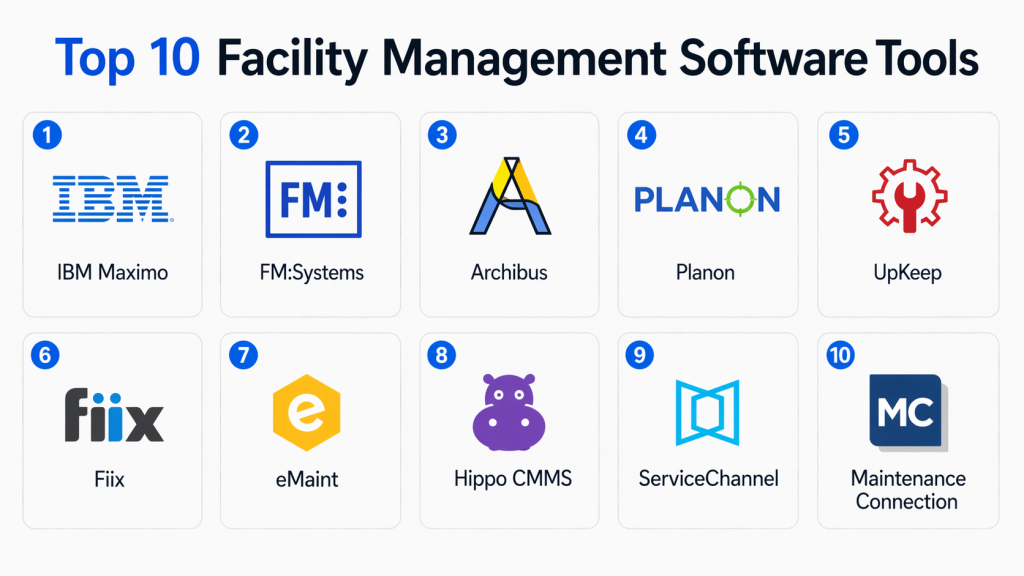
Top 10 Facility Management Software Tools
#1 — IBM Maximo
Short description: IBM Maximo is a leading enterprise asset management platform designed for large organizations managing complex infrastructure and assets. It provides deep analytics, automation, and lifecycle management capabilities.
Key Features
- Asset lifecycle management
- Predictive maintenance
- Work order automation
- IoT integration
- Advanced analytics dashboards
- Compliance tracking
Pros
- Highly scalable for enterprises
- Strong analytics and automation
Cons
- Complex implementation
- Higher cost
Platforms / Deployment
Cloud / On-premise / Hybrid
Security & Compliance
RBAC, encryption, enterprise-grade controls (Not publicly stated fully)
Integrations & Ecosystem
Integrates with enterprise systems and IoT platforms.
- ERP systems
- IoT devices
- APIs
Support & Community
Enterprise-level support with strong documentation and partner ecosystem.
#2 — FM:Systems
Short description: FM:Systems offers facility management and workplace analytics tools designed to optimize space utilization and asset management.
Key Features
- Space management
- Asset tracking
- Workplace analytics
- Reporting dashboards
- Maintenance workflows
Pros
- Strong analytics capabilities
- Good for hybrid workplaces
Cons
- Learning curve
- Premium pricing
Platforms / Deployment
Cloud
Security & Compliance
Not publicly stated
Integrations & Ecosystem
- Workplace tools
- HR systems
- APIs
Support & Community
Reliable enterprise support and onboarding.
#3 — Archibus
Short description: Archibus provides comprehensive facility and real estate management solutions, focusing on asset tracking, maintenance, and sustainability.
Key Features
- Asset management
- Space planning
- Maintenance tracking
- Sustainability reporting
- Portfolio management
Pros
- Comprehensive feature set
- Strong enterprise focus
Cons
- Complex setup
- Requires training
Platforms / Deployment
Cloud / On-premise
Security & Compliance
Not publicly stated
Integrations & Ecosystem
- ERP systems
- BI tools
- APIs
Support & Community
Enterprise-grade support and consulting services.
#4 — Planon
Short description: Planon is a smart building and facility management platform that integrates IoT data with facility operations for optimized performance.
Key Features
- Smart building integration
- Asset management
- Maintenance workflows
- Space optimization
- Analytics dashboards
Pros
- Strong IoT capabilities
- Scalable solution
Cons
- Complex configuration
- Costly for SMBs
Platforms / Deployment
Cloud / Hybrid
Security & Compliance
Not publicly stated
Integrations & Ecosystem
- IoT systems
- Enterprise platforms
- APIs
Support & Community
Strong enterprise support and consulting.
#5 — UpKeep
Short description: UpKeep is a mobile-first CMMS platform designed for maintenance teams to manage assets and work orders efficiently.
Key Features
- Work order management
- Preventive maintenance
- Mobile app support
- Asset tracking
- Reporting tools
Pros
- Easy to use
- Strong mobile capabilities
Cons
- Limited advanced features
- Not ideal for large enterprises
Platforms / Deployment
Web / iOS / Android / Cloud
Security & Compliance
Not publicly stated
Integrations & Ecosystem
- APIs
- Maintenance tools
- ERP integrations
Support & Community
Strong customer support and onboarding.
#6 — Fiix
Short description: Fiix is a cloud-based CMMS solution that helps organizations manage maintenance operations and asset performance.
Key Features
- Maintenance scheduling
- Asset management
- Reporting dashboards
- Mobile access
- Workflow automation
Pros
- User-friendly
- Scalable for mid-market
Cons
- Limited customization
- Integration limitations
Platforms / Deployment
Cloud
Security & Compliance
Not publicly stated
Integrations & Ecosystem
- APIs
- ERP systems
- IoT tools
Support & Community
Good documentation and support.
#7 — eMaint
Short description: eMaint provides facility and asset management tools with strong reporting and customization features.
Key Features
- Work order management
- Preventive maintenance
- Asset tracking
- Custom reporting
- Workflow automation
Pros
- Flexible customization
- Strong reporting
Cons
- UI can feel outdated
- Learning curve
Platforms / Deployment
Cloud
Security & Compliance
Not publicly stated
Integrations & Ecosystem
- APIs
- ERP tools
- Data systems
Support & Community
Reliable support and training resources.
#8 — Hippo CMMS
Short description: Hippo CMMS is a simple and affordable facility management solution for small to mid-sized organizations.
Key Features
- Work order tracking
- Asset management
- Preventive maintenance
- Reporting tools
- Easy setup
Pros
- Easy to use
- Budget-friendly
Cons
- Limited advanced features
- Not ideal for large enterprises
Platforms / Deployment
Cloud
Security & Compliance
Not publicly stated
Integrations & Ecosystem
- Basic integrations
- APIs
Support & Community
Good customer support for SMBs.
#9 — ServiceChannel
Short description: ServiceChannel focuses on facilities maintenance and contractor management, helping organizations streamline service operations.
Key Features
- Vendor management
- Work order tracking
- Analytics dashboards
- Invoice management
- Compliance tracking
Pros
- Strong vendor management
- Enterprise scalability
Cons
- Complex pricing
- Requires onboarding
Platforms / Deployment
Cloud
Security & Compliance
Not publicly stated
Integrations & Ecosystem
- ERP systems
- Vendor platforms
- APIs
Support & Community
Enterprise support and onboarding.
#10 — Maintenance Connection
Short description: Maintenance Connection offers asset and maintenance management tools with strong reporting and automation capabilities.
Key Features
- Asset tracking
- Work order management
- Preventive maintenance
- Reporting dashboards
- Automation tools
Pros
- Strong reporting
- Reliable performance
Cons
- UI improvements needed
- Limited flexibility
Platforms / Deployment
Cloud / On-premise
Security & Compliance
Not publicly stated
Integrations & Ecosystem
- ERP systems
- APIs
- Business tools
Support & Community
Solid support and training resources.
Comparison Table (Top 10)
| Tool Name | Best For | Platform(s) Supported | Deployment | Standout Feature | Public Rating |
|---|---|---|---|---|---|
| IBM Maximo | Enterprise asset mgmt | Web | Hybrid | Predictive maintenance | N/A |
| FM:Systems | Workplace analytics | Web | Cloud | Space optimization | N/A |
| Archibus | Real estate mgmt | Web | Hybrid | Portfolio mgmt | N/A |
| Planon | Smart buildings | Web | Hybrid | IoT integration | N/A |
| UpKeep | SMB maintenance | Web/Mobile | Cloud | Mobile-first CMMS | N/A |
| Fiix | Mid-market CMMS | Web | Cloud | Workflow automation | N/A |
| eMaint | Custom workflows | Web | Cloud | Reporting | N/A |
| Hippo CMMS | Small teams | Web | Cloud | Easy setup | N/A |
| ServiceChannel | Vendor mgmt | Web | Cloud | Contractor tracking | N/A |
| Maintenance Connection | Asset mgmt | Web | Hybrid | Automation | N/A |
Evaluation & Scoring of Facility Management Software
| Tool Name | Core (25%) | Ease (15%) | Integrations (15%) | Security (10%) | Performance (10%) | Support (10%) | Value (15%) | Weighted Total |
|---|---|---|---|---|---|---|---|---|
| IBM Maximo | 9 | 6 | 9 | 8 | 9 | 9 | 6 | 8.2 |
| FM:Systems | 8 | 7 | 8 | 7 | 8 | 8 | 7 | 7.8 |
| Archibus | 9 | 6 | 8 | 7 | 8 | 8 | 6 | 7.9 |
| Planon | 9 | 6 | 8 | 7 | 8 | 8 | 6 | 7.9 |
| UpKeep | 7 | 9 | 7 | 6 | 7 | 8 | 9 | 7.8 |
| Fiix | 7 | 8 | 7 | 6 | 7 | 7 | 8 | 7.5 |
| eMaint | 8 | 7 | 7 | 6 | 7 | 8 | 7 | 7.5 |
| Hippo CMMS | 6 | 9 | 6 | 6 | 7 | 7 | 9 | 7.3 |
| ServiceChannel | 8 | 7 | 8 | 7 | 8 | 8 | 6 | 7.7 |
| Maintenance Connection | 8 | 7 | 7 | 6 | 8 | 7 | 7 | 7.5 |
How to interpret scores:
These scores provide a comparative benchmark across tools based on features, usability, integrations, and value. A higher score indicates stronger overall capability, but the best choice depends on your business requirements. Enterprise tools score higher in features, while SMB tools often perform better in ease of use and affordability.
Which Facility Management Software Tool Is Right for You?
Solo / Freelancer
Not typically required. Basic tools or spreadsheets may suffice.
SMB
UpKeep, Hippo CMMS, and Fiix are ideal due to ease of use and affordability.
Mid-Market
eMaint and FM:Systems offer a balance of functionality and usability.
Enterprise
IBM Maximo, Archibus, Planon, and ServiceChannel are best for large-scale operations.
Budget vs Premium
- Budget: Hippo CMMS, UpKeep
- Premium: IBM Maximo, Planon
Feature Depth vs Ease of Use
- Advanced features: IBM Maximo, Archibus
- Ease of use: UpKeep, Hippo
Integrations & Scalability
Choose tools with strong API support like IBM Maximo or Planon.
Security & Compliance Needs
Enterprises should prioritize tools with strong compliance and access controls.
Frequently Asked Questions (FAQs)
1. What is Facility Management Software?
Facility Management Software helps organizations manage buildings, assets, and maintenance operations through a centralized platform. It improves efficiency and reduces operational costs.
2. What are the main features of FMS?
Key features include asset tracking, maintenance scheduling, work order management, reporting, and compliance tracking.
3. Who should use Facility Management Software?
Facility managers, operations teams, and organizations managing physical infrastructure benefit the most from these tools.
4. Is FMS suitable for small businesses?
Yes, but smaller businesses should choose simpler tools with fewer features to avoid unnecessary complexity.
5. How long does implementation take?
Implementation time varies from a few days for simple tools to several weeks for enterprise solutions.
6. Does FMS integrate with other systems?
Most tools integrate with ERP systems, IoT devices, and workplace platforms for better data flow and automation.
7. What are common challenges in adoption?
Challenges include resistance to change, data migration issues, and selecting overly complex tools.
8. Can FMS improve cost efficiency?
Yes, by optimizing maintenance schedules and reducing downtime, FMS helps lower operational costs.
9. Is cloud-based FMS better than on-premise?
Cloud-based solutions are easier to deploy and scale, while on-premise offers more control for certain organizations.
10. Can FMS support compliance requirements?
Many tools include compliance tracking features, but capabilities vary by platform.
Conclusion
Facility Management Software has become a critical tool for organizations looking to optimize operations, reduce costs, and improve asset performance. By centralizing maintenance, asset tracking, and reporting, these platforms enable smarter and more efficient facility management. However, selecting the right solution depends on your organization’s size, complexity, and operational needs. Enterprise platforms offer advanced analytics and scalability, while smaller tools focus on simplicity and ease of use. Before making a decision, it is important to evaluate a few shortlisted tools through trials or pilot programs. Focus on usability, integration capabilities, and long-term value rather than just features.