Introduction
Webinar Platforms are software tools that enable businesses and organizations to host live, automated, or on-demand online events for audiences of any size. They provide a digital stage where speakers can present, interact with attendees, and share content like slides, videos, and polls in real time.
Webinars have become an essential part of marketing, training, and corporate communications, allowing businesses to reach global audiences, reduce travel costs, and collect actionable engagement data. Modern webinar platforms integrate with CRM, marketing, and analytics tools to help companies generate leads, train employees, and engage stakeholders efficiently.
Common use cases include product demos, online workshops, corporate training sessions, marketing webinars, and investor meetings. Buyers should evaluate scalability, engagement features, integrations, automation options, analytics, ease of use, pricing, and support.
Best for: marketing teams, sales teams, educators, corporate trainers, and event organizers hosting online sessions.
Not ideal for: very small, informal meetings where video conferencing tools without webinar features are sufficient.
Key Trends in Webinar Platforms
- High-capacity live streaming for large audiences
- AI-powered engagement tools (polls, Q&A, and chat automation)
- On-demand and evergreen webinar hosting
- Real-time analytics and lead tracking
- Mobile-friendly platforms for attendee access
- Integration with CRM, email marketing, and automation tools
- Hybrid event support combining webinars with in-person sessions
- Interactive content sharing and screen annotations
- Cloud-based infrastructure for scalability
- GDPR and data privacy compliance features
How We Selected These Tools (Methodology)
- Evaluated adoption across industries and audience sizes
- Reviewed core webinar features (streaming, engagement, and interactivity)
- Analyzed scalability for large and hybrid events
- Assessed integrations with CRM, marketing, and automation tools
- Considered ease of use for both hosts and attendees
- Reviewed analytics, reporting, and lead generation capabilities
- Evaluated customization and branding options
- Considered pricing and ROI
- Included platforms suitable for SMBs and enterprises
- Factored in support quality and vendor reliability
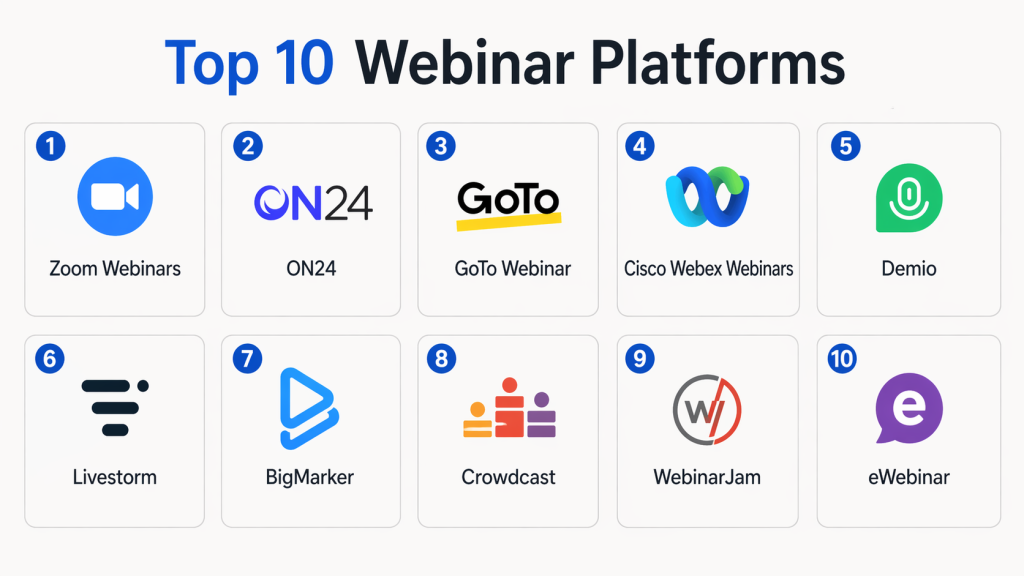
Top 10 Webinar Platforms
#1 — Zoom Webinars
Short description : Zoom Webinars is a widely used platform that supports live, interactive webinars for up to 1 million participants. It provides engagement tools such as Q&A, polls, chat, and breakout rooms. It is suitable for corporate webinars, training sessions, and large-scale online events.
Key Features
- High-capacity live streaming
- Polls, Q&A, and chat
- Breakout rooms for workshops
- Recording and analytics
- Integration with CRM and marketing tools
Pros
- Reliable and scalable
- Easy to use
Cons
- Limited branding options
- Requires paid plans for larger audiences
Platforms / Deployment
- Web / Windows / macOS / iOS / Android / Cloud
Security & Compliance
- Encryption and authentication features (details not publicly stated)
Integrations & Ecosystem
- CRM systems
- Marketing platforms
- APIs
Support & Community
- Extensive documentation and global support
#2 — ON24
Short description : ON24 is an enterprise-grade webinar platform focused on marketing and engagement. It provides robust analytics, lead scoring, and audience insights, making it ideal for large-scale marketing and training webinars.
Key Features
- Engagement dashboards
- Lead scoring and analytics
- Interactive polls and surveys
- Automated and on-demand webinars
- Hybrid event support
Pros
- Enterprise-ready
- Strong analytics
Cons
- High cost
- Complex setup
Platforms / Deployment
- Web / Cloud
Security & Compliance
- Not publicly stated
Integrations & Ecosystem
- CRM systems
- Marketing automation tools
- APIs
Support & Community
- Enterprise-level support
#3 — GoTo Webinar
Short description : GoTo Webinar is a reliable platform for hosting professional webinars with integrated registration, engagement tools, and analytics. It supports mid-sized to large audiences.
Key Features
- Webinar registration and reminders
- Polls, surveys, and Q&A
- Automated recordings
- Analytics and reporting
- Integrations with CRM and email marketing
Pros
- Easy to use
- Good reliability
Cons
- Limited interactivity features
- Price scales with audience size
Platforms / Deployment
- Web / Windows / macOS / Cloud
Security & Compliance
- Not publicly stated
Integrations & Ecosystem
- CRM systems
- Email marketing tools
- APIs
Support & Community
- Vendor support
#4 — Cisco Webex Webinars
Short description : Cisco Webex Webinars provides enterprise-level webinar and virtual event capabilities with strong security and scalability. It is ideal for corporate and educational events.
Key Features
- High-capacity live streaming
- Attendee engagement tools
- Recording and playback
- Polls and Q&A
- Integrations with collaboration tools
Pros
- Strong security
- Scalable for large audiences
Cons
- Complex interface
- Expensive for SMBs
Platforms / Deployment
- Web / Windows / macOS / iOS / Android / Cloud
Security & Compliance
- Enterprise-grade security (details not publicly stated)
Integrations & Ecosystem
- Collaboration tools
- CRM systems
- APIs
Support & Community
- Enterprise support
#5 — Demio
Short description : Demio is a user-friendly webinar platform focusing on marketing and lead generation. It supports live, automated, and hybrid webinars with attendee engagement features.
Key Features
- Live and automated webinars
- Attendee engagement (polls, chat)
- Registration pages and reminders
- Analytics and reporting
- CRM integrations
Pros
- Intuitive interface
- Marketing-focused
Cons
- Limited large-scale features
- Fewer advanced customization options
Platforms / Deployment
- Web / Cloud
Security & Compliance
- Not publicly stated
Integrations & Ecosystem
- CRM tools
- Marketing platforms
- APIs
Support & Community
- Vendor support
#6 — Livestorm
Short description : Livestorm offers a browser-based webinar platform with live, on-demand, and automated webinar options. It emphasizes simplicity and seamless attendee experience.
Key Features
- Browser-based webinar hosting
- Interactive polls and Q&A
- Automated webinars
- Analytics dashboards
- Integrations with CRM and marketing tools
Pros
- Easy setup
- Good for SMBs
Cons
- Limited large-audience support
- Some advanced features require higher plans
Platforms / Deployment
- Web / Cloud
Security & Compliance
- Not publicly stated
Integrations & Ecosystem
- CRM systems
- Marketing tools
- APIs
Support & Community
- Vendor support
#7 — BigMarker
Short description : BigMarker is a webinar platform with strong marketing and engagement features. It supports live, automated, and hybrid webinars with customizable branding.
Key Features
- Live and automated webinars
- Branding and customization
- Attendee engagement tools
- Analytics and reporting
- CRM integrations
Pros
- Customizable
- Marketing-focused
Cons
- Premium pricing
- Learning curve
Platforms / Deployment
- Web / Cloud
Security & Compliance
- Not publicly stated
Integrations & Ecosystem
- CRM tools
- Marketing platforms
- APIs
Support & Community
- Vendor support
#8 — Crowdcast
Short description : Crowdcast is a webinar platform optimized for live events with audience interaction. It supports live chat, Q&A, and polls. Ideal for creators, educators, and marketers.
Key Features
- Live webinars
- Audience interaction
- Polls and Q&A
- Automated recordings
- Analytics
Pros
- Interactive
- Easy to use
Cons
- Limited enterprise features
- Smaller scale
Platforms / Deployment
- Web / Cloud
Security & Compliance
- Not publicly stated
Integrations & Ecosystem
- CRM and marketing tools
- APIs
Support & Community
- Vendor support
#9 — WebinarJam
Short description : WebinarJam offers live and automated webinar hosting with marketing automation features. It supports large audiences and includes engagement tools.
Key Features
- Live and automated webinars
- Polls, chat, and Q&A
- Marketing integrations
- Analytics and reporting
- Recording options
Pros
- Marketing automation
- Supports large audiences
Cons
- Interface could be improved
- Requires setup
Platforms / Deployment
- Web / Cloud
Security & Compliance
- Not publicly stated
Integrations & Ecosystem
- CRM systems
- Marketing platforms
- APIs
Support & Community
- Vendor support
#10 — eWebinar
Short description : eWebinar specializes in automated, evergreen webinars. It allows organizations to create webinars once and run them repeatedly for lead generation and engagement.
Key Features
- Automated webinars
- Attendee engagement tools
- Analytics and reporting
- Custom branding
- Integrations
Pros
- Evergreen webinars
- Easy automation
Cons
- Limited live event features
- Smaller scale
Platforms / Deployment
- Web / Cloud
Security & Compliance
- Not publicly stated
Integrations & Ecosystem
- CRM and marketing platforms
- APIs
Support & Community
- Vendor support
Comparison Table (Top 10)
| Tool Name | Best For | Platform(s) Supported | Deployment | Standout Feature | Public Rating |
|---|---|---|---|---|---|
| Zoom Webinars | All sizes | Web/Mobile | Cloud | High-capacity streaming | N/A |
| ON24 | Enterprise | Web | Cloud | Analytics & insights | N/A |
| GoTo Webinar | SMB–Mid | Web | Cloud | Reliability | N/A |
| Webex Webinars | Enterprise | Web/Mobile | Cloud | Security & scalability | N/A |
| Demio | SMB | Web | Cloud | Marketing-focused | N/A |
| Livestorm | SMB | Web | Cloud | Browser-based simplicity | N/A |
| BigMarker | Marketing events | Web | Cloud | Branding & customization | N/A |
| Crowdcast | Creators & educators | Web | Cloud | Interactive features | N/A |
| WebinarJam | Marketing & large webinars | Web | Cloud | Marketing automation | N/A |
| eWebinar | Evergreen webinars | Web | Cloud | Automation | N/A |
Evaluation & Scoring of Webinar Platforms
| Tool Name | Core (25%) | Ease (15%) | Integrations (15%) | Security (10%) | Performance (10%) | Support (10%) | Value (15%) | Weighted Total |
|---|---|---|---|---|---|---|---|---|
| Zoom | 9 | 9 | 8 | 8 | 9 | 8 | 8 | 8.6 |
| ON24 | 9 | 7 | 9 | 8 | 9 | 8 | 7 | 8.3 |
| GoTo Webinar | 8 | 8 | 8 | 7 | 8 | 7 | 8 | 7.9 |
| Webex | 9 | 7 | 9 | 8 | 9 | 8 | 7 | 8.2 |
| Demio | 8 | 9 | 7 | 7 | 8 | 7 | 8 | 7.8 |
| Livestorm | 8 | 8 | 7 | 7 | 8 | 7 | 8 | 7.8 |
| BigMarker | 9 | 7 | 8 | 7 | 8 | 7 | 7 | 7.8 |
| Crowdcast | 7 | 9 | 7 | 7 | 7 | 7 | 8 | 7.5 |
| WebinarJam | 8 | 7 | 8 | 7 | 8 | 7 | 7 | 7.7 |
| eWebinar | 8 | 7 | 8 | 7 | 8 | 7 | 7 | 7.7 |
Which Webinar Platform Is Right for You?
Solo / Freelancer
- Crowdcast, eWebinar
SMB
- Demio, Livestorm
Mid-Market
- GoTo Webinar, BigMarker
Enterprise
- Zoom Webinars, ON24, Webex
Budget vs Premium
- Budget → eWebinar
- Premium → ON24
Feature Depth vs Ease of Use
- Easy → Livestorm
- Advanced → Webex / ON24
Integrations & Scalability
- Choose platforms with CRM and marketing integrations
Security & Compliance Needs
- Enterprise platforms provide stronger controls
Frequently Asked Questions (FAQs)
1. What is a webinar platform?
Software that allows hosting of live, automated, or on-demand online events.
2. Why is it important?
It enables engagement, training, marketing, and lead generation at scale.
3. Can webinars be automated?
Yes, platforms like eWebinar and Demio allow automated sessions.
4. What engagement tools are included?
Polls, chat, Q&A, and interactive surveys.
5. Can it host large audiences?
Yes, enterprise platforms like Zoom and ON24 support thousands to millions of participants.
6. Is it suitable for SMBs?
Yes, tools like Demio and Livestorm cater to SMBs.
7. Does it integrate with CRM?
Most modern platforms support CRM and marketing tool integration.
8. How is attendee data managed?
Analytics and reporting tools track registration, attendance, and engagement.
9. Can webinars be recorded?
Yes, all major platforms provide recording and playback options.
10. What is the biggest benefit?
Scalable, interactive, and efficient delivery of online presentations.
Conclusion
Webinar platforms are essential for organizations looking to deliver impactful, scalable, and engaging online events. They simplify attendee management, provide analytics, and improve marketing and communication outcomes. SMBs can leverage tools like Demio and Livestorm, while enterprise organizations benefit from Zoom Webinars, ON24, and Webex for large-scale events. Evaluating your audience size, event type, required integrations, and budget will help in selecting the right platform. Pilot testing a few solutions ensures seamless implementation and a superior attendee experience.