Introduction
Event Management Software is a digital platform that helps organizations plan, manage, execute, and analyze events from a single centralized system. It replaces manual processes like spreadsheets, emails, and disconnected tools with a unified solution that handles everything from registration to post-event analytics.
This software matters because modern events—whether conferences, webinars, or corporate gatherings—require automation, real-time coordination, and seamless attendee experiences. Without it, managing registrations, communication, logistics, and engagement becomes inefficient and error-prone. Event management platforms help streamline workflows, automate repetitive tasks, and deliver data-driven insights for better outcomes.
Common use cases include event registration, ticketing, attendee engagement, marketing campaigns, speaker management, and analytics. Buyers should evaluate ease of use, scalability, integrations, automation, analytics, customization, pricing, and support.
Best for: event planners, marketing teams, corporate organizations, conference organizers, and agencies managing multiple events.
Not ideal for: very small events or one-time gatherings where manual tools are sufficient.
Key Trends in Event Management Software
- AI-driven attendee engagement and personalization
- Hybrid and virtual event capabilities
- Mobile-first event apps and check-ins
- Real-time analytics and performance dashboards
- Automation of registration and communication workflows
- Integration with CRM, marketing, and payment systems
- Contactless check-in using QR codes
- Omnichannel event marketing tools
- Cloud-based scalable platforms
- Data-driven decision-making and reporting
How We Selected These Tools (Methodology)
- Evaluated adoption across global event organizers
- Assessed core features (registration, ticketing, engagement)
- Reviewed integration capabilities with CRM and marketing tools
- Analyzed scalability for large and hybrid events
- Considered ease of use for teams and attendees
- Evaluated automation and workflow efficiency
- Reviewed analytics and reporting capabilities
- Assessed vendor ecosystem and integrations
- Considered pricing flexibility and ROI
- Included a mix of SMB and enterprise solutions
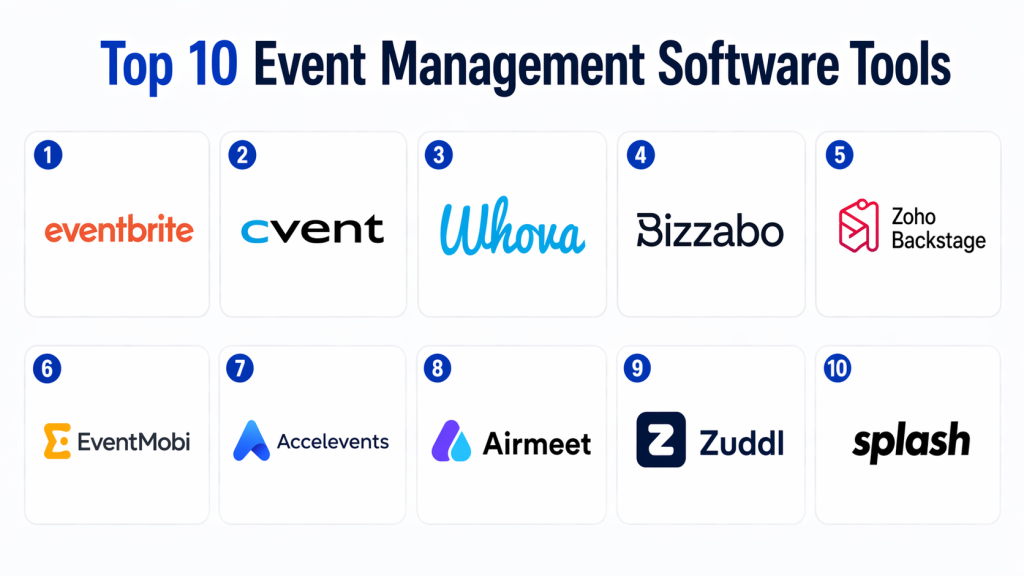
Top 10 Event Management Software Tools
#1 — Eventbrite
Short description : Eventbrite is one of the most widely used event platforms, enabling organizers to create, promote, and manage events with built-in ticketing and marketing tools. It offers a large marketplace that helps increase event visibility and attendance. The platform supports both small and large-scale events with ease. It also provides analytics and reporting to track performance. It is ideal for public events and community-driven experiences.
Key Features
- Event creation and ticketing
- Built-in event marketplace
- Payment processing
- Marketing tools
- Analytics dashboards
Pros
- Large audience reach
- Easy to use
Cons
- Service fees
- Limited customization
Platforms / Deployment
- Web / Mobile / Cloud
Security & Compliance
- Not publicly stated
Integrations & Ecosystem
- Payment gateways
- CRM tools
- APIs
Support & Community
- Strong documentation and support
#2 — Cvent
Short description : Cvent is an enterprise-grade platform designed for large-scale events and corporate conferences. It offers comprehensive tools for registration, marketing, and attendee management. The platform supports complex event workflows and multi-location events. It is widely used by enterprise organizations. It provides advanced reporting and analytics capabilities.
Key Features
- Event registration
- Marketing automation
- Attendee management
- Reporting and analytics
- Event automation
Pros
- Highly scalable
- Enterprise-level capabilities
Cons
- Expensive
- Complex setup
Platforms / Deployment
- Web / Cloud
Security & Compliance
- Not publicly stated
Integrations & Ecosystem
- CRM systems
- Marketing tools
- APIs
Support & Community
- Enterprise support
#3 — Whova
Short description : Whova is a popular event management platform known for its strong attendee engagement features. It supports in-person, virtual, and hybrid events. The platform provides networking tools, mobile apps, and analytics. It is widely used for conferences and corporate events. It focuses on improving attendee experience.
Key Features
- Event registration
- Networking tools
- Mobile event app
- Analytics dashboards
- Engagement features
Pros
- Strong engagement tools
- Easy to use
Cons
- Limited customization
- Pricing tiers
Platforms / Deployment
- Web / Mobile / Cloud
Security & Compliance
- Not publicly stated
Integrations & Ecosystem
- CRM tools
- APIs
Support & Community
- Vendor support
#4 — Bizzabo
Short description : Bizzabo is a data-driven event platform designed for enterprise events and conferences. It focuses on analytics, marketing, and attendee engagement. The platform offers strong reporting capabilities. It is ideal for organizations hosting large-scale events. It supports hybrid and virtual formats.
Key Features
- Event marketing
- Registration
- Analytics and reporting
- Engagement tools
- Hybrid event support
Pros
- Strong analytics
- Enterprise-focused
Cons
- Premium pricing
- Learning curve
Platforms / Deployment
- Web / Cloud
Security & Compliance
- Not publicly stated
Integrations & Ecosystem
- CRM systems
- APIs
Support & Community
- Enterprise support
#5 — Zoho Backstage
Short description : Zoho Backstage is an all-in-one event management platform that combines ticketing, marketing, and engagement tools. It integrates with the Zoho ecosystem for CRM and automation. The platform is user-friendly and scalable. It supports hybrid events and real-time analytics. It is suitable for SMBs and mid-market organizations.
Key Features
- Ticketing and registration
- Event website builder
- Marketing tools
- Engagement features
- Analytics
Pros
- All-in-one solution
- Easy integration
Cons
- Learning curve
- Limited advanced features
Platforms / Deployment
- Web / Mobile / Cloud
Security & Compliance
- Not publicly stated
Integrations & Ecosystem
- Zoho ecosystem
- APIs
Support & Community
- Vendor support
#6 — EventMobi
Short description : EventMobi focuses on attendee engagement and mobile event experiences. It provides event apps, networking tools, and analytics. The platform is widely used for conferences and corporate events. It supports hybrid and virtual formats. It is designed to improve attendee participation.
Key Features
- Mobile event apps
- Engagement tools
- Analytics
- Event registration
- Networking features
Pros
- Strong mobile experience
- Good engagement tools
Cons
- Limited customization
- Requires setup
Platforms / Deployment
- Web / Mobile / Cloud
Security & Compliance
- Not publicly stated
Integrations & Ecosystem
- APIs
- CRM systems
Support & Community
- Vendor support
#7 — Accelevents
Short description : Accelevents is a flexible event management platform supporting virtual, hybrid, and in-person events. It offers ticketing, marketing, and engagement tools. The platform is scalable and customizable. It is suitable for growing businesses. It also includes analytics and reporting features.
Key Features
- Event registration
- Hybrid event support
- Engagement tools
- Analytics
- Automation
Pros
- Flexible
- Scalable
Cons
- Learning curve
- Setup required
Platforms / Deployment
- Web / Cloud
Security & Compliance
- Not publicly stated
Integrations & Ecosystem
- APIs
- CRM tools
Support & Community
- Vendor support
#8 — Airmeet
Short description : Airmeet is a virtual and hybrid event platform focused on engagement and networking. It provides immersive experiences for attendees. The platform includes virtual lounges, networking tools, and analytics. It is ideal for webinars and online events. It supports large audiences.
Key Features
- Virtual events
- Networking lounges
- Engagement tools
- Analytics
- Automation
Pros
- Strong virtual experience
- Good engagement
Cons
- Limited in-person features
- Requires setup
Platforms / Deployment
- Web / Cloud
Security & Compliance
- Not publicly stated
Integrations & Ecosystem
- APIs
- CRM systems
Support & Community
- Vendor support
#9 — Zuddl
Short description : Zuddl is a modern event management platform designed for virtual and hybrid events. It focuses on scalability and customization. The platform offers strong engagement tools and analytics. It is ideal for large-scale digital events. It also supports automation and reporting.
Key Features
- Hybrid events
- Custom event experiences
- Analytics
- Engagement tools
- Automation
Pros
- Scalable
- Customizable
Cons
- Premium pricing
- Learning curve
Platforms / Deployment
- Web / Cloud
Security & Compliance
- Not publicly stated
Integrations & Ecosystem
- APIs
- CRM tools
Support & Community
- Vendor support
#10 — Splash
Short description : Splash is an event marketing and management platform focused on branding and attendee engagement. It helps organizations create branded event experiences. The platform includes analytics and reporting tools. It is widely used for corporate events. It supports both virtual and in-person events.
Key Features
- Event marketing
- Registration
- Branding tools
- Analytics
- Engagement features
Pros
- Strong branding capabilities
- Good analytics
Cons
- Premium pricing
- Enterprise focus
Platforms / Deployment
- Web / Cloud
Security & Compliance
- Not publicly stated
Integrations & Ecosystem
- CRM tools
- APIs
Support & Community
- Enterprise support
Comparison Table (Top 10)
| Tool Name | Best For | Platform(s) Supported | Deployment | Standout Feature | Public Rating |
|---|---|---|---|---|---|
| Eventbrite | All sizes | Web/Mobile | Cloud | Marketplace reach | N/A |
| Cvent | Enterprise | Web | Cloud | Event automation | N/A |
| Whova | Conferences | Web/Mobile | Cloud | Engagement tools | N/A |
| Bizzabo | Enterprise | Web | Cloud | Analytics | N/A |
| Zoho Backstage | SMB–Mid | Web/Mobile | Cloud | All-in-one | N/A |
| EventMobi | Conferences | Web/Mobile | Cloud | Mobile apps | N/A |
| Accelevents | SMB–Mid | Web | Cloud | Hybrid support | N/A |
| Airmeet | Virtual events | Web | Cloud | Networking | N/A |
| Zuddl | Enterprise | Web | Cloud | Customization | N/A |
| Splash | Corporate events | Web | Cloud | Branding | N/A |
Evaluation & Scoring of Event Management Software
| Tool Name | Core (25%) | Ease (15%) | Integrations (15%) | Security (10%) | Performance (10%) | Support (10%) | Value (15%) | Weighted Total |
|---|---|---|---|---|---|---|---|---|
| Eventbrite | 9 | 9 | 8 | 7 | 8 | 8 | 7 | 8.3 |
| Cvent | 10 | 6 | 9 | 8 | 9 | 8 | 6 | 8.4 |
| Whova | 9 | 8 | 8 | 7 | 8 | 7 | 8 | 8.2 |
| Bizzabo | 9 | 7 | 9 | 7 | 9 | 8 | 7 | 8.3 |
| Zoho Backstage | 8 | 8 | 8 | 7 | 8 | 7 | 8 | 8.0 |
| EventMobi | 8 | 8 | 7 | 7 | 8 | 7 | 7 | 7.8 |
| Accelevents | 8 | 7 | 8 | 7 | 8 | 7 | 8 | 7.9 |
| Airmeet | 8 | 7 | 7 | 7 | 8 | 7 | 7 | 7.6 |
| Zuddl | 9 | 7 | 8 | 7 | 8 | 7 | 7 | 7.9 |
| Splash | 8 | 7 | 8 | 7 | 8 | 7 | 7 | 7.7 |
Scores are comparative and should be used to shortlist tools based on priorities like scalability, automation, and engagement.
Which Event Management Software Tool Is Right for You?
Solo / Freelancer
- Ticket-focused tools like Eventbrite
SMB
- Zoho Backstage, Accelevents
Mid-Market
- Whova, EventMobi
Enterprise
- Cvent, Bizzabo, Zuddl
Budget vs Premium
- Budget → Zoho Backstage
- Premium → Cvent
Feature Depth vs Ease of Use
- Easy → Eventbrite
- Advanced → Bizzabo
Integrations & Scalability
- Choose tools with CRM and marketing integrations
Security & Compliance Needs
- Enterprise platforms provide stronger controls
Frequently Asked Questions (FAQs)
1. What is event management software?
It is a platform that helps plan, execute, and analyze events in one system.
2. Why is it important?
It centralizes workflows, automates tasks, and improves efficiency.
3. What features should it include?
Registration, ticketing, analytics, engagement, and integrations.
4. Can it handle virtual events?
Yes, most modern platforms support hybrid and virtual formats.
5. Is it suitable for small events?
Yes, it scales from small to large events easily.
6. Can it automate tasks?
Yes, automation is a core feature.
7. Does it improve attendee experience?
Yes, through personalization and engagement tools.
8. How long does setup take?
Cloud platforms can be set up quickly.
9. Does it support analytics?
Yes, most tools provide reporting dashboards.
10. What is the biggest benefit?
Efficient, centralized event management.
Conclusion
Event management software has become a core requirement for organizations aiming to deliver seamless, scalable, and engaging event experiences. By centralizing planning, automating repetitive tasks, and providing actionable insights, these platforms allow teams to focus on creativity and impact rather than logistics. Whether you’re hosting a small workshop or a global conference, the right software can significantly improve efficiency, attendee satisfaction, and overall event success. Simple platforms like Eventbrite or Zoho Backstage are great starting points, while enterprise solutions like Cvent and Bizzabo provide advanced capabilities for large-scale operations. The best approach is to identify your event goals, shortlist tools that match your needs, and run a pilot to validate integrations, usability, and performance before making a final decision.