Introduction
Web analytics tools are platforms that collect, measure, and analyze website data—including visitor behavior, traffic sources, conversions, and performance metrics. They help organizations understand how users interact with their websites and identify opportunities to improve engagement, conversions, and overall digital performance.
In modern digital ecosystems, web analytics has evolved beyond basic traffic tracking. Today’s tools offer AI-driven insights, behavioral analytics, privacy controls, and real-time reporting, making them essential for data-driven decision-making across marketing, product, and operations teams.
Common Use Cases
- Tracking website traffic and user behavior
- Conversion rate optimization (CRO)
- Marketing campaign performance analysis
- UX and usability improvements
- SEO and content performance tracking
What Buyers Should Evaluate
- Data accuracy and tracking model
- AI insights and predictive analytics
- Privacy and compliance (GDPR, consent management)
- Integration with marketing and CRM tools
- Real-time vs batch analytics
- Custom dashboards and reporting
- Event tracking and behavioral analytics
- Scalability for traffic volume
- Deployment model (cloud vs self-hosted)
Best for: Marketers, product teams, SaaS companies, e-commerce businesses, and enterprises focused on data-driven growth.
Not ideal for: Small static websites or personal blogs with minimal traffic where basic analytics is sufficient.
Key Trends in Web Analytics Tools
- AI-powered insights and anomaly detection for faster decision-making
- Privacy-first analytics models reducing reliance on cookies
- Event-based tracking replacing pageview models
- Real-time analytics dashboards for immediate insights
- Integration with data warehouses and BI tools
- Behavioral analytics (heatmaps, session recordings)
- Server-side tracking for better accuracy
- First-party data strategies gaining importance
- Cross-platform analytics (web + mobile + apps)
- No-code analytics setups for non-technical users
How We Selected These Tools (Methodology)
The tools were selected based on:
- Market adoption and industry recognition
- Feature depth (tracking, reporting, AI capabilities)
- Data accuracy and reliability
- Privacy and compliance capabilities
- Integration ecosystem (CRM, marketing, data tools)
- Ease of implementation and usability
- Scalability across different traffic levels
- Availability of APIs and customization
- Community and support strength
- Suitability across SMB and enterprise use cases
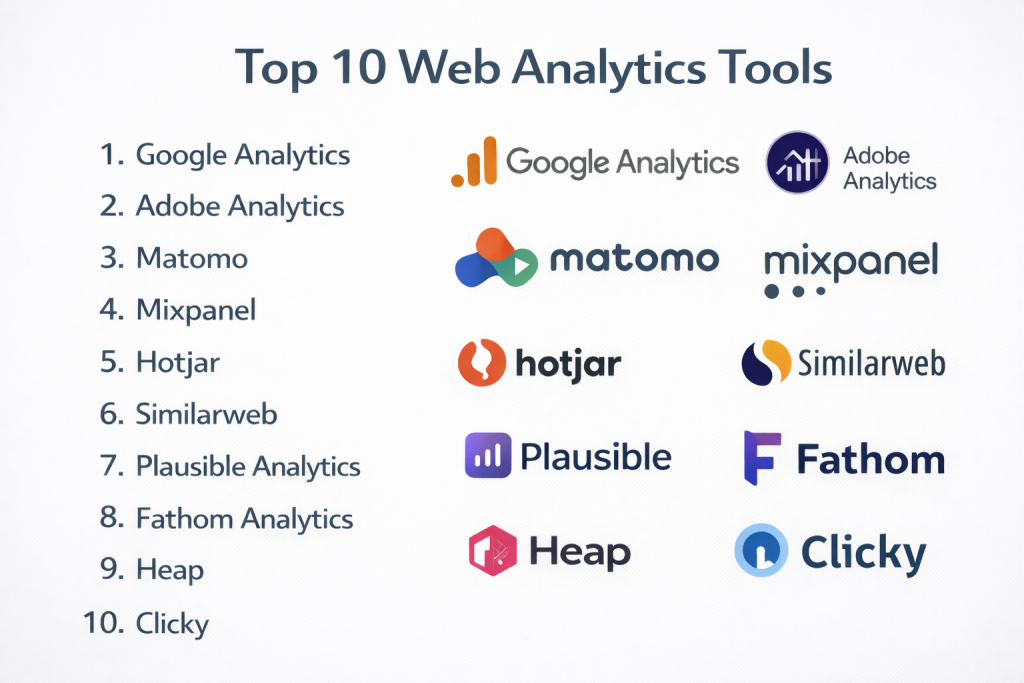
Top 10 Web Analytics Tools
#1 — Google Analytics
Short description: The most widely used web analytics platform offering comprehensive tracking and reporting for websites and apps.
Key Features
- Traffic and user behavior tracking
- Event-based analytics
- Integration with marketing tools
- Real-time reporting
- Custom dashboards
- AI insights
Pros
- Free and widely adopted
- Strong ecosystem integration
Cons
- Privacy concerns
- Complex interface for beginners
Platforms / Deployment
Web / Mobile
Cloud
Security & Compliance
- Encryption, access controls
- Additional compliance: Not publicly stated
Integrations & Ecosystem
Deep integration with digital marketing tools.
- Google Ads
- Search Console
- Tag Manager
- APIs
Support & Community
Extensive global community and documentation.
#2 — Adobe Analytics
Short description: An enterprise-grade analytics platform offering advanced reporting and AI-driven insights.
Key Features
- Advanced segmentation
- AI-powered predictions
- Multi-channel tracking
- Custom reporting
- Attribution modeling
- Real-time analytics
Pros
- Highly customizable
- Powerful enterprise features
Cons
- Expensive
- Steep learning curve
Platforms / Deployment
Web
Cloud
Security & Compliance
Not publicly stated
Integrations & Ecosystem
Part of a large enterprise ecosystem.
- Marketing tools
- CRM systems
- APIs
Support & Community
Strong enterprise support and documentation.
#3 — Matomo
Short description: A privacy-focused, open-source analytics platform with full data ownership.
Key Features
- Self-hosted analytics
- Heatmaps and session recordings
- GDPR-focused tracking
- Custom reports
- Tag manager
- No data sampling
Pros
- Full data control
- Strong privacy compliance
Cons
- Requires setup and maintenance
- UI less modern
Platforms / Deployment
Web
Cloud / Self-hosted
Security & Compliance
- GDPR, HIPAA, CCPA support
- SSO, 2FA
Integrations & Ecosystem
Flexible integrations and APIs.
- CMS platforms
- APIs
- Plugins
Support & Community
Strong open-source community and enterprise support.
#4 — Mixpanel
Short description: An event-driven analytics platform focused on user behavior and product analytics.
Key Features
- Event tracking
- User journey analysis
- Funnel analysis
- Cohort tracking
- Real-time data
- Custom dashboards
Pros
- Strong product analytics
- Detailed user insights
Cons
- Limited traditional metrics
- Setup complexity
Platforms / Deployment
Web
Cloud
Security & Compliance
Not publicly stated
Integrations & Ecosystem
Developer-friendly integrations.
- APIs
- CRM tools
- Messaging tools
Support & Community
Strong documentation and developer support.
#5 — Hotjar
Short description: A behavioral analytics tool focused on user experience and interaction insights.
Key Features
- Heatmaps
- Session recordings
- User feedback tools
- Conversion funnels
- Surveys
- Behavior analytics
Pros
- Easy to use
- Excellent UX insights
Cons
- Limited quantitative data
- Not a full analytics suite
Platforms / Deployment
Web
Cloud
Security & Compliance
Not publicly stated
Integrations & Ecosystem
Supports UX and CRO workflows.
- CMS tools
- Analytics integrations
Support & Community
Good onboarding and support resources.
#6 — Similarweb
Short description: A digital intelligence platform offering competitive analysis and traffic insights.
Key Features
- Traffic estimation
- Competitor analysis
- Audience insights
- SEO and keyword data
- Benchmarking
- Market intelligence
Pros
- Strong competitive insights
- Easy benchmarking
Cons
- Estimated data accuracy
- Expensive plans
Platforms / Deployment
Web
Cloud
Security & Compliance
Not publicly stated
Integrations & Ecosystem
Marketing and research integrations.
- SEO tools
- APIs
Support & Community
Enterprise-level support.
#7 — Plausible Analytics
Short description: A lightweight, privacy-focused analytics tool designed for simplicity.
Key Features
- Cookie-less tracking
- Simple dashboard
- Real-time analytics
- Open-source option
- GDPR compliance
- Lightweight script
Pros
- Privacy-friendly
- Easy to use
Cons
- Limited advanced features
- Fewer integrations
Platforms / Deployment
Web
Cloud / Self-hosted
Security & Compliance
- GDPR compliance
- Additional certifications: Not publicly stated
Integrations & Ecosystem
Minimal but growing integrations.
- APIs
- CMS tools
Support & Community
Growing open-source community.
#8 — Fathom Analytics
Short description: A privacy-first analytics platform focused on simplicity and compliance.
Key Features
- Cookie-free tracking
- Fast loading script
- Simple dashboards
- GDPR compliance
- Email reports
- Real-time data
Pros
- Lightweight and fast
- Privacy-focused
Cons
- Limited customization
- Basic analytics features
Platforms / Deployment
Web
Cloud
Security & Compliance
Not publicly stated
Integrations & Ecosystem
Basic integrations.
- APIs
Support & Community
Moderate support and growing community.
#9 — Heap
Short description: An analytics platform that automatically captures user interactions without manual tracking.
Key Features
- Auto event tracking
- Funnel analysis
- User journey mapping
- Data visualization
- Behavioral analytics
- Integration tools
Pros
- No manual event setup
- Strong behavioral insights
Cons
- Expensive for large teams
- Learning curve
Platforms / Deployment
Web
Cloud
Security & Compliance
Not publicly stated
Integrations & Ecosystem
Strong integration capabilities.
- CRM tools
- Data warehouses
- APIs
Support & Community
Enterprise support and documentation.
#10 — Clicky
Short description: A real-time web analytics tool with a simple interface and detailed visitor tracking.
Key Features
- Real-time analytics
- Heatmaps
- Individual visitor tracking
- Goal tracking
- Alerts
- Mobile support
Pros
- Easy to use
- Real-time insights
Cons
- Limited scalability
- Basic features compared to competitors
Platforms / Deployment
Web / Mobile
Cloud
Security & Compliance
Not publicly stated
Integrations & Ecosystem
Basic integrations.
- APIs
Support & Community
Smaller community; simple documentation.
Comparison Table (Top 10)
| Tool Name | Best For | Platform(s) Supported | Deployment | Standout Feature | Public Rating |
|---|---|---|---|---|---|
| Google Analytics | Beginners & marketers | Web, Mobile | Cloud | Free comprehensive analytics | N/A |
| Adobe Analytics | Enterprises | Web | Cloud | AI-driven insights | N/A |
| Matomo | Privacy-focused users | Web | Hybrid | Full data ownership | N/A |
| Mixpanel | Product analytics | Web | Cloud | Event-based tracking | N/A |
| Hotjar | UX insights | Web | Cloud | Heatmaps & recordings | N/A |
| Similarweb | Competitive analysis | Web | Cloud | Market intelligence | N/A |
| Plausible | Privacy-first | Web | Hybrid | Cookie-less tracking | N/A |
| Fathom | Lightweight analytics | Web | Cloud | Simple dashboards | N/A |
| Heap | Behavioral analytics | Web | Cloud | Auto event tracking | N/A |
| Clicky | Real-time analytics | Web, Mobile | Cloud | Live visitor tracking | N/A |
Evaluation & Scoring of Web Analytics Tools
| Tool Name | Core (25%) | Ease (15%) | Integrations (15%) | Security (10%) | Performance (10%) | Support (10%) | Value (15%) | Weighted Total |
|---|---|---|---|---|---|---|---|---|
| Google Analytics | 9 | 7 | 10 | 7 | 9 | 9 | 10 | 8.9 |
| Adobe Analytics | 10 | 6 | 9 | 9 | 9 | 9 | 6 | 8.6 |
| Matomo | 9 | 7 | 7 | 9 | 8 | 8 | 9 | 8.3 |
| Mixpanel | 8 | 7 | 8 | 7 | 8 | 8 | 7 | 7.8 |
| Hotjar | 7 | 9 | 7 | 6 | 8 | 8 | 8 | 7.7 |
| Similarweb | 8 | 8 | 7 | 7 | 8 | 8 | 6 | 7.6 |
| Plausible | 7 | 9 | 6 | 8 | 9 | 7 | 9 | 7.8 |
| Fathom | 6 | 9 | 6 | 8 | 9 | 7 | 9 | 7.6 |
| Heap | 8 | 7 | 8 | 7 | 8 | 8 | 6 | 7.6 |
| Clicky | 6 | 9 | 5 | 6 | 8 | 6 | 8 | 7.1 |
How to interpret scores:
- Higher scores indicate stronger overall capability
- Enterprise tools score high in features and integrations
- Privacy tools score high in compliance and value
- Simpler tools score higher in ease of use
- Choose based on your use case rather than total score
Which Web Analytics Tool Is Right for You?
Solo / Freelancer
- Best options: Plausible, Fathom, Clicky
- Focus on simplicity and privacy
SMB
- Best options: Google Analytics, Hotjar
- Balance between insights and ease of use
Mid-Market
- Best options: Mixpanel, Heap
- Focus on behavioral insights
Enterprise
- Best options: Adobe Analytics, Matomo
- Focus on scale, customization, and compliance
Budget vs Premium
- Budget: Google Analytics, Plausible
- Premium: Adobe Analytics, Heap
Feature Depth vs Ease of Use
- Advanced: Adobe Analytics, Mixpanel
- Easy: Fathom, Plausible
Integrations & Scalability
- Strong integrations: Google Analytics, Adobe
- Lightweight: Fathom
Security & Compliance Needs
- High compliance: Matomo, Plausible
- Basic needs: Google Analytics
Frequently Asked Questions (FAQs)
What is a web analytics tool?
It is a platform that tracks and analyzes website traffic and user behavior.
Are web analytics tools free?
Some offer free plans, while advanced tools require paid subscriptions.
How accurate are these tools?
Accuracy depends on tracking method, data sampling, and configuration.
What is event-based tracking?
It tracks specific user actions rather than just page views.
Are cookies required?
Many tools use cookies, but privacy-focused tools offer alternatives.
Can analytics tools track conversions?
Yes, most tools include conversion and funnel tracking.
How long does setup take?
From minutes for basic tools to weeks for enterprise setups.
Do these tools integrate with marketing platforms?
Yes, most support integrations with CRM and ad platforms.
What are common mistakes?
Poor tracking setup and ignoring analytics insights.
Are privacy-focused tools better?
They are better for compliance but may have fewer features.
Conclusion
Web analytics tools are essential for understanding user behavior and optimizing digital experiences.