Introduction
Video editing software enables users to cut, arrange, enhance, and export video content for various purposes—from social media clips to full-scale film production. It provides tools for trimming footage, adding effects, adjusting audio, and creating polished visual stories.
Today, video editing has become a core skill across industries. With the rise of content creators, streaming platforms, and digital marketing, the demand for high-quality video production has grown significantly. Modern tools now include AI-assisted editing, automatic captions, cloud collaboration, and real-time rendering—making video editing more accessible than ever.
Common use cases include:
- YouTube and social media content creation
- Film and TV production
- Marketing and advertising videos
- Online courses and tutorials
- Corporate presentations and training videos
Key evaluation criteria buyers should consider:
- Ease of use vs advanced control
- Timeline editing capabilities (multi-track, non-linear editing)
- AI-assisted features (auto-editing, captions, effects)
- Performance with high-resolution footage (4K/8K)
- Integration with VFX, audio, and design tools
- Export formats and platform compatibility
- Collaboration features and cloud support
- Pricing model (free, subscription, one-time)
- Hardware requirements
Best for: Content creators, video editors, filmmakers, marketers, educators, and businesses producing visual content.
Not ideal for: Users who only need simple trimming or slideshow creation—basic mobile or built-in editors may suffice.
Key Trends in Video Editing Software
- AI-powered editing: Automatic cuts, captions, and scene detection are becoming standard
- Text-to-video workflows: Editing via prompts and scripts is emerging
- Cloud-based editing: Enables remote collaboration and storage
- Mobile-first editing: Growth of apps for short-form content creation
- Real-time rendering: Faster previews and exports
- Integration with VFX and audio tools: Unified post-production pipelines
- Template-driven editing: Faster content creation for marketers
- Cross-platform workflows: Seamless switching between desktop and mobile
- Automation of repetitive tasks: Batch editing and smart tagging
- Social media optimization: Built-in formats for reels, shorts, and ads
How We Selected These Tools (Methodology)
- Evaluated market adoption among creators and professionals
- Assessed core editing capabilities and flexibility
- Reviewed AI features and automation capabilities
- Considered performance with high-resolution formats
- Included tools for beginners to professionals
- Analyzed integration with creative ecosystems
- Evaluated ease of use and onboarding experience
- Reviewed community support and documentation
- Balanced free, open-source, and premium tools
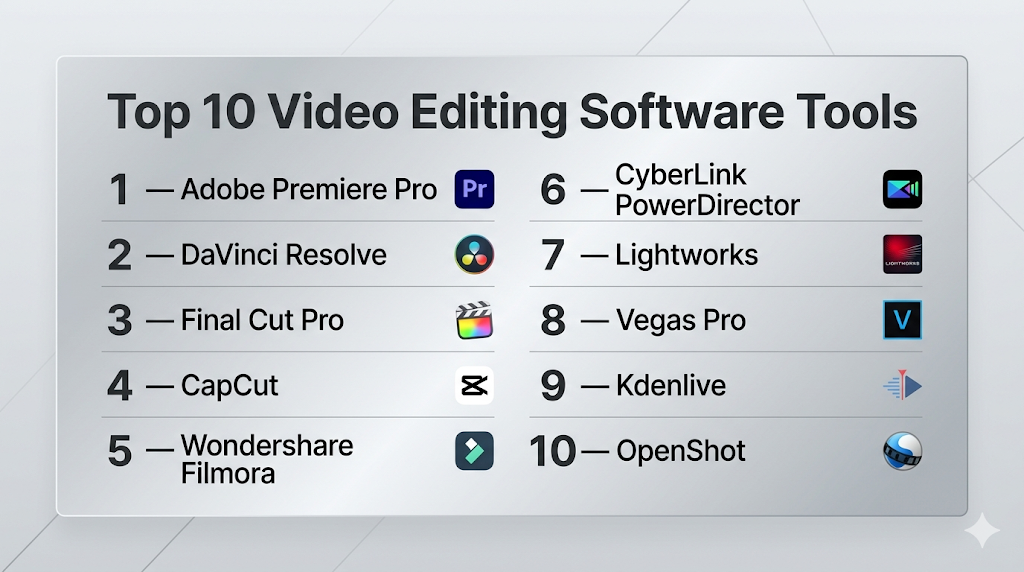
Top 10 Video Editing Software Tools
#1 — Adobe Premiere Pro
Short description: A professional video editing tool widely used in film, TV, and content creation with advanced features and AI tools.
Key Features
- Multi-track timeline editing
- AI-powered auto-captioning and editing
- Advanced color grading tools
- Motion graphics integration
- Multi-camera editing
- Extensive plugin ecosystem
Pros
- Industry-standard software
- Highly customizable workflow
Cons
- Subscription-based pricing
- Steep learning curve
Platforms / Deployment
Windows / macOS
Cloud / Local
Security & Compliance
Not publicly stated
Integrations & Ecosystem
Strong integration across creative tools.
- After Effects
- Photoshop
- Media Encoder
- Plugin ecosystem
Support & Community
Massive global community with extensive tutorials.
#2 — DaVinci Resolve
Short description: A powerful all-in-one video editing, color grading, VFX, and audio tool with a strong free version.
Key Features
- Professional editing timeline
- Advanced color grading tools
- Integrated VFX and audio
- AI-assisted editing features
- Real-time playback
- Multi-user collaboration
Pros
- Free version with advanced features
- Complete post-production suite
Cons
- Resource-intensive
- Complex interface
Platforms / Deployment
Windows / macOS / Linux
Local
Security & Compliance
Not publicly stated
Integrations & Ecosystem
Unified production ecosystem.
- VFX tools
- Audio tools
- Editing workflows
Support & Community
Large and active community.
#3 — Final Cut Pro
Short description: A high-performance video editor optimized for macOS users with fast rendering and intuitive workflows.
Key Features
- Magnetic timeline
- Advanced color grading
- HDR support
- Real-time performance
- Plugin ecosystem
Pros
- Fast and optimized
- One-time purchase
Cons
- macOS-only
- Less flexible than some competitors
Platforms / Deployment
macOS
Local
Security & Compliance
Not publicly stated
Integrations & Ecosystem
Apple ecosystem integration.
- Motion
- Compressor
Support & Community
Strong macOS-focused community.
#4 — CapCut
Short description: A user-friendly video editor designed for social media creators with strong AI features.
Key Features
- AI captions and effects
- Templates for short videos
- Mobile and desktop support
- Real-time editing
- Social media optimization
Pros
- Easy to use
- Free with powerful features
Cons
- Limited advanced controls
- Focused on short-form content
Platforms / Deployment
Windows / macOS / iOS / Android
Cloud / Local
Security & Compliance
Not publicly stated
Integrations & Ecosystem
Optimized for social platforms.
- TikTok workflows
- Export tools
Support & Community
Large creator community.
#5 — Wondershare Filmora
Short description: An AI-powered video editor focused on ease of use and quick content creation.
Key Features
- AI tools (auto-cut, text-to-video, voice tools)
- Drag-and-drop editing
- Effects and templates
- Motion tracking
- Built-in transitions
Pros
- Beginner-friendly
- Fast editing workflows
Cons
- Limited advanced features
- Watermark in free version
Platforms / Deployment
Windows / macOS
Local
Security & Compliance
Not publicly stated
Integrations & Ecosystem
Focused on simple workflows.
- Export tools
- Template libraries
Support & Community
Strong beginner community.
#6 — CyberLink PowerDirector
Short description: A feature-rich video editor suitable for beginners and intermediate users.
Key Features
- Drag-and-drop interface
- AI effects and templates
- Motion tracking
- 4K/8K support
- Fast rendering
Pros
- Easy to learn
- Good balance of features
Cons
- Interface can feel cluttered
- Some features locked behind subscription
Platforms / Deployment
Windows / macOS
Cloud / Local
Security & Compliance
Not publicly stated
Integrations & Ecosystem
Supports media workflows.
- Stock libraries
- Plugins
Support & Community
Moderate support resources.
#7 — Lightworks
Short description: A professional video editor with a long history in film editing.
Key Features
- Real-time effects
- Multi-format support
- Timeline editing
- GPU acceleration
- Export options
Pros
- Professional capabilities
- Free version available
Cons
- Learning curve
- Limited advanced features in free version
Platforms / Deployment
Windows / macOS / Linux
Local
Security & Compliance
Not publicly stated
Integrations & Ecosystem
Supports editing pipelines.
- Export tools
- Plugins
Support & Community
Moderate community support.
#8 — Vegas Pro
Short description: A flexible video editing software with strong performance and effects tools.
Key Features
- Timeline editing
- Color correction tools
- GPU acceleration
- Audio editing tools
- Plugin support
Pros
- Flexible workflow
- Good performance
Cons
- Windows-only
- UI may feel outdated
Platforms / Deployment
Windows
Local
Security & Compliance
Not publicly stated
Integrations & Ecosystem
Supports plugins and workflows.
- VFX tools
- Audio tools
Support & Community
Established user base.
#9 — Kdenlive
Short description: A free, open-source video editor with advanced features for professional use.
Key Features
- Multi-track editing
- Wide format support
- Customizable interface
- Effects and transitions
- Proxy editing
Pros
- Free and open-source
- Flexible and powerful
Cons
- Less polished UI
- Limited enterprise support
Platforms / Deployment
Windows / macOS / Linux
Security & Compliance
Not publicly stated
Integrations & Ecosystem
Open-source ecosystem.
- Plugins
- Custom workflows
Support & Community
Active open-source community.
PostProductionv
Short description: A beginner-friendly open-source video editor with a simple interface.
Key Features
- Drag-and-drop editing
- Unlimited tracks
- Basic effects
- Cross-platform support
- Simple UI
Pros
- Easy to use
- Free
Cons
- Limited advanced features
- Performance issues on large projects
Platforms / Deployment
Windows / macOS / Linux / ChromeOS
Security & Compliance
Not publicly stated
Integrations & Ecosystem
Basic ecosystem.
- Export tools
- Plugins
Support & Community
Active beginner community.
Comparison Table (Top 10)
| Tool Name | Best For | Platform(s) Supported | Deployment | Standout Feature | Public Rating |
|---|---|---|---|---|---|
| Premiere Pro | Professionals | Windows/macOS | Hybrid | Industry-standard editing | N/A |
| DaVinci Resolve | All-in-one workflows | Windows/macOS/Linux | Local | Integrated suite | N/A |
| Final Cut Pro | macOS users | macOS | Local | Fast performance | N/A |
| CapCut | Social media | Multi-platform | Hybrid | AI templates | N/A |
| Filmora | Beginners | Windows/macOS | Local | AI tools | N/A |
| PowerDirector | Intermediate users | Windows/macOS | Hybrid | Fast rendering | N/A |
| Lightworks | Film editing | Multi-platform | Local | Professional workflow | N/A |
| Vegas Pro | Flexible editing | Windows | Local | GPU acceleration | N/A |
| Kdenlive | Open-source users | Multi-platform | Local | Free advanced editor | N/A |
| OpenShot | Beginners | Multi-platform | Local | Simple interface | N/A |
Evaluation & Scoring of Video Editing Software
| Tool Name | Core (25%) | Ease (15%) | Integrations (15%) | Security (10%) | Performance (10%) | Support (10%) | Value (15%) | Weighted Total |
|---|---|---|---|---|---|---|---|---|
| Premiere Pro | 10 | 7 | 10 | 6 | 9 | 10 | 7 | 8.8 |
| DaVinci Resolve | 10 | 6 | 9 | 6 | 9 | 9 | 10 | 8.9 |
| Final Cut Pro | 9 | 8 | 8 | 6 | 10 | 8 | 8 | 8.5 |
| CapCut | 7 | 10 | 7 | 5 | 8 | 8 | 10 | 8.1 |
| Filmora | 7 | 9 | 7 | 5 | 7 | 8 | 9 | 7.9 |
| PowerDirector | 8 | 8 | 7 | 5 | 8 | 7 | 8 | 7.8 |
| Lightworks | 8 | 6 | 7 | 5 | 8 | 7 | 8 | 7.5 |
| Vegas Pro | 8 | 7 | 7 | 5 | 8 | 7 | 7 | 7.4 |
| Kdenlive | 7 | 7 | 6 | 5 | 7 | 7 | 10 | 7.3 |
| OpenShot | 6 | 9 | 5 | 5 | 6 | 6 | 10 | 7.0 |
How to interpret the scores:
- Higher scores indicate balanced capabilities across features
- Professionals should prioritize core features and integrations
- Beginners should focus on ease of use and value
- Free tools can compete strongly in value but may lack polish
- Choose based on your workflow, not just total score
Which Video Editing Software Tool Is Right for You?
Solo / Freelancer
- Best options: CapCut, Filmora, DaVinci Resolve (free)
- Focus on ease and affordability
SMB
- Best options: Premiere Pro, PowerDirector
- Balance usability and features
Mid-Market
- Best options: DaVinci Resolve, Final Cut Pro
- Need scalable workflows
Enterprise
- Best options: Premiere Pro, DaVinci Resolve
- Require full pipeline integration
Budget vs Premium
- Budget: Kdenlive, OpenShot, Resolve
- Premium: Premiere Pro, Final Cut Pro
Feature Depth vs Ease of Use
- Advanced: Premiere Pro, Resolve
- Easy: CapCut, Filmora
Integrations & Scalability
- Strong: Premiere Pro, Resolve
- Limited: OpenShot
Security & Compliance Needs
- Most tools: Not publicly stated
- Enterprises should validate internally
Frequently Asked Questions (FAQs)
What is video editing software?
It is software used to modify and arrange video clips into a final output.
Which software is best for beginners?
Filmora and CapCut are beginner-friendly.
Is there free video editing software?
Yes, tools like DaVinci Resolve, Kdenlive, and OpenShot are free.
Do I need a powerful computer?
Yes, especially for 4K or professional editing.
What is non-linear editing?
It allows editing any part of the video without affecting the rest
Can I use video editing software for YouTube?
Yes, most tools support YouTube workflows.
What are AI features in video editing?
They include auto-cuts, captions, and scene detection.
Which tool is industry standard?
Adobe Premiere Pro is widely used professionally.
Can I edit videos on mobile?
Yes, tools like CapCut support mobile editing.
Can I switch tools later?
Yes, but workflows and formats may differ.
Conclusion
Video editing software has evolved into a powerful ecosystem supporting everything from quick social media clips to cinematic productions. Whether you’re a beginner or a professional, there are tools tailored to your workflow, budget, and creative goals.
One factor I always consider when evaluating video editing software is project stability. Advanced features are great, but reliable performance during large edits is what professionals truly depend on.